Connecting car stereo wires doesn’t have to be intimidating. This guide walks you through the process safely and clearly, from identifying wire colors to testing your system. Whether you’re upgrading or replacing, you’ll get professional results at home.
Key Takeaways
- Always disconnect the car battery first to prevent electrical shorts or damage to your stereo and vehicle.
- Use a wiring harness adapter to avoid cutting factory wires and make future upgrades easier.
- Match wire colors correctly—most stereos follow standard color codes for power, ground, speakers, and accessories.
- Secure connections with crimp connectors or solder and cover them with heat shrink tubing to prevent loose wires.
- Test the system before reassembling the dashboard to catch any issues early and avoid repeated disassembly.
- Refer to your stereo and vehicle manuals for model-specific wiring diagrams and safety tips.
- Take photos during disassembly to help you remember where each panel and wire goes during reassembly.
How to Connect Car Stereo Wires Easily and Safely
Upgrading your car stereo can dramatically improve your driving experience—better sound, Bluetooth connectivity, and modern features like Apple CarPlay or Android Auto. But before you enjoy those benefits, you need to tackle one of the most important steps: connecting the car stereo wires. Don’t worry—this guide will show you how to do it easily and safely, even if you’re a beginner.
Whether you’re replacing an old unit or installing a brand-new aftermarket stereo, proper wiring is essential. A clean, secure connection ensures your stereo works reliably and prevents electrical issues like blown fuses or damaged components. In this guide, we’ll walk you through every step, from safety prep to final testing, so you can install your stereo with confidence.
What You’ll Need
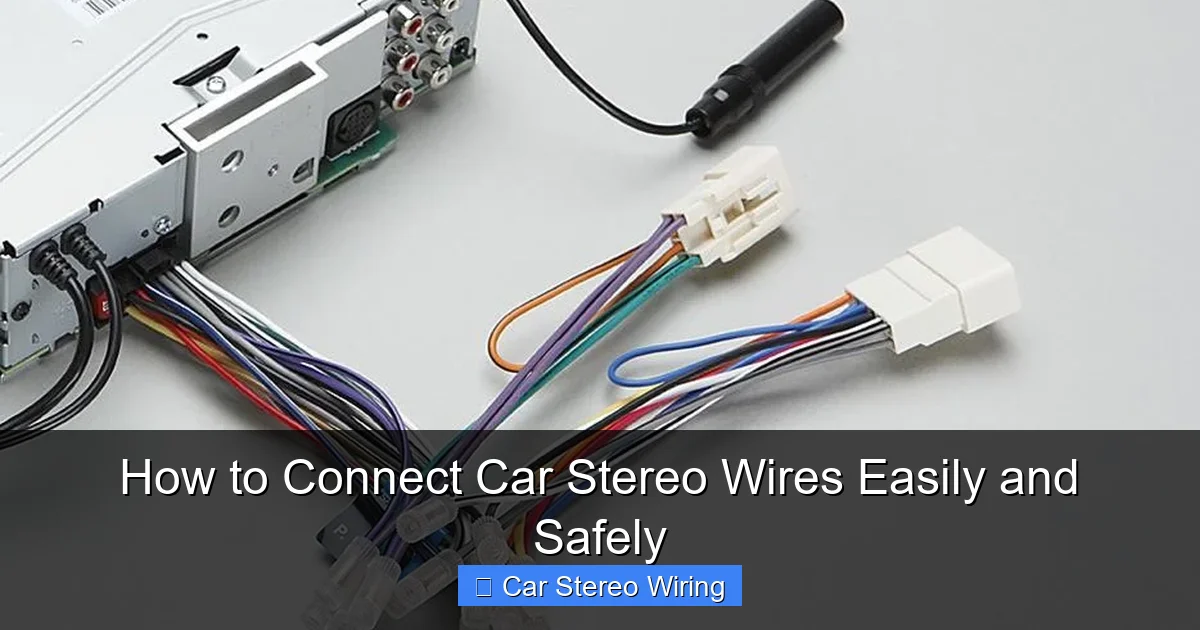
Visual guide about How to Connect Car Stereo Wires Easily and Safely
Image source: stereoauthority.com
Before you start, gather the right tools and materials. Having everything ready will save time and reduce frustration.
- New car stereo (aftermarket or replacement)
- Wiring harness adapter (specific to your car make and model)
- Wire strippers
- Crimping tool or soldering iron
- Electrical tape or heat shrink tubing
- Panel removal tools (plastic pry tools)
- Screwdrivers (Phillips and flathead)
- Multimeter (optional but helpful)
- Zip ties (for cable management)
- Owner’s manual for your car and stereo
Tip: A wiring harness adapter is a game-changer. It connects to your car’s factory harness and matches the stereo’s wires, so you don’t have to cut into your vehicle’s original wiring. This keeps your car’s electrical system intact and makes future upgrades or resale easier.
Step 1: Disconnect the Car Battery
Safety first! Always disconnect the negative terminal of your car battery before working on any electrical components. This prevents accidental shorts, sparks, or damage to your stereo and car’s electronics.
How to Disconnect the Battery
- Open the hood and locate the battery.
- Use a wrench to loosen the nut on the negative terminal (marked with a “-” or black cover).
- Lift the cable off the terminal and secure it away from the battery so it doesn’t accidentally touch.
Never skip this step—even a small spark can damage sensitive electronics or cause injury.
Step 2: Remove the Old Stereo
Now it’s time to take out the old stereo. The process varies slightly depending on your car, but here’s a general approach.
Remove the Dashboard Panels
- Use plastic pry tools to gently remove trim panels around the stereo. Start at the edges and work your way around.
- Be careful not to scratch the dashboard—plastic tools are safer than metal.
- Take photos as you go. This will help you remember how everything fits back together.
Unscrew and Extract the Stereo
- Locate the screws or bolts holding the stereo in place. These are usually behind the trim or on the sides of the unit.
- Remove the screws and gently pull the stereo out.
- Disconnect the wiring harness and antenna cable from the back of the old stereo.
Tip: Some cars have a single-DIN or double-DIN slot. Make sure your new stereo matches the size. If not, you may need a mounting kit.
Step 3: Identify and Match the Wires
This is the core of connecting car stereo wires. You’ll be matching wires from the new stereo to the wiring harness adapter.
Understand Standard Wire Colors
Most car stereos use a standard color code. Here’s a quick reference:
- Yellow: Constant 12V+ (battery power—keeps memory settings)
- Red: Switched 12V+ (ignition power—turns stereo on/off with key)
- Black: Ground (connects to car chassis)
- Orange: Illumination (dashboard light dimmer)
- Blue/White: Power antenna or amplifier remote
- Speaker wires: White, gray, green, purple (each with a white stripe for negative)
For example:
- White (+) and White/Black (-) = Front left speaker
- Gray (+) and Gray/Black (-) = Front right speaker
- Green (+) and Green/Black (-) = Rear left speaker
- Purple (+) and Purple/Black (-) = Rear right speaker
Note: Some stereos or cars may vary. Always double-check your stereo’s manual.
Connect the Wiring Harness
- Take the wiring harness adapter (which plugs into your car’s factory harness).
- Match each wire from the adapter to the corresponding wire on the new stereo.
- Twist the matching wires together (e.g., yellow to yellow, red to red).
- Secure each connection using crimp connectors or solder.
- Cover each joint with electrical tape or heat shrink tubing for insulation.
Tip: Use a multimeter to test continuity if you’re unsure about a wire. Set it to ohms (Ω) and check for a complete circuit.
Step 4: Secure and Organize the Wiring
Loose wires can rattle, short out, or get damaged. Proper cable management keeps everything tidy and safe.
Bundling and Routing
- Gather all connected wires and use zip ties to bundle them neatly.
- Route the bundle away from moving parts, heat sources, or sharp edges.
- Leave a little slack so the stereo can be pulled out slightly for future access.
Grounding the Stereo
- Connect the black ground wire to a solid metal part of the car’s chassis.
- Scrape off any paint or rust to ensure a clean metal-to-metal contact.
- Use a screw or bolt to secure the ground wire tightly.
A poor ground is a common cause of static, humming, or no sound at all.
Step 5: Install the New Stereo
Now that the wires are connected, it’s time to mount the new unit.
Attach the Stereo to the Mounting Kit
- If your stereo came with a mounting sleeve or bracket, attach it first.
- Slide the stereo into the sleeve until it clicks or locks in place.
- Secure it with screws if required.
Reconnect the Antenna and Plug In the Harness
- Plug the antenna cable into the back of the stereo.
- Connect the wiring harness adapter to the car’s factory harness.
- Double-check that all connections are snug and secure.
Step 6: Test the System
Before you put everything back together, test the stereo to make sure it works.
Reconnect the Battery and Power On
- Reconnect the negative battery terminal.
- Turn on the ignition (don’t start the engine yet).
- Power on the stereo and check for display, sound, and basic functions.
Check All Features
- Test each speaker (front left, front right, etc.) by playing music and adjusting balance/fade.
- Verify Bluetooth, USB, AUX, and radio functions.
- Check if the illumination wire dims the screen with the headlights.
- Ensure the power antenna (if equipped) extends when the radio is on.
If something isn’t working, don’t panic—troubleshooting is next.
Troubleshooting Common Wiring Issues
Even with careful wiring, problems can happen. Here’s how to fix the most common ones.
No Power to the Stereo
- Check if the red (ignition) and yellow (constant) wires are connected correctly.
- Test the fuse in the stereo’s power wire or the car’s fuse box.
- Use a multimeter to confirm 12V at the yellow and red wires.
No Sound from Speakers
- Verify speaker wire connections—positive to positive, negative to negative.
- Check if the stereo is set to the correct audio mode (e.g., not muted or on auxiliary).
- Test each speaker individually to isolate the issue.
Humming or Static Noise
- This is often a ground loop. Recheck the ground connection—clean the metal surface and tighten the screw.
- Ensure the ground wire isn’t touching any other wires.
- Try moving the ground to a different chassis point.
Radio Doesn’t Work
- Make sure the antenna is fully plugged in.
- Check if the blue/white remote wire is connected (required for power antennas).
- Try retuning the radio or scanning for stations.
Step 7: Reassemble the Dashboard
Once everything is working, it’s time to put your car back together.
- Carefully reattach the trim panels, starting from the bottom or sides.
- Press gently until each clip snaps into place.
- Replace any screws or bolts you removed.
- Double-check that no wires are pinched or trapped.
Tip: Use your photos from earlier to guide reassembly. Take your time—rushing can lead to broken clips or misaligned panels.
Final Tips for a Professional Finish
- Label wires if you’re doing a complex install with amplifiers or subwoofers.
- Use cable conduits for extra protection in tight spaces.
- Avoid over-tightening screws—plastic dash parts can crack easily.
- Keep the old stereo and harness in case you need to reinstall it later.
Conclusion
Connecting car stereo wires might seem daunting at first, but with the right tools, a clear plan, and attention to detail, it’s a task anyone can handle. By following this guide, you’ve learned how to safely disconnect your battery, identify wire colors, use a harness adapter, and test your system thoroughly.
A well-wired stereo not only sounds better but also lasts longer and integrates smoothly with your car’s electronics. Whether you’re upgrading for better sound or adding modern features, taking the time to do it right pays off every time you turn on the ignition.
So go ahead—enjoy your new stereo with confidence. You’ve got this!
🎥 Related Video: Car Stereo Wiring Harnesses & Interfaces Explained – What Do The Wire Colors Mean?
📺 Quality Mobile Video
What do the colors on your wiring harness mean? How do you connect your wiring harness or interface to your stereo? We’ll show …

