Resetting the ABS light with an OBD2 scanner is a simple and effective way to clear warning codes on your vehicle’s dashboard. This guide will walk you through the entire process, from connecting the scanner to erasing ABS fault codes, so you can get back on the road with confidence.
Quick Answers to Common Questions
Can I reset the ABS light without fixing the problem?
It’s possible to clear the ABS light without fixing the issue, but this is not recommended. The light will likely come back on if the problem persists, and ignoring ABS faults can compromise braking safety.
Will all OBD2 scanners reset the ABS light?
No, only scanners that support ABS diagnostics can read and clear ABS codes. Check your scanner’s features before attempting to reset the ABS light.
How long does it take to reset the ABS light with an OBD2 scanner?
The entire process usually takes less than 10 minutes, including connecting the scanner, reading codes, and clearing them.
What if my ABS light turns on again after resetting?
This suggests the underlying issue hasn’t been resolved. Further diagnosis or professional repairs may be needed.
Do I need to start the engine to reset the ABS light?
No, you only need to turn the ignition to the “On” position without starting the engine for the scanner to communicate with the ABS system.
How to Reset ABS Light with OBD2 Scanner Quickly and Easily
The ABS (Anti-lock Braking System) light on your dashboard alerts you to potential issues with your vehicle’s braking system. When this light turns on, it’s important to address it promptly to maintain safe braking performance. Fortunately, resetting the ABS light using an OBD2 scanner is a quick and simple process that anyone can do at home.
In this guide, you will learn how to use an OBD2 scanner to reset the ABS light effectively. We’ll cover everything from understanding the ABS light, selecting the right scanner, to detailed step-by-step instructions and troubleshooting tips. Let’s get started!
What You Need Before Resetting the ABS Light
- OBD2 Scanner: Choose one that supports ABS code reading and clearing.
- Your Vehicle: Ensure the car is compatible with the OBD2 standard (generally vehicles manufactured after 1996).
- Car Owner’s Manual: Helpful for locating the OBD2 port and understanding vehicle-specific info.
- Basic Tools: Just your hands and scanner, no special tools required.
Step 1: Locate the OBD2 Port in Your Vehicle
The OBD2 port is usually located under the dashboard near the steering column. Sometimes it can be found near the center console or footwell.
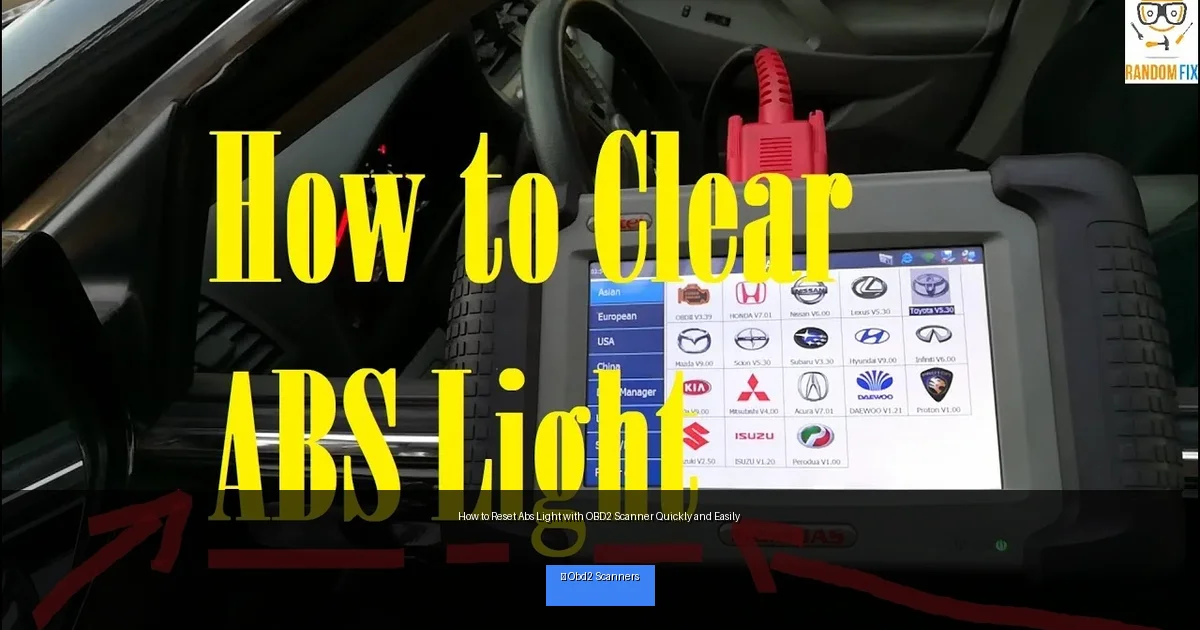
Visual guide about How to Reset Abs Light with OBD2 Scanner Quickly and Easily
Image source: i.ytimg.com
How to Find It
- Look under the driver’s side dashboard.
- Check around the steering column area.
- Consult your vehicle’s manual if you have trouble finding it.
Step 2: Connect Your OBD2 Scanner
Once you find the OBD2 port, plug the scanner’s connector into it firmly. Most OBD2 connectors are shaped for easy one-way connection, so don’t force it.
Powering the Scanner
- Turn the vehicle’s ignition to the “On” position without starting the engine.
- Your scanner should power up automatically if connected properly.
- Follow any initial prompts on the scanner screen.
Step 3: Navigate to the ABS System
Not all OBD2 scanners automatically read ABS codes; some require you to select the system manually.
Selecting ABS on the Scanner
- From the main menu, choose “ABS” or “Brake System.”
- If your scanner doesn’t show ABS, check if it supports ABS diagnostics.
- Consult your scanner’s manual for system selection instructions.
Step 4: Read ABS Trouble Codes
The scanner will communicate with your vehicle’s ABS module and retrieve stored trouble codes. These codes pinpoint what triggered the ABS light.
Interpreting ABS Codes
- Write down or save the codes displayed.
- Use your scanner’s code lookup or an online database to understand each code.
- Determine if the issue is simple (like a loose sensor) or requires professional repair.
Step 5: Clear the ABS Codes and Reset the Light
If you’ve fixed the underlying issue or want to attempt a reset, clearing the ABS codes will turn off the ABS light.
How to Clear Codes
- Select the “Clear Codes” or “Erase Codes” option on your scanner.
- Confirm that you want to clear the ABS trouble codes.
- Wait for the scanner to erase the codes and reset the ABS light.
Once cleared, turn off the ignition and disconnect the scanner.
Step 6: Test Drive and Confirm
Start your car and take it for a short test drive to ensure the ABS light stays off. If it comes back on, further diagnostics or repairs may be necessary.
Practical Tips for Resetting Your ABS Light
- Always diagnose first: Resetting without fixing the issue can cause safety risks.
- Choose the right scanner: Not all OBD2 scanners support ABS systems, so verify compatibility.
- Keep the car battery charged: A low battery can prevent proper communication with the scanner.
- Record trouble codes: Keep a log for reference or mechanic consultation.
- Consult professional help: For persistent ABS issues, see a qualified mechanic.
Troubleshooting: What If the ABS Light Won’t Reset?
If the ABS light remains on after you clear codes, consider the following:
- Persistent Fault: The underlying problem hasn’t been fixed. Inspect sensors, wiring, or ABS module.
- Scanner Limitations: Some basic scanners can’t clear ABS codes properly; try a more advanced model.
- Battery Issues: Low voltage may interfere with code clearing.
- Professional Diagnostics: Use a dealer-level scanner or visit a mechanic for deeper troubleshooting.
Conclusion
Resetting the ABS light with an OBD2 scanner is a straightforward task that empowers you to maintain your vehicle’s braking system health. By following the steps above, you can quickly identify ABS issues, clear fault codes, and ensure your ABS light turns off safely. Remember, the key is to address the root cause before resetting the light to keep your vehicle safe on the road.
With the right tools and a little know-how, resetting the ABS light becomes a hassle-free experience. Happy driving!
🎥 Related Video: How to Reset ABS Light using Obd2 Scan Tool
📺 RANDOMFIX
In this video, I will how to use a scan tool to reses ABS lights. How to Clear ABS Light + Code using Obd2 ObdII Scanner, Color …

