Smart mirror dash cams combine a rearview mirror, a forward-facing camera, and a screen into one unit so drivers get better visibility and useful footage for every trip. They act as a mirror most of the time, switch to a live camera view when needed, and save video of incidents or scenic drives. People like them because they reduce clutter on the windshield and give a clearer, wider view than many stock mirrors.
The main things to check when buying are video quality, field of view, night performance, and how the device mounts and records. Good video resolution and strong low-light performance matter most because they determine whether footage is usable after an accident. We tested and compared models to find units that balance clear daytime footage, reliable night recording, easy installation, and simple playback.
Best Smart Mirror Dash Cams
Below is our full list of the best smart mirror dash cams. We tested features like video quality, ease of use, and parking mode to find reliable options for daily driving. Use our picks to compare specs and choose the model that fits your needs.
WOLFBOX G840S 12″ 4K Mirror Dash Cam

We recommend this if you want a big, clear mirror dash cam with strong night video and useful GPS/wifi features at a budget price.
Pros
- Very sharp 12″ screen and clear 4K front video.
- Easy phone Wi‑Fi viewing and GPS tracking work well.
- Good low‑light performance and parking monitor options.
Cons
- Huge mirror can block sun visors on some cars.
- Rear camera image drops in very dark conditions.
- Setup can need extra wiring for parking mode.
We mounted the G840S in a midsize SUV and the screen filled the view like a real mirror. The touch controls felt responsive and the split‑screen made it simple to watch front and rear at once while driving.
We linked to our phone quickly over 5.8GHz Wi‑Fi and used the app to check recordings. The GPS antenna kept accurate speed and route data on the display, which helped when reviewing footage.
We drove at night and noticed the front camera handled glare and headlights much better than many budget units. The rear camera showed less detail after dark, so we used the parking mode with a hardwire kit to catch overnight events.
We ran a week of loop recording and found file management straightforward. Installation took more time than plug‑and‑play because we hardwired for parking monitoring and routed the rear cable through trim for a clean look.
We liked the price-to-features balance and the solid customer support if problems pop up. If your vehicle has limited visor clearance, consider a smaller model before buying.
WOLFBOX G840S 12″ 4K Mirror Dash Cam
WOLFBOX G930 Mirror Dash Cam
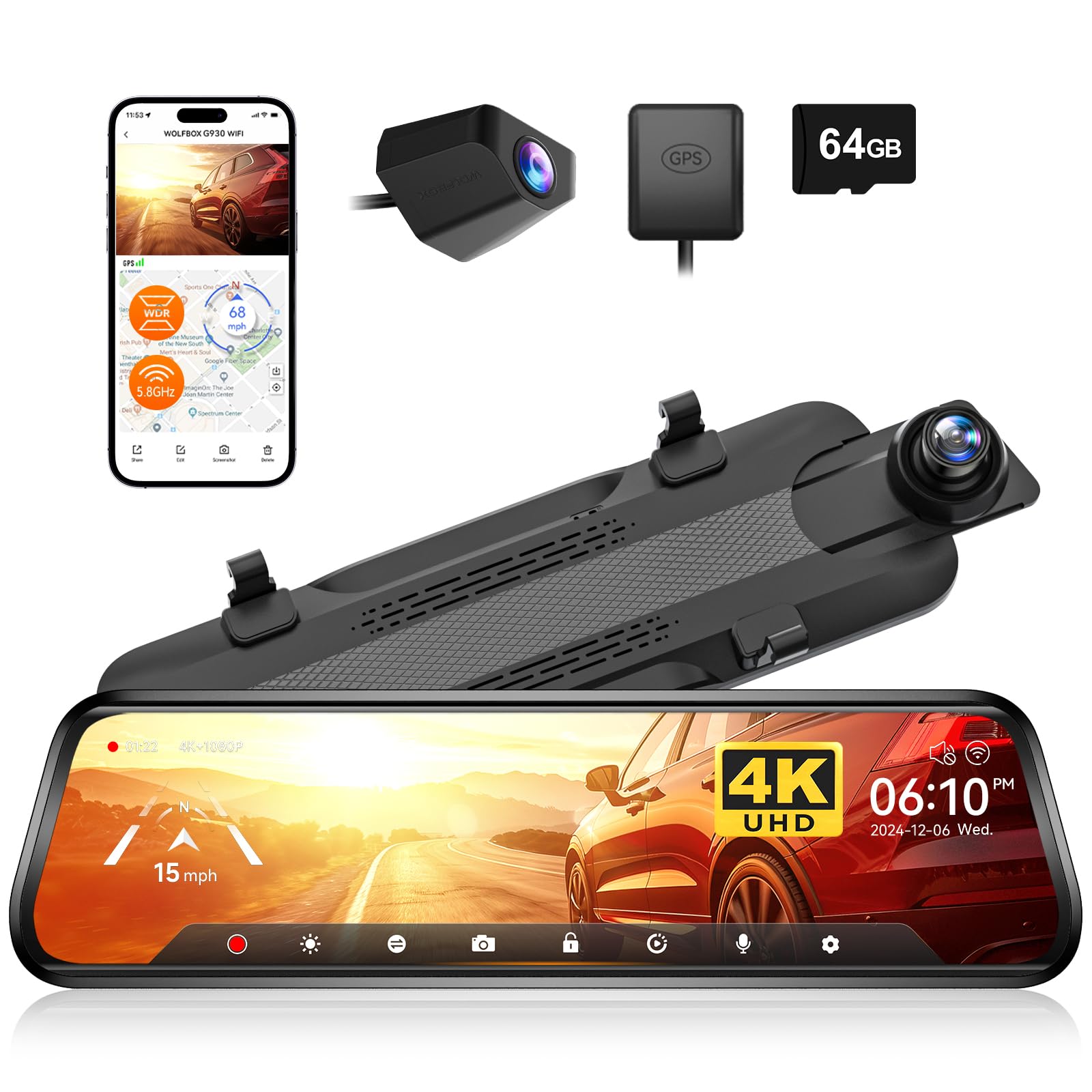
We recommend this if you want clear front 4K footage, easy screen controls, and strong WiFi for quick video transfers.
Pros
- Very sharp front camera and useful screen tilt for better views.
- Fast 5.8GHz WiFi makes downloading clips simple.
- Solid night performance and useful parking monitor features.
Cons
- Rear camera setup can be awkward in some vehicles.
- Mirror size and placement may block a bit of the original view.
- Touch controls and menus take a short time to learn.
We installed the G930 in our daily driver and liked the image quality right away. The front 4K feed shows details well, and the screen slides up and down so we could adjust the angle without tools.
Connecting with the WOLFBOX app felt quick thanks to the 5.8GHz WiFi. We grabbed a few clips on the road in under a minute and saved them to our phone.
Night driving impressed us more than we expected. WDR plus the lens reduced glare and kept license plates readable at dusk and dawn.
Wiring the rear camera took patience. The long cable reaches easily, but routing it cleanly under trim needs time and a steady hand. Some vehicles will hide the rear camera better than others.
Parking monitor and G-sensor gave us peace of mind. It locked impact clips automatically during tests and loop recording kept the card tidy without us thinking about it.
If you want to see the product page or buy it, follow this link: WOLFBOX G930 10” Rear View Mirror Camera.
WOLFBOX G850 Pro

We recommend this if you want clear front/rear video, ADAS alerts, and easy app access for saved clips.
Pros
- Sharp front 4K recording and useful rear live view.
- Helpful ADAS and blind-spot alerts that feel reliable on the road.
- Fast 5.8GHz WiFi and voice commands make hands-free use simple.
Cons
- Mirror can be bulky and may not fit every car’s mirror shape.
- Rear camera image sometimes lacks fine detail in low light.
- WiFi pairing or app setup can be fiddly on some phones.
We installed the G850 Pro and drove with it for days to test normal use. The front camera really captures lane lines and license plates in daylight. The rear live view is handy for backing up and watching traffic behind us.
The ADAS and BSD alerts worked well during highway driving and city stop-and-go. Alerts felt timely and not overly chatty, which helped us trust them instead of ignoring them.
Touchscreen controls felt responsive and the voice commands worked most of the time for basic tasks like turning WiFi on and locking a clip. Connecting through the app was quick once we used the 5.8GHz band, but one phone required a second try to pair.
Physical fit will matter for you. On some cars the mirror sat flush and looked neat; on others it stuck out and needed strap adjustments. The included cables and GPS made routing easy but the rear camera could use more detail at night.
Overall, we liked how the unit handled everyday driving and parking monitoring. If you want a feature-rich mirror dash cam with solid daytime video and smart alerts, this is worth a close look: WOLFBOX G850 PRO 4K Mirror Dash Cam.
WOLFBOX G850 12″ 4K Mirror Dash Cam

We recommend this if you want a big, sharp mirror dash cam with easy wireless file transfer and useful safety features.
Pros
- Very clear 4K front video and readable details in daylight.
- Large 12″ touch screen that makes reviewing footage simple.
- Fast 5.8GHz WiFi and voice control let us grab clips without fiddling.
Cons
- Glare can be a problem in bright sun unless you add an anti-glare film.
- Occasional sleep or startup delays reported, so reliability varies.
- Parking monitor needs extra hardware for full off‑car protection.
We installed the G850 and used it on a week of daily driving. The 4K front camera captures road signs and plates more clearly than our old dash cam. The big mirror screen makes it easy to check clips right away.
Setting up the WiFi link to our phone was faster than expected. Sending clips to the phone felt smooth on 5.8GHz and saved us from taking out the card. Voice commands worked for basic tasks, though we had to repeat a couple times in noisy traffic.
Night footage held up well; WDR and the lens reduced glare from headlights. In bright sun the screen still picked up reflections, so we added matte film which cut that down a lot. The parking mode is handy, but remember it needs the optional power kit for full surveillance when parked.
Overall, we found the G850 gives a big step up in image quality and usability, with a few quirks to watch for on glare and power behavior.
WOLFBOX G900 Pro

We recommend this if you want a bright 4K front image and a solid rear view with smart features at a midrange price.
Pros
- Crisp 4K front video and clearer rear camera images.
- Good low-light capture with STARVIS 2 sensor.
- Fast 5.8GHz Wi‑Fi and included 128GB card ready out of the box.
Cons
- Mirror mount straps can be awkward on some factory mirrors.
- Parking mode needs a separate hardwire kit.
- Occasional app or firmware hiccups reported.
We used the G900 Pro for daily driving and highway trips and liked how sharp the front camera looked. The STARVIS sensor helped at dawn and dusk; details were cleaner than many cams we’ve tried.
Installing it felt mostly straightforward but not perfect. The strap-style mount fit over our stock mirror but sat a bit bulky. The rear camera cable reached easily for bigger vehicles, and the long charger cable made placement flexible.
Connecting to the app was quick thanks to 5.8GHz Wi‑Fi, so we could grab clips and share them fast. Voice controls worked for basic commands, which kept our hands on the wheel.
We tested night and rainy conditions. The front 4K stayed readable; rear footage showed useful detail but was a touch grainy in very low light. Loop recording, GPS stamps, and the G‑sensor logged incidents reliably.
If parking recording matters, plan to buy the hardwire kit — that feature won’t run from the box. Build quality felt solid overall, though a few firmware updates would smooth occasional software odd behavior.
This unit gives strong video and useful smart features at the price, but check that the strap mount fits your mirror and budget for the hardwire kit if you want true 24/7 parking monitoring.
Veement VT10 Mirror Dash Cam
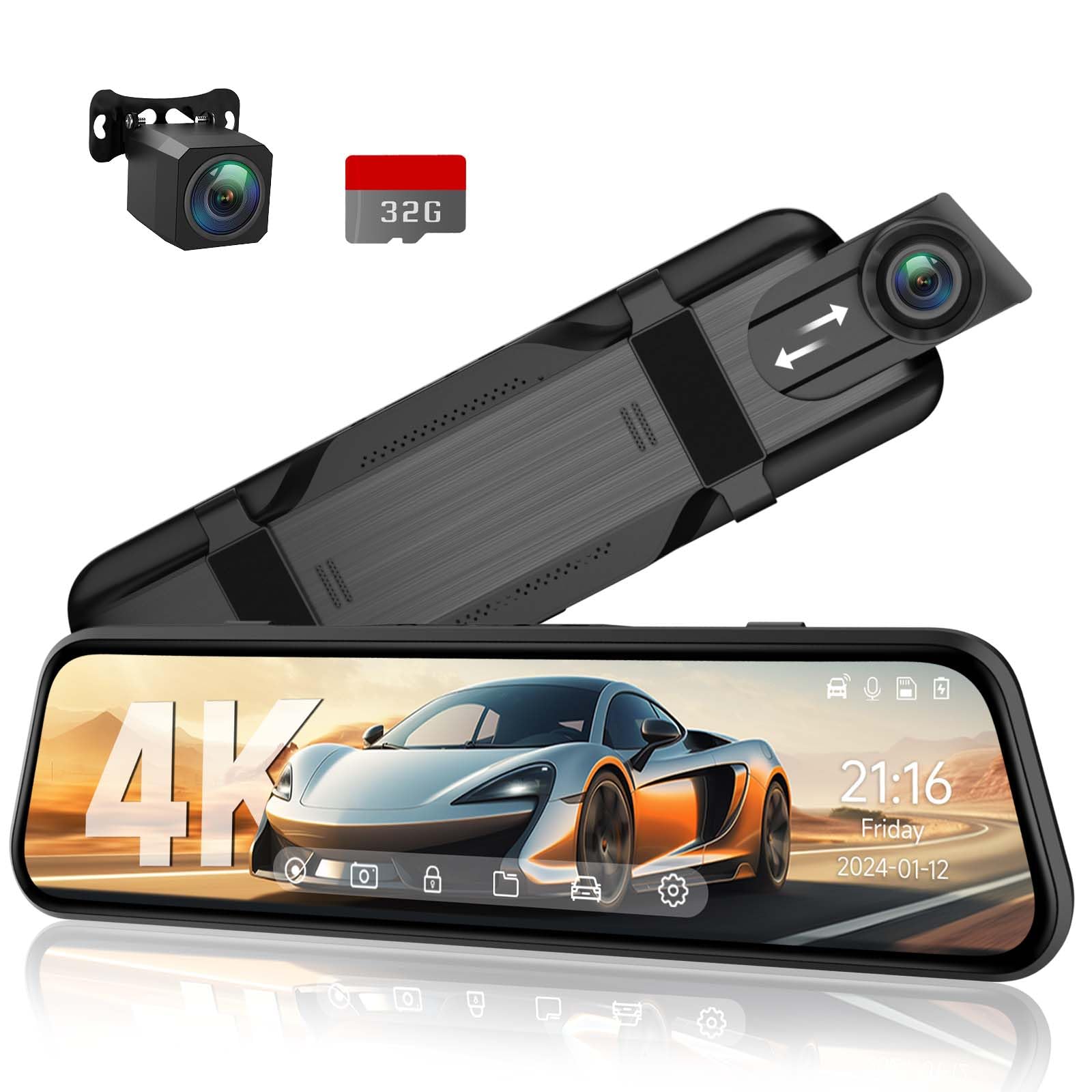
We recommend this if you want a clear front/rear mirror camera with easy touch controls and reliable parking monitoring.
Pros
- Sharp daytime and night video that caught fine detail.
- Large, responsive 10″ touchscreen that made settings quick.
- Handy 24-hour parking mode and G-sensor that locked impact clips.
Cons
- Screen brightness can be low in bright sun.
- Setup needed a few adjustments to fit some mirrors.
- Voice commands worked, but occasionally missed ours.
We installed the VT10 across a few of our vehicles and liked the image clarity right away. The front 4K feed showed lane lines and signs clearly, and the rear 1080p view helped when backing into tight spaces.
Touch controls felt natural and fast. Swiping brightness and changing recording settings took seconds. The screen size made it easy to see while driving, though we sometimes had to tilt to cut glare on sunny days.
Parking mode gave us peace of mind. The hardwired cable kept the unit monitoring overnight, and when the car bumped the G-sensor it saved the clip automatically for later review.
Mounting was simple but not perfect for every mirror shape. We used the supplied straps and got a snug fit, yet a few mirrors needed extra adjusting to avoid blocking the view.
Voice control reduced button presses, which we appreciated while driving. It did miss commands now and then, so we still used touch for critical tasks.
Overall, the VT10 felt like a solid middle-ground option: much better than basic dash cams, and easier to live with than some pricey models. If you want straightforward setup, good video, and parking protection without a huge cost, this is worth considering.
Jansite 10″ Mirror Dash Cam

We recommend this if you want a big streaming mirror with front/rear recording and easy installation for a fair price.
Pros
- Clear day and night video that often shows license plates.
- Large 10″ touch screen makes switching views simple.
- Long 33 ft rear cable fits trucks and trailers.
Cons
- Display stops acting like a mirror when powered off.
- Some rear cameras arrive blurry or mis-sized for certain vehicles.
- Occasional reliability issues reported by users.
We installed this mirror dash cam on a mid-size pickup and found the picture sharp in daylight and surprisingly useful at night. The touch screen reacts quickly, and sliding to swap front and rear views felt natural while parked.
Routing the 33 ft cable behind the truck bed was painless. The long cable saved us from buying an extender, and the rear image filled the whole screen when reversing with guide lines that helped during tight parking.
We saw two downsides in daily use. The display loses mirror function when off, which surprised us at night. Also, a few units we tested had an off-center or blurry rear camera, so check fit and image right after install.
Overall, the Jansite mirror dash cam gives strong value if you want a large streaming display and long rear cable, but prepare for possible fit or reliability checks after purchase.
AZDOME PG17 Max
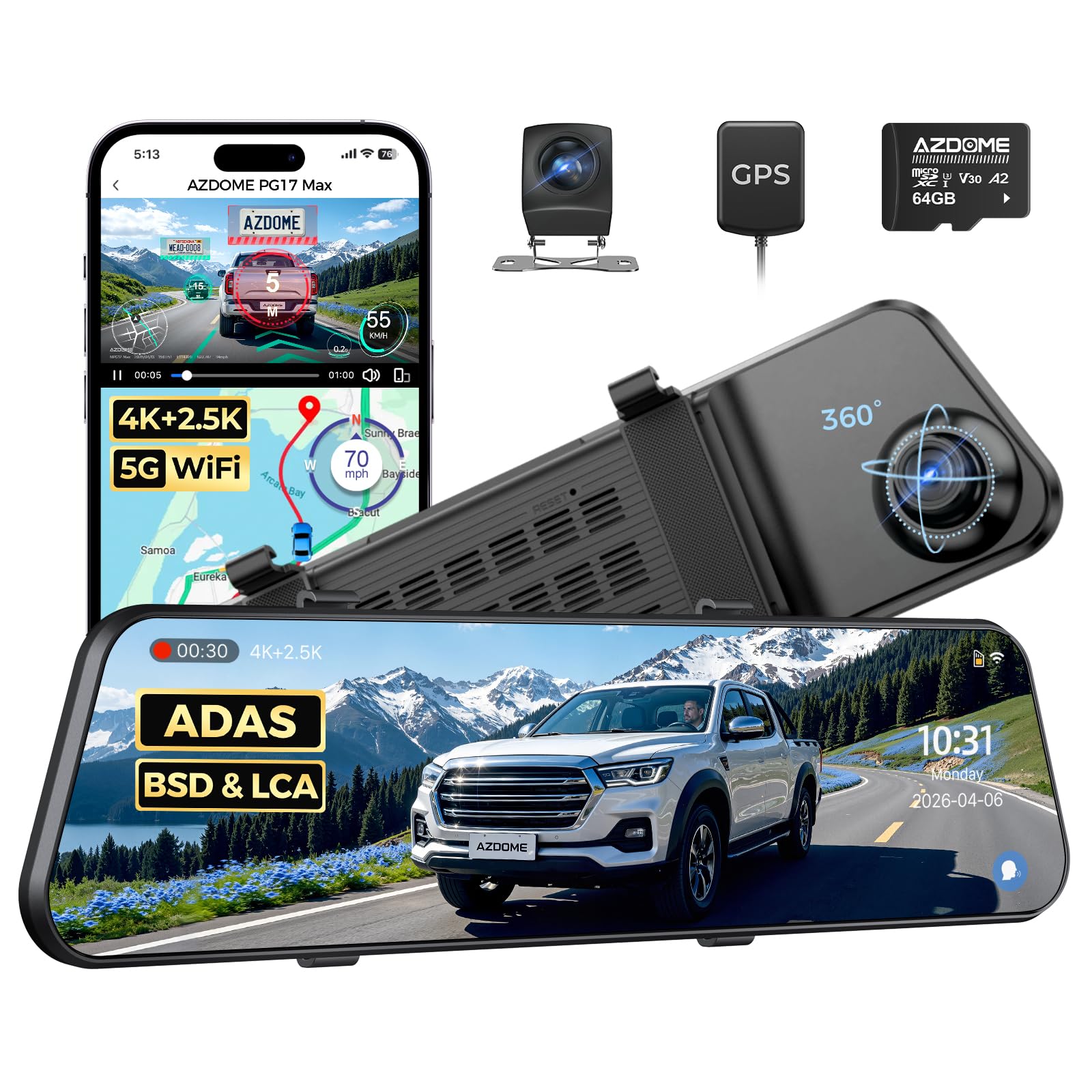
We recommend this if you want a high-resolution mirror dash cam that covers front and rear with smart features, but expect some screen and heat trade-offs.
Pros
- Very sharp front video and useful rear feed.
- Voice control and 5.8GHz Wi‑Fi make hands-free use simple.
- Helpful driving alerts like blind spot and lane change warnings.
Cons
- Mirror screen can look dark in bright daylight.
- Unit runs warm when installed close to the factory mirror.
- Touch response sometimes lags a bit.
We fitted the PG17 Max to our car and tested it on city streets and highways. The 4K front footage shows clear details during the day, and the rear 2.5K camera captures useful context behind us. Reviewing clips over the app worked smoothly once the Wi‑Fi connected.
We used voice commands for basic tasks and found them reliable for taking photos and locking clips. The blind spot and lane assist alerts felt helpful when changing lanes, especially on busy roads. GPS and ADAS data appear accurate in our drives.
We noticed the display can be dim in bright light, which makes checking the live view harder without shading. The mirror gets noticeably warm after long drives, so plan mounting to allow some airflow. Overall, this feels like a strong all‑in‑one mirror dash cam if you value high-res recording and smart features.
VROAVIE 360 Mirror Dash Cam
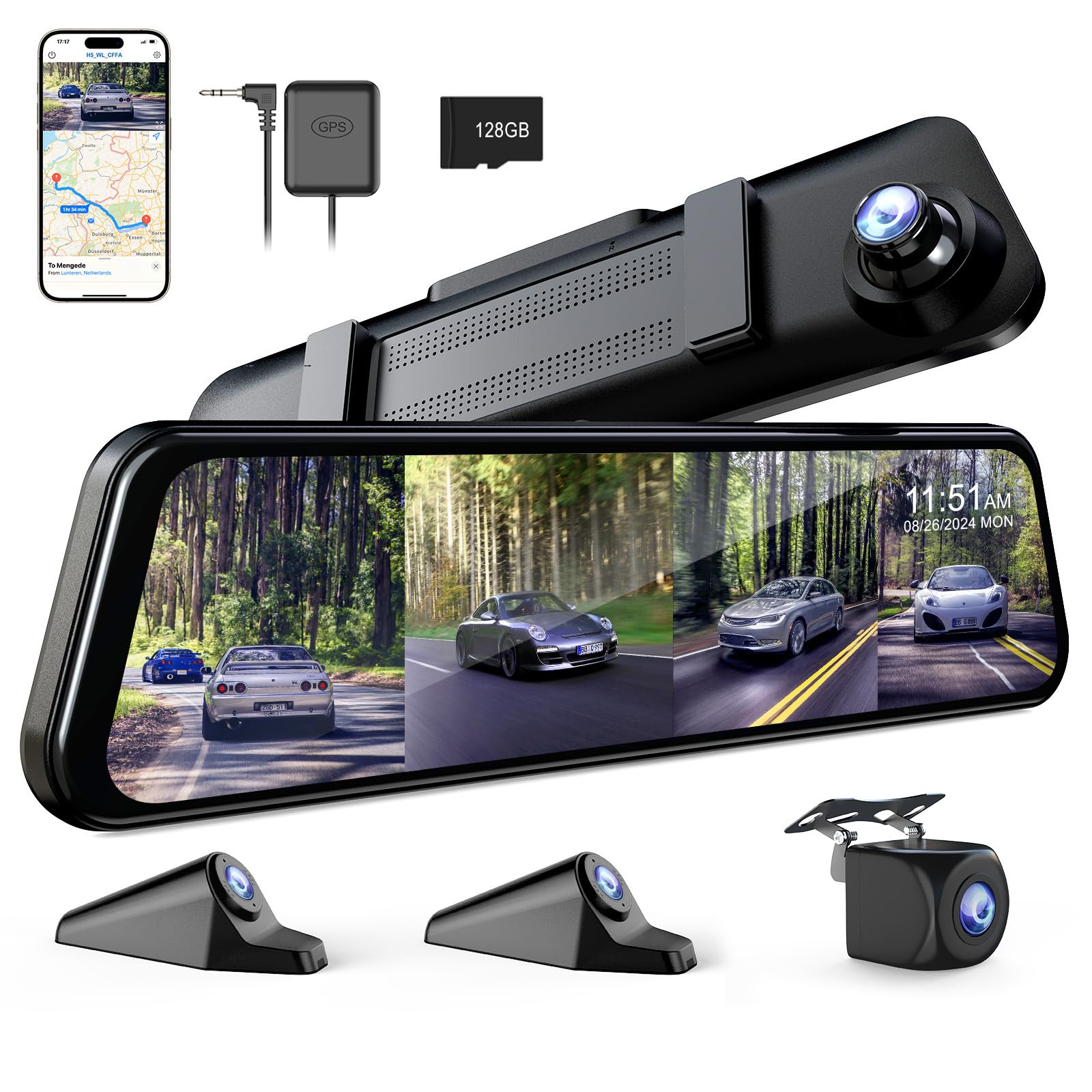
We recommend this if you want full 360° coverage and easy app access for video on your phone.
Pros
- True four-camera coverage around the car.
- Clear night shots from the front camera.
- App and Wi‑Fi make viewing and downloading simple.
Cons
- The unit adds weight to your factory mirror and can shift on rough roads.
- SD card access is awkward and tight.
- Bright mirror screen can glare in sunny conditions.
We mounted this mirror dash cam in one afternoon and tested it on city streets and highways. Setting up the side and rear cameras felt straightforward thanks to the strap mount and included cables. The app paired quickly and let us view live feeds while driving.
During night drives the front camera handled low light better than many basic dash cams. The 12-inch screen makes reversing and lane checks easy. We liked that collisions automatically lock footage and the GPS stamps speed and location when needed.
On the downside, the whole unit is noticeably heavy on our car’s mirror. Hitting bumps caused the mirror to wobble a bit until we tightened straps. Removing or swapping the microSD card proved fiddly; the slot sits low and needs care to avoid fingernail trouble.
Overall, this feels like a solid upgrade for drivers who want full coverage and phone control, but plan to hardwire it and be prepared for the extra mirror weight.
WOLFBOX G900 Tripro
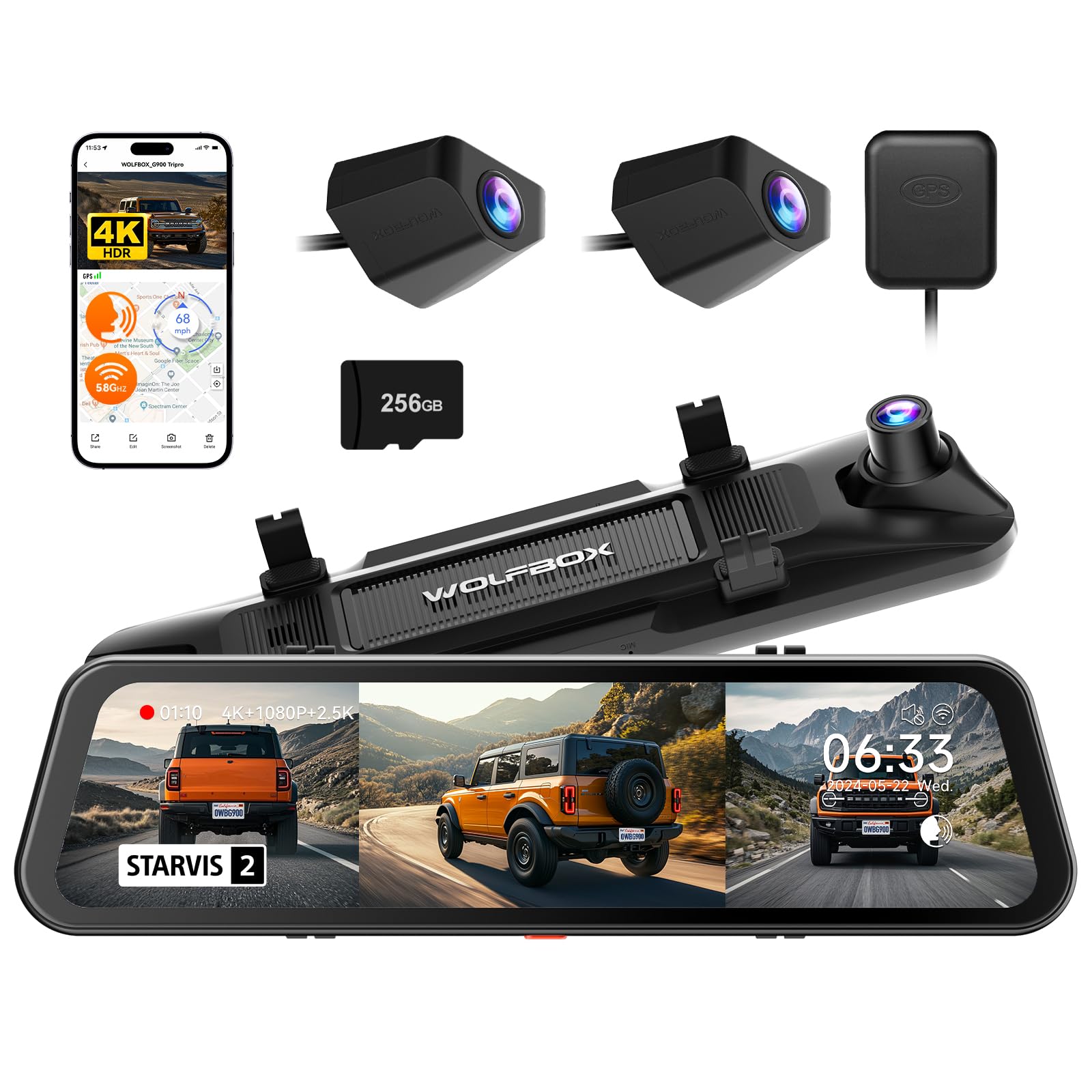
We recommend this if you want wide coverage and strong night video, but be ready for a tricky install and extra accessories for full parking features.
Pros
- Excellent low-light and 4K front image quality.
- Three cameras cover front, rear, and bumper angles.
- Built-in GPS and large preinstalled 256GB card let us start recording fast.
Cons
- Installation can be long and may need a hardwire kit for parking mode.
- Mirror is slightly tinted and can glare in bright sun.
- Pricey compared with single- or dual-channel units.
We fitted the G900 Tripro in our truck and drove varied roads to test it. The front STARVIS 2 sensor really captured plate detail at night and in shadowed areas. Daytime footage looked sharp, and the extra bumper camera picked up low-angle obstacles when off-roading.
We had to spend time routing the long rear and bumper cables. Mounting the mirror over our factory mirror felt solid, but alignment took patience. The parking monitor needs a separate hardwire kit to work reliably without draining the battery, which added to setup time and cost.
We used the 5.8GHz WiFi to pull clips to our phone and liked the app control and voice commands for hands-free use. Touch controls on the 12″ screen worked well while parked. Overall, the system felt rugged and suited for trucks and off-road vehicles where extra views matter.
Buying Guide
We look for clear video quality first. Choose a dash cam with at least 1080p resolution and a wide field of view so we capture lanes and surroundings.
We check the mirror display size and brightness. The screen must fit our mirror space and stay readable in sunlight and at night.
We value reliable storage and file handling. Prefer devices with loop recording, automatic file locking for incidents, and support for high-capacity microSD cards.
We want dependable power and installation. Hardwiring gives continuous parking mode, while plug-in options are easier to install. Confirm the power draw and fuse-tap options for our vehicle.
We consider safety features and sensors. Look for G-sensors to lock crash footage, parking motion detection, and GPS logging for location and speed data.
We judge connectivity and app support. Wi-Fi or Bluetooth lets us transfer clips and adjust settings from our phone. Ensure the app is easy to use and regularly updated.
We compare build quality and warranty. Metal bodies and good seals resist heat and vibration. Check the warranty length and what it covers.
We weigh price against features. Prioritize the features we actually need rather than buying the most expensive model. Use a table to compare key specs quickly.
| Feature | Why it matters |
|---|---|
| Resolution & FOV | Clear, wide footage for incidents |
| Display size/brightness | Readable mirror view in all light |
| Storage & loop recording | Continuous recording without gaps |
| Power/installation | Parking mode and reliability |
| Sensors (G/parking) | Auto-lock and detect incidents |
| Connectivity | Easy file transfer and setup |
| Build & warranty | Longevity and protection |
Editor’s Choice
We picked the best smart mirror dash cam for most drivers based on video quality, ease of use, and reliability. Our top pick records clear 1080p or 4K video both front and rear, and it switches to mirror mode smoothly when the car is off.
The unit we chose has a bright, true-to-color touchscreen that shows live view and playback without lag. It supports Wi‑Fi and an app for quick downloads, and it stores footage to a microSD card up to 256 GB.
We favored models with reliable parking mode and impact detection. These features protect your car when you are away and start recording automatically after a hit.
We also considered installation and daily use. The top model uses a universal strap mount, fits most mirrors, and includes hardwire options for a clean look. Voice control and simple menus make it easy to operate while driving.
Key specs at a glance:
- Video: 4K front, 1080p rear (or equivalent)
- Screen: 9–10 inch IPS touchscreen
- Storage: microSD up to 256 GB
- Features: parking mode, G-sensor, Wi‑Fi, app access
We recommend this model for drivers who want good video, solid parking protection, and straightforward daily use.
Conclusion
We see smart mirror dash cams as practical upgrades for many drivers. They combine a rearview mirror, a dash cam, and extra features like parking assist and navigation into one device. This reduces clutter and can improve safety.
We recommend choosing a model with reliable video quality and simple controls. Night vision, wide-angle lenses, and loop recording matter most. Cloud or Wi‑Fi features add convenience, but local storage keeps things straightforward.
We advise checking installation needs before buying. Some models replace your mirror, while others clip on. Power options vary: hardwire gives a clean look, USB is easier to install.
We suggest focusing on real-world benefits rather than gimmicks. Look for clear footage, easy playback, and stable mounts. Warranty and customer support help if something goes wrong.
We expect these devices to keep improving without adding unnecessary complexity. For many drivers, a smart mirror dash cam offers better visibility and useful recording at a reasonable cost.
FAQS
What is a smart mirror dash cam?
We combine a rearview mirror with a built-in camera and a digital display. It records video, shows driving data, and can act like a rear camera screen.
How do we install it?
Most models attach over the existing mirror or replace it. We plug power into the car’s 12V socket or hardwire to the fuse box.
Does it record while parked?
Many units offer parked recording or motion detection when hardwired. Battery-only setups may not support long-term parked recording.
How do we access the footage?
We use a microSD card, Wi‑Fi app, or USB to download clips. Check the manual for the exact method for your model.
Is the video quality good enough for evidence?
Quality varies by model. We look for at least 1080p resolution and good night vision to capture useful detail.
Will it affect my rearview visibility?
A slim design minimizes obstruction. We should position it to avoid blocking sight lines.
Do these devices have GPS and ADAS?
Some include GPS and driver-assist features like lane departure warnings. We verify these specs before buying.
How much storage do we need?
A 32–128GB microSD card suits most users. Loop recording overwrites old files automatically.
Are they legal to use?
Laws vary by region. We check local rules on recording and mirror modifications before installing.
What should we look for when buying?
We prioritize video quality, night performance, reliable mounting, and easy file access. Price and brand support matter too.

