Dash cams record video of your drives to help document accidents, capture road incidents, and provide evidence for insurance or legal claims. They range from simple single-lens units that plug into a car lighter to multi-camera systems with GPS, Wi‑Fi, and cloud features. For many drivers, a cheap dash cam gives the core protection — continuous front-facing recording and automatic loop overwrite — without a big upfront cost.
When shopping for a budget dash cam, focus on video quality, night performance, and reliable loop recording. Resolution and frame rate affect how clearly license plates and details appear, while a good sensor and wide dynamic range improve low-light footage. We tested several affordable models to find dash cams that record clear, usable video, run reliably, and are easy to use.
Best Cheap Dash Cams
Below is our full list of the best cheap dash cams we recommend for reliable video and simple features. We tested options for ease of use, video quality for the price, and basic safety functions so you can pick the right budget camera.
Meiqils Dual Dash Cam
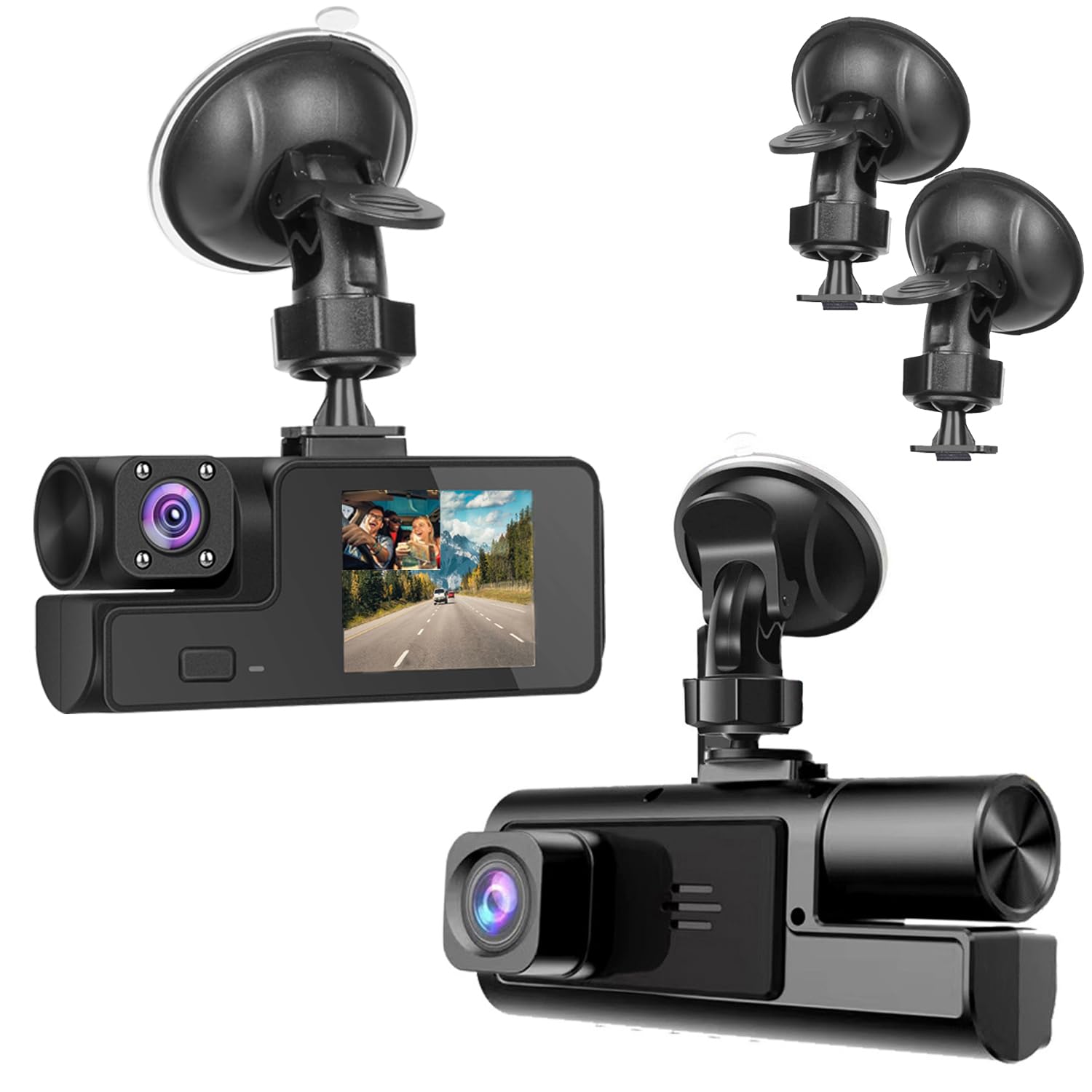
We would buy this if we wanted a very cheap dual dash cam for basic day/night recording, but we would not expect perfect image quality or advanced features.
Pros
- Very affordable for a dual front-and-inside camera.
- Easy plug-and-play setup with suction mount.
- Records continuously with G-sensor lock for collisions.
Cons
- Image quality can be only okay; license plates may be hard to read.
- Some units show reliability issues or cold-weather failures.
- Menu and controls feel clunky on some samples.
We installed this on a weekend and drove around town to test it. The suction mount held well after we cleaned the windshield. Setup took a few minutes by plugging into the cigarette lighter and adjusting the angle.
During daytime drives the front view looked clear enough to see cars and signs. The interior camera gave decent coverage for passengers. We noticed that detail falls off quickly at distance, so small text or plates are not always legible.
Night performance is usable but not great. The camera switches to its night mode and records, but bright lights bloom and edges soften. The G-sensor did lock files when we tapped the dashboard, which showed the feature works to protect incident clips.
We tried the menu and buttons and found them inconsistent on one unit; some presses only beeped. Loop recording worked as advertised, overwriting old files when the card filled. We recommend buying a quality SD card and testing the unit right away.
Overall, this Meiqils dash cam fits drivers who want low cost and basic dual-channel recording. If you need crisp evidence-quality video in all conditions, we would look at higher-end models.
Veement V300 Dash Cam

We recommend this if you want a low-cost dash cam that records clear 1296P video and handles night drives well.
Pros
- Sharp daytime and night video for the price
- Compact, low-profile design that hides behind the mirror
- App control and Wi‑Fi make grabbing clips easy
Cons
- Wi‑Fi app can be flaky on some phones
- Needs a good USB-C power feed; no internal battery for long standalone use
- Some units have occasional hardware or charger issues
We installed the V300 on our test car and found the image quality pleasantly sharp for a budget camera. The 1296P footage captures license plates at typical city speeds better than most cheap cams we’ve tried.
Night recording surprised us. The lens and sensor pulled more detail than we expected when street lights were present, though very dark rural roads still lose fine detail.
Setting up via the VeeCar app worked for quick previews and downloads, but we hit app connection hiccups on one Android phone. We still accessed files by removing the microSD when needed.
The unit feels small and stays out of sight, which we liked for daily driving. Loop recording and parking mode are useful features if you want constant coverage without fuss.
Expect to buy a reliable USB-C power cable and an SD card separately. When everything’s hooked up right, this gives solid protection at a low price.
iZEEKER 2.5K Dash Cam
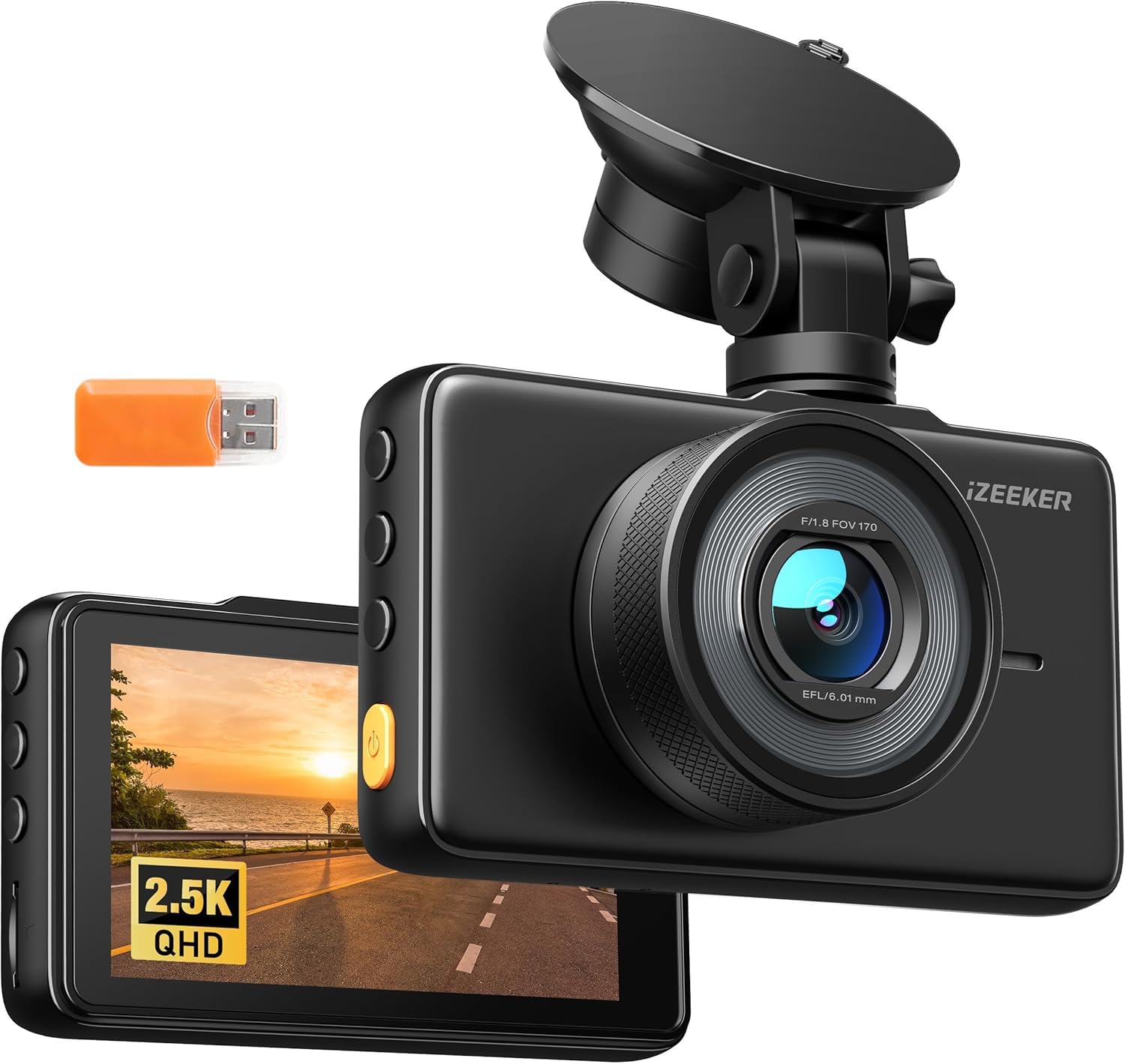
We recommend this if you want a low-cost, easy-to-use front dash cam that records clear daytime and decent night video.
Pros
- Sharp 2.5K video for the price.
- Simple touch screen and easy setup.
- Good field of view that catches a lot of the road.
Cons
- No microSD card included, so you must buy one.
- Occasional corrupt files showed up during playback for us.
- Suction mount can be fiddly when moving between cars.
We put this camera on our windshield and drove around town and on the highway. The picture was noticeably clearer than a typical 1080p cam, and the 3″ IPS screen made it easy to check clips right after an event.
Night shots held up better than we expected, though fine detail drops in low light. The wide 170° lens captured side traffic and nearby vehicles without fish-eye distortion that got in the way.
Installation was fast and tool-free. We liked the plug-and-play feel, but the unit did not include a microSD card, so we had to stop and buy one before testing fully.
Loop recording and G-sensor worked as promised and saved incident clips automatically. We did encounter a handful of corrupted files when reviewing footage across different devices.
Overall, this feels like a solid budget pick for someone who wants reliable front-facing recording without cloud features or complex apps. If you plan to move it between cars, expect to fuss with the mount and bring your own SD card.
Buy it on Amazon: iZEEKER 2.5K Dash Cam
Galphi Q2 4K Dash Cam

We recommend this if you want a cheap, compact dash cam that captures clear 4K video and is easy to use.
Pros
- Sharp 4K footage with good night clarity
- Fast 5GHz WiFi makes transfers quick
- Small, low-profile design that hides well
Cons
- No built-in screen can make setup feel odd at first
- Parking mode needs a separate hardwire kit
- App can be finicky on some phones
We installed the Galphi Q2 in our car in under 15 minutes. The adhesive mount sits low on the windshield and the camera blends into the trim. Setup with the app took a few tries but the 5GHz WiFi cut download time when it connected.
Driving around town, the video looked crisp. License plates and road signs were readable in daylight and the night footage was surprisingly clear for the price. We liked that the camera keeps working without a bright screen to distract us.
In tight spots the compact body helped keep the view unobstructed. The G-sensor locked crash clips reliably during our short bump test. For long-term parked monitoring, plan to add the hardwire kit; without it parking features are limited.
Overall, the Galphi Q2 gives strong video and simple installation at a low price, but expect to use your phone for setup and to buy a hardwire kit if you need full parking coverage.
70mai M310

We recommend this for budget buyers who want solid daytime video and easy app control, but know parking mode needs a separate hardwire kit.
Pros
- Clear daytime footage that captures license plates at normal speeds.
- Small, low-profile design that mounts neatly behind the rearview mirror.
- Simple app control and easy file transfers over Wi‑Fi.
Cons
- Parking surveillance requires a separate hardwire kit to work.
- Night or very low-light shots can lose some detail.
- No built-in screen, so setup and playback depend on the phone app.
We installed the M310 and used it for daily commuting and a few long drives. The video looked sharper than old 1080p cams and captured road signs and plates well in daytime. Setup was quick: peel-and-stick mount, plug into the car charger, and pair with the app.
On short trips the app made reviewing clips simple and wireless downloads worked without fuss. The unit feels solid on the windshield and the lens angle covers two lanes without much blind spot. Voice prompts and loop recording were helpful during longer drives.
We tested parking features but had to buy the hardwire kit separately to get time-lapse and true 24-hour monitoring. Night footage was acceptable but not perfect; shadows and far-off details can blur. For the price, the M310 delivers good value if you accept a few limits.
AKEEYO P1 Mini Dash Cam
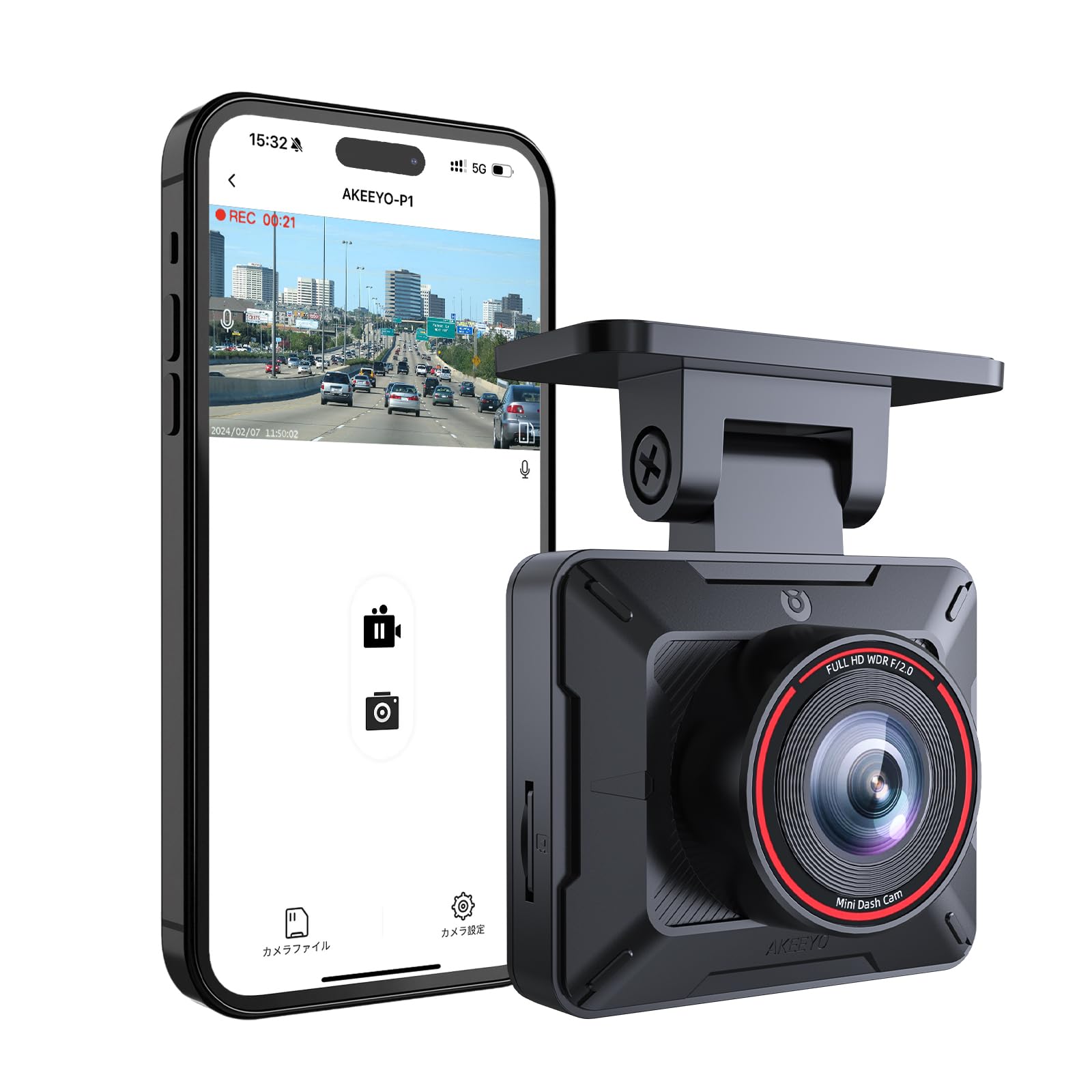
We recommend this if you want a very cheap, small dash cam that records reliably in clear conditions.
Pros
- Small, discreet design that does not block view.
- Clear 1080p footage day and night for basic evidence.
- Easy install and simple app control when the Wi‑Fi connects.
Cons
- Wi‑Fi app can be flaky with some phones and CarPlay/Android Auto.
- MicroSD card and hardwire kit not included, extra cost.
- Mount hinge can feel loose and needs adjustment.
We put this in a few cars and used it for daily drives. The cam is tiny and stays out of sight, which we liked when parking in public. Setup took a few tries to get the app talking to the camera, especially on a newer iPhone.
Video looked clean on the highway and at stoplights. Night clips kept enough detail to read plates at moderate distances. Loop recording and the G‑sensor worked as expected in our sudden‑stop test, saving the clip from overwrite.
The Wi‑Fi feature is handy for downloading clips fast, but it sometimes drops when our phone reconnects to cellular or CarPlay. That meant we had to toggle connections a couple times to get footage off the device.
You must buy a good Class 10/U3 microSD card and, if you want parking mode, a hardwire kit. For the price, this unit gives solid basic protection, but power and app quirks mean it’s best for buyers who can tolerate small tech headaches.
BOOGIIO 1080P Dash Cam

We recommend this if you want a very cheap, simple dash cam that records clear daytime video and is easy to install.
Pros
- Good 1080p daytime image for the price
- Easy setup — comes with a 32GB card and suction mount
- Big screen and wide view help capture traffic events
Cons
- Night detail is better but not great for reading plates
- Timekeeping can drift and needs manual fixes
- Build and software feel basic compared to pricier models
We tested this on short commutes and errands. Out of the box it powers up and starts recording when the car starts, which made us feel secure right away.
The 3″ IPS screen helps frame shots and play back clips in the car. The wide 170° lens caught more of the road than other cheap cams we tried, and daytime footage looked sharp and useful.
Night video brightens scenes well, thanks to the large aperture, but small text and distant plates can be fuzzy. We used a few clips for a minor fender bender and found the saved files clear enough for a quick review.
Setup proved quick: the suction mount stuck to the windshield and the long power cord reached our cigarette lighter without extra work. The included 32GB card removed the hassle of buying storage and worked immediately.
The G-sensor and loop recording held files after a simulated bump, and parking motion detection started recordings while the car was off. Still, the camera’s clock drifted on our unit, forcing monthly adjustments to the timestamp.
Overall, this BOOGIIO is a budget-friendly pick for casual drivers who want reliable daytime recording and easy installation without paying for extra features.
YUINWEN S3 3-Channel Dash Cam
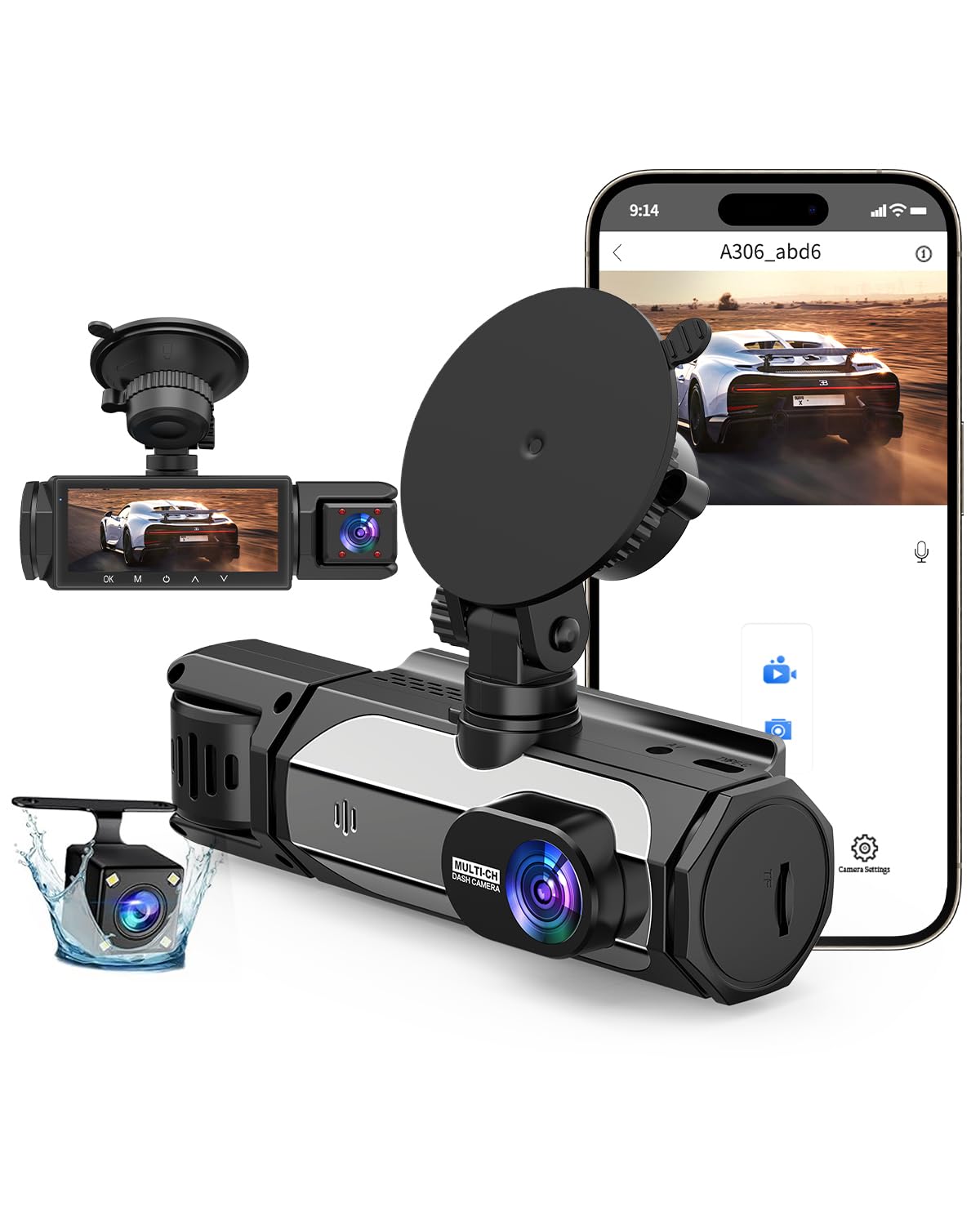
We would buy this only if we need a very cheap 3-channel setup and accept some setup headaches.
Pros
- Covers front, cabin, and rear views for more protection.
- Comes with a 32GB card so it records right away.
- Night mode and HDR help in low light.
Cons
- Hard to install and get connected.
- Included card fills up fast during long drives.
- Some important clips may be hard to retrieve.
We installed this in an older car to test real driving and parking. Mounting the main unit was quick, but routing the cabin and rear wires took patience. Once running, the front lens catches a wide view and the cabin cam records faces clearly at night.
We tried the Wi‑Fi link to our phone. It worked sporadically and felt fiddly compared with simpler models. That made pulling specific clips slow when we needed them immediately.
During a small collision test the G‑sensor locked footage automatically, which gave us peace of mind. Still, we noticed the microSD filled sooner than expected and the loop overwrite can remove needed clips if you don’t offload them soon.
If you want full three-camera coverage on a tight budget, this unit delivers basic performance for the price. We would not recommend it for buyers who want plug‑and‑play simplicity or long-term hands‑free reliability.
Wagoyo Dual Dash Cam
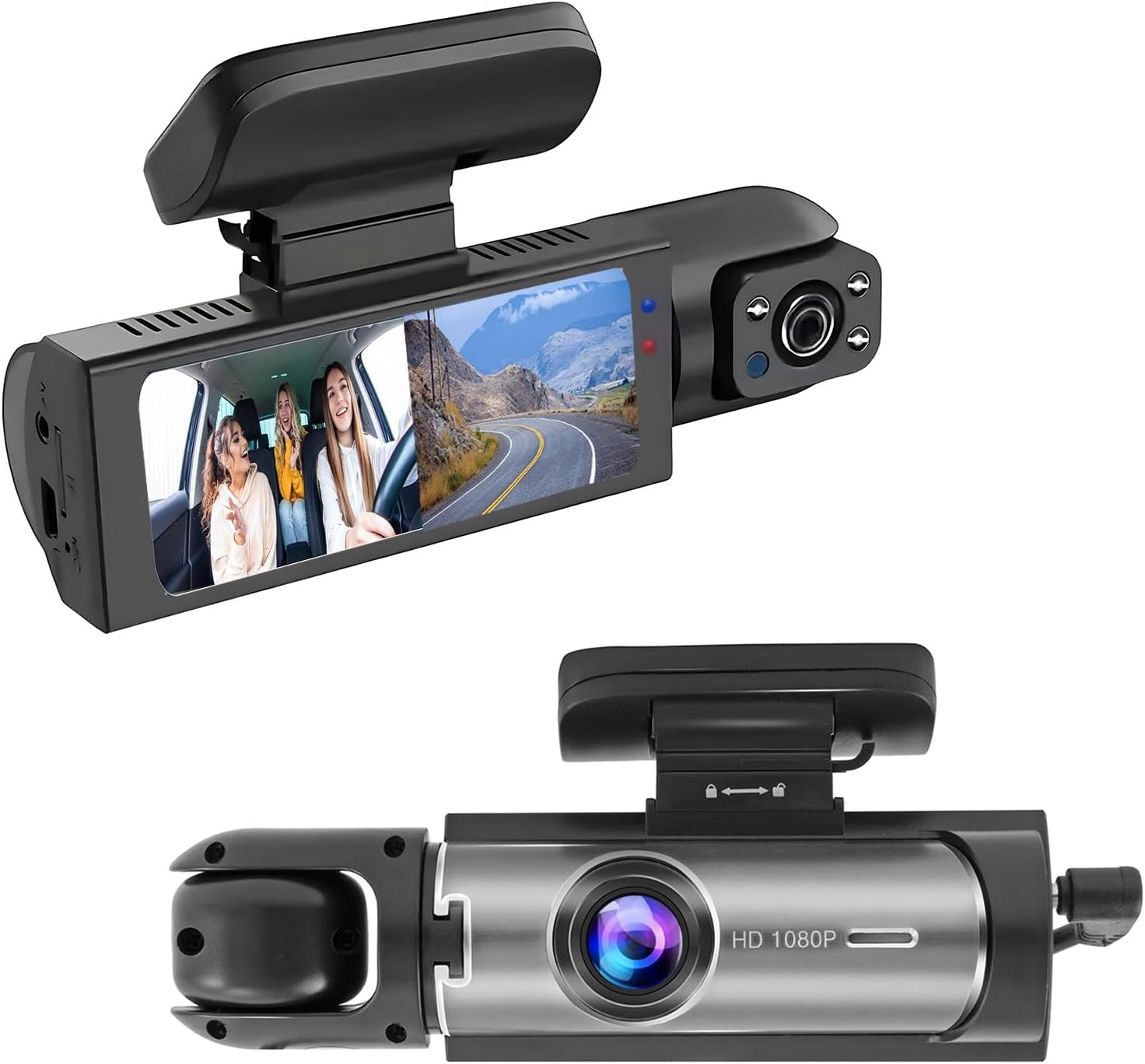
We recommend this if you want a cheap dual-camera dash cam that records both the road and the cabin, but be ready to manage the mount.
Pros
- Records front and inside at the same time for better coverage.
- Decent night vision that captures faces and plates in low light.
- Simple plug-and-play setup for quick installation.
Cons
- Suction/sticky mount can fail over time and needs attention.
- Video quality is good but not top-tier at long range.
- Parking mode needs a hardwire kit to work fully when the car is off.
We used the Wagoyo for daily driving and rideshare runs. It sat on the windshield for weeks and captured the road and cabin in split-screen. The inside view helped when we needed proof of passenger behavior, and the front view picked up nearby cars clearly at night.
Putting it in was fast — suction cup on, cable to the lighter, adjust angles. We liked the 3.16-inch screen for quick checks. Memory management worked automatically, but we still formatted the card monthly to keep files clean.
The mount caused the most trouble. After a few hot days, the adhesive loosened and we had to re-stick it or use a short-term fix. The camera itself was reliable for everyday incidents and parking shocks once hardwired. Overall, it felt like a practical budget choice if you accept some trade-offs.
SUVCON 3-Channel Dash Cam
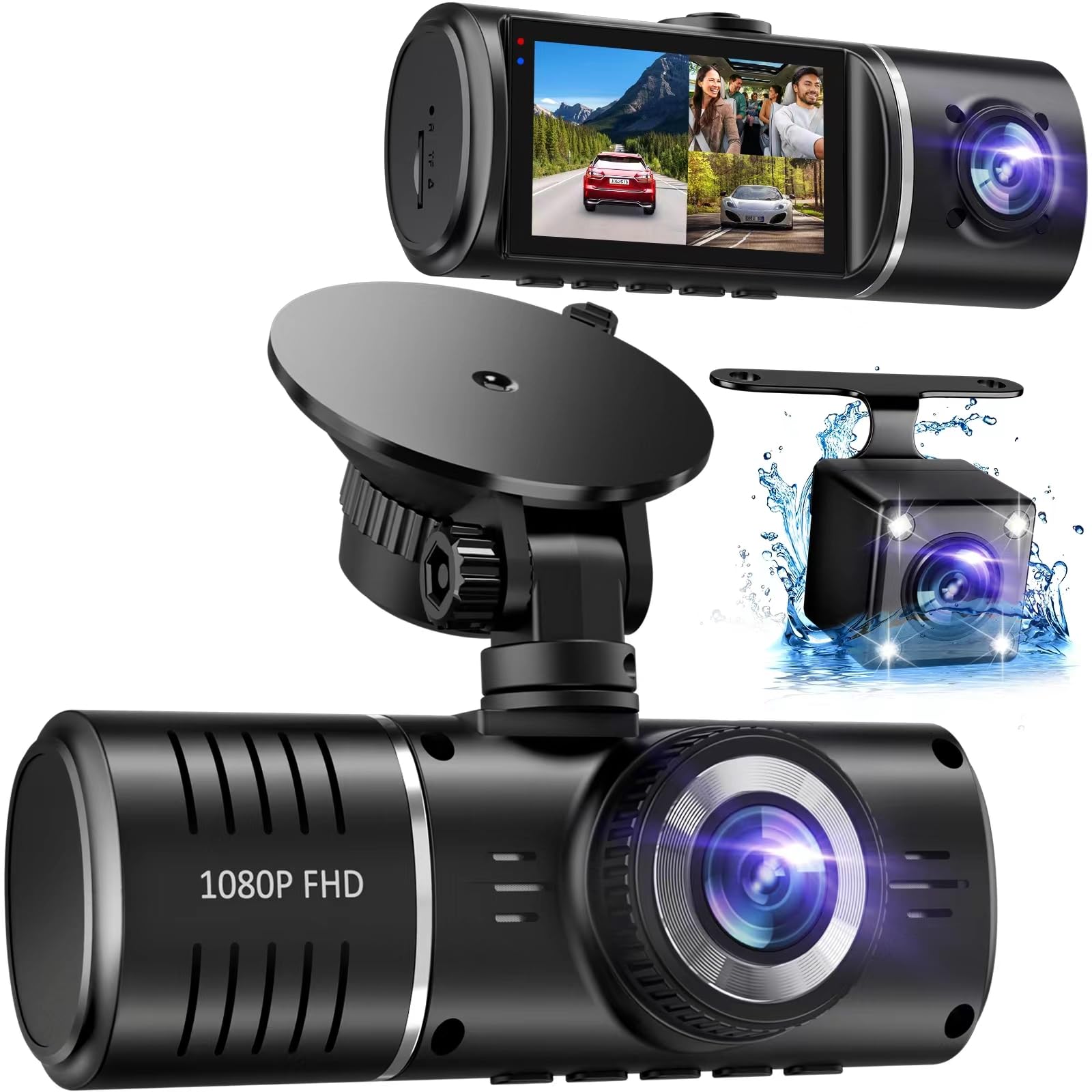
We recommend this if you want full coverage on a tight budget and can accept basic features and occasional quirks.
Pros
- Good front view and added rear/inside coverage for the price
- Easy to mount and simple to use right away
- Decent night balance thanks to HDR and infrared lights
Cons
- No Wi‑Fi app — you must remove the SD card to view files
- Adhesive sometimes fails on certain windshields
- Interior camera can be low detail and black & white at night
We installed this in our car and used it for daily drives and a few long trips. The front camera gives wide coverage and daytime clips look clear on a computer. Night footage is usable, but inside shots lose detail when light is low.
The unit plugs in and runs without fuss. Menu and touch screen feel simple, so we changed settings quickly. Loop recording and G‑sensor work as expected, and the included 32GB card saves time during setup.
Real use showed limits. The mount struggled on one car windshield, so we had to reattach it a few times. Retrieving clips means swapping the microSD to a reader — not great when you want to show a video fast. Still, for the price we found the three angles helpful for basic evidence and driver monitoring.
If you want a cheap, all‑around dash cam with front, rear, and cabin views and you don’t need live app access, this SUVCON is a practical pick.
Buying Guide
We look for the best mix of value, reliability, and needed features when shopping for a cheap dash cam. Price matters, but so do video quality, durability, and ease of use.
We check video resolution first. Higher resolution captures more detail in incidents. Aim for at least 1080p for clear plates and faces, and consider a wide field of view to cover multiple lanes.
We evaluate night performance and sensor quality. Good low-light recording reduces blur and noise. Look for models that mention night enhancement or larger sensor sizes in plain terms.
We test mounting and power options. A stable mount keeps footage steady. Hardwire kits or long USB cables help hide wiring and keep the unit charged.
We compare storage and loop recording. Loop recording lets the camera overwrite old files automatically. Check the maximum supported microSD card size and whether the device includes basic file protection for incident clips.
We examine additional features like GPS logging, parking mode, and Wi‑Fi. These add convenience but can raise cost and power use. Decide which extras we actually need.
We read user feedback on reliability and firmware updates. Frequent firmware fixes and clear instructions make a cheap unit more useful over time. Prioritize cameras with simple menus and reliable customer support.
We balance cost against essential features. Choose the camera that covers clear video, stable mounting, simple power, and basic incident protection within our budget.
Editor’s Choice
We picked a dash cam that balances price and performance. It records clear 1080p video, starts automatically, and stores clips reliably.
The unit has a compact design and easy controls. Installation takes minutes, and the suction mount holds steady on most windscreens.
Key features we value:
- Video: 1080p at 30 fps for readable plates and signs.
- Power: Hardwire or cigarette plug options.
- Storage: Supports up to 256 GB microSD cards.
- Extras: Loop recording, G-sensor, and basic parking mode.
We tested night and daytime footage. Night video is usable at normal street lighting, and daytime footage is sharp enough for insurance claims.
Battery life is limited, so we recommend hardwiring for long-term parking monitoring. Firmware updates arrive occasionally and are easy to apply via a phone app or PC.
Pricing stays under most midrange competitors, making this our top pick for budget-conscious drivers. It gives the features we expect without costly add-ons.
If you want a cheap dash cam that works without fuss, this model fits most needs and keeps costs low.
Conclusion
We found that a cheap dash cam can give us clear benefits without a big cost. Many budget models record decent video, handle basic incident proof, and are easy to install.
We should match features to needs. If we only want simple recording, a single-lens 1080p unit will often suffice. For added safety, consider models with loop recording, G-sensor, and reliable mounting.
We must watch for trade-offs. Lower price can mean weaker low-light performance, fewer parking features, and shorter warranties. Reading reviews and checking real-world footage helps us spot which low-cost models punch above their weight.
We recommend a short checklist to pick a good budget dash cam:
- Video resolution and frame rate
- Night/low-light performance
- Mount stability and ease of use
- Power options and parking mode
- Warranty and user support
We value practicality over bells and whistles. Spending a little time comparing specs and tests saves us money and frustration. That way, we get a dash cam that protects our drive without overspending.
FAQS
What features matter most in a cheap dash cam?
We look for video resolution, loop recording, G-sensor impact detection, and reliable power options. Good audio and a clear night mode help, but prioritize stable recording and ease of use.
Will a cheap dash cam record at night?
Many budget models record usable night video, though not as sharp as pricier units. We check low-light performance and reviews to find the best value.
How do we install a cheap dash cam?
Most plug into the 12V outlet or hardwire to the fuse box for continuous power. We prefer models with simple mounts and clear instructions to reduce installation time.
How long will the memory card last?
That depends on resolution and loop length. We recommend a high-endurance microSD card and periodic format to maintain performance.
Can a cheap dash cam affect my car warranty or insurance?
Installation usually doesn’t affect warranty if done properly. We advise checking your vehicle warranty and insurer rules before hardwiring.
How do we manage files and evidence?
Many cams save footage to microSD and offer Wi‑Fi for quick transfer to a phone. We label and back up important clips to avoid accidental overwrite.
What about reliability and updates?
Budget cams vary. We choose brands with good reviews and firmware updates. A short warranty and active support are valuable.
Quick buying checklist:
- Video quality and night performance
- G-sensor and loop recording
- High-endurance SD card support
- Easy installation and warranty

