Converting your car stereo to Bluetooth is easier than you think. With the right tools and a little know-how, you can enjoy wireless music, hands-free calls, and seamless connectivity without replacing your entire system. This guide walks you through every step—from choosing the right device to testing your setup.
How to Convert Car Stereo to Bluetooth Easily
If you love your current car stereo but hate being tethered to your phone with a cable, you’re not alone. Many drivers want the convenience of wireless music and hands-free calling without spending hundreds on a new head unit. The good news? You can convert your car stereo to Bluetooth easily and affordably.
In this guide, we’ll show you exactly how to do it—step by step. Whether your car has an old cassette player, a basic CD receiver, or a modern stereo with AUX input, there’s a simple solution. You’ll learn about the different types of Bluetooth adapters, how to install them, and how to get the best sound quality. By the end, you’ll be streaming your favorite playlists wirelessly in no time.
Why Convert Your Car Stereo to Bluetooth?
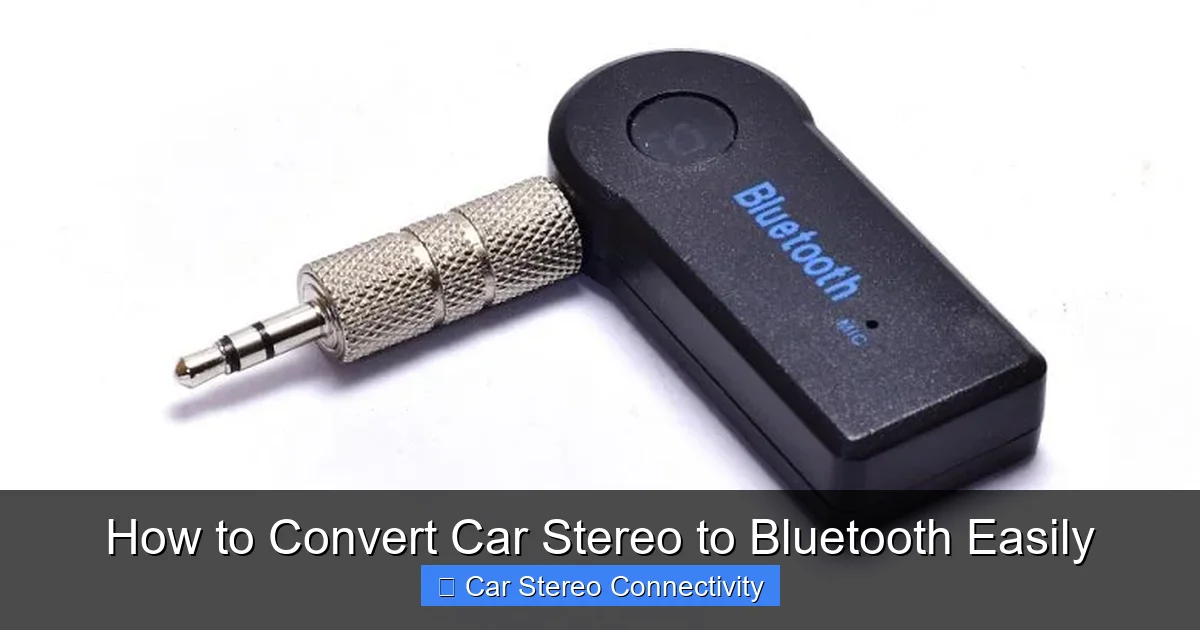
Visual guide about How to Convert Car Stereo to Bluetooth Easily
Image source: howstereo.com
Before diving into the how-to, let’s talk about why this upgrade is worth it. Bluetooth connectivity offers several benefits:
- Wireless music streaming: Play music from Spotify, Apple Music, or any app without plugging in your phone.
- Hands-free calling: Answer calls safely with built-in microphones on most adapters.
- Phone charging freedom: Keep your phone charged while using it for navigation or music.
- Easy control: Use your phone or voice commands to skip tracks, adjust volume, or pause playback.
- Cost-effective upgrade: Save money compared to buying a new stereo with built-in Bluetooth.
Even if your car is a few years old, you don’t need to miss out on modern tech. Converting your stereo to Bluetooth is a smart, budget-friendly way to stay connected on the road.
What You’ll Need to Get Started
The tools and parts you need depend on your car stereo’s features. Here’s a quick checklist:
- Bluetooth car adapter: Choose based on your stereo’s input options (see next section).
- Power source: Most adapters plug into your car’s 12V cigarette lighter or USB port.
- AUX cable (if needed): For wired connections to the stereo’s AUX-in port.
- Smartphone with Bluetooth: To pair and control the audio.
Don’t worry—you won’t need any special tools or technical skills. Most adapters are plug-and-play, meaning they work right out of the box.
Step 1: Identify Your Car Stereo’s Input Options
The first step in converting your car stereo to Bluetooth is figuring out what kind of inputs it has. This determines which type of adapter you’ll need.
Check for an AUX-in Port
Look for a 3.5mm headphone jack—usually labeled “AUX,” “LINE IN,” or “AUXILIARY.” It’s often located on the front of the stereo, in the glove box, or center console. If your stereo has this port, you’re in luck—it’s the easiest and highest-quality option.
Look for a USB Port
Some stereos have a USB port for charging or playing music from flash drives. If yours does, you can use a USB Bluetooth adapter. These often support both audio streaming and phone charging.
Check for a Cassette Player
If your car still has a cassette deck (common in older models), you can use a cassette Bluetooth adapter. These look like cassette tapes and plug into the tape player.
FM Radio (Last Resort)
If your stereo has none of the above, you can use an FM transmitter. These broadcast audio from your phone to a specific FM frequency, which you tune into on your car radio. While convenient, FM transmitters can have lower sound quality and interference.
Step 2: Choose the Right Bluetooth Adapter
Now that you know your stereo’s capabilities, it’s time to pick the best adapter. Here are the most common types:
AUX Bluetooth Adapter
These are small devices that plug into your AUX port and connect to power (usually via USB or 12V outlet). They offer excellent sound quality and stable connections. Popular models include the Anker SoundSync Drive and VicTsing Bluetooth 5.0 Receiver.
USB Bluetooth Adapter
If your stereo has a USB port, this is a great option. It powers the adapter and may even charge your phone. Look for models that support USB audio output, like the UGREEN Bluetooth 5.0 USB Receiver.
Cassette Bluetooth Adapter
Perfect for older cars. Simply insert it like a cassette tape, pair your phone, and enjoy wireless music. The J&D Bluetooth Cassette Adapter is a reliable choice.
FM Transmitter
Use this only if no other option is available. It plugs into the 12V outlet, pairs with your phone, and broadcasts audio to an FM frequency (e.g., 88.1 FM). The Nulaxy KM18 is a popular model with good reviews.
Tip: For best sound quality, go with AUX or USB. Avoid FM transmitters unless necessary.
Step 3: Install the Bluetooth Adapter
Installation is quick and easy. Here’s how to do it based on your adapter type.
For AUX or USB Adapters
- Plug the adapter into the AUX or USB port on your stereo.
- Connect the power cable to your car’s 12V outlet or USB port.
- Turn on your car stereo and set it to AUX or USB mode.
- Put the adapter in pairing mode (usually by holding a button until a light flashes).
- On your phone, go to Bluetooth settings and select the adapter from the list.
- Once paired, play music to test the connection.
For Cassette Adapters
- Insert the cassette adapter into the tape deck.
- Plug the power cable into the 12V outlet.
- Turn on the stereo and press “Play” on the cassette player.
- Pair your phone via Bluetooth.
- Start playing music—it should come through the car speakers.
For FM Transmitters
- Plug the transmitter into the 12V outlet.
- Turn on your car radio and tune it to an unused FM frequency (e.g., 88.1).
- Set the transmitter to the same frequency.
- Pair your phone via Bluetooth.
- Play music and adjust volume on both the phone and car stereo.
Step 4: Test and Optimize Your Setup
After installation, take a quick drive to test everything. Here’s what to check:
- Audio quality: Is the sound clear? No static or distortion?
- Volume levels: Can you hear music at normal driving speeds?
- Bluetooth range: Does the connection stay strong when your phone is in your pocket or bag?
- Call quality: If the adapter has a mic, test a hands-free call.
If something isn’t working, don’t worry—most issues are easy to fix.
Troubleshooting Common Problems
Even with the best setup, you might run into a few hiccups. Here’s how to solve the most common issues:
No Sound or Low Volume
- Check that the stereo is set to the correct input (AUX, USB, or FM).
- Increase the volume on both your phone and car stereo.
- Ensure the AUX cable is fully plugged in.
Bluetooth Won’t Pair
- Make sure the adapter is in pairing mode (light should blink).
- Turn off Bluetooth on other devices nearby.
- Restart your phone and try again.
- Reset the adapter by unplugging it for 10 seconds.
Static or Poor Sound Quality (FM Transmitters)
- Try a different FM frequency—avoid stations with strong signals.
- Move the transmitter away from other electronics.
- Switch to an AUX or USB adapter if possible.
Adapter Keeps Disconnecting
- Ensure the power source is stable (use a high-quality 12V outlet).
- Keep your phone within 10 feet of the adapter.
- Update your phone’s Bluetooth drivers or restart it.
Tips for the Best Bluetooth Experience
To get the most out of your Bluetooth conversion, follow these tips:
- Keep your phone charged: Use a separate car charger so your phone doesn’t drain during long drives.
- Use voice commands: Say “Hey Siri” or “OK Google” to control music without touching your phone.
- Organize cables: Use cable clips or ties to keep wires tidy and out of the way.
- Update firmware: Some adapters allow firmware updates for better performance—check the manufacturer’s website.
- Clean your ports: Dust in the AUX or USB port can cause connection issues—use compressed air to clean them.
Conclusion
Converting your car stereo to Bluetooth is a simple, affordable way to enjoy modern connectivity without replacing your entire system. With the right adapter and a few minutes of setup, you can stream music, take calls, and control your audio wirelessly.
Whether you choose an AUX, USB, cassette, or FM adapter, the process is straightforward and beginner-friendly. Just match the adapter to your stereo’s inputs, follow the installation steps, and test your setup.
Now that you know how to convert car stereo to Bluetooth easily, it’s time to upgrade your ride. Say goodbye to tangled cords and hello to wireless freedom on every drive.

