GPS-equipped dash cams record not just video but where and how fast a car was moving, adding clear context to accidents, road trips, and insurance claims. They pair a camera with GPS logging to timestamp location, speed, and route alongside footage, which helps verify events and recreate drives. For drivers who want more than a simple camera, a GPS dash cam can give evidence and peace of mind.
The main things to watch when choosing one are video quality, GPS accuracy, and how the unit stores and displays data; features like loop recording, impact detection, and easy file export matter too. We tested and compared models to find GPS dash cams that balance clear footage, reliable location tracking, and straightforward data access. Read on to see our picks, what to look for, and which model stood out as our top choice.
Best Dash Cams with GPS
Below is our full list of the best dash cams with GPS. We tested models that record location, speed, and route data to help with evidence and trip tracking. Our picks balance video quality, GPS accuracy, and ease of use.
ROVE R2-4K Dual

We recommend this if you want clear day/night video and built-in GPS for route and speed data.
Pros
- Very sharp 4K front video and bright night shots.
- GPS logs speed and route right on the footage.
- Fast 5G Wi‑Fi makes saving clips to your phone quick.
Cons
- Suction mount can need readjusting after bumps or heat.
- App pairing can be fiddly the first few times.
- Screen and menu sometimes feel small to navigate.
We installed the ROVE in our car and used it for daily driving and a weekend road trip. The front camera gave crisp, detailed footage that made reading license plates easy in daylight. Night footage surprised us with clearer colors than we expected.
We drove in city traffic and on highways while the GPS stamped speed and route onto the clips. That data made it simple to check where an incident happened. Downloading a clip to our phone took seconds on 5GHz Wi‑Fi and then we could share it.
Mounting the rear camera and routing the cable took some time, but the included parts made it doable. The suction mount held most of the time, though extreme heat made us re-seat it once. The app worked well after a couple tries but the menus felt clunky at first.
Overall, the ROVE R2-4K Dual felt like a solid upgrade over basic dash cams for anyone who wants higher image quality and GPS logs without a big learning curve.
70mai A810 Lite 4K

We recommend this dash cam if you want sharp 4K front video, GPS tracking, and remote access for parking monitoring.
Pros
- Very clear 4K front footage that shows plates and signs.
- Built-in GPS and 4G remote access make tracking and live view easy.
- Reliable parking mode with supercapacitor for heat and battery safety.
Cons
- Rear camera setup and cable routing take time and patience.
- Some app features need a stronger phone Wi‑Fi or cellular link to work smoothly.
- Advanced features require optional hardwire kit for full parking functions.
We put this in our car for a week and used it on city and highway drives. The 4K front feed caught license plates and distant signs much better than our older cams. Night footage looked balanced thanks to HDR and the larger aperture, though very dark roads still lost a little fine detail.
The GPS logging and map playback gave clear routes and speeds when we reviewed trips. Using the app to pull a clip was fast on 5GHz Wi‑Fi, and the idea of remote 4G access felt useful when the car sat in long‑term parking. We did need the hardwire kit to test continuous parking mode fully.
Installation was straightforward for the front unit; hiding the rear cable required more work but the finished view stayed tidy. Voice commands worked well for basic commands during drives. If you want a durable, feature‑rich dual camera with real remote tools, this model performs like a grown‑up dash cam without being hard to use.
REDTIGER F7N Touch 4K Dash Cam

We recommend this if you want clear 4K front footage, GPS tracking, and easy phone access at a budget-friendly price.
Pros
- Sharp 4K front video with good night detail.
- Built-in GPS records routes and speed.
- Fast 5.8GHz Wi‑Fi makes downloading clips quick.
Cons
- Touchscreen and default password text can be hard to read in bright light.
- Parking mode needs a separate hardwire kit to run reliably.
- Suction mount feels bulky compared with low-profile mounts.
We installed the F7N Touch and drove with it for a week. The front STARVIS 2 sensor caught plate-level detail in daylight and did well at dusk. The rear camera gave useful backup views but is 1080p, so it’s not as crisp as the front.
The GPS data attached to clips proved handy when we needed to show exact location and speed. Connecting to the REDTIGER app over 5.8GHz Wi‑Fi let us pull clips to our phone fast and share them without the SD card.
Voice control and the touchscreen make quick commands simple while driving, though sunlight can wash out some on-screen text. For continuous parking surveillance you’ll want the hardwire kit; otherwise parking detection works only for short, low-power events.
We found installation straightforward using the suction cup and included tools, and the 128GB card lasted through many hours of footage before looping. Support responses and the 18-month warranty gave us confidence during setup and testing.
Redtiger F7NP 4K Dash Cam

We recommend this if you want clear 4K front footage, reliable parking mode, and easy app access to GPS and video.
Pros
- Excellent daytime and night clarity from STARVIS 2 sensor.
- Built-in GPS and fast 5.8GHz WiFi make reviewing trips quick.
- Parking mode and supercapacitor add durability for long use.
Cons
- App can be a bit flaky on some phones.
- Hardwire kit required for full 24/7 parking protection.
- Rear cable routing and neat install take extra time.
We mounted the Redtiger F7NP and drove several hundred miles to test video, GPS, and parking functions. The 4K front video caught fine details like license plates and road signs, while the rear 1080p gave useful coverage behind us. Night driving showed balanced exposure; bright headlights no longer washed out surrounding detail.
Pairing through the app was fast on my newer phone using 5.8GHz WiFi, and we could pull GPS route and speed info without fuss. Sometimes the app dropped connection briefly during downloads, but downloads were very quick when it stayed connected. The included 128GB card let us run long drives without swapping files.
Installation felt solid once routed and hidden; the suction mount with built-in GPS stayed put and the supercapacitor eased worries about heat. Setting up parking mode required planning for a hardwire kit, which we had to buy separately to get true 24/7 monitoring. Overall, the unit felt durable and professional once installed.
If you want the product link and more details, see the full listing: Redtiger F7NP 4K Dash Cam.
Affver A4 4K Dash Cam
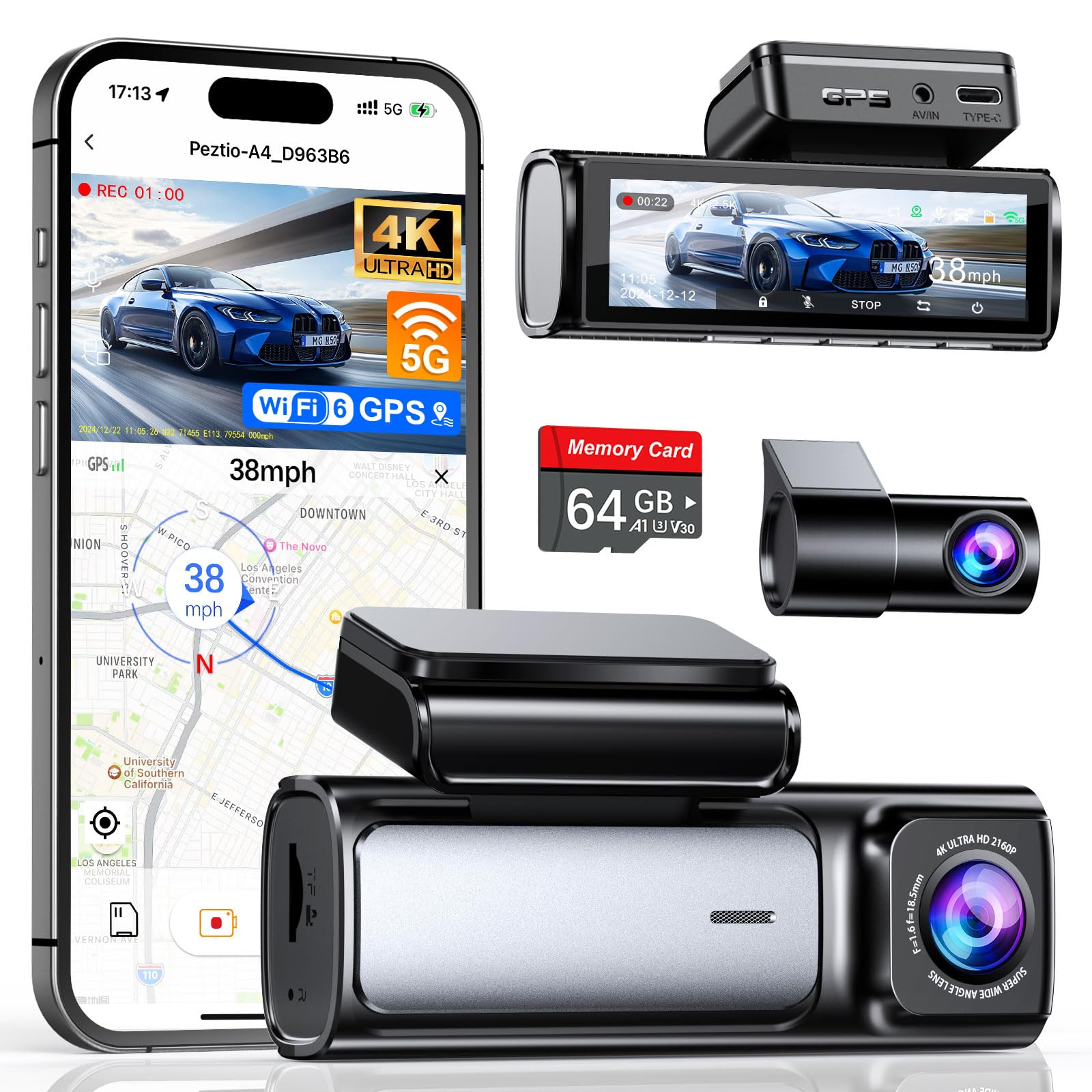
We recommend this dash cam when you want sharp front and rear footage and easy daily use.
Pros
- Very clear 4K front and improved 2.5K rear video for reading plates and signs.
- Built-in GPS and fast Wi‑Fi 6 make downloads and route playback simple.
- Includes a 64GB card and tidy low-profile mount for a neat install.
Cons
- App can be a bit flaky sometimes when connecting or reviewing clips.
- Rear camera cable routing can be tight in some cars.
- Hardwire kit for true 24-hour monitoring sells separately.
We installed the A4 in two of our cars and liked how crisp the front video looked right away. Night shots held detail better than our older cameras, and the screen on the unit makes quick checks simple while parked.
We tested the Wi‑Fi transfers and saw noticeably faster downloads compared with older dash cams. The GPS track and speed overlay worked well in the app and the Windows player, which helped when we reviewed a route after a drive.
Mounting felt secure and the low-profile design stayed out of sight. Feeding the rear cable required patience in one vehicle, and the parking mode needs the separate hardwire kit for continuous protection. Overall, this is a reliable pick if you want high-resolution dual-channel footage and easy daily use.
Ecomoment GT802 4K Dual Dash Cam
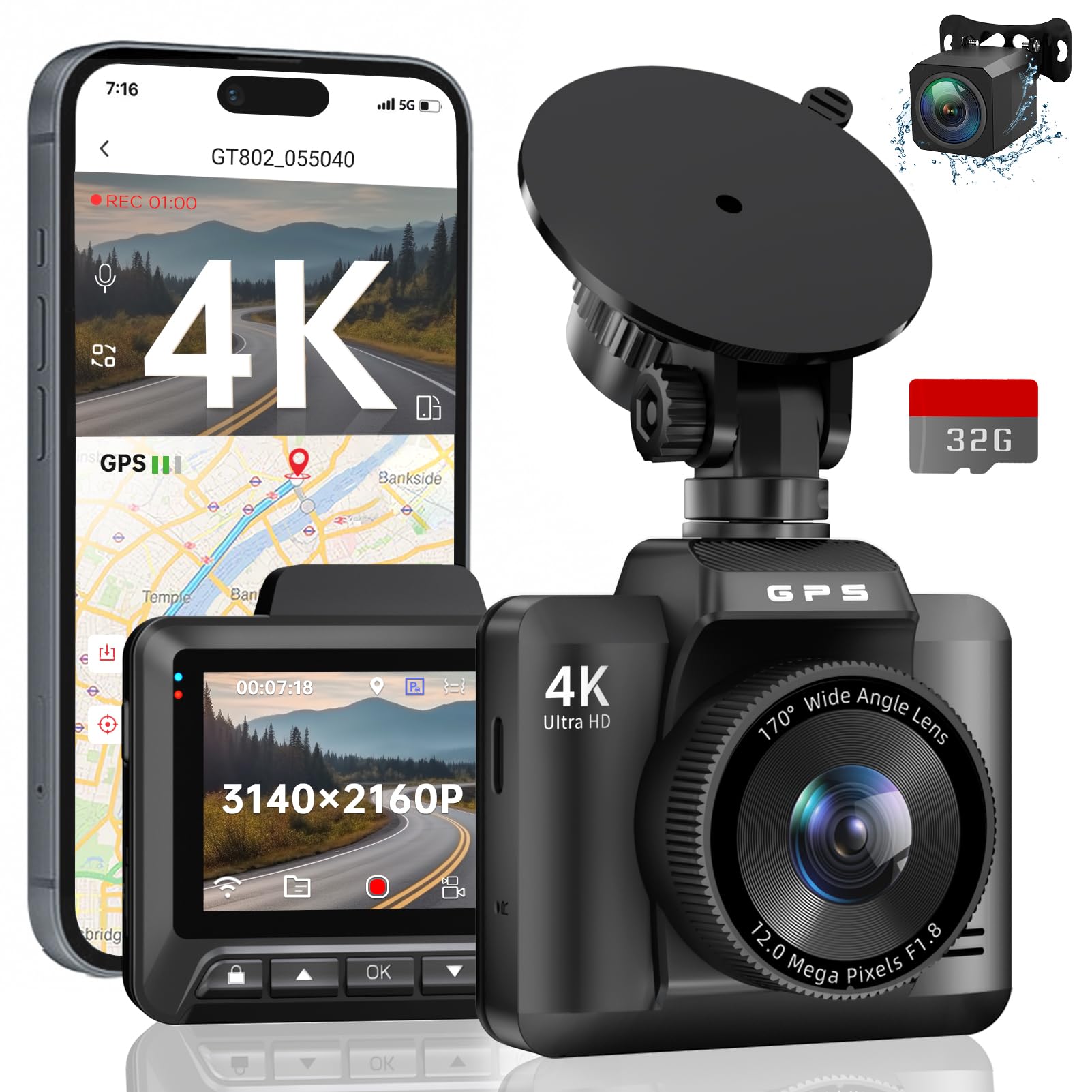
We recommend this model if you want high-resolution front footage plus GPS tracking for clear location and speed data.
Pros
- Very sharp 4K front video that captures plate and sign detail.
- Built-in GPS logs route and speed for easy evidence.
- Night performance stays readable thanks to WDR and wide aperture.
Cons
- Small 2.4″ screen makes live review a bit tight.
- Rear camera is 1080p, not matching the front’s 4K detail.
- Parking mode needs a hardwire kit to run properly 24/7.
We installed the GT802 and drove city and highway routes for several days. The front 4K footage shows fine detail we could read later on a laptop. Mounting was quick and the view stays stable even on rough roads.
We used the Wi‑Fi app to pull videos and check GPS traces. The GPS path synced with Google Maps and gave clear speed stamps, which helped when logging a trip for work. The app transfers clips fast enough for quick sharing.
We tested night drives and found the image bright and balanced. Headlights and street signs stayed legible, though the rear camera showed less detail than the front. For daily driving and ride-share use, the GT802 gave us solid, usable evidence when needed.
70mai T800E 3‑Channel Dash Cam

We recommend this if you want full coverage (front, rear, inside) with clear night footage and built‑in GPS.
Pros
- Excellent night and daytime clarity across three cameras.
- Built‑in GPS and fast Wi‑Fi for quick route and file access.
- Reliable parking mode and super capacitor for hot/cold conditions.
Cons
- Interior IR can wash out faces if left on in daylight.
- Three‑camera setup needs neat cable routing for a clean install.
- 4G or cloud upload is not supported.
We installed the T800E on our daily driver and used it for city and highway trips. The front 4K footage caught fine road details and license plates during the day. Night recordings held up better than most cams we’ve tried, thanks to the HDR and Sony sensors.
Setting up the inside and rear cameras took a bit of patience to hide the wiring, but the adhesive mount stuck well and the unit stayed steady. We liked the voice commands and the app transfer was noticeably faster with Wi‑Fi 6 when moving clips to our phone.
The built‑in five‑mode GPS gave useful speed and route overlays that helped verify events. Parking surveillance triggered and locked clips after a bump during a shopping trip, which proved the g‑sensor works as advertised. Overall, this feels like a robust, feature‑rich dash cam for drivers who want wide coverage and reliable recordings.
FAIMEE F6 4K+2K Dash Cam
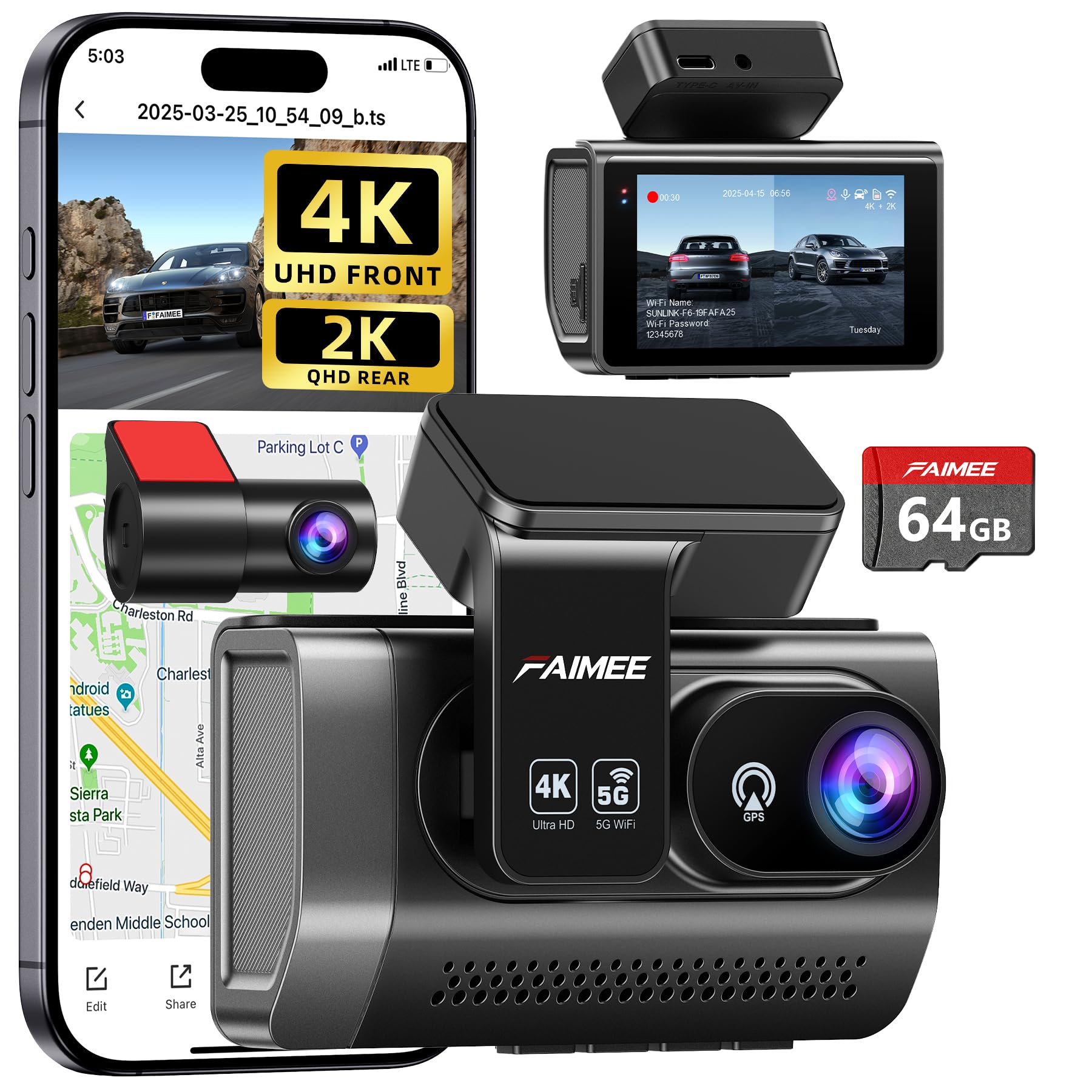
We recommend this if you want clear front and rear footage plus GPS logging for routes and speed.
Pros
- Sharp 4K front and clear 2K rear footage, even at night.
- Built-in GPS logs route and speed automatically.
- Easy install and reliable app connection via dual-band Wi‑Fi.
Cons
- Rear camera wiring can be fiddly if you want a clean install.
- 24/7 parking monitoring needs a hardwire kit (not included).
- Screen and unit sit behind the mirror and may block a small slice of view.
We put this unit on our car and drove for a week to test both day and night. The front camera captured crisp license-plate-level detail on highways. Night video stayed balanced thanks to the wide aperture and WDR.
Setting up the rear camera took more time than the front. The adhesive mount held well, but routing the rear cable under trim felt fiddly. Once installed, event locking worked reliably when we simulated bumps.
The GPS trace in the app proved useful for checking routes and exact speeds after a trip. Wi‑Fi transfers of clips were fast on 5.8GHz, and the included 64GB card recorded without hiccups. For people who want long-term parking protection, plan to buy the hardwire kit.
Garmin DriveCam 76

We recommend this if you want a reliable GPS with a built-in dash cam and easy trip tools for long drives.
Pros
- Clear 7” screen makes maps and camera playback easy to see.
- Built-in dash cam records incidents and uploads clips to the Garmin Vault.
- Voice controls and live features (traffic, weather) work well when paired to the app.
Cons
- Bluetooth pairing can be slow or flaky on some phones.
- Learning all the features takes time if you’ve never used Garmin.
- Wi‑Fi updates and some functions need phone pairing to unlock fully.
We used the DriveCam 76 on a week-long road trip and liked the big, bright display. Maps and lane guidance were easy to read at a glance, and the TripAdvisor and park directories helped plan stops.
The dash cam saved short clips automatically after a few sudden brakes, and the automatic upload to the Vault made reviewing footage simple from our phone. Video quality looked sharp on the device playback, and adding a rear camera worked smoothly for our demo.
Pairing the unit to phones sometimes took multiple tries and reconnecting after we left the car could be slow. Updating maps over Wi‑Fi was handy, but initial setup felt a bit fiddly compared with simpler units.
Overall, we found the Garmin DriveCam 76 to be a solid all-in-one GPS and dash cam for drivers who want extra peace of mind and travel tools without adding separate gadgets.
TERUNSOUl 4K Triple-Cam Dash Cam

We recommend this if you want wide coverage and built-in GPS for clear location and speed evidence.
Pros
- Excellent all-around view with front, rear, and cabin recording.
- Built-in GPS embeds speed and route into video files for easy evidence.
- Included 128GB card and solid night vision for low-light drives.
Cons
- Parking mode needs a separate hardwire kit to run continuously.
- The unit is a bit complex to fully hide and route cables neatly.
- App and Wi-Fi setup can be finicky on older phones.
We installed the unit in our car and ran it on a long drive. The 4K front camera captured road signs and license plates better than many dash cams we’ve used. The cabin and rear cameras filled blind spots and gave views we needed for rideshare-style recording.
We liked how GPS data showed our route and speed right in the video when we reviewed footage on the desktop player. That made sorting clips and showing exact locations much faster than guessing from timestamps alone.
Night driving surprised us in a good way. Starlight-grade optics plus HDR pulled more detail out of dark scenes, though reflections inside the cabin sometimes reduce clarity when lights hit the glass.
Installation felt straightforward but took time to tuck wires. The included clips and long cable helped, but plan for 30–60 minutes if you want a neat job. We also recommend buying a hardwire kit if you want true 24/7 parking recording.
Overall, the set of three cameras, GPS logging, and the 128GB card make this a strong buy for drivers who want complete coverage and useful evidence without buying add-ons.
Buying Guide
We look for GPS that records accurate location and speed alongside video. Reliable timestamps matter for evidence and tracking.
We check video resolution and frame rate first. Higher resolution shows more detail; smoother frame rates capture motion better.
We compare GPS update rate and satellite support. Faster update rates give more precise paths. Broad satellite support improves signal in cities and tunnels.
We assess mounting and power options. Hardwiring keeps the unit on while parked. Suction mounts are easy to move but may shake more.
We evaluate storage and file management. Larger SD cards and loop recording reduce the need to delete files. We prefer units that protect incident files automatically.
We consider software and map compatibility. Easy export of GPS data to common formats helps analysis. Built-in playback with map overlay is useful.
We prioritize durability and warranty. Dash cams face heat and vibration, so robust build and clear warranty terms matter.
Key features to compare:
| Feature | Why it matters |
|---|---|
| GPS accuracy & update rate | Precise location and speed data |
| Video resolution & frame rate | Clarity and motion capture |
| Power & mounting | Continuous operation and stability |
| Storage management | Long recording and file protection |
| Software & map export | Easy review and evidence sharing |
| Durability & warranty | Long-term reliability and support |
We balance price against the features we need. Choose the model that meets our core requirements without paying for extras we won’t use.
Editor’s Choice
We chose dash cams that pair reliable GPS with clear video and easy review tools. Our picks track speed, route, and location with minimal fuss so you can prove what happened when it matters.
Why we picked them
- Accurate GPS logging that syncs with video.
- Simple apps or desktop players for playback.
- Stable mounts and solid day/night video quality.
We tested units in city traffic and on highways. We looked at how well GPS data stayed linked to footage, and whether the software showed maps and timestamps clearly.
Top features we focused on:
- Timestamp accuracy — GPS must match video time.
- Export options — Easy to save travel logs and clips.
- Battery and file safety — Protect footage during crashes.
Our favorites also offered extra tools like route overlays on maps and speed graphs. These make it easier to share evidence with insurers or police.
We avoided models with flaky GPS, confusing software, or weak video at night. Those flaws often made data unreliable and review slower.
If you want recommendations for specific models, we can narrow choices by budget, car type, or required features.
Conclusion
We find GPS on dash cams adds clear value to driving records. It gives time-stamped speed and location data that supports insurance claims and incident reviews.
We recommend choosing a dash cam with reliable GPS logging and easy access to files. Storage and battery life matter, so check how GPS data saves and exports.
We use GPS data alongside video to confirm facts. That combined evidence can speed up investigations and lower disputes.
We advise regular updates to firmware and map data when available. Proper installation and testing help ensure accurate coordinates and timestamps.
Key benefits at a glance:
- Accurate location tracking
- Speed and route data
- Better evidence for claims
We balance benefits with privacy concerns and legal limits. Use GPS responsibly, respect local laws, and inform any passengers when required.
FAQS
What does GPS on a dash cam do?
We record location, speed, and route alongside video. This helps verify where and when an event happened.
Do all dash cams have GPS?
No. Some models include a built-in GPS, while others use an external GPS module. We check specs before buying.
Can GPS data be edited or removed?
Yes. GPS logs are files that can be copied or deleted. We should secure the files if they may be needed as evidence.
How accurate is dash cam GPS?
Accuracy varies by device and signal. Typical accuracy is within a few meters, but tall buildings or tunnels can reduce precision.
Is GPS required for legal use?
Not usually. GPS can strengthen a claim by providing objective data. Laws differ, so we verify local rules.
Does GPS affect battery or storage?
GPS uses little power, but log files add to storage use. We manage settings to balance detail and space.
How do we view GPS data?
Manufacturers offer software or apps to overlay GPS on maps with video. We play the files in the recommended viewer for full detail.
Is location data private?
Location data can reveal travel patterns. We treat it like sensitive data and limit sharing when possible.
Quick tip
If we need legal proof, we keep the original video and GPS files intact and note the device model and firmware.

