Semi truck dash cams record video of the road, the cab, and sometimes the trailer. They help document accidents, driver behavior, and cargo conditions for fleets and owner-operators. Many models offer dual lenses, GPS logging, and cloud upload to make evidence easy to retrieve.
Choosing the right dash cam comes down to video quality, mounting and power options, storage and retrieval, and whether you need fleet features like live tracking or driver-score reports. High-resolution forward and interior footage with reliable storage and easy access is the single most important factor for getting useful evidence after an incident. We tested and compared popular models and features to point you to the options that fit different needs and budgets.
Best Semi Truck Dash Cams
We tested and compared top dash cams for semi trucks to find models that record clearly, hold up on long hauls, and are easy to use. Below is our list of the best options to help keep drivers safer and protect against costly disputes.
ROVE R2-4K Dual

We recommend this dash cam if you want sharp day/night video plus easy phone downloads for long-haul trucks.
Pros
- Very clear front and rear video, even at night.
- Fast 5G Wi‑Fi makes grabbing clips quick on the road.
- Built-in GPS and included 128GB card simplify setup.
Cons
- Suction mount can shift on long drives without hardwiring.
- 3″ screen is small for checking angles while stopped.
- Parking mode needs a hardwire kit for full 24/7 coverage.
We installed this in our truck and ran it across a week of mixed highway and yard driving. The front Sony STARVIS 2 sensor gave crisp footage of road signs and license plates in daylight. Night clips stayed usable where lesser cams would be grainy.
We used the rear unit on busy interchanges. The wide angles caught lane changes and trailers behind us. Downloading a clip to our phone took under a minute on 5GHz Wi‑Fi, which saved time at stops.
We tested parking and motion triggers in the truck yard. The unit logged events and locked files as expected, but we noticed it only offered full 24/7 recording once we hardwired it. Mounting felt solid, though the suction method needed occasional retightening on long runs.
Overall, the ROVE R2-4K Dual felt like a pro-level setup we could rely on for fleet work. It balanced image quality, fast file access, and GPS tracking in a way that made daily use straightforward.
ROVE R2-4K DUAL Dash Cam on Amazon
Pemacom Truck Dash Cam
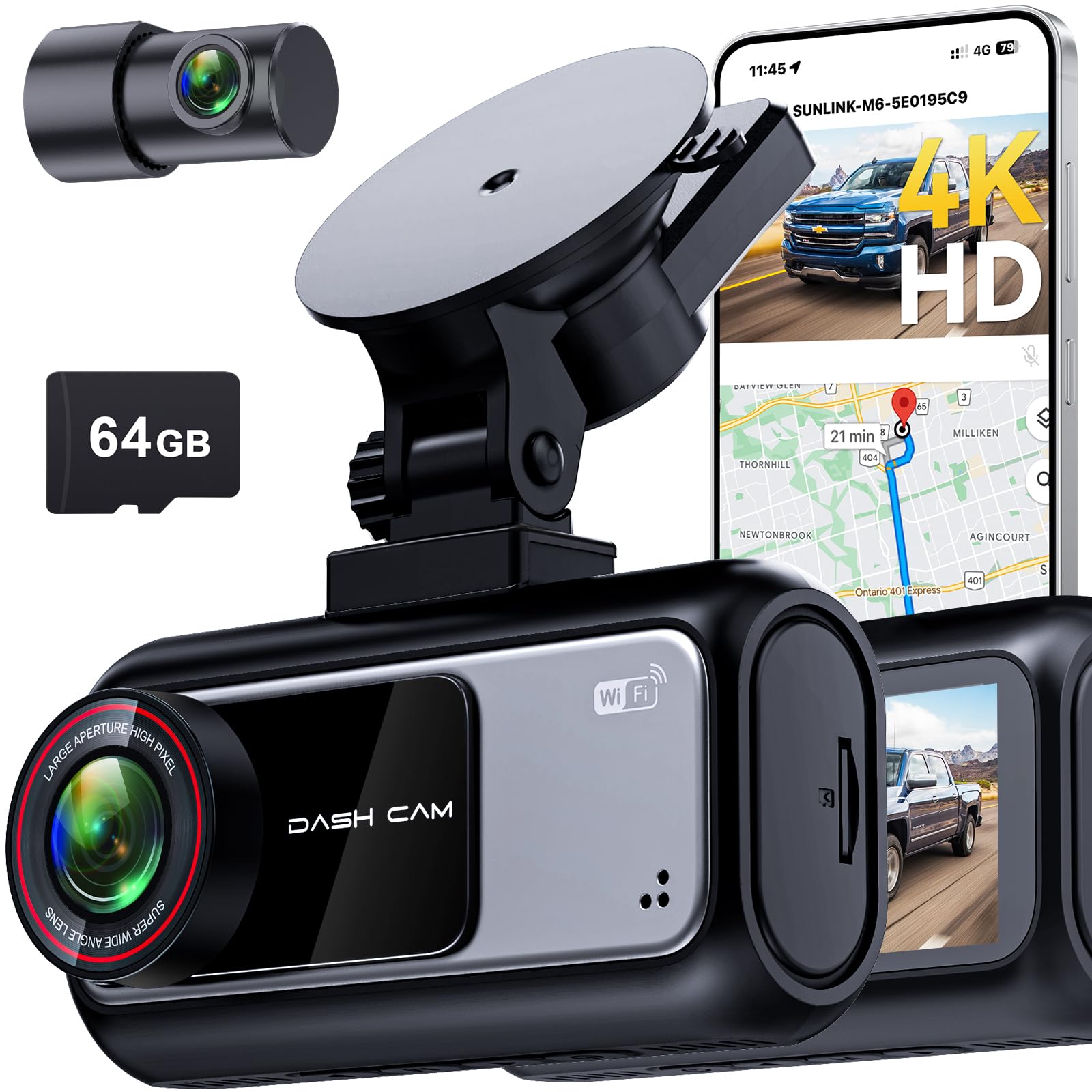
We recommend this dash cam if you want crisp day/night video and easy plug-and-play installation for a pickup truck.
Pros
- Sharp 4K front and clear 2K rear footage for good evidence.
- Fast 5.8 GHz Wi‑Fi makes clip transfers quick without removing the card.
- Simple suction mount and plug-in setup — no tools for basic install.
Cons
- Customer support can be slow or unresponsive.
- Suction mount may need repositioning on rough roads.
- Advanced wiring for hardwire parking mode takes extra work.
We installed this unit on a Ford F-150 and used it for city and highway drives. The front camera really picks up plate details and lane lines, even at dusk. Night HDR helped reduce glare from headlights so footage stayed usable.
Pairing with the app felt fast compared with other cams we’ve tried. Downloading clips to our phone took seconds on 5.8 GHz and we could trim and save without playing with the SD card. Built‑in GPS stamped speed and location into clips, which made reporting an incident easier.
Parking mode worked when we tested low-speed impacts in a lot and the G-sensor reliably locked the event files. For long trips, the included 64GB card covered a lot of footage, and the 72-hour parking claim matched our real-world standby time when wired properly.
We did hardwire this to run true 24/7 monitoring. The tool-free mount was convenient for testing, but for long-term use we preferred routing the rear cable through the headliner like a pro for a tidy finish. If you need fast, clear evidence and easy phone access, this model delivers — just be ready to handle wiring or patience with support when needed.
REDTIGER F7N Touch 4K Dash Cam

We recommend this if you want a clear front 4K view, easy app access, and parking monitoring when hardwired.
Pros
- Very sharp daytime and usable night video.
- Fast 5.8GHz Wi-Fi makes clips quick to download.
- Voice and touch controls cut down on fiddling while driving.
Cons
- Suction mount can need repositioning on long hauls.
- Parking mode needs a hardwire kit to work reliably.
- App password display is small and can be hard to read.
We mounted this on a truck windshield and ran the long rear cable through the cab. Setup took a bit of routing, but the included tools and clips helped tidy the wiring. Video looked excellent on the highway; lane lines and license plates were clear in daylight.
Using the touchscreen and voice commands felt natural while driving. We used the app to pull clips over the 5.8GHz Wi‑Fi and it saved time compared with slow connections on older cams. GPS paths and speed stamps showed up cleanly in the files.
At night the STARVIS 2 sensor handled low light better than many cams we’ve tried, though distant details still soften. Parking mode worked well after we installed a hardwire kit, and the G-sensor locked impact clips when we tested sudden stops. Overall, this unit blends strong video, smart controls, and useful parking features for truck drivers who want reliable recordings.
Redtiger F7NP 4K Dash Cam

We recommend this if you want clear 4K front footage and reliable parking monitoring for a truck without a lot of fuss.
Pros
- Very sharp daytime and night video that caught fine details.
- Built-in WiFi and app make downloads fast and easy.
- Supercapacitor and parking modes add durability and safety.
Cons
- Rear cable routing in a big cab can take time to hide neatly.
- Some settings are easier to change on the app than on the small unit.
- Hardwire kit needed for full 24/7 parked protection.
We mounted the F7NP on a long-haul cab and used it across city and highway runs. The front 4K clips showed license plates and signs clearly, even after dark. The rear camera stayed steady and captured lane changes and trailers well.
Using the Redtiger app felt fast. We downloaded clips quickly over the 5.8GHz WiFi and checked GPS route data on the phone. That sped up incident reviews when we needed exact locations and times.
Installation took a bit of patience in a semi; the long rear cable and routing behind panels required extra clips. Once in place the unit stayed put and the supercapacitor handled heat during long parking without swelling like a battery might.
Parking mode worked as expected when hardwired. We got time-lapse and G-sensor recording while parked, which saved a hit-and-run clip that would have been tough to prove otherwise. Remember to buy the hardwire kit if you need full 24/7 coverage.
Overall, we found the Redtiger F7NP solid for truck drivers who want high-res footage and reliable parking features, as long as you’re ready to route the rear cable and use the app for most settings.
ROVE R2-4K
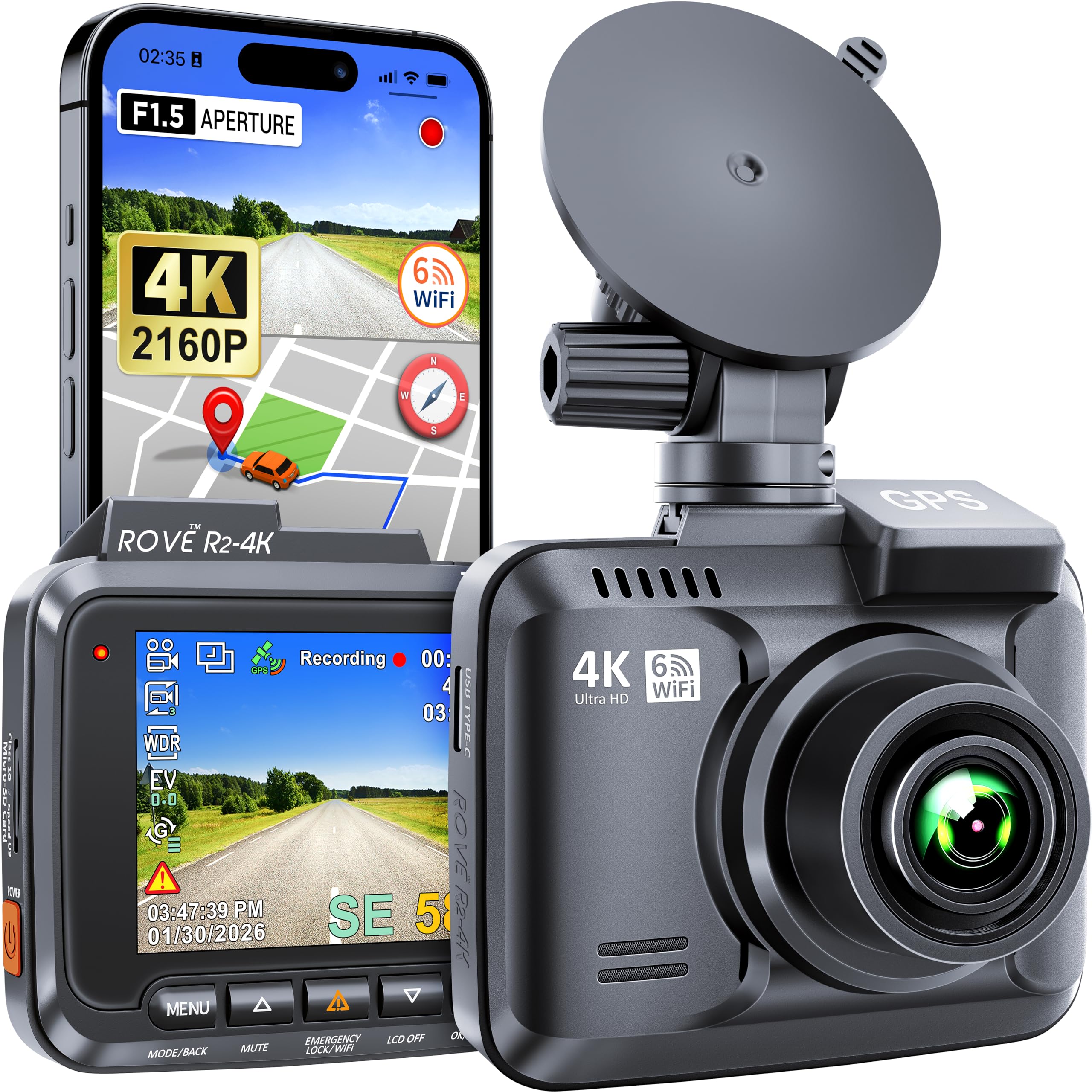
We recommend this if you want sharp 4K footage and reliable night recording for long-haul driving.
Pros
- Very clear daytime and night video
- Built-in GPS and Wi‑Fi make sharing trips easy
- Sturdy build and simple mounting
Cons
- Mini‑USB power instead of USB‑C on older units
- Small screen feels cramped for live view
- Needs a good microSD card (not included)
We mounted the ROVE R2-4K on our windshield and tested it on long routes and night shifts. Video detail caught license plates and signs at highway speeds, and the night mode held up better than cheaper models we’ve used.
The GPS track and speed overlays helped us verify routes after an incident. Using the app over Wi‑Fi to download clips worked fine, though transfer speeds vary with phone and card. Setup took a few minutes; the menu is straightforward once we read the manual.
Parking mode did record motion around our truck when parked, but we made sure to buy a high-quality, high-speed microSD card to avoid dropped frames. The camera felt solid on bumpy roads with no obvious vibration issues.
Overall, we found the ROVE R2-4K dependable for fleet and owner-operator use when you want clearer evidence day and night.
PRUVEEO 360° 4-Channel Dash Cam

We recommend this if you want full 360° coverage and easy phone access to footage for trucks and large vehicles.
Pros
- True four-camera coverage that catches blind spots around the cab.
- Clear night footage and adjustable lenses for focused views.
- Built-in GPS and Wi‑Fi make sharing and logging trips simple.
Cons
- Rear window mounts can be tricky on flat glass.
- Parking mode needs a hardwire kit to work reliably.
- Menu and angle setup take time to dial in for big rigs.
We installed this unit on our truck and spent a day moving the cameras to get the best angles. The four 1080p feeds give real peace of mind when backing, changing lanes, or checking the trailer area.
We liked the phone app. Pulling clips via Wi‑Fi saved us from removing the card every time. GPS tracks and timestamps helped when we reviewed a lane-merge incident and proved speed and route.
The night vision did well on dim roads and in parking lots. Still, mounting on flat rear glass required rethinking placements and extra hardware. Overall, the system felt solid and built for long haul use.
Galphi Q2 4K Dash Cam

We recommend this camera if you want sharp 4K video, easy setup, and a small, low-profile unit for long hauls.
Pros
- Crisp 4K day and night footage.
- Fast 5GHz Wi‑Fi makes downloads quicker.
- Compact, low-distraction design that sits out of the way.
Cons
- No built-in screen means you must use the app to review clips.
- Parking mode needs a hardwire kit sold separately.
- Occasional app lag on some phones.
We installed the Galphi Q2 across a week of local and highway runs. The tiny body barely changed our windshield view and the mount stayed put through vibration and wind. Video captured license plates and road signs clearly, even at night.
We liked the 5GHz Wi‑Fi when downloading longer clips. Transfers finished faster than older 2.4GHz cams, so we spent less time waiting before checking footage. The app worked for basic playback and file saves, though a few phones showed brief stutter when scrolling long lists.
We noticed the lack of a screen right away. That keeps distraction low, but we missed quick on-camera checks. Also plan to buy the hardwire kit if you want true 24-hour parking recording without swapping power cables.
Overall, the Galphi Q2 felt like a solid dash cam for drivers who want clear evidence and a tidy install without a big price tag.
70mai A810 Lite 4K

We recommend this cam if you want sharp 4K front footage and reliable remote access for long-haul or fleet use.
Pros
- Very clear daytime and improved night video for reading plates.
- 4G/Wi‑Fi access makes remote checks and downloads fast.
- Compact mount stays out of the way and installs quickly.
Cons
- 4G features need an extra hardwire kit and service setup.
- App can be a bit fussy during initial pairing.
- Cable management takes patience in big cabs.
We used the A810 Lite across city routes and highway hauls. The front 4K feed captured small details that older cams missed, and the rear 1080p filled in backup blind spots. Mounting it behind the mirror kept our windshield view clear.
Night video looked better than many entry cams thanks to HDR and the large aperture. Headlight glare reduced and darker areas held more detail, which helped when we reviewed footage after evening runs.
Remote live view and tracking came in handy when we left trucks parked at terminals. Setting up 4G required buying the hardwire kit, and the app needed a couple of attempts to link both cameras, but once paired the downloads and live checks were straightforward.
We liked the solid build and the supercapacitor for heat resistance in summer shifts. Loop recording and 24H parking gave peace of mind, though true nonstop parking use demands the hardwire accessory to avoid battery drain.
Overall, this unit feels like a step up from basic dash cams if you value high-res daytime footage and remote monitoring, provided you accept the extra cost and setup for full 4G/parking features.
Seventour 4-Channel Dash Cam
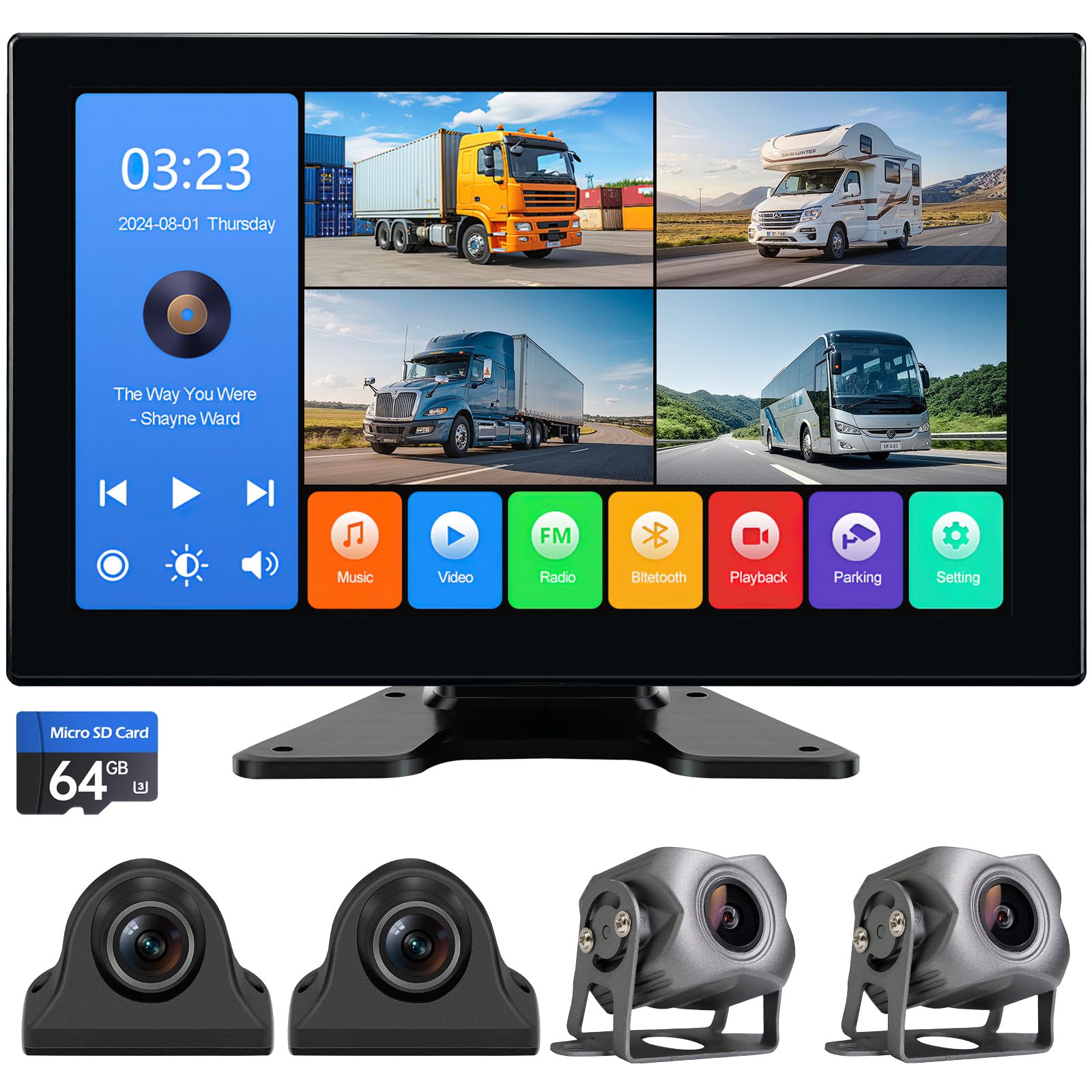
We recommend this if you want full 360° coverage on a budget and easy setup for trucks, RVs, or trailers.
Pros
- Clear, lag-free 4-camera view that shows all sides at once.
- Sturdy, waterproof cameras that held up in bad weather during our tests.
- Big 10.2″ touch screen with built-in DVR so playback is simple.
Cons
- Buttons and menu feel a bit basic compared with higher-end units.
- Camera cables can be bulky to route on older rigs.
- Audio and Bluetooth features work but are not very refined.
We installed the system on our trailer and found the four 1080p cameras gave real peace of mind. The quad view on the 10.2″ screen made backing and lane changes much less stressful.
The aluminum cameras survived heavy rain and cold nights without fogging or glitches. Recording to the included SD card was reliable, and the playback on the monitor helped us quickly review close calls.
Setup took a few hours because we hid cables along the frame and roofline, but the plug-and-play connectors and cigarette lighter power option made a temporary mount easy. Overall, this kit felt like a practical upgrade for drivers who need wide coverage without spending a lot.
ZMOPO 360 View 4-Channel Dash Cam

We recommend this if you want full, four-camera coverage and easy app sharing for fleet or long-haul use.
Pros
- Covers front, rear, left and right for full visibility.
- Solid night vision and WDR make low-light clips readable.
- Built-in Wi‑Fi and included 128GB card make setup fast.
Cons
- Mounting adhesive and suction can fail in hot weather.
- GPS and hardwire for parking mode cost extra.
- Four cameras add wiring complexity for DIY installs.
We installed this unit on one of our trucks and ran it for several weeks. The view from every angle made backing and lane checks much easier. Video quality looked dependable in daylight and held up better than expected at night.
We used the mobile app to pull clips on the road. The 5GHz Wi‑Fi transferred files faster than older cams we tried. Locking incident files worked when we hit a rough patch and needed the clip saved.
Wiring takes time if you don’t use a pro. We had to reroute cab trim and reinforce the adhesive on the mounts for summer heat. If you need parking mode, plan to buy the hardwire kit and GPS logger separately.
Overall, this feels like a sturdy, feature-rich system for drivers who want total coverage and quick video sharing, but expect a bit of extra work to mount and enable all options.
Buying Guide
We look for dash cams that record clearly day and night. Good video quality (1080p or higher) and a wide field of view help capture incidents on highways and intersections.
We check durability and mounting. A rugged, vibration-resistant build and a secure mount reduce shake and prevent falls on rough roads.
We value reliable power options. Hardwiring or external power with over-voltage protection keeps the unit running during long hauls. Look for low-voltage cutoff and power-saving modes.
We want storage that won’t fail us. Use high-endurance SD cards and support for loop recording so older files overwrite safely. Check maximum card capacity to match route length.
We expect helpful features. GPS logging, time stamps, and incident markers aid reporting. Driver-facing cameras, parking mode, and impact detection add extra coverage when needed.
We consider ease of use. A clear screen, simple menus, and smartphone app access make setup and playback faster. Firmware updates should be straightforward.
We compare mounting position and lens options. Dual-lens systems cover forward and cabin views, while single-lens may be easier to install. Make sure the field of view matches our blind spots.
We weigh warranty and support. A solid warranty and accessible technical support save time after a fault. Read return policies and support hours before buying.
| Feature | Why it matters |
|---|---|
| Video quality | Clear evidence for incidents |
| Power options | Continuous operation on long trips |
| Storage type | Reliability for constant recording |
| GPS & timestamps | Accurate location and time data |
| Mounting & build | Stability on rough roads |
Editor’s Choice
We picked the dash cam that blends reliability, video quality, and truck-friendly features. It records 1080p or higher, has wide-angle coverage, and a sturdy mount that stays put on rough roads.
We value easy setup and clear menus. The chosen unit powers from the truck, supports loop recording, and has a reliable parking or motion-detect mode.
Key features we liked:
- Video: 1080p+ front, good low-light performance.
- Durability: Solid mount and heat-resistant design.
- Storage: MicroSD support up to at least 128 GB.
- Extras: GPS logging and easy playback on phone or PC.
We also considered price and support. The selected model offers a strong warranty and responsive customer service.
Why we recommend it: the unit balances cost and performance without unnecessary extras. It gives clear footage for incidents and runs reliably in long-haul conditions.
Conclusion
We see dash cams as a practical tool for semi truck drivers and fleets. They record incidents, protect against false claims, and provide data for safer driving.
We recommend choosing a durable, high-resolution camera with good night performance and a proven mount. Consider features like dual lenses, cloud backup, and driver-facing recording if you need more coverage.
Installation and maintenance matter. Clean lenses, secure wiring, and regular checks keep footage reliable. We should also set clear policies on privacy and data access for drivers and managers.
Costs vary, but benefits often outweigh price for both safety and claims reduction. Start with a pilot program if you manage a fleet, then scale what works.
We can use footage for training and performance reviews. Short clips highlight risky behaviors and help build better habits without long meetings.
Key checklist:
- Resolution & low-light performance
- Reliable power and mount
- Storage and backup options
- Policy for privacy and access
We encourage taking a measured approach. Choose devices and rules that suit your operation, and adjust as you gather real-world results.
FAQS
What does a semi truck dash cam record?
We record road views, driver cabin footage, and GPS data depending on the model. Some units also capture audio and speed for clearer incident context.
Do dash cams help in accident claims?
Yes. We provide timestamped video that can show fault, road conditions, and traffic signals. Insurers and regulators often accept this evidence.
How do we power and install them?
Most units plug into the vehicle’s 12V outlet or hardwire to the fuse box. We recommend professional installation for wiring, mounts, and visibility.
Can footage be tampered with?
Many systems use locked or encrypted files to prevent tampering. We advise models with secure storage and checksum or cloud backup features.
How much storage and loop recording?
We use loop recording to overwrite oldest files when full. Storage needs depend on resolution and retention time; higher resolution needs more space.
Are dash cams legal for use?
Laws vary by state and country. We follow local rules on audio recording and windshield obstruction. Check local regulations before use.
Do dash cams work at night?
Yes, many have night vision or infrared to improve low-light images. Performance still varies by sensor quality and mounting position.
How do we manage video for fleets?
We use fleet software for live view, event alerts, and central storage. This helps with training, claims, and route monitoring.

