Truck drivers spend long hours on the road, so safety, evidence, and peace of mind matter more than ever. Dash cams for truckers record incidents, monitor driver behavior, and capture roadside events that can protect drivers from false claims and help fleets manage safety. These devices range from simple single-lens models to multi-camera systems that cover the cab, blind spots, and trailers.
When choosing a truck dash cam, the most important factors are video quality for clear evidence, mounting and field of view to cover critical angles, durability for heavy use, and storage or cloud options for saving footage. Good low-light performance and reliable loop recording are essential because they ensure useful footage after long nighttime drives and during continuous operation. We tested and compared several models to find the dash cams that give truckers clear, durable, and dependable coverage on the road.
Best Dash Cams for Truckers
Below is our full list of the best dash cams for truckers. We focus on reliable video, easy setup, and features that matter on long hauls so you can pick the right model for your cab.
ROVE R2-4K Dual

We recommend this if you want sharp day/night video, dual channels, and easy phone downloads for long hauls.
Pros
- Very clear 4K front and good 1080p rear footage.
- Fast 5G Wi‑Fi lets us grab clips on the road.
- Solid low‑light performance with dependable GPS data.
Cons
- Suction mount can shift on rough roads.
- App can be slow to connect sometimes.
- Full parking mode needs a separate hardwire kit.
We mounted this on a sleeper cab and used it across several routes. The front Sony STARVIS 2 sensor pulled in detail on bright highways and dim rest stops, and the 150° wide view caught lane events without fisheye distortion. Night captures looked cleaner than most cams we’ve tried.
Downloading clips to our phones felt fast when the Wi‑Fi linked, and the app saved time when we needed quick clips for dispatch or insurance. We did notice the phone sometimes took a couple tries to connect, which cost us a few minutes at roadside.
The included 128GB card and long rear cable made installation tidy and ready for long shifts. Mounting with the suction cup worked for testing, but we preferred the sticky mount for long trips; the suction moved a little on bumpy interstates. For true 24/7 parking surveillance, plan to buy the hardwire kit.
Overall, the unit gave us reliable recordings and easy GPS timestamps that helped verify routes and speeds. If you haul long distances and need clear evidence day or night, this one performs well for the price.
VSYSTO T4.5M Truck Dash Cam

We recommend this unit if you need flexible camera placement and basic three-camera coverage for long-haul work, but expect some build-quality tradeoffs.
Pros
- Flexible front camera placement with a long extension cable.
- Three-angle recording cuts blind spots during lane changes and turns.
- GPS and app access give useful route and speed data.
Cons
- Build feels budget-grade and may wear with heavy use.
- Setup and cable routing take time in larger cabs.
- Small side cameras limit detail at longer distances.
We mounted the T4.5M across our tractor and ran the front camera to the windshield while tucking the side cameras near the doors. The separate front camera made aiming easy, and the monitor gives clear split-screen views while driving.
Real-world use showed the IR night view helps at dusk, but image sharpness drops on the side feeds compared with the front. The 2.4G remote and GPS worked well; we liked seeing route playback on the app after a run.
Durability concerns surfaced after a week of heavy vibration and heat. The system functioned, yet the plastics and connectors felt less robust than higher-end units. Plan for careful wiring and regular checks if you run long OTR trips.
If you want full details or to buy, check the product page: VSYSTO T4.5M Truck Dash Cam.
Galphi Q2 4K Dash Cam

We recommend this if you want a compact 4K dash cam with strong night video and fast 5GHz Wi‑Fi for quick downloads.
Pros
- Sharp 4K daytime and night footage that shows license plates and signs.
- Fast 5GHz Wi‑Fi and app make grabbing clips from the phone quick.
- Small, low-profile design that stays out of the way and is easy to install.
Cons
- No built-in screen means you must use the app to review clips.
- Parking mode needs a hardwire kit to run 24/7.
- Some setup steps for cable routing feel fiddly on a large truck windshield.
We mounted this on our rig and found the image crisp even at highway speeds. The 160° view captured lanes well and the 4K detail made plate reading possible in many cases. Night scenes looked better than we expected thanks to the wide aperture and WDR balance.
Using the app over 5GHz saved time when we pulled footage after a run. Downloads finished fast and playback on the phone was smooth. Still, the screenless design meant we relied on the app for every check, which can slow things if you prefer in-cab playback.
Installation went quickly on a car, but on our truck we spent extra time hiding the cable behind trim and the mirror. Parking mode worked when hardwired, but without the kit you only get normal recording. Overall, the Galphi Q2 felt reliable and unobtrusive for daily driving and long hauls.
TERUNSOUl 4K Truck Dash Cam

We recommend this dash cam for truckers who want wide coverage, clear day/night video, and built-in GPS for solid evidence.
Pros
- Excellent 4K front footage and usable night clarity.
- Triple-channel view (front, rear, cabin) covers blind spots.
- Built-in GPS and included 128GB card make setup fast.
Cons
- Parking mode needs a separate hardwire kit.
- Menu and app can be fiddly until you learn them.
- Long rear cable routing takes time on big rigs.
We installed this on a 26-foot box truck and ran it for two weeks. The front 4K video captured crisp license plates in daylight and the cabin camera picked up clear driver reactions. We liked that the 3.16″ screen makes quick checks easy without opening an app.
Night driving surprised us in a good way: starlight-grade lens and HDR kept headlights and street signs readable. The rear camera gave useful context on highway merges, although the wide angles mean some objects look smaller at distance.
GPS stamping in the files saved us time when we reviewed a delivery incident. The app’s 5.8GHz WiFi moved clips fast, but initial pairing and menu navigation felt clunky until we got used to it. Overall, the kit and included clips made a neat install, but expect extra time to hide the long rear cable on a big cab.
Buy it if you want broad coverage and strong daytime detail with GPS logging; plan to buy a hardwire kit for true parking mode.
REDTIGER F7N Touch

We recommend this if you want a clear 4K front view, easy phone control, and useful parking features for long-haul work.
Pros
- Sharp 4K front video that catches license plates and signs.
- Fast 5.8GHz Wi-Fi and built-in GPS make sharing and tracking simple.
- Handheld controls plus voice and touchscreen reduce distractions while driving.
Cons
- Suction mount can feel less secure than a hardwire bracket on rough roads.
- Parking mode needs a separate hardwire kit to run all night.
- App password display and some menu text are hard to read on bright days.
We installed this in our truck and drove a few hundred miles to test real highway and yard conditions. The front 4K footage showed details we usually miss, and the rear camera did a solid job backing into tight spots. We liked that voice commands let us lock clips without taking hands off the wheel.
Pairing the camera to our phone took under five minutes and downloads were faster than many other models we’ve used. GPS tracks and timestamps felt reliable, and the included 128GB card gave us plenty of room for multi-day trips. The touchscreen responds well, though tiny text on menus sometimes forces a second glance.
Parking monitoring worked when we used the hardwire kit; without it, the feature is limited. The suction cup held up on smooth glass but creaked a bit over rough stretches, so we recommend checking the mount often. Customer support answered our questions quickly and the 18-month warranty adds peace of mind.
For buying, see the product page: REDTIGER F7N Touch.
VSYSTO 3CH Truck Cam

We would buy this only if you need cheap three-camera coverage and can handle a finicky app and setup.
Pros
- Good all-around camera angles for front and sides.
- Night vision and waterproof side cams work well in rain and dark.
- GPS and loop recording give useful tracking and accident backup.
Cons
- App and Wi‑Fi can be unreliable on some phones.
- Side cameras sometimes do not save video reliably.
- Setup and wiring take patience and time.
We installed this in a day on a semi and liked the broad view the three cameras give. The 4.5″ screen made checking lanes quick while driving.
Using it at night, the infrared kept side images usable. The front camera stayed clear in most conditions and the GPS logs helped us check routes afterward.
However, the mobile app kept dropping connection on one of our phones and the SD card errors popped up twice. We had to dig into menus and watch online tips to get side recordings to show up in the files.
If you want simple, plug-and-play reliability, this unit may frustrate you. For the money, it gives a lot of features, but expect to spend time on wiring, menu settings, and troubleshooting.
Garmin dēzlCam OTR725

We recommend this if you want a truck GPS that also captures incidents on video and helps plan truck-specific routes.
Pros
- Large, bright screen makes maps easy to read while driving.
- Built-in dash cam records incidents automatically for peace of mind.
- Truck-focused routing and arrival views help with tight or restricted locations.
Cons
- Dash cam card can require reformatting over time, which becomes a hassle.
- Software updates have caused routing or calculation issues for some users.
- Some features need the smartphone app or subscriptions to work fully.
We used the unit on a week-long run and liked how the 7-inch screen cleared up clutter in the cab. Touch response stayed smooth even on bumpy roads, and the satellite imagery helped when approaching complex truck entrances.
Recording incidents felt simple. The cam started saving clips automatically after a hard event, and the 140° view caught more of the scene than smaller cams we’ve used. Be ready to check the microSD regularly; we had to reformat once to keep recordings reliable.
Route planning for truck size and weight was helpful when we approached low bridges or narrow entries. The PrePass and CAT Scale links saved time on the road, but several community features only worked well when paired with the dēzl app on our phone.
Overall, this unit blends a trusted Garmin navigator with a built-in dash camera in a way that fits day-to-day trucking. It’s solid for navigation and incident capture, but expect occasional software hiccups and some upkeep on the memory card.
Redtiger F7NP 4K Dash Cam

We recommend this unit for truckers who want clear 4K front footage and reliable parking protection at a fair price.
Pros
- Very sharp daytime and night footage from the front camera.
- Built-in Wi‑Fi and app make reviewing clips quick on the road.
- Supercapacitor and included rear kit feel rugged for long hauls.
Cons
- Rear cable routing can be fiddly in larger trucks.
- Some settings need the app to change, which slows adjustments.
- Parking mode needs a hardwire kit for full 24/7 use.
We installed the F7NP in our rig and used it across long interstate runs and city drops. The front footage shows lane markings and license plates clearly, even at night. We felt more confident handing clips to dispatch or police because the images are sharp.
Setting up the rear camera took patience. The 21ft cable reaches most truck beds, but tucking it out of sight in tight cab trim tested our patience. After routing, the rear view gave useful context for backing and tail incidents.
We liked the fast 5.8GHz Wi‑Fi when we needed clips fast. Downloading footage to a phone was much quicker than older cams we’ve used. Still, changing some deeper settings forced us into the app each time, which slowed things when we wanted to tweak on the fly.
Parking features worked well once hardwired. Time-lapse and G‑sensor clips captured bumps and hits while parked. The supercapacitor handled heat better than battery cams we’ve tried in summer runs, reducing failures on hot days.
Overall, the F7NP felt like a durable, practical choice for truckers who want clear evidence and easy app access without paying top-tier prices. We kept this one in our cab for months and trusted it during critical moments.
Redtiger F7NP 4K Dash Cam on Amazon
Pemacom Truck Dash Cam
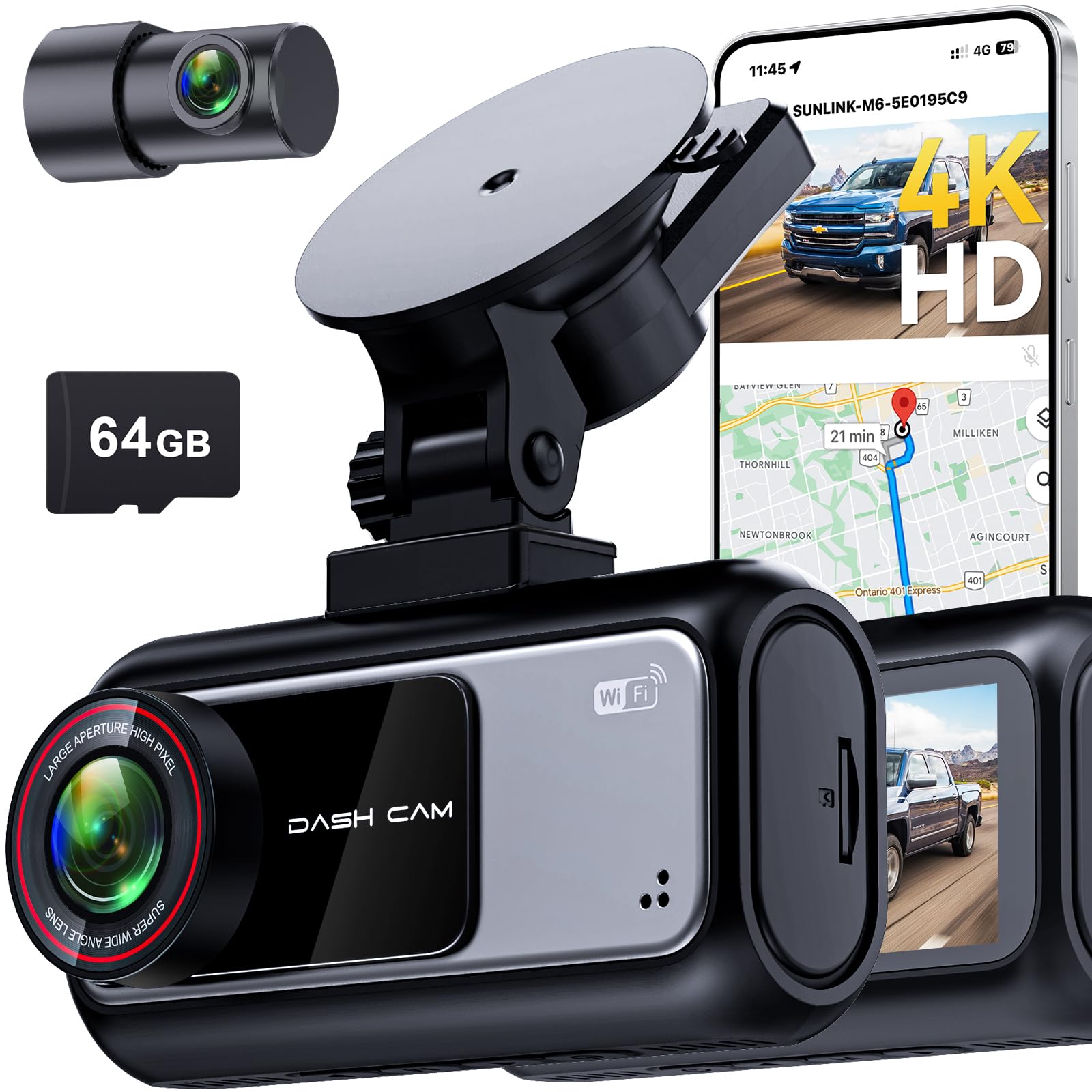
We recommend this dash cam for truckers who want high-resolution front and rear video, easy plug-and-play setup, and reliable parking monitoring.
Pros
- Very clear 4K front and 2K rear footage, even at night.
- Quick 5.8 GHz Wi‑Fi transfers and built-in GPS for easy evidence sharing.
- Simple suction mount and plug‑in power make installation fast.
Cons
- Customer support can be slow to respond.
- Suction mount may not hold as well on textured windshields long term.
- Some truck hardwiring needs extra parts for a tidy install.
We used this unit across several pickup trucks and found the picture detail impressive. License plates and lane markings showed up clearly on nighttime footage. The HDR and large aperture helped reduce glare when sun or headlights hit the lens.
Setup took minutes with the suction cup and 12V plug. We routed the rear cable through the headliner for a neat build. The app moved clips quickly over 5.8 GHz Wi‑Fi so we could send footage without taking out the memory card.
Parking mode worked as advertised during short stops and crowded lots. The G‑sensor locked collision clips so they didn’t overwrite. We did notice the mount felt a bit less secure on one textured windshield and later swapped to an adhesive mount for long hauls.
Overall, this dash cam gave us solid video and useful features for truckers who need evidence for claims and peace of mind while parked. You can view the product and buy it here: Pemacom Truck Dash Cam.
Botslab G980H 4-Channel Dash Cam
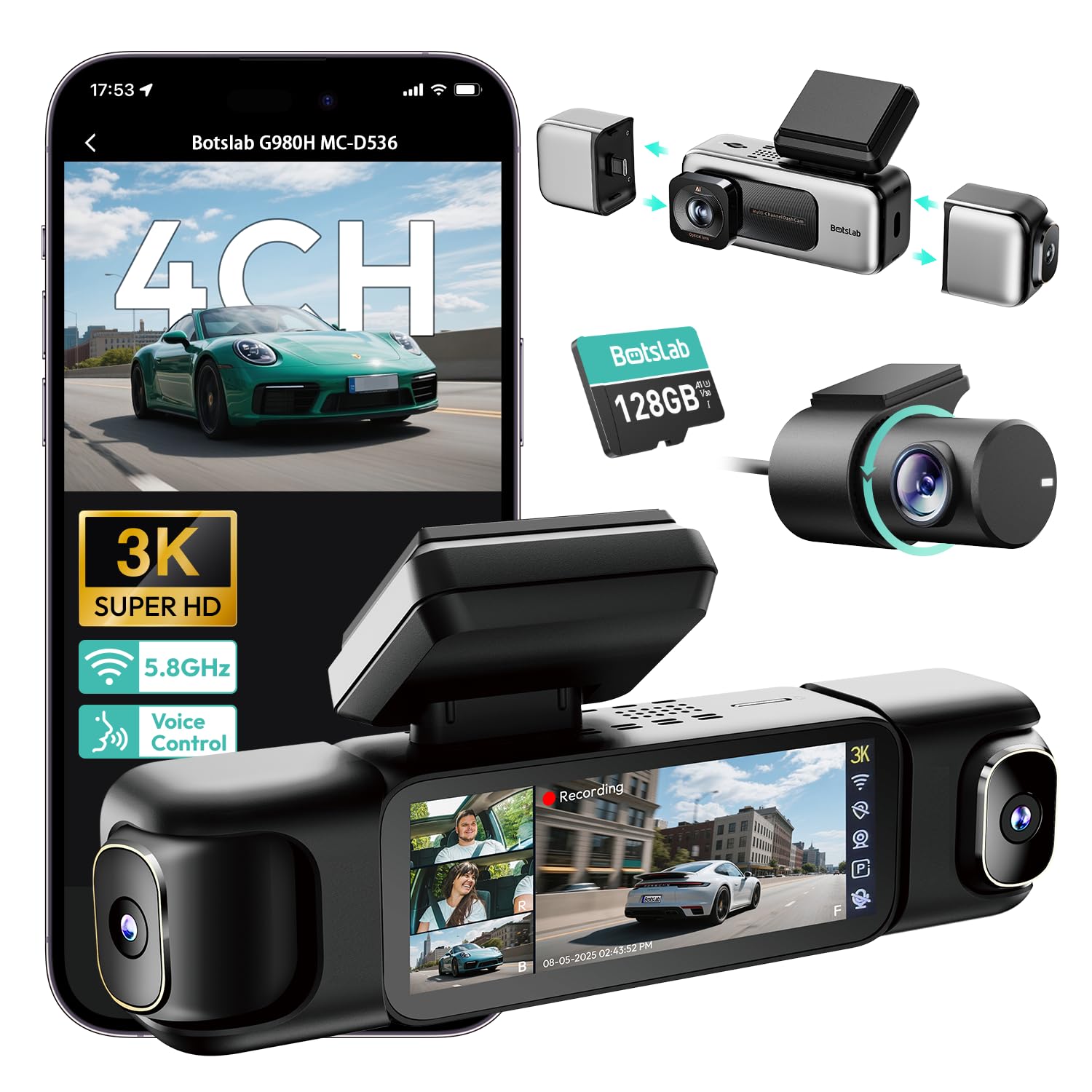
We recommend this if you want full four-camera coverage and clear night footage for long-haul or city driving.
Pros
- Very wide coverage with clear night images.
- Easy to change side cameras with magnetic mounts.
- Built-in GPS and fast 5.8GHz Wi‑Fi for quick video transfer.
Cons
- Requires a hardwire kit for full 24/7 parking features.
- Can run warm during long use and may wear SD cards faster.
- App and setup ask for a lot of phone permissions.
We installed the G980H on a truck and used it for several drives. The front and rear images stayed sharp on highways and in low light. The side cameras snapped on and off, which made mounting and cleaning easier than glued units.
We liked the split-screen playback on the little 3.18″ display when we needed to check an incident quickly. The voice controls worked well while driving, so we didn’t fumble with menus. GPS logging made it simple to match footage to routes when we reviewed trips later.
We ran into heat buildup after long hours with constant recording, and that seemed to shorten SD card life in our test. Also, the parking modes are useful but only unlock with the hardwire kit, so factor that into cost and install time.
Overall, we found the Botslab G980H to be a solid multi-camera option for truckers who want broad coverage and good night performance, as long as they can hardwire it and keep an eye on card and heat management.
Buying Guide
We start by deciding what matters most for our routes and driving style. Think about video quality, field of view, and night performance. These affect how well incidents are recorded.
We look for reliable power options and easy mounting. Hardwire kits and long power cords keep cameras running through long hauls. Quick-release mounts help when we need to remove the unit.
We check storage and recording types. Loop recording with fast file overwrite prevents gaps. Choose cameras that support large capacity cards and clear file management.
We evaluate driver-facing vs. road-facing setups. Dual-channel units capture both the road and the cab for fuller context. Single-channel units may suffice if we only need road evidence.
We compare useful safety and convenience features. GPS and speed overlay add useful data. Motion detection and parking mode protect the vehicle when we park. Wi‑Fi or app access makes file transfer faster.
We weigh warranty and durability. A dash cam built for high temperatures and vibration lasts longer. Look for clear warranty terms and accessible customer support.
We use a simple checklist to decide:
- Video resolution and night clarity
- Mount stability and power supply
- Storage capacity and file system
- Dual-channel capability if needed
- Extra features: GPS, parking mode, Wi‑Fi
- Warranty and build quality
We prioritize features that match our needs and budget. That helps us choose a dash cam that performs well on the road.
Editor’s Choice
We pick the Garmin Dash Cam 67W as our top choice for truckers. It balances image quality, wide field of view, and rugged design that holds up in long hauls.
The 180-degree view and sharp 1440p video help capture lane changes and roadside incidents. Night Vision and HDR improve low-light and high-contrast scenes without adding noise.
Mounting is stable and compact, so it does not block windshield sightlines. Built-in GPS logs speed and location, which helps with incident reports and route review.
We value the simple app and easy file transfer. Quick uploads let drivers review clips on a phone between shifts.
Key specs at a glance:
- Resolution: 1440p
- Lens: 180° field of view
- Extras: GPS, HDR, Night Vision
We recommend this model for drivers who want reliability, clear footage, and straightforward controls. Its mix of features fits most trucking needs without extra complexity.
Conclusion
We choose dash cams that match our route, budget, and safety needs. Good units give clear video, reliable storage, and easy setup. Those features reduce disputes and help protect our drivers.
We look for wide-angle, night vision, and shock-resistant builds. We also favor dual-cam or cloud-ready models when we need extra coverage and remote access. Insurance discounts and faster claims often follow.
We keep recordings organized and follow laws on consent and data storage. Regular checks and firmware updates keep devices working right. Training drivers on placement and use improves both compliance and footage quality.
We balance cost and features when buying for a fleet. A few higher-quality units often save time and money over many cheap replacements. We plan installations, policies, and maintenance together to get the best results.
Key points at a glance:
- Choose durable, clear, and easy-to-use cameras.
- Prefer dual-cam or cloud options for more coverage.
- Maintain devices and follow legal rules for recordings.
We prioritize safety, evidence quality, and driver privacy when picking dash cams for our trucks.
FAQS
What features should we look for?
We look for clear night vision, wide-angle lens, and reliable GPS. Two-channel recording helps capture both road and cab.
Do dash cams record while parked?
Many models offer parking mode, which records when motion or impact is detected. This can protect our truck when we are away.
How do we store footage?
Footage saves to SD cards or cloud storage. We should choose high-endurance cards and rotate them regularly.
Can dash cams help with insurance and claims?
Yes. Video can prove what happened and speed up claims. We should keep timestamps and GPS data intact.
Are there legal issues we must know?
Laws vary by state and country. We must check local rules about audio recording and windshield-mounted devices.
How do we power the dash cam?
Most plug into the 12V socket or hardwire to the fuse box. Hardwiring gives constant power for parking mode.
What about privacy and data security?
We should enable password protection and use secure cloud services. Regularly update the firmware to fix security flaws.
How long does footage last before it’s overwritten?
Loop recording overwrites old files when storage fills. We should back up important clips promptly.
Do we need professional installation?
We can install many units ourselves, but professional installation ensures clean wiring and reliable parking power.

