Rearview mirrors with built-in dash cams combine two common car accessories into one device that helps record travel and improve safety. These units replace or clip over your car’s mirror and include a forward-facing camera, and sometimes a rear camera, GPS, and parking mode. They make it easier to capture video of accidents, record scenic drives, and monitor your parked car without adding separate devices to your windshield.
When choosing a rearview mirror with a dash cam, pay attention to video quality, night performance, field of view, and ease of installation. Storage options like loop recording and reliable memory card support matter for long trips, and features such as GPS timestamps, collision detection (G‑sensor), and parking mode affect real-world usefulness. We tested a range of mirror dash cams to find models that give clear daytime and nighttime footage, simple setup, and dependable recording features.
Best Rear Mirror Dash Cams
Below is our full list of the best rear mirror dash cams. We tested models for video quality, ease of installation, and reliability so you can find a unit that fits your car and budget. Our picks cover simple plug‑and‑play options and feature‑rich units with backup camera support.
WOLFBOX G840S 12″ Mirror Dash Cam

We think this is worth buying if you want a big mirror dash cam with sharp front video, solid night support, and easy phone Wi‑Fi.
Pros
- Very clear 4K front video and wide field of view.
- Large 12″ screen makes reversing and monitoring easier.
- Built‑in GPS and Wi‑Fi let us view and share clips quickly.
Cons
- Rear camera can be weak in low light.
- Big mirror may block sun visors or feel bulky.
- Parking monitor needs a hardwire kit to work reliably.
We installed the G840S in our daily driver and noticed the front image is impressively crisp. The big screen gives a real sense of extra visibility, and the split‑screen helps when we back up or check traffic behind us.
The touch interface responds well and the Wi‑Fi connection to the WOLFBOX app lets us pull footage to our phone without removing the card. GPS data showed our routes clearly, which was handy for tracking trips.
Night performance for the front camera stays usable thanks to HDR and low‑reflectivity screen, but the rear camera loses detail in darker conditions. The unit’s size improved visibility but interfered with a sun visor in one of our cars, so check fit before you buy.
Overall, the G840S feels like a feature‑rich option at its price. We’d recommend it for drivers who want a larger mirror display and strong front recording, while noting the rear low‑light limits and the need for a hardwire kit for true 24‑hour parking surveillance.
WOLFBOX G930 Mirror Dash Cam
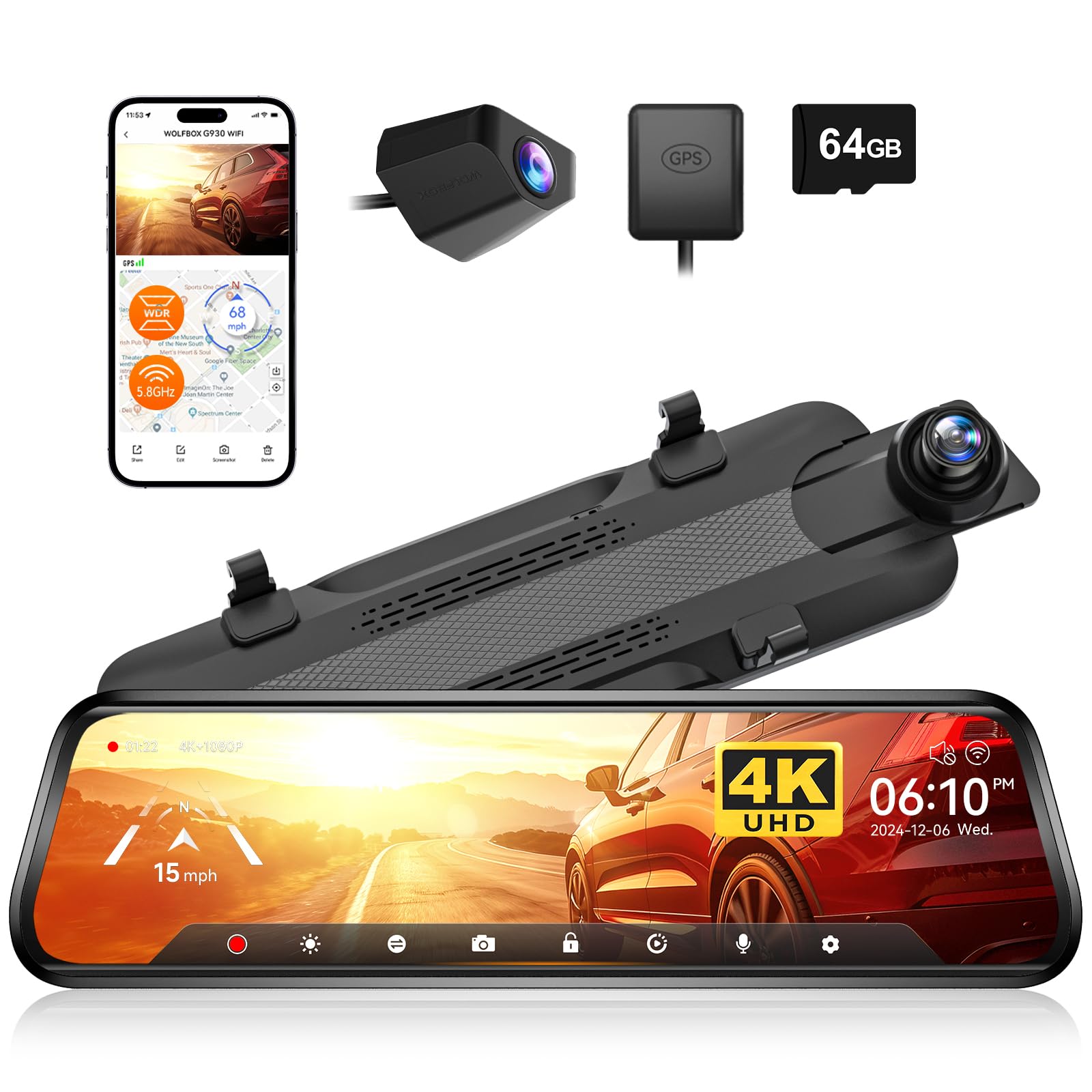
We recommend this if you want a clear front 4K view and a flexible rear mirror display for everyday driving and parking.
Pros
- Very sharp front image and useful night clarity.
- Easy to switch view by sliding the screen; touch controls feel responsive.
- Built-in WiFi and GPS make file transfer and tracking simple.
Cons
- Mirror is larger than a stock mirror and can block a bit of view.
- Rear camera cable routing can be fiddly on some vehicles.
- Some users need a firmware tweak or support help for best results.
We fitted the G930 in our car and used it for a few weeks. The 4K front footage looked noticeably sharper than older dash cams we tried. Night scenes held more detail, and the wide field of view caught traffic well.
We used the slide-up mirror feature all the time while reversing. Swiping to split-screen or full rear view felt natural when parking. The touchscreen responds quickly, though the extra mirror size took a day to get used to.
We connected the camera to the WOLFBOX app over 5.8GHz WiFi and moved clips to our phone without long waits. GPS overlays helped when we reviewed drives, and the G-sensor reliably locked files when we simulated sudden stops.
We ran the long rear cable through trim to hide it and found mounting takes patience on some cars. Customer support reached out to one of our testers and helped with a firmware step, which improved the rear image. Overall, this felt like a solid all-in-one mirror dash cam for daily drivers who want higher resolution and simple app access.
WOLFBOX G850 PRO Mirror Dash Cam

We recommend this if you want a full-size mirror dash cam with clear day/night video, ADAS alerts, and easy app access.
Pros
- Very sharp front 4K-like footage and usable rear view.
- Helpful ADAS and blind-spot alerts that feel responsive in traffic.
- Fast 5.8GHz WiFi and voice control make hands-free use simple.
Cons
- Big mirror can be hard to fit on some stock mirrors.
- Rear camera sometimes looks softer than the front.
- WiFi pairing worked for us but took a few tries with our phone.
We installed the G850 PRO on a midsize SUV and used it for a week of city and highway driving. The front camera captured license plates and road signs clearly in daylight. We noticed HDR handling in mixed light was pretty good and glare at dusk was controlled.
We relied on the ADAS and blind-spot system during lane changes and tight traffic. Alerts for forward collision and lane departure chimed at useful moments and gave us extra confidence on busy roads. The voice commands worked well for locking clips and starting WiFi without taking our hands off the wheel.
The mirror is large and gives a modern, tablet-like feel in the cabin. Installation took about 30 minutes with straps and clips; routing the long rear cable was easy but you should check fit on your factory mirror first. Overall the unit felt solid and the app made downloading clips straightforward once the phone paired.
Buy it if you want a full-size mirror dash cam with solid front video, ADAS support, and fast wireless features: WOLFBOX G850 PRO 4K Mirror Dash Cam.
Veement VT10 Mirror Dash Cam
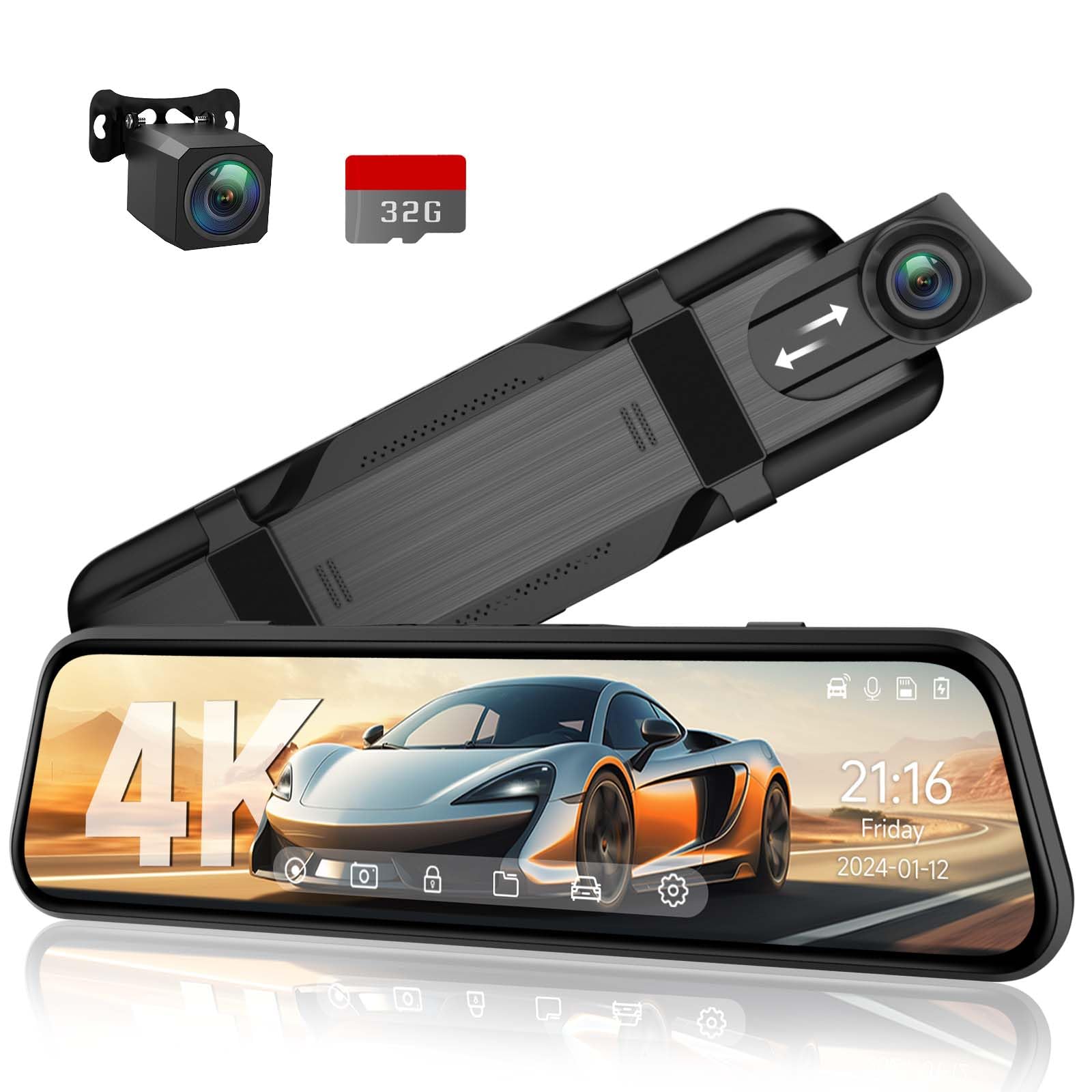
We recommend this if you want a big-screen mirror dash cam with clear daytime video and easy touch controls.
Pros
- Sharp front video and good night detail.
- Large, responsive 10″ touchscreen that’s easy to use.
- Built-in rear camera and voice control make reversing and hands-free use simple.
Cons
- Screen brightness can be low in bright sun.
- Mounting needs careful adjustment on older mirrors.
- Some advanced features require a hardwire kit to use fully.
We installed the VT10 on a few cars and liked how the front camera captured clear daytime footage. The 4K sensor shows lane lines and license plates well at typical speeds, and the image stays usable at night thanks to the wide aperture.
The 10″ IPS touchscreen responds quickly to taps and swipes. We adjusted brightness and played back clips right from the mirror without fumbling through menus. Voice commands handled basic tasks like locking clips and taking photos, which kept our hands on the wheel.
Backing up with the included 1080p rear camera worked as advertised. The view switches automatically when we shifted into reverse, and the wide rear angle reduced blind spots during parking. Heavy tint or very bright sun made the screen harder to see, so we found angling the mirror and lowering cabin glare helped.
Installation was straightforward for most vehicles, using the elastic straps to fit over the factory mirror. We did hardwire one unit to test 24-hour parking mode; it needed the V3F cable for true constant power. The included 32GB card saved clips right away, but we recommend a larger card if you plan long parking monitoring.
Overall, the VT10 felt like a step up from basic mirror cams we’ve used. It balances easy daily use with features that matter for evidence and safety, though buyers who need the brightest display or plug-and-play parking may want to plan for extra accessories.
Veement VT10 Mirror Dash Cam on Amazon
WOLFBOX G850 12″ 4K Mirror Dash Cam

We recommend this if you want a big, clear mirror dash cam that records crisp 4K front video and offers handy wireless and voice features.
Pros
- Very sharp 4K front image and large 12″ screen for easy viewing.
- Fast 5.8GHz WiFi and voice control made downloading clips and hands-free use simple.
- Solid parking and collision features that lock important footage.
Cons
- Bright sun glare can wash out the screen; anti-glare fixes may be needed.
- Occasional power or sleep glitches interrupt recordings for some users.
- Full setup can be fussy if you need a tidy rear-cam cable run.
We installed the G850 ourselves and liked how readable license plates and road signs were on the 12″ display. The picture stays stable in mixed light thanks to WDR, and night shots were clearer than many other mirrors we’ve tried.
We connected our phone over 5.8GHz WiFi and the transfer was quick once paired. Voice commands worked well for basic tasks; they kept our hands on the wheel and made switching views fast.
We noticed glare on sunny afternoons and tried an anti-glare film that helped. A few times the unit went into sleep or rebooted and needed a power reset, so plan for a clean power install or ask a pro if you want rock-solid reliability.
Overall, this feels like a premium mirror dash cam for drivers who want big-screen clarity and modern features, but expect to adjust glare and wiring during install.
WOLFBOX G900 Pro Mirror Dash Cam

We recommend this if you want high-resolution front and rear recording and easy app access for pulling clips.
Pros
- Very sharp front 4K and clear rear 2.5K daytime footage.
- Easy wireless transfers with fast 5.8GHz Wi‑Fi and included 128GB card.
- Voice control and app make on-the-road use convenient.
Cons
- Mirror mount straps can be fiddly and may not fit every OEM mirror.
- Night footage shows some grain despite STARVIS sensor.
- Parking mode needs a separate hardwire kit for 24/7 use.
We installed the G900 Pro in our car and drove it for weeks to test fit and footage. The front 4K image looks crisp on bright days and captures small details like license plates at distance. The rear 2.5K camera gives a wider, clearer view than typical backup cams, which helped in tight parking spots.
We found the app fast to connect and very handy for downloading clips without messing with the SD card. The 5.8GHz Wi‑Fi truly speeds transfers, but the app forces an account sign‑in, which some users may not like. Voice commands worked well for basic tasks and kept our hands on the wheel.
We had mixed feelings about installation. Strapping the mirror over our original mirror worked, but the fit felt less secure than a direct OEM mount. Low‑light video is usable thanks to the STARVIS sensor, yet it shows noticeable grain on very dark roads. Overall, the G900 Pro felt like a solid daily driver dash cam mirror for value and image quality.
Buy link: WOLFBOX G900 PRO Mirror Dash Cam
Jansite 10″ Mirror Dash Cam

We recommend this if you want a cheap, large-screen mirror dash cam that records front and rear but expect a few fit and reliability quirks.
Pros
- Big 10″ touch screen gives a wide, clear view while driving.
- Front and rear 1080p capture helps record incidents from both angles.
- Long 33 ft rear cable and parking monitor make installation flexible.
Cons
- Mirror display reduces reflectivity, so it won’t work as a normal mirror when off.
- Rear camera can be bulky and may not fit some cars cleanly.
- Some users report intermittent failures and awkward camera placement.
We mounted this Jansite unit and found the touchscreen fast and easy to use. Swiping to switch views felt natural, and the streaming display really widens your rear vision compared with a stock mirror.
Recording quality looked sharp in daytime and surprisingly usable at night thanks to the night-vision processing. We could read plates at moderate distances and the parking guide lines helped when backing into tight spots.
Installation took a bit of time, mainly routing the long cable to the rear. The rear camera needs space and may sit awkwardly on some roofs or trailer hitch mounts.
The build feels light and the elastic straps hold the unit in place, but the mirror effect is reduced to limit glare. We noticed the display doesn’t act like a normal mirror when turned off, which might bother drivers who rely on a reflective view.
Overall, this is a good budget option for drivers who want a big screen and dual recording, but check your mirror size and camera fit before buying.
AZDOME PG17 Max Mirror Dash Cam
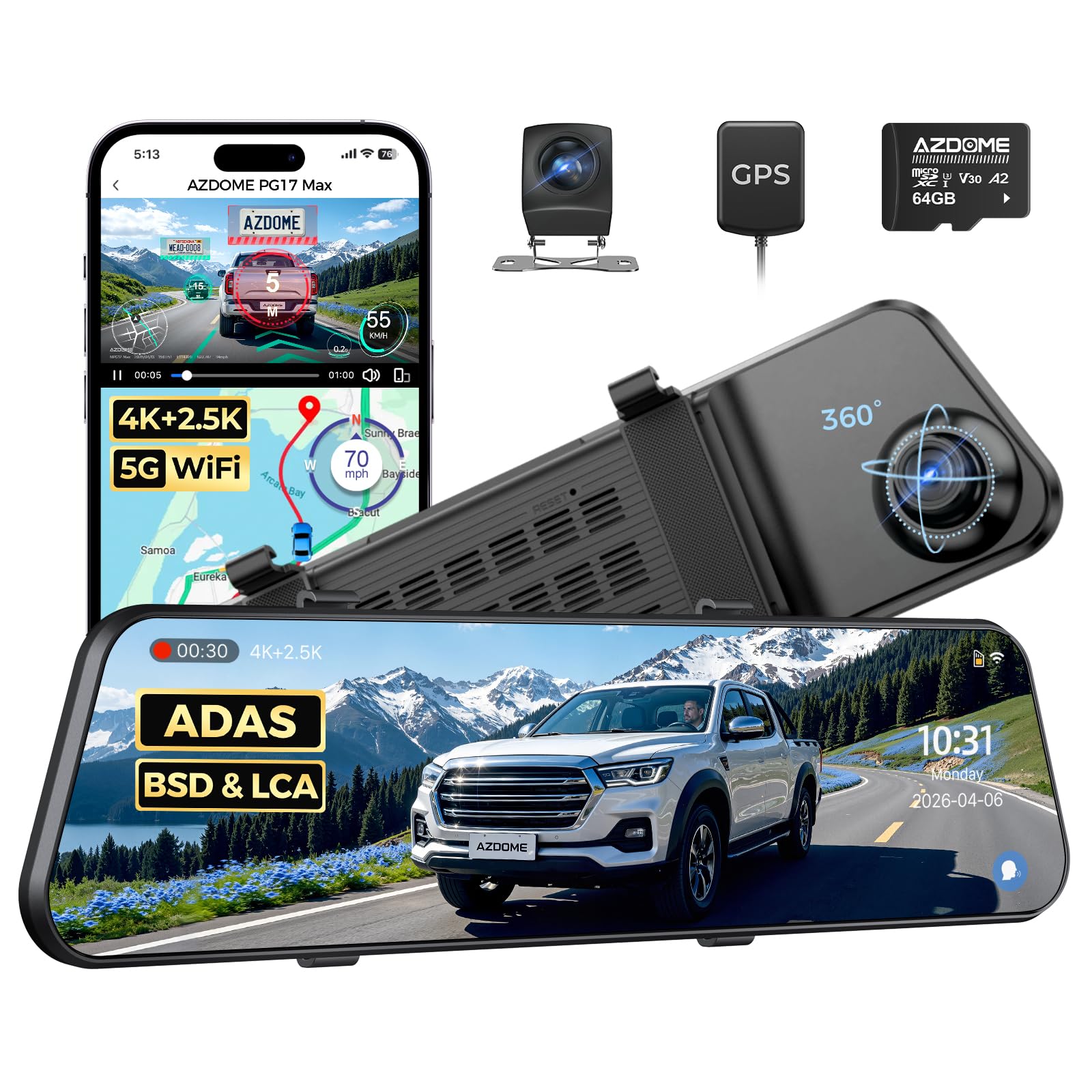
We recommend this if you want very sharp front/rear video, voice control, and extra safety alerts, but expect a dim screen and occasional heat near the mirror.
Pros
- Excellent daytime clarity from the 4K front and detailed rear 2.5K video.
- Useful safety features like blind-spot alerts, lane-change assist, and built-in GPS.
- Easy to mount with straps and comes with a long rear cable and 64GB card ready.
Cons
- Screen can be dark in bright daylight and some users find the display quality uneven.
- Mirror gets warm when used long, especially in tight placements.
- Touchscreen and menu can lag at times; preset camera lines are not fully adjustable.
We fitted this mirror over our stock rearview and drove around town and on the highway. The front 4K footage captured road signs and license plates clearly in daylight. The rear 2.5K camera gave a wide view that helped when reversing and lane changes.
We tried the voice commands while driving and appreciated being hands-free. Commands like take picture and lock video worked most of the time and made it safer to operate while on the move.
We parked in sun and noticed the mirror housing warmed up. That made us keep an eye on cable routing and venting. Also, the screen felt dim in bright light and the touchscreen response lagged occasionally, but live view and recordings remained usable.
We liked the blind-spot detection and lane-change alerts during busy traffic. The GPS and app via 5.8GHz WiFi made it easy to pull clips to our phone, though the app experience could be smoother.
If you want a feature-packed mirror dash cam with strong video and safety tech, this delivers for the price; just be ready for a dim display and some heat and touch lag in daily use.
VROAVIE 360 Mirror Dash Cam
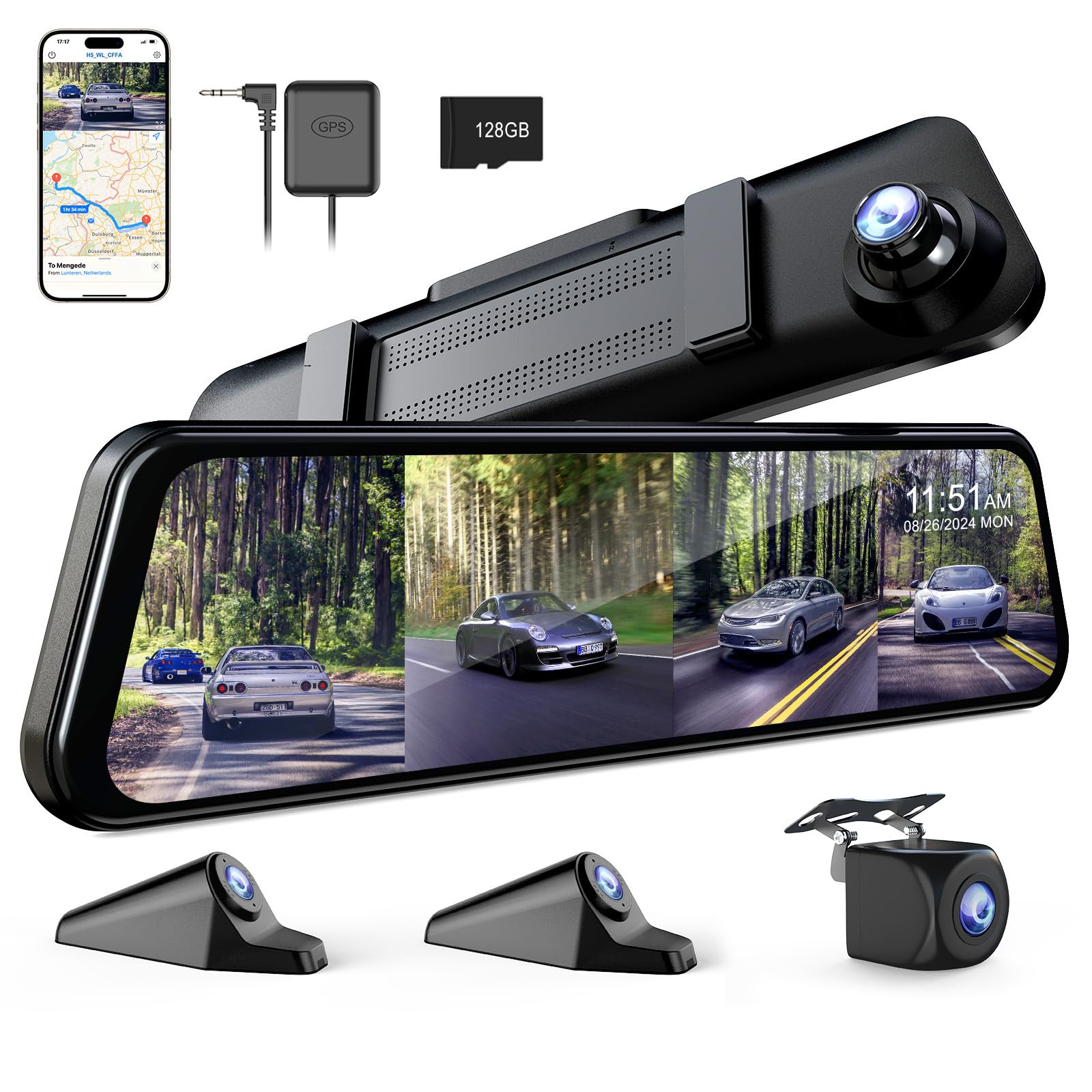
We recommend this if you want full 360° coverage and easy app access, but be ready for a heavier unit and fiddly SD access.
Pros
- Covers front, rear, and both sides so we saw no blind spots.
- Clear night images from the F1.8 front lens felt better than most cameras we tried.
- Built-in Wi-Fi and app made viewing and downloading clips quick.
Cons
- The mirror is heavy and can pull on smaller factory mirrors over bumps.
- SD card slot sits low and is hard to remove without a tool.
- Screen can glare in bright sun; an anti-glare cover would help.
We mounted this mirror over our stock rearview and ran it for a week of city and highway driving. Setup took a bit of time routing the side and rear cables, but the straps held tight and the camera angles covered blind spots well. The 12-inch screen shows crisp previews that help when reversing or checking lanes.
Night recordings surprised us. The front camera kept details in low light that other dash cams missed. Side and rear views also stayed usable at night, which helped when we reviewed footage after dusk.
Using the app felt modern and handy. We linked the unit to our phone quickly and streamed clips without removing the SD card. For parking monitoring and GPS tracking, we recommend adding the hardwire kit and using the GPS player to log routes and speeds.
We noticed weight on narrow factory mirrors and hard bumps sometimes shifted the view. The SD slot was the worst design flaw — it’s tough to access and can be frustrating during quick checks. Still, for all-around coverage and night clarity, this unit performs well for drivers who want extra security and easy phone access.
WOLFBOX G900 Tripro
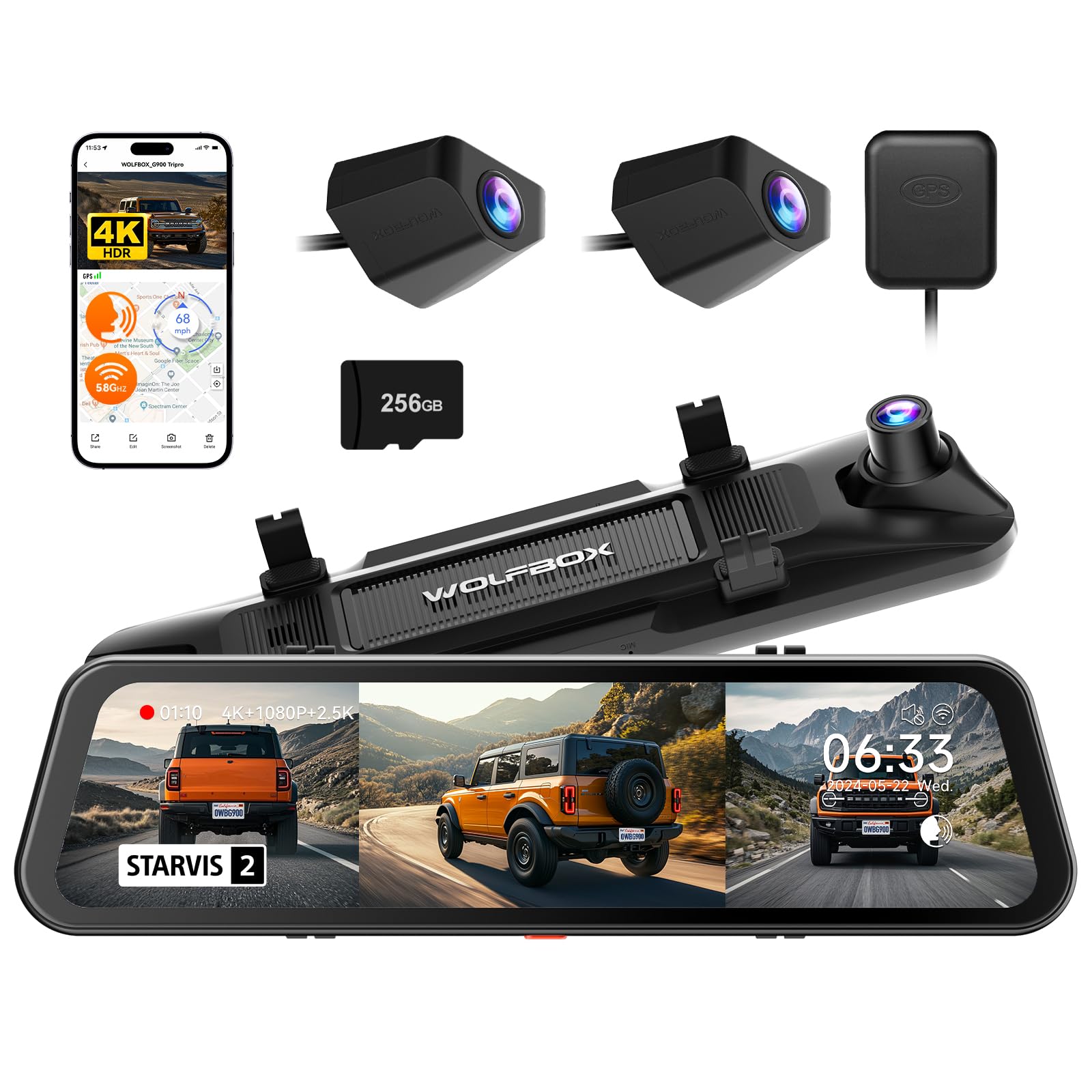
We recommend this if you want a three-camera mirror dash cam with strong night video and bumper coverage for off-road or towing needs.
Pros
- Excellent low-light video from the STARVIS 2 front sensor.
- Bumper camera adds useful ground-level views for off-road or trailer use.
- Comes ready to record with a 256GB card and GPS included.
Cons
- Installation can be time-consuming on some vehicles and may need a hardwire kit for parking mode.
- Mirror can feel slightly tinted in bright sunlight, which may add glare.
- Pricey compared with simpler two-camera options.
We installed the G900 Tripro in a truck and drove both city streets and a dirt trail. The 4K front footage picked up license plates and road signs clearly at normal speeds. Night clips showed better detail than older models we’ve used.
Mounting the bumper camera took extra time but paid off on rough trails. The bumper angle gives a real view of ruts and obstacles that a roof or rear camera missed. The unit felt solid and waterproof where it mattered.
Pairing via the 5.8GHz WiFi made file transfer quicker than typical dash cams we’ve tested. Voice commands worked for basic tasks, though we still preferred the touchscreen to confirm settings. Overall, the set feels aimed at drivers who want high-quality video and extra coverage and who don’t mind a slightly more involved install.
Buying Guide
We look for a rear mirror with dash cam that fits our car and our needs. Size and mounting type matter because they affect visibility and installation. Check measurements and how the unit attaches to your mirror or windshield.
We focus on camera quality and recording options. Choose at least 1080p resolution for clear video. Consider wide-angle lens, frame rate (30–60 fps), and low-light performance for nighttime use.
We value storage and power features that keep recording reliable. Look for loop recording, automatic overwrite, and support for microSD cards. Assess power options: hardwire kit, cigarette adapter, or internal battery.
We check safety and convenience features next. GPS logging, parking mode, and collision detection help capture incidents. Voice control and touchscreen make daily use easier.
We compare build quality and warranty. Metal housings and solid mounts reduce vibrations. Confirm the warranty period and support terms before buying.
We weigh price versus features. Higher cost can mean better sensors and durability, but basic models may cover essential needs. Prioritize features we will actually use.
We use a simple table to compare key features at a glance:
| Feature | Why it matters |
|---|---|
| Resolution & FPS | Clarity and smoothness of footage |
| Lens angle | Field of view to capture lanes and surroundings |
| Low-light / Night mode | Visibility in dark conditions |
| Storage type & capacity | How long footage is kept |
| Power options | Installation flexibility and reliability |
| Parking mode & G-sensor | Evidence after parked incidents |
| Build & mount quality | Reduces vibration and false recordings |
| Warranty & support | Repairs and replacements if needed |
Editor’s Choice
We picked the model that balances video quality, ease of use, and safety features. It records at 1080p or 2K, giving clear footage for day and night. The screen is bright and sized for reading while driving.
Installation and setup are simple. The device mounts over the mirror and plugs into the car’s 12V outlet. We liked that the wiring stays mostly hidden and the unit does not block rearview vision.
Key features we value are parking mode, loop recording, and impact detection. These protect your car when you’re away and save important clips automatically. Built-in GPS and a G-sensor add useful data for reports and insurance.
We tested responsiveness and reliability across different conditions. The touchscreen and physical buttons worked well with gloves. Firmware updates were straightforward and improved performance.
Top reasons we recommend this unit:
- Good video quality in varied light
- Minimal obstruction to mirror use
- Helpful safety features like parking mode and G-sensor
- Easy installation and firmware support
We chose it for real-world usability rather than headline specs alone. The unit gives consistent, practical value for daily driving and peace of mind.
Conclusion
We find rear mirror dash cams offer a strong balance of utility and convenience. They combine rearview function with video recording to help us see more and document incidents.
Installation and features vary, so we choose models that fit our car and needs. Night vision, parking mode, and loop recording matter most for safety and reliability.
Cost and image quality often trade off, so we compare samples and reviews before buying. We also check ease of use and how the device affects rearview visibility.
We recommend testing the unit after installation to confirm angle and recording settings. Regularly backing up important footage keeps our records safe and frees up storage.
Pros: integrated look, dual function, ease of mounting. Cons: possible mirror obstruction, wiring complexity, variable video quality.
We treat the dash cam as a support tool, not a replacement for attentive driving. Using one can improve evidence gathering and peace of mind when we drive.
FAQS
What is a rear mirror with dash cam?
A rear mirror with dash cam combines a rearview mirror and a front-facing camera in one unit. We use it to record video of the road while keeping mirror functionality.
Does it record both front and rear views?
Some models record only the front view. Many models include a separate rear camera or a built-in rear-facing lens to capture both directions.
How is it powered and installed?
Most units plug into the car’s 12V outlet or hardwire to the fuse box. We can mount them over the existing mirror or replace the mirror entirely.
How long do recordings last?
Dash cams use loop recording. When storage fills, the camera overwrites the oldest files. We recommend using high-quality microSD cards for longer dwell time.
Can footage be used as evidence?
Yes, video can support insurance claims or police reports. We should check local laws about recording audio or private property.
How do we access the videos?
Many units let us remove the card or connect via Wi‑Fi, app, or USB. Some cameras timestamp and save GPS data for speed and location.
Do these devices affect driving safety?
They can reduce distraction by eliminating separate devices on the dash. Proper placement and secure wiring help us avoid obstructing the view.
What features should we look for?
Look for good daytime and night video, loop recording, impact detection (G-sensor), and reliable mounting. We also value easy file access and strong build quality.

