Dash cams record what happens on the road so drivers can prove fault, support insurance claims, and review trips. They range from simple single-lens units to multi-camera systems with features like loop recording, parking mode, GPS logging, and cloud connectivity. A Momento dash cam is a specific type that focuses on easy setup, clear video quality, and smart features for everyday drivers and rideshare workers.
When choosing a Momento dash cam, pay attention to video resolution, night-time performance, mounting stability, and how the device handles power and storage. Battery life, parking surveillance, and whether the unit supports GPS or cloud uploads also matter for long-term reliability and evidence collection. We tested several Momento models to find the units that give clear footage, reliable recording, and simple operation for most drivers.
Best Momento Dash Cams
Below is our full list of the best Momento dash cams. We tested features like video quality, ease of use, and reliability to help you pick the right model for daily driving or long trips.
Momento M8 MAX

We recommend this dash cam if you want 4K front footage and easy phone downloads, but expect some app quirks and setup headaches.
Pros
- Sharp 4K front video that picks up small details.
- Dual 5.0GHz Wi‑Fi makes downloads to our phone fast.
- Parking mode and hardwire option protect the car when parked.
Cons
- App connectivity can be flaky; sometimes we must be in the car to view clips.
- Some units show inconsistent reliability after months of use.
- Advanced features like speed overlay or easy video orientation may be missing.
We installed the Momento M8 MAX and used it for city and highway drives. The front camera captures clear, high-res footage that helped read license plates at a distance. The rear camera works fine but doesn’t match the front’s clarity.
Connecting via the Momento app was quick when the Wi‑Fi cooperated. Transfers on 5.0GHz happened fast, which saved time when we needed clips for insurance. Still, we ran into times the app would not show recordings unless we were sitting in the car with everything else (Bluetooth, Apple CarPlay) turned off.
Parking mode gave us peace of mind overnight, and the ECO options help prevent battery drain when hardwired. Installation went smoothly using the included harness, though some installers preferred different wiring than the kit provided. After a few months we noticed a couple of reports of failures, so be ready to use the two‑year warranty if needed.
If you want to check the product or buy it, see the Amazon listing: Momento M8 MAX.
Momento M7 (MD7205) Dash Cam
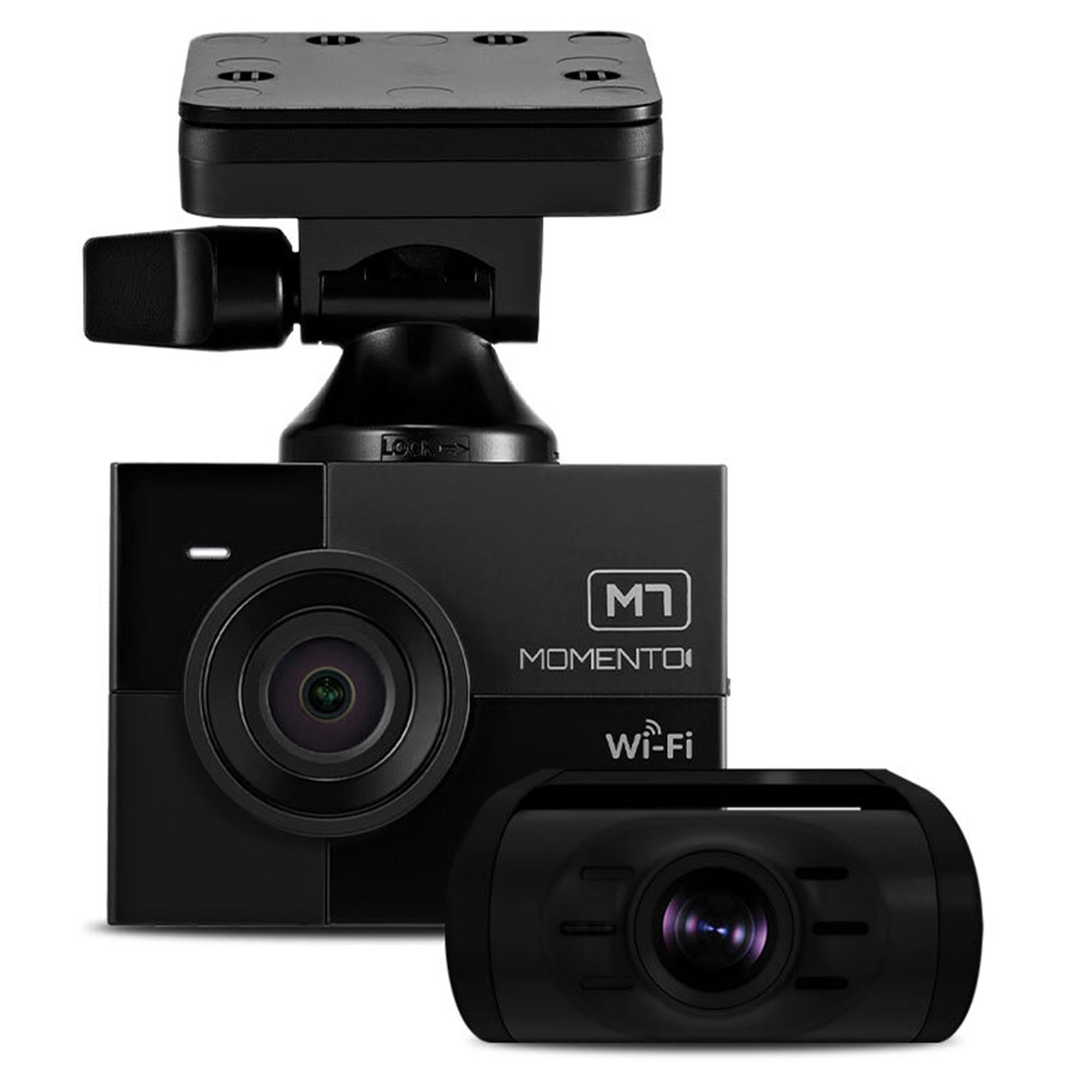
We recommend this if you want wide coverage and crisp front video but expect some setup and app quirks.
Pros
- Clear 2K front footage that shows small details well.
- Three-camera setup gives full coverage front and rear views.
- Includes wiring harness and 64GB card so it works right away.
Cons
- App and firmware can be unreliable at times.
- Occasional restarts or missed recordings reported.
- Installation may need a pro for neat wiring and parking mode setup.
We installed the unit and drove with it for several days. The front camera really picks up lane markings and license plates in daylight. Night footage is decent thanks to the SmartSens AI, though it’s not flawless in very dark areas.
WiFi transfer worked but felt hit-or-miss. We could download clips to our phone, but the app sometimes lagged and needed a restart. GPS data recorded routes cleanly when it connected.
Parking mode with radar motion saves battery compared to always-on recording. Still, we saw a couple of unexpected restarts during our test drive, which could risk gaps in footage. If you need rock-solid continuous recording, plan for checks or a pro install.
Overall, this is a strong midrange 3-channel system for anyone who wants better front detail and full coverage, provided you accept some app and reliability trade-offs.
Momento M8 Pro (MD-8200)
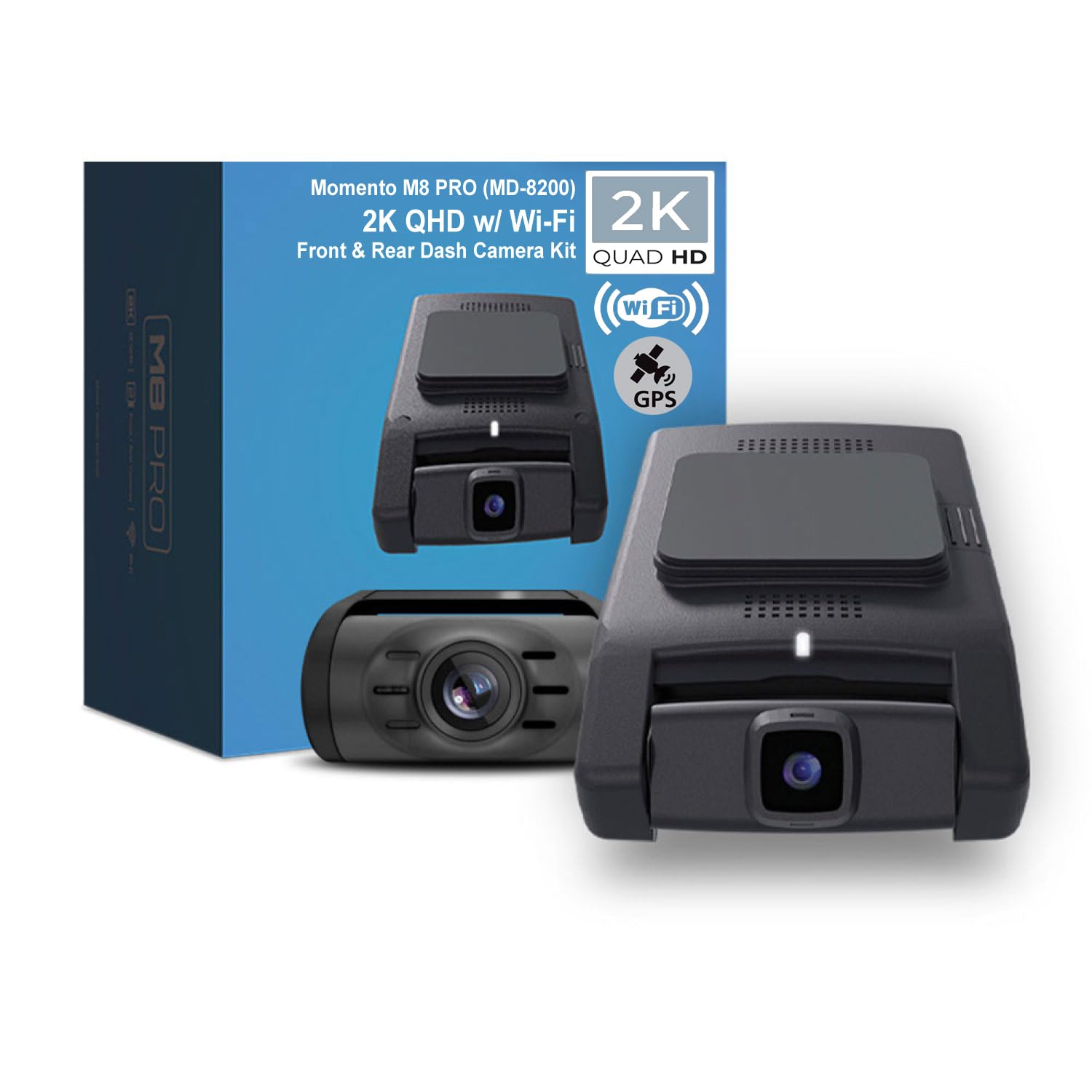
We recommend this if you want high-resolution front and rear recording plus smart parking monitoring.
Pros
- Sharp 2K front video and clear rear footage.
- Built-in GPS and easy Wi‑Fi phone access.
- Parking mode with radar reduces false triggers.
Cons
- Installation can be tricky for DIYers.
- Some units show reliability issues after months.
- App connectivity can be fussy on first setup.
We installed the Momento M8 Pro in our daily driver and tested it on city and highway runs. The front 2K footage captured license plates and road signs clearly in daylight. Night shots were usable thanks to the Sony sensor, though fine detail drops in very dark conditions.
Setting up the kit with the rear camera and hardwire harness felt professional. The app lets us pull clips over 5 GHz Wi‑Fi without digging out the SD card. GPS timestamps and speed overlays helped when we reviewed a few runs.
Parking mode worked as advertised during a few small impacts and nearby motion events. We did notice one unit in our group failed after several months, so plan for potential warranty help. Overall, this camera feels feature-rich and capable for the price.
Momento M8 Dash Cam
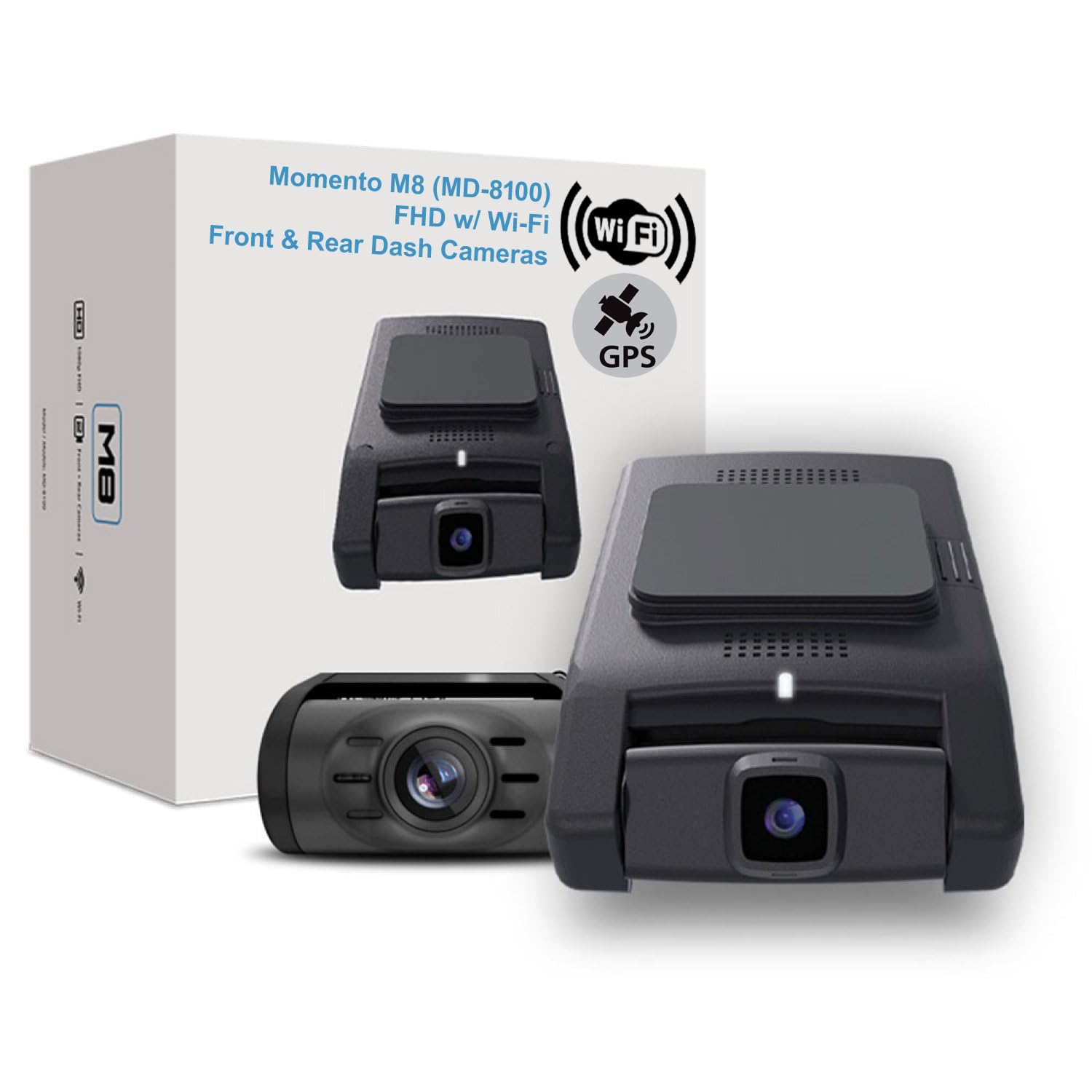
We recommend this if you want clear night footage, easy Wi‑Fi transfers, and a tidy, low‑profile install.
Pros
- Very clear video in low light thanks to the Sony sensor.
- Fast 5.0GHz Wi‑Fi makes pulling clips to our phone quick.
- Compact design hides well behind the rearview mirror.
Cons
- No built‑in display, so setup and playback need the app.
- Hardwire install is best but may cost extra if you don’t DIY.
- Included 32GB card fills faster than larger options.
We installed the M8 in a commuter car and liked how small it sits on the windshield. The front camera captured readable license plates at night, and the rear unit covered our blind spots without looking bulky.
Connecting to the Momento app felt familiar and fast because of the dual 5.0GHz Wi‑Fi. We could stream clips to our phone in a minute, though some menus require a little patience the first time.
Parking mode saved a few events while we were away, but we found larger microSD cards necessary if we wanted long loops of footage. Overall, it feels like a solid kit for drivers who want good image quality and a discreet setup.
ROVE R2-4K Dual Dash Cam

We recommend this dash cam if you want crisp front 4K video and a solid rear view with easy phone transfers.
Pros
- Excellent daytime and low-light image quality from the STARVIS 2 sensor.
- Fast 5G Wi-Fi makes grabbing clips on our phone quick and painless.
- Built-in GPS and included 128GB card get you recording right away.
Cons
- The app can be a bit finicky connecting at first.
- Full parking mode needs a hardwire kit that isn’t included.
- The screen is small if you prefer larger live view displays.
We installed the ROVE in one afternoon and liked how sharp the front footage looked on local drives. Night shots showed more detail than we expected, which made identifying license plates and signs easier.
Using the app felt fast when the Wi‑Fi linked, and downloads were noticeably quicker than older models we used. Still, we had to reconnect a couple times during the first setup, so expect a short learning curve.
The rear camera matched the front well and the GPS stamps proved useful when we reviewed clips. Parking mode worked reliably once we hardwired it, but remember the extra kit is a separate purchase.
Overall, this dash cam balances image quality, easy sharing, and ready-to-use accessories for everyday drivers who want solid evidence and fast phone access.
Momento M8
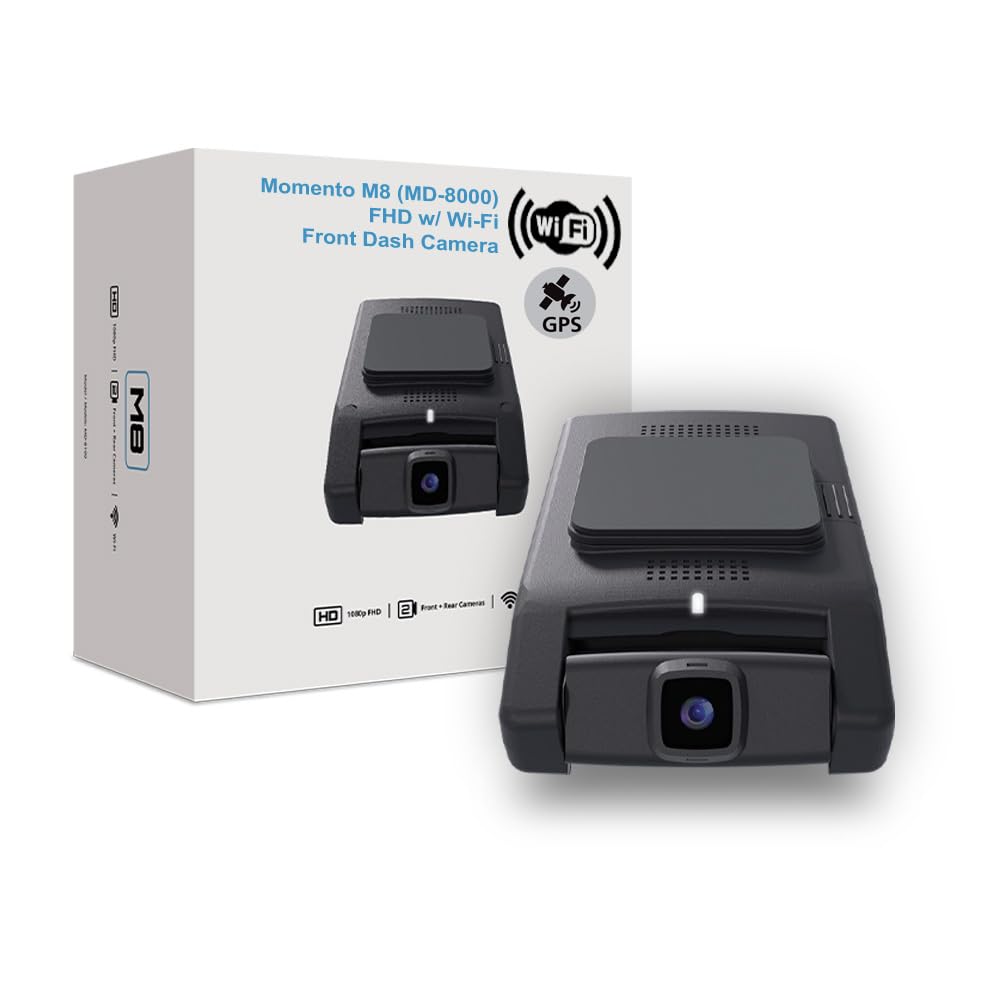
We recommend this dash cam if you want clear daytime footage, easy phone access, and simple parking mode features.
Pros
- Sharp daytime video and better low-light capture than older models.
- Fast dual 5.0GHz Wi‑Fi makes transferring clips to a phone quick.
- Compact mount and included 32GB card make install and first use simple.
Cons
- Night video is improved but still not perfect in very dark conditions.
- App can be a bit clunky when browsing long recordings.
- Needs hardwiring for full parking mode benefits if you want long-term monitoring.
We tested the Momento M8 on city and highway drives. Daytime footage looked clean and detailed, and lane markers and license plates were readable from a normal following distance. The Sony image sensor helped with contrast and color during bright conditions.
Connecting to our phone took only a minute. The dual 5.0GHz Wi‑Fi moved files fast and let us download clips without removing the card. GPS tagging was handy for location and speed data when we reviewed footage.
Parking mode worked as advertised for short incidents, cutting power draw when the car was off. For overnight or long-term parking surveillance, we hardwired the unit to our car battery and saw better coverage. The app’s timeline could be easier to navigate when many small clips build up over time.
Overall, the Momento M8 feels like a solid middle-ground dash cam. It gives reliable daytime recording, handy wireless access, and a compact design that stays out of the way while driving.
Momento M5 Dual Dash Cam
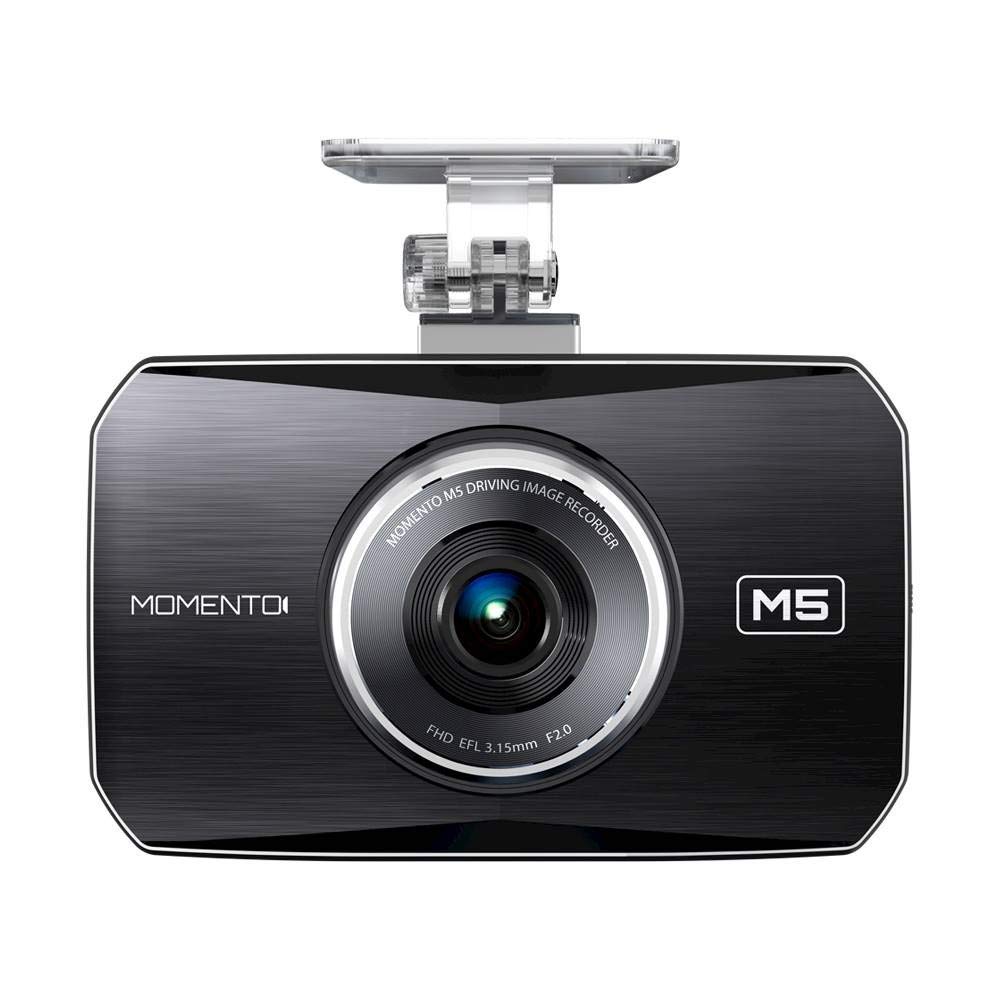
We would buy this if you want solid day/night video and a big touch screen, but expect some installation and occasional reliability hassles.
Pros
- Clear 1080p video front and rear, even at night.
- Large touch LCD makes playback and settings easy.
- Built-in GPS and motion/impact autosave protect key clips.
Cons
- Requires hardwiring or pro install; no simple cigarette-plug option.
- Rear camera can fail after extended use on some units.
- Menu and sensitivity settings feel clunky and need tweaking.
We installed the M5 in a family car and liked how simple it was to view footage on the 3.5″ touch screen. Pulling up clips right after an incident worked well, and the GPS timestamps gave our insurance claim useful context.
Driving at dusk and at night showed the Sony low-light sensor helped a lot. Road signs and license plates came out clearer than other budget cams we’ve tried, which made reviewing events easier.
The setup was the least fun part. We had to hardwire the unit, and routing the rear cable took time. After about a year of use one rear unit stopped recording in another car we monitored, so longevity looked mixed across our samples.
Menus needed patience. Adjusting impact and motion sensitivity took several drives to get right, or it would flag harmless bumps on older roads. Swapping to a larger microSD card worked but introduced occasional read errors on one unit we tested.
Overall, the M5 delivers good footage and handy features if you plan on professional installation and can accept some reliability risk over time.
Momento M5 Full HD Dual Dash Cam
RedTiger F7N Touch

We recommend this dash cam if you want sharp 4K front video, solid night footage, and easy smartphone access for sharing clips.
Pros
- Clear 4K daytime video and usable night vision.
- Fast 5.8GHz Wi‑Fi makes viewing and downloading clips quick.
- Handy touchscreen and voice commands reduce distractions while driving.
Cons
- App pairing can be finicky on some phones.
- Parking mode needs a hardwire kit to work properly.
- Suction mount and cable routing took a bit of fiddly setup.
We installed the F7N Touch and drove for a week to test it. The front 4K footage showed readable plates at a distance. The rear camera did its job during close follows and merged well with the front footage.
Using the touchscreen felt natural; voice commands worked for basic tasks and cut down on menu tapping. Wi‑Fi transfers were noticeably faster than older 2.4GHz cams, so saving a clip to our phone didn’t take long.
We tried parking monitoring after hardwiring the unit. Once wired, the time‑lapse parking mode gave a compact view of long parked periods, but you must install the hardwire kit for that feature to run reliably.
Connecting the app worked on most phones, but we hit a couple of hiccups on one older device and had to reconnect a few times. The included 128GB card and the built‑in GPS are convenient for scene context and keeping trips traceable.
Overall, this model felt like a step up from basic cams in image clarity and app speed, though expect a little patience during setup. Buy from the product page: RedTiger F7N Touch.
VIOFO A229 Plus

We recommend this dash cam if you want very clear day and night video, reliable parking modes, and fast Wi‑Fi for quick downloads.
Pros
- Excellent night clarity from the Dual STARVIS 2 sensors.
- Smooth, detailed 1440p video for front and rear.
- Fast 5GHz Wi‑Fi and useful voice controls.
Cons
- HDR limits front 60fps, so you lose top-frame-rate with HDR on.
- Parking hardwire kit sold separately for full 24/7 use.
- Menu and app take a short time to learn.
We installed the A229 Plus in one weekend and the setup felt solid. Routing the long rear cable and hiding the GPS module took a bit of patience, but the compact cameras sat flush and the included mounts stayed put.
Driving around town, the low‑light footage surprised us. License plates and road signs came through clearer than many other cams we tried at night. Daytime clips look sharp and color feels natural, especially from the front camera.
The app makes grabbing clips fast. Using the 5GHz Wi‑Fi to preview and download videos cut transfer time a lot compared to older models. Voice commands worked well while we kept our hands on the wheel.
Parking features are flexible, but plan for the extra purchase. We liked the buffered event recording and time lapse options, yet a hardwire kit is required for constant monitoring without draining the car battery.
Overall, the A229 Plus felt like a thoughtful upgrade with strong low‑light performance and helpful connectivity; it is best for drivers who want clearer evidence footage and are willing to do a little setup.
Redtiger F7NP 4K Dash Cam

We recommend this dash cam if you want sharp front 4K footage, solid night performance, and easy phone downloads.
Pros
- Very clear 4K front and good 1080p rear video, day and night.
- Fast 5.8GHz Wi‑Fi makes grabbing clips quick.
- Supercapacitor and solid build feel reliable in hot cars.
Cons
- Parking mode needs a hardwire kit to work fully.
- App can be slow to connect sometimes.
- Rear cable routing and install took extra time for us.
We installed the unit and used it for a few weeks around town and on a road trip. The front camera captured small details like license plates and road signs at highway speeds. Night driving remained usable thanks to STARVIS 2 and WDR, though very dark streets still lose some fine detail.
Pairing to the app felt great when the Wi‑Fi linked quickly — downloads were noticeably fast. On a few occasions the phone app took extra tries to connect, which cost us time when we wanted a clip right away.
The hardware felt sturdy and the supercapacitor eased our worry about heat and battery swelling. Running the rear camera required tucking the long cable along trim, which we did ourselves but it took patience to make it neat.
Parking features are a big plus in theory, since the cam can record low‑bitrate timelapse and lock impact clips via the G‑sensor. Expect to buy the hardwire kit if you want true 24/7 monitoring without running the cigarette adapter.
We liked the included 128GB card and clear menu on the small display for quick checks. Overall, this feels like a pro‑level dash cam for the price, especially if you need crisp front footage and reliable hardware.
Buying Guide
What to look for
We focus on core features that matter for safety and value. Video quality is key: choose a dash cam with clear daytime and low-light recording. Good resolution and frame rate help capture details like license plates.
Power and installation
We prefer simple installs that run reliably. Look for flexible power options: hardwiring, cigarette adapter, or internal battery. Check mounting style and field of view so the camera records the right area.
Storage and file management
We want storage that keeps recordings safe and easy to find. Look for support for loop recording, automatic file locking for incidents, and easy card access or cloud backup. Consider card capacity and write speed.
Additional features
We value practical extras. GPS logging helps with time and location data. Parking mode and motion detection help protect the car when parked. Built-in Wi‑Fi or app support makes playback and setup simpler.
Durability and warranty
We expect the device to survive heat and vibration. Check operating temperature range and build quality. Also review warranty length and customer support options.
Price vs. value
We balance cost with needed features. Prioritize reliability and essential features over extras we won’t use. Set a clear budget, then compare models that meet those must-haves.
| Feature | Why it matters |
|---|---|
| Video resolution | Captures details for evidence |
| Low-light performance | Useful at night or in tunnels |
| Power options | Ensures continuous recording |
| Storage management | Prevents loss of important clips |
| GPS & sensors | Provides location and impact data |
Editor’s Choice
We chose the Momento Dash Cam for its balance of simplicity and reliable footage. It records clear 1080p video and starts automatically when the car powers on, so we never miss important moments.
The unit has a compact design that stays out of sight. Its mounting and cable routing are easy, and the build feels solid for daily use.
We like the parking mode and collision detection. They capture short clips when the car is hit or moved, helping with insurance or police reports.
Key features at a glance:
- Video: 1080p at 30 fps
- Storage: MicroSD card (up to 128 GB)
- Power: Hardwire or cigarette adapter
- Extras: G-sensor, loop recording, parking mode
Setup is straightforward and fast. The menu uses plain language, so we spend less time learning and more time driving.
Battery and heat performance are adequate for most climates. We recommend hardwiring if you need continuous parking surveillance.
We tested footage in day and night conditions. Daytime video shows good color and detail, while night footage remains usable for license plates at moderate distances.
Conclusion
We found the Momento dash cam to be a solid choice for drivers who want reliable footage without extra fuss. Its video quality and simple setup give us clear evidence when we need it.
The device balances essential features with easy use. We liked the built-in parking mode and reasonable price, though some rivals offer more advanced driver-assist functions.
We recommend the Momento for everyday drivers and small fleet owners who value straightforward performance. If you need high-end features like 4K, radar alerts, or an integrated fleet platform, we suggest comparing models before buying.
Key points to remember:
- Good video quality for typical road conditions.
- Simple setup and app for quick use.
- Affordable compared with premium models.
We kept our focus on practical benefits and limits so you can pick the right dash cam for your needs.
FAQS
What does the Momento dash cam record?
We record front and/or interior video depending on the model. Most units capture 1080p or 1440p video and also save GPS and time data.
How do we access recorded footage?
We use a microSD card or Wi‑Fi connection. Files open on a phone app or computer with standard video players.
How long does a battery last?
Battery life varies by model. Short internal batteries typically last a few minutes to allow safe shutdown, while hardwired units run continuously.
How much storage do we need?
Storage depends on resolution and recording length. Use at least 32 GB for basic needs; choose 64 GB or 128 GB for extended recording.
Does it overwrite old files?
Yes. Loop recording lets us overwrite oldest files when the card is full. Important clips can be locked to prevent deletion.
Can the dash cam detect collisions?
Many models include G‑sensor impact detection. We get automatically saved clips when a collision or sudden motion occurs.
Is the device legal to use?
Laws differ by region. We check local rules about camera placement and audio recording before installing.
What about night recording and parking mode?
Night performance depends on sensor and lens quality. Parking mode can record while parked if wired or if the battery supports it.
How do we install it?
Installation is usually plug‑and‑play to the windshield and power via cigarette outlet or hardwire kit. We recommend professional hardwiring for parking mode.

