Portable dash cams help drivers record video of their trips for safety, evidence, and peace of mind. They range from simple plug-and-play units that clip to your windshield to compact battery-powered models you can move between vehicles. Many also add features like motion detection, night vision, and GPS logging to capture exactly what happens on the road.
When choosing a portable dash cam, pay attention to video quality, mount type, power options, and ease of moving the unit between cars. High-resolution recording and reliable power or battery life matter most because blurry footage or a dead camera won’t help after an accident. We tested and compared models across those factors to find dash cams that are easy to install, record clear video, and stay powered when you need them, so you can pick the right one in our Best Of list.
Best Portable Dash Cams
Below is our full list of the best portable dash cams. We tested models for video quality, ease of use, and reliability to help you find one that fits your needs and budget. Our picks include compact, battery-powered, and hardwired options for different cars and budgets.
ROVE R2-4K Dual

We recommend this if you want sharp 4K front video, reliable night shots, and easy phone downloads.
Pros
- Very clear daytime and night footage.
- Dual cameras capture front and rear at the same time.
- Fast 5G Wi‑Fi makes saving clips quick.
Cons
- Rear cable routing can be fiddly during install.
- Parking mode needs a hardwire kit not included.
- App can be glitchy on rare occasions.
We installed the ROVE R2-4K in our car and used it for daily drives and a few night trips. The front camera delivered crisp 4K footage that made license plates and road signs easy to read. Night recordings surprised us with detail and less glare than older cams we’ve tried.
Using the rear camera felt solid once the long cable was hidden under trim. The wide angles capture most lanes and nearby traffic, which helped when we replayed tricky moments. The included 128GB card meant we could start recording right away without buying extras.
Connecting to the ROVE app was simple and downloads were fast on 5GHz Wi‑Fi, so we saved clips to our phones within seconds. The voice prompts and GPS speed overlay worked well during drives. Expect a bit of patience routing the rear cable and plan to buy the hardwire kit if you want true 24/7 parking monitoring.
For a closer look and to buy, see the product page: ROVE R2-4K DUAL.
Galphi Q2 4K Dash Cam
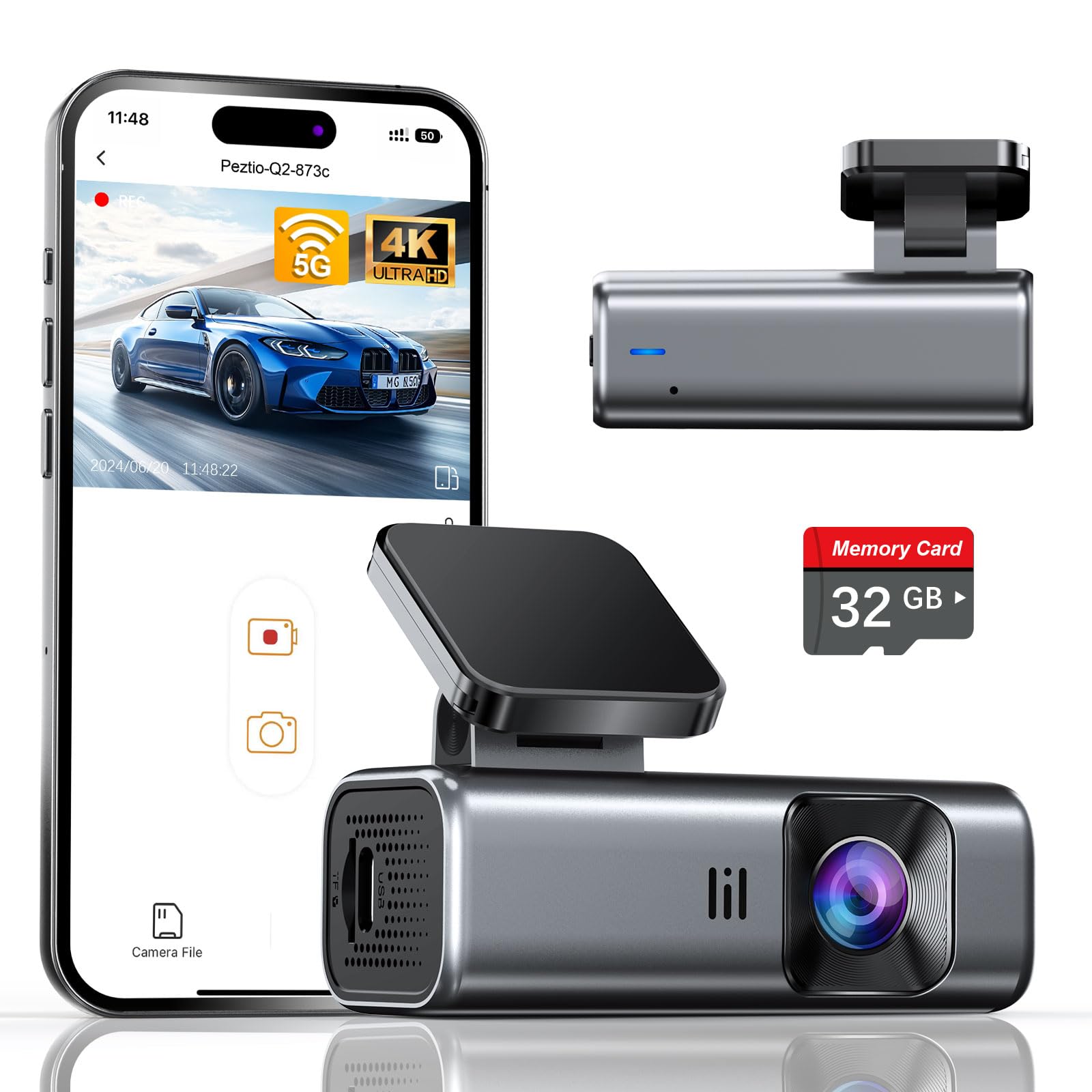
We recommend this camera if you want sharp 4K footage, simple setup, and a compact, low-distraction dash cam for everyday driving.
Pros
- Very clear 4K daytime and good low-light footage.
- Small, unobtrusive design that installs fast.
- Built-in 5GHz Wi‑Fi speeds up phone downloads.
Cons
- No screen makes setup a little less intuitive for some users.
- Included 32GB card is modest for long trips.
- Parking mode needs a hardwire kit to run well.
We put this camera in our car for a week and liked how little it drew attention. The slim body tucked behind the rearview mirror and didn’t block our view. Installation took just a few minutes using the adhesive pad and trim tool in the box.
Recording quality impressed us during daytime drives. Lane signs and license plates were readable at typical city speeds, and the 5GHz Wi‑Fi cut transfer time when we pulled clips to our phone. The app worked without repeated drops.
Night footage held up better than many compact cams we’ve tried, thanks to the wide aperture and WDR. In light rain the video stayed usable, though distant details soften. We noticed the camera saves incidents with the G-sensor reliably, so accidental overwrites feel less likely.
Without a screen, you must rely on the app or the car’s power indicator to confirm recording. We found a 32GB card fine for daily use, but longer road trips need a larger card. Also plan to buy the hardwire kit if you want true 24-hour parking surveillance.
Buy link: Galphi Q2 4K Dash Cam
REDTIGER F7N Touch

We recommend this dash cam if you want sharp 4K front footage, easy phone control, and reliable parking monitoring when hardwired.
Pros
- Very clear daytime and improved night video.
- Easy touchscreen and voice controls for quick use.
- Includes 128GB card and smooth Wi‑Fi phone downloads.
Cons
- Parking mode needs a separate hardwire kit to work reliably.
- Suction mount can block view unless positioned carefully.
- App can be picky to pair at first.
We installed the F7N Touch in our car and used it on several trips. The 4K front video captured license plates and sharp road details during the day. Night recordings looked cleaner than many dash cams we’ve tested, thanks to the STARVIS 2 sensor and HDR processing.
Hands-free voice commands and the responsive touch screen made routine tasks easy while driving. We locked an emergency clip after a sudden stop, and the G-sensor securely protected that file from loop overwrite. The rear camera gave solid coverage, though its angle and placement matter for full rear visibility.
Setting up the unit took one afternoon with the included tools and clips. Using the suction cup felt quick, but we moved it to avoid blocking our sight line. Connecting the 5.8GHz Wi‑Fi to our phone let us download clips fast, though initial pairing required a couple of retries.
Parking mode worked well after we added a hardwire kit; it recorded bump events and time-lapse footage without draining the battery. Customer support and the 18-month warranty added confidence during setup and testing. Overall, we found the REDTIGER F7N Touch to be a strong, user-friendly option for drivers who want clear footage and flexible controls.
Veement V300 Dash Cam

We recommend this dash cam if you want a compact, budget-friendly recorder that catches clear daytime and decent nighttime video with simple app control.
Pros
- Sharp 1296P daytime footage that shows license plates and signs at normal distances.
- Easy setup and a small, discreet body that hides behind the rearview mirror.
- Good night sensitivity for its price thanks to a wide aperture and starlight sensor.
Cons
- App connection can be flaky on some phones and may show playback errors.
- No internal battery — it needs constant USB-C power or a hardwire kit for parking mode.
- SD card not included, so you must buy one separately and format it correctly.
We installed the V300 in a week of mixed city and highway driving and liked how little it stuck out. The lens caught clear details in daylight and felt more reliable than other budget cams we’ve tried.
Connecting to the VeeCar app let us preview and download clips, though our phone lost the camera Wi‑Fi once and required a reboot. That felt annoying during a road trip, but the core recording stayed reliable on the card.
Night footage surprised us for a low-cost unit — headlights and nearby signs were readable enough to help in an incident. Still, very dark scenes far from streetlights look grainy, so don’t expect full clarity in every low‑light situation.
We ran it on continuous USB power for parking mode and liked the safety-first design that avoids a lithium battery. Plan to either use your car’s USB-C outlet or get a hardwire cable if you want 24/7 recording without draining your main battery.
Overall, the Veement V300 gives solid video for the price and hides well on the windshield, but buyers should be ready to handle app quirks and buy a good microSD card separately.
Garmin Mini 3

We recommend this if you want a tiny, easy-to-hide dash cam that records clear 1080p video and handles glare well.
Pros
- Very small and low profile — stays out of sight behind the rearview mirror.
- Good daytime and nighttime clarity thanks to the polarizer and HDR optics.
- Hands-free voice commands and automatic incident saving make it simple to use on the road.
Cons
- App transfers and live view need a paid subscription and can be slow.
- No screen on the unit means you must use your phone to review clips.
- Voice recognition can be limited by region and language settings.
We mounted the Mini 3 behind our mirror and almost forgot it was there. The adhesive felt secure and the camera’s tiny size made it easy to tuck away without blocking our view.
We drove in bright sun and at night. The built-in polarizer cut windshield glare noticeably, and HDR helped keep license-plate detail readable in mixed light. When a sudden brake event happened, the unit saved the clip automatically like it was supposed to.
Using voice to save clips worked most of the time while driving, but we hit limits with language options and regional recognition. Pulling footage through the app was convenient for quick checks, yet large downloads and live view required the paid Vault plan and sometimes moved slowly over Wi‑Fi.
Overall, we found the Garmin Mini 3 to be a solid pick for drivers who want an unobtrusive camera with reliable recording and good image clarity, provided they accept app quirks and subscription features.
E-YEEGER S60 Dash Cam
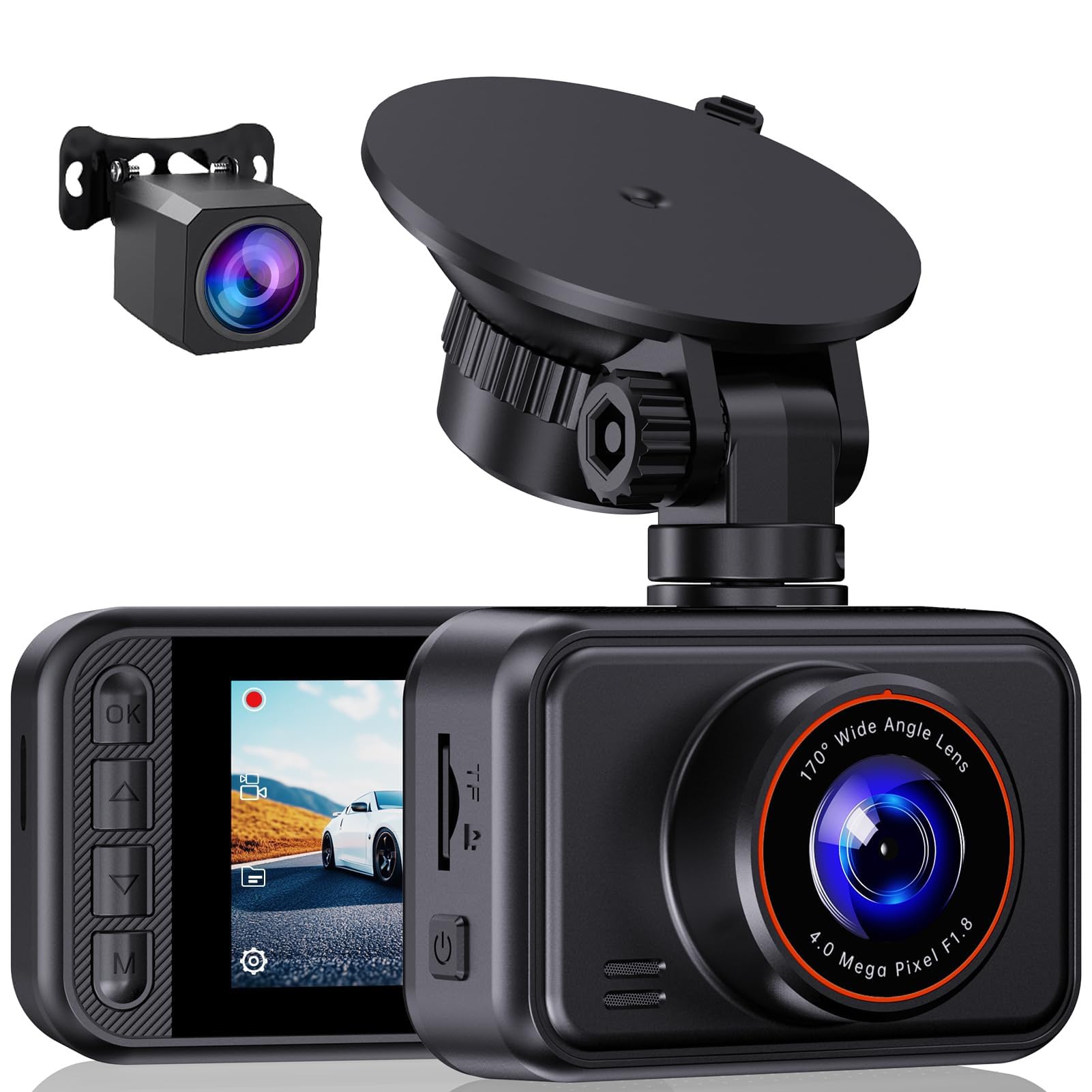
We recommend this dash cam if you want clear front and rear footage and simple everyday use at a reasonable price.
Pros
- Very clear daytime and night footage from front and rear.
- Easy to mount and adjust with the 360° suction cup.
- Simple menu and quick customer support when we needed help.
Cons
- Small 2-inch screen makes live viewing a bit cramped.
- Parking monitoring needs a hardwire kit and extra setup.
- Unit may ship without an SD card, so check the box before use.
We installed the S60 in one afternoon and liked how fast it came together. The suction mount found a solid hold and the angle adjustments let us capture both lanes without fiddling.
Driving around town, the 2.5K front video picked up license plates and street signs clearly. Night shots stayed usable thanks to the starlight sensor, though distant details softened in very dark areas.
We tested the rear camera on a short trip. The rear view filled blind spots and matched the front well, but swapping settings took a moment because the screen is tiny.
Using loop recording and the G-sensor felt reliable during sudden stops; it locked files automatically when we simulated a jolt. For 24-hour parking monitoring, we had to run a hardwire kit to keep power—plan for that if you want always-on protection.
Overall, the S60 performs like a solid budget dual cam we’d trust for daily drives and road trips. If you want to buy, find it here: E-YEEGER S60 Dash Cam.
Redtiger F7NP 4K Dash Cam

We recommend this if you want clear front/rear video and reliable parking monitoring for everyday driving and road trips.
Pros
- Sharp 4K front video and solid night clarity.
- Built-in WiFi and app make downloading clips fast.
- Included 128GB card and long rear cable simplify setup.
Cons
- Parking mode needs a hardwire kit to run 24/7.
- App sometimes takes a few tries to connect.
- Suction GPS mount can feel bulky on some windshields.
We mounted the F7NP in our car and liked how compact the front unit stayed out of sight. The day footage looked crisp and the rear camera recorded useful context during lane changes.
Night drives showed good detail thanks to the STARVIS 2 sensor and WDR. Bright headlights didn’t wash out the view, though low-light distant objects can blur a bit.
We used the app to grab clips and the 5.8GHz WiFi was noticeably fast when it worked. Occasional reconnects cost a few seconds, but downloads finished quickly once linked.
Installing the rear camera took longer than the front because we routed the long cable under trim. The included 128GB card let us start recording right away without hunting for extras.
Parking features gave us extra peace of mind, but remember you must hardwire the camera to enable full 24/7 monitoring. The supercapacitor felt reassuring in hot weather during long parking spells.
Overall, the F7NP handled daily driving and evidence capture well for the price. We would buy it again for a family car or rideshare vehicle that needs dependable front and rear coverage.
iZEEKER 2.5K Dash Cam
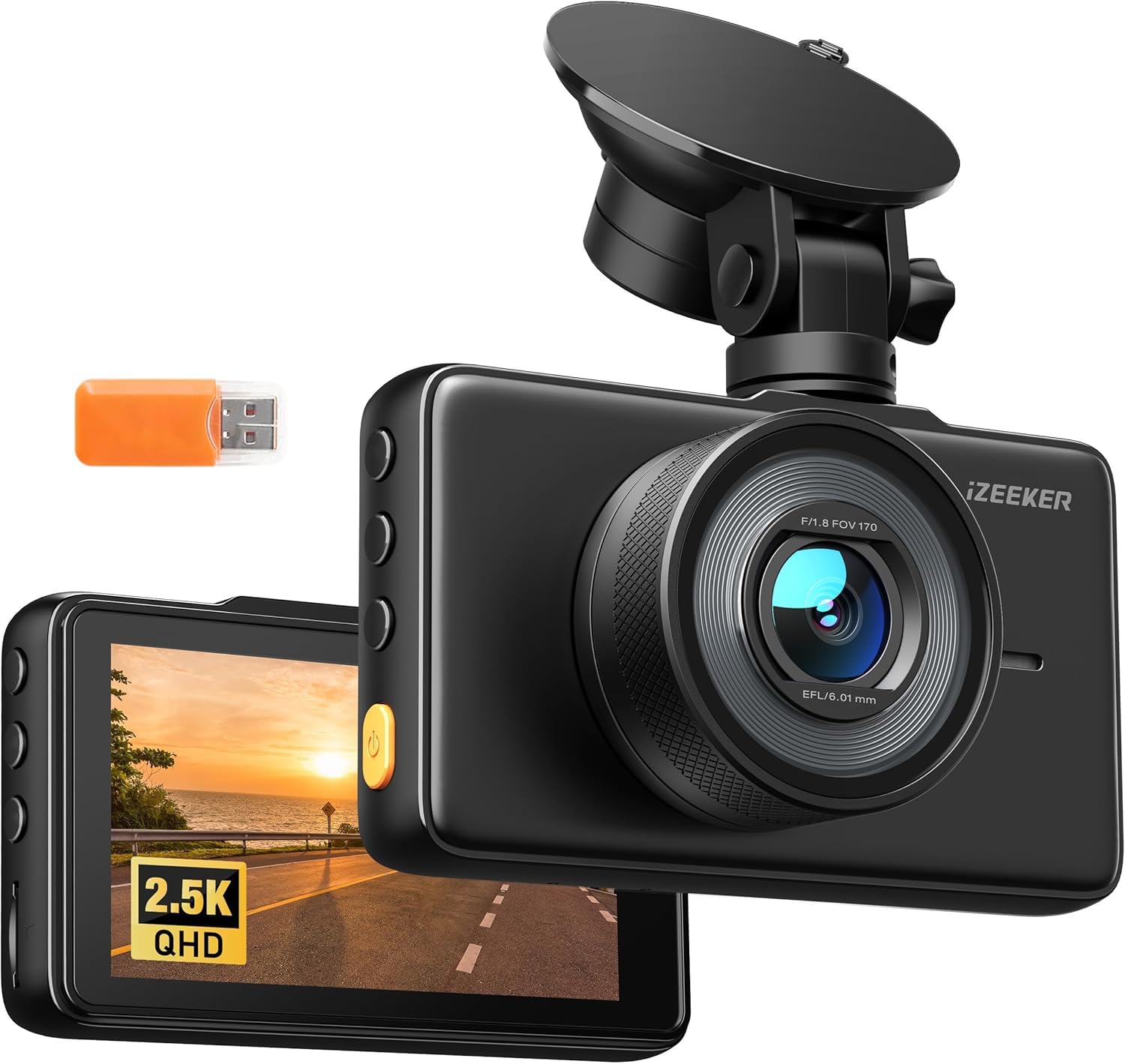
We recommend this if you want a simple, high-resolution front dash cam that’s easy to move between cars and records clear daytime and decent night footage.
Pros
- Sharp 2.5K video and a bright 3″ IPS screen make reviewing clips easy.
- Simple plug-and-play setup and compact suction mount for quick transfers.
- G-sensor and parking-triggered clips give basic protection when parked.
Cons
- No microSD card included, so you must buy one separately.
- A few users report occasional corrupted files on playback.
- Parking mode needs a hardwire kit for true 24/7 monitoring.
We put this dash cam in two cars to test daily driving and a weekend trip. Video looked crisp on highways and city streets, and the wide 170° lens captured lanes and traffic well. The screen made it quick to check clips without using an app.
Installation felt straightforward. The suction mount held tight on both windshields and the USB-C power cable reached our car charger easily. We liked being able to move the unit between vehicles in minutes.
In real use, the G-sensor locked important clips automatically after bumps. Manual lock worked well when we wanted to save an unusual event. Watch out: some clips on a few SD cards failed to open, so use a high-quality card and back up important videos often.
Overall, this is a practical pick if you want good resolution and easy portability at a budget price, but remember to buy a reliable microSD card and consider a hardwire kit if you need constant parking surveillance.
SUVCON 3-Channel Dash Cam
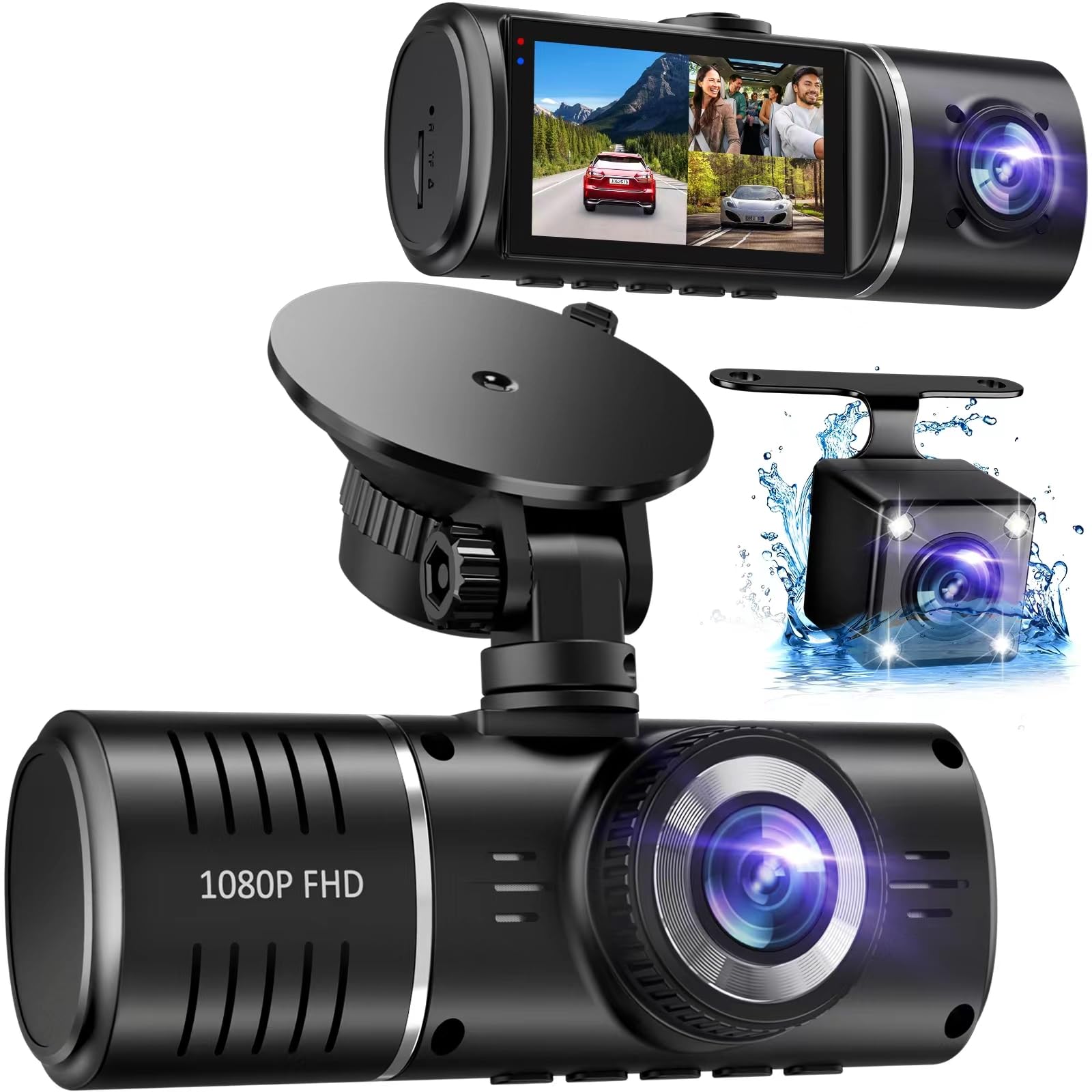
We recommend this camera if you want wide coverage (front, cabin, rear) at a low price and are okay managing files from the SD card.
Pros
- Covers front, inside, and rear so blind spots shrink.
- Clear daytime footage and useful HDR for mixed lighting.
- Easy to mount and runs by plug-and-play.
Cons
- No phone app — you must remove the card to view files.
- Rear and interior video can be grainy at night.
- SD card management can get annoying when it asks to format.
We drove with the SUVCON for a few weeks and liked the wide views. The front camera captured traffic well and the IPS screen made playback easy from the driver seat.
We tested parking mode and the G-sensor locked clips after bumps. That gave us reassurance overnight, though we had to check the card on a computer to pull clips.
We noticed the interior camera goes to black-and-white at low light and the rear cam loses detail at night. For busy roads and daytime use it worked well, but night footage is weaker than the front.
We appreciated the included 32GB card and the simple wiring that let us hide cables. Still, the loop recording and occasional format prompts meant we had to check recordings more often than we expected.
If you want a budget three-channel dash cam with solid daytime performance and simple setup, this fits; if you need an app or top-tier night video, look at higher-end models.
FAIMEE F9 3-Channel Dash Cam
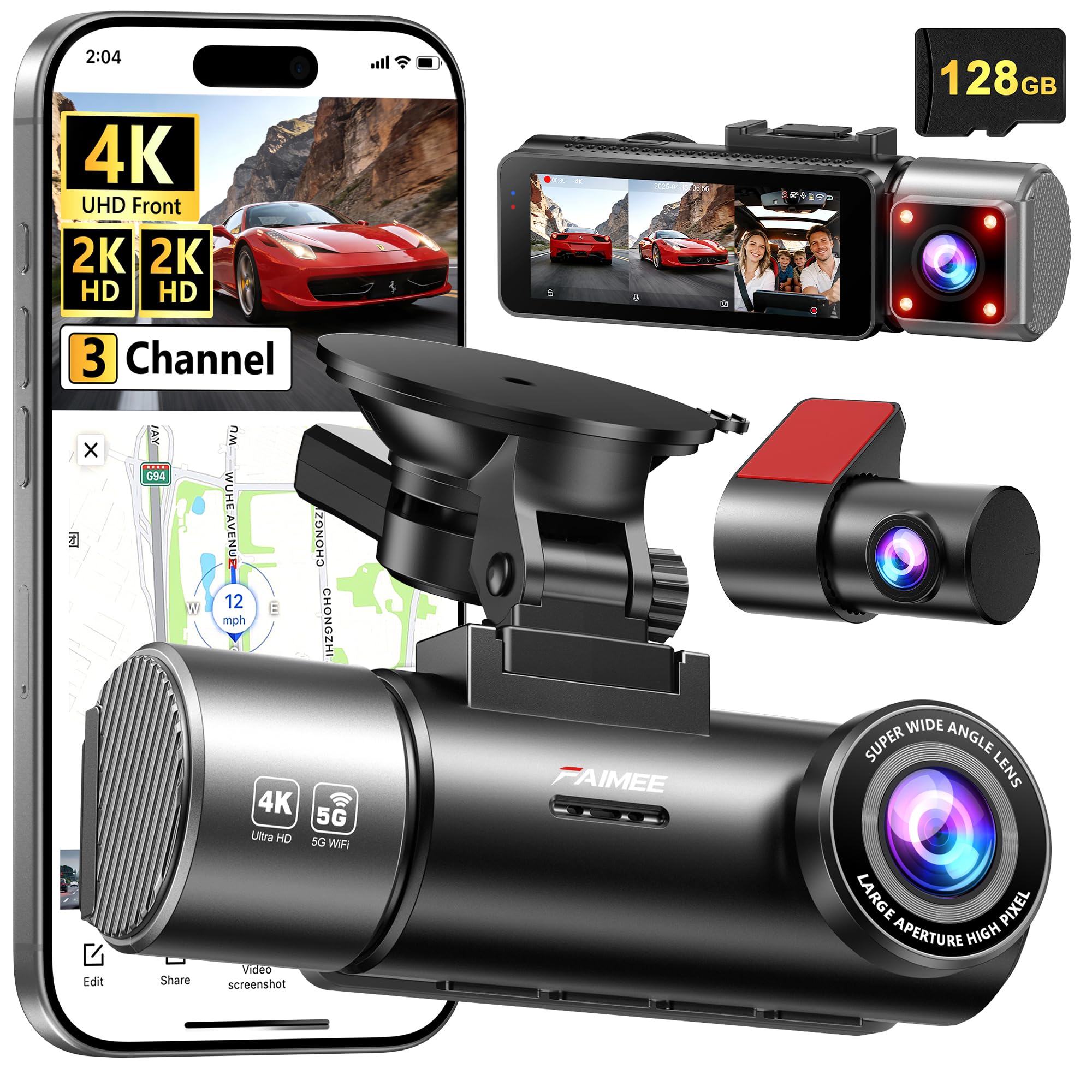
We recommend this if you want very wide coverage and clear night video for family cars or rideshare work.
Pros
- Very sharp front and interior footage, even at night.
- Covers front, cabin, and rear with one system — installs cleanly.
- Includes 128GB card and GPS so you start recording right away.
Cons
- Full features need hardwiring for true 24/7 parking mode.
- App connection can be fussy on first setup.
- Bulkier dash footprint than single-lens cams.
We mounted the F9 and drove for a week. The front 4K footage showed lane markings and distant signs clearly. The cabin and rear 2K views helped when we checked passenger activity and backing situations.
At night the F1.8 lens and WDR made a difference. License plates and street signs came through readable in low light. Shadows stayed balanced, so nighttime clips felt usable for insurance or disputes.
Pairing to the FAIMEE app worked after a couple of tries. Downloading clips to our phone felt faster on 5.8G Wi‑Fi, though the initial pairing took patience. GPS logs were handy for checking routes and speed after trips.
Installation took about an hour with care to tuck cables. The free 128GB card means you don’t need extra purchases. We did notice true 24/7 parking required a hardwire kit, which is sold separately.
Overall, the F9 gives solid multi-angle capture and good night clarity, but expect a bit of setup work to unlock all features.
FAIMEE F9 3-Channel Dash Cam on Amazon
Buying Guide
We focus on features that matter most when choosing a portable dash cam. Think about how you drive and where you park.
We look for video quality first. Aim for at least 1080p so details like plates are readable. Check frame rate; 30 fps is fine for most, 60 fps captures smoother motion.
We value wide field of view. A range of 120–150 degrees covers lanes without extreme distortion. Also consider night performance; larger sensors and good low-light processing help.
Storage and file handling matter to us. Choose models with loop recording and reliable file segmentation. Look for support of high-capacity microSD cards and easy file transfer.
Power and mounting affect usability. Battery-backed units protect footage after power loss. Suction or adhesive mounts should hold steady and allow quick removal.
Connectivity makes reviewing footage easier. Wi‑Fi or Bluetooth lets us view clips on a phone. GPS adds speed and location stamps for stronger evidence.
Build and warranty show reliability. We prefer units with solid housings and clear warranty terms. Check user-replaceable parts and customer support options.
Compare features using a simple checklist:
| Feature | Why it matters |
|---|---|
| Resolution & FPS | Clarity of license plates and motion |
| Field of View | Coverage of road and lanes |
| Night Performance | Visibility in low light |
| Storage & Looping | Continuous recording without gaps |
| Power & Mounting | Stability and power backup |
| Connectivity/GPS | Easy review and location data |
| Build & Warranty | Durability and support |
Use our checklist to prioritize features that match your needs and budget.
Editor’s Choice
We picked a portable dash cam that balances video quality, ease of use, and battery life. It records clear 1080p footage day and night and starts automatically when you drive.
We tested mounting, app setup, and file transfer. Setup took under five minutes for most of us.
Key reasons we chose it:
- Reliable video: Sharp daytime images and usable night capture.
- Simple app: Quick replay, easy downloads, and basic settings control.
- Compact build: Small footprint that does not block the view.
What we liked most was the user interface. The menu is short and logical, so adjusting settings is fast. The magnetic mount clicks in place, which makes removal quick for moving between cars.
Specs at a glance:
- Resolution: 1080p
- Storage: microSD support up to 256 GB
- Power: internal battery + hardwire option
- Extras: parking mode, motion detection
We do not recommend models that overpromise 4K on tiny sensors. Those usually have poor low-light results and large file sizes. Our pick gives sensible features without complex menus or fragile builds.
Conclusion
We found that a portable dash cam gives clear benefits for everyday driving and travel. It records incidents, helps with insurance claims, and can deter bad behavior on the road.
We recommend choosing a model that fits your needs: good video quality, reliable mount, and easy file access. Battery life and storage matter, so pick one that balances runtime with convenience.
We suggest testing the dash cam in different lighting and weather to confirm performance. Update firmware and back up footage regularly to avoid data loss.
Key features to consider:
- Resolution: 1080p or higher for clear detail.
- Mounting: Suction or adhesive that stays put.
- Power options: Hardwire or battery for continuous use.
- Storage: Large capacity or loop recording.
We believe a portable dash cam is a practical tool for safety and peace of mind. Use it responsibly and follow local laws about recording and privacy.
FAQS
What is a portable dash cam and why use one?
We explain road events and record incidents while driving. Portable dash cams are small, easy to move, and often plug into a car’s 12V outlet or USB port.
How do we install and power it?
We usually mount it on the windshield with suction or adhesive. Many models use a cigarette-lighter adapter or internal battery for short use when engine is off.
Can footage be used as evidence?
Yes. We can use clear video and timestamps in insurance claims and police reports. Check local laws on audio recording and privacy.
How long do recordings last and where are they stored?
Recordings loop on a microSD card, overwriting oldest files when full. We recommend using high-endurance cards and backing up important clips.
What features should we look for?
We advise looking for 1080p or higher video, night vision, loop recording, G-sensor impact detection, and GPS logging. Some units offer Wi‑Fi for quick file transfer.
How do we maintain a dash cam?
We check mounts, clean the lens, and format the card periodically. Keep firmware updated for fixes and new features.
Is a portable dash cam legal to use?
Laws vary by country and state. We verify placement and recording rules to avoid fines or privacy issues.
How much should we expect to spend?
Prices range from budget models under $50 to advanced units over $300. We balance cost with video quality and features.

