Dash cams without wires let drivers record video without running cables across the windshield or into the cigarette lighter. They usually mount with adhesive or a small bracket and run on internal batteries, supercapacitors, or hardwired parking-mode modules. These models free up the cabin and make installation neater, which helps if you rent a car, want a quick setup, or need a dash cam that stays out of sight.
The key factors when choosing a wireless dash cam are battery life, parking-mode reliability, video quality, and how the camera saves clips after a crash. Long battery life and a dependable parking-mode trigger are the most important features because they determine whether the camera will record incidents when the car is parked or when power is interrupted. We tested a range of wire-free cameras to find the ones that strike the best balance of ease of use, recording quality, and crash protection so you can pick the right model for your needs.
Best Wireless Dash Cams
Below is our list of the best dash cams without wires. We tested models for video quality, ease of use, and reliable battery or hardwire-free operation to help you pick the right one for your car.
ROVE R2-4K Dual

We recommend this if you want sharp day/night video and easy phone downloads, though it needs a hardwire kit for full parking protection.
Pros
- Excellent low-light clarity and crisp 4K front footage.
- Fast 5G Wi-Fi makes grabbing clips on our phone quick.
- Comes ready with a 128GB card and useful mounting gear.
Cons
- Full 24/7 parking mode needs a separate hardwire kit.
- The rear cable routing took time to hide neatly.
- Occasional large files can slow transfers if phone storage is tight.
We mounted this in an SUV and liked how clean the front view looked. The Sony STARVIS 2 sensor really brightened night scenes, and daytime detail in lane signs and license plates was impressive.
Using the app felt modern — we connected over 5GHz and pulled clips in seconds. Downloading a short 4K clip to our phone took much less time than older cams we tried.
Setup was mostly straightforward, but running the rear extension and tucking cables under trim took patience. If you want true 24-hour parking recording, plan to buy the hardwire kit and factor in installation time.
Veement V300 Dash Cam

We recommend this if you want a compact, budget-friendly dash cam that records clear daytime video and handles basic parking monitoring.
Pros
- Clear 1296P daytime footage that picked up license plates at close range.
- Strong low-light performance with a wide 170° view that caught more of the road.
- Simple app control and easy mounting with a small, discreet unit.
Cons
- Wi‑Fi app can be flaky; connecting and playback sometimes fail.
- No internal battery — it needs continuous power or a hardwire kit for true 24/7 use.
- Occasional quality control issues (adapter or unit failures reported).
We installed the V300 in our daily driver and liked how small and hidden it sits behind the rearview mirror. The footage looked sharp in daylight and the angle covered both lanes well, so you don’t miss side details.
Night driving surprised us for the price. The sensor and wide aperture kept street signs readable in many situations, though very dark side streets lost detail. The parking mode worked, but it relies on a steady power feed.
Using the VeeCar app made grabbing clips quick when it behaved, but we hit playback errors and reconnects a few times. Replacing the power adapter or trying another phone fixed it for us sometimes, yet that added hassle.
If you need continuous 24/7 monitoring, plan to buy a hardwire kit or keep a USB power source running. Also buy a good microSD card separately and test the unit right away to catch any early defects.
FAIMEE F6 4K+2K Dash Cam
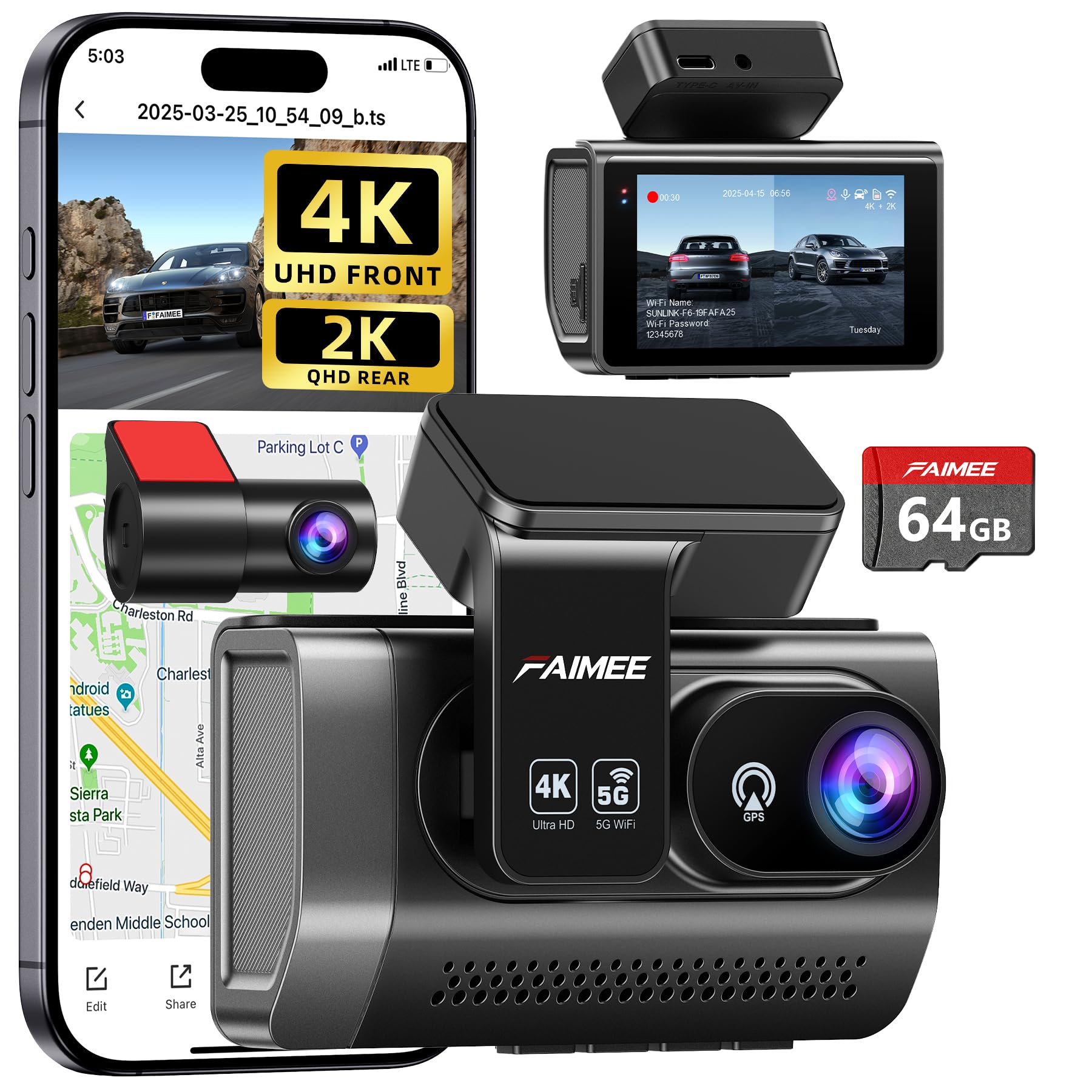
We recommend this dash cam if you want very sharp front footage, solid night performance, and simple app access.
Pros
- Very clear 4K front video and wide 170° view.
- Reliable parking monitor and locked-event recording.
- Built-in GPS and dual-band Wi‑Fi for easy downloads.
Cons
- Rear camera requires extra wiring for full parking power.
- Adhesive mount can wear over time in heat.
- Some settings need time to learn in the app.
We fitted the FAIMEE F6 behind the mirror and drove several routes to test clarity and coverage. The front 4K footage captured lane detail and signs nicely, and the wide lens covered most of the road without warping the view.
Low-light scenes surprised us — WDR and the large aperture kept contrast balanced at dusk. The rear 2K video helped when backing out of tight spots, though it lacks the front’s sharpness.
Pairing with the FAIMEE app felt quick on 5.8GHz Wi‑Fi and we could grab clips in seconds. The GPS logged speed and route reliably, which made incident review straightforward.
We left the unit in parking mode overnight to check impact detection. The time-lapse mode used little power, but hardwiring is needed for full 24/7 protection and true peace of mind.
Overall, this feels like a solid all-around system for daily drivers who want crisp front video, easy app access, and decent night footage without fuss.
REDTIGER F7NP 4K Dash Cam

We recommend this if you want crisp 4K front footage, reliable night vision, and easy phone downloads for daily driving or rideshare use.
Pros
- Excellent daytime and night clarity from the STARVIS 2 sensor.
- Fast 5.8GHz WiFi makes reviewing clips quick on a phone.
- Built-in supercapacitor and 24/7 parking modes add safety for parked cars.
Cons
- Parking mode needs a hardwire kit to run fully while parked.
- Rear cable routing can be fiddly during install in some cars.
- App controls are handy but can feel clunky at first.
We installed the F7NP on our windshield and felt the unit was solid and well built. The front 4K video grabbed tiny details like license plates, and night scenes stayed readable thanks to the wide aperture and WDR. We liked that the rear camera stayed low-profile and didn’t block our view.
Using the app to pull files felt fast compared with older Wi‑Fi dash cams we’ve tried. Downloads moved quickly over 5.8GHz, so we could send clips to insurance without waiting. GPS overlays and route playback worked as expected and helped when we reviewed speed and route details.
Parking features gave us real peace of mind when we tested time-lapse and collision-triggered recording. We did need to buy and fit a hardwire kit to get full 24/7 protection, which is an extra step. Cable management behind trim took patience, but clips provided in the box helped keep things tidy.
Overall, we found the REDTIGER F7NP to be a strong choice for drivers who want clear evidence-grade footage and modern connectivity without a bulky setup. The package felt complete with a free 128GB card, but budget in time for a neat hardwire install if you want full parking coverage.
Neideso N300 360° Dash Cam

We recommend this if you want full 360° coverage and easy app access, but know it needs a wired power source and some setup time.
Pros
- Covers front, rear, and inside for full protection.
- Clear daytime and improved low-light video with night vision.
- Handy app, GPS tracking, and voice control for quick use.
Cons
- Not truly wireless — needs a power cable or hardwire kit.
- Rear cable may be short or fragile on some installs.
- Setup has a learning curve; manual helps a lot.
We installed the N300 and liked the 360° view right away. The three rotating cams made it simple to aim where we wanted, and the image felt stable while driving.
Using the app to pull video to our phone worked well most of the time. GPS info and route playback were useful when we wanted to check speed or location after a trip.
Voice commands let us start recordings without taking our hands off the wheel, though the feature only understands English and sometimes missed commands. Parking mode engaged when we hardwired it; without the hardwire kit, parking surveillance needs extra planning.
We found the bundled 64GB card convenient for testing, but heavy users will want a bigger card and maybe a better-quality rear cable. Overall, this is a solid choice for people who want four-channel coverage and app control, as long as they accept wired power and spend time setting it up.
SUVCON 3-Channel Dash Cam
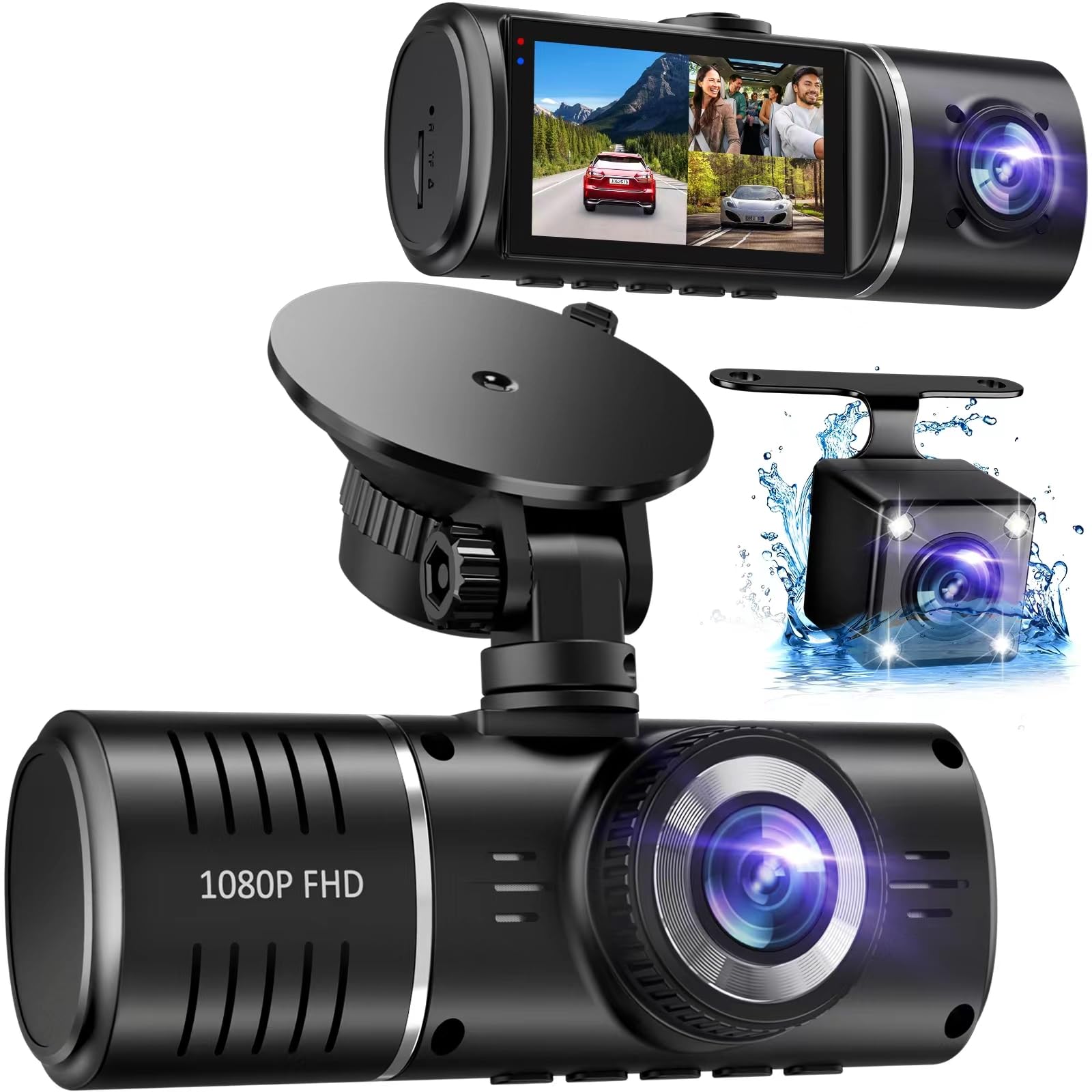
We recommend this dash cam if you want full front, cabin, and rear coverage on a budget and can live without a companion app.
Pros
- Covers front, inside, and rear so we get fewer blind spots.
- Easy plug-and-play install and a clear IPS screen for quick checks.
- Included 32GB card and G-sensor lock give basic protection after a crash.
Cons
- No Wi‑Fi app means we must remove the SD card to view footage on a computer.
- Rear and interior footage can look grainy at night compared with the front.
- Loop recording and card handling can prompt annoying “format” messages when full.
We mounted this unit and used it for a few weeks. Setup felt straightforward: the screen is bright and the touch controls respond right away. Running cables behind trim looked tidy and the included hardwire kit made 24-hour parking mode possible.
Recording for daily drives showed the front camera captures clear daytime video and wide views. The cabin and rear cameras helped cover angles we usually miss, but their night detail drops and sometimes shows black-and-white interior images. The HDR and IR lights help, but they don’t fully fix low-light grain.
When an impact triggered the G-sensor, the clip locked as promised and stayed safe on the card. We did notice the unit asks to format when the SD card fills, which stops recording until we clear it. That means we keep an eye on stored clips more often than we expected.
If you want wireless viewing, this isn’t the pick. For buyers who value triple coverage and simple setup over app features, this SUVCON model gives solid value and easy use.
IIWEY N5 4-Channel Dash Cam

We recommend this if you want full 360° coverage and easy app control, but keep in mind it must use the supplied car charger and the rear camera needs a wired connection.
Pros
- Great all-around coverage with front, rear, side, and interior views.
- Built-in 5GHz WiFi and app make viewing and downloading clips fast.
- Comes with a 128GB card and robust supercapacitor for heat resistance.
Cons
- Requires the original cigarette-lighter charger or optional hardwire kit to run.
- No GPS and no OBD support, so speed/location logging is missing.
- Rear camera must be wired to the front unit, adding installation work.
We tested this unit over a week of commuting and errands. The four-channel view really cuts down blind spots and the night footage kept license plates readable. Mounting was straightforward and the adjustable bracket helped get the angles right.
Connecting through the app felt quick on 5GHz WiFi, but you must long-press the button to turn on the camera WiFi each time. The unit shuts WiFi off after a few minutes to avoid overheating, which can interrupt downloads if you forget to reconnect.
Power worked reliably using the included car charger; the supercapacitor reassured us that heat won’t ruin the unit. Plan for extra time or a hardwire kit if you want 24-hour parking mode and cleaner wiring.
For a closer look and to buy, see the product page: IIWEY N5 4-Channel Dash Cam
REDTIGER F7N Touch

We recommend this if you want a high-res front camera, easy phone control, and reliable incident protection.
Pros
- Sharp 4K front video and good low-light capture.
- Easy phone connection and quick Wi-Fi downloads.
- Locks crash clips automatically so footage is safe.
Cons
- Rear camera still 1080p, not 4K.
- Parking mode needs a separate hardwire kit.
- Suction mount can be bulky on some windshields.
We installed the F7N Touch in our daily driver and used it for two weeks of commuting and a weekend road trip. The front camera records crisp, detailed footage and night shots picked up license plates better than many cams we’ve tried. The rear camera did its job, but you can tell it’s a step down from the 4K front when you compare side by side.
The touchscreen feels responsive and voice commands cut down on fumbling while driving. Connecting the camera to our phones was quick and the 5.8GHz Wi‑Fi moved files faster than older models. We liked the automatic locking on impact — it saved a clip when we did an emergency stop for a deer on a back road.
Installing the unit took about 30 minutes with the included tools; hiding the cable around trim was straightforward. If you plan to use parking surveillance, budget for the hardwire kit — otherwise the parking features are limited. Overall, this is a solid pick when you want strong front video, good app control, and dependable event detection.
Galphi Q2 4K Dash Cam
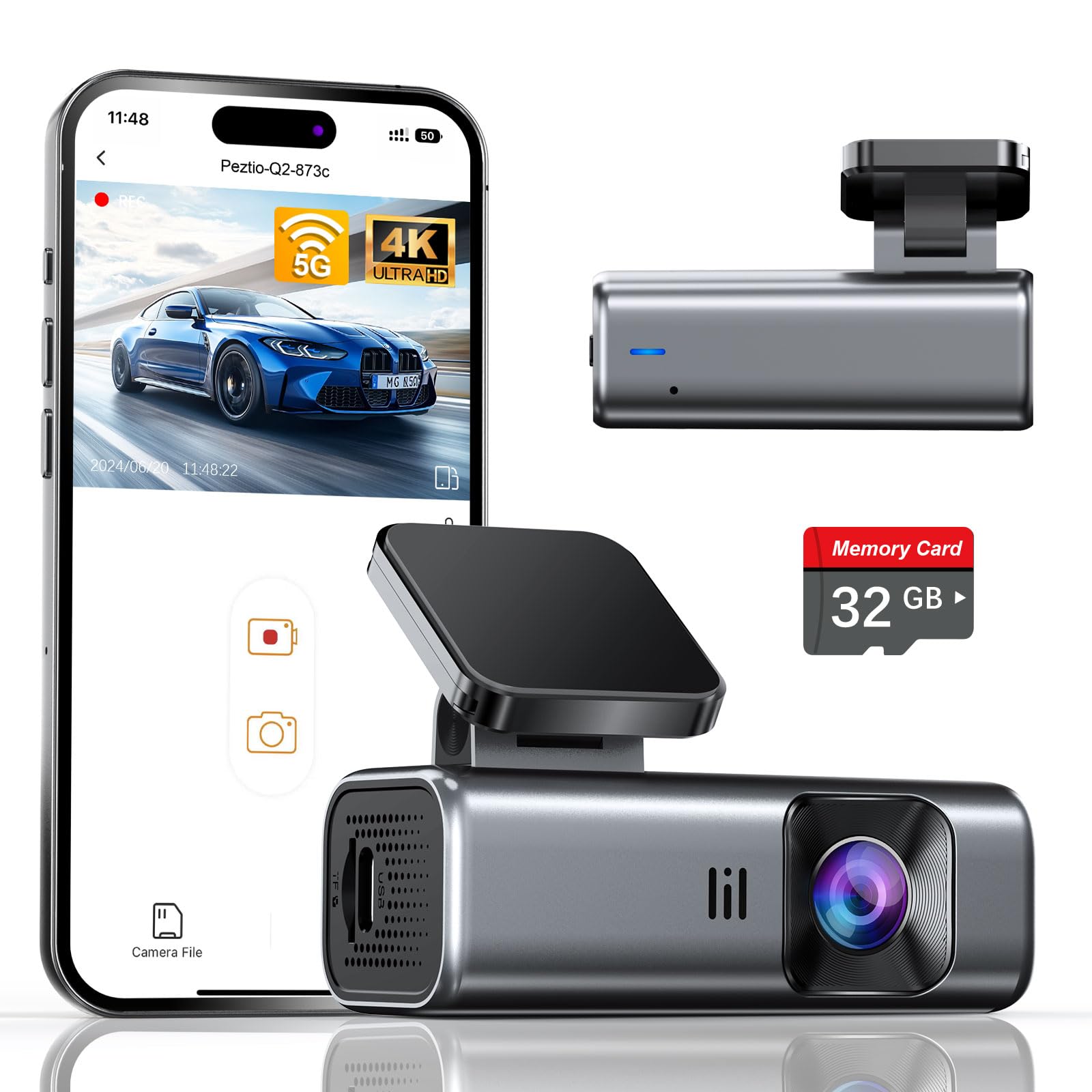
We recommend this if you want a compact, screenless 4K dash cam that records clearly day and night and works out of the box with a 32GB card.
Pros
- Sharp 4K footage and strong low-light performance.
- Quick 5GHz Wi‑Fi makes downloads much faster.
- Tiny, screenless design cuts distraction and hides well.
Cons
- 32GB card is small if you record often.
- Parking mode needs a hardwire kit (sold separately).
- No on-device screen means settings need the app to change.
We installed this in our car in under 10 minutes and it stayed out of sight behind the rearview mirror. The adhesive mount felt secure and the slim body didn’t block our view. Driving around town, the camera recorded clear daytime video and held detail in license plates.
Night drives surprised us. The F/1.6 lens and WDR balanced headlights and dark roads so footage stayed usable. Low-light grain showed up on very dark streets, but overall events were easy to see.
Pairing the app over 5GHz Wi‑Fi saved time when we pulled clips. Transfers were noticeably faster than older 2.4GHz cameras. We did need the phone app to tweak settings since the unit has no screen, which felt fine once we learned the layout.
For long parking stints, plan to buy the hardwire kit so the 24-hour mode works consistently. Also consider upgrading the card sooner than later if you record long trips or leave continuous parking recording on. Otherwise, this feels like a solid, unobtrusive choice for daily drivers and rideshare use.
70mai M310 Dash Cam

We recommend this if you want a simple, good-quality wired-free dash cam for clear daytime and decent night recordings.
Pros
- Clear 1296p video that captures license plates and road signs well.
- Small, low-profile body that hides easily behind the rearview mirror.
- App control and built-in Wi-Fi make downloading clips fast.
Cons
- Parking mode needs a separate hardwire kit to work reliably.
- No built-in screen, so setup and playback require the phone app.
- Some users report pairing or firmware hiccups across phones.
We installed the M310 and drove with it for a few weeks. The angle covers multiple lanes and the image sharpness at 1296p made reading plates easy at typical speeds. Daytime footage looked clean and the app let us pull clips without taking the card out.
Night driving surprised us for a budget cam. WDR and noise reduction helped keep details visible in low light, though very dark roads still showed grain. The unit stayed put on hot and bumpy days and the small profile kept it from blocking the view.
Setup took a few minutes; the adhesive mount is straightforward and the app walks you through pairing. We did need to update firmware once, and pairing worked better after that. If you want true wired-free parking monitoring, add the hardwire kit—otherwise parking features are limited.
Overall, the M310 feels like a practical buy for most drivers who want sharp front video, a compact design, and easy phone access to clips. Check it on Amazon: 70mai M310 Dash Cam.
Buying Guide
We look for reliable wireless power and stable mounts first. A dash cam without wires should connect to a battery pack, hardwire kit, or built-in battery so it runs without dangling cords.
We check video quality and field of view next. Aim for at least 1080p recording and a wide-angle lens so we capture lanes and license plates. Night performance matters; look for low-light specs and true HDR.
We pay attention to storage and file management. Choose cameras that use removable memory cards and support loop recording. Automatic overwrite and file protection for incident footage are key.
We review connectivity and controls. Wi-Fi or Bluetooth lets us transfer clips to a phone quickly. Easy app controls and clear status lights make daily use simpler.
We evaluate power duration and safety features. Consider battery life for parking mode and whether the unit supports voltage cutoffs to protect the vehicle battery. Motion detection and impact sensors should trigger recording automatically.
We inspect build quality and weather resistance. A compact, heat-tolerant design avoids failure in hot cars. A solid mount that resists vibration keeps footage steady.
We consider warranty and support. Clear warranty terms and accessible support help if the unit fails. Good documentation and simple setup reduce frustration.
We compare prices by feature, not brand. Make a short checklist: video quality, power solution, storage, connectivity, sensors, mount stability, and warranty. Then pick the model that best fits our driving habits and budget.
Editor’s Choice
We picked a wireless dash cam that balances ease of use, video quality, and reliable battery life. It records in 1440p for clear footage and uses a built-in battery plus optional hardwire for longer sessions.
We like a camera with a strong app and quick Wi‑Fi transfer. The app should let us view, download, and share clips without removing the card.
Key features we expect:
- Resolution: 1080p minimum, 1440p preferred.
- Field of view: Wide enough to capture lanes and license plates.
- Power: Built‑in battery for short parking mode, hardwire for full coverage.
We recommend models with good night performance and parking impact detection. A reliable G‑sensor seals important clips automatically. Low-light clarity matters for incidents at dawn or on unlit roads.
We favor units with simple mounting and no messy cables. Magnetic mounts or adhesive mounts that hide wiring make installation cleaner.
Price influences our pick, but we value durable build and firmware updates more. A model with cloud backup or easy SD export saves time if we need footage for insurance or police.
Conclusion
We find wireless dash cams offer real freedom from messy cables and tricky installs. They let us place cameras where they work best and move them between vehicles when needed.
Battery life and signal range still limit some models. We should check runtime, charging options, and how the camera connects to our phone or cloud before buying.
We prefer models with reliable parking mode and good video quality. These features give us useful evidence after an incident and help protect our car when we are away.
Key points to compare:
- Battery runtime and hardwire options
- Video resolution and low-light performance
- App reliability and cloud or local storage
We recommend testing setup and app features right after purchase. That way we confirm the camera records, uploads, and wakes for motion as expected.
FAQS
What does “dash cam without wires” mean?
We mean a dash cam that runs on battery power or attaches to a car’s OBD or cigarette lighter without visible wiring. These models reduce installation work and keep the windshield clear.
How long does the battery last?
Battery life varies by model and settings. Typical run time is 1–8 hours on continuous recording; many use motion or parking modes to extend standby time.
Can it record while parked?
Yes. Many wireless dash cams have parking modes that start recording when they detect motion or impact. Some use low-power sensors to save battery.
How do we transfer footage?
Most use Wi‑Fi, Bluetooth, or removable SD cards. We can download clips to a phone or computer without plugging in cables.
Is video quality good?
Quality depends on the camera sensor and lens. We should expect 1080p on midrange models; higher-end units offer 1440p or 4K. Night performance varies more between models.
Are wireless dash cams legal?
Laws differ by area. We must check local rules about windshield-mounted devices and recording audio or other people.
Do they need a memory card?
Yes. Most use microSD cards for loop recording. We should pick a high-endurance card and format it in the camera.
How reliable are they compared to wired units?
They are convenient but can have shorter battery life and less continuous parking coverage than hardwired units. We should weigh convenience against our need for nonstop recording.

