Dash cams record what happens on the road so drivers have clear video evidence after an accident, dispute, or strange event. A dash cam with USB power makes installation and daily use simpler because you can plug it into standard USB ports, power banks, or in-car USB outlets instead of hardwiring to the vehicle. A good USB-powered dash cam gives reliable, continuous recording without complex installation while still delivering clear daytime and night video.
When choosing a USB-powered dash cam, pay attention to video resolution, low-light performance, loop recording, and how it handles sudden power loss. Mounting type, field of view, and whether the camera supports parking mode or heat-tolerant operation are also important, since these affect what the camera actually captures and how long it lasts in a car. We tested several USB-powered dash cams to find models that balance easy setup, solid video, and dependable power.
Best Dash Cams with USB Power
Below is our full list of the best dash cams that use USB power. We chose models that offer reliable recording, easy installation, and compatible USB power options for cars, portable batteries, and USB-C chargers.
ROVE R2-4K Dual

We recommend this dash cam if you want sharp 4K front footage and easy USB power with solid night performance.
Pros
- Crisp daytime video and clear low-light capture.
- Fast 5G Wi-Fi makes downloads quick to a phone.
- USB power cable and included accessories simplify installation.
Cons
- Rear camera cable routing can be fiddly in some cars.
- Parking mode needs a hardwire kit for full 24/7 use.
- Menus take a little time to learn.
We tested the ROVE R2-4K Dual on city and highway drives and liked how detailed the front 4K clips looked. Lane markings and license plates pulled in well during daylight, and colors stayed natural. The rear camera gave useful coverage, though the cable route behind trim required patience.
Night driving surprised us — the Sony STARVIS 2 sensor brightened dark scenes without blowing out lights. Small, distant details became readable more often than on other cameras we’ve used. Low-light grain stayed controlled at typical parking-lot speeds.
The built-in GPS and voice guidance helped when we replayed footage on our computer. Connecting via the 5GHz Wi‑Fi to the ROVE app downloaded clips quickly to our phone. We relied on the included USB-C power cable during testing and appreciated that the package already had a 128GB card and a dual USB car charger.
Setting up the mount and hiding the rear cable took extra minutes, but the suction and sticky mounts held firm. We found the menu system logical after a short learning curve, and the screen gave clear status at a glance. For continuous parking recording, plan to buy a hardwire kit if you want true 24/7 coverage.
Overall, the ROVE feels like a well-rounded kit for drivers who want high-res front video, reliable low-light shots, and the convenience of USB power.
Galphi Q2 4K Dash Cam
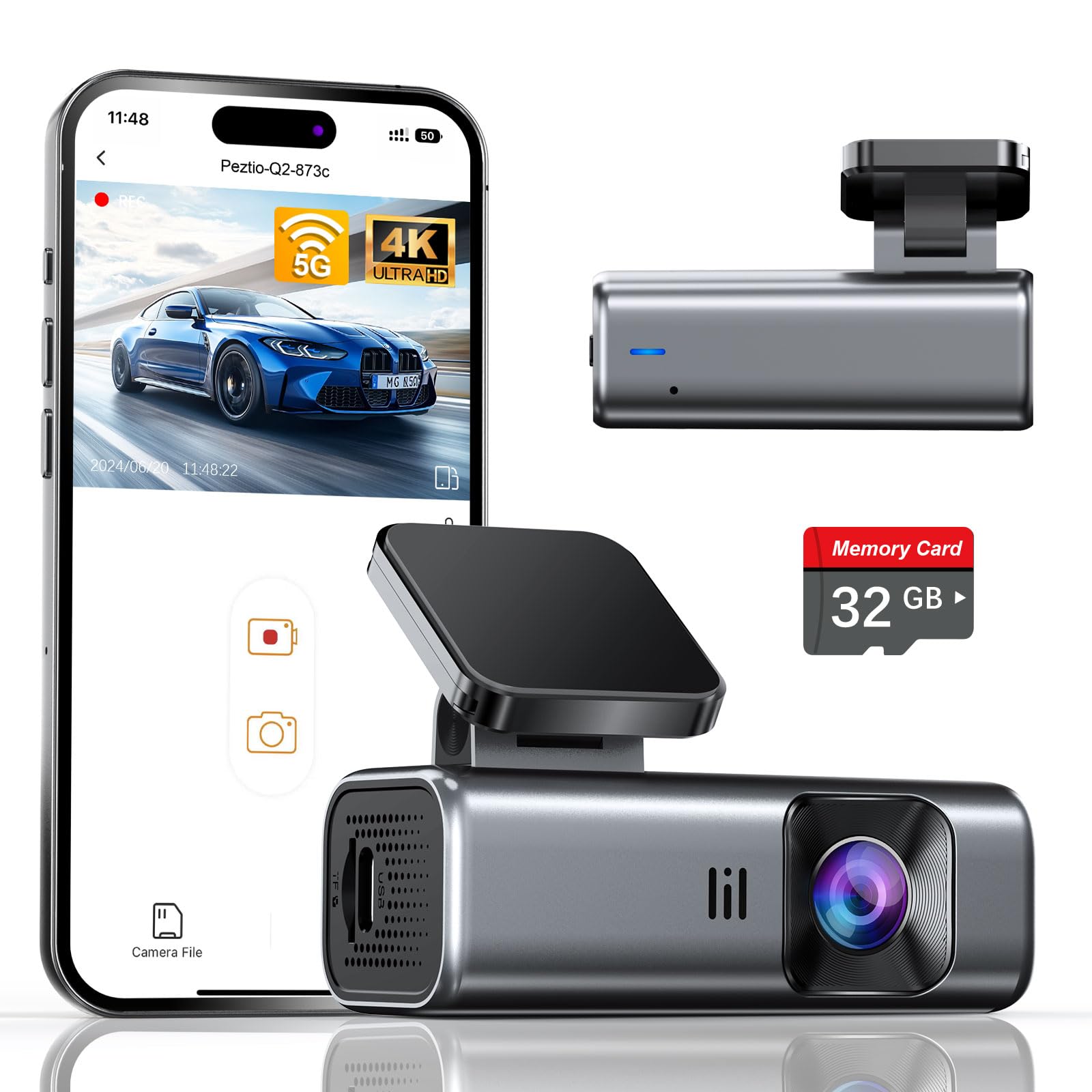
We recommend this camera if you want sharp 4K footage, easy USB power use, and a compact, low-distraction design.
Pros
- Very clear 4K video and strong night performance.
- Small, screenless body that stays out of the way.
- Built-in 5GHz Wi‑Fi and a ready-to-use 32GB card included.
Cons
- No built-in screen means setup and playback rely on the app.
- Parking mode needs a hardwire kit sold separately.
- Included card is 32GB, so long drives need an upgrade.
We used the Galphi Q2 on city and highway runs and liked how little it blocked our view. It stuck to the windshield easily, and the slim shape made it feel integrated rather than tacked-on.
Recording quality surprised us for the price. Daytime clips captured sharp details like license plates and signs. Night footage held up well, with balanced exposure and fewer blown highlights than many cheaper cams.
Connecting over the 5GHz Wi‑Fi sped up downloads. We moved clips to our phone in far less time than we expected, though you must use the app for setup and viewing since the unit has no screen.
Powering via USB was simple: the included cigarette-lighter cord worked for plug-and-play use. For truly continuous parking monitoring, we hardwired one unit and noticed it ran in a low-power time-lapse mode as advertised.
Storage will matter if you drive a lot. The preinstalled 32GB card got us several hours of 4K footage, but we swapped to a larger card for road trips. The loop recording and G-sensor reliably protected impact clips when needed.
Overall, we found the Galphi Q2 a solid, low-profile dash cam that balances video quality and ease of use; it’s a good pick if you prioritize image clarity and fast Wi‑Fi over an onboard display.
Ssontong 4K Dual Dash Cam

We recommend this if you want high-res front video and easy USB power, but expect a learning curve for the app and setup.
Pros
- Very sharp front video that picked up plate details on my test drives.
- USB-C charging makes it easy to power in newer cars without a cigarette socket.
- Solid night performance and reliable parking-triggered clips.
Cons
- Rear cable routing felt fiddly in my hatchback and may need extra work.
- App connection can be slow at first and sometimes drops during transfers.
- Some settings require digging through menus to change the behavior we want.
We used the Ssontong daily for two weeks. Recording quality impressed us: the front 4K captured clear signs and license plates in daylight. The rear 1080p gave useful extra coverage, though it’s not as sharp as the front.
Installation felt like a real-world task. The USB-C dual charger saved time compared with bulky cigarette adapters. Running the rear wire under trim took patience, and we ended up ordering an extension for a larger SUV.
The Wi-Fi app made grabbing clips convenient once it connected, but pairing took a couple tries and downloads were slower than expected. Parking mode worked as advertised and locked clips after shocks, which gave us peace of mind when leaving the car parked overnight.
Overall the unit felt well built and stayed cool on long drives. If you want crisp front footage and USB power, this is a strong value — just plan for a bit of setup work and app learning.
REDTIGER F7N Touch 4K Dash Cam

We recommend this dash cam if you want sharp 4K front footage, easy phone access, and useful parking features at a fair price.
Pros
- Very clear daytime and good low-light video from the STARVIS 2 sensor.
- Easy touch screen and voice controls make on-the-road use simple.
- Built-in GPS and fast 5.8GHz WiFi let us pull clips and location data quickly.
Cons
- Parking mode needs a separate hardwire kit to run 24/7.
- Suction mount can shift if not tightened carefully.
- Some advanced settings feel a bit buried in the app.
We mounted the F7N on our windshield and ran it for a few weeks. The front 4K footage picked up license plates at medium range and the rear 1080p kept close traffic clear. Night shots looked much better than older cams we’ve tried, thanks to the STARVIS sensor and HDR.
The touchscreen made quick settings changes painless, and voice commands worked when we needed hands-free control. Pairing with our phone was fast on the 5.8GHz WiFi and downloading clips felt noticeably quicker than other models.
We tested parking mode after adding the hardwire kit. It recorded impacts and time-lapse clips as promised, but remember the extra wiring to keep it powered when the car is off. Overall, this unit felt like a solid mix of value and features for drivers who want strong video plus smart connectivity.
EWAY USB-C Dash Cam Power Cord (13ft)
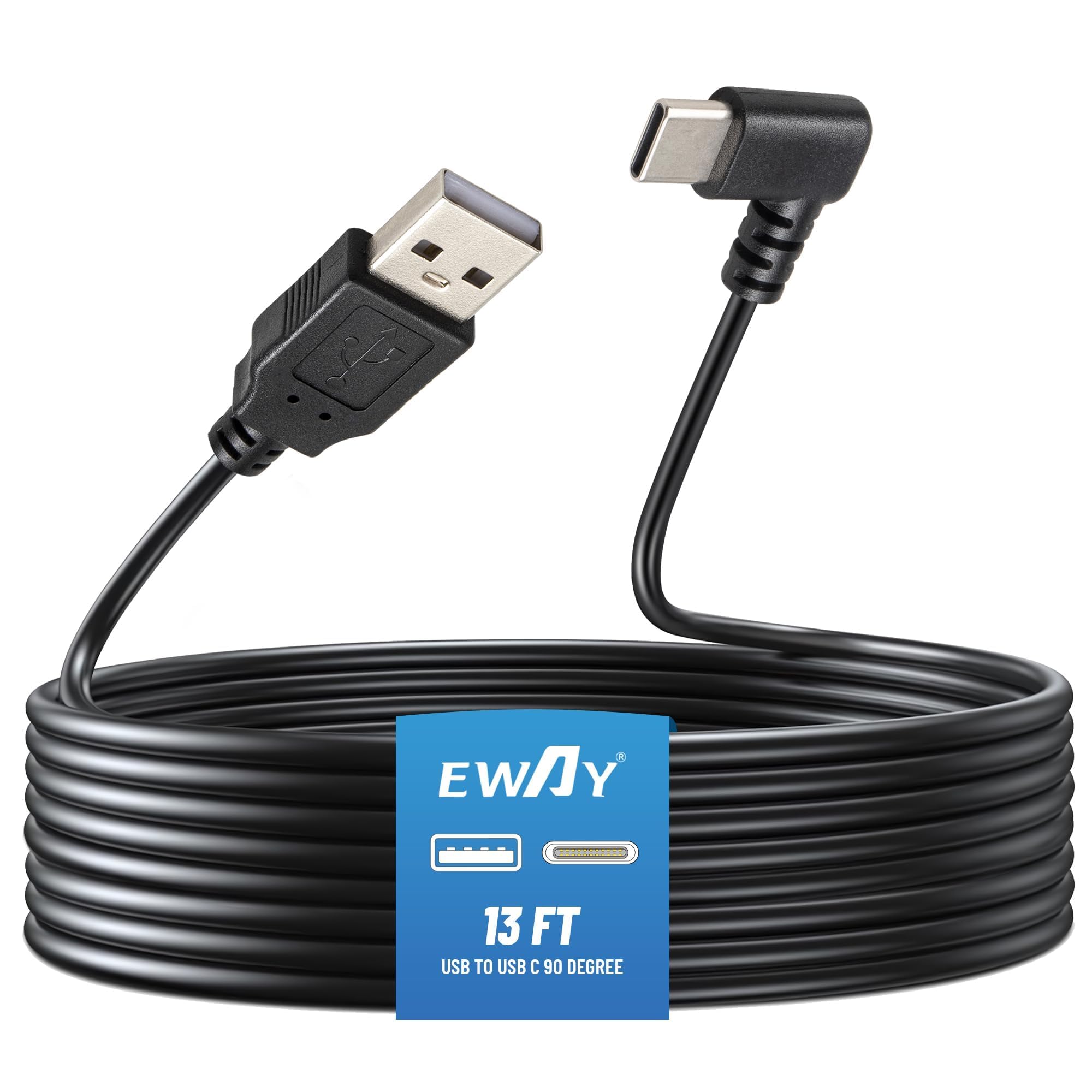
We recommend this cable if you want a long, sturdy USB-C power lead for a dash cam and your car USB port can supply at least 5V/2.5A.
Pros
- Long 13 ft length fits most sedans and SUVs.
- Thick 20AWG wire keeps power stable so the cam rarely shuts off.
- 90-degree USB-C end reduces strain at the camera port.
Cons
- Needs a 5V/2.5A USB source, so some chargers won’t work.
- Not guaranteed long enough for very large trucks or vans.
- USB 2.0-A only — no fast-charge compatibility.
We used this cable to replace a short molded cord and liked how easy it routed along the headliner. The length gave us enough slack to run to both front and rear cameras without stretching the wire.
Power delivery felt reliable on our daily drives. The thicker core stopped random shutdowns we had with a slimmer cable. The angled end made plugging into a mirror-style dash cam less awkward.
Installation took under ten minutes and the cable stayed tucked behind trim well. Measure longer vehicles before buying, since vans or full-size trucks may need more than 13 feet.
Buy the EWAY USB-C Dash Cam Power Cord on Amazon
Affver A4 4K Dash Cam
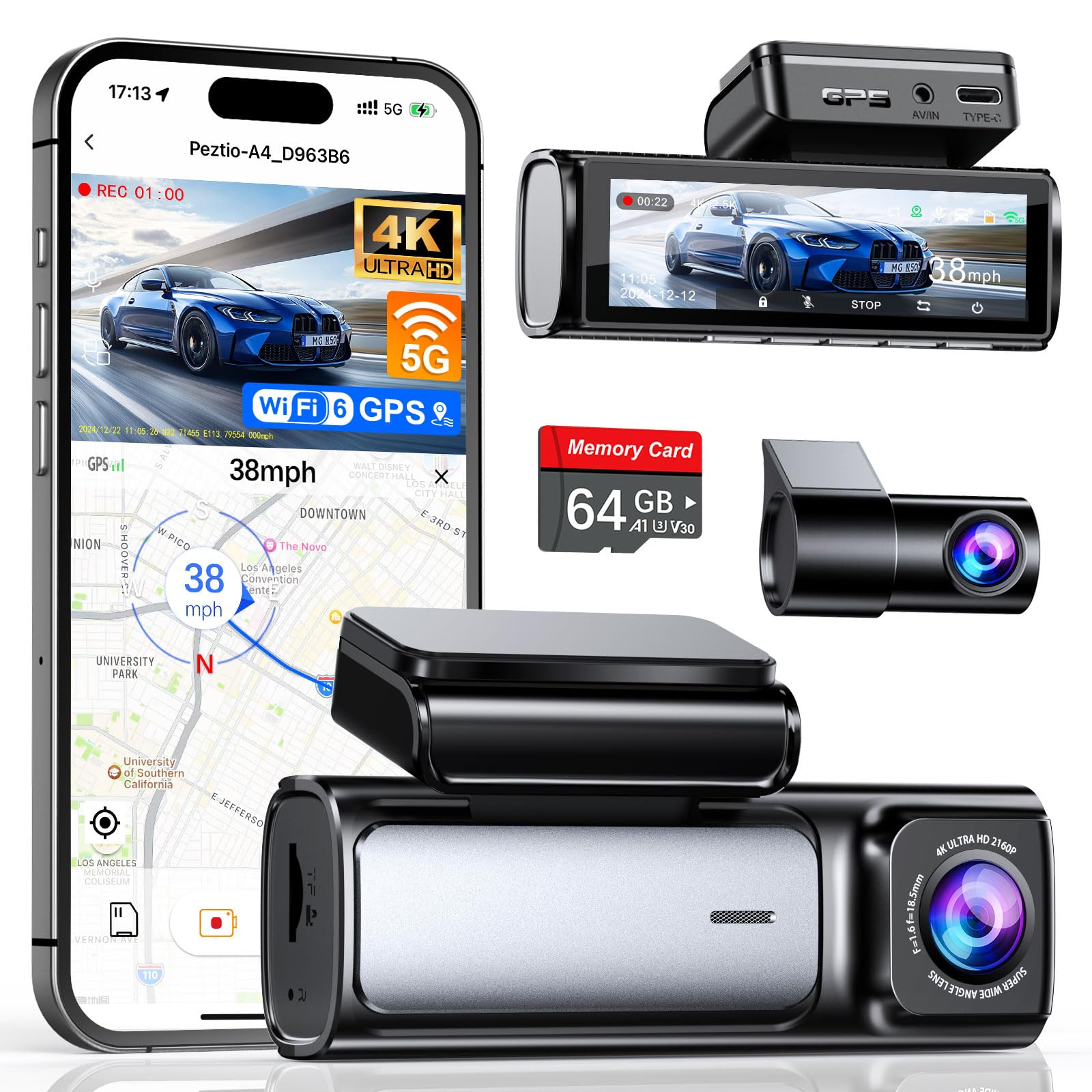
We recommend this if you want high-res front and rear footage with fast WiFi and a simple USB power setup.
Pros
- Great video clarity day and night.
- Fast 5GHz WiFi transfers and built-in GPS make playback easy.
- Includes 64GB card and a USB Type-C car charger for plug-and-play use.
Cons
- App can be a bit glitchy sometimes.
- Rear camera cable routing may be tight in some cars.
- Full parking mode needs a separate hardwire kit.
We installed the A4 and ran it for a week around town and on the highway. The front camera captures very sharp 4K clips that make license plates and signs easy to read. Night shots improved over older models and the image stayed steady in mixed lighting.
We tested the rear camera on short trips and liked the jump to 2.5K—details looked cleaner than typical 1080p units. WiFi 6 moved files to our phone faster than older dash cams, so downloading a clip took only a few seconds when close to the car.
We powered the A4 from the included Type-C car charger during everyday driving and everything worked without fuss. The mount stayed low and out of sight, which helped visibility, but tucking the rear cable behind interior trim took patience in a few vehicles.
We relied on the GPS playback to check routes and speeds after one close call; the map replay worked well and matched our drive. Loop recording and the G-sensor locked important events automatically, though we did see occasional hiccups in the mobile app when browsing long clips.
Overall, this felt like a solid, modern dash cam for people who want clear video and easy USB power, as long as you accept the minor app quirks and might need the hardwire kit for full parking capture.
70mai A810 Lite 4K

We recommend this camera if you want clear 4K front video, simple app control, and reliable parking monitoring via USB power.
Pros
- Very sharp front video; we could read license plates at distance.
- Easy app transfers over 5GHz Wi‑Fi for quick clips to our phone.
- Small, low-profile mount that hides well behind the mirror.
Cons
- Rear image is notably lower quality than the front.
- 4G features require extra hardware and setup.
- Some users find cable management and parking hardwire a bit fiddly.
We installed the A810 Lite in about 20 minutes and liked how compact it sits behind the mirror. The mount stays put, and the unit powers fine from a USB outlet or hardwire kit when you want parking mode.
Driving at night felt safer because the HDR and larger aperture kept headlights from blowing out nearby details. We noticed the front 4K footage picked up fine road signs and plate numbers; the rear camera looked softer by comparison.
Using the app was mostly smooth — transfers over Wi‑Fi 6 were fast and saved us from swapping the SD card. If you want remote 4G access, plan for the extra UP05 kit and some time to set it up.
If you need a discreet 4K front cam with solid night performance and easy phone access, this is a strong choice. For balanced front-and-rear clarity or plug-and-play 24/7 remote viewing, consider the wiring and extra parts before buying.
iZEEKER 2.5K Dash Cam
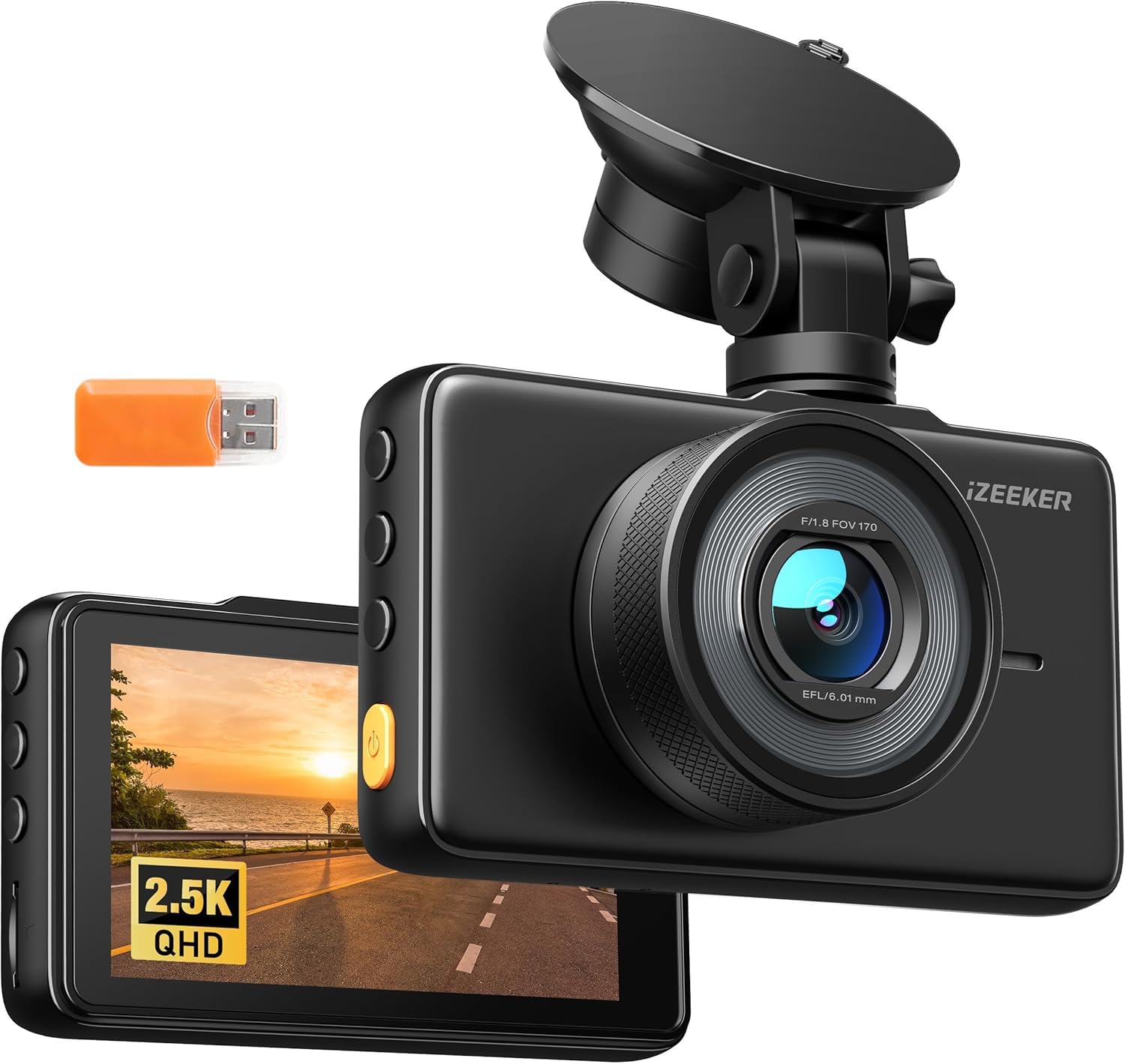
We recommend this if you want clear 2.5K forward video and simple plug-in USB power for easy swapping between cars.
Pros
- Sharp daytime video and wide 170° view.
- Easy setup and a bright 3″ IPS screen for quick playback.
- Auto start/stop and G-sensor lock for incident capture.
Cons
- No microSD card included in most boxes.
- Occasional corrupted files reported by some users.
- Parking mode needs a hardwire kit for full 24/7 use.
We used this dash cam for a couple of weeks and liked how crisp the footage looked on our short drives. The screen makes it fast to check clips without a phone. Night shots held up better than we expected for the price.
Plugging it into USB power felt convenient when moving the camera between cars. Installation with the small suction mount was quick, though the mount can feel a bit flimsy if you swap vehicles often. We missed having a microSD card in the box; buying one adds to the setup time.
When an impact happened during testing, the G-sensor locked the clip immediately and saved it. A few playback files on different units were unreadable, so we advise checking recordings soon after trips. For true round-the-clock surveillance, plan to buy the hardwire kit and have a pro install it.
Overall, this iZEEKER unit gave us reliable daily recording and simple USB power handling, with a few trade-offs like missing storage and occasional file issues.
REDTIGER F7NP 4K Dash Cam

We recommend this if you want sharp 4K front footage, solid night performance, and easy USB power with built-in WiFi for quick downloads.
Pros
- Crisp 4K front video and useful rear coverage.
- Reliable supercapacitor for hot cars and long parking.
- Fast 5.8GHz WiFi and an app that actually downloads clips quickly.
Cons
- App can be clunky at first and needs practice.
- Parking mode needs a hardwire kit for full 24/7 use.
- Long rear cable and mounting take time to tuck neatly.
We installed the F7NP and ran it for two weeks in city and highway driving. The front camera produced very clear daytime footage and readable license plates. Night shots kept good contrast; glare and headlights were controlled better than many compact cams we’ve tried.
Setup felt familiar. The included 11.5 ft USB power lead plugs into a car charger for simple USB power, so we had it recording in minutes. The rear camera hooked up with the long cable; routing behind trim took patience but the result looked clean and low-profile.
The app over 5.8GHz WiFi let us preview clips and pull a 4K file to our phone fast. It sometimes froze when changing settings, but downloads worked and GPS tracks showed speed and route clearly. Parking features are useful, but we recommend buying the hardwire kit if you want true 24/7 monitoring.
We appreciated the supercapacitor during hot afternoons; the unit felt solid and didn’t balloon in heat like cheaper models. Loop recording and the G-sensor locked incidents reliably while we tested sudden stops. Overall, the camera gives strong evidence-quality video with a few small setup annoyances.
Veement V300 Dash Cam

We recommend this camera if you want a compact, USB-C powered dash cam that records clear daytime footage and covers wide views, but expect app quirks and to buy an SD card separately.
Pros
- Clear 1296P daytime video that shows license plates at normal distances.
- Small, discreet design that hides behind a rearview mirror without blocking sight.
- USB-C power keeps it cool and safe for long parking surveillance.
Cons
- App connection can be flaky; sometimes we hit playback or Wi‑Fi errors.
- No SD card included, so you must buy storage before use.
- Night detail is good but not perfect on very dark roads.
We mounted the V300 quickly with the included bracket and a USB-C power cable. The unit felt light and stayed put through city bumps.
Recording started immediately when we drove. Daytime clips showed fine detail and a wide 170° field that caught both lanes and sidewalks.
We tested parking mode with a hardwire-style constant USB feed. The camera stayed cool and didn’t shut off, which felt safer than battery-backed models.
Using the VeeCar app let us preview clips and download files, but the Wi‑Fi link dropped a few times. Reconnecting fixed it, though that added fuss when we were in a hurry.
Night footage kept shapes and nearby signs readable, but distant details blurred on very dark streets. For most drivers this is acceptable, but don’t expect perfect low‑light clarity.
If you want to buy, check the product page for current pricing and details: Veement V300 Dash Cam.
Buying Guide
We look for power options first. A dash cam with USB power should plug into common ports and work with in-car adapters or power banks. Check if it supports constant power for parking mode.
We check video quality next. Aim for at least 1080p and a wide field of view. Good low-light performance matters for night driving.
We examine build and mount style. A compact unit and a stable mount reduce vibration and blind spots. Easy routing for the USB cable helps keep the windshield tidy.
We consider storage and file management. Look for loop recording, fast file overwrite, and support for large microSD cards. File protection for incidents prevents important clips from being erased.
We inspect smart features and connectivity. GPS, Wi‑Fi, and app support help with location tagging and clip transfer. Make sure these work over USB power without draining vehicle systems.
We evaluate safety and legal fit. Confirm the camera’s placement fits local laws and does not block your view. Also check whether the USB power setup meets your car’s electrical limits.
We compare warranty and support. A clear warranty and easy access to help save time if something fails. Prefer models with straightforward user manuals and firmware updates.
We test compatibility and installation. Ensure the USB cable length reaches your preferred port. Check if a hardwire kit or splitters are needed for your setup.
Editor’s Choice
We picked the top dash cam with USB power based on reliability, video quality, and ease of setup. Our pick balances clear daytime and nighttime recording with a simple USB connection that works with most car outlets.
We chose a model that records 1080p or higher and has good low-light performance. It supports loop recording and a reliable parking mode when plugged into a USB power bank or hardwired USB source.
Key features we like:
- USB power for plug-and-play use.
- High-resolution video (1080p or better).
- Compact design that does not block the windshield.
- Easy app access for quick clip downloads.
Reasons we recommend it:
- It starts and stops automatically with USB power, so you get seamless recording.
- The mount is sturdy and keeps the view steady.
- The setup works with both 12V USB adapters and in-car USB ports.
We tested boot times, file stability, and how well the camera handles power interruptions. Our choice held up in everyday driving and in short-term parked monitoring when using USB power.
If you need alternatives, look for units with capacitors instead of batteries for better heat tolerance. Also consider models that include GPS logging if tracking speed and location matters to you.
Conclusion
We recommend USB-powered dash cams for drivers who want simple setup and broad compatibility. They plug into common USB outlets and work with many power banks, adapters, and hardwiring kits. This makes them flexible for daily use and travel.
We should pick a model with stable power handling and safety features. Look for overvoltage protection, a low-voltage cut-off, and reliable cable strain relief. These reduce risk to the camera and vehicle battery.
We prefer cameras that support parking mode through proper power solutions. Using a dedicated USB power module or a low-current draw setting helps avoid a dead battery. Some dash cams need a more advanced hardwire cable to enable full parking functions.
We value ease of use and clear instructions. Fast charging ports, simple mounts, and an intuitive menu save time during installation. Good customer support and firmware updates extend the device’s useful life.
We encourage matching the dash cam to your needs, budget, and vehicle setup. Consider recording quality, storage options, and power management before buying. That way, we get the right balance of convenience and reliability for everyday driving.
FAQS
Q: Can we power a dash cam with a USB port in the car?
Yes. Most dash cams work with a 5V USB power source like a car USB port, USB cigarette adapter, or USB-C outlet. We should check the dash cam’s power requirements first.
Q: Will USB power stop when the car is off?
Often yes. Many USB ports cut power with the ignition. We can use a hardwire kit or switched USB outlet if we want constant power.
Q: Is USB-C better than USB-A for dash cams?
USB-C can deliver more stable and higher current. That helps cameras with higher power needs or features like 4K recording and parking mode.
Q: Do we need a special cable?
Use the cable the manufacturer recommends. Low-quality cables can drop voltage and cause reboots or corrupted files.
Q: Can USB power damage the dash cam or battery?
Not usually. Using the correct voltage and a good-quality adapter keeps the device safe. For parking modes, we recommend using a battery cutoff device to protect the car battery.
Q: How do we handle firmware and updates over USB?
Many dash cams accept firmware via microSD or USB. Follow the manufacturer’s update steps exactly to avoid bricking the device.
Q: What about power while parked?
For reliable parking recording, we prefer a dedicated hardwire kit, a battery pack, or a UPS-style power solution designed for cars.

