Dash cams record what happens on the road so drivers have clear video evidence after an accident, theft, or a strange traffic incident. Many models also add features like night vision, loop recording, parking mode, and smartphone connectivity to make recording and reviewing footage easier. A compact dash cam like the Focuway aims to pack these features into a small, easy-to-install unit suited for everyday drivers and rideshare operators.
When choosing a dash cam, pay close attention to video resolution, low-light performance, field of view, and reliable loop recording and parking modes. Mount stability, ease of use, and how footage is saved or backed up are also crucial—poor mounts or confusing apps can make a good camera frustrating to use. We tested and compared key features to find Focuway models that balance clear daytime and nighttime video, simple setup, and dependable footage storage.
Best Focuway Dash Cams
Below is our full list of the best Focuway dash cams. We tested features like video quality, ease of use, and reliability to find models that give clear daytime and nighttime footage. Use this list to pick the Focuway dash cam that fits your needs and budget.
FocuWay T5 4K Dash Cam

We recommend this dash cam if you want high-resolution front footage and a simple install at a reasonable price.
Pros
- Very clear daytime 4K front video for reading plates and signs.
- Easy, plug-and-play setup with helpful trim tool and long power cable.
- 5GHz WiFi and voice commands speed up grabbing clips without fuss.
Cons
- Night footage is decent but not as strong as higher-end brands.
- Parking mode needs a separate hardwire kit for true 24/7 monitoring.
- Occasional WiFi connectivity quirks with some chargers or phones.
We installed the T5 in two cars and liked how sharp the front camera looked in daylight. The 4K footage showed license plates from a good distance, and the wide angles covered both lanes well.
Using the app with 5GHz WiFi made downloading clips quick when it worked. Voice commands let us lock a clip hands-free, which felt safer while driving.
Parking mode gave us peace of mind, but we had to buy the hardwire kit to run it continuously. The supercapacitor adds durability, but the always-on setup requires a little extra wiring.
Night driving showed more noise and less detail than the daytime clips. For routine commutes and clear daytime evidence, the T5 performs solidly, but buyers who need top-tier low-light capture might look higher up the price ladder.
We felt the package offered good value for the features and the free 64GB card. If you want a straightforward 4K front/rear setup without a huge budget, this is worth considering.
FocuWay L7 4G Dash Cam
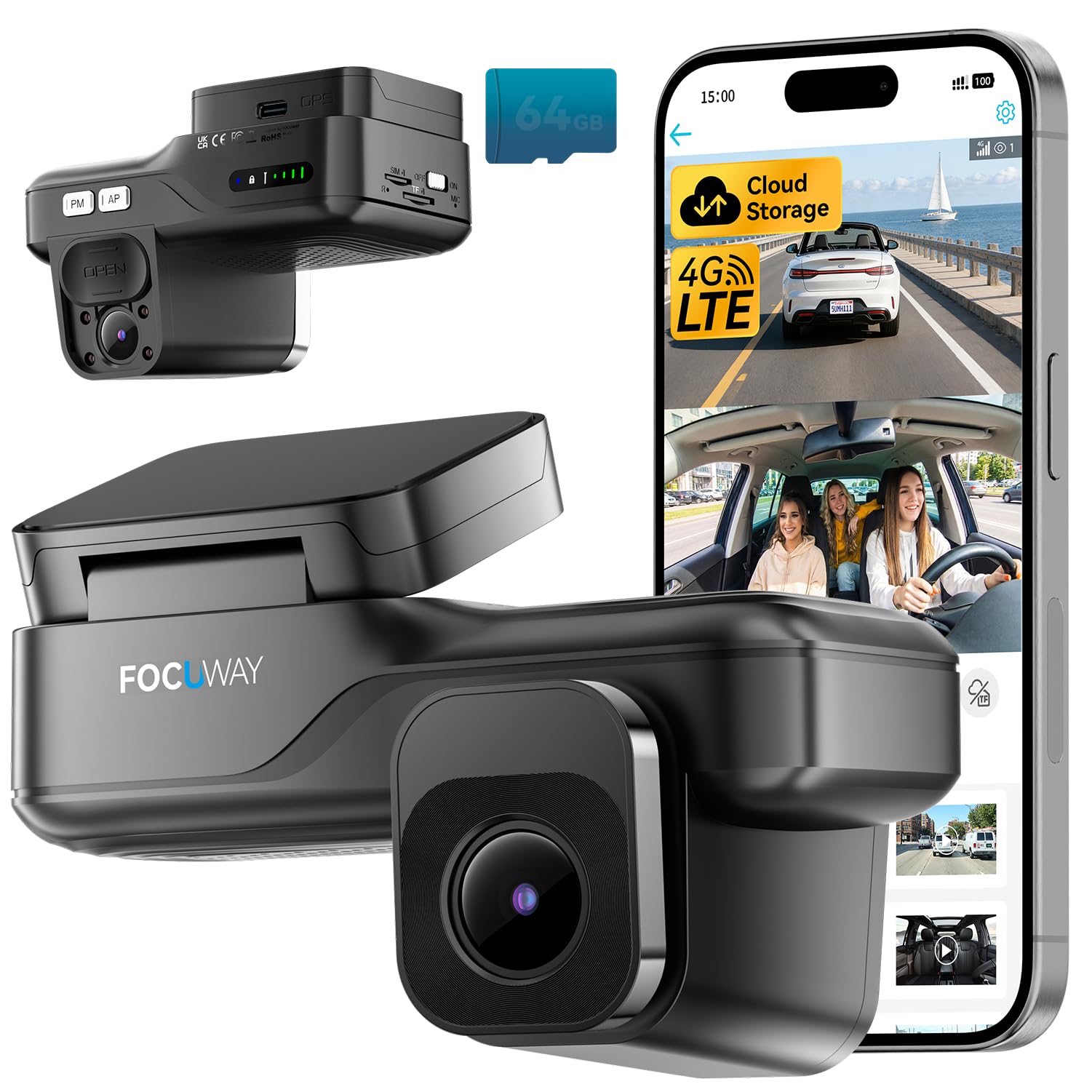
We recommend this if you want remote live view and cloud backup for parking security, but be ready to use the phone app and pay for LTE after the free trial.
Pros
- Real remote access: live view works from anywhere with LTE.
- Strong night cabin view: infrared inside captures clear images in the dark.
- Easy install: OBD plug gives continuous power without hardwiring.
Cons
- App required: no screen on the camera, so all controls happen on your phone.
- Ongoing cost: cloud and live features need a paid data plan after trial.
- US-only cellular: the built-in SIM won’t work outside the United States.
We tested the camera for daily driving and parking monitoring. The front 2K video and inside IR view delivered sharp footage of traffic and the cabin. Playback through the app was quick when the LTE signal was good.
Setting up the OBD power cable took minutes and kept parking mode running without battery drain. We liked how discreet the screenless design sits behind the mirror and how the infrared LEDs caught faces at night.
Motion alerts and AI human detection reduced false alarms compared to basic motion sensors. Two-way audio let us speak through the car, which felt useful for checking on drivers or deterring people near the vehicle.
Relying on the UBox Pro app means you must be comfortable managing recordings and subscriptions by phone. The built-in SIM and US-only design limit travel use, and long-term cloud access adds cost for continuous remote features.
Get the product on Amazon: FocuWay L7 4G Dash Cam.
FocuWay D4 Duo Dash Cam

We recommend this if you want high-resolution front and rear footage but accept mixed reliability and occasional quirks.
Pros
- Very sharp daytime and many nighttime clips thanks to the 4K sensor.
- Easy touchscreen controls and helpful voice commands while driving.
- Solid parking mode and durable design for hot or cold weather.
Cons
- Occasional power or reboot glitches reported by some users.
- Some setups work best with the manufacturer’s recommended SD card.
- User interface and Wi‑Fi features can feel a bit clunky at times.
We installed the D4 Duo and drove a mix of city and highway miles. Video looks crisp in daylight and captures license plates at distance more often than our older cams. Night performance surprised us on well-lit streets but struggled in total darkness unless there was nearby light.
Using the touchscreen felt natural and voice commands let us lock clips without hands off the wheel. The parking monitoring gave us extra comfort for overnight street parking. Setup was straightforward, though hardwiring it cleaned up the install and reduced random power hiccups.
A few drives showed the unit rebooting briefly, and one reviewer-like experience mirrored that behavior. We also found the best reliability using high-quality microSD cards; cheaper cards caused errors. Overall, this is a capable 4K dual-channel dash cam if you want strong video and solid parking features and can accept occasional software or compatibility annoyances.
ROVE R2-4K Dual

We recommend this if you want crisp daytime 4K front video and solid night performance with an easy app for quick downloads.
Pros
- Excellent daytime detail from the 4K front camera.
- Very fast 5G Wi‑Fi makes grabbing clips to our phone quick.
- Handy kit includes a 128GB card and both front and rear cameras.
Cons
- Rear camera is only 1080p, so less detail than the front.
- Some setup trimming and cable routing took longer than expected.
- Parking mode needs a hardwire kit (not in the box) for full 24/7 use.
We mounted the ROVE and started driving right away. The front footage looked sharp and showed clear license plates at a distance on sunny roads. Night clips also improved over older cams we’ve used, thanks to the STARVIS sensor and wide aperture.
Using the app felt smooth. Downloading a one‑minute clip to our phone took only a few seconds on 5GHz Wi‑Fi, and the GPS stamps made reviewing routes simple. The 3″ IPS screen helped when positioning the camera during install.
Installing the rear camera required more patience to hide the 6.5m cable and cleanly tuck it under trim. Parking features worked when we tested motion and collision triggers, but we’d hardwire the unit if we wanted true 24/7 monitoring.
Overall, this feels like a solid mid‑range dual cam setup for people who value front video quality and fast phone access to clips. Check current price and details on Amazon: ROVE R2-4K DUAL.
Affver A4 4K Dash Cam
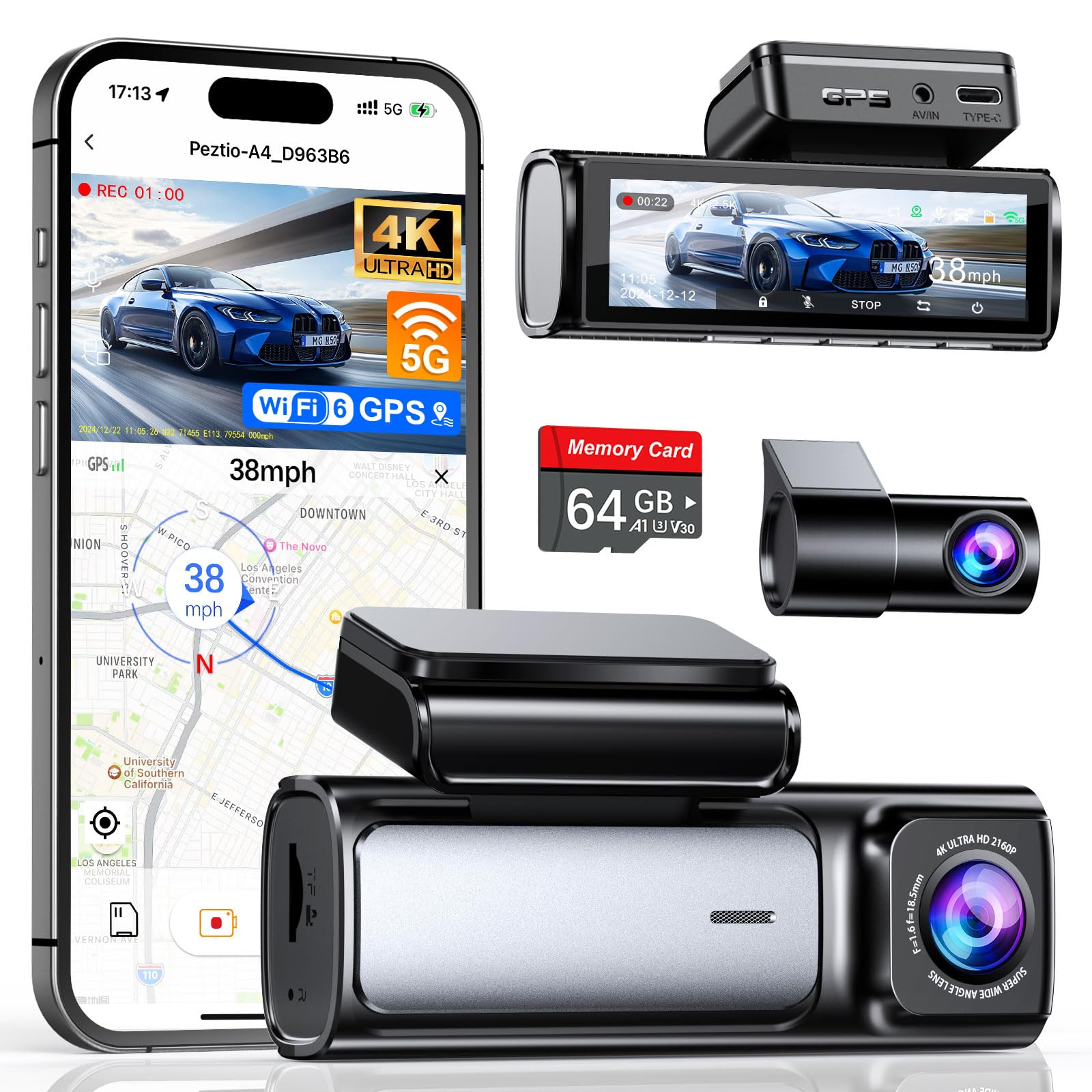
We recommend this Affver A4 if you want sharp front and rear video and fast WiFi transfers without spending a lot.
Pros
- Very clear 4K front and improved 2.5K rear footage.
- Fast 5GHz WiFi 6 makes phone transfers quick and painless.
- Easy install and includes a 64GB card so you can start using it right away.
Cons
- App can be a little glitchy at times.
- Rear cable routing may be tight in some cars.
- Hardwire kit for true 24-hour parking needs to be bought separately.
We installed the A4 in our car and liked how detailed the front video looked even at highway speeds. Night clips handled glare and dark areas better than many budget cams we’ve used.
Setting up took about 20–30 minutes. The adhesive mount stayed solid, and the small screen makes menu changes quick. We appreciated the extra USB port on the charger so we didn’t lose phone power.
Using the app felt faster than older models because WiFi 6 moved files quickly, but the app did freeze once during a transfer. The G-sensor locked crash clips reliably, and the built-in GPS gave useful route data when we reviewed trips on a computer.
Parking mode worked well when hardwired, though we had to buy the separate Type-C hardwire kit to enable true 24-hour monitoring. Overall, this feels like a solid, practical dual dash cam that balances video quality, speed, and price.
RedTiger F7N Touch

We recommend this dash cam if you want sharp 4K front video, easy app control, and reliable parking monitoring for daily driving.
Pros
- Very clear daytime and good low-light video from the STARVIS 2 sensor.
- Fast 5.8GHz Wi-Fi and included 128GB card make file transfers and storage easy.
- Voice control and touchscreen reduce distraction while driving.
Cons
- Rear camera cable routing and hardwiring take time if you want parking mode.
- Menu and app can feel a bit fiddly at first until you learn the controls.
- Parking monitoring needs a separate hardwire kit to work properly.
We mounted the F7N Touch on the windshield and tested it for mixed city and highway driving. The front 4K footage grabbed sharp license plates and road signs. Night shots held up better than many cams we’ve used, though very dark scenes lose a bit of detail.
Using voice commands while driving felt safer than tapping the screen. The touchscreen itself is responsive and the app pairs quickly over the 5.8GHz Wi‑Fi. Download speeds cut wait time when we pulled clips to our phone.
Installing the rear camera required care to hide the long cable and tuck it under trim. We hardwired for parking mode and the time-lapse parking feature gave useful short summaries of long parking periods. Expect a bit of patience during setup, but the day-to-day use runs smoothly.
Find the product on Amazon: RedTiger F7N Touch
Redtiger F7NP 4K Dash Cam

We recommend this dash cam if you want sharp 4K front video, reliable night shots, and easy phone access to clips.
Pros
- Very clear front footage day and night.
- Built-in WiFi and app make downloading clips quick.
- Includes rear camera and 128GB card so you can start using it right away.
Cons
- Rear camera cable can be long and tricky to hide during install.
- Parking mode needs a hardwire kit for full 24/7 use.
- Menu and app take a little time to learn.
We installed the F7NP across a few cars and liked how compact the front unit sits behind the mirror. The 4K footage caught small details like license plates and street signs, and night recording stayed usable without looking washed out.
Using the phone app felt fast—downloads over 5.8GHz WiFi were noticeably quicker than older dash cams we’ve tried. GPS data and the ability to preview clips on the spot made sharing an incident easier when needed.
Parking monitoring gave us peace of mind, but we found the best protection only when the camera was hardwired. The included 128GB card and customer support also helped when we had a minor setup hiccup.
If you want to buy, check the product page: Redtiger F7NP 4K Dash Cam.
REDTIGER F17 4K 3-Channel Dash Cam

We recommend this if you want a 3-camera setup that records clear day and night footage and offers solid parking protection.
Pros
- Excellent daytime and low-light clarity from the front STARVIS 2 sensor.
- True triple-channel coverage (front, inside, rear) for full in-car protection.
- Fast 5GHz Wi‑Fi and built-in GPS make reviewing clips and routes quick.
Cons
- App needs a direct Wi‑Fi connection to download files, which can be clunky.
- Full parking mode requires an extra hardwire kit sold separately.
- Sticky mount pads are hard to reapply if you remove the unit.
We installed the F17 in a family SUV and used it for commuting and a weekend road trip. Setup took a bit of time routing the long rear cable, but the included clips and tool made it manageable. The front 4K image looks sharp and the interior camera captures faces clearly without overexposure.
Night driving surprised us: the STARVIS 2 sensor keeps headlights and street signs readable while cutting glare. We checked synchronized front, inside, and rear clips on our phone and the 5GHz Wi‑Fi moved files much faster than typical dash cams. GPS tracks and timestamps felt reliable when replaying incidents.
Parking mode recorded a hit-and-run simulation well, but we had to buy the hardwire harness to use time-lapse and collision detection. The mount sticks firmly, yet removal meant hunting for replacement adhesive. Overall, the F17 gives broad coverage and dependable video quality for drivers who want thorough evidence and easy playback.
Buy or check details on Amazon: REDTIGER F17 4K 3-Channel Dash Cam
70mai A810 Lite (4K)

We recommend this if you want a reliable 4K front/rear dash cam with strong night video and good remote features.
Pros
- Very clear 4K front footage and improved night clarity.
- Fast 5GHz Wi‑Fi and easy phone access for clips.
- Sturdy build with supercapacitor for heat resistance.
Cons
- App and 4G features need extra setup and optional hardwire kit.
- Cable management around the rear camera can feel fiddly.
- Some users report mixed image consistency versus older models.
We installed the A810 Lite in our daily driver and liked how crisp the daytime video looked. License plates and signs came through clean on short drives, and the rear camera gave solid backup coverage.
Night driving showed real improvement thanks to HDR and the large aperture. Glare from headlights dropped and darker areas held more detail, though very low-light scenes still lose some fine texture.
Setting up the app and Wi‑Fi felt fast, and transferring clips over 5GHz Wi‑Fi saved time. Enabling 4G remote access required an additional hardwire kit, which added cost and a bit of installation work.
Parking mode worked as we expected: impact events saved automatically and time‑lapse kept a low-power watch. We recommend using the hardwire kit to avoid battery drain and to get full remote features.
Cable routing behind the mirror and to the rear camera took patience. The adhesive mount holds well, but neat wire runs need planning or extra clips.
Overall, we found the 70mai A810 Lite to be a strong choice for anyone wanting higher-resolution front footage, reliable night performance, and modern connectivity — just plan for a bit of setup if you want 24/7 remote monitoring.
Vantrue S1 Pro
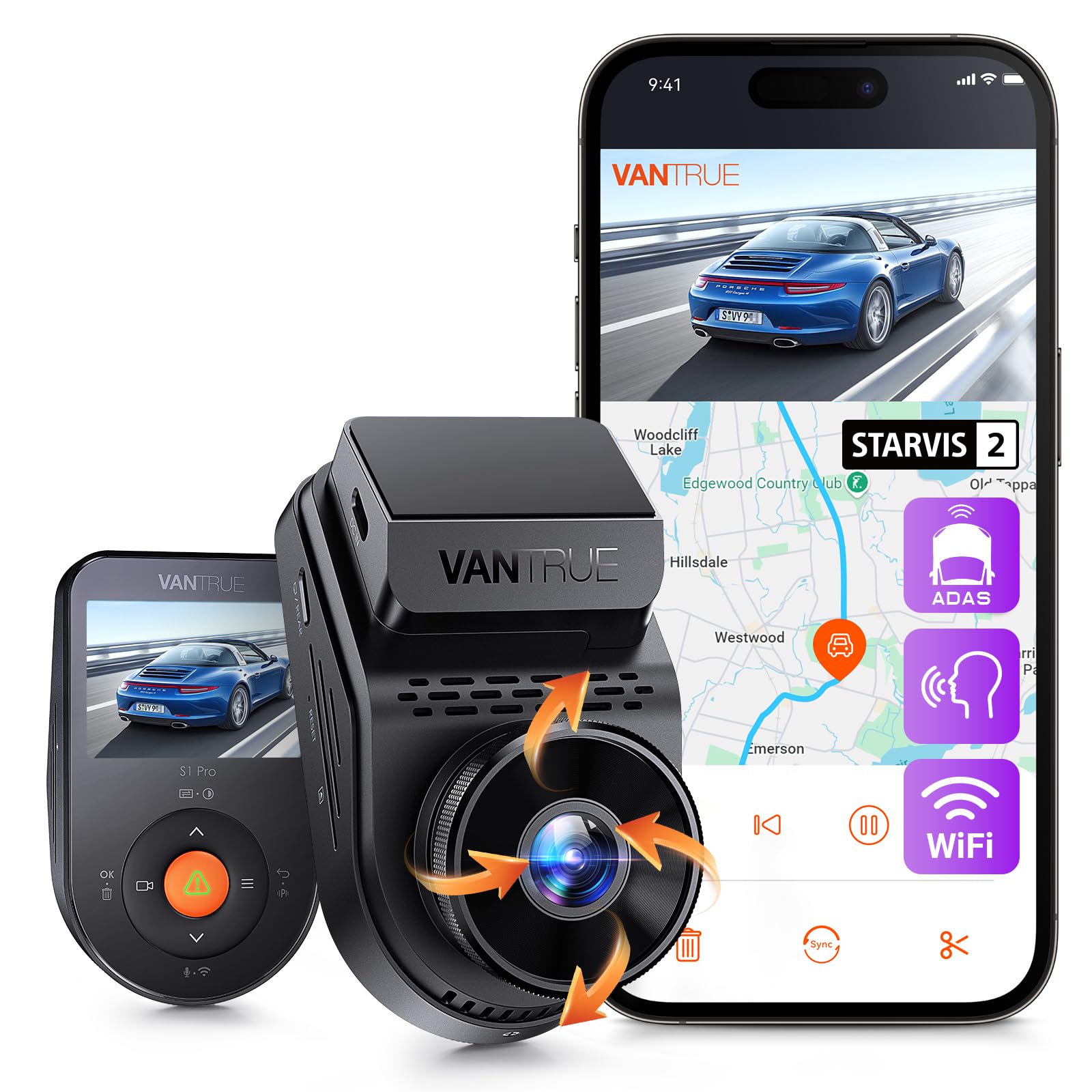
We recommend this dash cam if you want sharp day/night video and reliable parking capture for the price.
Pros
- Excellent low-light clarity and readable plates at night.
- Compact, easy-to-hide design with simple magnetic mount.
- Useful parking buffer that records what happened before an event.
Cons
- App setup can be fiddly and some alerts are annoying by default.
- Parking mode needs a hardwire kit for true 24/7 use.
- No built-in alerts for speed or red light cameras.
We tested the Vantrue S1 Pro on city and highway drives. Video looks crisp in daylight and the STARVIS 2 sensor made night footage surprisingly clear. We could read license plates in low light more often than with older cameras we’ve used.
Mounting felt quick. The small body hides behind the mirror and the magnetic dock made removal easy for checking footage. GPS stamped our trips with speed and location, which helped when reviewing an incident.
Connecting to the app took patience. The faster 5GHz Wi‑Fi moved clips to our phone quickly once paired, but initial pairing and toggling safety alerts required digging through menus. Parking mode did catch a fender-bender in our garage, but you’ll want the hardwire kit if you plan true 24/7 monitoring.
Overall, the S1 Pro balances image quality, size, and features at a reasonable price, though you should expect a short learning curve with the app and consider the hardwire accessory for always-on protection.
Buying Guide
We focus on the features that matter most when choosing a dash cam. Think about how you drive, where you park, and how much you want to spend.
We look first at video quality. Choose a camera with at least 1080p resolution and good night vision. Higher resolution helps capture details like license plates.
We check field of view next. A wider angle records more of the road, but extreme wide angles can distort footage. Pick a balance between coverage and clarity.
We value reliability in recording. Look for loop recording, stable power options, and automatic start/stop. Also consider parking mode if you need motion or impact detection while parked.
We consider storage and file handling. Make sure the camera supports common memory card sizes and has easy file transfer. Automatic file protection for incident clips is important.
We weigh mounting and installation. A compact unit with strong adhesive or a sturdy mount reduces vibration. Easy access to buttons and ports makes daily use simpler.
We pay attention to additional features. GPS logging, Wi‑Fi for file transfer, and app support improve usability. Battery versus capacitor power affects heat tolerance and lifespan.
| Feature | Why it matters |
|---|---|
| Resolution & night vision | Clear evidence day and night |
| Field of view | Coverage of lanes and surroundings |
| Loop recording & power | Continuous recording without gaps |
| Parking mode | Evidence while vehicle is parked |
| Storage & file protection | Keeps important clips safe |
| Mount & build | Stable footage and durability |
| Connectivity & GPS | Easier file access and location data |
Editor’s Choice
We picked the Focuway Dash Cam as our top recommendation for balanced performance and value. It records sharp 1080p video, reacts fast to collisions, and stores clips reliably, which covers the basics drivers need.
We liked its simple setup and user-friendly app. The menu is clear, so we spent less time fiddling and more time testing features like loop recording and parking mode.
Key strengths:
- Video quality: Consistent daytime clarity and decent low-light performance.
- Reliability: Stable recording and secure file saving after impacts.
- Ease of use: Intuitive controls and a straightforward mobile app.
Some trade-offs we noted include limited advanced driver-assist features and a basic mounting system. Those wanting lane-keep alerts or 4K capture may look elsewhere.
We recommend this model for drivers who want a dependable dash cam without extra complexity. It delivers the core features well and stays affordable.
Conclusion
We found the Focuway dash cam offers solid video quality and useful features for everyday driving. Its footage is clear enough for license plates at typical distances, and the night performance is acceptable for most situations.
We liked the straightforward setup and the compact design. The menu is easy to navigate, and mounting takes only a few minutes.
Battery life and heat handling are decent, but we recommend hardwiring for long-term reliability. Continuous parking recording works better with a steady power source.
We tested the app and found it functional but a bit slow at times. Firmware updates fixed some bugs, so keep the device current.
Key takeaways:
- Video: clear daytime, decent night
- Installation: easy, hardwire recommended
- App: useful, occasional lag
- Value: competitive for price
We believe the Focuway dash cam suits drivers who want reliable recording without complex features. It balances performance and cost in a straightforward package.
FAQS
What features does the Focuway dash cam offer?
We list common features: loop recording, motion detection, G-sensor crash capture, night vision, and parking mode. Some models add GPS logging and Wi‑Fi for quick file transfer.
How do we install it?
We mount the camera to the windshield with the included adhesive bracket. Power comes from the car’s 12V socket or a hardwire kit for constant parking power.
Will it record automatically?
Yes. We set the dash cam to start recording when the car powers on. The G-sensor saves locked clips if it detects a collision.
How do we access recordings?
We use the camera’s screen, a companion app over Wi‑Fi, or remove the microSD card to view files on a computer. File formats are usually MP4.
What microSD card do we need?
We recommend a high-endurance microSD card labeled for dash cams, typically 32–128 GB. Format the card in the camera before first use.
How long do videos last before they overwrite?
Loop recording overwrites the oldest files when the card fills. We control clip length in settings, commonly 1–5 minutes per file.
Does it work at night and in bad weather?
Night vision and wide dynamic range improve low-light performance, but image clarity varies by model and conditions. We avoid claiming perfect visibility in all weather.
What warranty and support come with it?
Warranty terms differ by seller and region. We check the product listing and contact the retailer or manufacturer for repairs and software updates.

