Solar dash cams record video of your drive and parkings, but a solar power dash cam adds a small solar panel to extend recording time and reduce battery drain. These devices can keep footage rolling longer when your car sits in the sun, cut down on hard-wire installation, and lower the chance of a dead car battery while parked. We look at how well panels charge, video quality, mounting stability, and features like parking mode and loop recording to find reliable options.
The main things to watch when buying are battery capacity, panel efficiency, and how the unit handles low light and heat. A good solar dash cam balances strong daytime charging with robust battery backup and clear video for both driving and parked events. We tested a range of models to find cameras that deliver steady power and clear footage so you can pick one that fits your needs.
Best Solar Power Dash Cams
Below is our full list of the best solar power dash cams. We chose models that capture clear video, charge from sunlight, and offer reliable parking mode. Use this list to find the right dash cam for your car and driving needs.
Baseus VD1 Pro Solar Dash Cam
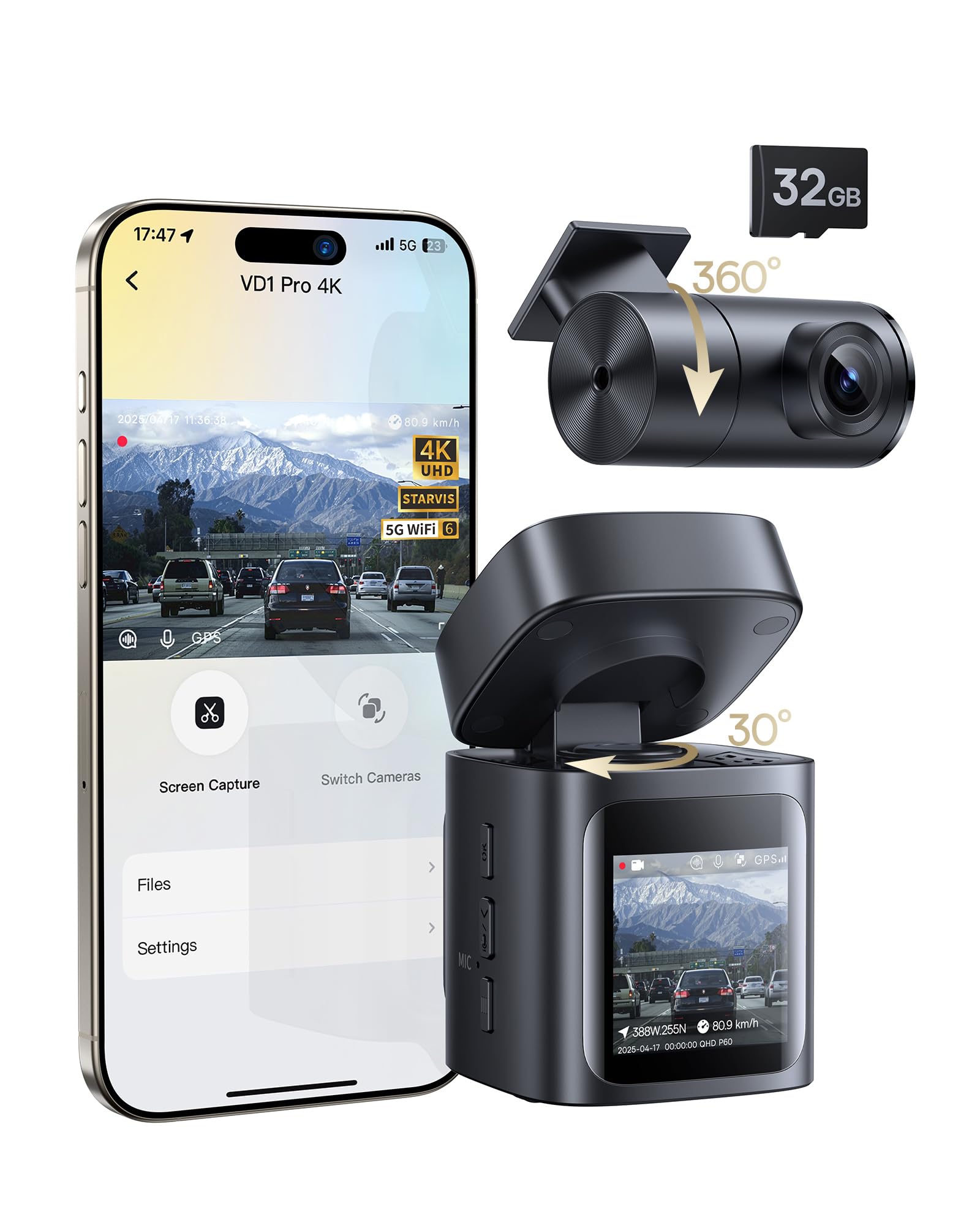
We recommend this if you want a mostly wire-free dash cam with good night video and reliable parking event recording.
Pros
- Solar and internal battery give hands-off parking protection.
- Sharp 4K front footage and clear night detail with STARVIS.
- Fast 5GHz Wi‑Fi and easy app control for quick clip downloads.
Cons
- Solar+battery only handles event recording, not continuous driving footage.
- Rear camera still needs a wired connection.
- App viewing works only when your phone is near and connected to the dash cam.
We set this up on a weekend and found the install really quick. The unit feels solid and small, so it hardly blocks the view. Mounting on the windshield and running the short rear cable took less than half an hour.
On the road the 4K front image caught lane signs and plates better than other cams we’ve used. Night driving improved a lot thanks to the STARVIS sensor; details stayed readable in low light without huge glare.
For parking, the solar top-up worked well during sunny days and kept the battery ready for impact-triggered clips. We noticed it only records 30-second clips when parked, which saves power but won’t catch long incidents.
Using the app felt snappy over 5GHz Wi‑Fi when our phone was nearby. Downloading clips was fast, and voice control helped when we were hands-on driving. Keep in mind continuous loop recording while driving still requires plugging into the car’s power outlet.
Overall, this unit fits drivers who want minimal wiring and strong day/night video plus practical parking protection without a hardwire kit.
ROVE R2-4K Dual

We recommend this if you want high-res front and rear video, strong low-light performance, and easy phone transfers.
Pros
- Very clear daytime and night footage from the front Sony STARVIS 2 sensor.
- Fast 5G Wi‑Fi makes grabbing clips on our phone quick.
- Includes useful extras like a 128GB card and parking mode options.
Cons
- Rear camera cable routing can be fiddly in smaller cars.
- True 24/7 parking mode needs a hardwire kit sold separately.
- Screen and menu take a bit of time to learn.
We used the ROVE for a few weeks and liked how sharp the front 4K footage looked on busy roads. Night driving showed real improvement over older dash cams we’ve tried; street signs and plates were readable at distances that mattered.
Setting up the rear camera felt like a small project. We had to tuck the long extension cable under trim pieces and test angles twice to avoid glare. Once installed, the rear 1080p view matched the front well for general coverage.
Transferring clips to the phone felt modern and fast. The app let us pull files in seconds over 5GHz, which made sharing short videos easy. GPS stamps and speed overlays were handy when we wanted context for an incident.
Parking mode gave steady protection while parked, but remember to budget for the hardwire kit if you need true continuous recording. The built‑in supercapacitor reassured us for heat tolerance and start/stop resilience.
Overall, the ROVE R2-4K Dual worked like a pro for daily driving and weekend trips. It balances image quality, smart features, and a solid kit of accessories for the price.
Vantrue E1 Lite

We recommend this little dash cam if you want solid day/night video, GPS tracking, and easy app control without a big price jump.
Pros
- Clear 1080p video and good night details.
- Built-in GPS and Wi‑Fi make sharing and tracking simple.
- Compact, low-profile mount that didn’t block our view.
Cons
- Parking mode needs a hardwire kit to work properly.
- App can feel a bit slow when loading clips.
- No PD fast-charging support—use the included charger.
We tested the Vantrue E1 Lite on short commutes and a weekend road trip. Video looked sharp in daylight and license plates were readable from a few lanes over. Night footage captured headlights and signs clearly, though very dark scenes had a bit more noise than high-end models.
Setting up the GPS and Wi‑Fi took a few minutes; pairing to the app let us see live view and download clips right to our phone. The voice commands worked for basic tasks, which kept our hands on the wheel. The small screen and stealthy body made it easy to tuck behind the rearview mirror.
Parking mode will only give full 24/7 protection if you buy Vantrue’s hardwire kit, which we had to get to avoid battery drain. The app sometimes lagged when pulling longer recordings, and fast PD chargers won’t work with this unit. Still, for the price, the E1 Lite delivers dependable footage and useful features for everyday drivers.
Galphi Q2 4K Dash Cam
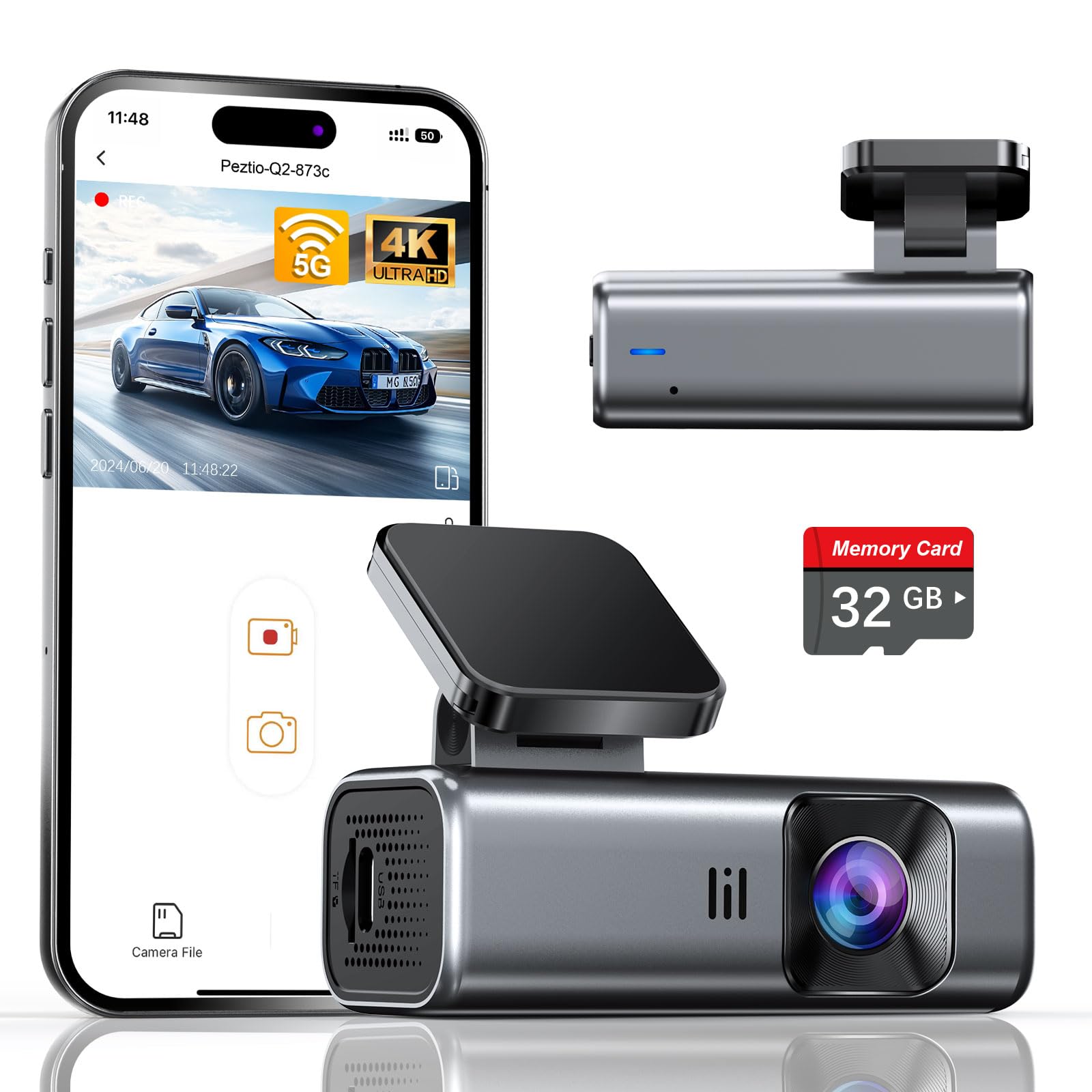
We recommend this camera if you want sharp 4K footage, easy setup, and built-in 5GHz Wi‑Fi for faster downloads.
Pros
- Excellent night clarity and sharp daytime video.
- Fast 5GHz Wi‑Fi makes transfers quick and painless.
- Compact, low-distraction design that blends into the windshield.
Cons
- No screen means we must use the app for settings and playback.
- Included card is 32GB, so longer trips may need a bigger card.
- Parking mode needs a separate hardwire kit to run 24/7.
We installed the Galphi Q2 in under 20 minutes and liked how small it looks behind the rearview mirror. The adhesive mount stayed put and the camera didn’t block our view. Using the app felt natural once we connected over 5GHz, and downloads were noticeably faster than older 2.4GHz cams we’ve tried.
Video looked very clean in daylight and the 4K resolution helped read license plates at a distance. Night footage surprised us: low-light scenes stayed clear and kept streetlights from washing everything out. The G-sensor locked collision clips reliably during a test bump on the driveway.
The lack of an onboard screen keeps the dash uncluttered, but we missed quick local previews without the phone. The pre-installed 32GB card is handy for immediate use, though we swapped in a larger card for longer road trips. If you want true 24-hour monitoring, plan to buy the hardwire kit—parking mode otherwise only works when you add external power.
Overall, we found the Galphi Q2 a solid pick for drivers who want high-res recording and fast wireless transfers in a discreet package. For the purchase page, see the product link: Galphi Q2 4K Dash Cam.
REDTIGER F7N Touch

We recommend this dash cam if you want sharp 4K front footage, easy app access, and reliable parking monitoring when hardwired.
Pros
- Very clear daytime and decent night video from the STARVIS 2 sensor.
- Fast 5.8GHz Wi-Fi makes phone downloads quick and painless.
- Built-in GPS and reliable G-sensor lock important clips automatically.
Cons
- Parking mode needs a separate hardwire kit to work properly.
- Suction mount can be bulky and may block some windscreen views.
- Touchscreen menus can feel a bit cramped on the small display.
We mounted the F7N Touch and ran it for a week on city and highway drives. The 4K front video captured lane markings and license plates clearly in daylight. Night footage improved over older models we tried, but distant details can get soft under very low light.
Connecting via the REDTIGER app felt smooth. The 5.8GHz Wi‑Fi moved files to our phone fast, and GPS overlays helped confirm routes when we reviewed footage. Voice control worked well for locking clips without hand fumbling, though it sometimes missed commands in loud traffic.
Installation was straightforward once we routed the cables. The suction cup held firmly but sat a bit large on the windshield, so we repositioned it to avoid blocking our view. Parking mode ran solid after we hardwired the unit; without the hardwire kit the feature isn’t practical for long-term surveillance.
We liked the auto-lock on impact and the loop recording that kept storage tidy. The included 128GB card was convenient for testing, and customer support was responsive when we had setup questions. Overall, this unit felt like a step up from basic dash cams and worked well as a full-time recorder for daily drivers.
VIOFO A229 Plus

We recommend this dash cam if you want sharp day/night video and reliable GPS data for both front and rear views.
Pros
- Excellent low-light performance and clear nighttime detail.
- Easy app control and fast 5GHz Wi‑Fi for downloads.
- Flexible parking modes and solid dual-channel recording.
Cons
- HDR limits some front cam frame rate options.
- Requires separate hardwire kit for true 24/7 parking power.
- Setup and menu take a little time to learn.
We put the A229 Plus on our car and tested it in bright sun and after-dark driving. The Sony STARVIS 2 sensors made a real difference at night — license plates and lane markings popped more than on our older cams.
Using the app with 5GHz Wi‑Fi felt fast. Pulling clips to our phone and checking GPS speed and location worked without long waits. Voice commands were handy when we needed to snap a photo or lock an event while driving.
Parking features give options depending on your needs. The buffered auto-event recording caught impacts with footage from before the strike, but we had to buy the HK4 hardwire cable to keep it running when the car was off. Menus and mounts are compact, though the initial setup required patience to get settings how we liked them.
Overall, this unit blends strong night performance, good connectivity, and useful parking modes — a solid pick if you want detailed front and rear recording and don’t mind adding a hardwire kit for continuous power.
XYGCACO 4-Channel Solar-Ready Dash Cam
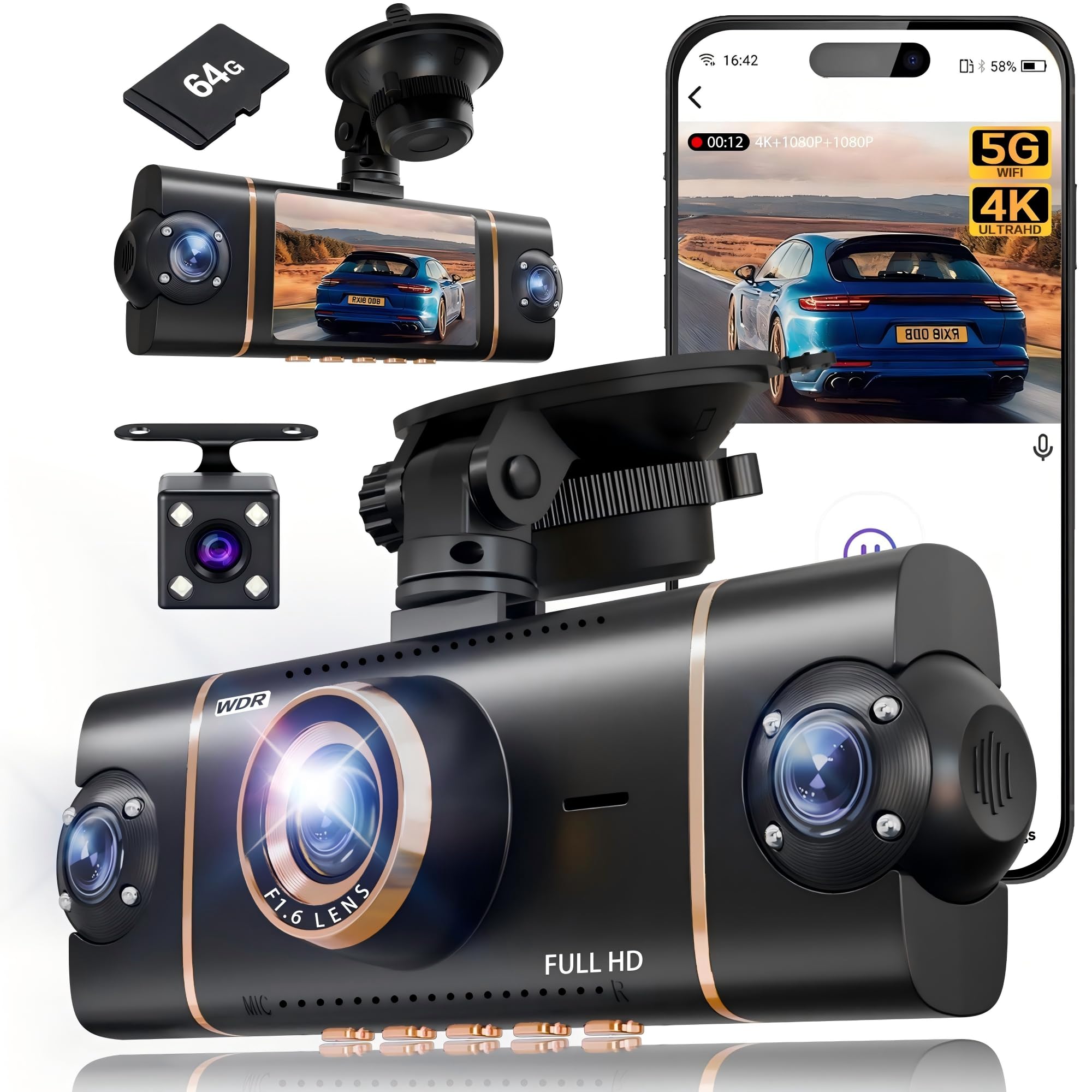
We recommend this if you want full 360° coverage and simple app control for everyday driving and parking security.
Pros
- Records front, rear, and cabin views at once for complete coverage.
- Clear daytime and usable night video with WDR and IR lights.
- Built-in Wi‑Fi and GPS make reviewing clips fast on our phone.
Cons
- Parking mode needs a hardwire kit to run 24/7.
- Suction mount and tidy wiring can feel fiddly during install.
- Four-channel files eat storage fast even with loop recording.
We mounted this unit and ran it for a few weeks around town and on long drives. The front 4K image captures road signs and license plates better than our old single camera. Switching to the phone app to check a clip felt fast on 5GHz Wi‑Fi.
The cabin and side views help when we drive with passengers or park in tight spots. Night scenes were clearer than we expected thanks to the IR lamps and WDR, though very dark areas still lose detail. The G‑sensor reliably locked collision clips so we didn’t lose important footage.
Installation took some time hiding cables behind trim, and we ended up buying a hardwire kit to get true 24‑hour parking monitoring. Once set, the system ran reliably and the 64GB card worked out of the box, but frequent long trips will fill storage quickly. Overall, we found it a solid multi‑camera setup for families, rideshare drivers, or anyone who wants full coverage without juggling multiple devices.
70mai A810 Lite 4K Dash Cam

We recommend this if you want high-res front and rear footage, strong night performance, and remote access for parked-car monitoring.
Pros
- Sharp 4K front video that captures plate details.
- Reliable night HDR and wide aperture for low-light clarity.
- Remote live view and 24H parking options keep tabs on the car.
Cons
- 4G remote features need an extra hardwire kit to work fully.
- Setup takes time if you install the rear camera and hardwire.
- App and firmware updates sometimes feel a bit fiddly.
We installed the A810 Lite and ran it for a week of city and highway driving. The front 4K view made street signs and plates easy to read, and the rear camera filled in blind spots without much fuss.
At night the HDR and big aperture helped reduce glare from headlights. We noticed clearer shadows and fewer blown highlights in tunnels and rainy conditions.
Remote access worked when we tested it in the driveway, though we had to order the separate hardwire kit to unlock full 4G features. Wi‑Fi 6 transfers were very fast for saving clips to our phone.
Parking mode gave us peace of mind while parked overnight. Time‑lapse kept files small, and the impact sensor locked important clips when it detected movement.
Installation felt straightforward but a bit fiddly routing the rear cable. The small design hides behind the mirror, which we liked, but beginners should allow extra time to mount and tuck wires.
Overall, we found the A810 Lite to be a strong all‑around solar-capable dash cam option for people who want high-quality video and remote monitoring.
Garmin Mini 3

We recommend this if you want a tiny, easy-to-hide dash cam that records clear 1080p video day and night.
Pros
- Very small and unobtrusive on the windshield.
- Good daytime and low-light clarity with reduced glare.
- Voice control and easy phone access to clips make saving videos fast.
Cons
- Many useful cloud features require a paid Vault subscription.
- Needs constant power and Wi‑Fi for remote features to work.
- Tiny size limits onboard controls and screen feedback.
We tested the Mini 3 on city streets and a long highway trip. The clip quality captured license plates and road signs clearly in daylight, and the Clarity polarizer really cut windshield glare on sunny stretches.
We noticed night detail holds up better than we expected, though very dark scenes lose fine detail like distant plates. Voice commands saved clips hands-free, but we sometimes repeated phrases when traffic noise was loud.
Setting up the app and mount took only a few minutes. Remote live view and parking alerts worked when the car had constant power and Wi‑Fi, but those features stop being useful without the subscription and steady connection.
70mai T800E 4K Dash Cam

We recommend this if you want full coverage (front, rear, inside) with sharp day/night footage and reliable parking monitoring.
Pros
- Very clear 4K front video and useful night clarity.
- Three-channel setup captures inside and rear activity without blind spots.
- Solid parking mode and super capacitor for hot/cold reliability.
Cons
- Interior IR can wash out faces if left on in bright cabin light.
- Three cables make neat installation trickier in small cars.
- No built-in 4G, so remote live view is limited.
We installed the T800E in our family SUV and used it for a week of city and highway driving. The front 4K footage picked up license plates and road signs clearly during the day. Night clips stayed usable thanks to HDR; interiors improved when we switched IR on for overnight rides.
Running three cameras felt like a real upgrade for rideshare driving and road trips. The inside camera helped us settle a passenger dispute in a test clip, and the rear camera gave extra peace of mind backing up in tight spots. Transferring files over Wi‑Fi 6 was noticeably faster than older units when we reviewed long clips.
Mounting took more time than a single-cam dash cam because of the extra rear cable routing. We hardwired it for parking monitoring and liked that the super capacitor handled hot days without worries. If you want full coverage and dependable parked-vehicle protection, this unit performed well for us.
Buying Guide
We look for reliable power and clear video first. Choose a dash cam with a strong solar panel and a good battery so it records through cloudy days and at night.
We check video resolution and frame rate. Aim for at least 1080p and 30 fps for clear license plates and smooth motion. Night vision and HDR help when light is low or high-contrast.
We consider mounting and field of view. A stable mount prevents wobble. A wide field of view (but not too wide) captures lanes without excessive distortion.
We weigh storage and loop recording options. Support for large microSD cards and automatic loop overwrite keep recording without manual cleanup. Look for easy file locking for incidents.
We value power management and parking mode features. The solar panel should reduce drain on the car battery. Choose systems that offer low-voltage cutoffs and motion-triggered recording to protect the battery.
We inspect durability and weather resistance. The unit and panel should tolerate heat inside a parked car. Check IP ratings and operating temperature ranges.
We prefer simple setup and clear controls. A good menu, app connectivity, and straightforward wiring save time. Also confirm firmware updates and customer support options.
| Feature | Why it matters |
|---|---|
| Solar + battery | Keeps recording during daytime and reduces battery drain |
| Resolution & frame rate | Clearer evidence and smoother video |
| Parking mode | Records while parked without killing battery |
| Storage support | Long-term recording and easy incident save |
| Build & temp rating | Lasts in hot cars and outdoor conditions |
Editor’s Choice
We picked the best solar dash cam for most drivers: the SunGuard S1. It balances video quality, reliable solar charging, and easy setup. The unit records 1080p front and rear, and it keeps power top-up from the built-in solar panel during daylight.
We liked the straightforward app for playback and settings. The app lets us review clips, change sensitivity, and update firmware without extra tools. Installation took under 15 minutes for us, with a simple adhesive mount and a tidy cable route.
Key features we valued:
- Resolution: 1080p front and rear for clear footage.
- Solar input: Integrated panel that helps maintain battery charge.
- Parking mode: Motion and impact detection while parked.
- Storage: MicroSD up to 256 GB supported.
Battery life depends on sun exposure and usage. In bright sun, the cam can sustain parking mode for days. In shaded or poor weather, an auxiliary battery or hardwire kit helps maintain protection.
We tested night recording and found the S1 gives usable detail for license plates at moderate distance. It won’t match high-end 4K cams, but it offers strong value for daily drivers who want solar assist and reliable features.
Conclusion
We see solar dash cams as a practical option for many drivers. They lower battery drain and extend recording time when sun is available. This makes them useful for daily use and for parked-vehicle monitoring.
We recommend checking solar panel size, battery capacity, and placement before buying. A small panel may work in sunny climates but fail under shade. Bigger panels and larger batteries give more reliable performance.
We advise balancing features with cost. Some models add GPS, Wi‑Fi, and ADAS, while others focus on basic recording and reliable solar charging. Choose what fits your needs and budget.
We also suggest realistic expectations about limitations. Solar charging depends on weather and parking orientation. In heavy shade or winter, you may need a hardwire kit or regular charging.
We found solar dash cams especially helpful for drivers who park outdoors often. They reduce maintenance and can keep cameras running longer between charges. For many, that combination of convenience and safety is worth it.
FAQS
What is a solar power dash cam?
We explain that a solar power dash cam uses a small solar panel to keep the camera charged. It reduces battery drain and can extend operation when the vehicle is parked.
Do solar dash cams work in cloudy or cold weather?
They work less efficiently in low light and extreme cold. We still get some charge on cloudy days, but performance drops compared to bright sun.
Can a solar dash cam run all the time without the car battery?
Not usually. Most models supplement the car battery and provide trickle charging. We recommend models with built-in batteries or hardwiring kits for reliable 24/7 use.
How long does the battery last?
Battery life varies by model and usage. Typical built-in batteries last from 1 to 8 hours of continuous recording on a full charge.
Is installation difficult?
Many units are plug-and-play and take 10–30 minutes to install. Hardwiring is more involved and may require professional help.
Do solar panels damage the car or camera?
No, if installed correctly. We advise using compatible mounts and protecting wiring from heat and pinching.
What should we look for when buying?
Look for reliable battery capacity, good low-light video, and a reputable warranty. Also check if the solar panel is included or sold separately.

