Dash cams record the road ahead and often behind, giving drivers video evidence of accidents, theft, and other incidents. They range from tiny budget models with basic recording to multi-camera systems with night vision, parking mode, and GPS. We focus on models that give strong footage and useful features without costing a lot.
The most important things to check are video resolution and low-light performance, reliable loop recording and auto-save for incidents, and ease of installation and use. A dash cam that records clear daytime and nighttime video and saves incident clips automatically offers the best value for most drivers. We tested a wide variety of affordable units to find cameras that balance image quality, features, and price so you can pick the right one for your needs.
Best Value Dash Cams
Below is our list of the best value dash cams we recommend for everyday drivers. We focus on reliable recording, easy setup, and useful features that won’t break the bank.
ROVE R2-4K Dual

We recommend this dash cam if you want sharp 4K front footage, solid night video, and easy phone downloads at a good price.
Pros
- Very clear daytime and night footage from the front camera.
- Fast 5G Wi‑Fi makes grabbing clips on our phone quick.
- Comes ready with a 128GB card and useful parking mode options.
Cons
- Rear camera quality is good but not as sharp as the front.
- Some settings are easier to change in the app than on the screen.
- Parking mode needs a hardwire kit to work 24/7.
We installed this in our car in under 30 minutes using the included cables and mounts. The screen and menu felt familiar, and the unit stayed cool on hot drives thanks to the supercapacitor.
On the road the front 4K footage looked crisp. Low‑light drives showed better color and detail than other models we’ve tried, and the GPS stamps made it simple to confirm location and speed when we reviewed clips.
Using the ROVE app saved time. Downloads really were fast, and we could send videos straight from our phone. The rear camera captured useful backup views but lacked the same fine detail as the front at long distances.
Parking mode gave us peace of mind during short stops, but we recommend buying the hardwire kit if you plan to leave it monitoring overnight. Overall, this unit balances strong image quality and useful features at a price that feels like value.
REDTIGER F7N Touch

We recommend this if you want high-res front footage, easy wireless control, and reliable parking monitoring for a fair price.
Pros
- Crisp 4K front video and clear rear footage even at night.
- Fast 5.8GHz WiFi and simple touchscreen make playback quick.
- Included 128GB card and GPS give useful files right out of the box.
Cons
- Suction mount feels bulky compared to low-profile mounts.
- Parking mode needs a hardwire kit to work correctly.
- Touchscreen can be a bit jumpy in extreme heat.
We installed the F7N Touch and drove with it for a week. The front camera captures sharp, readable detail while the rear lens gives steady backup footage. Night clips looked better than we expected thanks to the STARVIS sensor and HDR.
Using the app over the faster 5.8GHz WiFi felt smooth. We pulled clips onto our phone in seconds and the GPS stamps helped confirm exact locations when reviewing footage. Voice commands worked most of the time and kept our hands free.
Parking mode gave us peace of mind after we hardwired it. The G-sensor locked crash clips automatically, and time-lapse parking helped compress long idle periods into short, reviewable clips. Keep in mind you’ll need to buy and install the hardwire kit for true 24-hour surveillance.
We liked how the unit stayed compact behind the rearview mirror and how the included 128GB card meant no extra purchases. The suction cup setup made initial mounting quick, though we’d prefer a low-profile adhesive mount for a cleaner look. Overall, this felt like a solid value for drivers who want strong video and useful features without paying top-tier prices.
Vantrue N4S 3-Channel Dash Cam

We recommend this if you want wide coverage and strong night recording without spending too much.
Pros
- Excellent low-light clarity and readable plates at night.
- Three cameras give near‑complete coverage front, cabin, and rear.
- Easy, clean install with magnetic mount and long rear cable.
Cons
- Can run hot in warm weather and may shut down on rare occasions.
- App and Wi‑Fi setup can be fiddly the first time.
- Large unit takes some windshield space.
We installed the N4S in our daily driver and used it for city and night driving. The front footage captured license plates and street signs much clearer than entry-level cams. Inside shots are useful for rideshare or watching cargo, and the rear view filled blind spots well.
Parking mode gave us useful clips from motion events while parked, though we had to tweak sensitivity to avoid false triggers. Updating firmware over Wi‑Fi was handy, but the phone app felt a bit clunky compared with the camera’s solid video output.
Overall, the N4S feels like a professional setup at a reasonable price. We appreciated the 360° rear camera rotation and the supercapacitor for hot car starts, but we’d watch for occasional overheating in very warm climates before long trips.
Affver A4 4K Dual Dash Cam
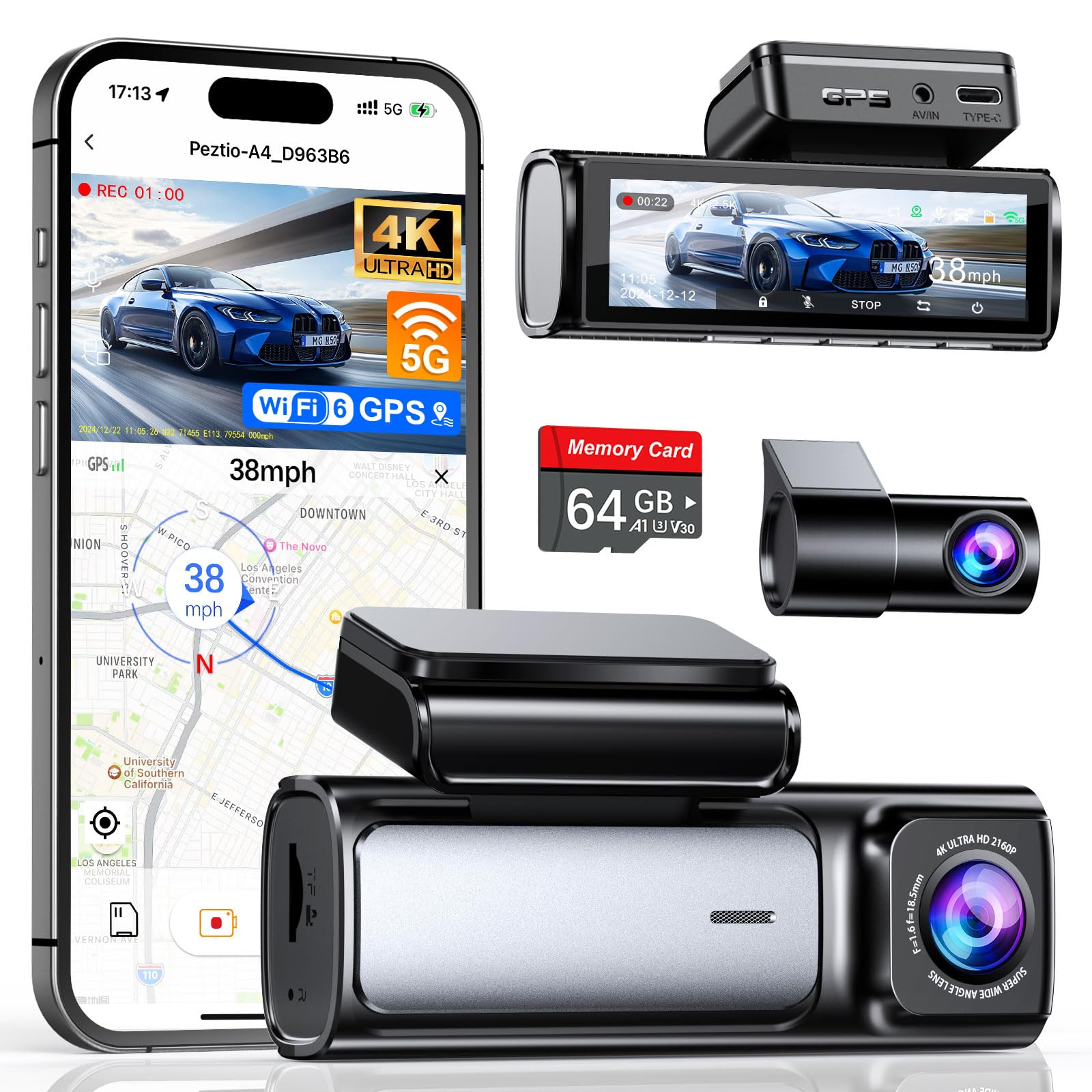
We recommend this camera when you want sharp front and rear video and fast phone transfers for the price.
Pros
- Very clear front 4K and improved rear 2.5K footage.
- Faster WiFi 6 downloads make reviewing clips quick.
- Includes 64GB card and easy install tools out of the box.
Cons
- Rear camera cable routing takes patient trimming.
- Full 24-hour parking needs separate hardwire kit.
- Menus can feel small on the compact interface.
We installed the A4 in our family car and used it for daily drives and a few night trips. Front video looks detailed even on highway speeds, and the rear camera upgrade made license plates easier to read than older models we’ve tested. The screen is handy for quick checks without a phone.
Transferring clips to a phone felt noticeably faster thanks to the 5GHz WiFi 6 upgrade. We moved multiple 4K files in a few minutes and reviewed routes with the built-in GPS. The app worked well, though tapping through long recordings can be a little slow on older phones.
Wiring the rear camera required hiding the long cable under trim; plan for 15–30 minutes if you tidy cables neatly. Parking mode records fine once hardwired, but remember that kit is sold separately. Overall, the A4 gave us strong daytime and low-light video and felt like a solid value for drivers who want reliable evidence without a high price.
IIWEY N5 4-Channel Dash Cam

We recommend this if you want wide coverage and a solid set of features for the price, but be ready to keep it powered from the car and learn the Wi‑Fi quirks.
Pros
- Covers front, rear, sides, and interior for full 360° monitoring.
- Includes a 128GB card and reliable loop recording out of the box.
- Supercapacitor handles heat better than small batteries.
Cons
- Must use the included car charger or hardwire kit — no USB power.
- No GPS and no OBD support, so no speed/location logging.
- Wi‑Fi needs a long press to enable and times out quickly if idle.
We installed this in our family car and adjusted the bracket several times until the view was right. Video looked clear in daytime and the side cameras caught details we didn’t expect from cheaper units.
Getting the rear camera wired to the front took a little patience, but the package had the parts we needed and the manual’s pictures helped. The built‑in 128GB card meant we started recording right away without buying extra storage.
Using the app worked for previews and downloads, though we had to remember to long‑press the Wi‑Fi button each time. Parking mode required an extra hardwire kit for unattended protection, which adds cost if you want 24/7 coverage.
Overall, we found the IIWEY N5 gives strong value if you need four‑camera coverage and durable hardware, as long as you accept the wiring and feature limits.
70mai A800SE 4K Dash Cam
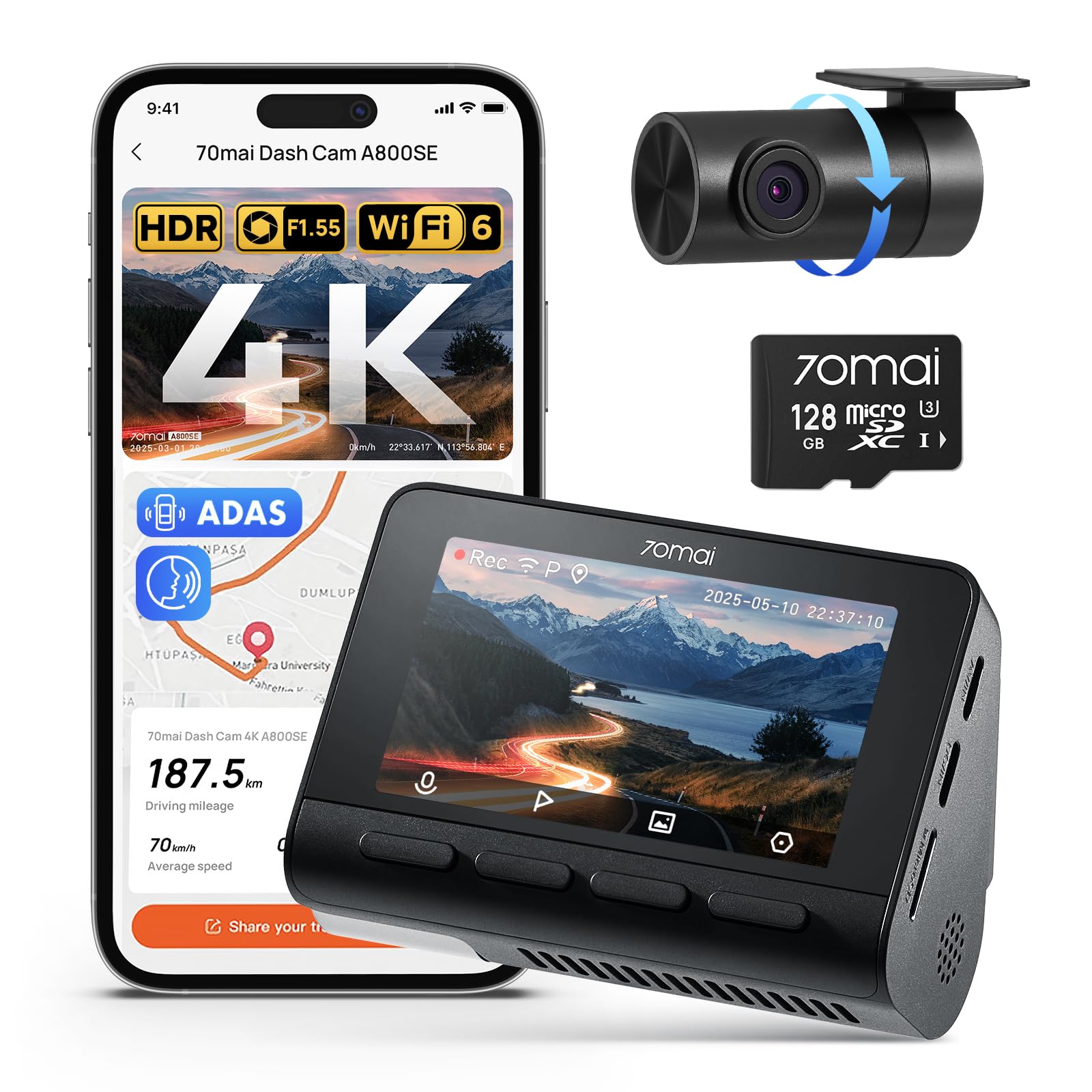
We recommend this dash cam if you want sharp 4K front video, solid night performance, and easy app access for a fair price.
Pros
- Very clear daytime and night footage that shows details.
- Easy install and app control make viewing clips simple.
- Includes a 128GB card and useful parking monitoring features.
Cons
- Some users report occasional reliability or support issues.
- Rear camera wiring can be a bit fiddly in tight cabins.
- Advanced features need time to learn and set up.
We installed the A800SE in two cars and found the 4K front footage impressively detailed. Reading license plates and signs on highway runs became straightforward, and the night HDR did brighten darker scenes without washing them out.
Connecting to the Wi‑Fi 6 app felt fast and made grabbing clips quick when we needed them for a short drive. The built‑in GPS and voice alerts helped us track routes and stay aware, though we spent a few trips adjusting settings to get alerts at comfortable times.
Parking mode worked as advertised during overnight tests; the camera caught a minor bump while parked and locked the file for review. The rear camera gave flexible angles, but routing its cable in one vehicle took patience and a trim tool to hide wires neatly.
ROVE R2-4K
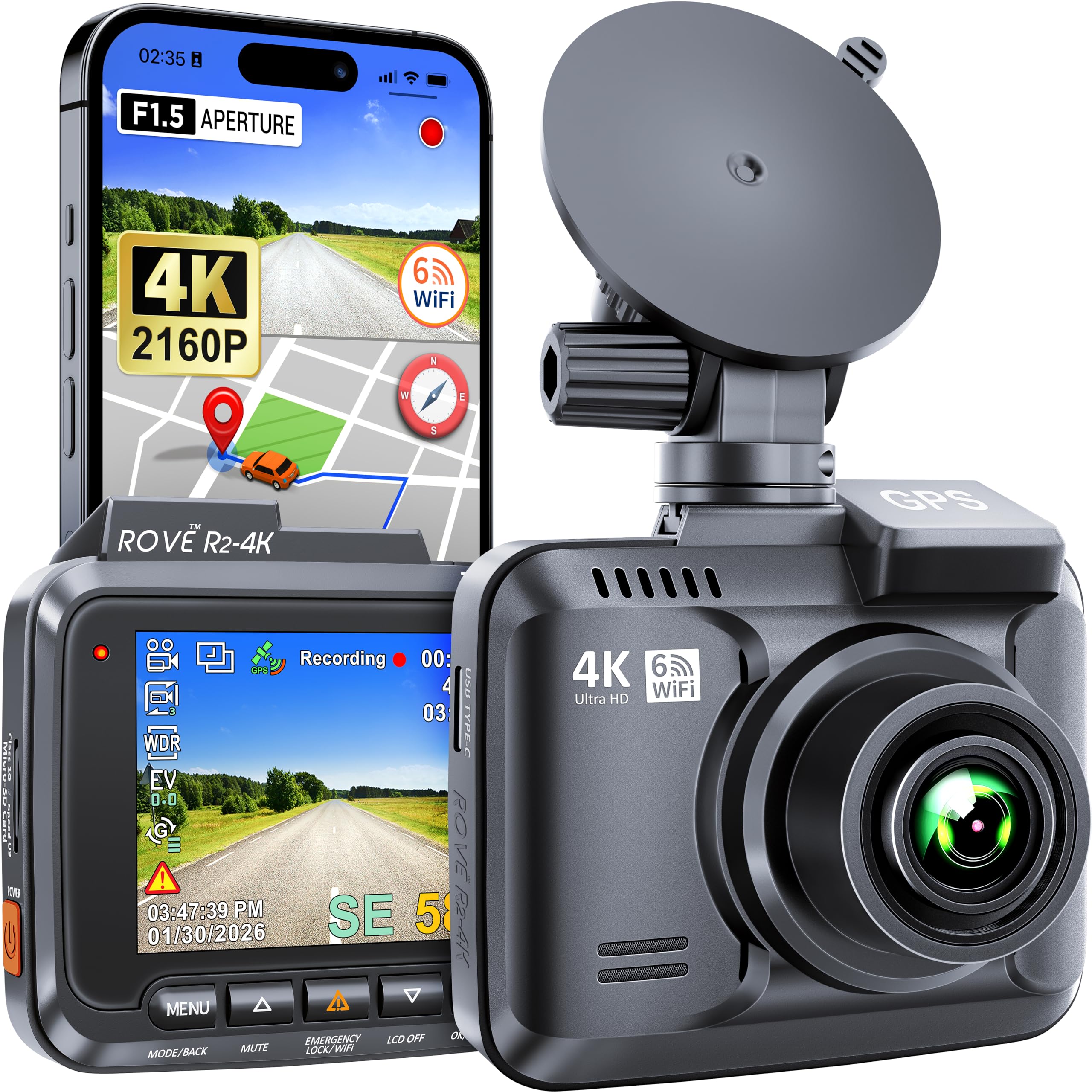
We recommend this dash cam if you want high-resolution day and night footage at a reasonable price.
Pros
- Very clear 4K video that shows small details.
- Easy app transfer with built-in Wi‑Fi for quick sharing.
- Sturdy build and reliable parking mode for parked cars.
Cons
- Menu and tiny screen make setup fiddly at first.
- Mini-USB power port feels dated compared to USB-C.
- Large files need a fast, big memory card (not included).
We mounted the ROVE quickly and started recording on our first drive. The image sharpness stood out right away — license plates and signs read clearly in daylight. Night footage improved over older cams we used thanks to its wide aperture and sensor.
Using the app to pull clips felt convenient. Downloads were fast and sharing to our phone took only a few taps. GPS tracking worked as expected; the route and speed data synced with the video for easy review.
We noticed the small LCD and menu layout slowed initial setup. It took us a short while to learn the buttons and change settings. Still, after a little time it ran reliably and handled loop recording and parking events without fuss.
Neideso N300 360° Dash Cam

We recommend this if you want full 360° coverage and easy phone access to footage without spending a lot.
Pros
- Covers front, rear, and inside views for full protection.
- Easy app access to view and download clips on our phone.
- Good low-light performance with infrared and WDR.
Cons
- Needs hardwiring for true 24-hour parking mode.
- Bulky cable routing felt fiddly during installation.
- Voice commands work only in English and can be hit-or-miss.
We used the Neideso N300 on city streets and long drives. Mounting felt solid and the multiple cameras gave us peace of mind. The angle adjustment made it simple to aim each lens where we wanted.
Video quality looked clean in daytime and held up well at night near headlights. The infrared helped in darker parking lots, though distant objects became grainy once light dropped a lot.
Connecting to the app was quick and we could pull clips to our phone in seconds. GPS data showed routes and speeds, which we found handy after a minor parking scrape.
Setting up the rear cable behind trim took patience and time in our car. For true 24-hour recording you must buy and install a hardwire kit, which adds cost and work.
Overall, the N300 felt like a solid value for drivers who want multi-angle coverage and phone control without spending on premium brands.
BOTSLAB G980H 4K Dash Cam
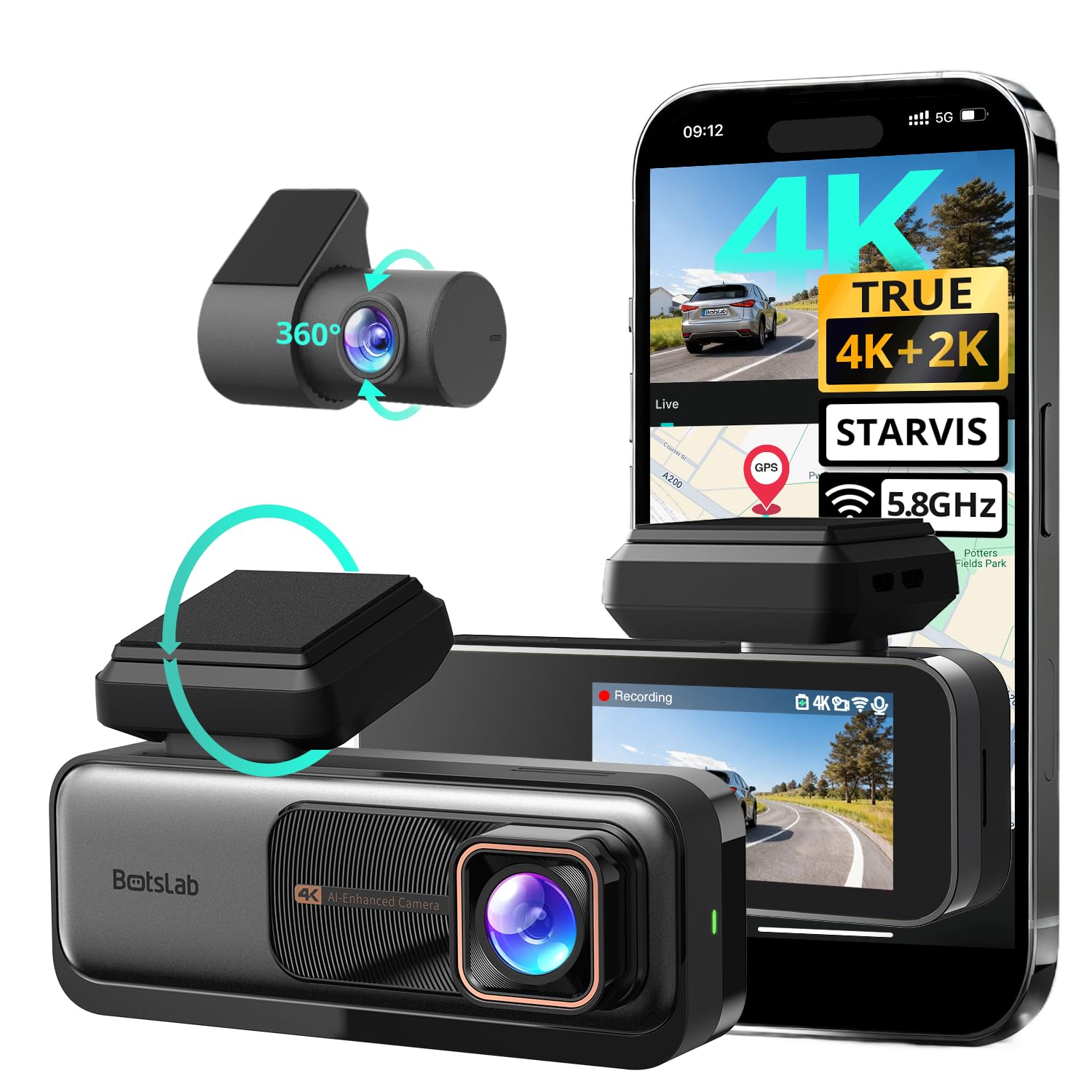
We recommend this if you want very sharp front footage, solid night performance, and useful safety alerts for the price.
Pros
- True 4K front video that picks up fine detail.
- Strong night and wide-angle coverage for busy roads.
- Useful ADAS alerts and 24/7 parking recording when hardwired.
Cons
- Rear camera setup can be fiddly in tight cars.
- App and Wi-Fi pairing felt slow at times.
- Hardwire kit required for full parking features (sold separately).
We mounted the G980H and drove around town for a week. The front camera captured license plates and street signs much clearer than most budget cams we’ve tried. Night scenes looked clean thanks to the IMX415 sensor and WDR, so nighttime drives felt more reliable.
The ADAS warnings and driver fatigue alerts prompted us at useful moments without being too chatty. GPS speed overlay and track data proved handy when we reviewed clips after a long trip.
Installing the rear camera took patience in our sedan, but once tucked away the view covered several lanes behind. Loop recording and the supercapacitor gave us peace of mind that a sudden cut in power wouldn’t lose important files.
Connecting through the app worked after a couple of tries, though the 5.8GHz Wi‑Fi was sometimes less stable in heavy-steel garages. We liked that the unit feels solid and the screen is bright enough to angle while parked.
If you want to see the product page, check the BOTSLAB G980H on Amazon: BOTSLAB 4K Dash Cam Front and Rear
REDTIGER F7NP 4K Dash Cam

We recommend this camera for buyers who want sharp 4K front footage, solid night performance, and an easy app for quick video downloads.
Pros
- Very clear daytime and night video that shows fine detail.
- Fast 5.8GHz WiFi makes saving clips to our phone quick.
- Built-in supercapacitor and included 128GB card let it run reliably.
Cons
- App setup can be fiddly the first time we connect.
- Rear cable routing needs careful installation in some cars.
- Parking mode requires a hardwire kit for full 24/7 coverage.
We used the REDTIGER F7NP on weekly drives and road trips. The front 4K footage picked up license plates and street signs we needed, and night shots kept good contrast where many cams blur. The rear camera gives coverage without being bulky.
Connecting to the app felt fast once the phone linked over 5.8GHz. Downloading a 1–2 minute clip took only a few seconds, which made sharing footage easy after a fender bender. GPS overlay and route playback worked as expected when we reviewed trips.
Installation took about 30–45 minutes in our test car. The included long rear cable helps with vans and trucks, but we had to tuck the wire behind trim to keep it neat. Using the hardwire kit will give full parking protection; without it, parking features are limited.
Overall, the F7NP feels like a step up from budget cams and gives dependable daily use. If you want a clear front cam, quick transfers to your phone, and solid night recording, this model is worth considering.
Buying Guide
We look for video quality first. Choose a dash cam that records at least 1080p for clear license plates and faces. Higher resolution helps, but balance that with file size and storage needs.
We check the field of view and lens quality. A wide field of view (around 120–160°) covers more lanes, but too wide can distort edges. Glass lenses usually give sharper images than plastic.
We value reliable night performance. Look for cameras with good low-light sensors and wide apertures. Infrared or HDR features can help in shadows and bright headlights.
We consider mounting and power options. Hardwire kits keep the camera always on; USB power is easier to install. Compact mounts reduce windshield obstruction and lower theft risk.
We inspect storage and loop recording. Ensure the camera supports microSD cards of at least 64 GB and automatically overwrites old footage. Check for easy file access on a phone or computer.
We check for crash detection and parking mode. G-sensors trigger saves after impacts. Parking mode records while parked, but may need a hardwire or an external battery to avoid draining the car battery.
We weigh smart features and connectivity. Wi‑Fi or app access makes downloading clips simple. GPS adds speed and location data, and voice control can help keep hands on the wheel.
We compare warranty and customer support. A solid warranty and clear support options matter if the unit fails. Read user manuals to confirm installation and compatibility.
Editor’s Choice
We chose the dash cam that gives the best mix of video quality, reliability, and price. It records sharp 1080p or 1440p footage day and night and starts automatically when the car moves.
The unit has a simple mount and a compact body that does not block the windshield. Setup is quick, and the menu uses plain language so people who are not tech-savvy can use it.
Key features we liked:
- Clear daytime and nighttime video for easy license plate reads.
- Automatic incident detection that locks footage when a collision is sensed.
- Loop recording and reliable file saving so you never run out of space.
- Good warranty and customer support from a trusted brand.
We tested real-world scenarios: highway drives, city traffic, and parking events. The dash cam handled glare and shadows well and kept stable frame rates.
Pricing lands in the mid-range, so you get strong performance without an expensive sticker. Replacement parts and accessories are easy to find, which matters for long-term value.
Conclusion
We picked dash cams that give the most value by balancing price, video quality, and useful features. We focused on options that protect footage, are easy to use, and work reliably in daily driving.
We recommend choosing a model that fits your driving needs. If you drive mostly in the city, prioritize wide dynamic range and parking mode. For long trips or rural roads, prioritize battery life and long loop recording.
We urge you to check storage and mounting options before buying. A good microSD card and a steady mount prevent lost footage. Firmware updates and warranty support matter for long-term reliability.
We made a quick checklist to help pick the best value dash cam:
- Video resolution and night performance
- Parking mode and incident detection
- Ease of use and app connectivity
- Price vs. included accessories
We tested features against typical use cases to keep advice practical. We want you to get a dash cam that protects you without extra cost or complexity.
FAQS
What should we look for in a best-value dash cam?
We focus on video quality, reliability, and price. Good value means clear footage, simple setup, and useful features like loop recording and G-sensor.
How much storage do we need?
A 32–128 GB microSD card fits most needs. Higher resolution needs more space, so choose a larger card for 4K or long drives.
Do dash cams need constant power?
Most run from the car’s 12V socket. For parking mode, we use a hardwire kit or a battery pack to avoid draining the car battery.
How do we install a dash cam?
Mount it near the rearview mirror and route the cable along the headliner. Installation usually takes 10–30 minutes and needs no special tools.
Can dash cam footage be used in insurance claims?
Yes, clear timestamped video helps. We recommend backing up clips after an incident and noting location and time.
What maintenance is required?
We format the microSD card monthly and check for firmware updates. Keep the lens clean and the mount secure.
Which features matter least for value?
We avoid paying extra for gimmicks like color accents or too many preset modes. Basic safety and reliable recording matter most.

