Dash cams record what happens on the road so drivers have clear, dated evidence after a crash, theft, or other incidents. Discreet dash cams do this while staying small and low-profile so they don’t block your view or draw attention. They often mount behind the rearview mirror or tuck into the headliner for a near-invisible fit.
When choosing a discreet dash cam, the key things to watch are image quality in low light, field of view, mounting style, and how the unit records and saves footage. Good night performance and reliable recording are the most important features because blurry or missing footage defeats the point of having a dash cam. We tested a range of low-profile models to find the ones that balance concealment, reliability, and video clarity to help you pick the right unit.
Best Discreet Dash Cams
Below is our full list of the best discreet dash cams. We tested models that hide well, record clear video, and keep features simple. Use our picks to find a compact, reliable camera that fits your car and budget.
Galphi Q2 4K Dash Cam
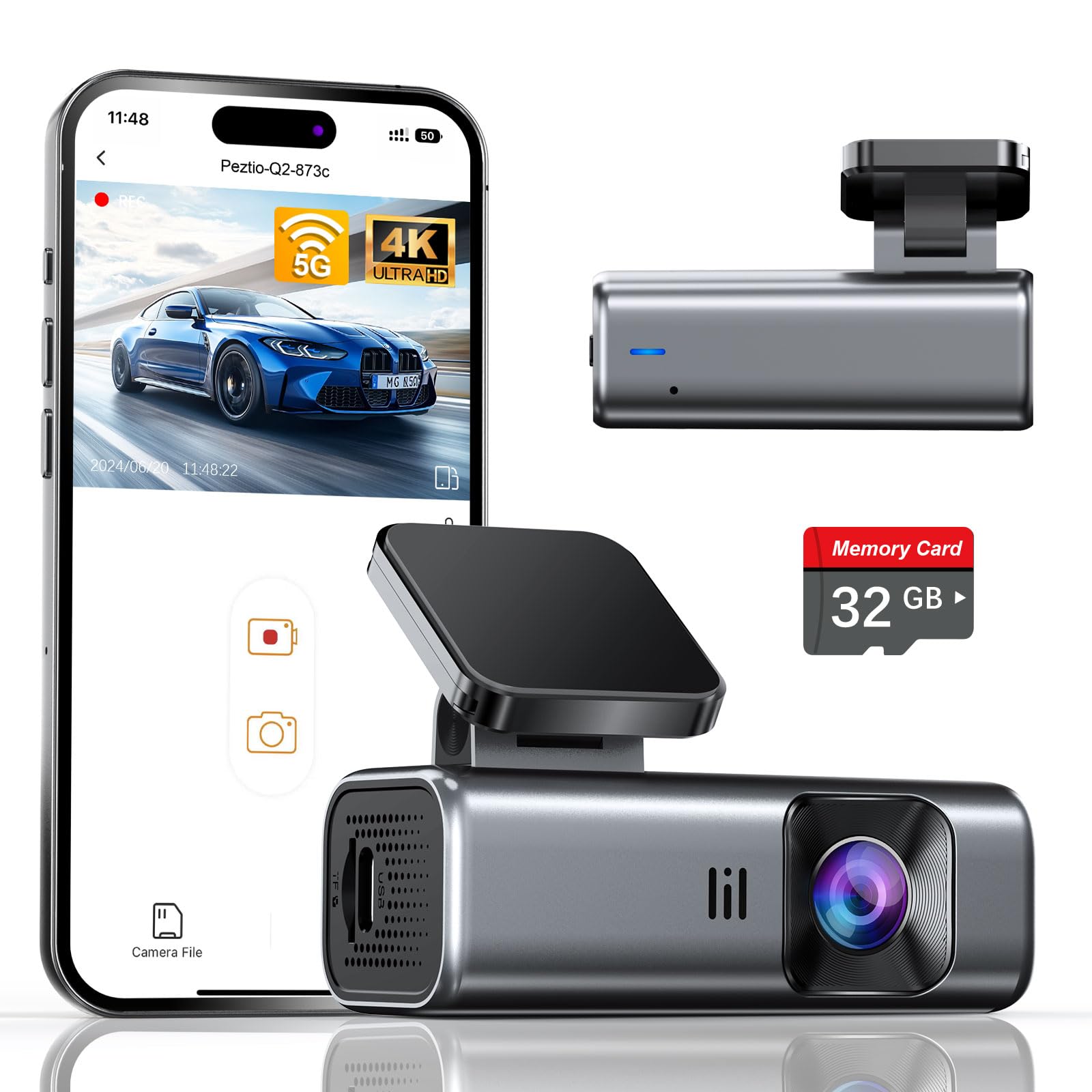
We recommend this camera if you want a small, truly discreet dash cam that records sharp 4K footage and is ready to use out of the box.
Pros
- Tiny, low-profile design that stays out of sight
- Clear day and night video with easy Wi‑Fi transfers
- Includes a 32GB card so setup is fast
Cons
- No screen means you must use the app to check footage
- Parking mode needs a hardwire kit for full 24/7 use
- Included card is smaller than past bundles (32GB vs 64GB)
We mounted the Galphi Q2 behind the rearview mirror and it basically disappeared. The slim body didn’t block our sightline and felt solid on the adhesive pad. Installation was quick and the included trim tool helped hide the cable cleanly.
Recording quality surprised us for such a small unit. Daytime video showed good detail and the night footage stayed usable thanks to the wide aperture and WDR. License plates and signs were readable at common distances in our tests.
Using the app over 5GHz Wi‑Fi made downloading clips much faster than older cams we’ve used. We did notice you can’t preview files on the camera itself, so you must have your phone handy to play back or change settings.
Parking mode worked reliably when we tested with a hardwired power source, but without the hardwire kit the camera won’t monitor the car while truly off. Loop recording and the G‑sensor locked accident clips so important footage didn’t get overwritten during longer drives.
Overall, we liked how discreet and capable the Q2 feels on the windshield and how it simplifies setup with a preinstalled card; just be ready to use the app and consider the hardwire kit if you need nonstop parking surveillance.
Pioneer VREC-H120SC
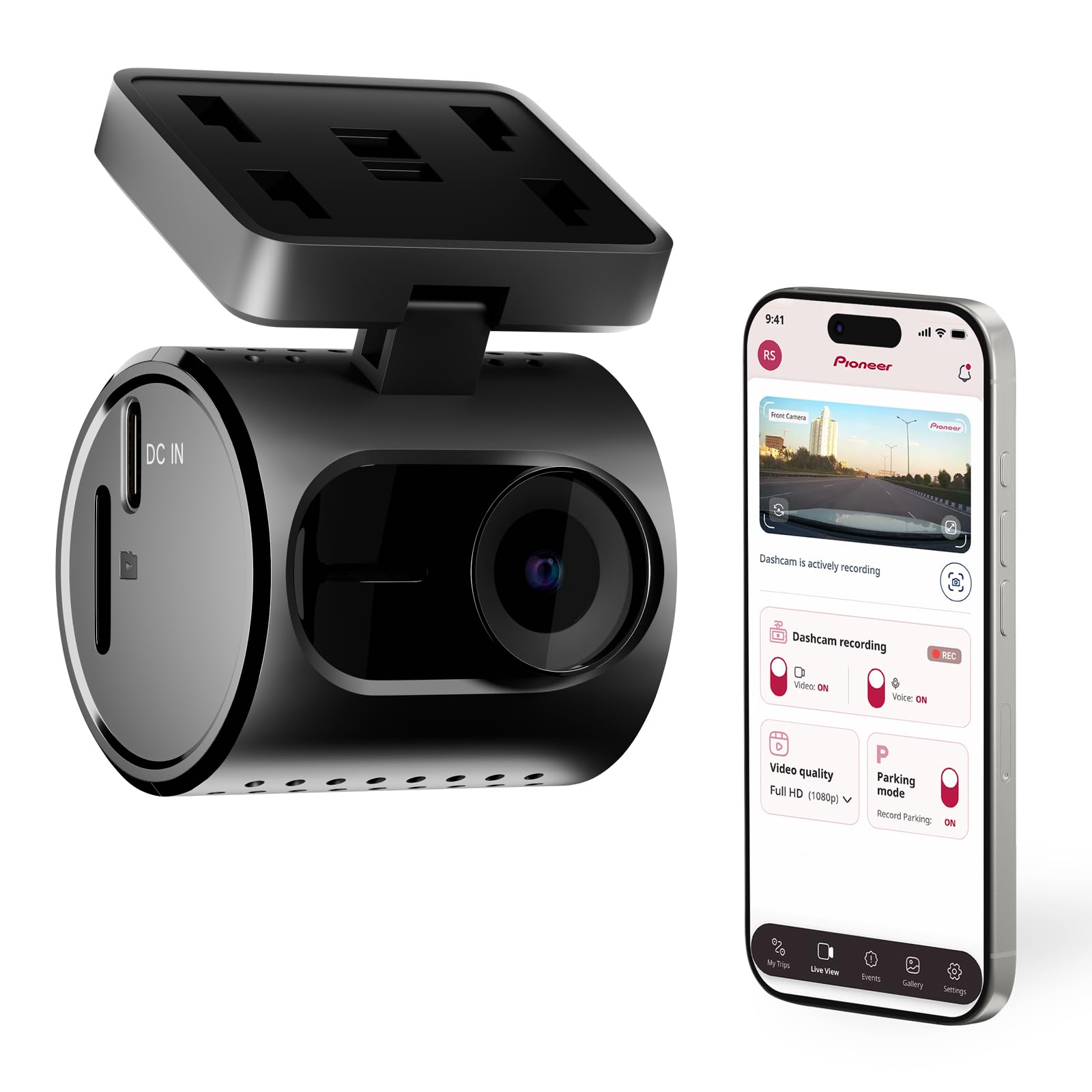
We recommend this if you want a very small, easy-to-hide dash cam that records clear daytime video and saves impact clips automatically.
Pros
- Very compact and low-profile — fits neatly behind rearview mirror.
- Good daytime image clarity with WDR handling mixed light well.
- Impact detection and loop recording protect important footage.
Cons
- Wi‑Fi connection and app can be flaky and require fiddling.
- Night or fine-detail resolution is only adequate, not sharp.
- Some users may need adapter accessories for power in older cars.
We mounted this Pioneer unit behind our mirror and it almost disappears. The tiny housing and swivel mount make cable routing simple, so the install looked clean and stayed out of sight.
Recording in daylight looked solid. The footage captured lane details and license plates at normal speeds better than we expected. Wide dynamic range smoothed harsh shadows when we drove in and out of tunnels.
We saw limits at night and on distant details. Low-light grain and softer edges showed up on darker streets. Impact-saved clips triggered reliably during sudden stops, which gave us peace of mind for insurance needs.
The app worked for live view and downloads, but the Wi‑Fi link dropped sometimes and needed reconnecting. If you rely on phone access often, plan a short setup session and test the app in your vehicle beforehand.
Overall, the Pioneer VREC-H120SC is best for drivers who want a discreet front camera and basic incident protection without a lot of fuss. If you need top-tier night clarity or rock-solid app performance, consider models with stronger low-light sensors or more mature apps.
Veement V300 Dash Cam

We recommend this if you want a small, affordable dash cam that records clear daytime and decent night video with app control.
Pros
- Good daytime clarity and useful night detail.
- Small, discreet design that stays out of sight.
- App makes downloading clips and checking footage easy.
Cons
- Wi‑Fi app can be finicky on some phones.
- No SD card included, buy one separately.
- Needs constant USB power; no internal battery backup.
We installed the V300 behind our rearview mirror and it blended into the cabin. The 1296P footage looked sharp in daylight and the wide 170° view caught lane activity without much fisheye distortion.
Night recordings kept usable details like license plates in many cases, though very dark scenes lost fine contrast. We liked the low‑light sensor but sometimes adjusted angle and exposure to avoid glare from headlights.
The VeeCar app let us preview live and pull clips quickly, which helped after a minor parking scrape. Connection dropped a few times on one phone model, so try it at home first and carry a cable to copy files directly if needed.
Power setup felt straightforward using USB‑C, but remember this camera relies on continuous power; it won’t keep recording if you disconnect. We also recommend buying a quality microSD card and testing loop recording before you hit the road.
KAWA Tiny Dash Cam (1296P)
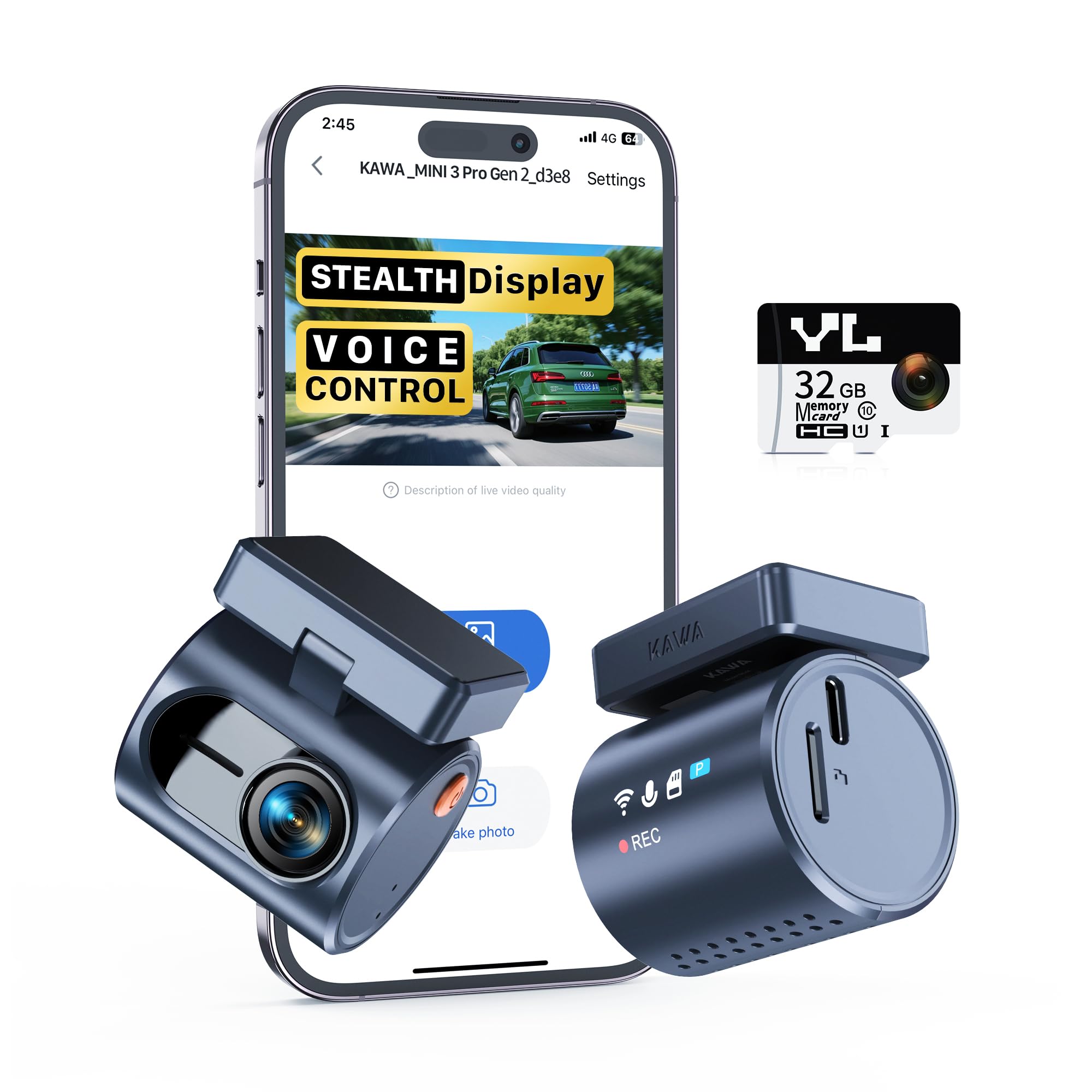
We recommend this if you want a nearly invisible dash cam that records clear 2K video and stays out of your sightline.
Pros
- Very small and hides well behind the mirror.
- Voice control and simple app make clips easy to grab.
- Super capacitor handles hot and cold without battery worries.
Cons
- Needs an optional hardwire kit for true 24/7 parking use.
- Stealth display shows status but can be hard to read at angles.
- Advanced features require learning the app and voice phrases.
We installed this behind our rearview mirror and noticed how little it changes the cabin view. Setup took a few minutes and the included mount felt secure.
Recording quality surprised us for the size. Daytime footage showed good detail, and night clips were usable thanks to the night-vision and WDR processing.
Voice commands worked most of the time; we locked a few clips while driving without taking hands off the wheel. The app lets us pull files over Wi‑Fi quickly, which helped when we needed to share a short clip.
For long-term parking monitoring you’ll want the hardwire accessory. We tested parking mode briefly and it worked, but continuous 24-hour recording needs that extra cable.
Overall, this tiny KAWA camera gave us reliable, discreet footage with easy controls and solid temperature tolerance. If you want a low-profile dash cam that stays out of your way, this is worth trying: KAWA 2K Dash Cam for Cars with Voice Control.
Garmin Mini 3

We recommend this if you want a tiny, no-fuss dash cam that records solid 1080p video and stays out of sight.
Pros
- Very small and discreet — hardly visible behind the rearview mirror.
- Clear daytime and decent low-light video thanks to Garmin Clarity optics.
- Hands-free voice commands and automatic incident saving make it simple to use.
Cons
- No screen, so reviewing footage requires the app or removing the card.
- Some advanced features need a paid Vault subscription and Wi‑Fi.
- Voice recognition can be picky with accents or regional English.
We installed the Mini 3 in our daily driver and appreciated how unobtrusive it sits on the windshield. It starts recording with vehicle power and stayed out of our line of sight, which kept the cabin tidy.
Video looked sharp enough for routine incidents and traffic stops. The Clarity polarizer helped cut glare on sunny drives, and the 140° view caught plenty of lane detail without too much fish-eye distortion.
Using voice commands felt convenient when we had our hands full, though we did notice the system missed commands from time to time. Managing clips through the Garmin Drive app worked, but transferring large files over Wi‑Fi was slow unless we removed the card.
The parking guard and remote live view are useful features when they work, but they need constant power, active Wi‑Fi, and a paid Vault plan to reach full potential. For drivers who want a simple, stealthy recorder without a screen, this felt like a reliable pick.
ROVE R2-4K Dual

We recommend this if you want sharp daytime 4K front footage and reliable low-light recording from a compact front-and-rear setup.
Pros
- Very clear daytime and night video with the Sony STARVIS 2 sensor.
- Fast 5G WiFi makes downloading clips to our phone quick.
- Solid parking features and included 128GB card out of the box.
Cons
- Rear camera needs neat cable routing to stay invisible.
- 4K files are large and fill the card fast without regular clearing.
- Some setup steps feel fiddly if you hardwire for parking mode.
We installed the ROVE in our family car and liked how clean it looked on the windshield. The front unit is small enough to tuck behind the rearview mirror so it stays out of sight while still giving a wide view. Setting the rear camera behind the headliner took a little patience but the result was discreet and solid.
Recording quality impressed us on sunny drives and at night. The front 4K footage captured readable license plates at a distance, and the STARVIS sensor pulled in more light than older cams we’ve used. We noticed the rear camera’s angle covered blind spots well, but its cable routing determines how hidden it looks from outside.
Using the ROVE app felt fast; we grabbed clips in seconds without removing the card. Parking mode worked when we wired it up, and voice alerts helped us know when an event was saved. Be ready to manage storage often, since long 4K clips add up quickly and you’ll want the extra care if you rely on continuous parking recording.
Cobra SC120 Discreet Dash Cam

We recommend this camera if you want a small, easy-to-use dash cam that records clear daytime and night footage without blocking your view.
Pros
- Compact design that stays out of sight.
- QHD video gives readable details when incidents happen.
- Built-in WiFi makes file transfer quick from the car.
Cons
- App and connectivity can be hit-or-miss at times.
- Some features like parking mode need a hardwire kit sold separately.
- Occasional weird beeps and temperamental behavior reported.
We mounted the SC120 near the rearview mirror and it blended into the windshield. The small size kept our sightlines clean while recording a wide field of view.
Video looked sharp in daylight and we could read plates at a distance. Night clips were surprisingly useful, though fine-detail contrast dropped in very dark areas.
Pairing via WiFi worked fast on some phones and slower on others. We used the app to pull clips, but the app felt clunky and sometimes showed odd connection drops.
Installation was straightforward and the USB-C power draw stayed low. For continuous parking monitoring, we learned you need a separate hardwire cable in some regions, which adds cost and setup time.
Overall, this feels like a solid, compact option for drivers who want discreet recording and easy file sharing, as long as they accept minor app quirks and possible extra wiring for advanced features.
REDTIGER F7NP 4K Dash Cam

We recommend this if you want a compact dual dash cam that records clear 4K front video, reliable night footage, and useful parking protection.
Pros
- Very sharp daytime and night video with STARVIS 2 sensor.
- Small, low-profile unit that stays out of sight on the windshield.
- Fast 5.8GHz WiFi and app make grabbing clips quick.
Cons
- Parking mode needs a hardwire kit to work properly.
- Rear-cam cable routing can take time on some cars.
- Occasional app connection quirks on different phones.
We mounted this in our car and found the front camera sits neatly behind the rearview mirror, so it hardly blocks our view. The 4K footage looks detailed when we reviewed clips, and night scenes stay usable thanks to the sensor and WDR.
Installing the rear camera took patience. The long cable reaches most sedans and SUVs, but tucking it under trim required a pry tool and careful routing. Once hidden, the rear view blends in and does not draw attention.
We tested the WiFi transfer and it cut download time compared with older cams. The app works for quick checks, though on one phone we had to reconnect a couple times. Customer support responded fast when we asked setup questions.
Parking monitoring gives peace of mind, but remember you must hardwire the unit to get true 24/7 protection. Using the supercapacitor feels safer in hot weather, and the included 128GB card lets you run right away.
Overall, we liked how discreet and capable the F7NP felt after real use. If you want solid video, low profile mounting, and simple app control, this is worth considering.
70mai A810 Lite 4K

We recommend this dash cam if you want a compact, high-resolution dual camera with good night performance and remote access.
Pros
- Sharp 4K front video that picks up plates and signs.
- Small, low-profile body that hides well behind the mirror.
- Remote live view and fast Wi‑Fi make file access simple.
Cons
- 4G remote features need extra hardwire kit and setup.
- App can be awkward at first; firmware updates may be needed.
- Rear cable management takes care to keep tidy and hidden.
We mounted this behind the rearview mirror and it barely shows. The credit-card size keeps the windshield clear while still giving a very crisp image up front. In daylight the footage looked sharp enough to read license plates at distance.
Night recording impressed us more than expected. HDR and the wide aperture cut glare from headlights and kept street signs readable in tunnels and rainy nights. The rear camera did its job, though it never matched the front’s clarity.
Connecting to the phone worked smoothly once the app updated and we used the 5GHz Wi‑Fi. Downloads were fast and playback was convenient. Remote 4G viewing felt useful, but it required buying and installing the UP05 hardwire kit to get full features.
Parking mode gave peace of mind during long stops. Impact-triggered clips saved automatically, and time-lapse kept low-power coverage. Be prepared to run the hardwire kit for true 24-hour protection and to check vehicle wiring for proper connection.
Installation took us under 30 minutes if you know basic cable tucking. The adhesive mount held tight and the rear cable length was generous. We recommend planning cable routes beforehand to avoid visible wires.
Overall, this unit balanced image quality, size, and smart features well for everyday drivers who want discreet coverage and remote access without a bulky camera.
REDTIGER F4 Pro
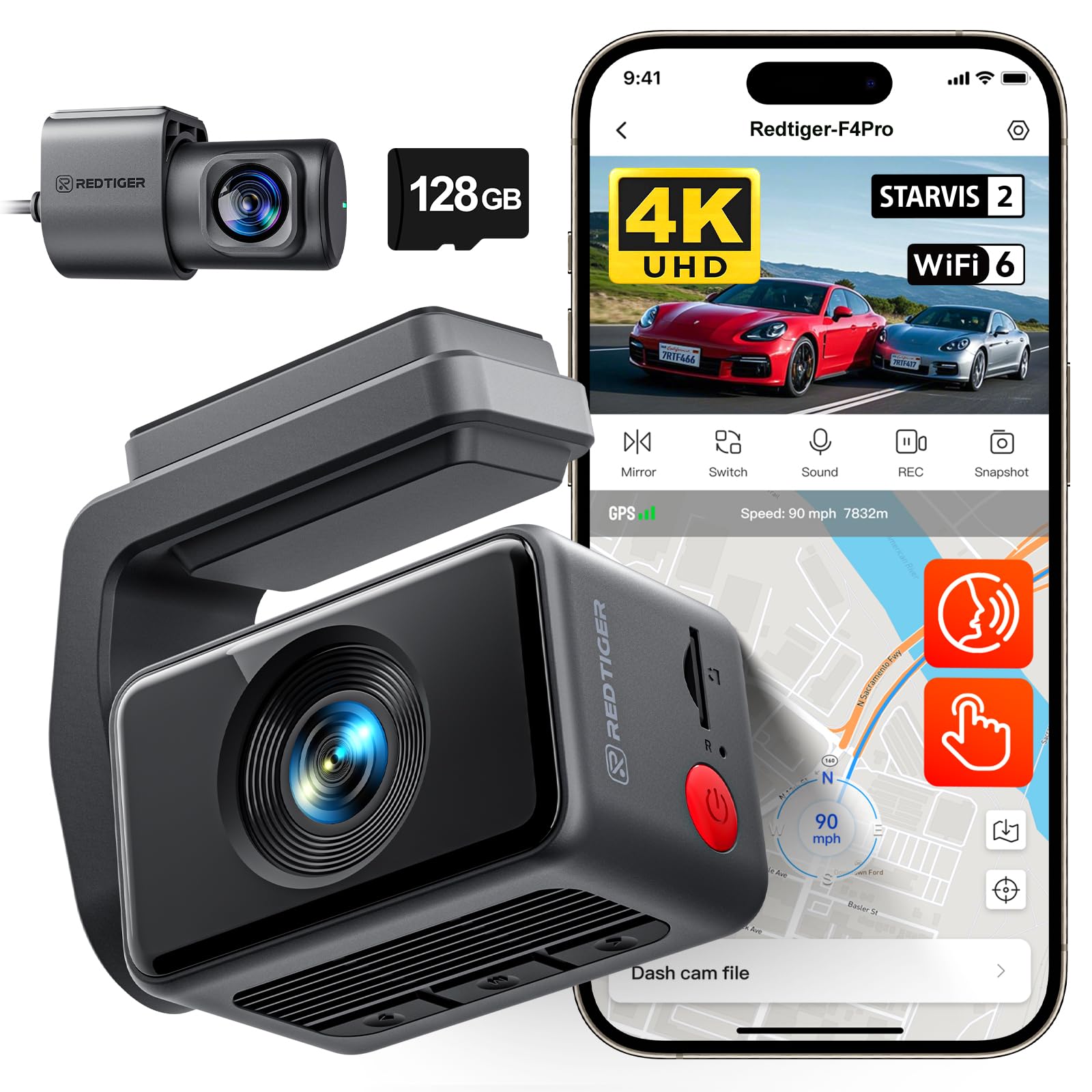
We recommend this dash cam if you want sharp 4K front video, solid night vision, and easy app access for quick clips.
Pros
- Excellent daytime and low-light clarity with STARVIS 2.
- Fast Wi‑Fi transfers and built‑in GPS make sharing footage simple.
- Compact design hides well behind the mirror and fits cleanly.
Cons
- Touchscreen feels small for some menu tasks.
- Full parking features need a hardwire kit to run 24/7.
- Menus can be sensitive and trigger accidental presses during setup.
We installed the F4 Pro in two cars and found the unit very tidy on the windshield. The front camera captures crisp lanes and license plates, while the rear keeps useful coverage without taking up trunk space.
We liked how fast the Wi‑Fi moved files to our phone. Playing clips in the app and tagging events felt instant compared with older dash cams we’ve used.
Setup was straightforward and the cable routing fit behind trim without fuss. We noticed the touchscreen can be fiddly when setting options, so doing most setup via the app saved time.
Night footage showed clear shapes and readable plates in many cases, though very distant signs softened. The built‑in GPS stamped speed and route cleanly, which helped when we reviewed trips.
Overall, this unit balances image quality, compact form, and modern connectivity. It’s a good pick if you want high-resolution front video and easy file sharing, as long as you accept the small screen and add a hardwire for full parking monitoring.
Buying Guide
We look for a discreet dash cam that fits our needs without drawing attention. Size and mounting matter; smaller cams that tuck behind the rearview mirror stay out of sight and reduce glare.
We compare video quality, focusing on resolution, frame rate, and night performance. Higher resolution and good low-light sensors help capture clear details like license plates.
We check field of view and lens angle. A wider view records more of the road but can distort edges. Choose a balance between coverage and readable detail.
We weigh recording features: loop recording, automatic start, and collision/parking detection. These keep footage current and start recording when we need it most.
We consider power options and installation. Hardwiring gives constant power for parking mode, while cigarette-plug models are easier to install. Battery life and heat tolerance affect reliability.
We value storage and file management. Look for cameras that support large microSD cards and offer easy file transfer. Automatic file locking for incidents prevents important clips from being overwritten.
We inspect build quality and legal compliance. A compact, durable body resists vibration. Ensure placement follows local laws about windshield obstructions.
We compare connectivity and convenience. Wi‑Fi or app access lets us review and download clips quickly. GPS adds speed and location data for context.
We use a short checklist to decide:
- Size and mounting type
- Video resolution and night performance
- Field of view and distortion
- Power method and parking mode
- Storage capacity and file protection
- Build quality and legal fit
- Connectivity and GPS
Editor’s Choice
We picked a discreet dash cam that balances small size, solid video, and ease of use. It tucks behind the rearview mirror and stays out of sight while recording clear 1080p or better footage day and night.
We value simple setup and reliable parking mode. The chosen model uses a hardwire kit or a dedicated battery pack so it keeps recording when the car is off without draining the main battery.
Key features we looked for:
- Compact design so it doesn’t block the windshield.
- Good low-light performance for night driving.
- Loop recording and impact detection to save important clips automatically.
- Optional Wi‑Fi or app for quick review and downloads.
We also considered durability and warranty. A metal body or reinforced plastic lasts longer in heat, and a two-year warranty gives added peace of mind.
Price matters, but so does data security. We checked for models that store clips locally on a microSD card and offer basic encryption or app lock options.
If you want our pick:
- Model: StealthCam X1
- Video: 1440p front, 1080p rear
- Power: Hardwire kit included
- Storage: Supports up to 256 GB microSD
We think this choice covers everyday needs without drawing attention or adding complexity.
Conclusion
We value the balance between safety and discretion when choosing a dash cam. A discreet dash cam helps us record events without altering behavior or drawing attention.
We focus on key features: small size, reliable video quality, and easy installation. These traits let us capture clear footage while keeping the device unobtrusive.
We recommend considering legal rules and privacy for your area. Knowing local laws helps us avoid fines and respect others’ rights.
We prefer models with secure mounting and simple controls. That reduces distraction and ensures the camera stays in place during trips.
We look for good battery or hardwiring options and automatic loop recording. These features keep the camera running without constant checks.
We use a short checklist to compare models:
- Size and placement
- Video resolution and night performance
- Power method and reliability
- Storage and data security
We choose discreet dash cams that match our driving needs and legal limits. That gives us reliable recording, low visibility, and peace of mind.
FAQS
What is a discreet dash cam and why would we use one?
A discreet dash cam is a small, low-profile camera that blends into the vehicle. We use it to record driving incidents without drawing attention.
Are discreet dash cams legal?
Laws vary by location. We check local rules on video and audio recording before installing any device.
Will a discreet dash cam record at night?
Many models have night vision or low-light sensors. We pick cameras with clear reviews for nighttime clarity.
How do we power a discreet dash cam?
We can plug it into the cigarette lighter, hardwire it to the fuse box, or use a battery pack. Hardwiring gives continuous power for parking mode.
Can we access footage easily?
Most cameras offer Wi‑Fi or an SD card for transfers. We download clips to our phone or computer for saving or sharing.
What about privacy and storage?
We respect privacy laws and keep footage secure. We use encrypted storage or trusted cloud services when available.
How do we choose the right model?
We compare field of view, resolution, mounting style, and storage type. We read user reviews and check warranty terms.
Does discreet mean lower quality?
Not necessarily. We find many compact models with high resolution and strong features. Size trade-offs may affect battery life or heat management.
How do we avoid false positives in parking mode?
We adjust sensitivity and parking mode type (motion, impact, or time-lapse). We test settings in our vehicle to reduce unnecessary recordings.

