Dash cams record video of driving to help document accidents, deter theft, and capture unexpected events on the road. Black box dash cams are compact, often hardwired devices that run continuously and save footage automatically to internal storage or a memory card. They focus on reliable recording, event detection, and simple recovery of clips when something happens.
The main things to watch for are video quality, how the camera handles power and parking mode, and the ease of retrieving important clips. Choose a black box dash cam with clear daytime and nighttime video, dependable parking-mode recording, and a simple way to back up incident footage. We tested and compared models with those priorities to find the ones that perform well for everyday drivers.
Best Black Box Dash Cams
Below is our full list of the best black box dash cams. We tested models for video clarity, reliability, and ease of use to help you pick the right one for daily driving or recording incidents. Our choices cover budget to high-end options so you can find a cam that fits your needs.
ROVE R2-4K Dual

We recommend this dash cam if you want sharp daytime 4K front video, reliable night capture, and easy phone downloads.
Pros
- Very clear front video and good low-light performance.
- Fast 5G Wi‑Fi makes getting clips to your phone simple.
- Comes ready with a 128GB card and needed cables.
Cons
- Rear setup cable can be fussy to hide neatly in smaller cars.
- Larger body and 3″ screen can block a small windshield view.
- Full parking mode needs a hardwire kit sold separately.
We installed this in a commuter SUV and used it for a few weeks. The front camera really stands out—road signs and license plates are easy to read in daylight. We liked seeing the looped footage and GPS stamps when we reviewed drives on our computer.
Night driving felt reassuring because the STARVIS sensor kept details clear at dusk and on poorly lit roads. Low-light scenes looked brighter than most dash cams we’ve tried, though very dark alleys still lose some detail.
Pairing with the ROVE app worked well. Downloads to our phone were noticeably fast, and managing files felt straightforward. If you plan to rely on parking mode often, plan the extra cost and install time for a hardwire kit.
We found the rear camera useful for backing and close calls, but routing the long cable took patience. Mounting options in the box made the initial fit easy, and the included 128GB card gave us a lot of recording time right away.
REDTIGER F7NP 4K Dash Cam

We recommend this if you want sharp 4K front footage, easy phone downloads, and reliable parking monitoring for everyday driving and rideshare use.
Pros
- Very clear 4K front video and good night contrast.
- Fast 5.8GHz WiFi makes clip transfer quick.
- Supercapacitor and parking modes feel durable and safer in heat.
Cons
- Rear camera cable routing can be fiddly during install.
- Some features need a hardwire kit for full parking protection.
- App can be glitchy on occasion with large files.
We installed the REDTIGER and used it for a few weeks on daily commutes. The front 4K footage picked up fine print on signs and license plates at highway speeds. Night shots showed better detail than many cams we’ve tried.
Connecting via the app was quick when we used the 5.8GHz WiFi; downloads finished in a minute for short clips. GPS overlays and route playback were handy when we wanted to check speed and location after an event.
Hardwiring the unit for true 24/7 parking mode took extra time, and feeding the long rear cable behind trim felt tedious in one compact car. The supercapacitor gave us confidence during hot afternoons—no swelling battery worries.
Overall, the F7NP felt like a solid daily driver camera with pro-level video and useful security features, though installers who want full parking coverage should plan for the hardwire kit.
REDTIGER F7N Touch

We recommend this dash cam if you want clear 4K front footage, easy touchscreen control, and reliable parking monitoring for daily driving.
Pros
- Sharp 4K front video and good night clarity
- Fast 5.8GHz Wi‑Fi for quick phone transfers
- Simple touchscreen and useful voice commands
Cons
- Rear camera setup and cable can be fiddly
- Parking mode needs a hardwire kit to work properly
- Suction mount felt less secure than a sticky adhesive on rough roads
We installed the F7N Touch and used it for a few weeks around town and on highway trips. The front 4K images looked crisp, and the STARVIS 2 sensor gave readable license plates in low light. We liked how easy it was to swipe through menus on the 3.18″ screen.
Connecting our phone over the 5.8GHz Wi‑Fi was fast and made saving clips painless. The voice commands helped when we needed hands‑free locking of an incident file. GPS tracks and speed data showed up in app recordings without fuss.
Parking mode worked as expected when hardwired, catching minor impacts and movement in time‑lapse. Still, installation took patience: routing the long rear cable and choosing a mount position took a few tries. If you want strong, no‑worry parking surveillance, plan to add the hardwire kit.
Overall, we found the REDTIGER F7N Touch to be solid for drivers who want high‑quality front video, quick wireless downloads, and touchscreen convenience; it just needs careful installation for the best results.
Galphi Q2 4K Dash Cam
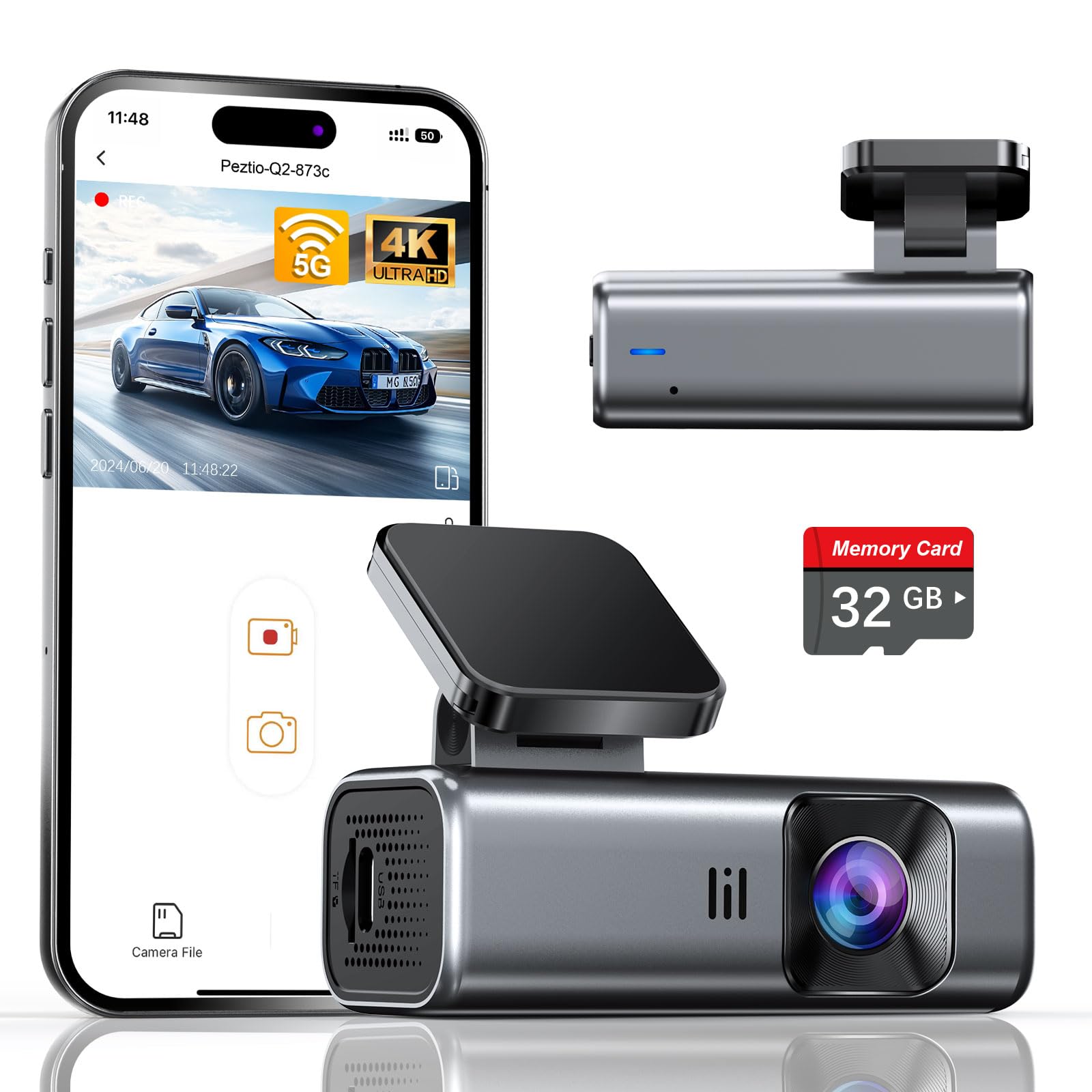
We recommend this if you want a compact 4K dash cam that records clearly day and night and works out of the box with a 32GB card.
Pros
- Sharp 4K video and good low-light performance.
- Fast 5GHz Wi‑Fi makes phone downloads quick.
- Small, screen-free design that doesn’t distract while driving.
Cons
- Included card is only 32GB — you may need a larger card for long trips.
- No built-in screen means setup and playback rely on a phone.
- Parking mode needs a hardwire kit (sold separately).
We installed the Galphi Q2 in our car in under ten minutes. The adhesive mount holds tight and the slim body tucks behind the rearview mirror so it barely blocks the view.
Recording quality impressed us on bright highways and in dim city streets. Night clips showed balanced exposure and usable detail, and the 160° lens captured wide scenes without heavy fisheye distortion.
Using the app felt smooth most of the time. The 5GHz connection sped up transfers on our phone, though we had to switch bands in one older phone. Grabbing incidents with the G‑sensor worked reliably, and loop recording meant we never ran out of space during short drives.
Parking mode did its job in time-lapse when we tested it, but you must hardwire the unit to enable that feature. For daily driving and occasional long trips, swapping to a larger microSD will give better peace of mind.
SUVCON Triple Dash Cam
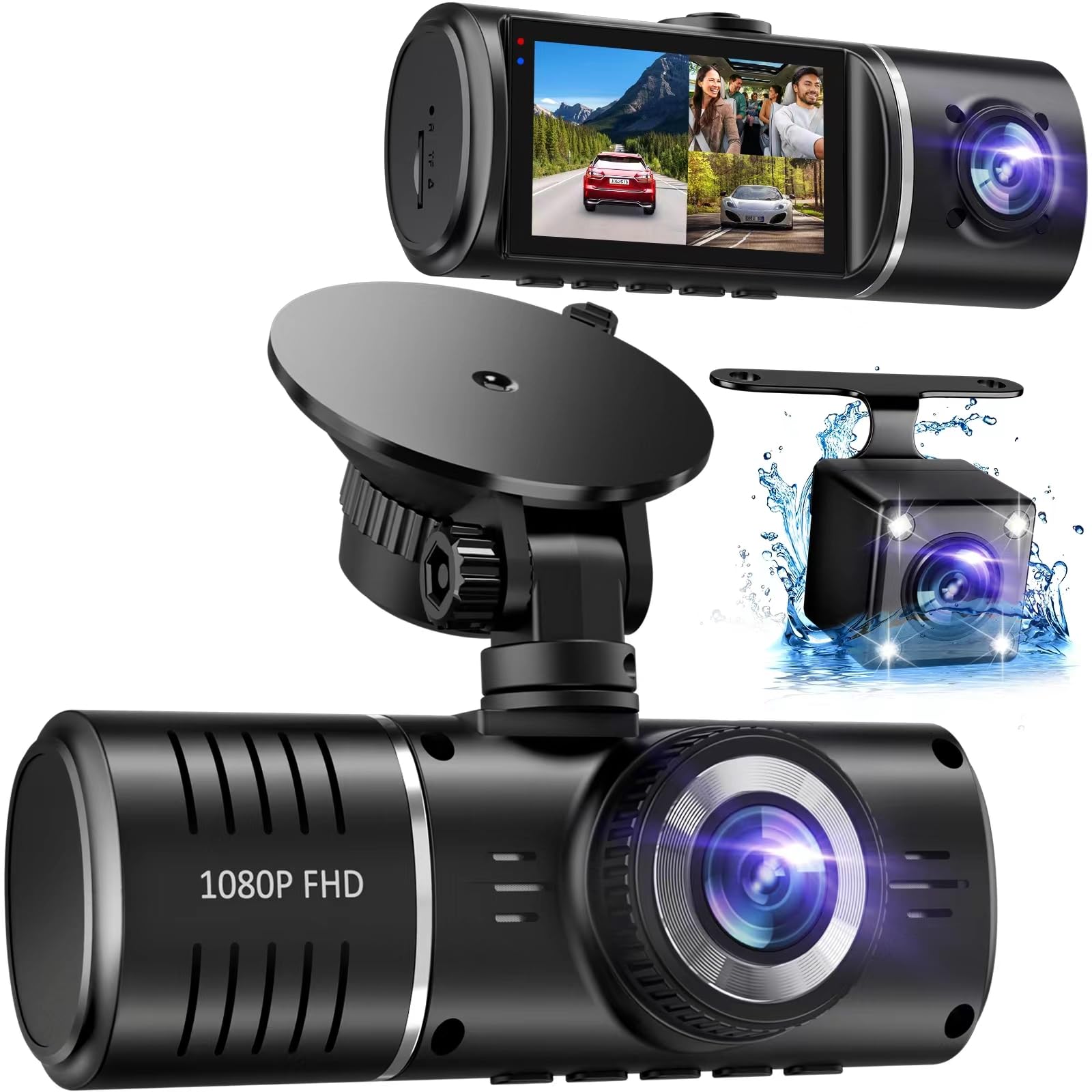
We recommend this dash cam if you want a three-camera setup that covers front, cabin, and rear at a reasonable price.
Pros
- Covers front, cabin, and rear so blind spots shrink.
- Easy plug-and-play install; we had it running quickly.
- Good low-light interior capture thanks to infrared LEDs.
Cons
- 1080p video is fine but not as sharp as newer 4K units.
- Touch screen menu can feel slow sometimes.
- Included 32GB card fills fast if you drive a lot.
We tested the SUVCON over several drives and on daily parking periods. The three lenses help us catch more angles than a single cam. Mounting was simple and the IPS screen made menu use easier from different seats.
Video quality held up well in daylight and the HDR helped balance bright and dark spots on city streets. Night interior shots were clear enough to read faces, though the front road detail lacked the crispness of higher-resolution models.
The G-sensor and parking mode worked when we parked overnight; the unit locked footage after impacts and saved clips without fuss. Loop recording erased old files automatically, but frequent long drives meant the included 32GB card cycled quickly.
Overall, this unit feels solid for everyday drivers who want coverage inside and out without spending much. We found it best for people who value broad coverage and easy setup over ultra-high video fidelity.
Neideso N300 360° Dash Cam

We recommend the Neideso N300 if you want full 360° coverage and easy smartphone access to footage for everyday driving and parking security.
Pros
- True four-channel view catches front, rear, and inside the cabin.
- Built-in GPS and Wi‑Fi let us check clips on our phone and see routes.
- Good low-light performance with night mode and IR lights.
Cons
- Rear cable length and durability can be hit-or-miss during install.
- Voice control and some settings feel a bit finicky in real use.
- Parking mode needs a hardwire kit for full 24/7 protection.
We installed the N300 in two cars and liked how the rotating cameras let us aim each lens without moving the whole unit. The app paired quickly and showed GPS tracks, so we could pull a clip and see speed and location on the map. Video looked sharp for most daytime scenes.
Night footage held up better than we expected; the wide dynamic range stopped headlights from washing out the road. Cabin and rear views were useful when we wanted a wider picture of incidents inside or behind the car. Loop recording and the G‑sensor reliably locked event files during hard braking.
Installation took us some patience. Tucking the long rear cable through trim worked, but one of our test cables felt thin and required replacement. Voice commands worked sometimes, though we still used the app or touch controls for most tasks. Overall, this is a solid multi-channel dash cam for drivers who want full coverage and app access without paying for cloud features.
FAIMEE F6 4K Front & 2K Rear Dash Cam
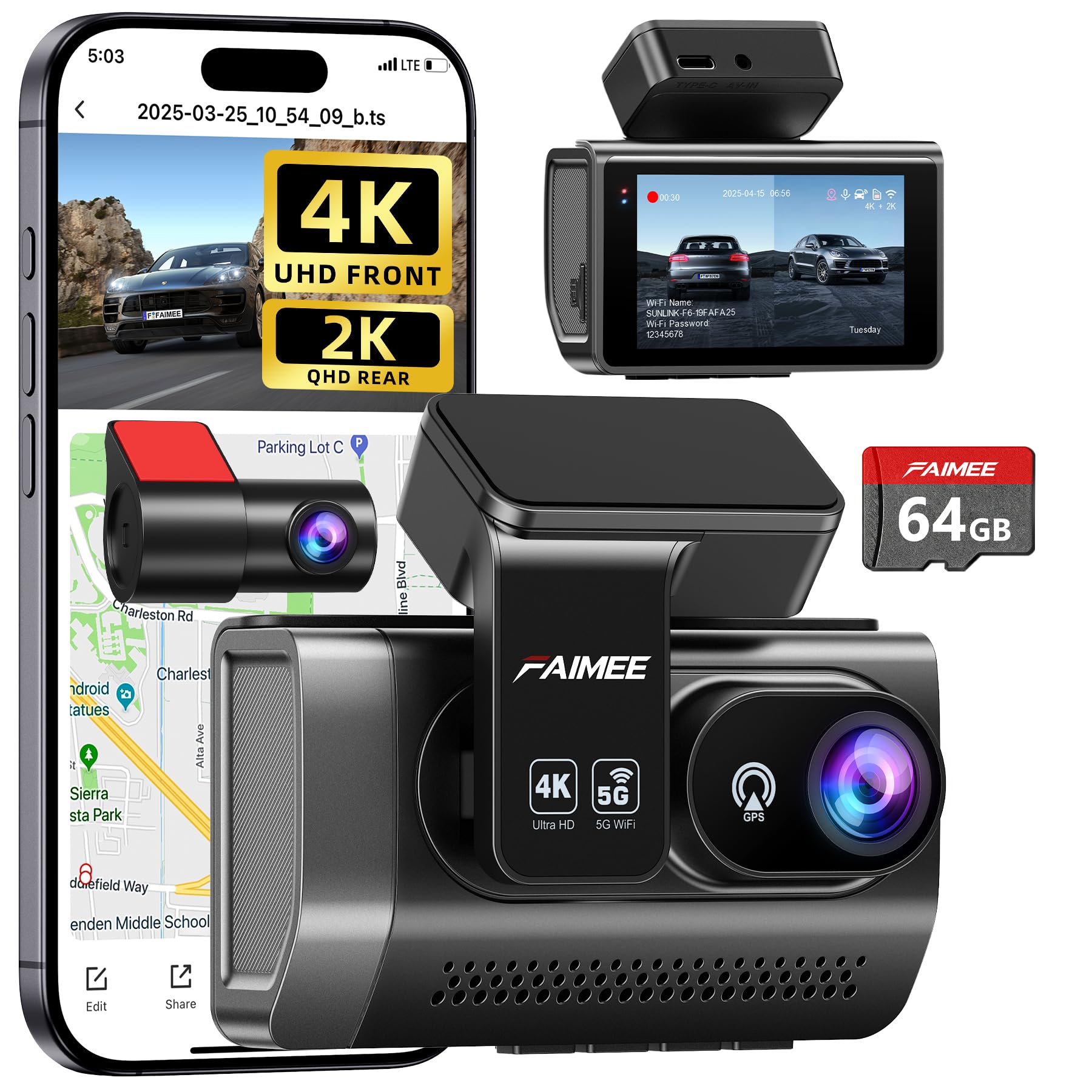
We recommend this dash cam if you want high-res front and rear footage with reliable parking monitoring for everyday driving.
Pros
- Clear 4K front and 2K rear video that captured lane details and signs.
- Solid 24/7 parking mode and G-sensor that locked collision clips when needed.
- Easy app access and dual-band Wi‑Fi made downloads quick.
Cons
- You must hardwire for true 24-hour monitoring (kit not included).
- Learning the app settings took a little time for us.
- Stick-on mount is neat but may need reattachment over years.
We tested the F6 on city streets and highways. The front 4K image showed sharp license plates and traffic signs, while the rear 2K view covered lane changes and following cars. Night shots looked balanced thanks to the wide aperture and WDR, though very dark backroads were still a little grainy.
Installation felt straightforward. The compact screen unit sits behind the mirror and doesn’t block sightlines. We liked the included 64GB card and how the unit looped recordings automatically, but we chose to hardwire it for reliable parking power and peace of mind.
Using the app was handy for live view and downloads over 5.8GHz Wi‑Fi, which sped transfers compared with single-band cams we’ve used. The GPS tracked routes and speed, which helped when we reviewed an incident. Overall, the F6 gave us solid evidence quality and dependable features for the price.
E-YEEGER S50 Dash Cam
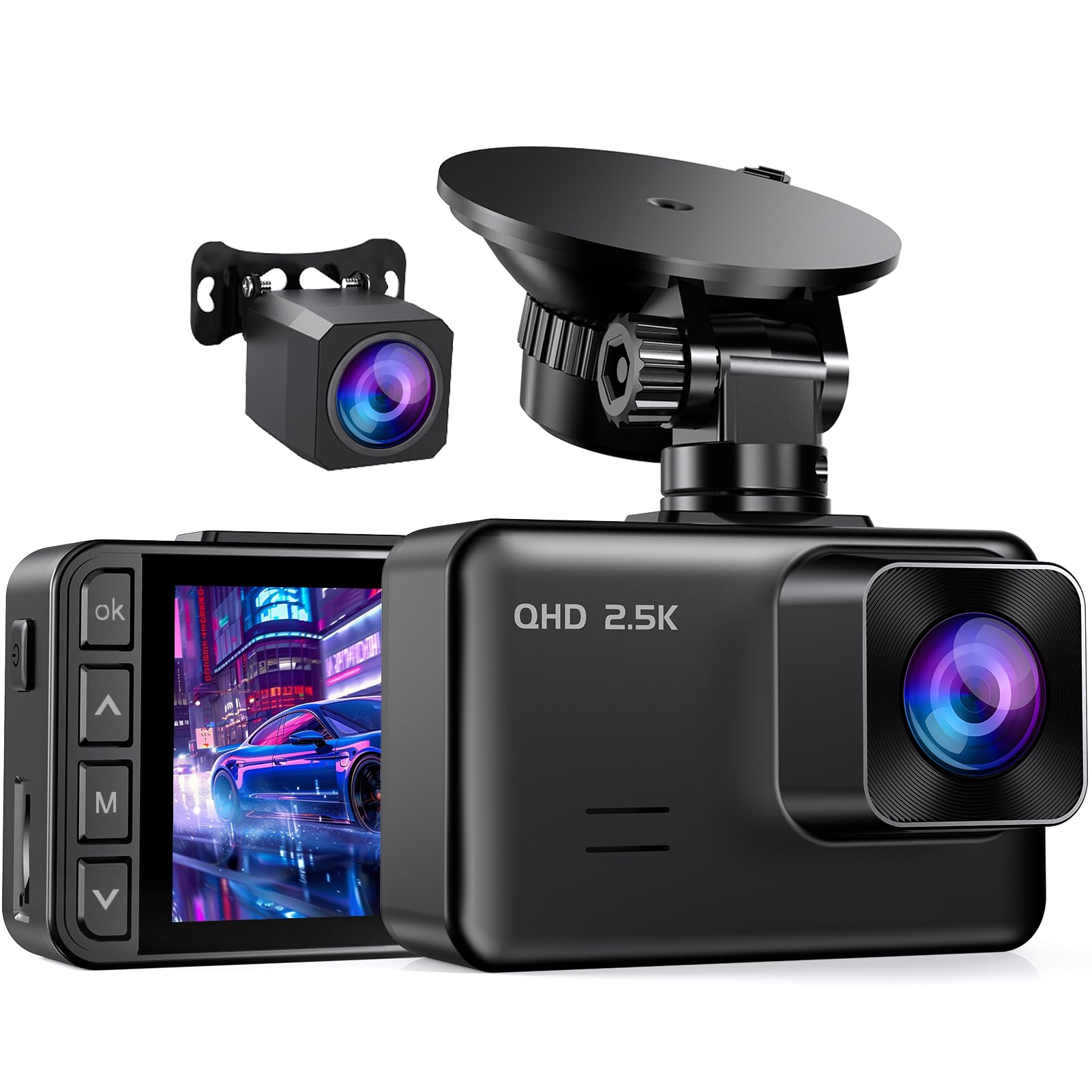
We recommend this if you want clear day/night footage and an easy install at a budget price.
Pros
- Sharp front and rear video that shows license plates and signs.
- Simple setup and a compact design that fits behind the mirror.
- 24-hour parking support with G-sensor protection for collisions.
Cons
- Small 2″ screen can be fiddly to see settings while parked.
- Screen saver closes the display by default, which some find annoying.
- Needs a hardwire kit for true 24-hour power monitoring.
We mounted the S50 and drove around town for a week. The 2.5K front image captured fine detail at daylight speeds, and the rear 1080p gave useful coverage of tailing cars. Setting angles with the suction cup was quick, and the compact body stayed out of sight.
Night clips looked better than we expected thanks to the starlight sensor. Dark streets kept readable shapes and plate numbers when lighting was present. The screen saver shut the display off while driving, which kept glare down but meant we had to dive into settings to turn it off.
Loop recording and the G-sensor worked the way we hoped: footage overwrote smoothly and incident files locked automatically. Installing the long rear cable was straightforward, though enabling true 24-hour parking required buying a separate hardwire kit. Overall, it felt like a sensible, value-focused choice for daily drivers who want reliable evidence recording.
ZMOPO 360 View 4-Channel Dash Cam

We recommend this if you want full 360° coverage and easy video sharing, but expect some mounting and setup quirks.
Pros
- Records front, rear, sides, and inside at once for complete coverage.
- Good low-light performance and stable daytime video.
- Built-in Wi‑Fi makes downloading clips fast.
Cons
- Suction and adhesive mounts can fail in hot weather.
- GPS and hardwire features require extra purchases.
- App setup and camera placement took us extra time.
We installed this four-camera kit over a weekend and drove around town to test it. The footage looks solid from every angle, and the night vision handled dim streets better than we expected. We liked that the unit felt compact and didn’t block our view.
Using the Wi‑Fi and app, we pulled clips straight to our phone within minutes. Loop recording and incident lock worked as promised during a test bump, so important videos stayed protected. Time-lapse for parking mode saved space when we left the car overnight.
Mounting took patience. The adhesive and suction options worked on cool days, but one mount loosened after we parked in direct sun. Also, adding GPS tracking and hardwiring for true 24-hour parking requires buying extra parts and a bit more wiring skill.
Overall, we found it a strong choice for drivers who want full coverage without spending on premium brands, as long as you plan for a bit of extra setup and possibly replacing adhesive mounts.
XYGCACO 4-Channel 360° Dash Cam
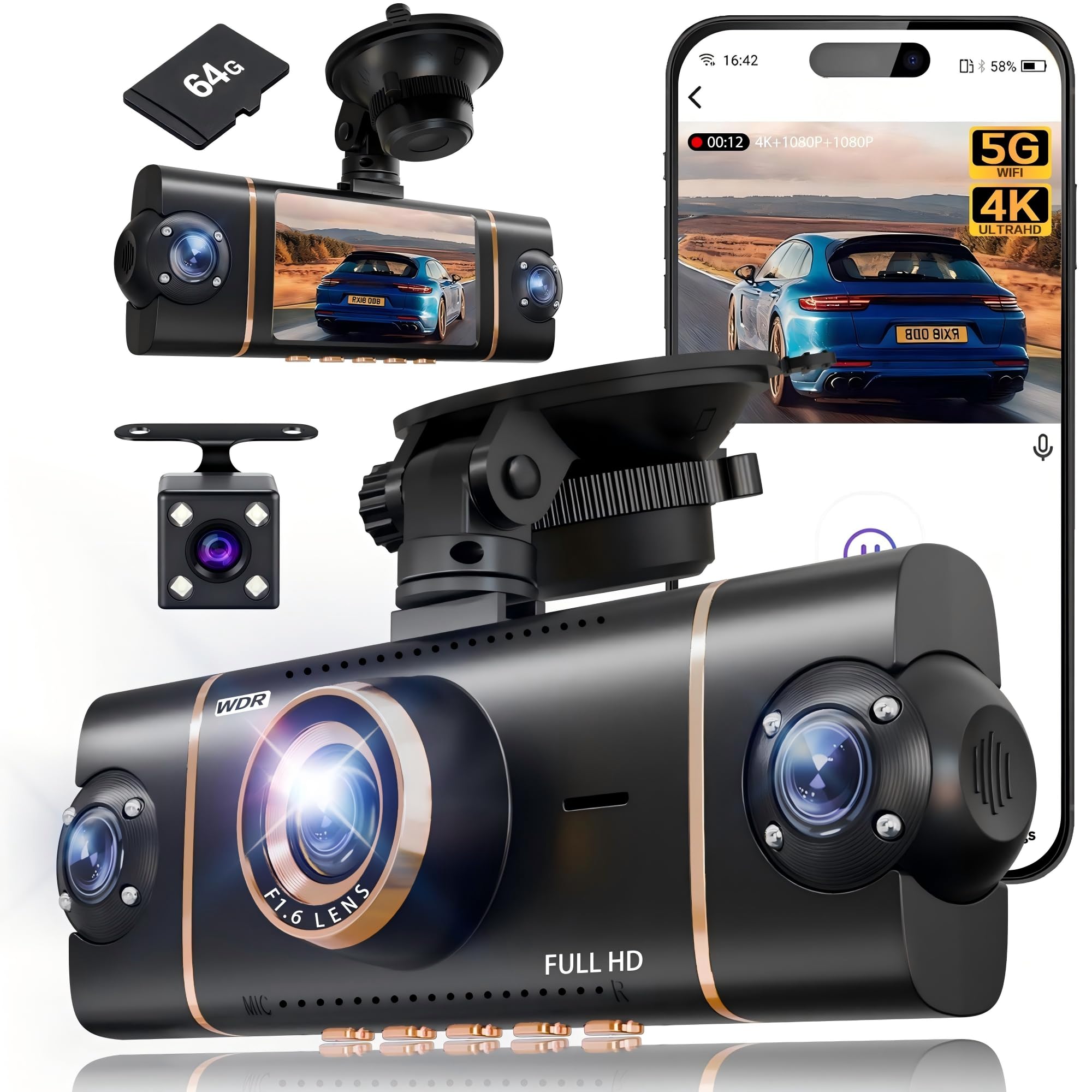
We recommend this if you want full 360° coverage and clear day/night video for peace of mind on the road.
Pros
- Records front, rear, left, and right at once for no blind spots.
- Strong night vision and WDR that kept details visible in low light.
- App control and GPS make it easy to review clips and track location.
Cons
- Installation needs time and patience to hide wiring neatly.
- Parking mode needs a hardwire kit sold separately.
- Suction mount felt less secure than a hard adhesive mount.
We installed this 4-channel unit and drove with it for several days. The front 4K image looked sharp and the side cameras caught lane details we didn’t expect. Syncing all four views felt seamless when we played back footage on the app.
Testing at night showed the IR lights and WDR helped avoid blown-out headlights and kept license plates readable at moderate distances. We did notice very dark corners in some angles, but overall the low-light balance made incidents easier to review.
Setting up took longer than a single-screw job. We used the pry tool and routed cables behind trim to keep things tidy. Parking mode worked reliably once hardwired, though that extra purchase is something to plan for.
Buying Guide
We look for clear video first. Aim for at least 1080p resolution and a frame rate of 30 fps or higher for smooth footage. Wide dynamic range or HDR helps in bright and low-light scenes.
We check the lens and field of view next. A wider angle captures more of the road, but extreme wide angles can distort close objects. Choose a lens that balances coverage and clarity.
We weigh power and mounting options. Hardwiring gives continuous recording, while cigarette-plug power is easier to install. A stable mount keeps footage steady and reduces vibration blur.
We consider storage and loop recording. Support for microSD cards up to a useful size matters. Loop recording with reliable file management prevents gaps in saved footage.
We value parking mode and impact detection. These let the camera record when the vehicle is off or after a shock. Make sure the camera offers adjustable sensitivity to avoid false triggers.
We examine connectivity and usability. Wi‑Fi or Bluetooth can make file transfer and setup easier. A clear screen and simple menu save time when configuring settings.
We assess build quality and heat management. A dash cam must tolerate heat inside a car. Look for metal housing or tested temperature ranges.
We compare price against essential features. Prioritize video quality, reliable power, and proper mounting over flashy extras. Use a short checklist to pick a model that fits our driving needs.
Quick Feature Checklist
| Feature | Why it matters |
|---|---|
| Resolution & FPS | Clear evidence in incidents |
| Field of View | Road coverage vs. distortion |
| Power Options | Continuous vs. easy install |
| Storage & Loop | Keeps recording without gaps |
| Parking Mode | Surveillance while parked |
| Connectivity | Ease of setup and downloads |
| Heat Rating | Durability in car conditions |
Editor’s Choice
We pick the dash cam that balances video quality, reliability, and ease of use. Our top pick records clear 1080p or better footage day and night and uses a strong mounting system that stays put on rough roads.
We favor models with a wide field of view and good low-light performance. A reliable parking mode and crash detection add protection when the car is off.
Key features we look for:
- Video: 1080p or higher, 30–60 fps
- Night: good low-light sensitivity
- Build: sturdy mount, compact design
- Storage: loop recording and stable microSD handling
- Extras: GPS, Wi‑Fi, and easy file export
We recommend choosing a dash cam from a brand with timely firmware updates and clear instructions. Warranties and responsive support matter when hardware or software issues arise.
Our pick also offers simple setup and an intuitive app. This makes viewing clips and exporting evidence fast and dependable.
Conclusion
We recommend choosing a black box dash cam that fits our driving needs and budget. Features like good video quality, reliable loop recording, and GPS tracking matter most for evidence and peace of mind.
We should ensure proper installation and regular checks. A well-mounted camera with the right settings reduces blind spots and avoids corrupted files.
We can use extra features when they add real value. Night vision, parking mode, and cloud backup help, but only if they work reliably and match our priorities.
We must balance cost and performance. A mid-range unit often gives the best mix of clarity, durability, and ease of use without overspending.
We will keep firmware updated and replace older units when performance drops. Proper care extends the camera’s useful life and keeps our footage trustworthy.
Key buying checklist:
- Video resolution: at least 1080p.
- Reliable storage: good SD card and loop recording.
- Essential features: GPS, parking mode, and date/time stamp.
- Ease of use: simple menus and secure mounting.
We aim to pick a dash cam that makes driving safer and gives clear evidence when needed.
FAQS
What is a black box dash cam?
We call it a compact camera that records driving video and sometimes audio. It saves footage to a memory card so we can review incidents later.
Do dash cams work at night?
Many models use low-light sensors or infrared to record in the dark. Performance varies, so we check night video samples before buying.
How do we power it?
Most plug into the car’s 12V socket or hardwire to the fuse box. Some have internal batteries for short-term parking recording.
How long is the recorded footage kept?
Dash cams use loop recording and overwrite old files when the card fills. We can protect important clips manually or with collision detection features.
Can footage be used in insurance claims?
Yes, video often helps prove what happened. We keep original files and note the date and time for clarity.
Do they drain the car battery?
They can if left on constantly. We choose models with low-power parking mode or set a voltage cut-off to protect the battery.
What features matter most?
We look for good video quality, reliable loop recording, GPS for speed/location, and G-sensor for impact detection.
How do we maintain one?
We format the card regularly and update firmware when the manufacturer posts updates.

