How to Measure Car Stereo Size for Perfect Fit

Measuring your car stereo size correctly ensures a seamless upgrade without costly mistakes. This guide walks you through every step—from identifying your dash type to using the right tools—so you can confidently choose a compatible head unit.
How to Measure Car Stereo Size for Perfect Fit
Upgrading your car stereo can transform your driving experience—crisp sound, smartphone integration, navigation, and more. But before you buy that sleek new head unit, there’s one critical step: measuring your car stereo size correctly. A mismatch might mean a loose fit, visible gaps, or even an unusable unit. Don’t worry—this guide will walk you through the entire process, from identifying your dash type to verifying depth and clearance. By the end, you’ll know exactly how to measure car stereo size so your upgrade looks professional and works flawlessly.
Why Measuring Matters
You wouldn’t buy shoes without knowing your foot size—why treat your car stereo any differently? Car manufacturers design dashboards with specific stereo openings, and aftermarket units come in standardized (and sometimes custom) sizes. Installing a stereo that’s too big or too small leads to frustration, extra costs, and potential damage to your vehicle’s interior. Accurate measurements ensure compatibility, ease of installation, and a clean, factory-like finish.
Step 1: Identify Your Dash Opening Type
The first step in measuring your car stereo size is figuring out what kind of opening your dashboard has. Most vehicles fall into one of three categories:
Single DIN
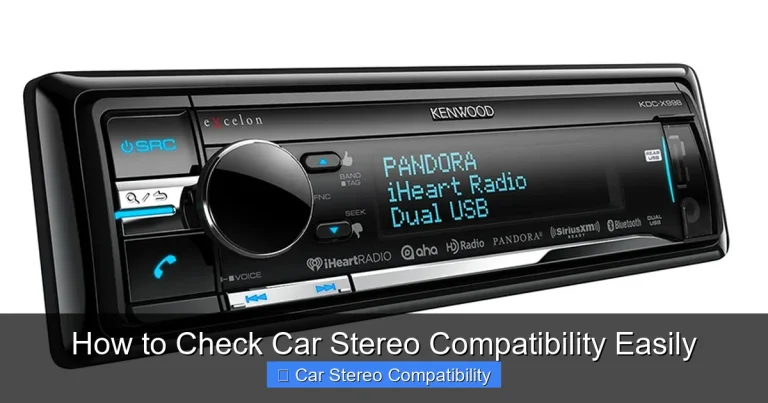
This is the most common size, measuring approximately 7 inches wide by 2 inches tall (180mm x 50mm). If your current stereo is about the size of a standard cassette deck or single-CD player, it’s likely a single DIN.

Visual guide about How to Measure Car Stereo Size for Perfect Fit
Image source: caraudiohunt.com
Double DIN
Double DIN units are twice as tall as single DIN—about 7 inches wide by 4 inches tall (180mm x 100mm). These are popular in modern cars and support larger touchscreens, Apple CarPlay, Android Auto, and more.
Custom or Non-Standard
Some vehicles—especially luxury brands, trucks, or older models—use unique dash designs that don’t follow DIN standards. In these cases, you’ll need to measure manually or consult a compatibility chart.
Pro Tip: Check your car’s owner’s manual or search online using your vehicle’s year, make, and model. Sites like Crutchfield or Sonic Electronix offer free fit guides based on your VIN.
Step 2: Gather the Right Tools
Before you start measuring, make sure you have these essentials:
- A flexible tape measure or digital caliper (for precision)
- A trim removal tool (plastic pry tool)
- A flashlight (to see behind the dash)
- A notepad or phone to record measurements
- Optional: A friend to help hold the tape measure
Avoid using metal tools to remove trim—they can scratch or crack your dashboard.
Step 3: Remove the Existing Stereo Trim
Most cars have a plastic bezel or trim panel surrounding the stereo. This must be removed to access the actual mounting area.
Locate the Trim Panel
The trim usually snaps into place around the stereo and may also cover climate controls or cup holders. Look for small gaps or seams where the panel meets the dash.
Gently Pry It Off
Insert your plastic trim removal tool into the seam and gently wiggle it to release the clips. Work your way around the panel until it pops free. If it feels stuck, double-check for hidden screws—some trims are secured with screws under covers or in storage compartments.
Warning: Never force the trim. If it won’t budge, consult a repair manual or YouTube tutorial for your specific vehicle.
Step 4: Measure the Stereo Opening
Now that the trim is off, you can measure the actual space where the stereo sits.
Measure Width
Use your tape measure to measure the horizontal opening from left to right. Place the tape at the widest point inside the metal bracket or frame. Record this number—most stereos need a snug fit, so even a few millimeters matter.
Measure Height
Next, measure vertically from the top to the bottom of the opening. Again, measure at the tallest point. Compare this to standard DIN sizes:
- Single DIN: ~2 inches (50mm)
- Double DIN: ~4 inches (100mm)
If your measurement falls between, you may need an adapter kit.
Check for Irregular Shapes
Some openings are rounded, angled, or have cutouts for buttons. Note these features—they may affect which stereos you can install. Take photos for reference when shopping.
Step 5: Measure Depth and Clearance
This step is often overlooked—but it’s just as important as width and height.
Measure Behind the Dash
Use your tape measure to check how much space exists behind the stereo opening. Measure from the back of the dash face to any obstacles like the firewall, HVAC ducts, or wiring bundles. Most single and double DIN stereos require 6–8 inches (15–20 cm) of depth.
Account for Wiring and Antenna
Don’t forget about the space needed for connectors! The stereo’s harness, antenna cable, and USB/AUX inputs all add bulk. Leave at least 1–2 extra inches beyond the unit’s stated depth.
Example: If your stereo is 7 inches deep but you only have 6 inches of clearance, it won’t fit—even if the front dimensions match.
Step 6: Verify Mounting Compatibility
Even with perfect dimensions, your new stereo must attach securely.
Check for Mounting Brackets
Most factory stereos use metal sleeves or brackets that slide into the dash. Aftermarket units often include their own brackets. Measure the screw hole locations and compare them to your new stereo’s mounting points.
Look for Obstructions
Inspect the area for airbags, steering column components, or structural supports. These can prevent installation or pose safety risks. If you see anything unusual, consult a professional.
Step 7: Test Fit (If Possible)
Before finalizing your purchase, do a test fit.
Borrow or Buy with a Return Policy
If you’re unsure, borrow a friend’s stereo or buy from a retailer with a generous return window. Temporarily slide the unit into the opening to check fit, depth, and connector access.
Check Functionality
Power it on (if possible) to ensure all buttons, screens, and ports work without interference.
Troubleshooting Common Issues
“My measurements match, but the stereo won’t fit.”
This usually means depth or mounting issues. Double-check clearance behind the dash and verify that your stereo includes the correct bracket for your vehicle.
“There’s a gap around the stereo after installation.”
You may need a dash kit or bezel adapter. These fill gaps and give a clean look. Brands like Metra and Scosche offer vehicle-specific kits.
“The stereo sticks out too far.”
Some double DIN units are deeper than others. Look for “shallow mount” models if space is tight.
“I can’t reach the wiring harness.”
You might need a wiring extension harness or a different stereo with rear-facing connectors.
Final Tips for a Perfect Fit
- Always double-check measurements: Measure twice, buy once.
- Use online fit guides: Enter your VIN on retailer sites for guaranteed compatibility.
- Consider professional installation: If you’re unsure, a car audio shop can measure and install for you.
- Upgrade accessories too: A new stereo may require a wiring harness adapter, antenna adapter, or steering wheel control interface.
Conclusion
Measuring your car stereo size doesn’t have to be complicated. By following these steps—identifying your dash type, using the right tools, measuring width, height, and depth, and checking for obstructions—you’ll avoid common pitfalls and ensure a perfect fit. Whether you’re upgrading to a single DIN for better sound or going all-in with a double DIN touchscreen, accurate measurements are the foundation of a successful installation. Take your time, stay safe, and enjoy the ride with your new stereo!