Wondering if a new car stereo will fit your vehicle? This guide walks you through simple steps to check compatibility—from measuring your dash to matching wiring and features. Save time and avoid costly mistakes by ensuring your stereo fits perfectly before you buy.
How to Check Car Stereo Compatibility Easily
Upgrading your car stereo can transform your driving experience—crisp sound, smartphone integration, and modern features like voice control. But before you buy that shiny new head unit, you need to make sure it’s compatible with your vehicle. Installing an incompatible stereo can lead to poor fit, wiring headaches, or even damage to your car’s electronics.
The good news? Checking car stereo compatibility is easier than you think. With a few simple steps, you can confidently choose a stereo that fits your car, works with your wiring, and supports all the features you want. In this guide, we’ll walk you through everything you need to know—from measuring your dash to verifying wiring and features—so you can upgrade with confidence.
Step 1: Identify Your Car’s Stereo Size (DIN Size)
The first and most important step is checking the physical size of your current stereo opening. Most car stereos follow standard sizes known as DIN (Deutsches Institut für Normung), a German standard widely used in the automotive industry.
What is DIN Size?
DIN size refers to the dimensions of the stereo slot in your dashboard. There are two common types:
Visual guide about How to Check Car Stereo Compatibility Easily
Image source: blog.electronicexpress.com
- Single DIN (1-DIN): Measures approximately 2 inches (50 mm) in height and 7 inches (180 mm) in width. This is the most common size in older and compact cars.
- Double DIN (2-DIN): Twice the height of a single DIN, measuring about 4 inches (100 mm) tall and 7 inches wide. Many modern stereos with touchscreens and large displays use this size.
How to Measure Your Stereo Opening
Grab a tape measure or ruler and follow these steps:
- Remove your current stereo (if possible) or measure the visible opening in the dash.
- Measure the height and width of the opening in millimeters or inches.
- Compare your measurements to standard DIN sizes.
Tip: If you’re unsure, check your car’s owner’s manual or search online using your car’s make, model, and year. Many websites list the factory stereo size for specific vehicles.
Step 2: Check Your Car’s Wiring Harness
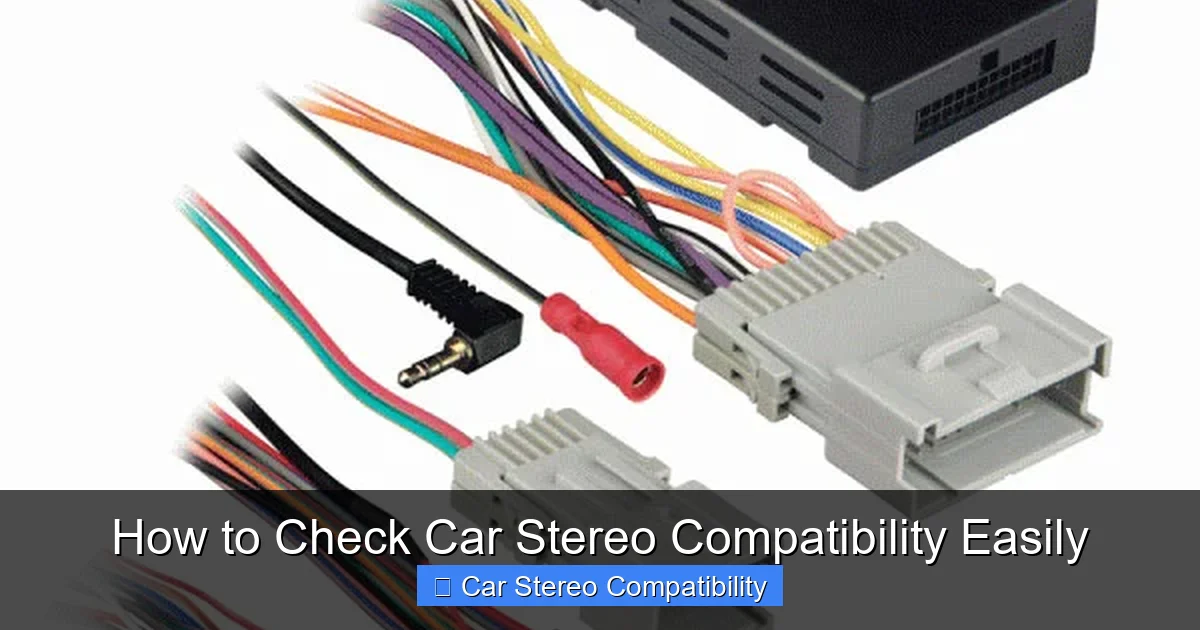
Even if a stereo fits physically, it won’t work without the right wiring connection. Your car has a factory wiring harness that connects the stereo to the power, speakers, and other systems. New stereos come with their own harness, so you’ll need to ensure they match—or use an adapter.
Understand Wiring Harness Types
Most modern cars use standardized wiring harnesses, but the connectors vary by manufacturer. Common types include:
- ISO connectors: Used in many European and Asian cars (e.g., Honda, Toyota, BMW).
- Proprietary connectors: Found in some American brands like Ford and GM, which may require specific adapters.
How to Match Wiring Harnesses
Here’s how to ensure your new stereo connects properly:
- Look up your car’s wiring harness type using your vehicle’s year, make, and model.
- Check the stereo’s product description—most manufacturers list compatible harness types.
- Buy a wiring harness adapter if the connectors don’t match. These adapters plug into your car’s harness and connect to the new stereo, making installation plug-and-play.
Example: If you’re installing a Pioneer stereo in a 2015 Honda Civic, you’ll likely need a Metra AX-HON1 wiring harness adapter to connect the factory harness to the Pioneer unit.
Step 3: Verify Steering Wheel Control Compatibility
Many modern cars have audio controls on the steering wheel—volume, track skip, voice commands, etc. If you replace your stereo, these controls may stop working unless your new unit supports them.
Check for Steering Wheel Control Support
Not all stereos support factory steering wheel controls, and even if they do, you may need an additional interface module.
- Look for stereos labeled “steering wheel control compatible” or “SWC ready.”
- Check if your car uses resistive or CAN bus steering wheel controls (most newer cars use CAN bus).
Use a Steering Wheel Control Interface
If your new stereo doesn’t natively support your car’s controls, buy a steering wheel control interface (also called a SWC adapter). These devices translate signals from your steering wheel to the new stereo.
Tip: Popular brands like Axxess and PAC offer interfaces for most vehicle models. Just enter your car details on their website to find the right one.
Step 4: Confirm Feature Compatibility
Modern stereos come with advanced features like Bluetooth, Apple CarPlay, Android Auto, backup cameras, and USB ports. But not all cars support these features out of the box.
Check for Required Inputs and Connections
Before buying, ask yourself:
- Does my car have a backup camera? If yes, does the new stereo have a video input?
- Do I want to use Apple CarPlay or Android Auto? Is my car’s USB port compatible, or do I need a firmware update?
- Does the stereo support my phone’s operating system?
Verify Antenna and Power Requirements
Some features require specific connections:
- FM/AM antenna: Most stereos need a standard antenna adapter. Check if your car uses a DIN or Motorola-style connector.
- Amplifier integration: If your car has a factory amplifier, ensure the new stereo can work with it or bypass it properly.
Example: If you want to add a backup camera, make sure the stereo has a dedicated video input (usually labeled “RCA video in”) and that your car’s camera wiring can be routed to the head unit.
Step 5: Use Online Compatibility Tools
Don’t guess—use technology to your advantage. Many reputable car audio retailers offer free online tools that match stereos to your vehicle.
Popular Compatibility Checkers
Try these trusted websites:
- Crutchfield.com: Enter your car’s details, and they’ll show only compatible stereos, along with recommended adapters and installation kits.
- SonicElectronix.com: Offers a “Fitment Guarantee” and detailed compatibility notes for each product.
- Amazon Vehicle-Specific Fit: When shopping on Amazon, use the “My Garage” feature to filter products that fit your car.
These tools save time and reduce the risk of buying the wrong stereo. They often include installation guides and customer support.
Step 6: Consider Professional Installation
Even if you’re handy, some installations are best left to professionals—especially if your car has complex electronics or a factory amplifier.
When to Call a Pro
Consider professional help if:
- Your car has a premium sound system (e.g., Bose, Harman Kardon).
- You’re adding multiple features like a backup camera, subwoofer, or navigation.
- You’re not comfortable working with car electronics or removing dash panels.
Many car audio shops offer free compatibility checks and can recommend the best stereo for your needs. They’ll also handle wiring, mounting, and testing—giving you peace of mind.
Troubleshooting Common Compatibility Issues
Even with careful planning, you might run into problems. Here’s how to fix the most common issues:
Stereo Doesn’t Fit the Dash
Solution: Use a dash kit (also called a mounting kit). These kits include brackets and faceplates that adapt the new stereo to your car’s dash. Most retailers include them when you buy a compatible stereo.
No Sound After Installation
Solution: Double-check the wiring harness connections. Ensure the speaker wires are matched correctly (positive to positive, negative to negative). Also, verify that the stereo is set to the correct input source.
Steering Wheel Controls Not Working
Solution: Program the steering wheel control interface using the manufacturer’s instructions. Some adapters require a specific sequence of button presses to sync with the stereo.
Backup Camera Not Displaying
Solution: Confirm the camera is receiving power and the video cable is securely connected. Also, check that the stereo is set to trigger the camera when in reverse.
Final Tips for a Smooth Upgrade
Before you buy, keep these tips in mind:
- Take photos of your current setup: Snap pictures of the stereo, wiring, and dash before removing anything. This helps during installation.
- Read reviews from other owners: Look for feedback from people with the same car model to see what stereos worked for them.
- Buy from a retailer with a good return policy: In case of compatibility issues, you’ll want the option to exchange or return the stereo.
Conclusion
Checking car stereo compatibility doesn’t have to be complicated. By following these steps—measuring your dash, matching wiring, verifying features, and using online tools—you can find a stereo that fits perfectly and works flawlessly in your vehicle. Whether you’re upgrading for better sound, smartphone integration, or modern features, taking the time to check compatibility will save you time, money, and frustration.
Remember, when in doubt, consult a professional or reach out to the stereo manufacturer. With the right preparation, your next drive can be filled with crystal-clear music, seamless navigation, and all the tech you love—right at your fingertips.

