Setting your car stereo equalizer can dramatically improve your driving music experience. This guide walks you through choosing the right EQ settings, adjusting frequencies, and fine-tuning for your car’s acoustics. Whether you love bass or crystal-clear vocals, you’ll get balanced, high-quality sound every time.
Key Takeaways
- Understand EQ bands: Most car stereos have 5–13 frequency bands; knowing what each controls (bass, mids, treble) is key to great sound.
- Start flat: Always begin with all EQ sliders at zero (flat) to make accurate adjustments based on your ears, not guesswork.
- Match music genre: Different music styles need different EQ settings—rock needs strong mids, while hip-hop thrives on deep bass.
- Use reference tracks: Choose familiar songs with clear vocals, instruments, and bass to test and tweak your EQ effectively.
- Consider your car’s acoustics: Hard surfaces reflect sound; soft materials absorb it—adjust EQ to compensate for your car’s interior.
- Avoid over-boosting: Cranking up bass or treble too high causes distortion and fatigue—small, balanced changes work best.
- Save custom presets: Once you find a great setting, save it so you can easily switch between genres or driving conditions.
How to Set Car Stereo Equalizer for Perfect Sound
Have you ever cranked up your favorite song in the car, only to be disappointed by muddy bass, harsh highs, or weak vocals? You’re not alone. Even the best car stereos can sound off without proper equalizer (EQ) settings. The good news? You don’t need to be an audio engineer to fix it. With a few simple steps, you can tune your car stereo equalizer for rich, balanced, and immersive sound that makes every drive a joy.
In this guide, you’ll learn how to set your car stereo equalizer like a pro. We’ll cover everything from understanding EQ bands to adjusting for your car’s unique acoustics. Whether you’re listening to classical, hip-hop, or classic rock, you’ll discover how to get the best possible sound from your system—no expensive upgrades required.
What Is a Car Stereo Equalizer?
An equalizer, or EQ, is a tool that lets you adjust the volume of specific frequency ranges in your music. Think of it like a volume knob for different parts of the sound spectrum. Most car stereos have a built-in EQ with sliders or presets that control bass (low frequencies), mids (mid-range), and treble (high frequencies).
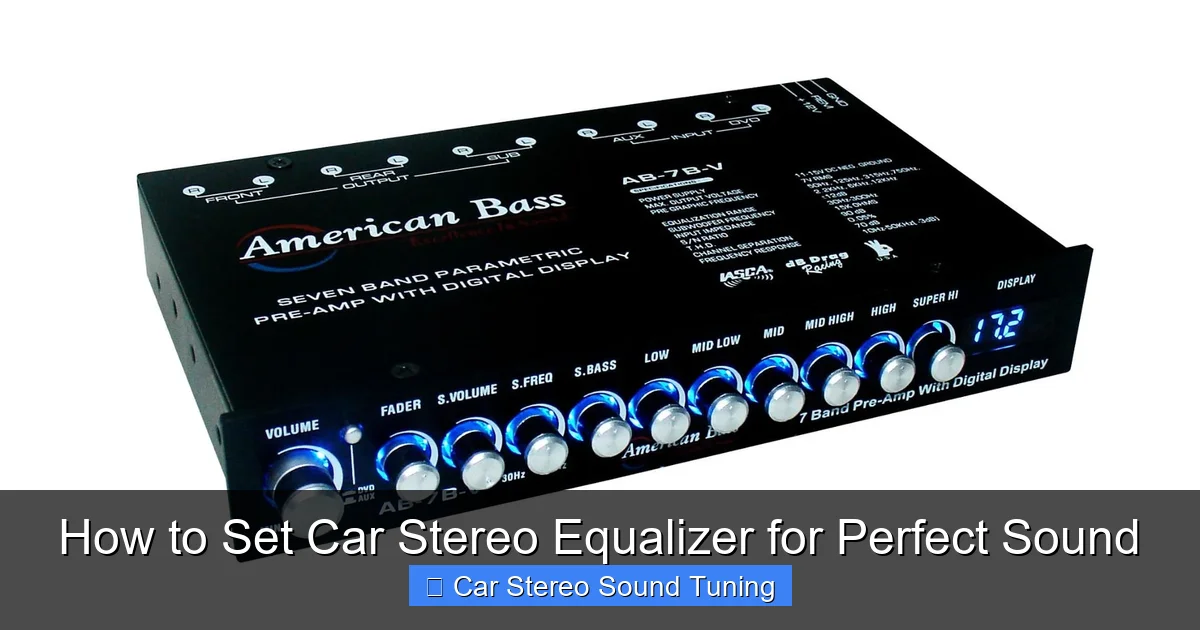
Visual guide about How to Set Car Stereo Equalizer for Perfect Sound
Image source: audiolover.com
For example, boosting the bass makes kick drums and subwoofers punchier, while increasing treble adds clarity to cymbals and vocals. The midrange affects instruments like guitars, pianos, and human voices. By adjusting these bands, you can tailor the sound to match your music, your ears, and your car’s interior.
Step 1: Start with a Flat EQ
Before making any changes, reset your EQ to a flat or neutral setting. This means all sliders should be at zero (or the center position). Why? Because starting flat gives you a clean baseline. It removes any preset boosts or cuts that might mislead your ears.
How to Reset Your EQ
- Go to your stereo’s audio or sound settings menu.
- Look for “EQ,” “Equalizer,” or “Sound Settings.”
- Select “Flat,” “Neutral,” or manually move all sliders to the center.
- If your stereo has presets (like “Rock” or “Pop”), avoid them for now—they’re often exaggerated.
Once your EQ is flat, play a familiar song. This will help you hear what’s naturally missing or overpowering in your current setup.
Step 2: Choose the Right Reference Track
Not all songs are created equal when it comes to tuning your EQ. You need a reference track—a song you know well, with clear vocals, balanced instruments, and a good mix of bass, mids, and treble.
What Makes a Good Reference Track?
- Clear vocals: Songs with strong, upfront singing (like Adele or John Mayer) help you tune the midrange.
- Defined bass: Tracks with a solid kick drum or bassline (like Daft Punk or Billie Eilish) test low frequencies.
- Crisp highs: Music with cymbals, acoustic guitars, or high notes (like Fleetwood Mac or Norah Jones) reveal treble clarity.
Pro tip: Use the same reference track every time you adjust your EQ. This consistency helps you make precise, repeatable changes.
Step 3: Adjust the Bass (Low Frequencies)
Bass lives in the 60–250 Hz range. Too little, and your music feels thin. Too much, and it becomes boomy or muddy.
How to Tune the Bass
- Play your reference track and listen to the kick drum or bass guitar.
- Slowly increase the bass slider (usually labeled “Bass” or “Low”) until the low end feels full but not overwhelming.
- If the bass sounds “boomy” or distorts at high volume, reduce it slightly.
- Avoid boosting bass above +3 or +4 dB—this can strain your speakers and cause fatigue.
Example: For hip-hop or EDM, a slight bass boost (+2 to +3 dB) adds punch. For classical or jazz, keep it flat or slightly reduced to avoid masking delicate instruments.
Step 4: Fine-Tune the Midrange (Mid Frequencies)
The midrange (250 Hz to 4 kHz) is the heart of your music. It carries vocals, guitars, pianos, and most instruments. Getting this right is crucial for clarity and presence.
How to Adjust the Mids
- Listen closely to vocals—do they sound forward and clear, or buried?
- If vocals are too soft, gently boost the midrange (around 1–2 kHz).
- If the sound feels “boxy” or harsh, reduce the lower mids (250–500 Hz).
- For rock or pop, a slight mid boost (+1 to +2 dB) can make instruments pop.
- For talk radio or podcasts, boosting 2–3 kHz improves speech clarity.
Warning: Over-boosting mids can make music sound nasal or aggressive. Small changes go a long way.
Step 5: Set the Treble (High Frequencies)
Treble (4 kHz and above) controls brightness, sparkle, and detail. Too little treble, and cymbals sound dull. Too much, and it becomes harsh or sibilant (exaggerated “s” sounds).
How to Adjust Treble- Play a song with cymbals or acoustic guitar.
- Increase the treble slider slightly until you hear crisp, clear highs—but not sharp or piercing.
- If voices sound “hissy” or fatiguing, reduce the treble by 1–2 dB.
- For older cars with worn speakers, a small treble cut (-1 to -2 dB) can reduce harshness.
Tip: If your car has a lot of glass (like a convertible), you may need a slight treble boost to cut through reflections.
Step 6: Compensate for Your Car’s Acoustics
Your car’s interior affects sound more than you think. Hard surfaces (glass, plastic) reflect sound, making highs brighter. Soft materials (carpet, seats) absorb sound, dulling the audio.
Adjusting for Your Environment
- Convertibles or coupes: Boost treble slightly to overcome wind noise and reflections.
- Sedans or SUVs with plush interiors: Add a touch of bass and treble to compensate for absorption.
- Noisy roads or highways: Slightly boost mids and lower treble to improve vocal clarity over road rumble.
- Rear-seat listeners: If passengers complain about weak sound, increase overall volume and midrange.
Remember: Your ears adapt to your car’s sound over time. What sounds “perfect” at first might feel off after a week. Revisit your EQ settings periodically.
Step 7: Save Your Custom EQ Preset
Once you’ve dialed in your ideal sound, don’t lose it! Most modern car stereos let you save custom EQ settings.
How to Save a Preset
- Go to the EQ menu and look for “Save” or “User Preset.”
- Name it something memorable, like “My Daily Drive” or “Rock Boost.”
- Create multiple presets for different genres—e.g., “Bass Heavy” for hip-hop, “Vocal Clarity” for podcasts.
This way, you can switch between settings instantly without re-tuning every time.
Troubleshooting Common EQ Problems
Even with careful tuning, you might run into issues. Here’s how to fix the most common problems:
Problem: Sound is distorted at high volume
Solution: You’re likely over-boosting bass or treble. Reduce boosts by 1–2 dB. Also, check if your amplifier or speakers are underpowered—cranking volume to compensate can cause clipping.
Problem: Vocals sound muffled or distant
Solution: Boost the midrange (1–3 kHz) slightly. If that doesn’t help, reduce the lower mids (250–500 Hz) to cut “boxiness.”
Problem: Bass is weak even after boosting
Solution: Your speakers or subwoofer may not handle low frequencies well. Consider upgrading, or use a bass boost feature sparingly. Also, check speaker polarity—wiring issues can cancel out bass.
Problem: Treble sounds harsh or fatiguing
Solution: Reduce treble by 1–2 dB. If your car has bright-sounding factory speakers, a small cut at 8–10 kHz can smooth things out.
Final Tips for Perfect Car Sound
- Listen at moderate volume: Extreme volumes distort your perception of EQ. Tune at a comfortable level.
- Take breaks: Your ears get tired. Step away for 5 minutes, then return with fresh ears.
- Upgrade gradually: Better speakers, sound deadening, or a subwoofer can enhance EQ results—but start with tuning first.
- Share the experience: Ask passengers for feedback. They might notice things you don’t.
Conclusion
Setting your car stereo equalizer doesn’t have to be complicated. By starting flat, using a good reference track, and making small, thoughtful adjustments, you can transform your driving soundtrack. Remember: the goal isn’t to max out every slider—it’s to create a balanced, enjoyable sound that suits your music and your car.
Take your time, trust your ears, and don’t be afraid to experiment. With the right EQ settings, every mile will sound better than the last. Happy tuning!
🎥 Related Video: Tuning your car stereo – Head Unit Equalizer – No DSP! PROCESS EXPLAINED
📺 CarAudioFabrication
Many aftermarket head units now have an “EQ” or equalizer built in. What is the equalizer for and how do we tune and set it on our …

