Adjusting your car stereo for the best sound quality doesn’t require professional tools—just a few tweaks and some patience. This guide walks you through optimizing EQ settings, speaker balance, and more to transform your daily drive into a concert on wheels.
Key Takeaways
- Start with factory reset: Clear previous settings to begin tuning from a clean slate.
- Use the equalizer (EQ) wisely: Adjust bass, midrange, and treble to match your music and car acoustics.
- Set fader and balance correctly: Ensure sound is evenly distributed between front, rear, left, and right speakers.
- Test with familiar music: Use songs you know well to hear subtle changes in sound quality.
- Avoid maxing out bass or treble: Extreme settings can distort sound and damage speakers.
- Consider your car’s acoustics: Hard surfaces reflect sound; soft materials absorb it—adjust accordingly.
- Fine-tune gradually: Small adjustments make a big difference—don’t rush the process.
How to Adjust Car Stereo for Best Sound Quality
If you’ve ever cranked up your car stereo only to hear muddy bass, tinny highs, or unbalanced sound, you’re not alone. Most factory car audio systems come with default settings that prioritize volume over clarity. The good news? You can dramatically improve your listening experience with a few simple adjustments. Whether you’re a music lover, podcast fan, or audiobook enthusiast, tuning your car stereo for the best sound quality is easier than you think.
In this guide, we’ll walk you through step-by-step instructions to optimize your car stereo. You’ll learn how to use the equalizer (EQ), set fader and balance controls, choose the right audio sources, and troubleshoot common sound issues. No professional tools or technical expertise required—just your ears and a little patience.
Step 1: Reset Your Stereo to Factory Settings
Before making any changes, it’s smart to start fresh. Over time, previous adjustments can stack up, creating a confusing mix of settings that are hard to reverse.
How to Reset
- Turn on your car stereo.
- Go to the main menu or settings (usually labeled “Menu,” “Setup,” or “Settings”).
- Look for an option like “Restore Defaults,” “Factory Reset,” or “Reset All.”
- Confirm the reset when prompted.
This clears any custom EQ, balance, or fader settings and gives you a clean starting point.
Why It Matters
Starting from scratch ensures you’re not fighting against old, possibly flawed adjustments. It’s like wiping a whiteboard clean before writing a new equation.
Step 2: Choose the Right Audio Source
The quality of your music source affects how well your stereo performs. A low-bitrate MP3 will never sound as good as a high-quality FLAC file or a strong radio signal.
Best Audio Sources
- Streaming services (Spotify, Apple Music, Tidal): Use high-quality or “lossless” settings when available.
- Aux cable or USB: Direct connection often delivers better sound than Bluetooth.
- CDs: Still one of the best sources for uncompressed audio.
- AM/FM Radio: Signal quality varies—tune to stations with strong reception.
Tip
If using Bluetooth, keep your phone close to the stereo to maintain a strong connection and reduce audio compression.
Step 3: Adjust the Equalizer (EQ)
The equalizer is the heart of sound tuning. It lets you boost or cut specific frequency ranges: bass (low), midrange (mid), and treble (high).
Understanding EQ Bands
- Bass (60–250 Hz): Controls the thump of drums and bass guitars. Too much causes distortion; too little sounds flat.
- Midrange (250 Hz–4 kHz):strong> Affects vocals and instruments like guitars and pianos. This is where most music lives.
- Treble (4–20 kHz): Adds clarity and sparkle to cymbals, vocals, and high notes. Too high can sound harsh.
How to Set the EQ
- Play a song you know well—something with clear vocals, bass, and highs.
- Start with all EQ bands at zero (flat).
- Adjust one band at a time, listening carefully.
- For most cars, a slight boost in midrange (around 500 Hz–1 kHz) improves vocal clarity.
- Add a small bass boost (around 80–120 Hz) if your car sounds thin.
- Increase treble slightly (around 8–12 kHz) for crispness, but avoid harshness.
Example EQ Settings for Common Genres
- Rock/Pop: +2 dB bass, +1 dB mid, +2 dB treble
- Hip-Hop/R&B: +3 dB bass, flat mid, +1 dB treble
- Classical/Jazz: Flat bass, +1 dB mid, +2 dB treble
Pro Tip
Avoid “V-shaped” EQ curves (boosted bass and treble, cut mids) unless you prefer a dramatic sound. They can make music sound unbalanced in a car.
Step 4: Set Fader and Balance Controls
Fader controls front-to-rear speaker output. Balance adjusts left-to-right distribution. Proper settings ensure sound comes from the right places.
How to Adjust Fader
- Sit in the driver’s seat (or center of the car if you’re the main listener).
- Play music with strong vocals or instruments.
- Adjust the fader toward the front until vocals sound centered and clear.
- If rear passengers complain about weak sound, shift slightly rearward—but keep most sound up front.
How to Adjust Balance
- Listen for where the vocals appear to come from.
- If they’re off to one side, adjust the balance toward the center.
- Most people prefer slightly left-biased balance (compensating for driver-side seating).
Why It Matters
Correct fader and balance make music feel like it’s coming from in front of you, not from the back seat or one door.
Step 5: Fine-Tune Bass and Treble Separately
Many stereos have dedicated bass and treble knobs. These are quick adjustments but should be used carefully.
Bass Adjustment
- Start at the center (0).
- Turn up slightly if music lacks punch.
- If bass sounds boomy or distorts, turn it down.
- Never max out the bass—it can damage speakers and muffle vocals.
Treble Adjustment
- Increase if music sounds dull or muffled.
- Decrease if cymbals or high notes sound shrill.
- Aim for clarity without harshness.
Tip
Use a song with both deep bass and high cymbals (like “Billie Jean” by Michael Jackson) to test both extremes.
Step 6: Consider Your Car’s Acoustics
Every car has unique sound characteristics. Hard surfaces (glass, metal) reflect sound, while soft materials (seats, carpet) absorb it.
Tips for Better Acoustics
- Close windows to reduce wind noise and external sounds.
- Use seat covers or floor mats to reduce echo.
- If your car has rear speakers, ensure they’re not blocked by cargo.
- Consider sound-deadening materials if you’re serious about audio quality.
Example
In a compact car with lots of glass, you may need to reduce treble to avoid a “tinny” sound. In a large SUV with cloth seats, you might boost bass for fullness.
Step 7: Test and Refine
Sound tuning is an ongoing process. Your ears adapt, and different music may require slight changes.
How to Test
- Play a variety of songs—vocals, rock, classical, electronic.
- Listen for clarity, balance, and lack of distortion.
- Ask a passenger for feedback—they hear the sound differently.
Refine Gradually
Make small adjustments—1 dB at a time. Your ears will notice the difference, but big jumps can lead to overcorrection.
Troubleshooting Common Sound Issues
Problem: Sound is Muffled or Dull
Likely cause: Too much midrange cut or low-quality audio source. Try boosting mids slightly and using a better source file.
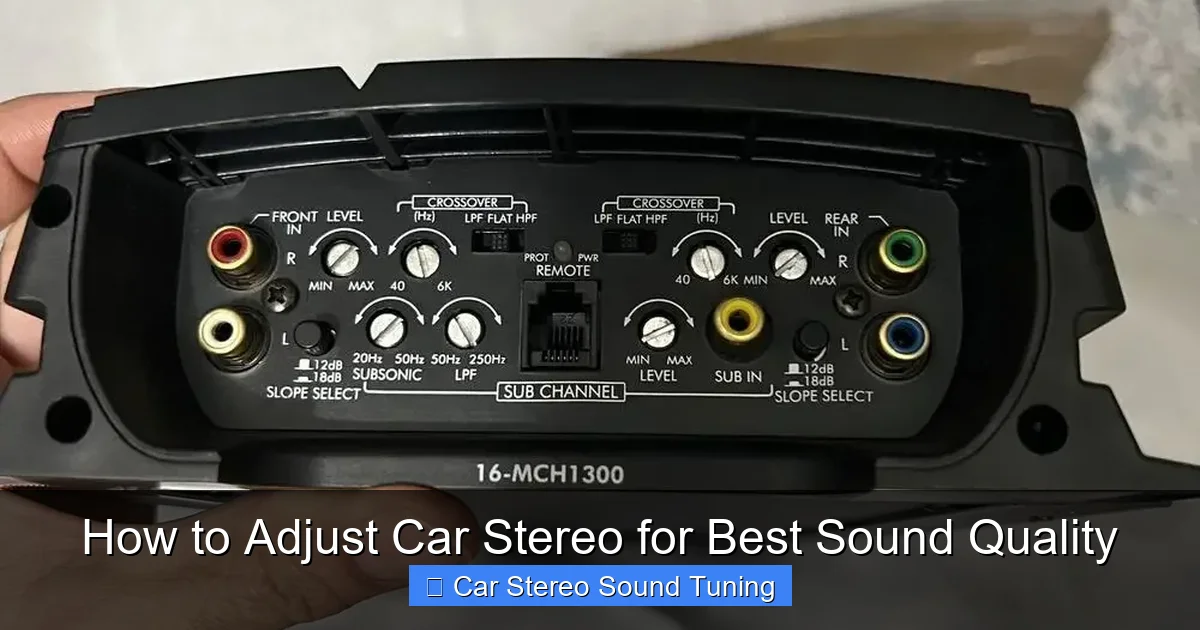
Visual guide about How to Adjust Car Stereo for Best Sound Quality
Image source: autostereoguide.com
Problem: Bass is Boomy or Distorting
Likely cause: Bass set too high or poor speaker placement. Reduce bass by 1–2 dB and check if subwoofer (if installed) is overpowering.
Problem: Vocals Sound Weak or Far Away
Likely cause: Fader set too far back or midrange too low. Move fader forward and boost mids around 500 Hz–1 kHz.
Problem: Sound is Unbalanced (One Side Louder)
Likely cause: Balance control is off. Reset balance to center and adjust slowly.
Problem: Static or Crackling
Likely cause: Loose cable, poor connection, or damaged speaker. Check aux/USB cables and speaker wiring.
Conclusion
Adjusting your car stereo for the best sound quality is a rewarding DIY project that can transform your daily commute into a premium audio experience. By resetting your system, using high-quality audio sources, and carefully tuning the EQ, fader, and balance, you’ll hear music the way it was meant to be heard.
Remember: small changes make a big difference. Take your time, trust your ears, and don’t be afraid to experiment. With these tips, you’ll enjoy richer bass, clearer vocals, and a perfectly balanced sound—no matter where the road takes you.
🎥 Related Video: 4 Stereo Settings to make your Car Speakers Sound Better
📺 Sean Canoy
My top 4 most important stereo settings to make your car speakers sound WAY BETTER! DIY How to make your speakers sound …

