Reading OBD2 scanner codes is a straightforward way to understand your car’s health. This guide will teach you how to connect the scanner, interpret the codes, and take action to keep your vehicle running smoothly. With simple steps and clear explanations, you’ll feel confident diagnosing basic car problems in no time.
Quick Answers to Common Questions
What if my scanner doesn’t power on?
Check that your car’s ignition is in the “on” position and the scanner is properly plugged into the OBD2 port.
Can I use the scanner while driving?
It’s best to read codes with the car parked and engine off or in the “on” position, but some scanners allow live data reading while driving safely.
Is it safe to clear codes myself?
Yes, but only after you have addressed the underlying issue to avoid masking problems.
Why do OBD2 codes start with letters?
The letters categorize the system affected, such as P for powertrain and B for body systems.
Can I use one scanner for all vehicles?
Most OBD2 scanners work on cars made after 1996, but some advanced codes require brand-specific scanners.
How to Read OBD2 Scanner Codes Easily and Understand Your Car
Have you ever seen the check engine light turn on and wondered what it means? An OBD2 scanner can help you decode that mystery. In this guide, you will learn how to read OBD2 scanner codes with ease, so you can understand your car better and even save money on repairs. From connecting the device to interpreting codes, this step-by-step guide walks you through everything.
What is an OBD2 Scanner?
OBD2 stands for On-Board Diagnostics, version 2. It’s a system in cars made after 1996 that monitors the engine and other systems. An OBD2 scanner plugs into your vehicle and retrieves trouble codes stored by the car’s computer. These codes tell you what might be wrong.
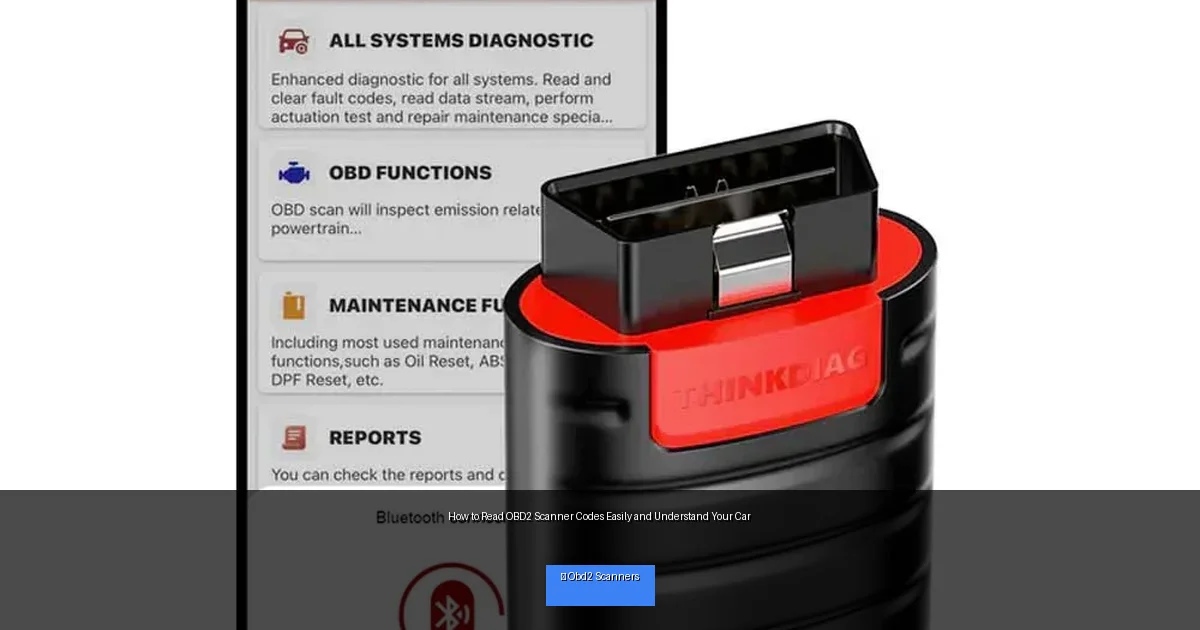
Visual guide about How to Read OBD2 Scanner Codes Easily and Understand Your Car
Image source: locksmithkeyless.com
Step 1: Locate the OBD2 Port
The OBD2 port is usually found under the dashboard, near the steering wheel. It looks like a 16-pin connector. Sometimes it’s hidden behind a panel or near the fuse box. Check your car’s manual if you have trouble finding it.
Tips for Finding the Port
- Look below the driver’s side dashboard.
- Use a flashlight for better visibility.
- Search online for your car model’s OBD2 port location.
Step 2: Connect the OBD2 Scanner
Once you find the port, plug your OBD2 scanner firmly into it. Make sure the ignition is turned off when plugging in. After the scanner is connected, turn your car’s ignition to the “on” position, but do not start the engine unless instructed by the scanner.
Types of OBD2 Scanners
- Basic code readers: Retrieve and clear codes, simple to use.
- Bluetooth scanners: Connect to your phone via an app for more features.
- Advanced scan tools: Provide live data, freeze frame information, and manufacturer-specific codes.
Step 3: Retrieve Trouble Codes
Use the scanner’s menu to select “Read Codes” or a similar option. The scanner will communicate with your car and display any stored trouble codes. These codes typically start with a letter followed by four digits, such as P0301.
Understanding Code Types
- P codes: Powertrain issues like engine and transmission problems.
- B codes: Body-related issues, such as airbags or seat belts.
- C codes: Chassis problems, like brakes or suspension.
- U codes: Network & communication issues within vehicle systems.
Step 4: Decode the Trouble Codes
Each code has a meaning. For example, P0301 means “Cylinder 1 Misfire Detected.” Your OBD2 scanner may show a brief description, but you can also look codes up online or in the scanner’s manual.
How to Use Code Definitions
- Write down or save the code and description.
- Search for the code online, using trusted automotive sites.
- Check if the code is generic or specific to your car’s make and model.
- Use this info to decide if you need a mechanic or a simple fix.
Step 5: Take Action Based on the Codes
Some codes indicate minor issues you can fix yourself, like a loose gas cap. Others may require professional help. Use the code info to troubleshoot:
- Check for obvious problems (e.g., loose wires, low fluids).
- Follow simple fixes if you are comfortable (like tightening the gas cap).
- Schedule repairs for serious issues (like misfires or sensor failures).
Step 6: Clear the Codes
After fixing the issue, you can clear the codes from the car’s computer using your scanner. Look for the “Clear Codes” or “Erase Codes” option. Clearing codes will turn off the check engine light if the problem is resolved.
Important Notes on Clearing Codes
- Only clear codes after repairing the issue.
- If the problem returns, the light will come back.
- Clearing codes resets readiness monitors, which may affect emissions testing.
Step 7: Use Advanced Features (Optional)
Many OBD2 scanners can show live data, such as engine RPM, temperature, and sensor readings. This info helps diagnose intermittent or complex problems. Some scanners also save freeze frame data, showing conditions when a fault occurred.
How to Use Live Data
- Navigate to the live data screen on your scanner.
- Watch sensor readings while the engine runs.
- Look for values outside normal ranges.
Troubleshooting Common Scanner Issues
Scanner Won’t Connect to Car
- Make sure ignition is on.
- Check connection to OBD2 port.
- Try a different scanner or vehicle to isolate the issue.
Codes Don’t Clear After Repair
- Ensure the problem is fully fixed.
- Drive the car for a few miles to allow system tests to complete.
- If codes persist, consider professional diagnostics.
Scanner Shows No Codes but Check Engine Light is On
- Try a more advanced scanner.
- Reset the system and monitor for new codes.
- Consult a mechanic if light remains.
Conclusion
Reading OBD2 scanner codes is easier than you might think. With these simple steps, you can connect your scanner, decode the messages from your car, and take action to fix problems. Whether you’re a DIY enthusiast or just want to understand your vehicle better, mastering OBD2 codes helps you stay informed and save money. So grab your scanner and start exploring your car’s health today!
🎥 Related Video: How to Use an OBD2 Scan Tool
📺 EasyAutoFix
OBD2 Scanner: https://amzn.to/4jdzrUc ▶︎ Check Out ALLDATA Manuals: …

