Diagnosing a car with an OBD2 scanner is a simple and effective way to identify vehicle problems quickly. This guide walks you through each step, from connecting the scanner to interpreting fault codes, helping you save time and money on repairs.
Quick Answers to Common Questions
How do I know if my car has an OBD2 port?
Most cars made after 1996 have an OBD2 port. Check under your dashboard near the steering wheel to find it.
Can I use any OBD2 scanner on any car?
Most scanners support all OBD2-compliant vehicles, but some advanced features may require a specific brand or model.
What if my check engine light is blinking?
A blinking light usually indicates a severe engine misfire. Stop driving and diagnose immediately to avoid damage.
How often should I scan my vehicle?
Scan your car whenever the check engine light appears or during regular maintenance to catch problems early.
Is clearing codes without fixing the issue harmful?
Clearing codes without repair just resets the light temporarily. The problem will likely return and could worsen.
How to Diagnose a Car with OBD2 Scanner for Easy Troubleshooting
If your car’s check engine light comes on, it can be frustrating not knowing what’s wrong. Fortunately, using an OBD2 scanner makes diagnosing vehicle troubles simple and fast. In this guide, you’ll learn how to connect an OBD2 scanner, read error codes, interpret them, and take the right steps to fix your car. Whether you’re a beginner or want to save money on mechanic costs, this step-by-step tutorial will help you troubleshoot your vehicle like a pro.
Step 1: Understand What an OBD2 Scanner Is
OBD2 stands for On-Board Diagnostics, version 2. Since the mid-1990s, most cars and trucks have had an OBD2 system that monitors engine and emissions performance. An OBD2 scanner is a device that plugs into your car’s OBD2 port and reads trouble codes generated by the system. These codes help you identify if there’s a problem with the engine, transmission, or other systems.
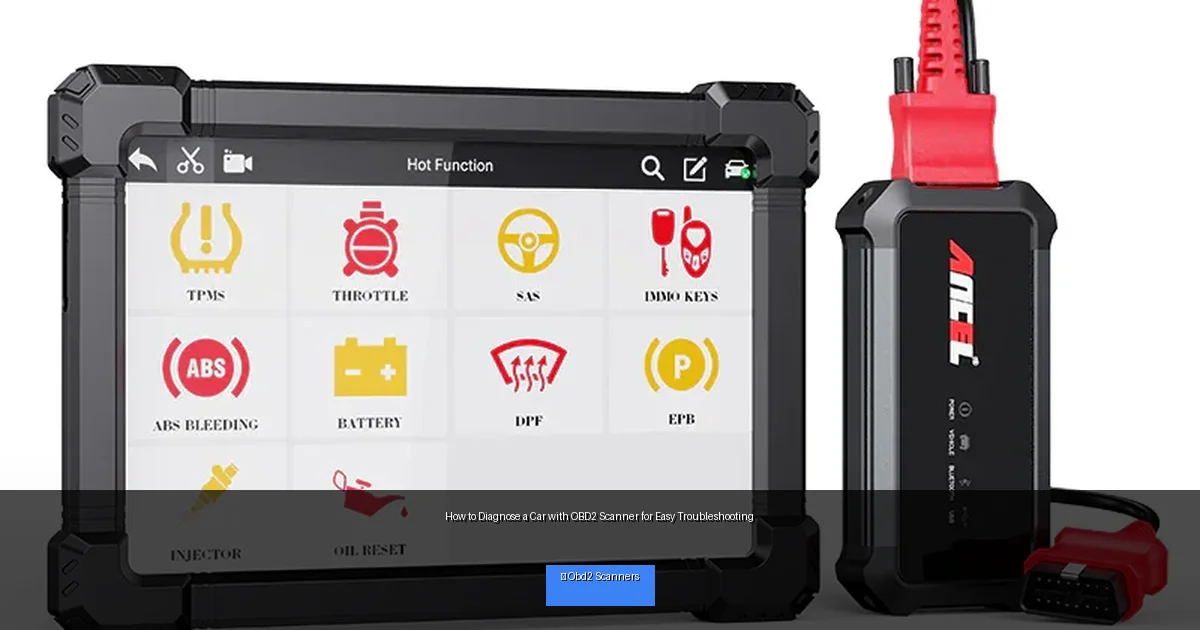
Visual guide about How to Diagnose a Car with OBD2 Scanner for Easy Troubleshooting
Image source: ancel.com
Step 2: Locate the OBD2 Port in Your Vehicle
The OBD2 port is usually found under the dashboard on the driver’s side. It’s a 16-pin connector that looks like a trapezoid. Here’s how to find it:
Look Near the Steering Column
Most vehicles place the port within 2 feet of the steering wheel, often below the dash or near the pedals.
Check the Owner’s Manual
If you can’t see it, your owner’s manual will show the exact location.
Use a Flashlight
Sometimes it’s tucked away in a dark spot, so a flashlight can help spot the port easily.
Step 3: Prepare Your Car and Scanner
Turn Off the Engine
Before plugging in the scanner, make sure the car is off for safety.
Plug in the Scanner
Insert the scanner’s connector firmly into the OBD2 port.
Turn on the Ignition
Turn the key to the “ON” position without starting the engine. This powers the car’s electronics and the scanner.
Step 4: Use the OBD2 Scanner to Read Codes
Power On the Scanner
Your scanner may turn on automatically or require you to press a power button.
Navigate the Menu
Use the buttons or touchscreen to select “Read Codes” or “Scan.”
Wait for the Scan
The scanner communicates with your car’s computer and retrieves stored trouble codes.
View the Codes
The codes will appear on the screen, often in a format like P0301 or P0420.
Step 5: Interpret the Diagnostic Trouble Codes (DTCs)
Each code corresponds to a specific problem in your vehicle. Here’s how to understand them:
Use the Scanner’s Code Definitions
Many scanners display a brief description of the code.
Look Up Codes Online
If your scanner doesn’t provide details, websites like obd-codes.com offer free code explanations.
Refer to Your Vehicle’s Repair Manual
This can give you more detailed troubleshooting steps based on the code.
Step 6: Take Action Based on the Codes
Once you know the problem, decide your next move:
Simple Fixes
Some issues like a loose gas cap or dirty sensor can be fixed easily at home.
Professional Help
For complex codes involving the engine or transmission, consider visiting a mechanic.
Step 7: Clear Codes After Repair
Use the Scanner to Reset
Most OBD2 scanners have a “Clear Codes” function. Use this after fixing the issue to turn off the check engine light.
Drive and Monitor
If the light comes back on, the problem may not be fully resolved.
Troubleshooting Tips
- Scanner won’t connect: Ensure the ignition is on and the scanner is properly plugged in.
- No codes found but light is on: Some issues may not trigger codes; try a different scanner or consult a mechanic.
- Multiple codes appear: Address the most critical codes first; some codes could be caused by others.
- Scanner shows “No Communication”: Check the OBD2 port for damage or blown fuses.
Practical Tips for Easy Diagnosis
- Keep your scanner updated to ensure compatibility with newer vehicles.
- Write down codes and descriptions for reference before clearing them.
- Use a smartphone app scanner for convenience if you have a Bluetooth OBD2 adapter.
- Regularly scan your vehicle to catch issues early.
Conclusion
Using an OBD2 scanner to diagnose your car is a straightforward way to identify and troubleshoot problems. By following these steps, you’ll save time and money while gaining confidence in managing your vehicle’s health. Remember, the key is to read the codes carefully, understand what they mean, and take appropriate action. With practice, diagnosing your car becomes easier and more effective.
🎥 Related Video: How to Use an OBD2 Scan Tool
📺 EasyAutoFix
OBD2 Scanner: https://amzn.to/4jdzrUc ▶︎ Check Out ALLDATA Manuals: …

