Connecting a car stereo to home power lets you use your car radio indoors for music, testing, or custom audio projects. This guide walks you through the simple process using a power supply, wiring, and safety tips to get your stereo working safely at home.
How to Connect Car Stereo to Home Power Easily
So, you’ve got a car stereo sitting around and want to use it at home? Maybe you’re building a garage sound system, testing a new head unit, or just love the idea of a rugged, high-power radio in your workshop. The good news? You can easily connect a car stereo to home power with a few simple tools and basic electrical know-how.
In this guide, we’ll walk you through the entire process—from choosing the right power supply to wiring it up safely and getting great sound. No need for a car battery or complicated setups. By the end, you’ll have your car stereo running smoothly on household electricity, ready to pump out your favorite tunes indoors.
Why Use a Car Stereo at Home?
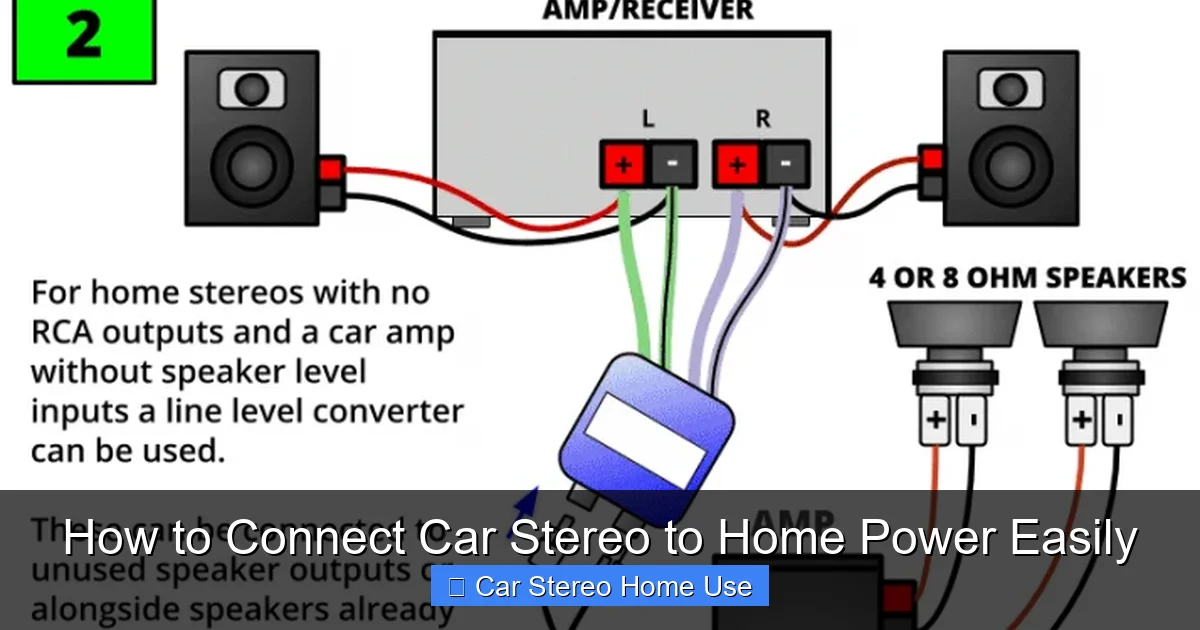
Visual guide about How to Connect Car Stereo to Home Power Easily
Image source: soundcertified.com
Car stereos are built tough. They’re designed to handle vibrations, temperature changes, and power fluctuations—making them surprisingly durable for home use. Plus, many modern car stereos come with Bluetooth, USB inputs, Apple CarPlay, and Android Auto, so you get advanced features without buying a separate home receiver.
Whether you’re setting up a man cave, a home office playlist station, or a portable audio rig for parties, a car stereo can be a cost-effective and powerful solution. And since they run on 12 volts DC, they’re energy-efficient compared to traditional home stereos.
What You’ll Need
Before you start, gather these essential tools and components:
- Car stereo (with wiring harness): Make sure you have the stereo and its factory wiring harness or aftermarket connector.
- 12V DC power supply: Options include a bench power supply, old computer power supply (PSU), or a dedicated 12V adapter (10A or higher recommended).
- Wire strippers and crimpers: For preparing and connecting wires safely.
- Electrical tape or heat shrink tubing: To insulate connections.
- Inline fuse holder and fuse (10–15 amp): Critical for safety.
- Speaker wires and speakers: You can use car speakers or home speakers (4–8 ohm impedance).
- Multimeter (optional but helpful): To test voltage and continuity.
Step 1: Identify the Stereo’s Power Wires
Every car stereo has three main power wires:
Yellow Wire – Constant 12V (Memory)
This wire keeps the stereo’s memory alive (like saved radio stations and settings). It must be connected to a constant 12V source.
Red Wire – Switched 12V (Ignition)
This wire turns the stereo on and off. In a car, it’s connected to the ignition switch. At home, you’ll connect it to the same 12V source as the yellow wire—but you can add a switch later if you want manual control.
Black Wire – Ground
This is the negative wire. It must be connected to the negative terminal of your power supply.
Pro Tip: If your stereo came with a wiring harness, the colors should match standard car audio wiring. If not, consult the manual or use a multimeter to test continuity.
Step 2: Choose the Right Power Supply
Car stereos need a stable 12V DC power source. Here are the best options:
Option 1: Bench Power Supply
A lab-style power supply gives you precise voltage and current control. Ideal for testing and long-term use. Look for one that delivers at least 10 amps.
Option 2: Old Computer Power Supply (PSU)
A great DIY option. Most ATX PSUs have a 12V rail with plenty of amperage. You’ll need to jump the green wire to a black wire (ground) to turn it on, then use the yellow (12V) and black (ground) wires.
Option 3: 12V DC Adapter
A wall plug-in adapter works if it’s rated for at least 10 amps. Avoid cheap adapters—they often can’t deliver steady power under load.
Warning: Never use a power supply that outputs more than 12V. Overvoltage can fry your stereo instantly.
Step 3: Wire the Stereo to the Power Supply
Now it’s time to make the connections.
Step 3.1: Prepare the Wires
Strip about 1/2 inch of insulation from the yellow, red, and black wires on the stereo harness. If using a PSU, identify the yellow (12V) and black (ground) wires.
Step 3.2: Connect the Ground
Connect the stereo’s black wire to the negative (ground) terminal of your power supply. Use a crimp connector or solder for a secure joint.
Step 3.3: Connect the Power Wires
Join the yellow (constant 12V) and red (switched 12V) wires together. Then connect them to the positive 12V output of your power supply.
Why combine them? At home, you don’t have an ignition switch, so both wires need constant power. This keeps the stereo on and preserves memory.
Step 3.4: Add an Inline Fuse
Cut the positive (yellow/red) wire and install an inline fuse holder with a 10–15 amp fuse. This protects the stereo from power surges or shorts.
Step 3.5: Insulate All Connections
Wrap each connection with electrical tape or use heat shrink tubing. No bare wires should be exposed.
Step 4: Connect the Speakers
Car stereos have built-in amplifiers, so you can connect speakers directly.
Match Impedance
Most car stereos are designed for 4-ohm speakers. You can use home speakers, but check their impedance. 4 or 8-ohm speakers work best.
Wire the Speakers
Connect the speaker wires from the stereo to your speakers. Match positive to positive (usually red or marked with a “+”) and negative to negative (black or “–”).
Tip: Use banana plugs or bare wire connections. Avoid loose strands that could cause shorts.
Step 5: Power On and Test
Before you celebrate, do a quick test.
Step 5.1: Double-Check Connections
Make sure all wires are secure and nothing is touching where it shouldn’t.
Step 5.2: Turn On the Power Supply
Switch on your power source. The stereo should light up and power on.
Step 5.3: Test the Audio
Play music via Bluetooth, USB, or AUX. Check all speaker channels for sound.
If it doesn’t work:
- Check the fuse—replace if blown.
- Verify polarity—reverse connections can damage the stereo.
- Test voltage with a multimeter—should read ~12V.
Troubleshooting Common Issues
Stereo Won’t Turn On
- Check the fuse.
- Ensure the power supply is delivering 12V.
- Verify ground connection—poor grounding is a common issue.
No Sound from Speakers
- Confirm speaker wires are connected correctly.
- Test speakers with another source.
- Check if the stereo is in mute or low volume.
Stereo Turns Off Randomly
- Power supply may be overheating or underpowered.
- Use a higher-amperage supply (10A+).
- Ensure ventilation—don’t enclose the stereo.
Static or Poor Sound Quality
- Check for loose connections.
- Use shielded audio cables for AUX input.
- Keep power wires away from audio cables to reduce interference.
Safety Tips
- Never work on live circuits: Always disconnect power before making changes.
- Use a fuse: It’s a small step that prevents big problems.
- Avoid water and moisture: Car stereos aren’t waterproof.
- Don’t overload the power supply: Match the stereo’s amperage needs.
- Keep it cool: Place the stereo in a well-ventilated area.
Optional Upgrades
Once your stereo is working, consider these upgrades:
- Add a power switch: Install a toggle switch on the red wire to turn the stereo on/off manually.
- Mount it in a box: Build a custom enclosure with ventilation holes.
- Use a remote control: Many car stereos support IR remotes—perfect for home use.
- Add a subwoofer: If your stereo has preamp outputs, connect a powered sub for deeper bass.
Conclusion
Connecting a car stereo to home power is easier than you might think. With a 12V power supply, proper wiring, and a few safety precautions, you can enjoy powerful, feature-rich audio anywhere in your home. Whether you’re building a garage sound system or just want to test a new head unit, this setup gives you flexibility and performance.
Remember: always use a fuse, double-check your connections, and choose a power supply that meets your stereo’s needs. Once it’s running, you’ll have a durable, high-quality audio system that rivals many home receivers—at a fraction of the cost.
So grab your tools, follow these steps, and start enjoying your car stereo indoors today!

