Choosing the right car stereo in 2026 doesn’t have to be overwhelming. This guide walks you through key features, compatibility checks, and smart upgrades to help you pick the perfect system for your vehicle and lifestyle.
How to Choose a Car Stereo in 2026: Best Tips and Features
Upgrading your car stereo in 2026 means more than just better sound—it’s about smarter tech, safer driving, and a more enjoyable ride. Whether you’re replacing an old unit or installing your first aftermarket system, the options can feel endless. From touchscreens to AI voice control, today’s car stereos pack serious features. But how do you pick the right one?
This guide will walk you step by step through the process of choosing a car stereo that fits your vehicle, budget, and lifestyle. You’ll learn what features matter most, how to avoid common mistakes, and how to future-proof your investment.
Step 1: Know Your Car’s Compatibility
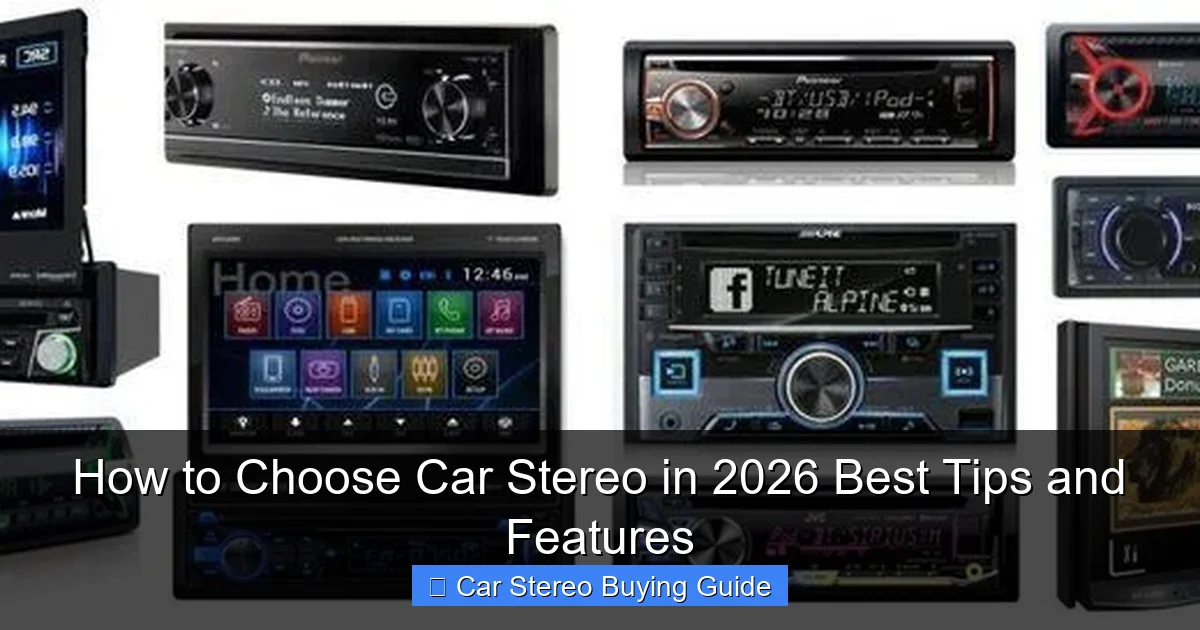
Visual guide about How to Choose Car Stereo in 2026 Best Tips and Features
Image source: cdn.gearinstant.com
Before falling in love with a flashy new stereo, make sure it will actually fit in your car.
Check Dashboard Size (DIN Standard)
Most cars use either single-DIN (2 inches tall) or double-DIN (4 inches tall) slots. Measure your current stereo or check your owner’s manual. Double-DIN units offer larger screens and more features, but not all cars support them.
Verify Wiring and Power Needs
Modern stereos often require specific wiring harnesses. Use a compatibility tool from brands like Crutchfield or Amazon to find a harness that matches your car’s make, model, and year. This avoids cutting factory wires and preserves steering wheel controls.
Consider Steering Wheel Controls
If your car has audio buttons on the steering wheel, choose a stereo that supports them—either natively or via an adapter. Losing these controls is a common frustration after installation.
Step 2: Decide on Key Features
Not all car stereos are created equal. Focus on features that match your daily use.
Smartphone Integration: Apple CarPlay & Android Auto
These are must-haves in 2026. They mirror your phone’s interface on the stereo screen, letting you use maps, music, and messages safely. Look for wireless versions to skip the USB cable.
Bluetooth 5.3 and Wi-Fi Connectivity
Bluetooth 5.3 offers faster pairing, better range, and support for high-quality audio codecs like aptX HD. Wi-Fi enables over-the-air updates and streaming without using mobile data.
High-Resolution Audio Support
If you’re an audiophile, look for support for FLAC, ALAC, or DSD files. Pair this with a built-in DAC (digital-to-analog converter) for studio-quality sound.
Built-in Amplifier and EQ Controls
A built-in amp boosts volume and clarity without needing external gear. Advanced EQ settings let you tweak bass, treble, and midrange to suit your taste or cabin acoustics.
Step 3: Evaluate Display and User Interface
A great stereo is useless if it’s hard to use while driving.
Screen Size and Resolution
Double-DIN units typically have 6.2” to 10.1” screens. Aim for at least 1280×720 resolution for crisp maps and menus. Touchscreens should respond quickly—test responsiveness in-store if possible.
Voice Control and AI Assistants
Many 2026 models include built-in AI like Amazon Alexa or Google Assistant. You can ask for directions, play music, or send texts hands-free. This reduces distraction and improves safety.
Customization Options
Look for customizable home screens, widget support, and theme options. Being able to prioritize your most-used apps saves time and frustration.
Step 4: Think About Audio Expansion
Your stereo is the brain of your sound system—make sure it can grow with your needs.
Preamp Outputs for External Amps
If you plan to add subwoofers or component speakers, choose a stereo with 4–6 volt preamp outputs. This ensures clean signal transfer and prevents distortion.
Support for Multiple Audio Zones
Some high-end units let you play different music in the front and rear seats—great for families or ride-sharing.
Compatibility with OEM Upgrades
If your car has a premium audio system (like Bose or Harman Kardon), check if the new stereo can integrate with existing speakers and amps.
Step 5: Prioritize Safety and Convenience
A good car stereo should make driving safer, not more distracting.
Backup Camera Input
Most new stereos include a rear camera input. If your car doesn’t have one, consider adding a camera—this is a lifesaving feature, especially in larger vehicles.
Hands-Free Calling and Noise Cancellation
Built-in microphones with noise-canceling tech ensure clear calls, even on noisy highways.
Split-Screen and Gesture Controls
Some 2026 models offer split-screen views (e.g., map on one side, music on the other) or gesture controls to minimize screen tapping.
Step 6: Set a Realistic Budget
Car stereos range from budget-friendly to luxury. Here’s a quick breakdown:
- $100–$250: Basic single-DIN units with Bluetooth and USB. Good for simple upgrades.
- $250–$500: Double-DIN with CarPlay/Android Auto, decent sound, and basic EQ.
- $500–$800: High-res screens, built-in amp, advanced EQ, and Wi-Fi.
- $800–$1,500+: Premium brands (Pioneer, Kenwood, Alpine) with AI, multi-zone audio, and audiophile-grade components.
Don’t forget installation costs. Professional setup can add $100–$300, especially for complex wiring or camera integration.
Step 7: Choose the Right Brand and Model
Stick with reputable brands known for reliability and support.
Top Brands in 2026
- Pioneer: Excellent sound quality and CarPlay integration.
- Kenwood: Great value with robust features and durability.
- Alpine: Premium build and audiophile-focused tuning.
- Sony: Sleek designs and strong smartphone connectivity.
- JVC: Budget-friendly with solid performance.
Read recent reviews and check warranty terms. A 2–3 year warranty is standard for mid-to-high-end models.
Troubleshooting Common Issues
Stereo Won’t Turn On
Check the fuse, wiring harness, and ground connection. A loose ground is a common culprit.
No Sound After Installation
Verify speaker wire polarity and ensure the stereo is set to the correct audio source. Also, check if the mute function is accidentally enabled.
CarPlay/Android Auto Not Working
Update your phone’s OS and the stereo’s firmware. Use a high-quality USB cable—cheap cables often cause connection drops.
Touchscreen Unresponsive
Clean the screen and recalibrate it through the settings menu. If it persists, the unit may have a hardware defect.
Final Tips for a Smart Purchase
- Buy from retailers with good return policies. You may need to test the unit in your car.
- Watch for bundle deals. Some sellers include installation kits or cameras at a discount.
- Consider future upgrades. A stereo with firmware updates will stay relevant longer.
- Don’t sacrifice safety for features. Avoid overly complex menus or tiny buttons.
Conclusion
Choosing a car stereo in 2026 is about balancing technology, usability, and value. Start with compatibility, prioritize smart features like CarPlay and voice control, and don’t overlook sound quality and safety. With the right stereo, your car becomes a mobile entertainment hub that’s safe, smart, and seriously fun to drive.
Take your time, do your research, and invest in a system that fits your lifestyle. Your ears—and your passengers—will thank you.
🎥 Related Video: WATCH THIS BEFORE Building a Car Stereo System! 6 Things to know! Car Audio Info tricks and tips.
📺 Breakers Stereo & Performance
6 things to remember when building a car audio system, keep these things in mind when setting up your car audio system to make …

