Buying an OBD2 scanner can seem tricky, but with the right information, you’ll find the perfect tool for accurate vehicle diagnostics. This guide walks you through the essential features, compatibility checks, and buying tips to help you make a confident choice.
Quick Answers to Common Questions
Tip: Always Check Vehicle Compatibility First
Before buying, confirm that the scanner supports your vehicle’s make, model, and protocols.
Tip: Choose Wireless for Convenience
Bluetooth scanners paired with smartphone apps offer ease of use and detailed diagnostics on the go.
Tip: Prioritize Updateable Software
Vehicles change over time. A scanner that updates ensures compatibility with newer models.
Tip: Use Freeze Frame Data for Accurate Diagnosis
This feature helps you see the exact conditions when a fault occurred, improving troubleshooting.
Tip: Don’t Overspend on Features You Won’t Use
Identify your actual needs to avoid paying for unnecessary advanced functions.
How to Buy OBD2 Scanner for Accurate Vehicle Diagnostics Guide
Are you looking for a reliable OBD2 scanner to help diagnose vehicle problems quickly and accurately? Whether you are a car owner or a DIY mechanic, choosing the right OBD2 scanner can save you time and money. This guide will teach you everything you need to know about buying an OBD2 scanner, from understanding the basics to selecting the best features for your needs.
Step 1: Understand What an OBD2 Scanner Is
An OBD2 (On-Board Diagnostics II) scanner is a tool that connects to your vehicle’s computer system to read diagnostic trouble codes (DTCs). These codes help identify issues with the engine, transmission, emissions, and other systems. The scanner can also display live data, freeze frame data, and clear error codes after repairs.
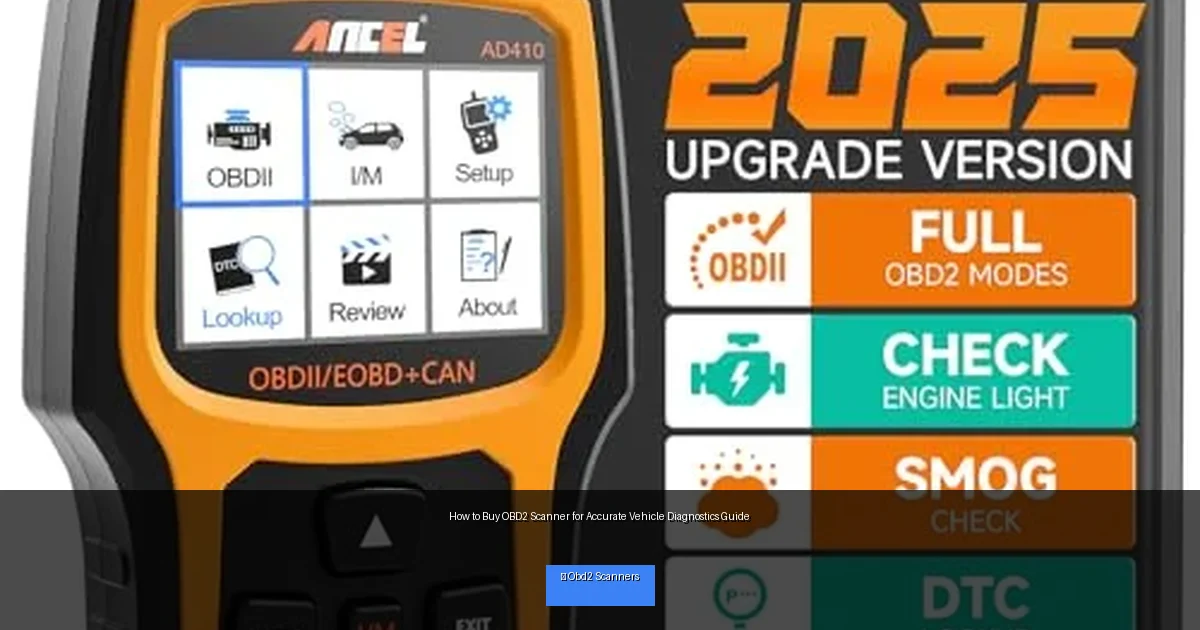
Visual guide about How to Buy OBD2 Scanner for Accurate Vehicle Diagnostics Guide
Image source: m.media-amazon.com
Why You Need an OBD2 Scanner
Modern vehicles generate codes when something isn’t working properly. A scanner lets you pinpoint the problem, so you don’t waste money guessing or making unnecessary repairs. It’s like having a mechanic’s diagnostic tool in your hands.
Step 2: Check Your Vehicle’s Compatibility
Before buying an OBD2 scanner, verify that it supports your vehicle. Almost all cars and light trucks sold in the US since 1996 have an OBD2 port, but there are exceptions, especially with older or imported vehicles.
How to Check Compatibility
- Find your vehicle’s OBD2 port—usually under the dashboard near the steering column.
- Check your vehicle’s year, make, and model against the scanner’s specifications.
- Look for compatibility with specific protocols like CAN, ISO, KWP, or others used by your car.
Step 3: Decide on the Type of OBD2 Scanner
OBD2 scanners come in different types. Choosing the right type depends on how you want to use it and your comfort with technology.
Wired Scanners
These connect directly to the vehicle with a cable. They are usually more affordable and reliable but may limit mobility.
Wireless Scanners (Bluetooth/Wi-Fi)
These connect to your smartphone, tablet, or laptop via Bluetooth or Wi-Fi. They offer convenience and access to advanced apps but can vary in reliability.
Handheld Scanners
Standalone devices with their own screens. They are easy to use and don’t require another device but tend to be more expensive.
Step 4: Look for Essential Features
Not all OBD2 scanners are created equal. Here are key features to consider:
- Read and clear codes: Basic function to identify and reset error codes.
- Live data streaming: View real-time engine and sensor data.
- Freeze frame data: Captures data snapshot when a fault occurs.
- Multilingual support: Useful if English isn’t your first language.
- ABS/SRS diagnostics: Some scanners read brake or Airbag System: How It Protects You in a Crash”>airbag system codes.
- Vehicle information: Displays VIN, calibration IDs, and other details.
- Update capability: Ability to update software for new models and features.
Step 5: Consider Software and App Usability
If you choose a wireless scanner, the quality of its app is crucial. Look for apps that are:
- Easy to navigate with a clear interface.
- Compatible with your smartphone’s operating system (iOS or Android).
- Regularly updated with bug fixes and new features.
- Offer additional tools like repair tips or code definitions.
Step 6: Set Your Budget
OBD2 scanners range from under $20 to several hundred dollars. Basic code readers are affordable but limited in features. More expensive models offer advanced diagnostics, live data, and broader vehicle support.
Decide how often you will use the scanner and for what purposes. If you only want to check engine lights occasionally, a budget option might suffice. For frequent use or professional diagnostics, investing more makes sense.
Step 7: Read Reviews and Compare Brands
Before finalizing your purchase, read user reviews and professional opinions. Look for scanners with high ratings, good customer support, and reliable performance. Popular brands include Autel, BlueDriver, Innova, and FIXD.
Troubleshooting Common Issues
Scanner Not Connecting to Vehicle
- Ensure the ignition is ON when plugging in the scanner.
- Check for a secure connection to the OBD2 port.
- Try restarting the scanner or app.
- Verify scanner compatibility with your vehicle.
App Not Recognizing Scanner
- Ensure Bluetooth or Wi-Fi is enabled on your device.
- Update the app to the latest version.
- Try deleting and reinstalling the app.
Conclusion
Buying the right OBD2 scanner is easier when you know what to look for. Start by understanding your vehicle’s needs and compatibility. Choose a scanner type and features that match your comfort and budget. Don’t forget to check software usability and read reviews. With the right scanner, you’ll enjoy accurate vehicle diagnostics and save on costly repairs.
🎥 Related Video: How to Use an OBD2 Scan Tool
📺 EasyAutoFix
OBD2 Scanner: https://amzn.to/4jdzrUc ▶︎ Check Out ALLDATA Manuals: …

