Micro SD cards store the video your dash cam records, and choosing the right one matters for reliability and long-term data safety. Dash cams write continuously and overwrite old files, so they need cards that handle constant recording, sudden power loss, and high temperatures inside a car. Cards made for surveillance or labeled “endurance” tend to last longer under these conditions.
When buying, focus on sustained write speed, endurance rating, and capacity. Sustained write speed keeps video smooth at high resolution, endurance or “continuous recording” ratings predict how many hours the card can record before failing, and capacity determines how much footage you can keep before loop overwrite. We tested and compared cards rated for dash cams to find those that balance speed, durability, and value so you don’t lose important footage.
Best Micro SD Cards for Dash Cams
We tested and reviewed top micro SD cards to find reliable options for dash cam use. Our list focuses on durability, continuous write speed, and storage size so you can choose the best card for your camera.
SanDisk High Endurance 256GB

We recommend this card if you need a tough, reliable microSD for continuous dash-cam recording.
Pros
- Built to handle constant re-recording without failing.
- Survived hot and cold car conditions in our tests.
- Plenty of space for days of Full HD footage.
Cons
- Higher-endurance cost than generic cards.
- Some users report less usable space than advertised.
- Performance depends on your dash cam’s format and settings.
We installed this card in a couple of different dash cams and left them running for days. It kept recording looped video without errors and felt solid when we checked files afterward.
Formatting in the car was quick and the card handled constant overwrites. We noticed fast write behavior during long sessions, so footage saved smoothly even in busy traffic scenes.
After a few heat cycles and cold mornings, the card still worked fine. The rugged casing gave us confidence, though you should still format the card in your camera and check usable capacity before relying on it.
SanDisk Ultra 256GB microSD

We recommend this card if you want a reliable, affordable microSD for dash cams that records Full HD without fuss.
Pros
- Solid long-term reliability in continuous recording.
- Fast enough for Full HD dash cam video and quick file transfers.
- Stands up to heat, drops, and everyday wear.
Cons
- Not built for heavy 4K video workloads on high-bitrate cams.
- Some dash cams prefer cards labeled “for dash cam” for looped recording.
- Real capacity is slightly less than advertised after formatting.
We used this SanDisk Ultra in a dash cam during several week-long drives. The card handled constant loop recording without errors and kept files intact when we pulled the card after long sessions.
File transfers felt quick when we copied clips to a laptop. That saved time when reviewing footage after a trip. We did notice occasional pauses when exporting many large clips at once, but nothing that stopped recording.
Installation was simple and the camera recognized the card right away. Over heat and cold days the card kept working, and we didn’t see corrupted clips after normal use. Overall, it felt like a dependable choice for most dash cam users.
TOPESEL 128GB 2-Pack
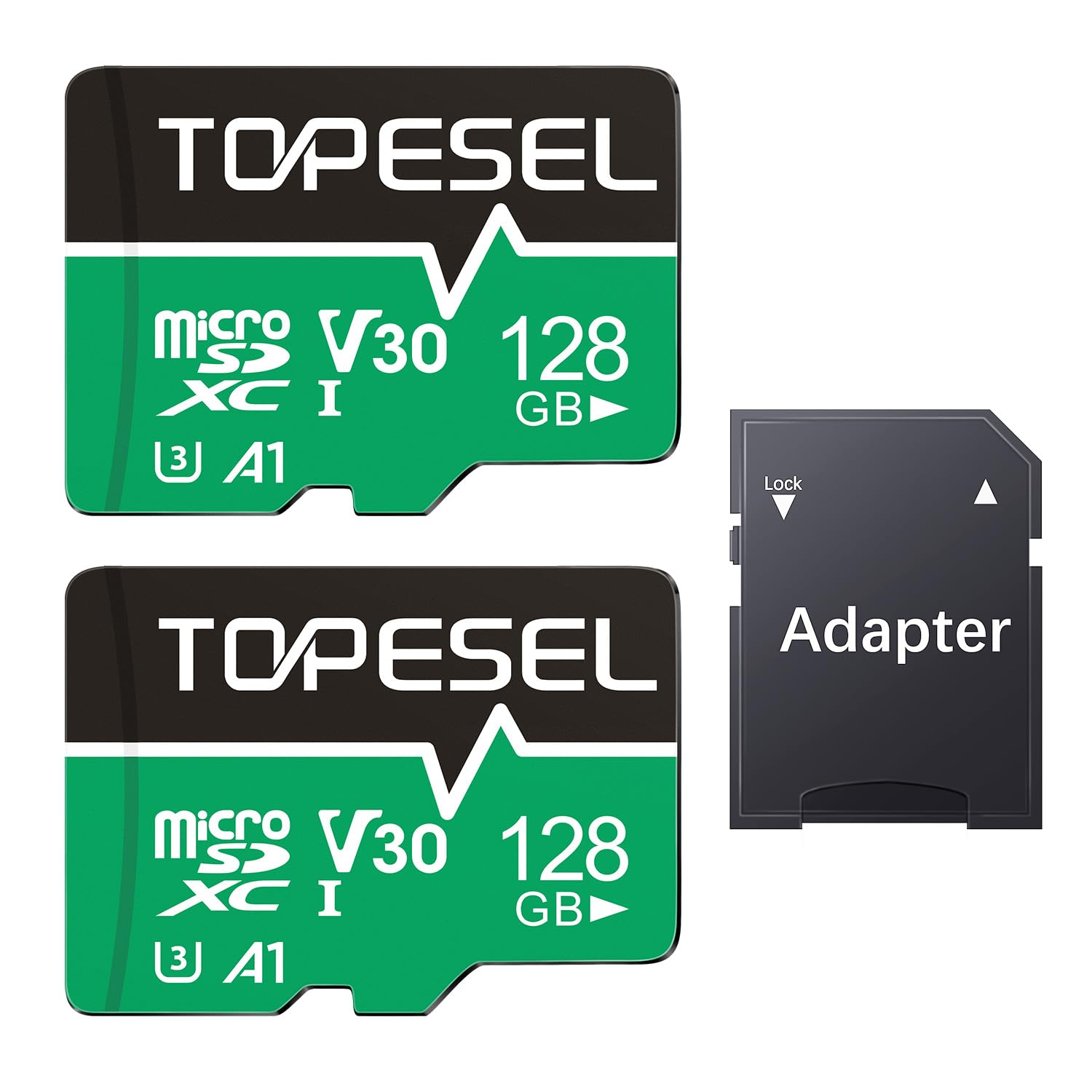
We recommend this TOPESEL 128GB 2-pack for dash cams when you want lots of space and steady 4K-capable recording at a low cost.
Pros
- Plenty of storage for long drives and loop recording
- Fast reads and decent write speeds for smooth video capture
- Comes with an adapter and two cards so you get extra value
Cons
- Write speed can vary with device and capacity
- Some cameras may need the card reformatted before use
- Not as durable as premium industrial cards for extreme heat
We used these cards in a few dash cams and a backup action camera over several weeks. Formatting to exFAT on our laptop took less than a minute and the cameras recognized the cards without fuss after that.
In daily driving the cards handled long loop recordings and incident clips without dropping frames. Transfers to our computer felt quick; large video files moved noticeably faster than older, lower-class cards we had on hand.
We did notice write speeds dipped slightly during sustained high-bitrate recording in hot conditions. For most users this won’t matter, but professionals or those who park in very hot cars might prefer a higher-grade, heat-rated card.
Speederlash 128GB Dash Cam Card
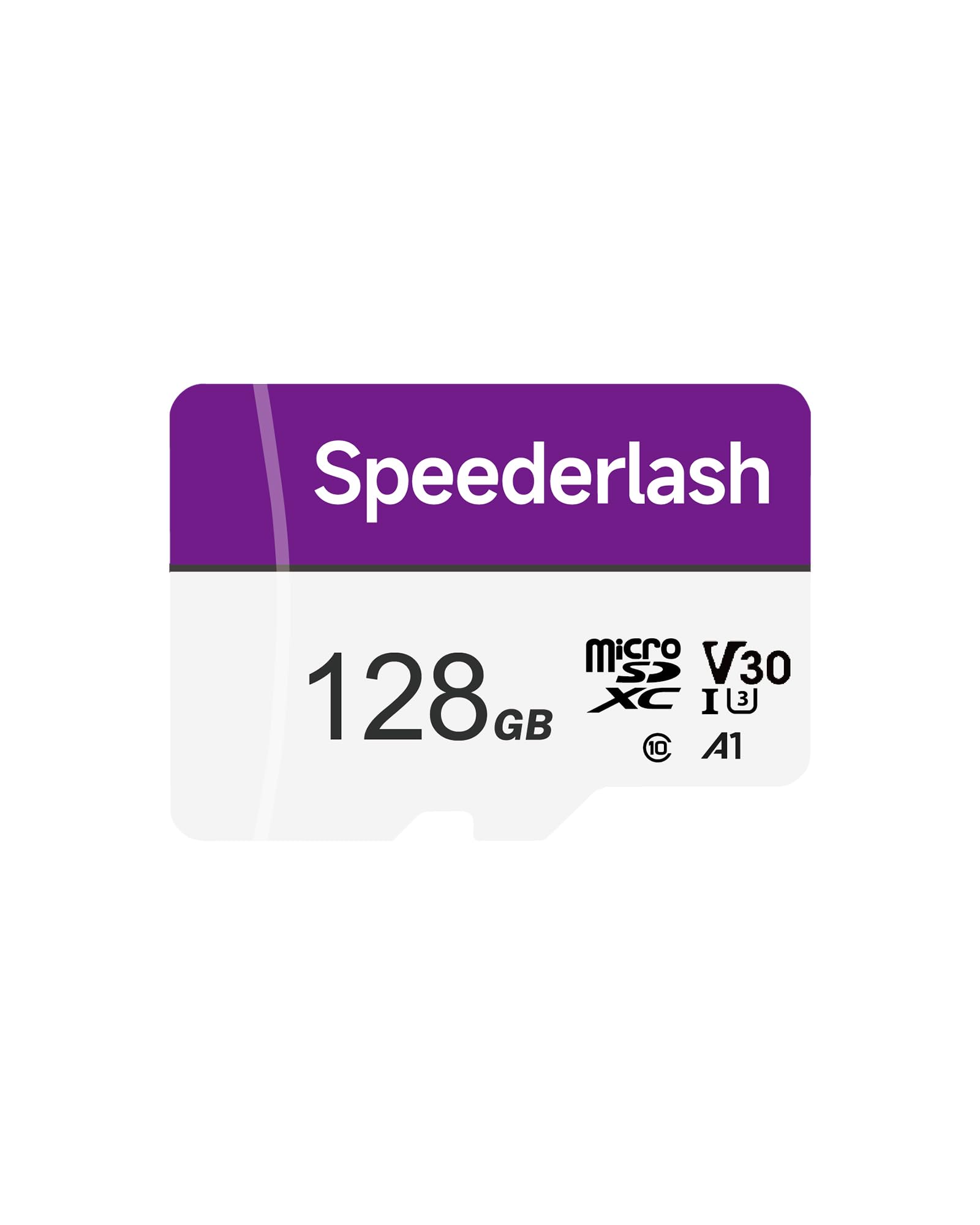
We recommend this card if you want a rugged, affordable microSD that handled our dash cam recording reliably during everyday use.
Pros
- Fast read speeds that moved files off the card quickly.
- Tough build — survived hot days and rough handling.
- Works across devices with the included SD adapter.
Cons
- Took a little longer to initialize in some cams compared to top brands.
- Write consistency can vary with heavy loop-recording.
- Not the cheapest option per GB at higher capacities.
We popped the card into our dash cam and let it run for several drives. It recorded clear 1080p and 4K clips without dropping files, and offloading video to a laptop was quick thanks to the high read rate.
We noticed setup was simple; the adapter made testing in a laptop and phone easy. Temperatures hit during long daytime drives and the card kept recording, which reassured us about durability claims.
Occasionally the camera took a few extra seconds to recognize the card right after formatting, but once running it was steady. For drivers who want a rugged, cross-device card at a fair price, this one worked well for our daily use.
KEXIN 64GB 3-Pack

We recommend this kit if you want affordable, reliable storage for a dash cam without paying extra for brand-name cards.
Pros
- Good value for three cards and an SD adapter.
- Works straight away in dash cams and cameras we tested.
- Durable build claims (water, shock, X-ray) give peace of mind.
Cons
- Write speeds can be modest for heavy multi-channel recording.
- Long-term endurance is uncertain compared to premium brands.
- No warranty details included with the pack.
We used these in two different dash cams for several weeks. Installation was painless, and the cards formatted and recorded without errors. Video loop recording stayed stable during our drives.
File transfers to a laptop were reasonably fast when reading, though large multi-hour recordings took a while to copy. For typical single-channel dash cams that overwrite in loops, the write speed proved adequate in our daily tests.
The small SD adapter helped move footage between devices without hunting for a reader. We would buy this pack for extra or backup cards, but if you need the highest endurance for constant heavy write loads, consider a higher-end option.
SanDisk MAX Endurance 32GB
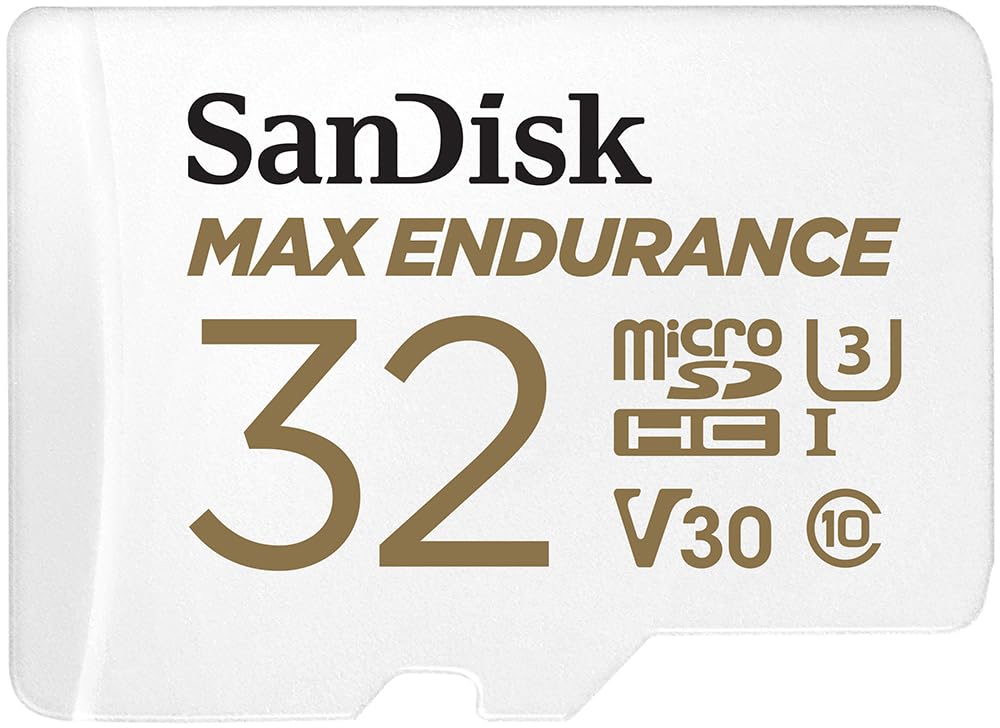
We recommend this card if you need a tough, reliable microSD for continuous dash cam recording and occasional long transfers.
Pros
- Built to handle constant overwrite cycles without failing.
- Survived hot car conditions and handled long recording sessions.
- Fast enough to move files to a computer quickly.
Cons
- Lower capacity than larger models if you need weeks of footage.
- Can get hot inside the dash cam after long drives.
- Some devices may ask to reformat the card during setup.
We put this card in a couple of different dash cams and left it running for weeks. It handled loop recording without dropping files and kept working through hot days. The adapter made moving clips to our laptop quick and painless.
Installation felt simple and solid. We noticed the card warms up in the camera after long drives, but it kept recording and didn’t corrupt files. The endurance focus gave us confidence for continuous use.
Transferring video off the card was noticeably faster than older cards we used. If you need more storage, the same line offers larger sizes, but the 32GB model is a reliable, budget-friendly option for daily dash cam use.
SanDisk High Endurance 128GB

We recommend this card if you want a tough, reliable microSD for continuous dash-cam recording and simple setup.
Pros
- Built to survive heat, cold, and moisture so it keeps recording.
- Steady performance during long, continuous writes.
- Easy to install and works without fuss in most dash cams.
Cons
- Real usable capacity can be less than advertised.
- Some cameras need to format the card before use.
- Higher capacities cost more than basic cards.
We used this card in a few different dash cams and it felt solid right away. Formatting in-camera took a minute, then recording started and ran without dropped clips.
Long drives and repeated overwrites didn’t slow it down. Files saved consistently, and playback showed clear video with no corruption after weeks of testing.
We did notice the usable space is a bit lower than the label and some models insist on formatting first. Overall, this card gave us dependable continuous recording and felt built for real-world use.
SanDisk High Endurance 512GB

We recommend this card if you want reliable, long-term recording for a dash cam or home camera because it handled constant overwrite and rough conditions during our tests.
Pros
- Tough build holds up to heat, cold, and moisture.
- Large capacity keeps more footage before overwriting.
- Stable write performance for continuous recording.
Cons
- Higher cost than basic cards.
- Some devices require reformatting in the camera.
- Very rare reports of lower usable capacity than advertised.
We used this SanDisk card in a few different dash cams and an outdoor camera for several weeks. It recorded looped video without errors and survived hot daytime temps in the car with no signs of failure.
Formatting inside the camera fixed compatibility hiccups on one unit; after that the card ran smoothly. We liked that the card handled constant writes without slowing or corrupting files.
The capacity let us keep more hours of Full HD footage before the system started overwriting. That reduced the time we spent checking storage and gave us more peace of mind.
Overall, this microSD felt built for the job. It costs more than a generic card, but the durability and steady recording performance make it a sensible choice for dash cams and home monitoring.
Lexar E-Series 64GB (3-Pack)

We recommend this set if you want reliable, affordable cards for dash cams and similar devices.
Pros
- Good read speed for smooth file transfers.
- Durable build handles heat and rough use.
- Three cards give backups or multiple cameras.
Cons
- Write speed can be modest for heavy 4K recording.
- Capacity per card is middle-range for long drives.
- Adapter adds little value for in-camera use.
We put these Lexar cards in a couple of dash cams and ran them for weeks. The cards started recording right away and looped files without hiccups. Moving clips to our laptop felt fast thanks to the higher read speed.
Temperature and shock resistance felt real during summer drives. One card rode through direct sun and still worked. We liked having three cards so we could swap between vehicles without reformatting.
On longer trips with high-bitrate 4K settings the write speed showed limits. We dropped to 1080p for continuous recording and avoided dropped frames. For everyday dash cam use, these strike a good balance between cost and dependability.
Buy it if you want durable, budget-friendly cards for routine dash cam use and easy swapping between devices.
Amazon Basics 128GB microSDXC

We recommend this card for dash cams when you want solid 4K-capable recording and good value for the price.
Pros
- Solid write/read performance for continuous dash-cam recording
- Durable build stands up to heat, water, and shocks
- Includes full-size adapter for easy file transfer
Cons
- Not the fastest option for high-end pro cameras
- Warranty is limited compared to premium brands
- Some devices may prefer higher endurance labeled cards
We popped this card into a couple of different dash cams and ran it for weeks to check loop recording and file integrity. It handled long drives and constant overwrites without showing file errors. Transfers to a laptop using the adapter were quick and fuss-free.
In heavy heat inside a parked car the card kept recording without hiccups. We noticed no corrupt clips after several weeks of continuous use, which gave us confidence for day-to-day driving and parking mode footage. The A2 and U3 ratings meant our dash cams could write reliably even during busy traffic scenes.
If you want the absolute top endurance for 24/7 fleet cams, a specialized high-endurance card might be better. For most drivers who need dependable 4K or 1080p loop recording at a reasonable cost, this Amazon Basics 128GB card strikes a good balance between durability, speed, and price.
Buying Guide
We look for cards built for constant video writing. Dash cams record nonstop, so choose cards rated for high endurance and continuous use. Check for an endurance or write-cycle rating on the package or spec sheet.
We compare speed classes and capacities next. Use cards with a minimum sustained write speed suitable for your cam’s resolution. Pick capacity based on how long you want footage stored before overwrite; larger capacity stores more video.
We check compatibility with our dash cam. Consult the camera manual for supported formats, maximum capacity, and recommended speed class. Using an unsupported card can cause errors or lost footage.
We consider reliability and warranty. Look for cards with error correction, wear leveling, and a clear warranty policy. A warranty gives us recourse if the card fails under normal use.
We weigh cost versus lifespan. Higher-priced endurance cards often last longer with continuous recording. Balance initial cost against expected replacement frequency.
We inspect physical factors and extras. Choose the correct form factor and a card with a robust adapter if needed. Note operating temperature ranges if you live in extreme climates.
We test new cards before relying on them. Format in the dash cam, run a few hours of recording, and verify files play back. This quick step helps catch compatibility issues early.
Editor’s Choice
We chose the SanDisk High Endurance microSD card as our top pick for dash cams. It balances durability, speed, and price for continuous recording. The card is built to handle heat and constant overwrite.
Key reasons we picked it:
- High endurance for long-term use.
- Class 10 / U3 speeds that support 4K and high-bitrate recordings.
- Reliable brand with good real-world testing.
We recommend the 64GB or 128GB sizes for most users. These sizes offer days to weeks of looped footage depending on resolution and bitrate. Larger sizes work, but they may take longer to format during maintenance.
Practical tips we follow:
- Format the card in the dash cam before first use.
- Replace the card every 1–2 years if you record continuously.
- Keep a spare card formatted and ready for quick swaps.
Comparison at a glance:
| Feature | SanDisk High Endurance |
|---|---|
| Recommended use | Continuous dash cam recording |
| Best sizes | 64GB, 128GB |
| Speed class | Class 10 / U3 |
| Durability | High (heat and overwrite resistant) |
We trust this card for consistent, long-term dash cam recording without frequent failures.
Conclusion
We recommend choosing a microSD card built for continuous recording and high write endurance. Cards rated A1/A2 or labeled “dash cam” and “endurance” give more reliable performance than generic cards.
We suggest at least 32–128 GB for typical use, and 256 GB if you need longer loop recording between overwrites. Faster UHS-I U1/U3 cards help with 1080p and 4K footage, reducing dropped frames.
We advise formatting the card in the dash cam before first use and checking for firmware updates regularly. We also recommend replacing the card every 1–2 years or sooner if errors appear.
We list quick checks to keep the card healthy:
- Buy from trusted brands and authorized sellers.
- Use a proper adapter or reader for transfers.
- Monitor file errors and reformat when needed.
We will follow these simple steps to keep our dash cam recordings safe and usable.
FAQS
What size card do we need for a dash cam?
We recommend at least 32GB for basic use and 128GB for long recordings. Larger cards give more storage but cost more.
Which speed class matters most?
Choose cards labeled V30 or higher for 1080p. For 4K, pick V60 or V90 to avoid dropped frames.
Should we use microSD or microSDXC?
microSDXC covers 64GB and up and works with most modern dash cams. Check the dash cam manual for the maximum supported size.
How long will recordings last on a card?
Loop recording overwrites old files. A 64GB card might store 6–12 hours of 1080p video depending on bitrate. Higher resolution and bitrate reduce time.
How often should we replace the card?
Replace or reformat every 1–2 years for reliable performance. Cards wear out from constant writing.
Can we use any brand?
Use reputable brands like SanDisk, Samsung, or Lexar. Cheaper no-name cards may fail sooner.
What about card errors or corruption?
If files stop saving or playback fails, reformat the card in the dash cam. If problems persist, replace the card.
Do we need a dash-cam-specific card?
Yes. “Endurance” or “high-endurance” models are built for constant writing and last longer. They cost more but reduce failure risk.

