Connecting an amplifier to your car stereo boosts audio power and sound quality. This guide walks you through every step—from choosing the right amp to wiring it safely—so you can enjoy richer bass and crisper highs without damaging your system.
Key Takeaways
- Choose the right amplifier: Match your amp’s power output (RMS) to your speakers or subwoofers for optimal performance and to avoid damage.
- Use proper gauge power wire: Thicker wire (like 8-gauge or 4-gauge) reduces resistance and ensures stable power delivery from the battery to the amp.
- Ground the amp securely: A clean, metal-to-metal ground connection on the car’s chassis prevents noise and ensures safe operation.
- Run signal wires separately: Keep RCA cables away from power wires to avoid interference and humming sounds.
- Install an inline fuse: Protect your amp and vehicle from electrical fires by placing a fuse within 18 inches of the battery.
- Test before finalizing: Always test the system before securing all components to catch wiring errors early.
- Follow safety first: Disconnect the car battery before starting any electrical work to prevent shocks or short circuits.
How to Connect Amp to Car Stereo for Better Sound
If your car stereo sounds flat, lacks bass, or distorts at high volumes, it’s time to upgrade. Adding an amplifier gives your audio system the power it needs to deliver rich, dynamic sound. Whether you’re driving through city streets or cruising down the highway, a properly connected amp makes every note clearer and every beat stronger.
In this guide, you’ll learn exactly how to connect an amp to your car stereo—safely and effectively. We’ll cover everything from choosing the right amplifier to running wires, grounding, and testing your setup. No prior experience? No problem. With clear steps and practical tips, even beginners can boost their car audio like a pro.
Why Add an Amplifier to Your Car Stereo?
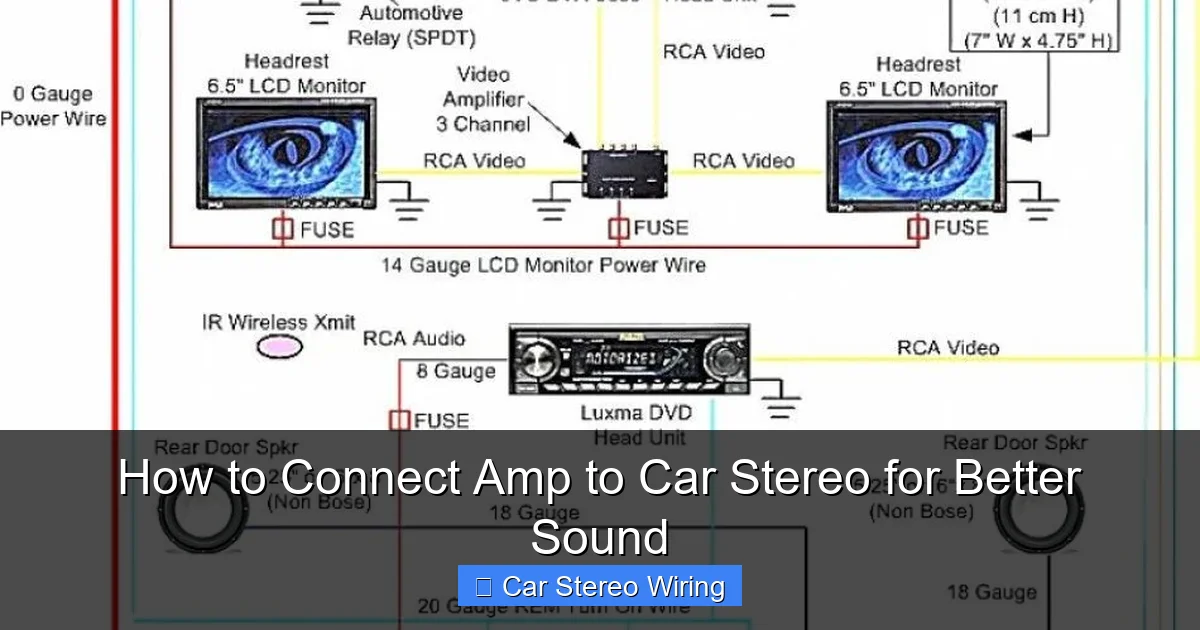
Visual guide about How to Connect Amp to Car Stereo for Better Sound
Image source: i.pinimg.com
Most factory car stereos come with built-in amps that are weak and underpowered. They’re designed to save space and cost, not deliver high-quality sound. When you play music loudly, these amps struggle, causing distortion and poor bass response.
An external amplifier solves this. It provides clean, consistent power to your speakers or subwoofers, improving clarity, volume, and overall audio quality. Whether you’re adding a subwoofer for deep bass or powering front and rear speakers, an amp brings out the best in your music.
What You’ll Need
Before you start, gather these tools and materials:
- Amplifier (matched to your speakers/subwoofers)
- Amplifier wiring kit (includes power wire, ground wire, RCA cables, remote turn-on wire, and fuse holder)
- RCA cables (for audio signal from stereo to amp)
- Wire strippers and crimping tool
- Socket wrench or screwdriver set
- Electrical tape or heat shrink tubing
- Multimeter (optional, for testing connections)
- Zip ties or wire loom (for cable management)
Make sure your wiring kit matches the power needs of your amp. For example, a 500-watt amp typically requires 8-gauge wire, while a 1000-watt amp needs 4-gauge.
Step 1: Disconnect the Car Battery
Safety first! Always disconnect the negative terminal of your car battery before working on any electrical system. This prevents accidental shorts, sparks, or damage to your stereo and amp.
Use a wrench to loosen the nut on the negative battery cable and carefully remove it. Tuck it away so it doesn’t touch the terminal. Wait a few minutes before starting—this ensures any residual power in the system dissipates.
Step 2: Choose the Right Amplifier
Not all amps are created equal. To get the best sound, match your amplifier to your speakers or subwoofers.
Check the RMS (Root Mean Square) power rating of your speakers. This tells you how much continuous power they can handle. Your amp should deliver power within 75% to 150% of the speaker’s RMS rating. For example, if your subwoofer is rated at 300 watts RMS, choose an amp that outputs 225–450 watts RMS.
Also consider:
- Number of channels: A 2-channel amp powers two speakers; a 4-channel powers four; a mono amp is ideal for subwoofers.
- Class type: Class D amps are efficient for subs; Class AB amps offer better sound for full-range speakers.
- Size and mounting location: Ensure the amp fits in your trunk, under a seat, or in the cabin.
Step 3: Plan Your Wiring Route
Before drilling or running wires, plan the path from your stereo to the amp and from the amp to the battery.
Typical setup:
- Power wire: Runs from the battery, through the firewall, to the amp.
- Ground wire: Runs from the amp to a solid metal point on the car’s chassis.
- RCA cables: Run from the stereo’s preamp outputs to the amp’s inputs.
- Remote turn-on wire: Connects the stereo’s remote output to the amp’s remote input.
Avoid running RCA cables parallel to power wires. Keep them at least 12 inches apart to prevent interference (hissing or humming). If they must cross, do so at a 90-degree angle.
Use existing grommets in the firewall to pass wires safely. If none are available, drill a small hole and use a rubber grommet to protect the wire and seal out moisture.
Step 4: Install the Power Wire
The power wire delivers electricity from the battery to the amp. Use the correct gauge—too thin, and it can overheat; too thick, and it’s hard to manage.
Connect to the Battery
Attach one end of the power wire to the positive terminal of the battery. Use a ring terminal and secure it tightly with the battery nut. Don’t reconnect the battery yet.
Install the Inline Fuse
Within 18 inches of the battery, install an inline fuse holder. This protects your car and amp from fire if a short occurs. Choose a fuse rated for your amp’s power (e.g., 60A for a 600-watt amp).
Route Through the Firewall
Feed the power wire through the firewall using a grommet. Run it along the same side as the factory wiring, using zip ties to secure it.
Connect to the Amp
Strip the end of the power wire and connect it to the “+12V” or “Power” terminal on the amp. Tighten the screw securely.
Step 5: Ground the Amplifier
A solid ground is essential for safe, noise-free operation. Poor grounding causes humming, overheating, and amp failure.
Choose a Ground Point
Find a clean, unpainted metal spot on the car’s chassis near the amp. Common locations include seat belt bolts or dedicated grounding points. Avoid painted surfaces, rust, or plastic.
Prepare the Ground Wire
Use the same gauge wire as the power wire (e.g., 4-gauge). Strip both ends and attach a ring terminal to one end.
Secure the Connection
Bolt the ring terminal to the chassis. Sand the area lightly with sandpaper to ensure metal-to-metal contact. Tighten the bolt firmly.
Connect the other end to the “GND” or “Ground” terminal on the amp.
Step 6: Connect the RCA and Remote Wires
These wires carry the audio signal and tell the amp when to turn on.
Run RCA Cables
Connect the RCA cables from your stereo’s preamp outputs to the amp’s inputs. If your stereo doesn’t have preamp outputs, you may need a line output converter (LOC) to convert speaker-level signals.
Keep RCA cables away from power wires and avoid sharp bends.
Connect the Remote Wire
The remote wire (usually blue) tells the amp to turn on when the stereo is powered. Connect one end to the “Remote” output on your stereo and the other to the “Remote” input on the amp.
If your stereo lacks a remote output, you can tap into the ignition-switched 12V wire or use a relay.
Step 7: Connect Speakers or Subwoofers
Now connect your speakers or subwoofers to the amp’s output terminals.
Match the polarity: positive to positive (+), negative to negative (–). Reversing polarity causes phase cancellation and weak sound.
For subwoofers, ensure the impedance (ohms) matches the amp’s requirements. Most amps support 2 or 4 ohms. Check the manual to avoid damage.
Use speaker wire appropriate for the power level—16-gauge for low power, 12-gauge for high power.
Step 8: Reconnect the Battery and Test
Once all connections are secure, reconnect the negative battery terminal.
Turn on your car stereo. The amp should power up (indicated by a power light). Play music at a moderate volume.
Listen for:
- Clear, distortion-free sound
- Strong bass (if using a sub)
- No humming or buzzing
If you hear noise, double-check grounding and RCA routing.
Troubleshooting Common Issues
Humming or Buzzing Sound
This is usually caused by a ground loop or interference. Recheck the ground connection. Try moving RCA cables away from power wires. Use a ground loop isolator if needed.
Amp Won’t Turn On
Check the remote wire connection. Ensure the fuse is intact. Verify the power and ground wires are secure.
Distortion at High Volume
Your amp may be underpowered or mismatched to the speakers. Check RMS ratings. Also, ensure gain settings on the amp are properly adjusted—don’t max them out.
Overheating
Poor ventilation or incorrect impedance can cause overheating. Ensure the amp has airflow and isn’t overloaded.
Final Tips for Success
- Use a multimeter to test voltage at the amp (should be ~12–14V when running).
- Label all wires for easy identification later.
- Secure all connections with electrical tape or heat shrink tubing.
- Use a capacitor if you notice dimming headlights (common with high-power subs).
- Regularly check connections—vibrations can loosen wires over time.
Conclusion
Connecting an amp to your car stereo is one of the best upgrades you can make for better sound. It’s not just about volume—it’s about clarity, depth, and enjoying your music the way it was meant to be heard.
With the right tools, a little planning, and attention to safety, you can install an amplifier in a few hours. Follow the steps in this guide, and you’ll have a powerful, reliable audio system that turns every drive into a concert on wheels.
Remember: quality wiring, proper grounding, and correct component matching are the keys to success. Take your time, double-check connections, and enjoy the ride.
🎥 Related Video: Car Audio Amplifier Basics – Connections Edition #caraudiofabrication
📺 CarAudioFabrication
Learn more on our channel @CarAudioFabrication Thank you to our channel sponsors – JL Audio / Garmin, KnuKonceptz, …

