Dash cam power adapters keep your camera running so it records while you drive or sits parked. They plug into your vehicle’s 12V outlet or hardwire into the fuse box and supply steady power to the dash cam, often adding features like parking mode or voltage protection. A reliable adapter prevents sudden shutdowns, protects your car battery, and ensures continuous recording when you need it most.
When choosing an adapter, pay attention to connection type (cigarette plug versus hardwire), supported voltages, fuse compatibility, and safety features like low-voltage cutoffs and surge protection. We tested several adapters across different car models and use cases to find options that are safe, easy to install, and keep dash cams powered during driving and parking, so you can pick the right one for your setup.
Best Dash Cam Power Adapters
Below is our full list of the best dash cam power adapters. We tested adapters for reliability, safety, and ease of use to help you find a model that keeps your camera running without fuss. Our picks cover hardwire kits, cigarette lighter plugs, and adapters with constant power for parking mode.
Dongar Dashcam Integrator

We recommend this if you want a clean, hidden dash cam power solution that plugs into the rearview mirror without permanent mods.
Pros
- Easy plug-and-play install that stays hidden behind the mirror.
- USB-C output covers modern dash cams and accessories.
- Prevents battery drain by powering only with ignition.
Cons
- Only works with vehicles that have a powered/auto-dimming mirror.
- Not for constant parking-mode power without buying a different Dongar model.
- Needs an extra adapter for barrel or RJ11-powered devices.
We installed this in a Toyota and a Subaru and liked how tidy the final look was. Routing the short cable behind the mirror felt quick, and the unit sat flush with factory connectors.
We noticed the USB-C output handled our newer dash cams without fuss. The adapter powered the camera only when the car was on, so we never worried about leaving the battery low after a few days of driving.
We ran into one snag when a different vehicle lacked the required mirror power; that made installation impossible without a mirror swap. Also, if you need 24/7 parking mode, plan to get the Dongar PRO or a separate constant-power solution.
BNnYY OBD2 USB-C Power Adapter
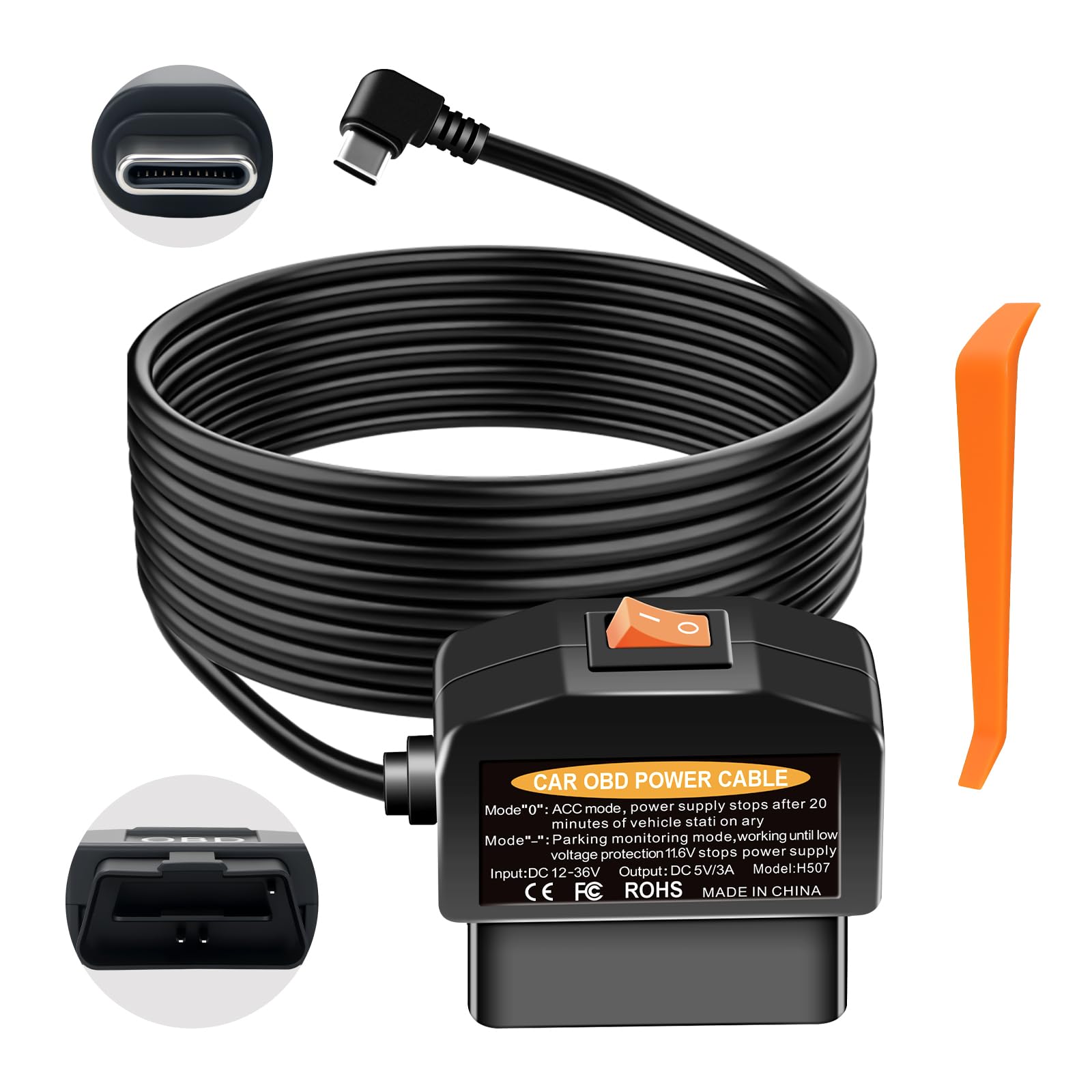
We recommend this adapter if you want easy, reliable 24/7 dash cam power without cutting wires.
Pros
- Easy plug-and-play installation that hides the cable.
- Smart low-voltage cutoff that protects the car battery.
- Stable 5V/3A output keeps cameras from rebooting.
Cons
- Only works with USB-C dash cams using A5-B5 pin definition.
- Some cars cut OBD power when off; may need to drive to enable.
- Not a substitute for true hardwiring if you need full diagnostic access.
We plugged this into our car’s OBD-II port and liked how fast it set up. The cable length let us tuck wires behind trim for a clean look. It freed up the cigarette lighter and didn’t touch vehicle data while running the camera.
We tested parking mode and the physical switch made changing modes simple. Daily mode turned the camera off about twenty minutes after shutdown like it claims. Switching to 24/7 worked for continuous recording, and the unit cut power before our battery dropped too low.
We noticed it only suits cameras with the correct USB-C pin layout, so compatibility matters. On one vehicle the OBD port lost power while parked, and we had to drive a short distance before the adapter powered the cam. Overall, it felt solid and reliable for regular use.
Buy it on Amazon: BNnYY OBD2 to USB C Power Adapter for Dash Cam
Dongar Ford Mirror Power Adapter
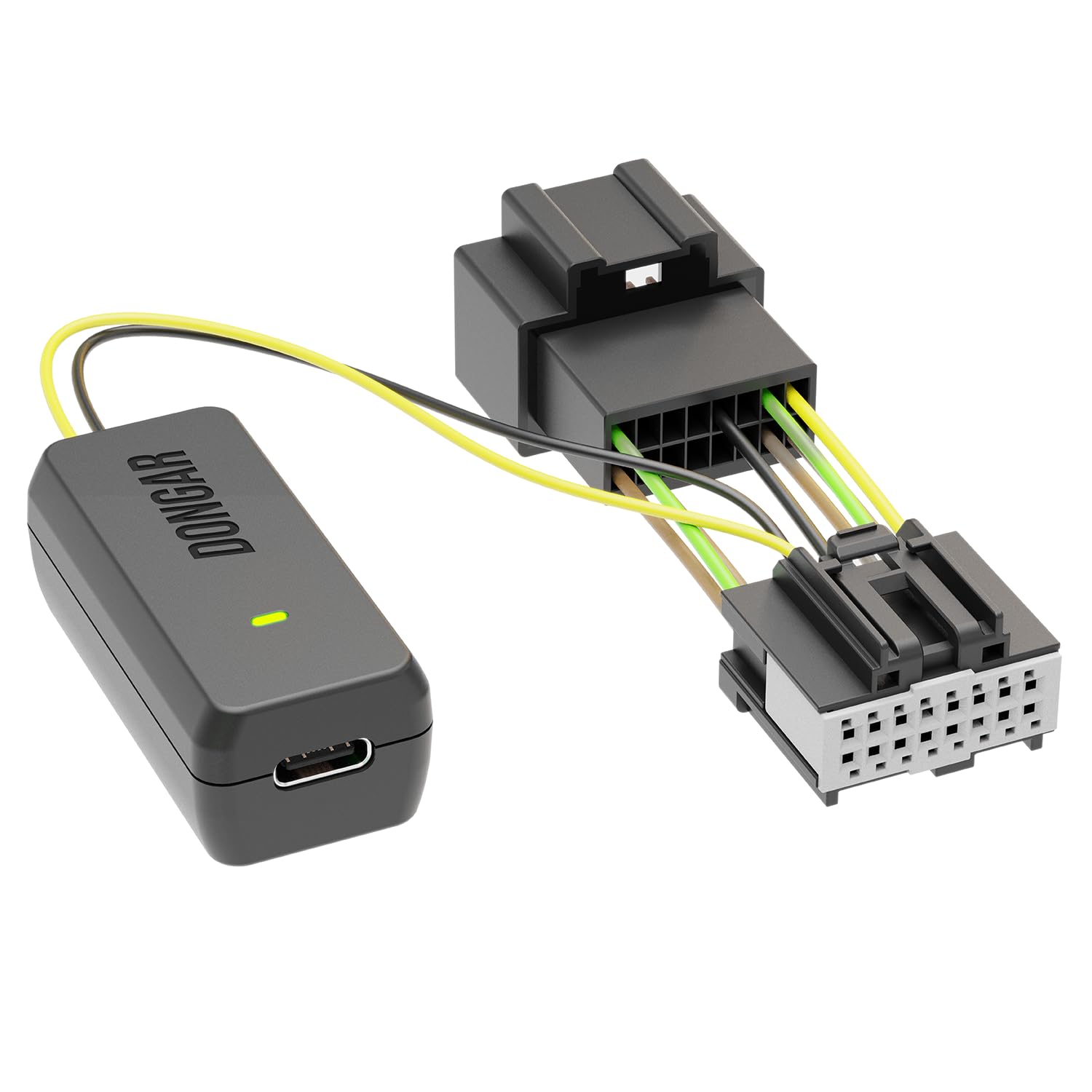
We recommend this adapter if you drive a compatible Ford and want a clean, no-drill dash cam install that powers the camera only when the ignition is on.
Pros
- Fast, plug-and-play install that hides the cable behind the mirror.
- Feels solid and works with USB-C dash cams without extra adapters.
- Keeps the car stock and is easy to remove if needed.
Cons
- Only works with powered/auto-dimming rearview mirrors, so it won’t fit all cars.
- Not for parking-mode or constant-power dash cams — it only powers with ignition.
- Compatibility varies by model year; double-check before buying.
We plugged this into a 2019 Ford and the install took under 10 minutes. The wiring hides neatly and the dash cam sat flush under the mirror like an OEM setup.
We tested it with a USB-C Garmin-type camera and it powered up instantly when the car started. The unit felt robust and didn’t add visible bulk behind the mirror.
We noticed the adapter stops when the ignition is off, so it won’t run parking surveillance. That behavior protects the battery, but it may disappoint anyone wanting 24/7 recording.
We had to confirm our mirror had the 16-pin connector and auto-dimming power. Support answered questions quickly when we checked compatibility for another vehicle.
Overall, this is a clean, simple solution for Ford owners who want a tidy dash cam setup without hard-wiring the car.
Mangoal Ford 16-Pin Dashcam Adapter
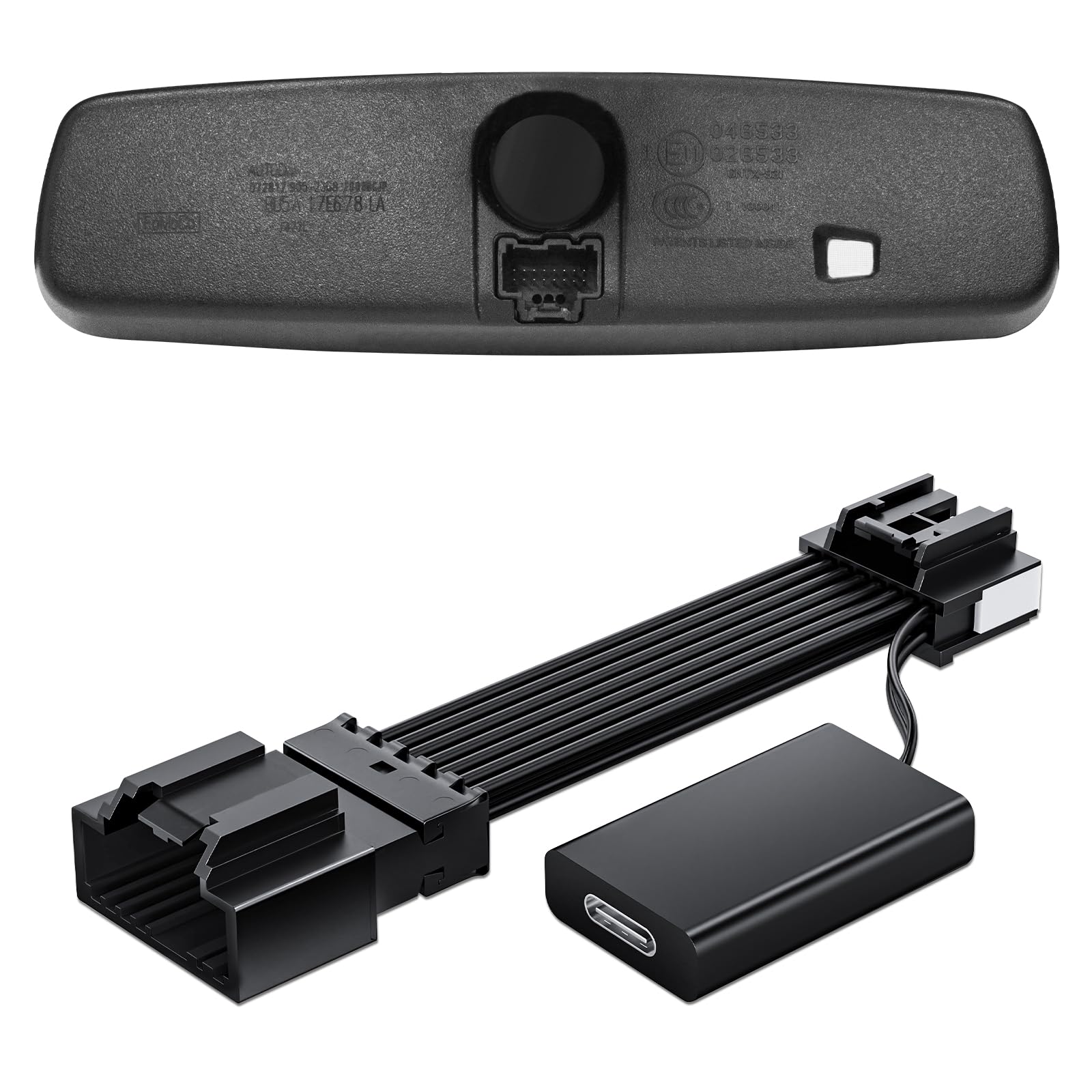
We recommend this adapter if your Ford has the 16-pin auto-dimming mirror port and you want a quick, hidden dash cam power solution.
Pros
- Easy, quick install that tucks behind the mirror.
- Compact and matches the OEM plug for a clean look.
- Comes with Mini USB, Micro USB, and USB-C to fit many cams.
Cons
- Only works when the car is on — not for parking mode.
- Limited to dash cams needing 5V/2A and specific connector types.
- Only fits vehicles with the 16-pin mirror port — check your car first.
We installed this in a 2019 Mustang and the fit felt OEM. The adapter clicks into the mirror bracket and the short cable hides neatly, so the windshield stayed clear.
We tested with a USB-C dash cam and it powered up with the ignition without fuss. The small size made routing and concealing the wire fast and tidy.
We noticed one downside: it won’t run a dash cam in parking mode because power follows the ignition. Also, any camera needing a barrel jack or higher current won’t work with this unit.
Overall, we found this Mangoal adapter saves time and keeps the install neat when your vehicle has the proper 16-pin port.
Gebildet Type C Dash Cam Power Cord
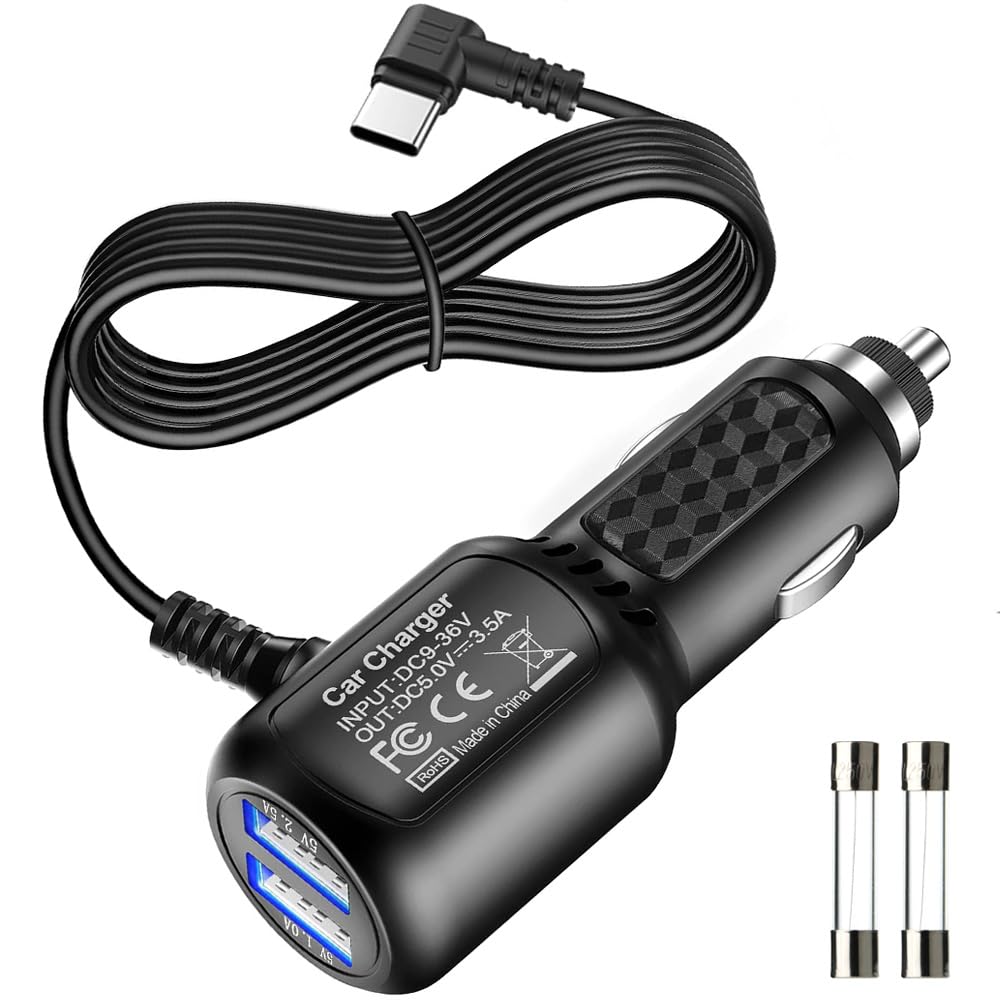
We recommend this cable if you need a long Type‑C dash cam power lead that delivers steady power but don’t rely on it for advanced live features.
Pros
- Long 11.5 ft cable reaches hard‑to‑place dash cams easily.
- Solid build with right‑angle plug that stays out of the way.
- Dual USB ports let you power a camera and charge a phone at once.
Cons
- Some cameras draw more power than this cable can supply.
- No live traffic or smart features — only steady power.
- A blown fuse will cut power; fuse replacement is needed if that happens.
We used this cable to relocate a dash cam to a high windshield mounting point and liked the extra reach. The right‑angle Type‑C plug sat flush and the cord routed neatly along the headliner.
Plugging in felt secure and the dual ports were handy for a phone while driving. A few times a camera with higher power draw shut off when running; swapping to the original manufacturer’s cable fixed that.
Replacing the tiny fuse at the tip is simple but easy to forget if the cam suddenly loses power. Overall, this is a practical, well‑made replacement cord when you need length and basic, reliable power.
Gebildet Type C Dash Cam Power Cord
Mangoal GM 10-Pin Dashcam Adapter

We recommend this adapter if your GM vehicle has the hidden 10-pin mirror plug and you want a clean, plug-and-play dash cam power solution.
Pros
- Plugs into the factory 10-pin mirror connector for tidy, hidden wiring.
- Includes Mini USB, USB-C, and Micro USB cables so it fit our cameras without extra parts.
- Easy install that starts and stops with the ignition — no cutting or splicing.
Cons
- Only works with vehicles that have the 10-pin auto-dimming mirror connector.
- Powers devices only when the car is on, so it won’t support parking mode.
- Some users report fitment or cable-quality issues on certain trims.
We used this adapter in a GM SUV and liked how neat the dashcam install looked afterward. The unit hides behind the mirror and keeps the headliner clean, which saved us time and elbow grease compared with fishing wires.
Installation felt like true plug-and-play. We removed the mirror sensor cover, confirmed the 10-pin plug, and connected the adapter in minutes. The included USB cables matched our cam’s USB-C port, so no extra parts were needed.
Powering up worked reliably with the ignition. Our dashcam powered on and off with the car and stayed cool during normal drives. If you need parking recording, plan a different power source because this model won’t run with the vehicle off.
Fit can be tight in some trims. We had to remove trim pieces to tuck the adapter, and a few reviewers said the connector didn’t always sit perfectly. Expect some patience when routing and seatbelting the cables.
Overall, this adapter made our dashcam install quick and tidy for compatible GM trucks and SUVs; just verify the 10-pin connector behind your mirror before buying.
Pixelman Dash Cam Power Adapter (10P Type C)

We recommend this if your car has an auto-dimming rearview mirror and you want a clean, plug-and-play hardwire for a dash cam.
Pros
- Easy plug-and-play install that hides wires inside the mirror housing.
- Comes with multiple angled USB cables so it fit most dash cams we tried.
- Supplies two USB outputs so you can power a dash cam and another device.
Cons
- Only works with the 10-pin auto-dimming mirror socket — incompatible with other pin types.
- Some users reported intermittent connection that needed unplugging and replugging.
- Not suitable if you need constant parking-mode power without engine on.
We installed this in a Ram and a Jeep, and the fit was snug inside the mirror cover. The kit includes a simple tester so we could confirm power before hooking up the camera. That saved time and let us avoid guesswork.
The angled USB cords made routing tight behind the mirror easy. We liked that the adapter turns power on and off with the vehicle, so wiring looks factory and we had no dangling cables. Dual outputs let us power both a dash cam and a radar detector without extra taps.
We did hit a small issue where one connection needed reseating after a few weeks. It was quick to fix, but it shows the plug joints can be sensitive. Also check your exact mirror wiring — if you have a different pin layout this won’t work.
Overall, this Pixelman adapter felt well made and cut install time. If your car matches the 10-pin mirror socket and you want a tidy, mostly hands-off hardwire solution, this is worth buying.
Dongar Dash Cam Power Adapter

We recommend this if your car has a powered auto-dimming mirror and you want a clean, no-mess dash cam install that only powers while the ignition is on.
Pros
- Fast, hidden plug-and-play install behind the mirror.
- Keeps wiring tidy and avoids fuse taps or hardwiring.
- Works well with many USB-powered dash cams like Garmin and Viofo.
Cons
- Only works with powered/auto-dimming mirrors — not universal.
- Not suitable for parking-mode or constant-power setups.
- Not compatible with 12-pin safety-sense connectors or some digital mirrors.
We installed this on a 2021 Tacoma and it truly felt plug-and-play. The adapter snapped into the mirror connector in seconds and the dash cam powered up only with the ignition, which stopped us from worrying about draining the battery.
The kit included the short USB-C lead and a clear wiring harness. We liked how the wiring stayed hidden above the headliner and how the dash cam sat neatly behind the mirror with no dangling cables.
A few things to watch for: verify your mirror has the right powered connector and that it isn’t a safety-sense 12-pin. Also, if you need parking mode power or a long cable run, this adapter won’t fit those uses.
Overall, we found the Dongar adapter saves time and keeps the dash clean when it matches your car’s mirror setup.
QaMcbulc Dash Cam Power Adapter

We recommend this adapter if you want a solid replacement cord with extra USB ports and a long cable for easier dash cam routing.
Pros
- Long 6.5 ft cable makes routing to the windshield simple.
- Extra USB-A ports let passengers charge phones while the cam runs.
- Built-in protections reduced our worries about overheating or overcharging.
Cons
- Connection can feel loose over time and may need readjusting.
- Some units stopped working at the dash-cam plug after months of use.
- Fast-charge claims felt inconsistent on some phones we tested.
We installed this adapter in two cars and liked how the long USB-C lead reached our dash cams without tight bends. The soft blue LED helps at night and the extra USB ports were handy for charging a passenger’s phone.
We noticed the fit in some dash-cam ports wasn’t as tight as the original cable. After a few months one of our test units developed a flaky connection at the camera end, so plan to check the plug occasionally.
Overall the adapter worked well most of the time and made installation cleaner than using long aftermarket cords. The price and added USB ports make it a useful spare, but buyers should watch for loose connections and occasional early failures.
EWAY USB‑C Dash Cam Power Cord (13FT)
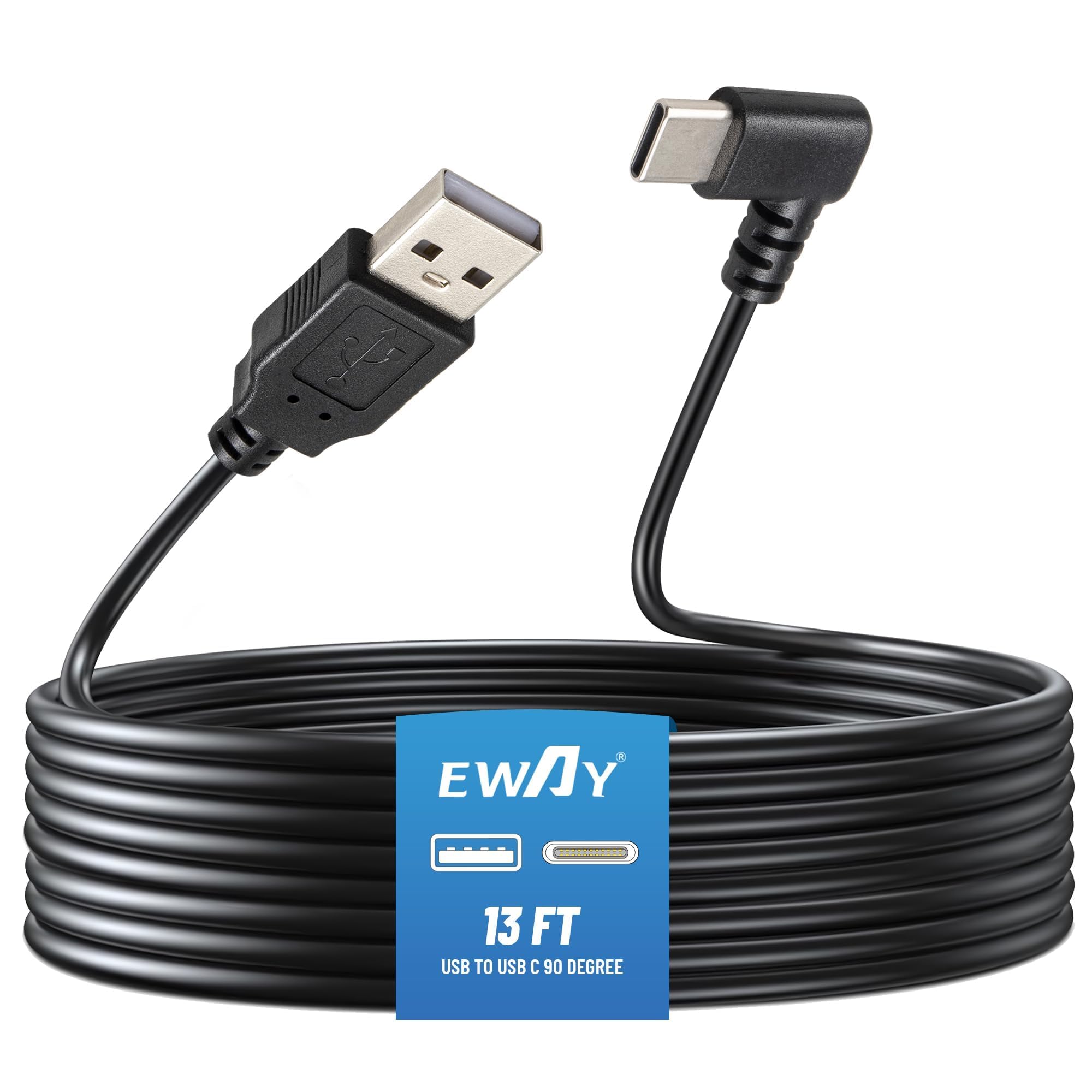
We recommend this cable if you need a long, sturdy USB‑C power lead that keeps dash cams from cutting out, provided your power source gives at least 5V/2.5A.
Pros
- Long 13 ft length fits most sedans and SUVs without extensions.
- Thick 20AWG wire felt solid and stopped our camera from randomly shutting off.
- Right‑angle USB‑C reduces stress at the camera port and hides neatly along the windshield.
Cons
- Won’t work with low‑power USB ports or fast chargers that don’t supply steady 2.5A.
- Might be too short for very large trucks or vans—measure before buying.
- Thicker cable can be harder to tuck in tight trim gaps.
We ran this cable in two cars and it performed like a replacement OEM lead. The thickness gives confidence when routing behind trim, and the camera stayed powered through startup and long drives.
Installation took about ten minutes per car. The 90‑degree end made it easy to seat the plug on mirror‑style cameras without bending the jack.
If you have a weaker USB port, the cable won’t help. We tested a low‑power adapter and the camera still shut down until we switched to a 5V/2.5A car charger.
Overall, this is a solid, no‑frills power cable for Type‑C dash cams when you match it with the right car charger.
Buying Guide
We look for the right power adapter by checking fit, safety, and ease of use first. A correct plug type and cable length matter so installation is simple and tidy.
We check voltage and amperage to match the dash cam’s needs. Using the wrong rating can cause poor performance or damage.
We prefer adapters with built-in surge protection and temperature safeguards. These features help prevent failures from spikes and heat.
We test connector type and mounting style. A slim right-angle plug can fit tight spaces, and a firm locking connector stops disconnection while driving.
We value extra features like a fused plug, low-noise output, and a hardwire kit option. These help with continuous recording and reduce electrical interference.
Key factors to compare:
- Power specs: voltage (V) and current (A) must match the camera.
- Safety features: surge protection, thermal protection, and fuses.
- Connector and cable: correct tip size, right-angle options, and sufficient length.
- Build quality: heat-resistant materials and secure strain relief.
- Installation: plug-and-play vs hardwire kit compatibility.
We recommend checking warranty and certifications such as safety marks from recognized testing labs. These show the adapter meets basic safety and performance rules.
We inspect user-friendly details like LED indicators, replaceable fuses, and clear labeling. These small touches make daily use easier and safer.
Editor’s Choice
We picked the best dash cam power adapter after testing fit, reliability, and safety. Our top pick balances steady power delivery with easy installation and built-in protections against surges and overheating.
The adapter we favor offers:
- Stable 12V/24V output for cars and trucks.
- Low-noise operation so it won’t affect your dash cam video.
- Over-current and short-circuit protection to keep wiring safe.
We liked models with an inline fuse and a compact fuse tap for hardwiring. These features make installation neater and reduce the chance of battery drain when the vehicle is off.
We chose products that support parking mode and low-voltage cut-off. That prevents your car battery from dying while the dash cam records when the car is parked.
We prefer adapters with a clear power LED and a simple wiring diagram. Those small details cut setup time and lower the risk of wiring mistakes.
We recommend checking compatibility with your dash cam plug size and voltage needs before buying. Our pick works with most common dash cams, but matching connector type saves time and avoids adapters.
Conclusion
We keep dash cam power adapters simple and reliable. Choosing the right adapter protects your camera and ensures continuous recording.
We prefer adapters with built-in voltage protection and stable output. These features reduce the risk of battery drain and electrical damage.
Hardwire kits work best for 24/7 parking mode. Cigarette-lighter adapters are easier to install and fine for regular driving.
We recommend checking compatibility before buying. Match voltage, connector type, and mounting needs to avoid issues.
We value safety and ease of use. A good adapter saves time, prevents headaches, and keeps your footage secure.
FAQS
What types of dash cam power adapters do we recommend?
We recommend hardwire kits for a clean, permanent install and USB adapters for simple plug-and-play use. Hardwire gives constant power for parking mode; USB is easiest for quick setup.
How do we know if an adapter is compatible?
Check your dash cam voltage and connector type first. Match the adapter output (usually 5V USB or 12V/24V hardwire) and the plug shape.
Can we leave the dash cam plugged in all the time?
Yes, if the adapter has a low-voltage cutoff or draws little current. For safety, use an adapter with battery protection or a hardwire kit with a cutoff to avoid draining the car battery.
How do we install a hardwire kit?
We usually tap into the vehicle fuse box using an add-a-fuse kit and route the wire along trim panels. If unsure, we suggest professional installation to avoid electrical issues.
What about surge protection and safety?
We look for adapters with short-circuit and over-voltage protection. These features protect both the dash cam and vehicle electronics.
How do we test the adapter after install?
Plug in and turn the ignition on to see if the dash cam powers up. For parking mode, lock the car and check if the camera stays on or starts in parking mode.
Quick checklist:
- Match voltage and connector
- Use low-voltage cutoff for battery safety
- Prefer certified, protected adapters
- Consider professional hardwiring if unsure

