Dash cams record what happens on the road so you have proof after an accident, for insurance claims, or to catch unsafe driving. Models with built-in GPS add location, speed, and route data to the footage, which helps verify time and place and can improve insurance or legal outcomes. We look at how different dash cams balance video quality, GPS accuracy, ease of use, and reliability.
The key things to check are video resolution and low-light performance, GPS reliability and update frequency, mounting and power options, and storage or cloud features. A dash cam with clear daytime and night video plus accurate GPS is the most useful for documenting trips and incidents. We tested several dash cams with GPS to find options that make setup simple and capture trustworthy evidence, and we explain what to look for next.
Best Dash Cams with GPS
Below is our full list of the best dash cams with GPS. We tested models that record clear video, log location and speed, and are easy to install and use. Use our picks to find a reliable dash cam that fits your needs and budget.
REDTIGER F7N Touch 4K Dash Cam

We recommend this dash cam if you want sharp 4K front footage, built-in GPS, and easy phone control for everyday driving and parking monitoring.
Pros
- Excellent daytime and night clarity from the 4K front STARVIS 2 sensor.
- Built-in GPS logs routes and speed without extra gadgets.
- Fast 5.8GHz WiFi makes file transfer to phones much quicker.
Cons
- Voice control and app can be flaky sometimes.
- Parking mode needs a separate hardwire kit to work properly.
- Suction mount and cable hiding take some time to install neatly.
We mounted the unit and drove for a week to test real use. The front camera caught license plates and street signs clearly in day and low light. The rear cam gives usable backup footage but is not as crisp as the front.
Using the REDTIGER app felt handy for quick downloads. Downloads ran faster than older WiFi cams, though pairing took extra attempts on one phone. We liked that GPS overlay showed speed and route on saved clips.
Parking monitoring gave us peace of mind once we hardwired the unit. The time-lapse parking option reduced file size while still catching motion. Keep in mind you must buy and install the hardwire kit to use those features reliably.
Overall, the package feels complete with a free 128GB card and long rear cable for larger vehicles. We found the touchscreen and voice commands convenient, even if voice recognition missed commands occasionally. The product balances image quality, GPS tracking, and fast WiFi for a strong value.
REDTIGER F7NP 4K Dash Cam

We recommend this if you want sharp 4K front footage, reliable night vision, and built-in GPS for clear location and speed data.
Pros
- Excellent daytime and night clarity from STARVIS 2 sensor.
- Built-in GPS and fast 5.8GHz WiFi make reviewing drives quick.
- Includes rear camera and 128GB card so it works out of the box.
Cons
- Parking mode needs a hardwire kit to run fully while parked.
- Suction mount can be fiddly to position cleanly.
- App pairing sometimes takes a couple of tries.
We installed the F7NP on our windshield and tested it on a mix of city and highway drives. The 4K front footage captured small details like license plates and street signs that regular cams miss. Night driving stayed usable thanks to WDR and the STARVIS 2 sensor—shadows and bright spots balanced well.
Connecting through the Redtiger app felt modern. Downloads moved fast on 5.8GHz WiFi and the app showed GPS routes and speed clearly. We locked incident clips with the G-sensor and found the free 128GB card handy during long trips.
Parking modes worked, but we noticed that real 24/7 monitoring needs the hardwire kit; otherwise parking features are limited. The supercapacitor gave us peace of mind in hot weather, and the unit felt solid during installation, though the suction cup took some fiddling to get invisible behind the rearview mirror.
Overall, we found the REDTIGER F7NP balanced pro-level video and practical features at a fair price; it’s a strong choice for drivers who want clear evidence and easy app access without adding complex setup.
Buy the REDTIGER F7NP 4K Dash Cam on Amazon
Garmin DriveCam 76

We recommend this if you want a reliable GPS with a built-in dash cam that records incidents and uploads clips to a cloud vault.
Pros
- Clear, large 7″ display that makes maps easy to read while driving.
- Dash cam records and saves incidents automatically to the Garmin Vault.
- Voice assist and live features (traffic, weather) add convenience on long trips.
Cons
- Bluetooth pairing can be slow or flaky with some phones.
- Initial setup and Wi‑Fi updates felt clunky compared to simpler units.
- Mounting options are limited to the supplied suction cup.
We used the Garmin DriveCam 76 for several drives, including highway and city routes. The 7‑inch screen made lane labels and upcoming turns visible at a glance. Routes felt familiar and the voice prompts were clear.
Recording incidents worked exactly as promised. When a hard brake happened during a test, the unit saved the clip and we saw it in the Garmin Drive app. Uploading to the Vault was handy for sharing footage later.
Pairing our phones took longer than expected and reconnecting after leaving the car sometimes lagged. Updating maps over Wi‑Fi required a bit of patience and, in one case, a computer connection instead.
Overall, we liked the combination of a solid navigator and a built‑in dash cam in one device. It’s a good fit for drivers who want incident footage without adding a separate camera, as long as you’re comfortable with occasional Bluetooth and setup hassles.
Affver A4 4K Dual Dash Cam
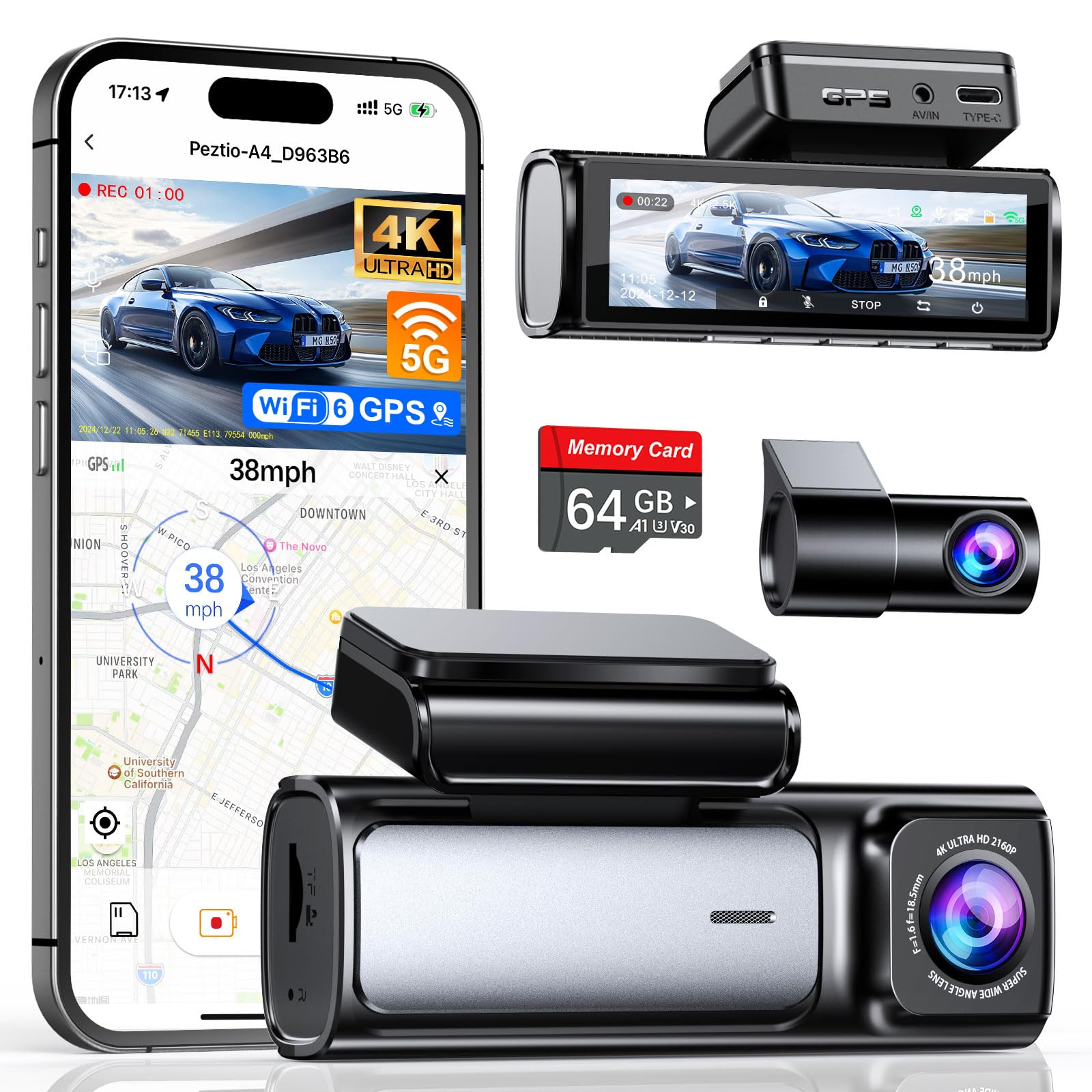
We recommend this if you want sharp front-and-rear footage plus built-in GPS for clear route and speed logging.
Pros
- Excellent daytime and night clarity on the front camera.
- Built-in GPS and faster WiFi 6 make transfers and playback simple.
- Comes ready to use with a 64GB card and tidy installation kit.
Cons
- App can be flaky at times when connecting or transferring files.
- Rear camera cable length may be tight in larger vehicles.
- Hardwire kit required separately for true 24-hour parking mode.
We tested this dash cam over several drives and found the front 4K footage captures small details like plates and street signs clearly. The rear 2.5K upgrade also looks noticeably sharper than many 1080p units we’ve tried.
Connecting to GPS and using the app to review routes worked well once the WiFi linked, and the new 5GHz WiFi 6 sped file downloads compared with older models. The small 3.59″ screen gives a clear live view and makes menu changes quick.
Installation was straightforward with the supplied trim tools and adhesive. We liked that Affver included a 64GB card so we could start recording immediately, but routing the rear cable felt snug in a big SUV.
Night performance impressed us—the larger aperture and WDR brought out detail in low light that other cams missed. The G-sensor reliably locked crash clips, and loop recording handled storage without fuss.
Overall, this model balances high-resolution footage and useful features like GPS and WiFi 6, though expect a bit of app fuss and plan for the hardwire kit if you need parked-car monitoring.
TERUNSOUl 4K Triple-Channel Dash Cam

We recommend this dash cam for buyers who want wide coverage and clear GPS-tagged video at a good value.
Pros
- Very sharp 4K front footage with clear night detail.
- Triple-channel setup covers front, rear, and cabin without blind spots.
- Built-in GPS and 128GB card make evidence capture easy.
Cons
- Full parking mode needs a separate hardwire kit.
- Setup takes time to hide the long cables neatly.
- App connection can feel fiddly the first few times.
We mounted this unit and used it for several drives. The 4K front camera catches fine license plate detail in daylight and the starlight night vision pulled usable footage in dim streets.
Recording from three angles felt reassuring on longer trips and when we had passengers. The cabin lens is handy for rideshare or family rides, and the rear camera gave a wide view of following traffic.
GPS data embedded in the video made reviewing routes straightforward on the PC app. We liked that a 128GB card comes in the box, so you can start recording right away.
Installation took patience since the long rear cable needs careful routing. Once hidden, the slim main unit sat low on the windshield and didn’t block sightlines.
For parking recording you’ll need to buy a hardwire kit, which adds cost and a bit more install work. Still, the automatic collision lock and loop recording worked reliably during our tests.
Overall, this dash cam gave us strong video quality, full coverage, and easy evidence playback — a solid choice if you want GPS-tagged triple-channel recording without a premium price.
70mai A810 Lite 4K

We recommend this if you want sharp 4K front footage, GPS tracking, and easy phone access for everyday use and long parking.
Pros
- Very clear 4K front video and usable rear camera.
- GPS logging and remote access make tracking simple.
- Strong night performance and stable supercapacitor.
Cons
- 4G remote features need an optional hardwire kit to work.
- Cable routing and clips felt fiddly during install.
- App and firmware still need occasional updates for reliability.
We installed the A810 Lite behind the mirror and drove for a week. The front 4K image caught plate details and signs without fuss, and the rear cam filled gaps during lane changes. The unit stayed cool and stable even on hot afternoons.
We tested night driving and noticed HDR plus the wide aperture kept contrast down and headlights from washing out nearby details. Low-light scenes looked balanced, though extreme darkness showed usual dash-cam limits.
We tried the Wi‑Fi 6 link and moved clips to our phone fast. GPS tracks and speed data appeared during playback, which helped when reviewing a tricky intersection. The 4G remote seemed promising, but it won’t work unless you buy and install the UP05 hardwire kit.
We liked the 24-hour parking options for overnight protection. Time-lapse and impact-triggered clips gave peace of mind, though setting up the hardwire and wiring to parking power took extra time. Overall, this feels like a solid upgrade for drivers who want better video and remote tracking without a huge learning curve.
ROVE R2-4K
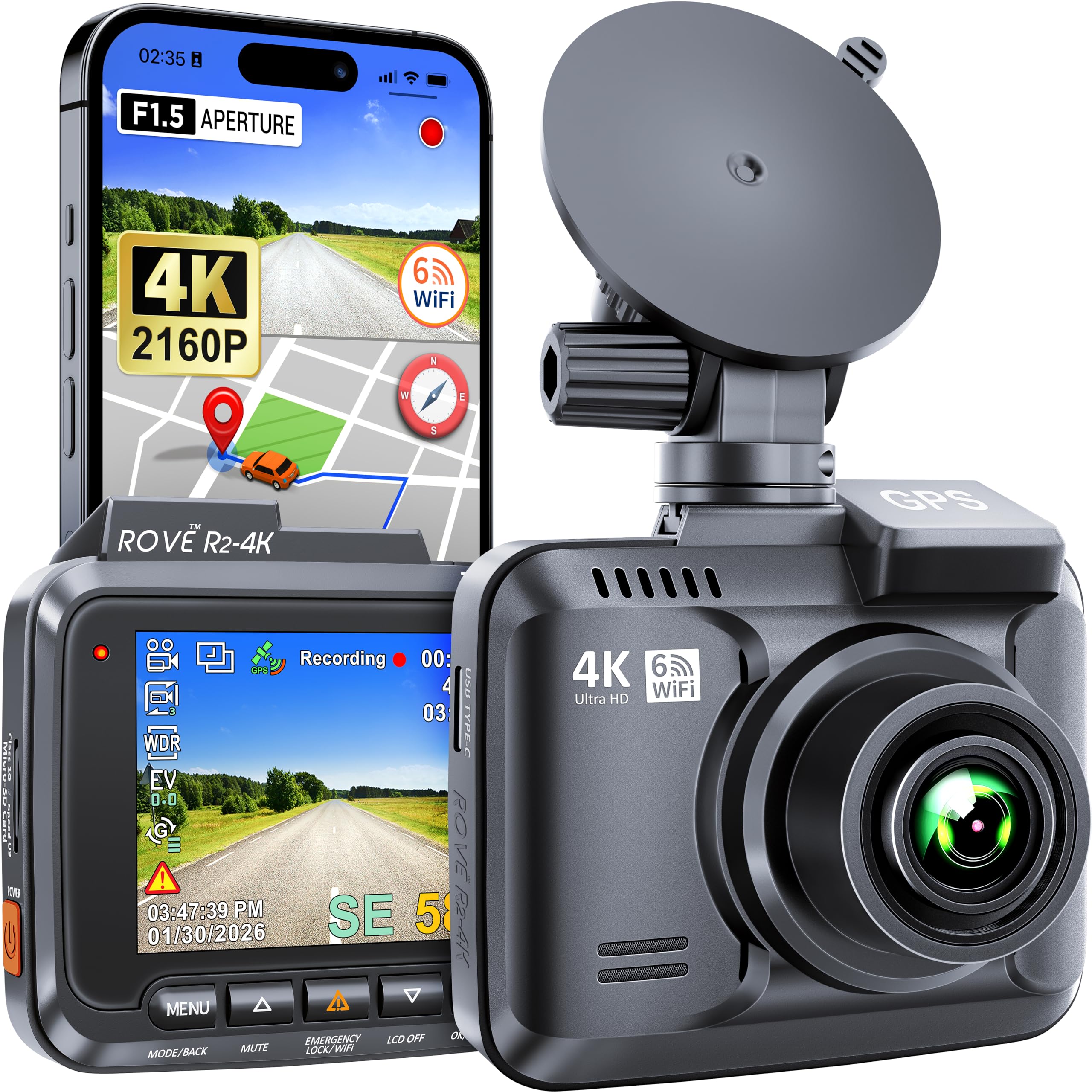
We recommend this dash cam if you want sharp 4K daytime video and reliable GPS tracking at a mid-range price.
Pros
- Very clear 4K footage that picks up fine details.
- Built-in GPS logs speed and route for easy evidence.
- Solid night performance and simple smartphone transfers via Wi‑Fi.
Cons
- App setup and menus took us a few tries to learn.
- Mini‑USB power connection feels a bit dated.
- Screen is small for live viewing inside the car.
We mounted the ROVE R2-4K and tested it on city and highway drives. The 4K clips showed license plates and signs more clearly than smaller-sensor cams we’ve used. GPS tracks synced to the app so we could replay routes and see speeds without fuss.
Low-light streets surprised us. The super night vision pulled usable detail from dim scenes. Motion detection and parking mode worked when we walked away and checked recordings later.
Setting up Wi‑Fi and the app needed patience, but once connected we downloaded clips quickly. The unit feels solid on the windshield, though the small screen means we mainly use the app for playback. Overall, we found it a dependable dash cam with strong video and useful GPS features.
Vantrue N4 Pro S 4K 3-Channel
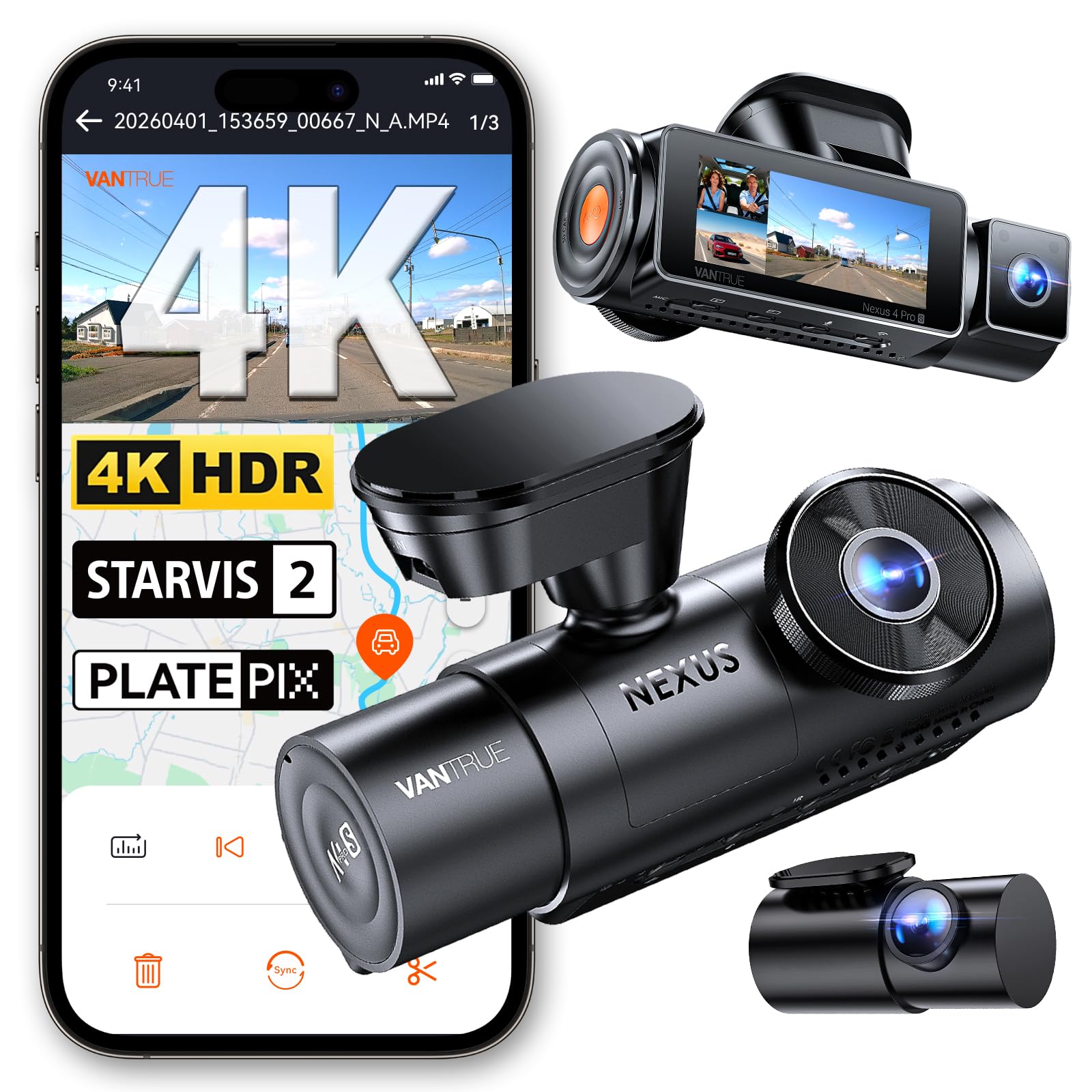
We recommend this if you want full 3-camera coverage and clear night plate reads without fuss.
Pros
- Excellent night clarity and plate capture.
- True three-channel coverage (front, rear, interior).
- Stable GPS and fast 5GHz Wi-Fi for quick transfers.
Cons
- Requires hardwire kit for full 24/7 parking use.
- Setup can be fiddly on some phones.
- Large unit may block a bit of windshield view.
We installed the N4 Pro S and drove with it for several days. The front 4K image looks sharp, and the interior and rear angles fill in blind spots we usually miss. Footage felt detailed enough to read plates in dim light when traffic moved at normal speeds.
The night performance stood out. The triple STARVIS 2 sensors and HDR balanced exposure reduced glare from headlights and street lamps. We tested low-light scenes and could still make out license plates more often than with typical single-camera units.
Installing the rear 20ft cable in our SUV was straightforward, but getting the app to pair to our phone took a couple of tries. Once connected, the 5GHz Wi‑Fi moved clips fast and the built-in GPS logged routes and speed reliably.
If you plan to use buffered parking mode, buy a hardwire kit; we noticed parking features stay limited without it. The unit runs cooler when set to front+rear mode, which helps in hot weather but means choosing which channels to prioritize.
Overall, we found the N4 Pro S delivers strong all-around protection for drivers who want high-resolution daytime and night coverage plus precise GPS data.
Beferich J18 4K Dual Dash Cam
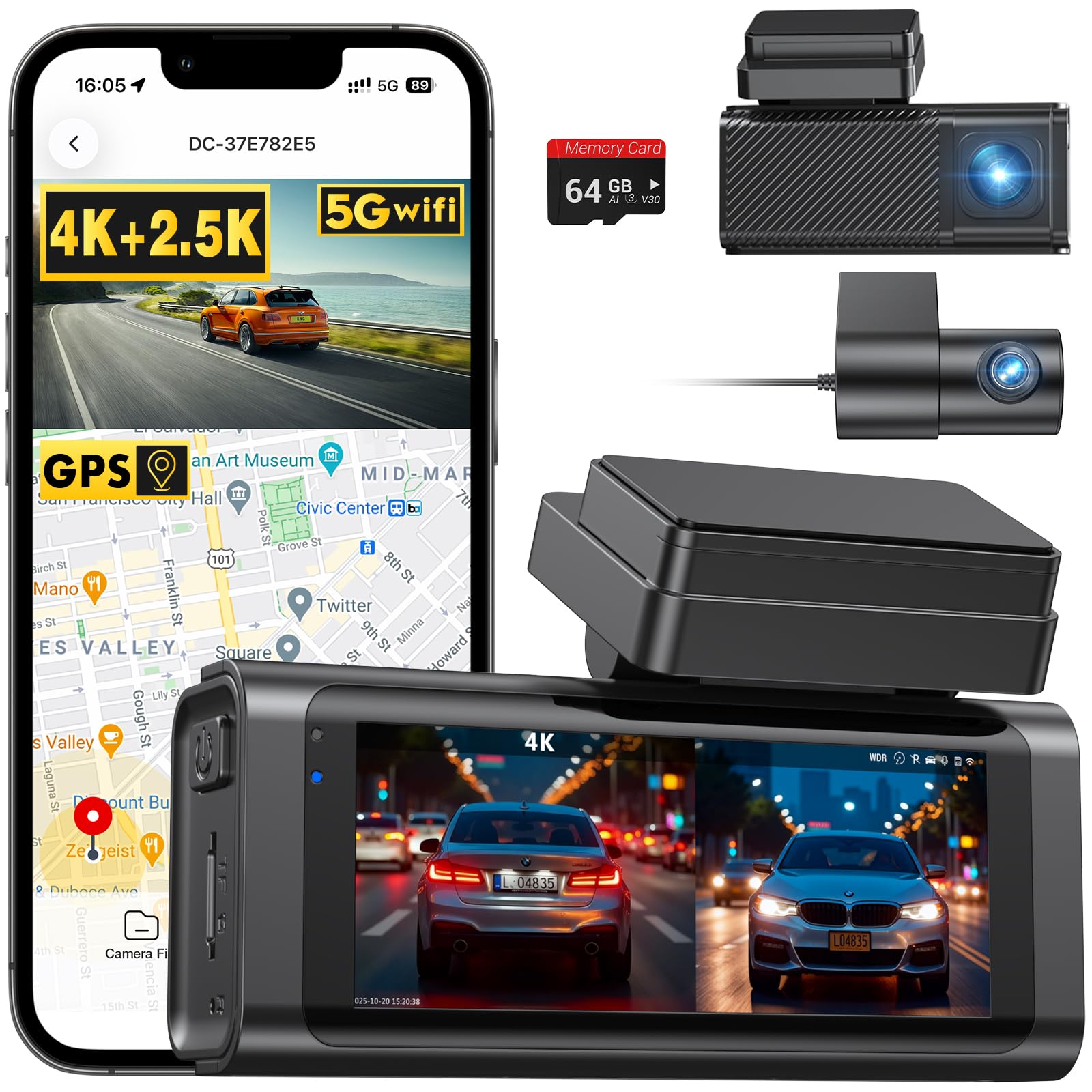
We recommend this if you want sharp front 4K video, built-in GPS, and easy app transfers at a mid-range price.
Pros
- Very clear 4K front and decent 2.5K rear video.
- Built-in GPS logs routes and speed automatically.
- Fast 5GHz Wi‑Fi makes file transfers quick.
Cons
- App pairing can take a few tries to connect.
- Suction mount feels less steady than adhesive.
- Parking 24/7 needs a separate hardwire kit.
We installed the Beferich J18 in our family car and used it for both daily drives and a long trip. The front footage captured small details like license plates and road signs, which gave us confidence in its evidence value. Night shots held up better than we expected thanks to WDR/HDR and the f/1.8 lens.
Pairing the camera with the Viidure app worked after a couple attempts. Once connected, downloads completed fast over 5GHz Wi‑Fi and we could preview GPS-tagged routes on our phone. The small 3.16″ screen made on-device checks easy when we needed a quick playback.
Mounting was simple but required some patience to hide the long rear cable. The suction cup mount allowed quick repositioning, though we found adhesive felt more secure long term. For reliable parking monitoring we hardwired the unit later; that added cost but gave true 24/7 protection.
Overall, this unit felt like a solid upgrade from basic dash cams. We liked the balance of image quality, GPS logging, and app speed, even if setup and mounting need a little work.
PRUVEEO D90 360° 4-Channel Dash Cam

We recommend this if you want full 360° coverage, GPS logging, and reliable night recording for everyday driving and parking.
Pros
- True four-camera coverage captures front, rear, and both sides.
- Built-in GPS and Wi‑Fi make location logging and quick video transfer easy.
- Parking mode and time-lapse save space while protecting your vehicle.
Cons
- Four cameras add wiring complexity for neat installation.
- Some users report missed short events when settings aren’t tuned.
- No internal battery — needs hardwire kit for full parking power.
We installed this system and ran it on a weekly driver for a month. The video angles gave us a complete view around the car. Adjusting the three forward lenses let us aim at trouble spots like side doors and the cabin.
We liked the GPS logging. Seeing speed and route overlaid on clips made incident review straightforward. Pulling files to a phone over Wi‑Fi worked well for quick sharing, though large clips took a while.
Night clarity impressed us thanks to the cabin F1.8 lens and infrared lights. Parking mode recorded motion at low light, but you should hardwire the unit for 24/7 monitoring to avoid drained batteries.
If you want a robust, multi-angle system and don’t mind professional-looking wiring, this unit delivers strong coverage and useful GPS data. For simpler installs, plan for extra time or help to route cables cleanly.
Buying Guide
We focus on key features that matter when choosing a dash cam with GPS. Start by checking video quality. Look for at least 1080p resolution and a high frame rate for clear footage.
We check GPS accuracy next. GPS logs speed, route, and location. Make sure the camera records coordinates and timestamps reliably.
We value reliable storage and file handling. Choose cameras that support SD cards and loop recording. Look for automatic overwrite and easy file retrieval.
We consider power and mount options. Hardwire kits keep the camera on when parked. Suction or adhesive mounts should hold steady and allow easy adjustment.
We examine safety features and sensors. Built-in G-sensors can lock files after a crash. Parking mode and motion detection protect the vehicle when unattended.
We assess app and software support. A good app lets us view GPS tracks and video on our phone. Desktop playback can help with detailed review and exporting evidence.
We compare durability and warranty. Cameras should withstand heat and vibration in cars. Check warranty length and what it covers.
We weigh price against features. Prioritize the features we need most, then pick a model that fits our budget. Use reviews and spec comparisons to confirm performance.
| Feature | Why it matters |
|---|---|
| Video resolution & FPS | Clarity of license plates and details |
| GPS accuracy | Exact location and speed logging |
| Storage & loop recording | Continuous recording without gaps |
| Power options | Consistent operation and parking mode |
| Sensors & parking mode | Auto-save and post-impact recording |
| App/Desktop support | Easy playback and evidence export |
Editor’s Choice
We pick the Garmin Dash Cam Tandem as our top GPS-enabled dash cam. It records crisp 4K front video and 1440p for the inside cabin, giving clear footage for both road and in-car events.
The built-in GPS logs speed and location so we can match video to exact places. We like the automatic incident detection that saves clips when it senses sudden movement.
The unit has reliable parking mode with motion and impact detection. Its voice control helps us start recording or save clips without taking our hands off the wheel.
Key features at a glance:
- Video: 4K front / 1440p interior
- GPS: Built-in, records route and speed
- Storage: MicroSD support up to 256 GB
- Extras: Voice control, Wi‑Fi, parking mode
Installation is straightforward and the mount holds steady. The app makes it easy for us to review and download clips on our phone.
Conclusion
We picked dash cams with GPS to give reliable location and speed data alongside clear video. That helps when we need exact evidence after incidents or for fleet tracking.
Our top choices balance video quality, GPS accuracy, and ease of use. We favored units with solid mounts, good night vision, and simple apps for reviewing footage.
We recommend considering how you drive and where you park. For city driving, prioritize small size and strong app features. For long trips, pick higher storage and better low-light recording.
Quick checklist:
- Video quality: 1080p or better.
- GPS: Accurate timestamps and route playback.
- Storage: Support for large microSD cards.
- Power/mount: Reliable connection and easy install.
- App/usability: Fast access to clips and settings.
We tested for real-world use, not just specs. That helped us find cameras that keep working day after day without fuss.
FAQs
What does GPS do on a dash cam?
GPS records location and speed with video. We can use it to prove where and when an event happened.
Do all dash cams need GPS?
No. GPS adds data but is not required to record video. We choose GPS models for travel logs, speed verification, and route tracking.
Will GPS drain my car battery?
GPS itself uses little power. Leaving any dash cam on while the car is off can drain the battery. We recommend using parking mode with a hardwire kit that has low-voltage cut-off.
How accurate is GPS on dash cams?
GPS is usually accurate to within a few meters and a few seconds for time. Tall buildings, tunnels, and bad weather can reduce accuracy.
How do we view GPS data?
Most dash cams embed GPS in the video file or create a separate log. We can view routes on the manufacturer app or on mapping software that supports the file type.
Is GPS data private?
GPS data can reveal our routes and locations. We should secure video files, use strong passwords, and follow local laws about recording and data storage.
Can GPS help with insurance claims?
Yes. GPS data can support claims by confirming location, time, and speed. We should ensure the GPS timestamp matches the dash cam video.

