
Removing a car stereo doesn’t have to be complicated. This guide walks you through every step—from disconnecting the battery to safely extracting the unit—so you can upgrade or replace your system with confidence.
How to Take Out Car Stereo Step by Step Guide
Upgrading your car stereo or replacing a faulty unit can dramatically improve your driving experience. Whether you’re installing a new touchscreen, adding Bluetooth, or fixing a broken head unit, the first step is safely removing the old one. While it might seem intimidating, taking out a car stereo is a straightforward process if you follow the right steps.
This comprehensive guide will walk you through how to take out a car stereo safely and efficiently. You’ll learn the tools you need, how to avoid common mistakes, and what to do if you run into trouble. By the end, you’ll be ready to install your new system with confidence.
What You’ll Need
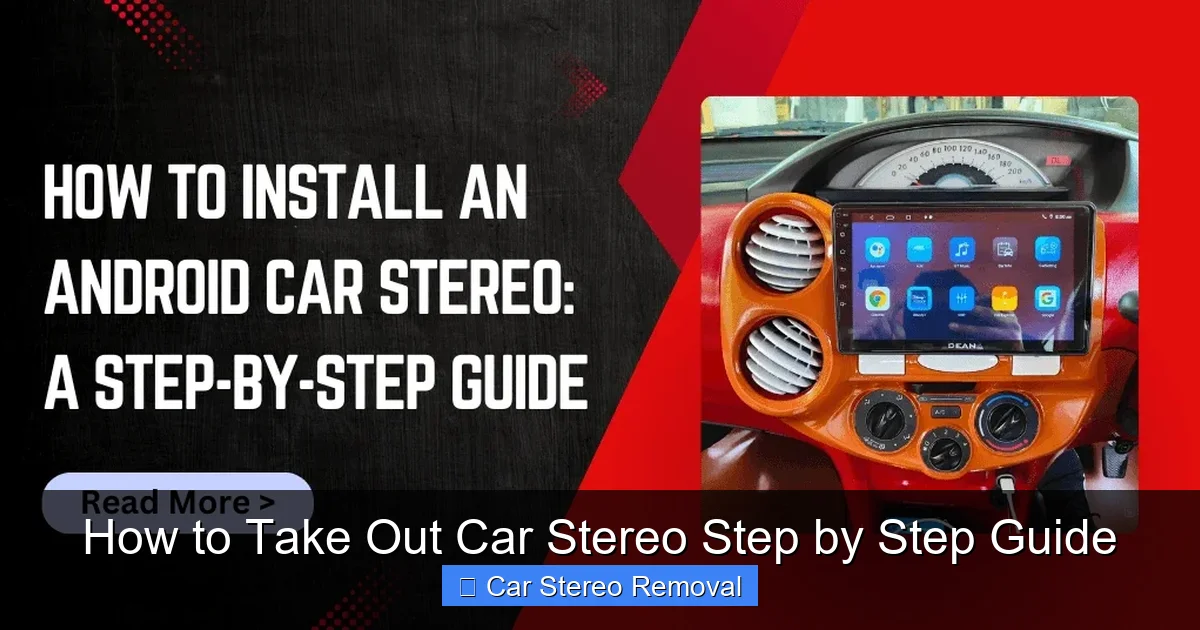
Visual guide about How to Take Out Car Stereo Step by Step Guide
Image source: deanauto.in
Before you start, gather the right tools and supplies. Having everything ready will save time and frustration.
- Trim removal tools: Plastic pry tools help remove panels without scratching.
- Screwdrivers: A set of Phillips and flathead screwdrivers for removing screws.
- Socket wrench or panel removal tool: Some stereos are held in place with bolts.
- Wire strippers and electrical tape: Useful if you need to modify wiring.
- Camera or smartphone: To take photos during disassembly.
- Ziplock bags or small containers: For storing screws and small parts.
- Gloves and safety glasses: Optional but recommended for protection.
Having the right tools makes a big difference. Avoid using metal tools that can scratch your dashboard or damage clips.
Step 1: Disconnect the Car Battery
Safety comes first. Before touching any electrical components, disconnect the negative terminal of your car battery. This prevents accidental short circuits, blown fuses, or damage to your vehicle’s electronics.
How to Disconnect the Battery
- Open the hood and locate the battery.
- Use a wrench to loosen the nut on the negative (black) terminal.
- Lift the cable off the terminal and secure it away from the battery.
Tip: Wait at least 10 minutes after disconnecting the battery before starting work. This allows the car’s computer system to reset and reduces the risk of electrical surges.
Step 2: Remove the Trim Panels
Most car stereos are hidden behind plastic trim panels. These panels protect the stereo and give your dashboard a clean look. Removing them is usually the first physical step.
Locate the Trim Panels
Look around the stereo unit. Common locations include:
- Directly above or below the stereo
- On the sides of the dashboard
- Integrated into the center console
Gently Pry Off the Panels
Use a plastic trim removal tool to carefully pry the panels loose. Start at one corner and work your way around. Never use excessive force—most panels are held in place by plastic clips that can break easily.
Example: In a Honda Civic, the trim around the stereo snaps into place with small clips. A gentle upward pull with a trim tool usually releases it.
Store Panels and Screws Safely
Place removed panels on a soft surface to avoid scratches. Keep screws and clips in a labeled bag so you don’t lose them.
Step 3: Remove Screws or Bolts Holding the Stereo
Once the trim is off, you’ll see the stereo unit. It’s usually secured with screws or bolts on the sides or behind the faceplate.
Check for Visible Screws
Look around the edges of the stereo. Some models have screws on the front, while others are hidden behind the trim.
Use the Right Screwdriver
Match your screwdriver to the screw head. Phillips-head screws are common, but some cars use Torx or hex screws.
Tip: If you can’t find screws, the stereo might be held in place by a metal bracket or retention clip. In that case, you may need to use a special removal tool (see Step 4).
Step 4: Use a Stereo Removal Tool (If Needed)
Many modern cars use a DIN or ISO standard stereo mount with spring-loaded clips. These require a special tool to release.
What Is a Stereo Removal Tool?
These are thin, metal wires or plastic keys that slide into slots on either side of the stereo. When inserted correctly, they release the clips holding the unit in place.
How to Use the Tool
- Insert the removal tool into the slots on both sides of the stereo.
- Push the tool inward until you feel it catch.
- Gently pull the tool outward while wiggling it slightly.
- The stereo should slide out smoothly.
Note: If your car uses a single-DIN stereo (standard size), this method works well. For double-DIN units (larger screens), you may need two tools or a different approach.
Step 5: Disconnect the Wiring Harness and Antenna
With the stereo partially out, you’ll see a bundle of wires connected to the back. Do not yank or cut these wires—they contain power, audio, and data connections.
Unplug the Wiring Harness
Look for a large plug with multiple colored wires. Press the release tab (if present) and gently pull it straight out.
Remove the Antenna Cable
The antenna is usually a thick, single wire with a metal connector. Gently wiggle it loose—don’t force it.
Label the Wires (Optional but Helpful)
If you’re installing a new stereo, label the wires with tape or take a photo. This makes reconnection much easier.
Tip: Some aftermarket stereos come with a wiring adapter that matches your car’s harness. This eliminates the need to cut wires.
Step 6: Remove the Stereo Completely
Once all connections are free, gently pull the stereo out of the dashboard. Be careful not to scratch the surrounding area.
Support the Weight
Some stereos are heavier than they look. Use one hand to guide it out and the other to support the weight.
Inspect the Mounting Area
Check for any remaining clips, brackets, or screws. Remove them if necessary before installing a new unit.
Troubleshooting Common Issues
Even with careful work, you might run into problems. Here’s how to handle them.
Stereo Won’t Come Out
If the unit is stuck, double-check for hidden screws or clips. Some cars have a locking mechanism that requires a key or special tool. Consult your vehicle’s manual.
Wires Are Too Short
Don’t pull hard on the wiring. If the harness is tight, gently wiggle the stereo side to side to gain slack.
Broken Trim Clips
If a clip breaks, you can usually still reattach the panel. Replacement clips are cheap and available at auto parts stores.
No Power After Reinstallation
This usually means the battery wasn’t reconnected properly or a fuse is blown. Check the fuse box and reconnect the battery terminal securely.
Safety Tips and Best Practices
Taking out a car stereo is generally safe, but a few precautions go a long way.
- Work in a well-lit area: Good lighting helps you see small parts and avoid mistakes.
- Keep track of screws: Use a magnetic tray or tape screws to the dashboard temporarily.
- Avoid static electricity: Touch a grounded metal object before handling electronics.
- Don’t force anything: If something doesn’t move, reassess instead of applying pressure.
- Wear gloves: Protect your hands from sharp edges and dirt.
🎥 Related Video: How to safely remove a car stereo without din tool
📺 Tech MC
Final Thoughts
Learning how to take out a car stereo opens the door to better sound, modern features, and a more enjoyable drive. With the right tools and a careful approach, anyone can do it—no mechanic required.
Take your time, follow each step, and don’t rush. Remember to disconnect the battery, use proper tools, and label your wires. Whether you’re upgrading to a touchscreen or fixing a broken unit, this guide gives you everything you need to succeed.
Once your new stereo is installed, reconnect the battery, test all functions, and enjoy your improved audio experience.