Checking your car battery with an OBD2 scanner is a smart, efficient way to monitor its health and performance. This guide will show you how to use an OBD2 scanner step-by-step to get accurate battery readings, helping you avoid unexpected breakdowns and maintain your vehicle’s electrical system.
Quick Answers to Common Questions
How often should I check my car battery with an OBD2 scanner?
It’s good to check your battery every 3-6 months, especially before extreme weather seasons or long trips.
Can all OBD2 scanners check battery health?
No, not all scanners provide battery diagnostics. Choose one that explicitly supports battery health monitoring.
What if my car doesn’t show battery data on the scanner?
Some vehicles don’t provide battery info via OBD2. Try another scanner or use a multimeter for basic voltage checks.
Can I use a Bluetooth OBD2 scanner for this?
Yes, Bluetooth scanners paired with a smartphone app often offer detailed battery data and user-friendly interfaces.
Is it safe to check the battery while the engine is running?
Checking with the engine off but ignition on ensures stable readings. Running the engine can affect voltage and skew results.
How to Check Car Battery with OBD2 Scanner for Accurate Results
Your car’s battery is the heart of its electrical system. Knowing its condition can save you from inconvenient breakdowns. An OBD2 scanner is a handy tool that lets you check your battery’s health quickly and accurately. In this guide, you will learn how to use an OBD2 scanner to check your car battery step-by-step, interpret the results, and troubleshoot common issues.
What You Will Need
- An OBD2 scanner compatible with your vehicle
- Your car with a functioning OBD2 port (usually under the dashboard)
- A smartphone or tablet if using a Bluetooth OBD2 scanner
- Basic knowledge of your vehicle’s electrical system (optional but helpful)
Step 1: Locate Your Vehicle’s OBD2 Port
Find the Port
Most vehicles manufactured after 1996 have an OBD2 port. It is typically located under the dashboard on the driver’s side. Look near the steering column or under the glove box to find a trapezoidal-shaped connector.
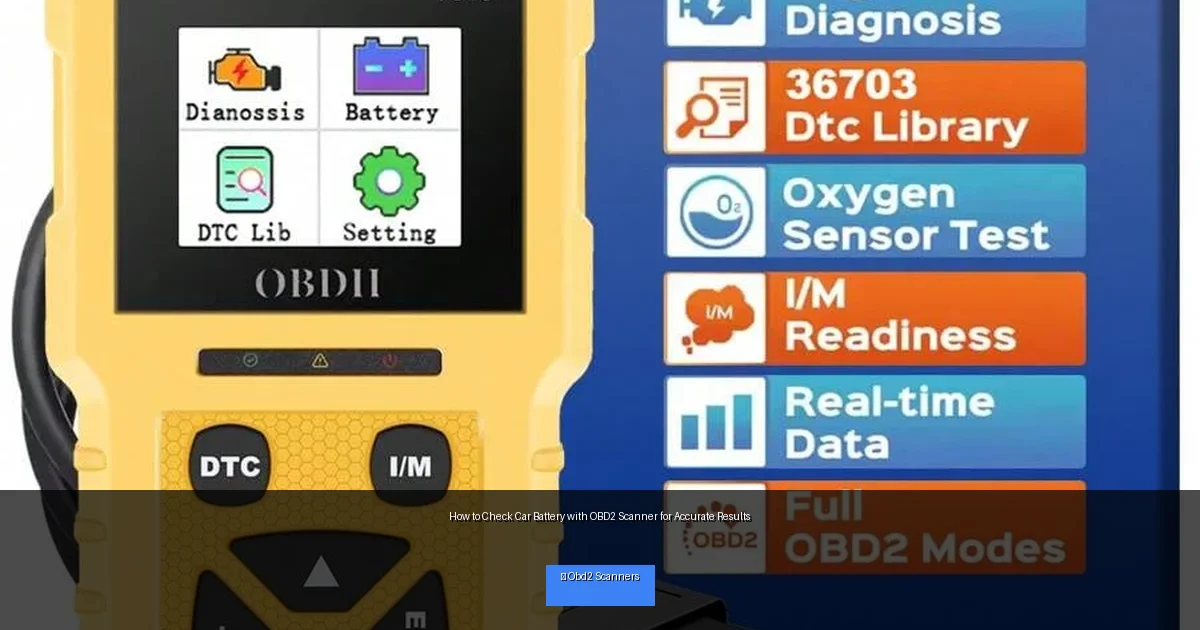
Visual guide about How to Check Car Battery with OBD2 Scanner for Accurate Results
Image source: img.ltwebstatic.com
Prepare Your Vehicle
Make sure your car is turned off but the ignition is in the “On” position (engine off). This allows the scanner to communicate with the car’s computer without starting the engine.
Step 2: Connect Your OBD2 Scanner
Plug In the Scanner
Insert your OBD2 scanner’s connector into the port firmly. If you are using a Bluetooth or Wi-Fi scanner, connect your smartphone or tablet to the scanner’s network or app.
Power On the Scanner
Turn on the scanner or open the app on your device. Some scanners power on automatically once connected.
Step 3: Access Battery Data on the Scanner
Navigate the Menu
Use the scanner’s interface to find the “Live Data” or “Battery” section. This may differ based on the scanner brand, so refer to your user manual if needed.
Select Battery Parameters
Look for key battery data such as voltage, state of charge (SOC), current, and health status. Some advanced scanners also provide battery temperature and charge cycles.
Step 4: Interpret the Battery Readings
Voltage
A fully charged car battery should read about 12.6 volts when the engine is off. Anything below 12.4 volts may indicate a weak battery.
State of Charge (SOC)
The SOC value shows the current charge level. A healthy battery typically has an SOC above 75%.
Battery Health
Some scanners provide a health percentage or a pass/fail status. This helps you know if the battery needs replacement.
Additional Parameters
Check for any abnormal current drain or unusual temperature readings, which may signal problems with the battery or electrical system.
Step 5: Take Action Based on the Results
If Battery is Healthy
Continue regular checks every few months. Keep your battery terminals clean and ensure your charging system works properly.
If Battery Shows Weakness
Consider charging the battery fully and retesting. If the battery still reads low, it may be time to replace it to avoid future problems.
If Scanner Shows Errors
Address any error codes related to the battery or charging system by consulting a professional mechanic if needed.
Practical Tips for Accurate Battery Checks
- Test your battery when the car is off but ignition on for best results.
- Use a quality OBD2 scanner that supports battery diagnostics.
- Repeat tests at different times to confirm consistent readings.
- Keep your battery terminals clean and corrosion-free for accurate data.
- Refer to your vehicle’s manual for specific battery specs.
Troubleshooting Common Issues
Scanner Not Connecting
Make sure the ignition is in the correct position. Try unplugging and reconnecting the scanner. Check for compatibility with your vehicle.
Battery Data Not Available
Not all vehicles provide battery data through the OBD2 port. If your scanner cannot read battery info, consult your vehicle manual or try a different scanner.
Inconsistent Readings
Test the battery multiple times. Cold weather or recent driving may affect voltage readings. Allow the battery to rest before testing again.
Conclusion
Using an OBD2 scanner to check your car battery is a simple and effective way to ensure your vehicle stays reliable. By following these steps, you can get accurate battery health readings and take timely action when necessary. Regular battery checks help avoid unexpected car troubles and keep your electrical system running smoothly. With the right tools and knowledge, maintaining your car battery has never been easier.
🎥 Related Video: How to Use an OBD2 Scan Tool
📺 EasyAutoFix
OBD2 Scanner: https://amzn.to/4jdzrUc ▶︎ Check Out ALLDATA Manuals: …

