
Checking your battery voltage with an OBD2 scanner is an easy and reliable way to monitor your car’s battery health. This guide walks you through the process step-by-step, ensuring you get accurate results every time. Whether you’re a beginner or experienced, you’ll learn how to use your scanner to keep your vehicle running smoothly.
Quick Answers to Common Questions
Can I use any OBD2 scanner to check battery voltage?
Not all scanners support battery voltage readings. Look for scanners with live data or electrical system monitoring features.
Should the engine be on or off when checking battery voltage?
For resting voltage, the engine should be off. To check charging voltage, start the engine.
How often should I check my battery voltage with an OBD2 scanner?
Checking monthly helps track battery health and catch problems early.
Can a smartphone app replace a handheld OBD2 scanner?
Yes, many Bluetooth OBD2 scanners work with smartphone apps that display voltage data.
What voltage reading indicates a bad battery?
Readings consistently below 12.0 volts when the engine is off usually mean the battery needs attention.
How to Check Battery Voltage with OBD2 Scanner for Accurate Results
Keeping an eye on your car battery’s health is important to avoid sudden breakdowns. With modern technology, checking battery voltage is easier than ever using an OBD2 scanner. This guide will teach you exactly how to check battery voltage with an OBD2 scanner, so you get accurate, reliable information about your car’s electrical system.
What You Will Learn
By the end of this guide, you will know how to:
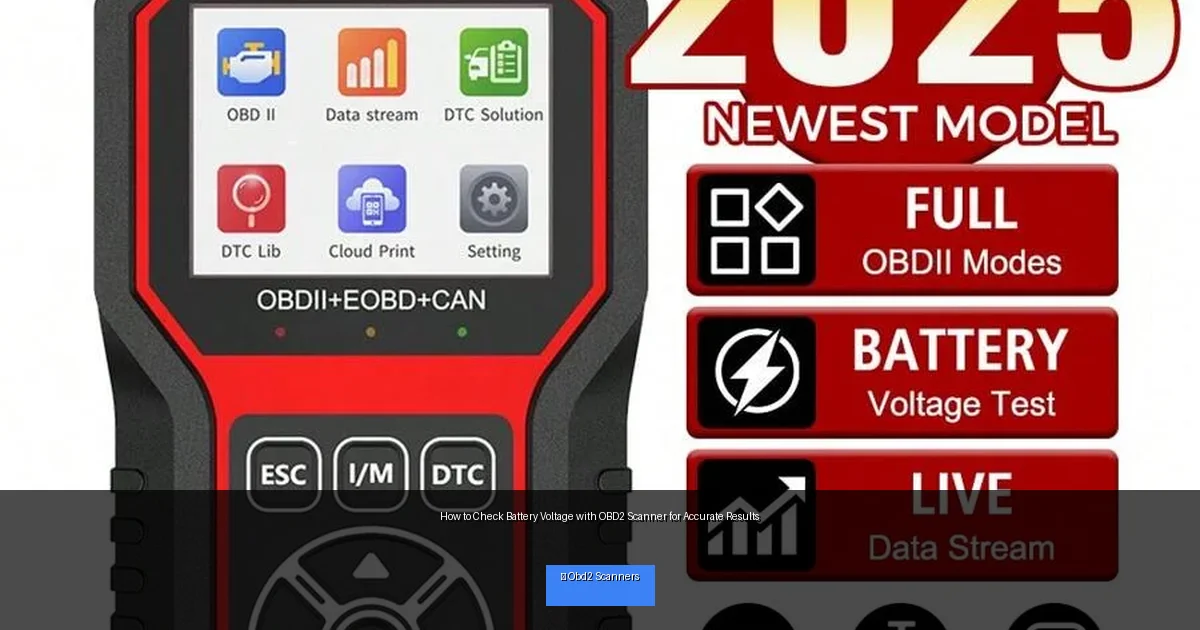
Visual guide about How to Check Battery Voltage with OBD2 Scanner for Accurate Results
Image source: img.ltwebstatic.com
- Connect an OBD2 scanner to your vehicle properly
- Navigate the scanner’s interface to find battery voltage data
- Understand what voltage readings mean for your battery’s health
- Troubleshoot common issues when checking voltage
- Use tips to ensure accuracy and safety during the process
Step 1: Gather Your Tools and Prepare Your Vehicle
What You Need
- An OBD2 scanner compatible with battery voltage readings
- Your vehicle’s owner manual (optional but helpful)
- Smartphone or tablet if your scanner uses an app
Prepare Your Vehicle
Park your car in a safe, well-lit area. Turn off the engine and remove the key. For some vehicles, the ignition needs to be on but the engine off — check your scanner instructions for specifics. Make sure all electrical accessories like lights and radio are off to avoid false voltage readings.
Step 2: Locate the OBD2 Port
The OBD2 port is usually located under the dashboard, near the steering column. In most cars, it’s easy to spot as a trapezoid-shaped connector. If you can’t find it, consult your vehicle’s manual or search online for your car’s specific port location.
Step 3: Connect the OBD2 Scanner
Plug in the Scanner
Insert the OBD2 scanner’s connector firmly into the port. You should feel a snug fit. If your scanner uses Bluetooth, turn it on after plugging in and pair it with your phone or tablet.
Power On the Scanner
Most scanners will power on automatically when connected. Wait for the scanner to initialize and establish communication with the vehicle’s ECU (Engine Control Unit).
Step 4: Navigate the Scanner’s Menu to Find Battery Voltage
Access Live Data or Sensor Data
Look for a menu option like “Live Data,” “Sensor Data,” or “Data Stream.” This section displays real-time information from your vehicle’s sensors.
Locate Battery Voltage Reading
Scroll through the list until you find “Battery Voltage,” “Voltage,” or “System Voltage.” Depending on your scanner, this may be listed under electrical system parameters or battery monitoring.
Step 5: Interpret the Battery Voltage Reading
Typical battery voltage readings to know:
- 12.4V to 12.7V: Healthy battery at rest
- Below 12.4V: Battery may be weak or partially discharged
- Below 12.0V: Battery is likely discharged and may need replacement or charging
- 13.7V to 14.7V: Normal charging voltage when engine is running
- Above 15V: Possible overcharging issue, check alternator
Make sure to note whether your engine is off or running when checking voltage, as this affects the readings.
Step 6: Save or Record the Data
Some scanners allow you to save the data or export it to your phone. This is useful for tracking battery health over time or sharing info with a mechanic.
Practical Tips for Accurate Voltage Measurement
- Check voltage with the engine off: For resting voltage, turn off the car and wait a few minutes before testing.
- Check voltage with engine running: To see charging voltage, start the engine and check readings.
- Use a scanner with live data support: Not all scanners can read voltage; ensure yours can.
- Keep scanner firmware updated: Updates improve compatibility and accuracy.
- Be patient: Some scanners take a few seconds to display voltage after connection.
Troubleshooting Common Issues
No Voltage Reading Appears
Ensure the scanner is properly plugged in and powered on. Verify your vehicle supports voltage data via OBD2—some older models may not.
Scanner Won’t Connect to Vehicle
Try restarting the scanner and vehicle ignition. Check if Bluetooth pairing is correct for wireless devices. Consult the scanner manual for troubleshooting steps.
Voltage Reading Is Unusually High or Low
Double-check if the engine is on or off as this affects voltage. Ensure all electrical accessories are off. If readings remain strange, test with a different scanner or use a multimeter to confirm.
Conclusion
Checking battery voltage with an OBD2 scanner is a simple, effective way to monitor your vehicle’s battery health. By following these steps, you can get accurate readings that help you spot potential issues before they become serious problems. Whether you’re a car enthusiast or just want peace of mind, using an OBD2 scanner for battery voltage checks is a smart move. Be sure to consult your scanner’s instructions and your vehicle manual for best results, and keep your battery in top shape for reliable drives ahead.
🎥 Related Video: How to Use an OBD2 Scan Tool
📺 EasyAutoFix
OBD2 Scanner: https://amzn.to/4jdzrUc ▶︎ Check Out ALLDATA Manuals: …