Dash cams record video of the road and surroundings so drivers have clear evidence after collisions, hit-and-runs, or other roadside incidents. They also help with parking security, insurance claims, and monitoring teen or fleet drivers. A good dash cam balances video quality, reliability, and ease of use so it actually records the moments that matter.
When choosing a dash cam, the most important things to check are video resolution and frame rate, night-time performance, field of view, and how the camera handles power and storage. Mounting type, GPS and Wi‑Fi features, loop recording, and impact (G‑sensor) detection affect daily usability and evidence quality. We tested and compared popular models to find dash cams that capture clear footage, work consistently, and are straightforward to use.
Best Dash Cam Brands
Below is our full list of the best dash cam brands. We picked these brands for video quality, reliability, and customer support. Our goal is to help you find a dash cam that fits your needs and budget.
REDTIGER F7NP 4K Dash Cam

We recommend this if you want high-res front and rear footage with solid night vision and easy app access.
Pros
- Very clear 4K front video and useful rear coverage.
- Fast 5.8GHz WiFi makes pulling clips to our phone quick.
- Supercapacitor and included hard parts feel durable in hot cars.
Cons
- Parking mode needs a hardwire kit to work properly.
- App can be a bit fussy at first when pairing.
- Suction mount took a few tries to position without blocking view.
We put this in our car for daily commutes and a week of road trips. The front 4K footage captured license plates and road signs better than cheaper cams we tried. Night recordings stayed balanced thanks to the STARVIS 2 sensor and WDR, so headlights didn’t wash out nearby details.
Installing the front unit was straightforward and the kit includes a long rear cable and a big memory card, so we had room for lots of clips right away. Pairing the Redtiger Cam app over 5.8GHz felt fast; downloading a 4K clip only took a minute. GPS data showed our route and speed when we reviewed files, which made handling an incident easier.
We tested parking mode after hardwiring the camera. Time-lapse worked for long stays and the G-sensor locked collision clips reliably. The supercapacitor gave us confidence in hot weather parking. Overall, this feels like a thoughtful, reliable setup if you want robust front/rear evidence without spending top-tier brand prices.
REDTIGER F7N Touch

We recommend this if you want sharp 4K front footage, easy phone control, and true parking monitoring when hardwired.
Pros
- Clear 4K front video and good low-light performance.
- Responsive touchscreen and useful voice commands.
- Built-in GPS and fast 5.8GHz Wi‑Fi for quick clip transfer.
Cons
- Parking mode needs a separate hardwire kit to work fully.
- Suction mount can feel bulky in tight windshields.
- Some menus take time to learn and tweak.
We mounted the F7N and tested it on city and highway drives. The front 4K image captured small details like signs and plates more often than cheaper cams. Night footage looked cleaner than expected thanks to the STARVIS 2 sensor, though extremes of glare still need careful placement.
We used the touchscreen and voice control daily. Locking incidents by voice worked well and the app made downloading clips fast over the 5.8GHz Wi‑Fi. The rear camera gave solid coverage but the angle and frame rate options meant we had to adjust placement to reduce blind spots.
We tried parking mode after adding a hardwire kit. Once powered properly, the dash cam recorded motion and impacts reliably. Loop recording and the G-sensor protected incident files, but remember the parking features won’t run full-time without the hardwire.
Garmin Mini 3

We recommend this if you want a tiny, easy-to-hide dash cam that records solid 1080p video and handles glare well.
Pros
- Very small and discreet — hardly noticed on the windshield.
- Clear daytime and nighttime footage thanks to Clarity HDR and polarizer.
- Hands-free voice commands and automatic incident saving.
Cons
- App and wireless file transfers can be slow and awkward.
- Many useful features need a paid Vault subscription.
- No onboard screen, so live setup and playback require a phone.
We tested the Garmin Mini 3 on city streets and highways. It stayed out of sight behind the rearview mirror and captured clear footage of signs and license plates when lighting was good.
Voice control worked most of the time for saving clips, though regional accents sometimes tripped it up. Parking notifications and remote live view sounded useful, but we found them practical only if you pay for the Vault and keep the car powered and on Wi‑Fi.
Battery behavior and built-in power storage felt reliable for short unplugged periods, but the unit really wants constant power to make parking features work. For drivers who want a low-profile cam with good day/night clarity, this is a solid pick; power and app limits may bother people who want full remote control without subscriptions.
REDTIGER F17 4K Triple Dash Cam

We recommend this if you want full car coverage with sharp daytime video and solid night performance.
Pros
- Clear 4K front footage and useful interior and rear views
- Fast 5GHz WiFi makes pulling clips to our phone quick
- Reliable supercapacitor and long warranty for hot or cold use
Cons
- Interior and rear cameras are 1080p, not 4K
- App connection can be fussy; needs direct WiFi link sometimes
- Hardwire kit sold separately for true 24/7 parking mode
We mounted the F17 and drove in town and on the highway. The front camera delivered crisp daytime video and the STARVIS 2 sensor kept night footage usable on darker roads. The inside camera helped catch faces and cabin events during a busy family trip.
Setting up via the app felt faster when we used the 5GHz connection. Downloading multi-channel clips and checking GPS route data worked well once the phone synced, though we did have to reconnect the camera a few times during the first pairing.
We hooked up the hardwire after a week to test parking mode. Collision detection and time-lapse recording picked up a minor bump in the lot. If you want continuous parked monitoring, plan to buy the hardwire kit and allow time for a tidy install.
ROVE R2-4K Dual

We recommend this if you want clear day/night video and easy smartphone access to clips.
Pros
- Sharp 4K front view and bright low-light footage.
- Fast 5G Wi‑Fi makes downloading clips quick.
- Comes with a 128GB card and full installation kit.
Cons
- Rear cable routing can be fiddly in some cars.
- Voice prompts can be loud until you adjust settings.
- Full parking mode needs a hardwire kit sold separately.
We used the ROVE on daily drives and on a night trip. The Sony STARVIS 2 sensor gave noticeably clearer night images than older cams we tested. Daytime footage looked very detailed and the wide angles captured more of the road than we expected.
Pairing with the app felt smooth. Downloads at high speed saved time when we needed clips on our phone. The built-in GPS stamped speed and route, which made reviewing trips simple on a computer.
Installation in our sedan took about 30–45 minutes. Tucking the long rear cable behind trim needed patience, and we switched the voice guidance off until we learned the alerts. Parking mode worked well once hardwired, but remember the kit is not in the box.
Overall, the ROVE R2-4K Dual felt like a strong value for people who want clear video, fast phone access, and an included memory card.
ROVE R2-4K Dual PRO
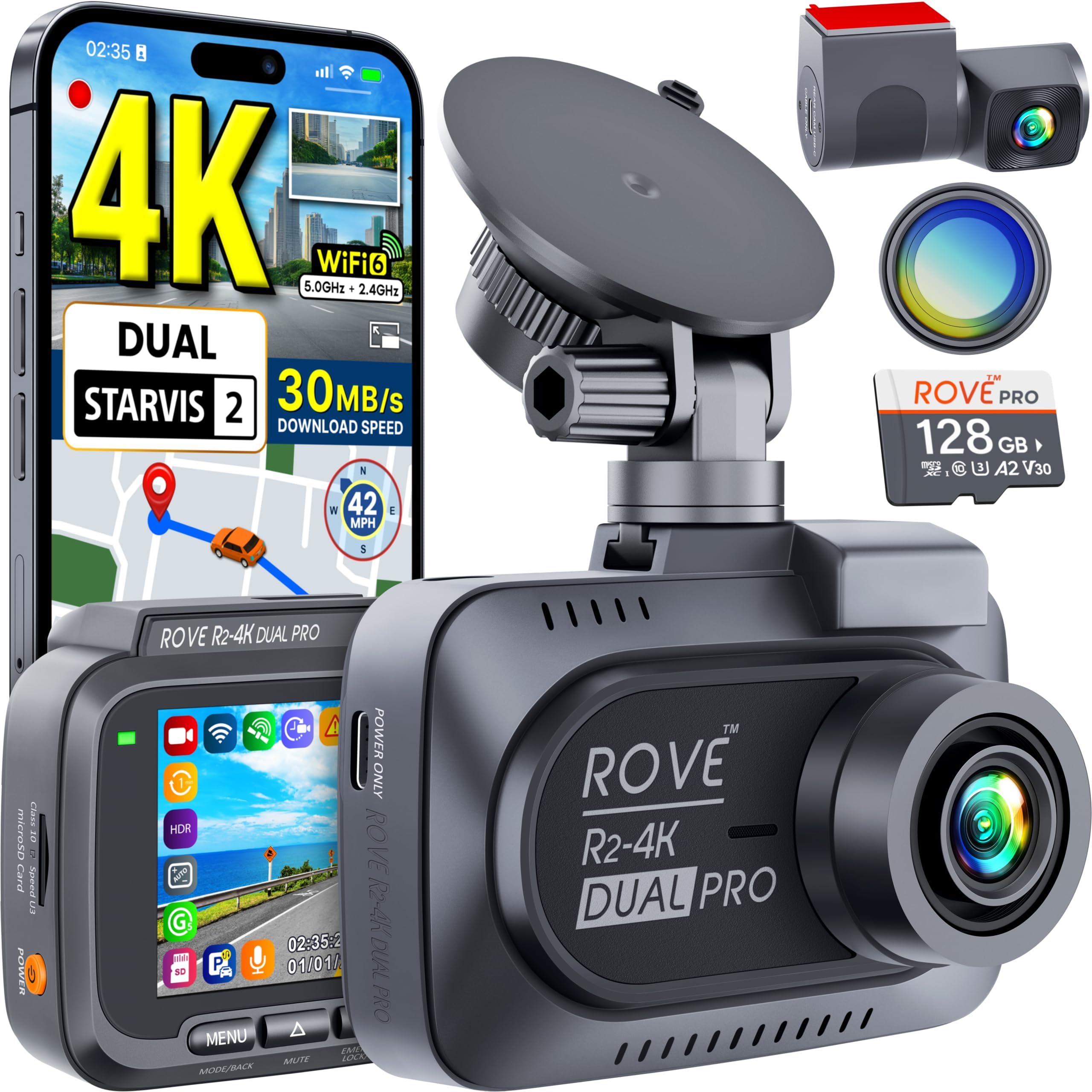
We recommend this if you want very sharp daytime and nighttime footage and easy wireless transfers.
Pros
- Excellent daytime and low-light clarity from dual Sony STARVIS 2 sensors
- Fast Wi‑Fi 6 transfers and handy app control
- Comes with a 128GB card and useful CPL filter in the box
Cons
- Setup takes time if you hardwire for 24‑hour parking mode
- Rear cable routing can be fiddly in smaller cars
- App transfers large 4K files can still be slow on older phones
We mounted the ROVE and drove a few long trips. The front image showed clear license plates and road signs even at dusk. Night footage looked noticeably better than basic dash cams we’ve used.
The app made it simple to pull clips while parked. Wi‑Fi 6 felt faster than past models, but 4K files are still big and can take a while on older phones.
Parking mode worked when we tested motion detection, but we had to buy a hardwire kit to use it properly. Cable routing for the rear camera was manageable but took patience in our compact car.
Vantrue N4S 3-Channel Dash Cam

We recommend this if you want three-way coverage with strong night performance and flexible parking options.
Pros
- Clear night footage and readable plates with STARVIS 2 and PlatePix.
- Three cameras cover front, cabin, and rear with a 360° rear mount.
- Easy, tidy install using the magnetic GPS mount and included clips.
Cons
- The UI and menus feel a bit cluttered until you learn them.
- Large unit needs space on the windshield and can block some sightlines.
- Advanced features like quad-GPS and 5GHz Wi‑Fi add complexity for casual users.
We tested the N4S on city nights and long highway drives. The front camera captures sharp plate details even with strong headlights in the frame. Interior and rear views gave clear context for rideshare shifts and passenger checks.
Parking mode worked reliably for short events. Motion-triggered clips saved the moments we needed, and collision locking held onto key files. The supercapacitor gave us confidence in hot-car conditions where batteries usually fail.
Setting up felt clean and quick. The magnetic mount makes removal simple and the long rear cable allowed neat routing. We noticed the menu takes a minute to master, but the app and 5GHz Wi‑Fi speed up clip downloads once you connect.
Overall, this dash cam fits drivers who want full coverage and strong low-light results, especially for work like rideshare. It may be more than some casual buyers need, but we found the extra cameras and parking features worth it for the peace of mind.
Garmin Dash Cam 67W

We recommend this if you want a tiny, reliable dash cam that records wide, clear video and uploads clips to your phone.
Pros
- Very compact and easy to hide behind the rearview mirror.
- Extra-wide 180° lens captures cross traffic and more of the scene.
- Automatic uploads via Wi‑Fi make saving footage quick.
Cons
- Voice control only works in a few languages and can be hit-or-miss.
- Some features need constant power and Wi‑Fi to work remotely.
- Setup can be fiddly if you’re not comfortable with the app.
We used the 67W for a few weeks and liked how small it sits on the windshield. It barely blocks our view, yet it records clear 1440p video that shows license plates and lane details better than many compact cams.
The wide lens really helps. We caught cross traffic in a parking lot that a narrower camera would have missed. Day and night footage looked sharp thanks to Garmin’s HDR processing.
Connecting to the Garmin Drive app let us download clips fast over Wi‑Fi. That made sharing an incident simple, but the app setup took longer than expected the first time.
Voice commands worked when we spoke clearly, but mixed language support and occasional misses made us use the app buttons more. Live View and Parking Guard are useful features, though they need constant power and a good Wi‑Fi link to be fully reliable.
We found the mount solid and the build held up in hot car conditions. If you want a discreet, wide-angle camera with smart upload features, this is a strong choice.
Garmin Dash Cam 67W
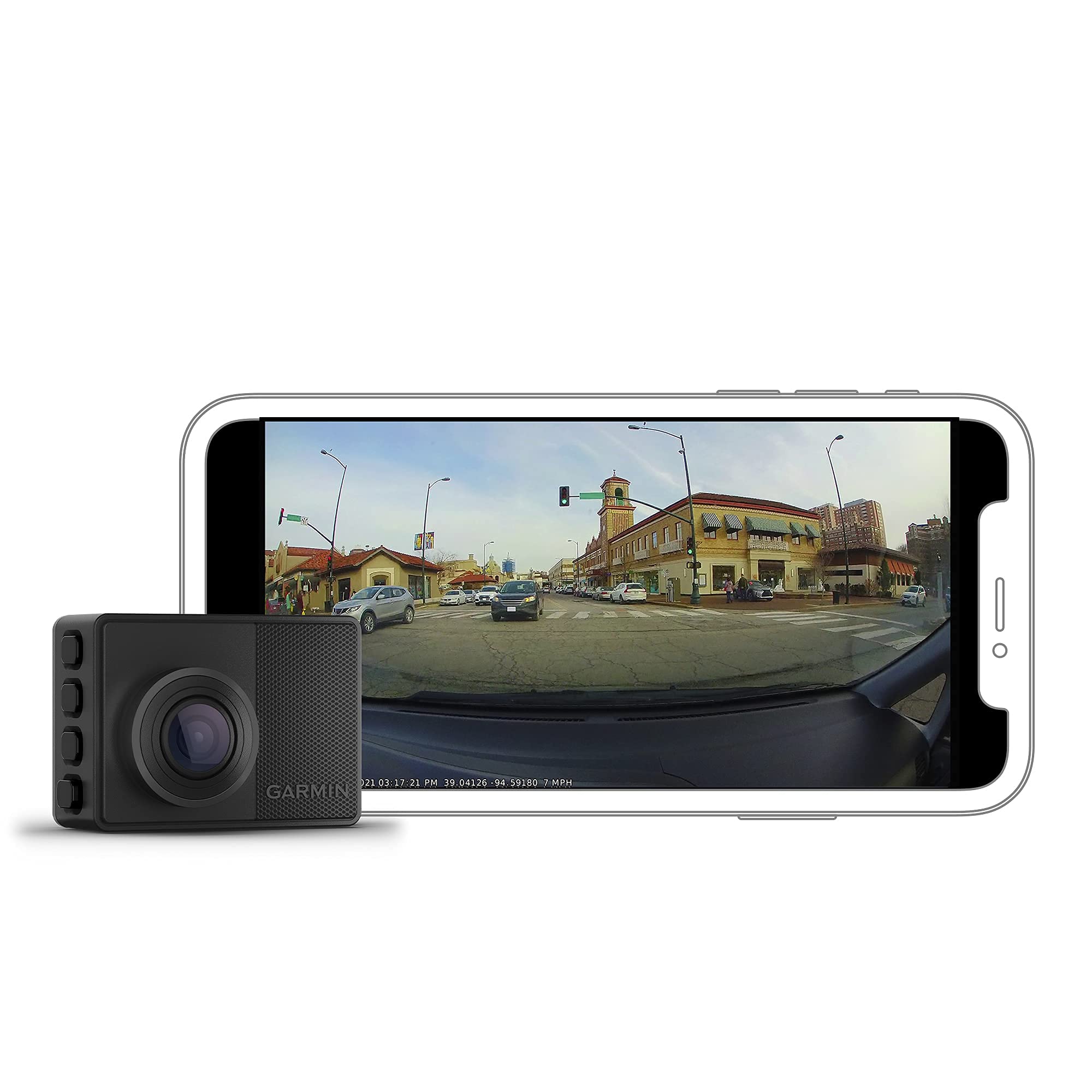
We recommend this if you want a tiny, reliable dash cam that records wide 1440p video and handles hot cars well.
Pros
- Very wide 180° view that captures cross traffic and more of the scene.
- Compact, low-profile mount that stays out of sight.
- Good day/night image quality and durable in heat.
Cons
- App connection can be flaky and short-lived.
- Wide angle makes objects look farther away.
- Setup sometimes prompts repeated language or setup screens.
We used the Garmin 67W on daily drives and road trips. The camera fit behind the rearview mirror and barely blocked our sight. Mounting felt solid and the magnetic release made removal quick when we needed to check footage.
Video quality impressed us for its size. Daytime shots were sharp and the extra-wide lens picked up cross traffic and cyclists at intersections. At night the footage stayed usable, though distant objects look smaller because of the wide field of view.
Voice control worked most of the time and saved us from fiddling while driving. The Garmin app let us pull clips quickly, but we ran into a short connection window a few times and had to reconnect repeatedly. Still, the unit kept recording fine on its own while driving.
Battery and heat handling stood out. We left the car in hot sun and the dash cam kept operating where other small units might shut down. If you want a compact, durable camera that captures a lot of the scene, this one is worth considering.
Vantrue N4 Pro S (3-Channel 4K)
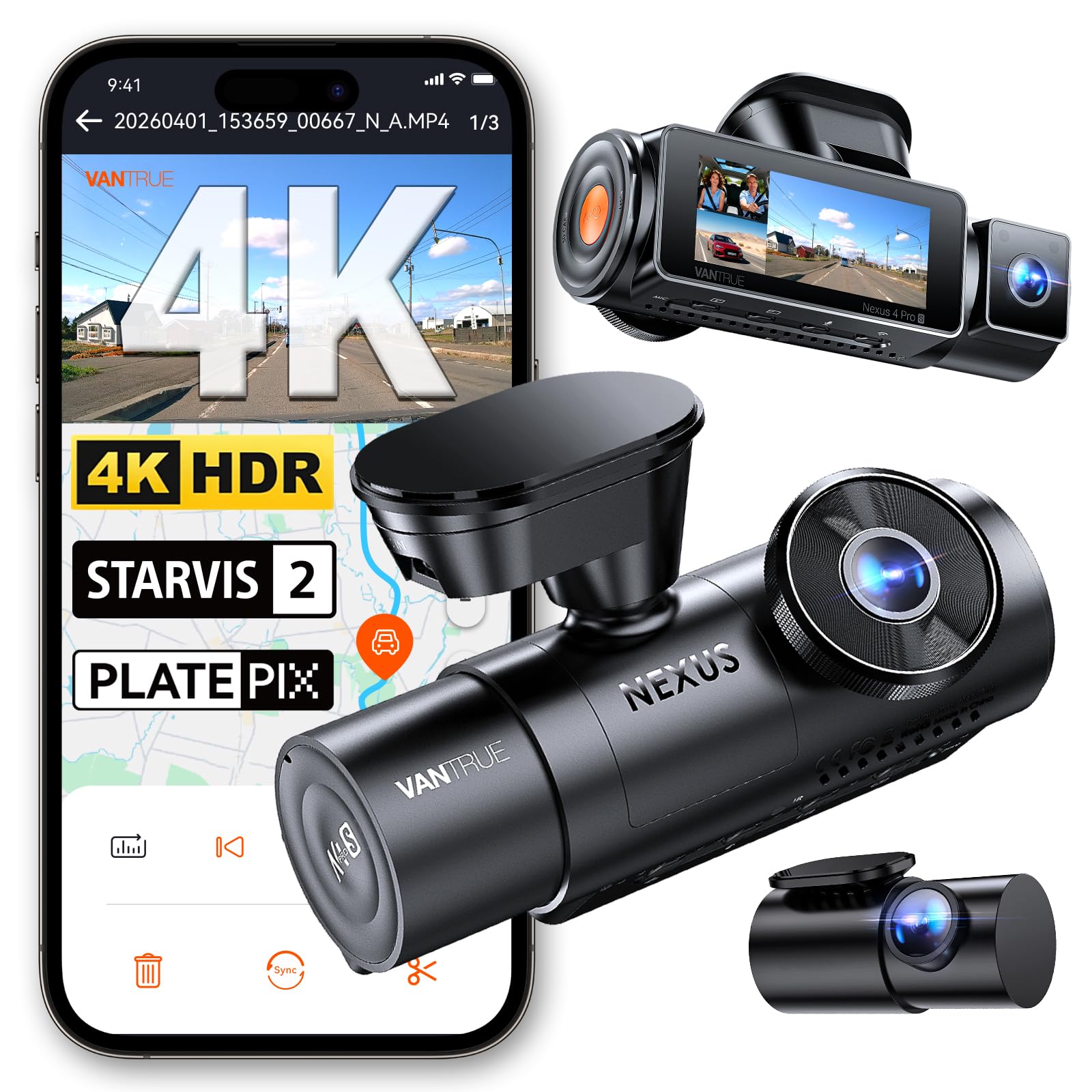
We recommend this if you want full coverage and strong night footage from a single, all-in-one dash cam system.
Pros
- Excellent night clarity and readable plates in low light.
- Triple cameras cover front, rear, and cabin without gaps.
- Sturdy build and stable app connection for quick file transfers.
Cons
- Full 3-channel recording runs hot and uses more power.
- Parking mode needs a hardwire kit for true 24/7 use.
- App and setup can be fiddly with some phones.
We used the N4 Pro S on daily drives and overnight parking. The front image looked sharp in daylight and surprisingly clear after dark. License plates came through readable at moderate speeds on well-lit streets.
Installing the rear 360° camera took a bit of patience. The long cable fit our vehicle fine, but routing it neatly took time. Once mounted, the cabin and rear coverage gave us real peace of mind during rides and rideshare runs.
Using the app felt fast on 5GHz Wi‑Fi when downloading clips, and GPS tracking saved location info reliably. We noticed the unit cooled better when we switched to front+rear mode instead of triple recording for long, hot drives.
Overall, Vantrue delivered a confident, pro-style package that handled long drives and night shifts well; plan for the extra power needs and consider buying a hardwire kit and a tested microSD card.
Buying Guide
We focus on practical factors that matter when choosing a dash cam. Start by deciding what you need from daily driving and occasional incidents.
We look for video quality first. Choose at least 1080p resolution and good low-light performance so footage is clear day and night.
We check field of view and recording angles. A wider view covers more lanes but can distort details. Balance wide coverage with readable license plates.
We consider mounting and power options. Hardwire kits, cigarette-lighter plugs, and built-in batteries each have pros and cons. Think about where we want to place the camera and how it will stay powered.
We value storage and loop recording. Larger microSD cards and reliable loop overwrite keep continuous recording. Look for models that handle long recordings without frequent file errors.
We require parking mode and motion detection for when the car is off. This protects the vehicle at night and can record impacts or theft attempts.
We evaluate smart features sparingly. GPS, Wi‑Fi, app access, and driver-assist alerts can help. Only pick features we will actually use to avoid paying for extras.
We inspect build quality and warranty. A solid mount, heat-resistant casing, and clear warranty give confidence. Check user reviews for long-term reliability before buying.
We compare price against essential features. Create a short checklist:
| Feature | Why it matters |
|---|---|
| Resolution | Clear details for evidence |
| Low-light | Nighttime visibility |
| Field of view | Coverage vs. distortion |
| Power method | Reliable continuous operation |
| Storage | Long recordings and loop overwrite |
| Parking mode | Protection when parked |
| Build & warranty | Durability and support |
Editor’s Choice
We chose a pick that balances video quality, reliability, and ease of use. It records clear footage day and night and rarely misses events. The unit also has steady firmware updates.
Installation takes about 15–30 minutes. The mount stays secure on rough roads. Wiring is tidy and hides well behind trim.
We value helpful software and useful features. The companion app lets us download clips quickly and check settings. Built-in GPS and parking mode work without confusing menus.
Key specs at a glance:
- Video: 4K front, 1080p rear
- Field of view: 140–160°
- Storage: MicroSD up to 256 GB
- Extras: GPS, Wi‑Fi, parking mode
We tested reliability over several weeks. It handled heat and cold without crashes. Memory management and loop recording performed as expected.
We recommend this model for everyday drivers and rideshare users. It gives dependable evidence if you need it and stays easy to use day-to-day.
Conclusion
We chose brands that balance video quality, reliability, and useful features like parking mode and GPS. That makes it easier to pick a dash cam that fits your needs and budget.
We recommend considering build quality and warranty before price. Cheaper cameras can work, but long-term support matters more than a low cost.
We suggest prioritizing night performance and app ease-of-use. Those affect daily use the most and save time when reviewing footage.
We encourage comparing models from top brands rather than chasing every new release. That helps avoid hype and find a camera that performs well in real-world driving.
We advise checking user reviews and firmware update history. Those reveal how a brand responds to issues and improves their products over time.
We stand by practical choices: reliable recording, clear video, and straightforward setup. Those features deliver real value for most drivers.
FAQ
How do dash cams save footage?
We use microSD cards to store video. Many models loop-record and overwrite old files unless you lock them.
Do dash cams need Wi‑Fi or an app?
Some have Wi‑Fi or Bluetooth for easy file transfer. Apps let us view clips, change settings, and update firmware.
What about power and installation?
Most plug into the 12V socket or hardwire to the fuse box. Hardwiring gives continuous power for parking mode.
Will a dash cam work at night?
Quality varies by sensor and lens. We look for low-light performance and wide dynamic range for better night footage.
Can a dash cam record inside the car?
Yes. Dual-lens models record front and cabin simultaneously. This helps rideshare drivers and records inside events.
How much storage do we need?
A 32–128 GB card suits most users. Higher resolution or longer parking recording needs larger cards.
Are dash cams legal?
Laws differ by region. We check local rules on windshield mounts and audio recording before use.
What features are most useful?
Look for GPS, parking mode, collision detection, and reliable loop recording. These features give better evidence and peace of mind.
How do we protect files after a crash?
Impact sensors or manual save buttons lock clips from being overwritten. We also back up important clips to a phone or cloud.

