AI dash cams record video like regular dash cams but add real-time computer vision to detect events, warn drivers, and tag clips automatically. They can alert you to lane departures, forward collisions, or nearby pedestrians, and some models upload incidents to the cloud for easy sharing. We focus on practical features that matter on the road and in daily use.
When choosing an AI dash cam, pay attention to detection accuracy, night and low-light performance, mounting and field of view, storage and cloud options, and how the system handles false alerts and privacy. The most important factor is how reliably the camera detects real risks without flooding you with false warnings or losing critical footage. We tested and compared models to find the ones that balance smart features, video quality, and ease of use so you can pick the right unit for your needs.
Best AI Dash Cams
Below is our full list of the best AI dash cams. We tested features like object detection, driver alerts, video quality, and ease of use to find reliable options for everyday driving. Use our picks to help you choose a dash cam that fits your needs and budget.
Juscar 4K AI Dash Cam
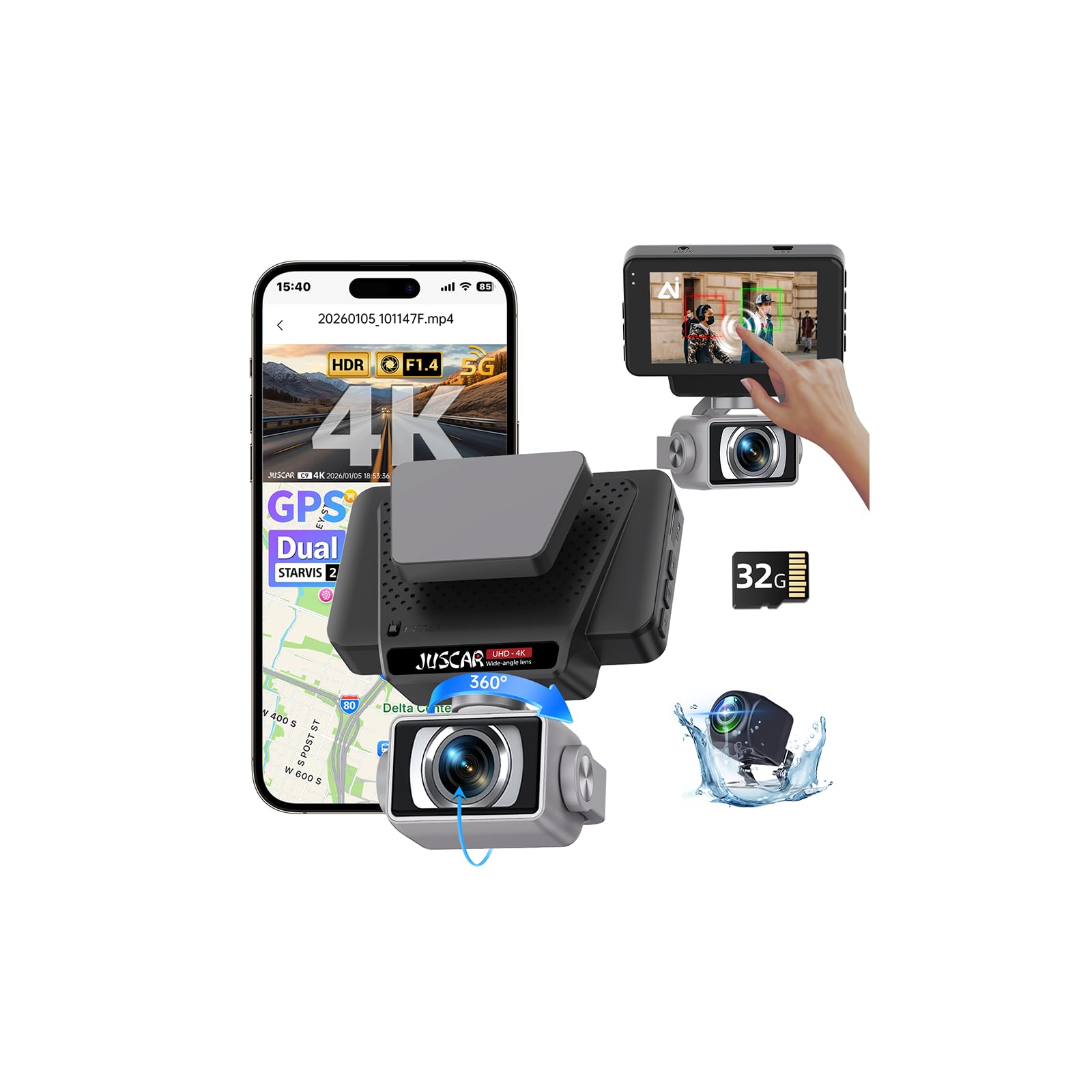
We recommend this camera if you want high-res front and rear footage plus smart driving alerts for daily driving and road trips.
Pros
- Very clear 4K front footage that shows plates and signs.
- Useful ADAS and blind-spot alerts that help in traffic.
- Flexible rear camera placement and decent night vision.
Cons
- App setup and Wi-Fi can be fiddly at first.
- Some users report occasional camera or mounting issues.
- Small screen means menus feel cramped.
We used the Juscar on city streets and highways for several days. The front 4K image caught small details and the rotating lens let us angle shots without re-mounting. It felt solid when driving, and the ADAS warnings gave useful heads-up in slow traffic.
Parking and reversing with the external rear camera was more practical than expected. Mounting below the bumper widened our view and made tight parking easier. Night footage stayed usable, though very dark scenes still lose some detail.
Connecting via the app was sometimes slow, but GPS tracking and faster Wi-Fi helped pull clips to our phone faster than older dash cams we’ve tried. A few setup steps and menu choices felt clunky on the 3″ screen, but playback and exporting worked fine when we needed evidence.
Overall, this model balances high-resolution recording and smart features at a competitive price, but expect a short learning curve for app and mount tweaks.
HUPEJOS V8PLUS 4K 360° AI Dash Cam
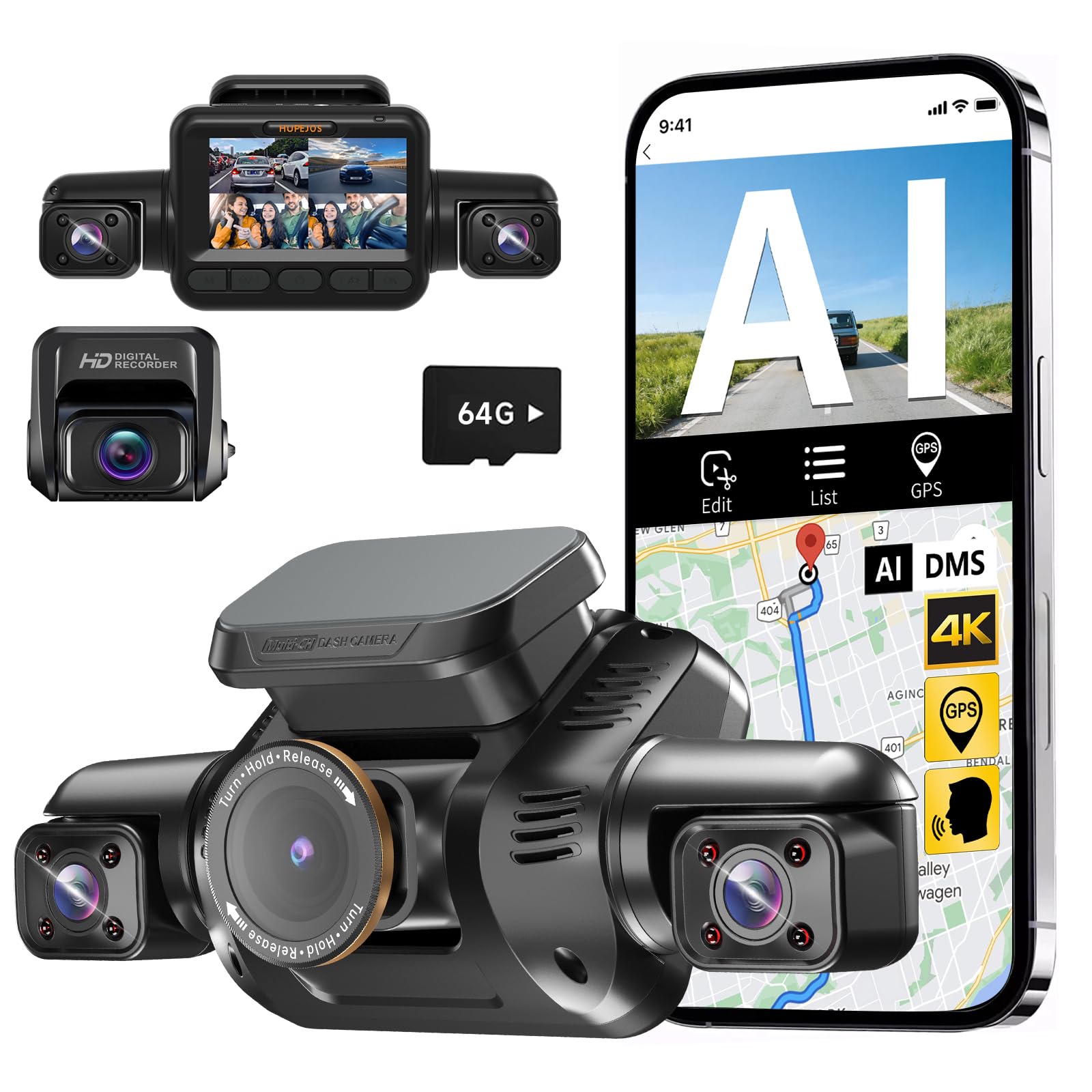
We recommend this if you want full 360° coverage and active driver monitoring in one unit.
Pros
- Wide multi-angle coverage that cuts blind spots.
- Clear daytime video and useful night mode with CPL filter.
- Strong safety features: G-sensor locks events and DMS alerts for distracted driving.
Cons
- Wi‑Fi and app pairing can be fussy and slow.
- Setup and wiring take time if you hardwire for parking mode.
- Some features need tuning to avoid frequent false alerts.
We mounted the V8PLUS and used it for a few weeks on city and highway drives. The four cameras really change how much we see around the car. Front detail and side views made merging and parking easier for our passengers and us.
The driver monitor kept nudging us when we looked down or yawned during long drives. That felt helpful, not annoying, once we adjusted sensitivity. The G‑sensor reliably locked footage after a jolt, so we didn’t worry about losing key clips.
Night recordings surprised us with usable detail after we added the CPL filter and enabled IR. Still, the app connection range is short and the phone link dropped a few times when we tried to review clips on the fly. Hardwiring for 24‑hour parking worked, but it required extra parts and a patient afternoon to install.
Overall, we liked the balance of multi-angle recording and active safety features, though buyers should expect some setup work and occasional app hiccups.
70mai A810S 4K Dash Cam
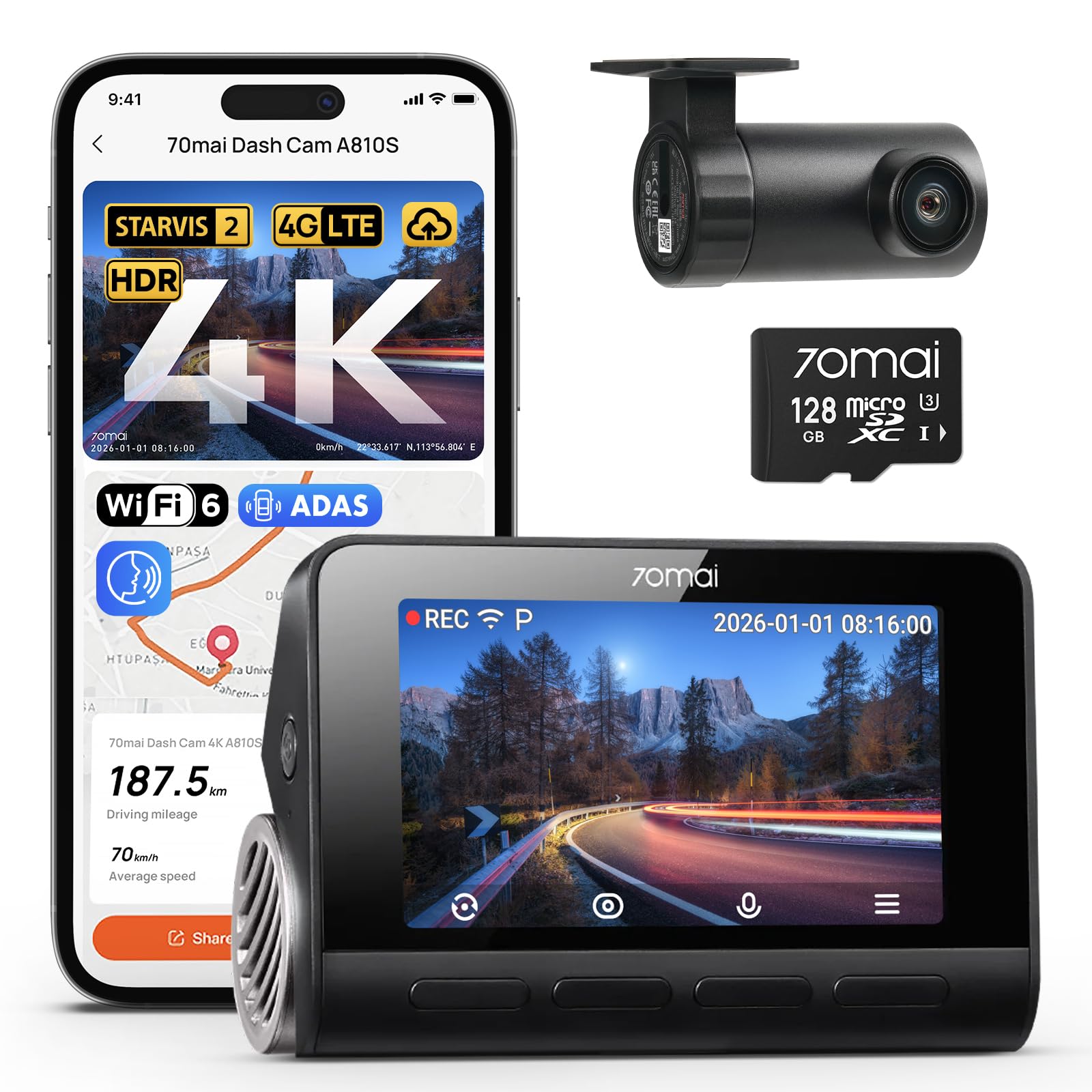
We recommend this if you want very sharp 4K front video, strong night performance, and smart remote features for car security.
Pros
- Very clear 4K daytime footage that captures details.
- Excellent low-light color and night clarity.
- Remote monitoring and GPS make it easy to check the car from afar.
Cons
- Rear camera setup needs careful routing and can be fiddly.
- Some advanced features require the optional 4G hardwire kit.
- App setup and Wi‑Fi pairing took longer than expected for us.
We used the A810S on a week of city and highway driving and liked how readable the footage was. License plates and road signs stood out in 4K, and the colors felt natural instead of overprocessed.
Night driving surprised us in a good way. The front sensor kept color and detail on dim streets, and the rear camera still picked up useful shapes and movement in parking lots.
Installing the rear camera took patience. We mounted the front unit quickly, but routing the rear cable behind trim took time. Once tucked away, the system ran reliably and the parking mode worked as promised.
Connecting features like live view and alerts added practical value. We tested remote alerts and GPS tracking, and getting push notifications gave us real peace of mind when the car was parked far from home.
Overall the A810S felt like a modern, full-featured dash cam that performed well in real use, though buyers should budget time for a neat rear install and expect to pay extra for full 4G cloud features.
ROVE R2-4K

We recommend this if you want sharp day/night video, dual cameras, and fast phone transfers for easy sharing.
Pros
- Very clear front footage in low light.
- Fast 5G Wi-Fi makes downloading clips quick.
- Full kit includes a 128GB card and all cables.
Cons
- Rear camera cable can be tight to hide in some cars.
- 3″ screen feels small for playback in the car.
- True 24/7 parking needs a hardwire kit (not included).
We tested the ROVE R2-4K on city streets and a few night drives. The front camera gave crisp 4K video and handled glare better than cheaper models. Night shots looked noticeably brighter and more detailed.
Pairing to our phone was fast. The 5GHz Wi‑Fi let us pull clips to the app almost instantly and share them without waiting. The GPS stamps and speed readout on playback were helpful when we reviewed trips later.
Installation went smoothly with the included mounts and cables. Tucking the long rear cable under trim took patience, and we wished the screen was a bit larger to review footage without our phone. For long-term parking recording you’ll want to get the hardwire kit.
HUPEJOS V8 MAX 4K Dash Cam
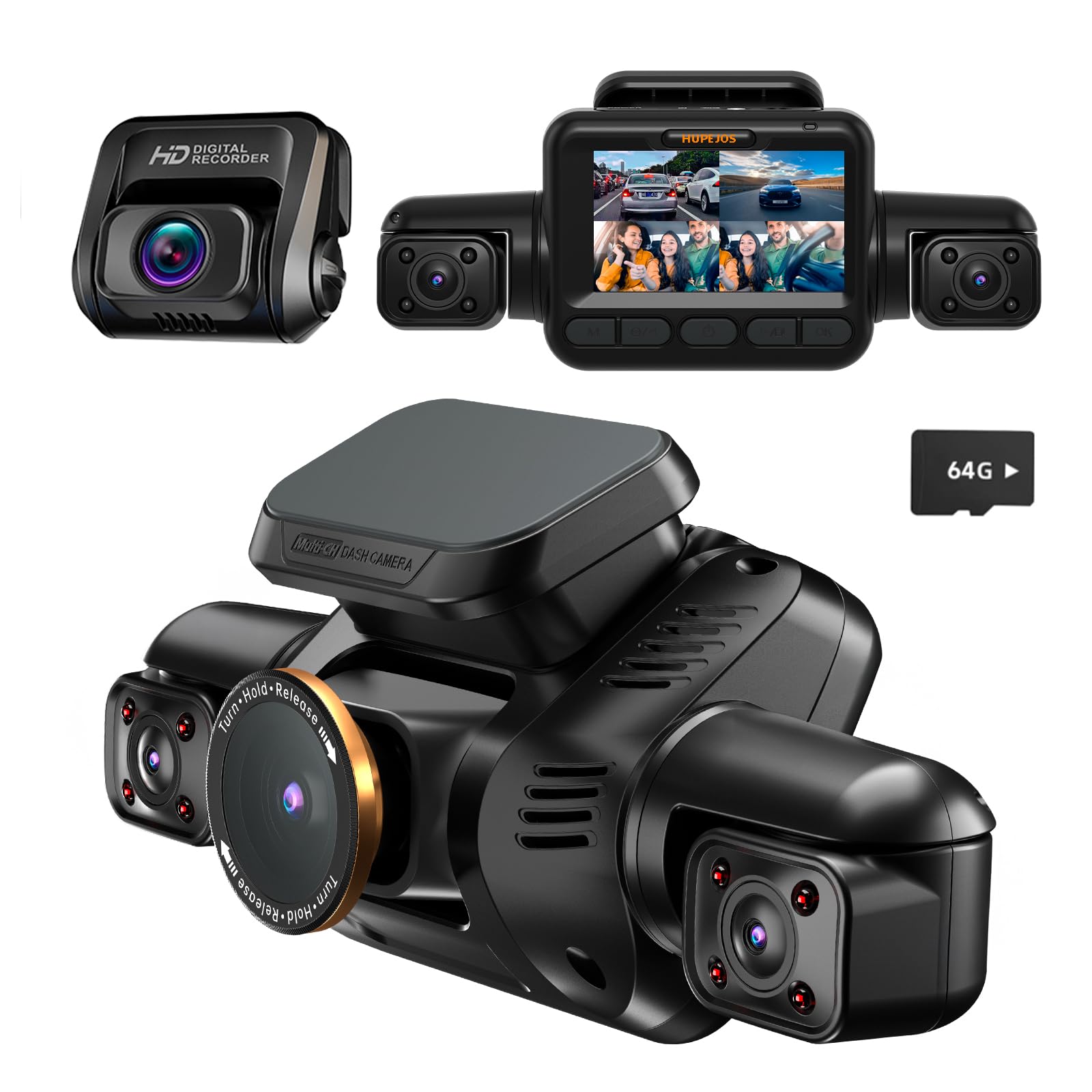
We recommend this if you want full 360° coverage and strong night footage, but know it may need a hardwire kit for full parking features.
Pros
- Very clear day and night video that picked up plates and faces.
- Helpful driver-monitoring alerts that reduced distracted driving on long trips.
- Multiple controls (touch, voice, buttons) made it easy to use while driving.
Cons
- Parking radar needs the separate hardwire kit to work fully.
- Setup felt fiddly with cables and positioning for true 360° coverage.
- App live view requires being on the cam’s Wi‑Fi, not remote over the internet.
We installed the V8 MAX on our windshield and ran it for a week. The front 4K footage looked sharp and the rear and side cams filled in blind spots. Night recordings surprised us with clear license plates, thanks to the Starvis sensor and IR lights.
The driver monitoring nudged us when eyes drifted or phones were used. That made long rides less stressful for our team. Voice commands worked well for basic tasks, and the touchscreen made quick checks simple when stopped.
Parking guard worked in tests only after we hardwired the unit. Installation added cost and complexity, but once done the radar motion and time-lapse gave useful overnight coverage. If you need out-of-car access to recordings, remember the cam uses its own Wi‑Fi for live view and downloads.
Vantrue S1 Pro Max

We recommend this only if you want top-tier 4K video and you accept some reliability and software trade-offs.
Pros
- Excellent daytime and low-light video clarity.
- True dual 4K front and rear capture with wide coverage.
- Robust parking features and supercapacitor for safety.
Cons
- Some units show boot or connectivity problems.
- AI features and app can be unreliable.
- Heavier footprint and occasional choppy live view.
We installed the S1 Pro Max and ran it for a week on city and highway drives. The footage looked very sharp whether day or night, and license plates were readable at a distance. The rear camera held up in rain and car washes.
Setting it up took longer than smaller dash cams, but the mount felt solid and the unit stayed put. We liked the buffered parking recording—catching events seconds before triggers felt useful for real incidents.
On the downside, one of our units restarted intermittently and the app struggled to stay connected. The voice and AI alerts sounded odd and missed or misclassified events at times, so don’t rely on them alone.
If you value high-resolution evidence and weatherproof rear coverage, this delivers; if you need flawless software and perfect reliability out of the box, consider alternatives.
HUPEJOS V8 Ultra 5-Channel Dash Cam
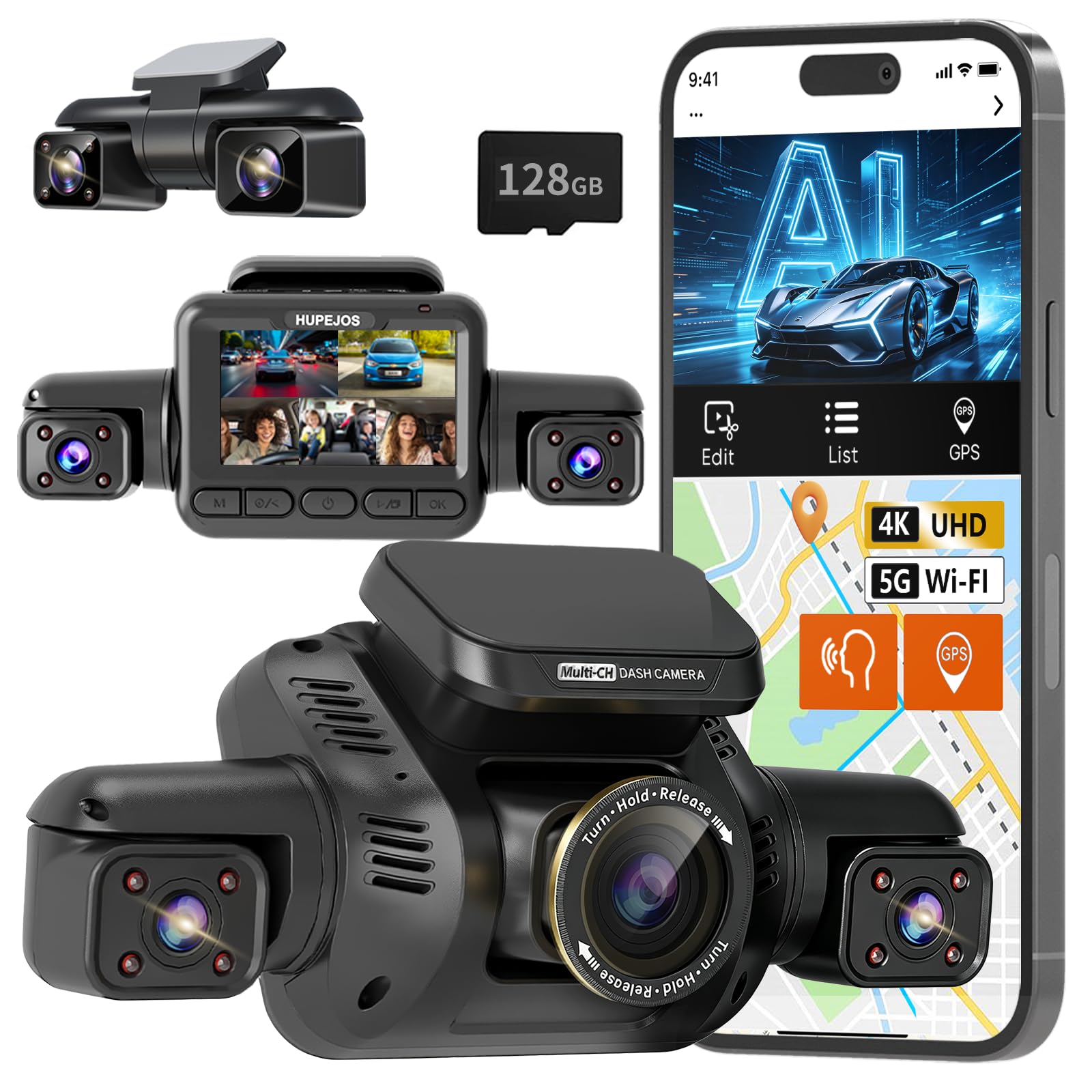
We recommend this if you want near-complete 360° coverage and strong night video at a reasonable price.
Pros
- Covers all sides with five adjustable cameras for wide coverage.
- Good night vision and a CPL filter that cuts glare.
- Built-in AI driver monitor and GPS give useful safety and location data.
Cons
- Setup and cable routing took longer than we expected.
- The driver alerts can be frequent until you tune thresholds.
- Parking mode needs a separate hardwire kit for full 24/7 use.
We installed the V8 Ultra on our car and tested it on day and night drives. The five cameras do a fine job of catching side and rear events that single- or three-channel units miss. Video looked sharp on the front cam and license plates were readable at close range after dark.
Using the AI DMS felt helpful while driving. The yawning, phone use, and absence alerts nudged us to stay focused. We did turn down the speed threshold to avoid constant beeps in city traffic.
Mounting the main unit was solid, but hiding the long rear cable behind trim took time. The app and 5GHz Wi‑Fi let us pull clips quickly, though live remote viewing requires connecting directly to the camera’s Wi‑Fi. GPS tracks speed and route cleanly when you want to review a trip.
We liked the event locking from the G‑sensor during impacts. The included 128GB card made testing easy, but we used a recommended card for long-term reliability. If you want true 24/7 parked monitoring, plan to buy the hardwire kit the vendor specifies.
HUPEJOS V8 Ultra 5-Channel Dash Cam
Neideso N900 4K AI Dash Cam
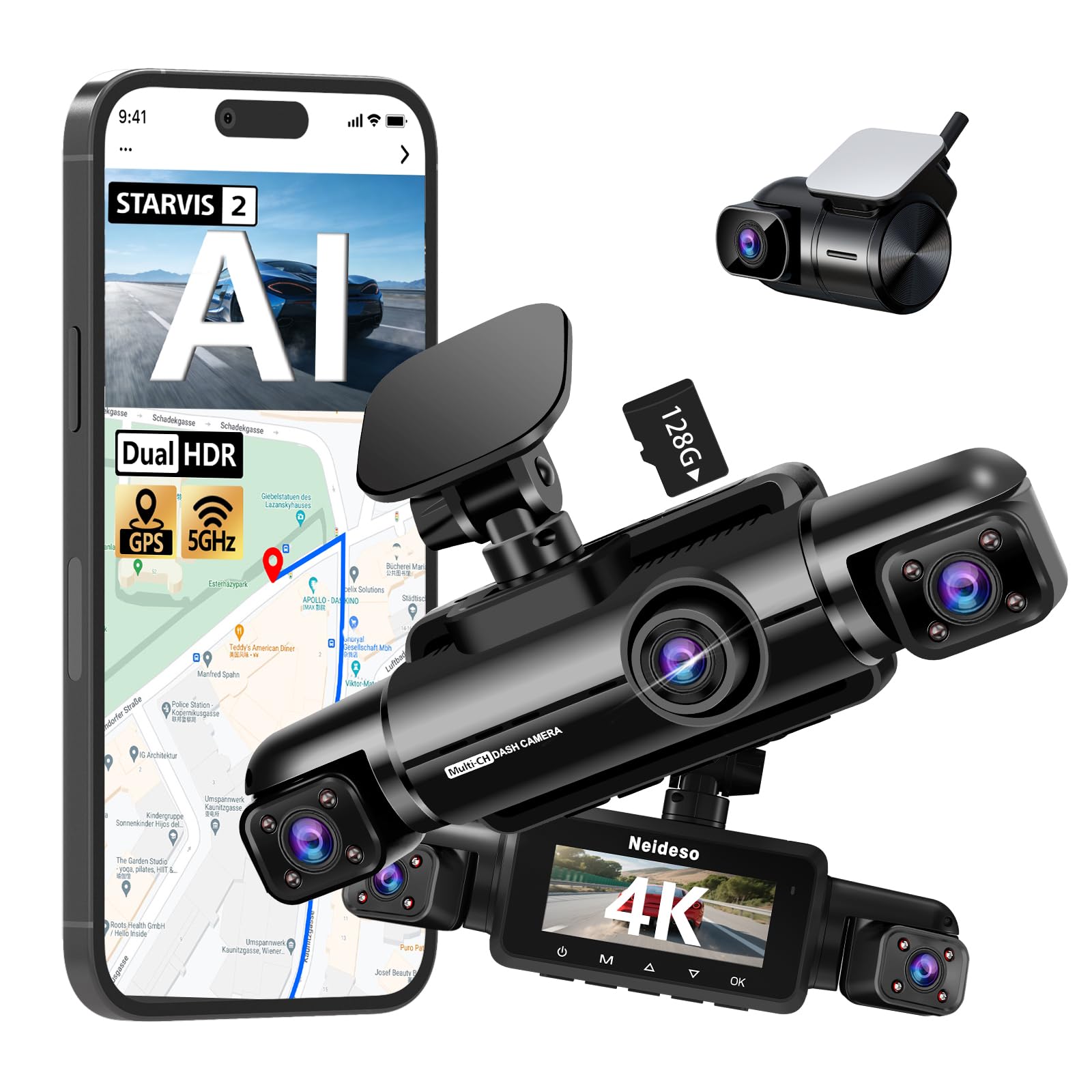
We recommend this if you want full 360° coverage and smart driver alerts, but expect some heat and occasional setup quirks.
Pros
- True 4K front and full 360° view for clear road detail.
- AI driver monitoring helps catch distraction and drowsiness.
- Fast 5GHz Wi‑Fi and included 128GB card make file transfer simple.
Cons
- Unit runs warm during long use.
- Parking mode needs a separate hardwire kit.
- Setup and wiring can be fiddly for some vehicles.
We installed the N900 and drove with it for a few days. The front camera captured sharp lane and plate details, and the side views filled the blind spots. The AI alerts sounded reasonable and not overly sensitive.
We liked the fast Wi‑Fi and the phone app for quick clips. Downloading a 4K clip took seconds on 5GHz and the GPS route overlay helped when we checked speed and location. The included 128GB card was a useful bonus.
We noticed the body gets hot after long drives and the unit can draw power when parked unless you hardwire it. Running the parking mode means buying the hardwire kit, which adds cost and installation time.
We found the mounts adjustable and the image stable once aimed right. Customer support responded fast in our experience, which helped when a unit had issues. Overall, this feels like a solid, feature‑rich system if you want full coverage and smart safety features.
70mai A810 Lite 4K Dash Cam

We recommend this dash cam if you want sharp daytime 4K video, solid night performance, and remote access for parked cars.
Pros
- Very clear 4K front footage that captures plates and signs.
- Reliable night HDR and large aperture for low-light driving.
- Remote live view and GPS tracking keep tabs on the car when parked.
Cons
- 4G remote features need extra hardwire kit to work fully.
- App setup can be fiddly until you update firmware.
- Rear cable routing and clips felt a bit cheap during install.
We installed the A810 Lite across two cars and used it on daily commutes and a long trip. The front 4K footage showed small details like tags and street signs. We liked how little blur there was in daytime driving.
Night footage looked better than many cams we’ve tried. HDR plus the wide aperture helped reduce headlight glare and kept shadow detail readable. Tunnels and rainy nights recorded with usable clarity.
Setting up the app took patience the first time. Once updated, Wi‑Fi 6 transfers were noticeably faster and pulling clips to our phones was simple. The 4G features promise remote viewing, but you must buy and install the UP05 hardwire kit to access full 4G functions.
Installation was straightforward but not perfect. The rear camera cable was long enough for larger vehicles, yet the included clips felt flimsy. Hardwiring parking mode works well if you follow wiring instructions and use the correct kit.
We appreciated the supercapacitor and the compact shape—it sits behind the mirror without blocking sight. Loop recording and G‑sensor event locking gave us confidence that important incidents were kept safe. Overall, this felt like a durable, feature-rich dash cam for everyday drivers.
REDTIGER F7N Touch 4K Dash Cam

We recommend this if you want clear 4K front footage, easy smartphone control, and reliable parking monitoring with a hardwire kit.
Pros
- Sharp 4K front video and good low-light performance
- Fast 5.8GHz WiFi makes file transfer quick on the phone
- Touchscreen plus voice commands keep controls simple while driving
Cons
- Parking mode needs a separate hardwire kit to work reliably
- Suction mount can be bulky and needs careful placement
- App can be a bit clunky when first connecting
We mounted the F7N Touch on our windshield and used it for city and highway driving. The 4K front camera captured clear license plates at a distance and the STARVIS 2 sensor improved night shots. The rear camera did a solid job too, though it’s not as detailed as the front.
We found the touch screen easy to use for quick checks, and voice control let us lock clips without taking hands off the wheel. Connecting to the dash cam over 5.8GHz WiFi felt noticeably faster than older models when we downloaded a few long clips.
Parking features worked well after we hardwired the unit. Once powered from the fuse box, the camera picked up impacts and saved the files. Installation required patience to hide the cables, and the suction cup needed a precise spot to avoid blocking our view.
Overall, we liked the mix of image quality and smart features for the price, but budget extra for the hardwire kit if you want true 24/7 parking monitoring.
REDTIGER F7N Touch 4K Dash Cam
Buying Guide
We focus on the key features that matter when choosing an AI dash cam. Prioritize video quality, reliability, and ease of use.
We look for at least 1080p resolution, with 2K or higher if budget allows. Higher resolution helps capture license plates and road signs, especially at night.
We check frame rate and night vision. A higher frame rate (30–60 fps) gives smoother footage. Good low-light performance or IR helps in dark conditions.
We evaluate AI features and accuracy. Useful AI functions include collision detection, lane departure, and object recognition. Make sure the AI can be turned off or adjusted to avoid false alerts.
We consider power and storage options. Hardwire kits or battery life affect continuous recording. Look for loop recording and large or expandable storage (microSD).
We test mounting and field of view. A stable mount prevents vibration. A wider field of view (120–160°) captures more lanes but may introduce distortion.
We weigh connectivity and app support. Wi‑Fi or Bluetooth makes file transfer easier. A clear, updated app improves setup and firmware updates.
We value build quality and warranty. Durable materials and a decent warranty reduce long-term risk. Check return and support policies before purchasing.
We compare price against features and prioritize the functions we use most. Create a short checklist of must-haves versus nice-to-haves to guide the final choice.
| Feature | Why it matters |
|---|---|
| Resolution & FPS | Clear, usable footage |
| Night vision | Low-light performance |
| AI accuracy | Useful alerts, fewer false alarms |
| Power & storage | Continuous recording reliability |
| Mount & FOV | Stable and comprehensive view |
| Connectivity | Easy access and updates |
| Warranty/support | Long-term protection |
Editor’s Choice
We picked dash cams that balance smart features, reliability, and ease of use. Our top choice uses AI for real-time hazard detection and clear video, day or night.
This model records 4K front video and 1080p cabin footage. It adds AI alerts for lane departure, forward collision, and pedestrian detection without constant false alarms.
We liked the simple app and solid cloud options. The app uploads clips automatically on impact and lets us preview footage in seconds.
Key features at a glance:
- Video: 4K front, 1080p rear/cabin
- AI: Driver alerts, object detection, event tagging
- Connectivity: Wi‑Fi, LTE optional, cloud backup
- Ease of use: Intuitive app, quick setup
Installation is straightforward and fits most cars. The unit runs quietly and uses a parking mode that records impacts without draining the battery.
Price is midrange for the features offered. We found it a strong choice for drivers who want smarter recording and useful alerts instead of basic continuous footage.
Conclusion
We see AI dash cams changing how we record and review driving events. They add smart features like collision alerts, driver monitoring, and automated incident tagging. These tools can make driving safer and simplify evidence collection after a crash.
We must weigh benefits against limits. Privacy and data storage matter, and not every model offers the same accuracy or reliability. We recommend checking firmware updates, data policies, and real-world reviews before buying.
We suggest focusing on these practical points:
- Core features: video quality, night performance, and field of view.
- AI functions: reliability of alerts and false positive rates.
- Data handling: where footage is stored and who can access it.
- Legal fit: local laws on recording and dash cam use.
We plan to update our guidance as the tech improves. New sensors, better models, and clearer regulations will change the landscape. For now, choosing a well-reviewed device and learning its settings gives the best balance of safety and privacy.
FAQS
What is an AI dash cam?
We use AI dash cams to record driving and analyze footage in real time. They detect events like collisions, lane departures, and pedestrians.
Do AI dash cams need internet?
Some features work offline, like recording and basic detection. Cloud functions—automatic uploads, live view, and firmware updates—require internet.
How do they protect privacy?
We recommend models with local storage and clear privacy settings. Many let you disable cloud upload and blur faces or license plates.
How much storage do we need?
Storage depends on resolution and recording length. A 64 GB card often holds 8–24 hours of footage at 1080p.
Are AI dash cams legal to use?
Laws vary by region. We should check local rules about recording audio, windshield obstructions, and dash cam placement.
Do they reduce insurance costs?
Some insurers offer discounts when we provide clear incident footage. Discounts are not guaranteed and depend on the insurer.
How reliable is the AI detection?
AI reduces false positives but is not perfect. We should review important clips manually before making claims.
How do we choose one?
Compare video quality, AI features, storage options, and after-sales support. Price and ease of use matter too.

