Dash cams record what happens on the road so drivers have clear evidence after an accident, near miss, or dispute. Front and rear dash cams add an extra layer of coverage by capturing both the view ahead and what happens behind the vehicle, which can prove fault, deter fraud, and help with insurance claims. We focus on systems that balance video quality, reliability, and ease of use.
When choosing a front and rear dash cam, the most important things to watch for are video resolution, night performance, mounting and wiring ease, and storage or cloud options. High-resolution daytime and low-light video from both cameras is the single biggest factor for getting useful footage after an incident. We tested multiple dual-camera setups to find models that deliver clear evidence, simple installation, and dependable recording.
Best Front and Rear Dash Cams
Below is our full list of the best front and rear dash cams. We tested models for video quality, reliability, and ease of use to help you pick the right setup. Use our list to compare features and find the best fit for your car.
ROVE R2-4K Dual

We recommend this if you want very clear daytime and night recordings and easy phone downloads.
Pros
- Excellent daytime and night clarity from the Sony STARVIS 2 sensor.
- Fast 5G WiFi makes grabbing clips quick on our phone.
- Includes a 128GB card and solid parking-mode options.
Cons
- 4K files take up a lot of space and need time to copy.
- Mount and wiring felt fiddly when we routed the rear cable.
- Some voice prompts and screens can be a little chatty.
We put this dash cam in our car and drove in town and on the highway. Front video looked sharp and the wide angle caught lanes and signs clearly. Night shots showed more detail than older cams we tested.
Connecting to the ROVE app was fast. The 5GHz download speed really saves time when we pull long clips. We liked seeing speed and GPS data stamped on video when we reviewed a trip on our laptop.
Parking mode gave us extra peace of mind. Motion and collision detection worked in a few test bumps, though you must hardwire the kit for full 24/7 coverage. Overall, this felt like a robust unit that handles daily driving and overnight monitoring well.
REDTIGER F7NP 4K Front & Rear Dash Cam

We recommend this if you want high-res front footage, solid night vision, and a reliable parking mode at a good price.
Pros
- Very sharp 4K front video and clear night images.
- Built-in GPS and fast 5.8GHz WiFi make downloads and location checks easy.
- Supercapacitor and included 128GB card reduce worry about heat and storage.
Cons
- Rear is 1080p, so not as detailed as the front.
- Parking mode needs a hardwire kit for full 24/7 use.
- App can be fiddly at first and needs patience to set up.
We tested the unit over several weeks and liked how crisp the 4K front footage looked on daytime drives. The STARVIS 2 sensor handled shadows and glare well, and small signs and plates were readable in many shots.
Installing both cameras felt straightforward with the included cables and clips. The rear cable is long enough for most cars, and the suction GPS mount stayed put even on bumpy roads.
We used the app to pull clips and check routes. Transfers were fast on 5.8GHz WiFi, though the app menu took time to learn and occasionally needed a reconnect.
Night driving gave us confidence because the WDR and wide aperture kept detail in low light. Parking mode worked in test collisions and locked clips with the G-sensor, but we recommend hardwiring if you want continuous recording while parked.
Overall the package feels durable and well thought out for everyday drivers and rideshare work. If you want a strong front camera, useful app features, and safer power hardware, this is worth considering: REDTIGER F7NP 4K Dash Cam.
TERUNSOUl 4K Front & Rear Dash Cam

We recommend this dash cam if you want wide coverage and clear daytime video without spending a lot.
Pros
- Very sharp 4K front video and useful cabin/rear views.
- Includes 128GB card and hides neatly after install.
- Built-in GPS and fast Wi‑Fi make sharing clips simple.
Cons
- Parking-mode needs a separate hardwire kit.
- App can be a bit slow at times.
- Setup takes time if you tuck the long rear cable.
We put this unit in our car and liked how much it sees. The front view captures lane details and license plates in daylight, while the rear and cabin cameras fill in blind spots. The small screen makes checking clips on the road quick.
Installation felt familiar but took a while the first time. The cables are long enough to route cleanly, and the included clips help hide wires under trim. We locked the GPS mount in place and appreciated getting location and speed embedded in videos.
Night footage looked clearer than many budget cams thanks to the wide aperture and HDR, though very dark scenes still blend some detail. Loop recording and automatic collision lock work as expected, and the 128GB card means we didn’t worry about running out of space right away.
We used the app to download a clip and found the transfer fast on 5.8GHz Wi‑Fi, but the app can stall when browsing long recordings. For 24-hour parking recording you’ll need to buy a hardwire kit, which adds cost but enables true parking mode.
Overall, this dash cam gave us broad coverage and solid daytime detail at a fair price, making it a good pick for families, rideshare drivers, or anyone who wants three-channel recording without a high price tag.
REDTIGER F7N Touch

We recommend this if you want clear 4K front video, a usable rear camera, and built-in GPS at a good price.
Pros
- Very sharp front footage and usable night view
- Easy phone Wi‑Fi control and quick file downloads
- Voice control and touchscreen cut down on fiddling
Cons
- Rear camera image is good but not as detailed as the front
- Parking mode needs a hardwire kit to work right
- Suction mount wiring can look messy if not hidden well
We mounted and used this F7N for a couple of weeks on city and highway drives. Front video captured license plates and lane changes clearly during the day. Night clips stayed readable thanks to the STARVIS 2 sensor and HDR treatment.
We hooked our phone to the 5.8GHz Wi‑Fi and moved clips fast. The app worked and the touchscreen made quick settings simple. Voice commands worked most of the time and kept our hands on the wheel.
We tested sudden brakes and collisions; the G‑sensor locked clips as promised and the GPS stamped location and speed onto files. Installing the rear camera took time to route the long cable neatly, and the rear image is not as crisp as the front at long distance.
If you plan to use parking surveillance, buy the hardwire kit and install it properly. The included 128GB card saves many hours of footage, but parking mode will only start reliably when wired to constant power. Customer support was responsive when we had questions.
E-YEEGER GT830 4K Front + 1080P Rear
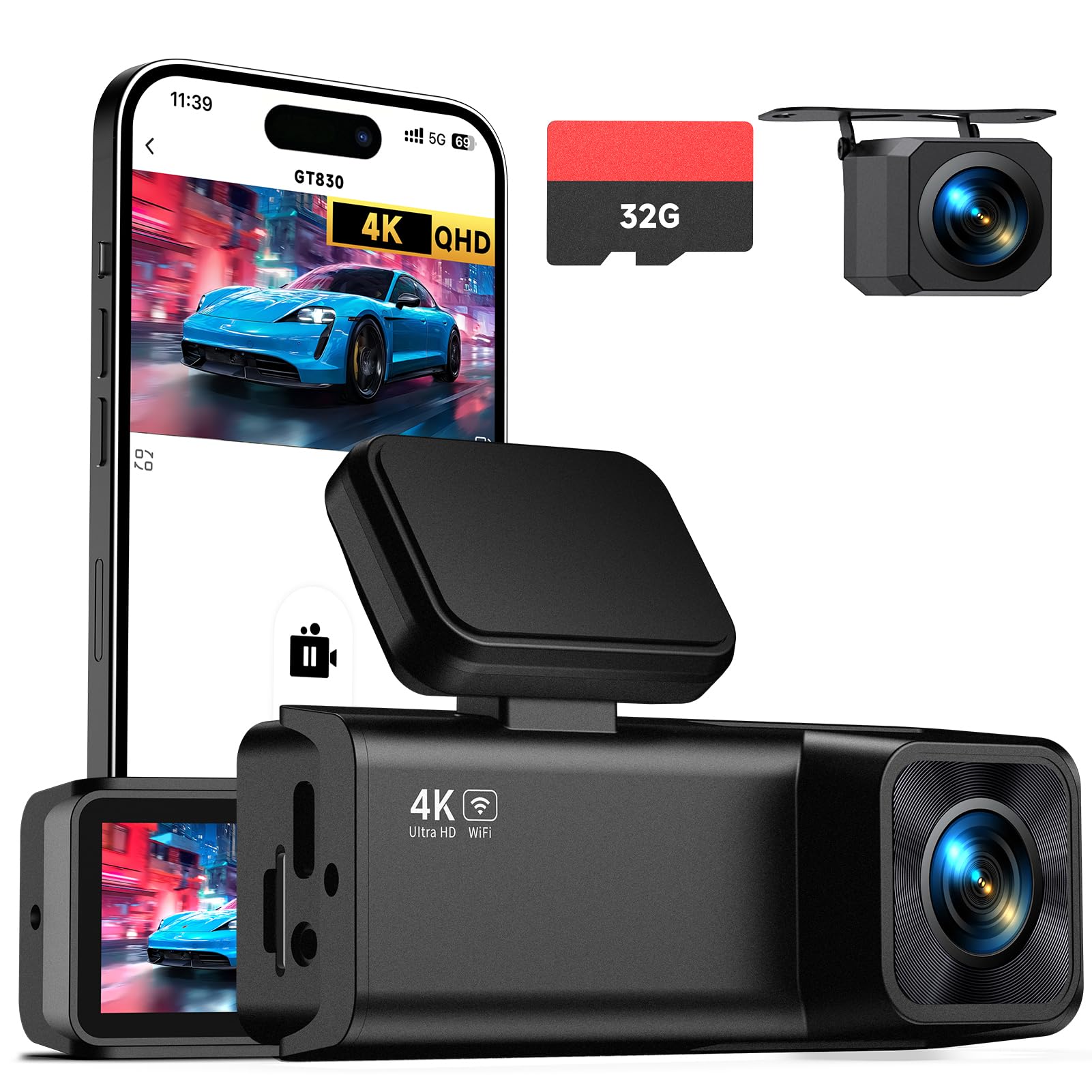
We recommend this dash cam if you want sharp 4K front footage and a simple, compact dual-camera setup for daily driving or road trips.
Pros
- Very clear front video, even at night.
- Compact, low-profile install that doesn’t block the view.
- App connection makes viewing and downloading clips quick.
Cons
- Rear cable routing can be fussy in some cars.
- Parking mode needs a hardwire kit (sold separately).
- Small screen is handy but not great for detailed playback.
We mounted the GT830 behind the rearview mirror and liked how tidy it looked. Setup took only a few minutes and the preinstalled 32GB card let us start recording right away.
Driving in town and on the highway, the front 4K footage showed fine details like license plates at close range. Night shots stayed usable thanks to the wide lens and WDR, though very distant objects were naturally dimmer.
The app worked when we needed to pull clips without touching the SD card. We found routing the rear cable through trim took patience, and enabling true 24-hour surveillance means buying a hardwire kit and wiring it correctly.
Overall, this feels like a reliable, no-nonsense front-and-rear camera for people who want great video quality and easy daily use.
VIOFO A229 Plus

We recommend this cam if you want very clear day and night footage and solid parking features for a fair price.
Pros
- Excellent night detail thanks to STARVIS 2 sensors.
- Sharp 1440p video from both front and rear.
- Fast 5GHz Wi‑Fi and reliable GPS data.
Cons
- App and setup can be a little fiddly at first.
- HDR limits some frame rate options.
- Parking hardwire cable sold separately.
We installed the A229 Plus in our daily driver and used it for a few weeks. The night footage surprised us — license plates and roadside signs showed up clearly without glare. Daytime clips looked crisp and color-accurate, and the dual 1440p feeds made merging incidents easy.
The hardware feels solid and compact. Mounting took a little time to hide the rear cable cleanly, but once set the cameras stayed put. We liked the fast 5GHz Wi‑Fi when downloading clips to our phone; transfers were noticeably quicker than older models.
Using voice commands worked well for basic tasks like locking a clip or turning Wi‑Fi on. The app gives useful playback and GPS overlays, though the app interface could be smoother. Parking modes offered practical options, but remember you’ll need the hardwire kit for true 24/7 monitoring.
If you want a dash cam that records detailed front and rear video and handles low-light scenes better than most, this model performs very well for the price.
70mai A810 Lite 4K

We recommend this if you want sharp 4K front footage plus a reliable rear camera and easy phone access.
Pros
- Very clear daytime and license-plate detail from the 4K front camera.
- Solid low-light performance with HDR and a large aperture.
- Fast Wi‑Fi and remote access make grabbing clips quick and simple.
Cons
- 4G remote features need an extra hardwire kit to work.
- App can be fussy at first and takes time to learn.
- Cable routing for the rear camera felt fiddly in our install.
We liked how the front camera locked down small details on busy streets. Driving around town, we could read plates and signs that older cams blurred out.
Night footage held up better than many budget units. Bright headlights caused less glare, and tunnels showed more info than we expected.
Setting up the rear camera took a bit of patience. Once installed, parking mode and impact detection gave us useful peace of mind.
Using the app and fast 5GHz Wi‑Fi made pulling clips to our phone quick. Remote live view worked well when we tested it, but the 4G option needs extra parts and a bit more setup.
Overall, this felt like a durable, thoughtfully made twin-cam system we’d trust for daily driving and road trips.
FAIMEE F6 4K+2K Dash Cam
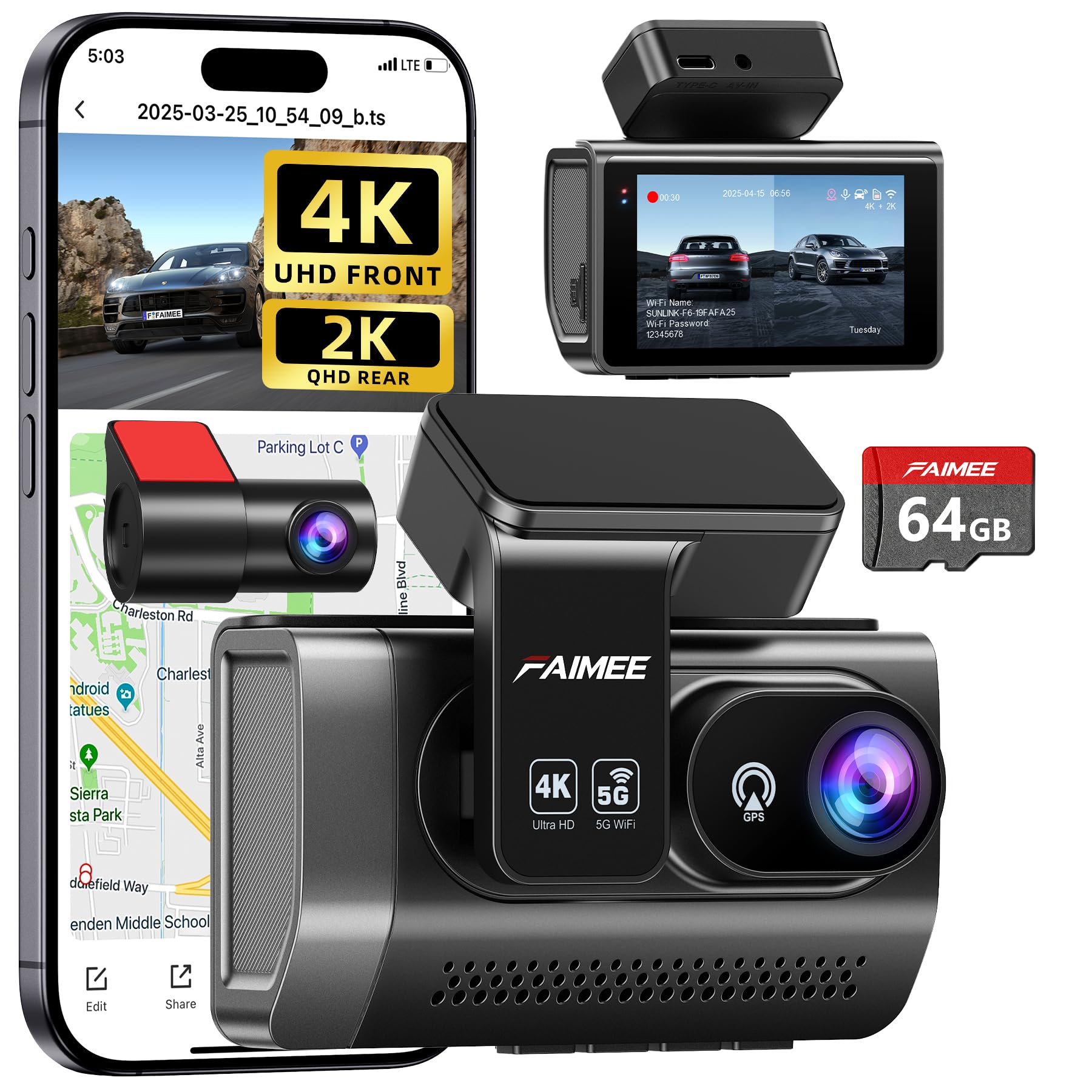
We recommend this dash cam if you want very sharp front footage, solid night vision, and easy app access for downloads.
Pros
- Excellent daytime and night clarity from the 4K front and 2K rear.
- Built-in GPS and stable dual-band Wi‑Fi make reviewing trips simple.
- 24/7 parking mode and G-sensor lock give reliable evidence when something happens.
Cons
- Hardwiring kit not included, so full parking mode needs extra parts.
- Touchscreen and menus take a few drives to learn.
- Sticky mount sits well but may need replacement after long heat exposure.
We used the FAIMEE F6 on several drives and found the front camera really sharp. The 4K footage captured clear license plates and road signs at normal speeds. Low-light clips held contrast well thanks to the wide aperture and WDR.
Setting the camera up took just a few minutes with the stick-on mount and included cable. Connecting to the app was quick on both 2.4GHz and 5.8GHz, and live view plus file downloads worked without dropping. We liked that GPS data paired with video for easy review of speed and route.
We tested the parking monitor by simulating a small tap to the bumper. The G-sensor locked the clip and saved it to the card. For continuous 24-hour protection, plan to hardwire the unit or add a battery pack since that kit isn’t in the box.
Overall, the F6 feels like a step up from budget cams we’ve tried. It blends strong image quality with practical features, but expect a short setup curve and the need to buy a hardwiring kit if you want true round‑the‑clock monitoring.
VIOFO A229 Pro 4K+2K

We recommend this if you want very clear day and night footage from both front and rear cameras.
Pros
- Excellent night and daytime detail with STARVIS 2 sensors.
- Strong parking modes that save pre- and post-event clips.
- Fast 5GHz Wi‑Fi and useful voice commands.
Cons
- Rear cable length can be awkward to route in some cars.
- No SD card or hardwire kit included.
- A few advanced settings take time to learn.
We installed the A229 Pro and used it for several drives around town and on a highway trip. The front camera really captures fine details, and we could read plates in good light and at night more often than other models we’ve tried.
Parking mode worked well when a car bumped us in a parking lot; the camera saved the clip that included moments before the impact. The voice commands felt natural while driving and helped us lock a clip without taking hands off the wheel.
Getting the long rear cable tucked neatly was the one hassle. We ended up trimming and rerouting excess to avoid loose loops. Also factor in extra cost for a high‑end SD card and the hardwire kit if you want true 24/7 parked monitoring.
Coolcrazy N8 4K Dual Dash Cam
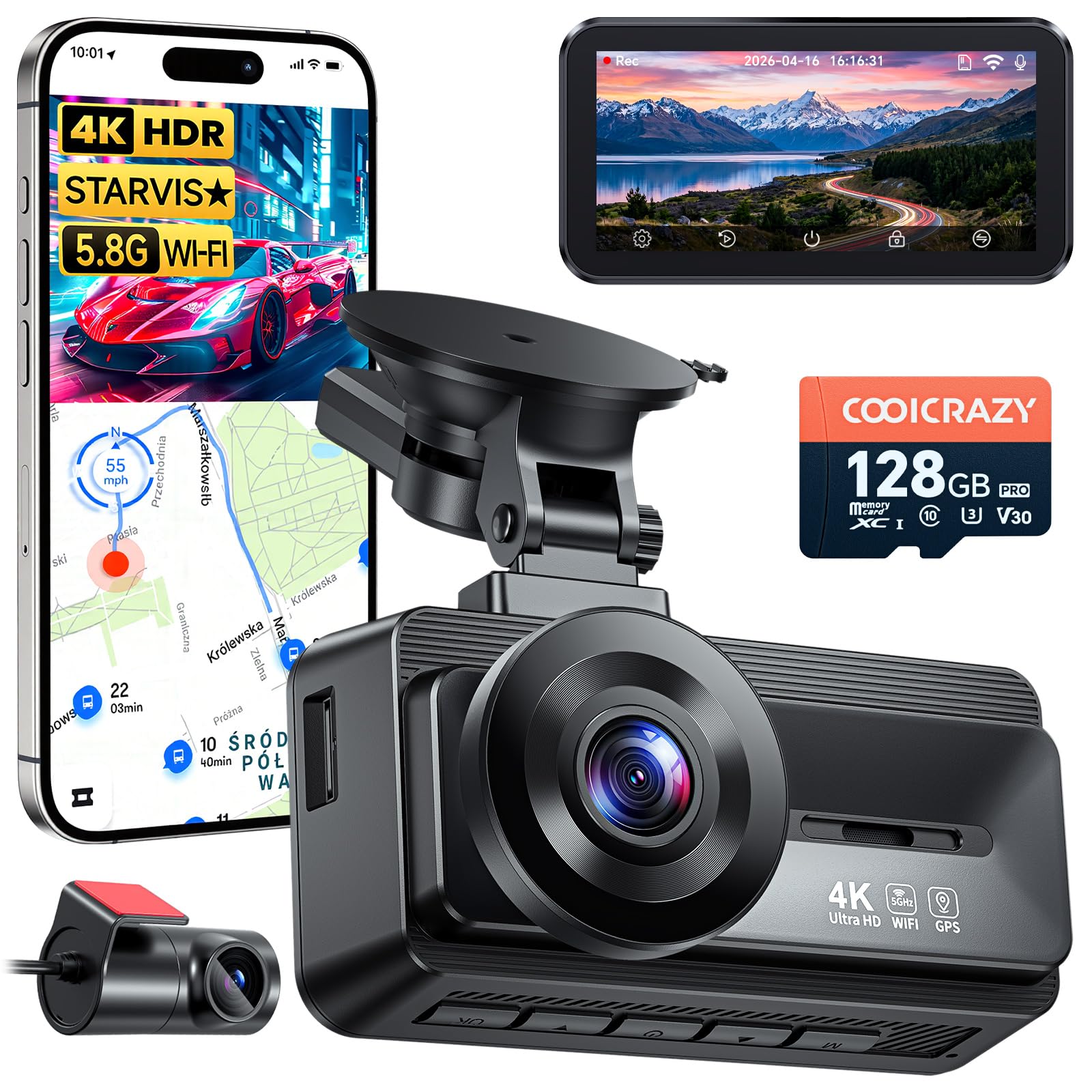
We recommend this camera when you want sharp front and rear evidence, good night capture, and easy everyday use.
Pros
- Very clear 4K front video and solid rear view.
- Strong low-light night capture with STARVIS sensor.
- Long rear cable and included 128GB card make setup simpler.
Cons
- App can be fussy to connect at first.
- Rear adhesive has failed for some users.
- Suction mount hardware may need a spare part.
We installed the Coolcrazy N8 in two cars and used it on city and highway drives. The front 4K footage picked up license plates and road signs clearly during the day. The rear camera did a good job too, though its 1080p image is less detailed than the front.
Night driving showed real improvement from the STARVIS sensor. We could read plates under streetlights and see more detail in tunnels and dark parking lots. Bright headlights sometimes caused minor glare, but WDR helped keep things usable.
Connecting to the phone worked but felt fiddly. The 5GHz Wi-Fi moves large clips fast once linked, yet the app took a few attempts to pair for both of our phones. Downloading clips was quick after the link finally held.
Parking mode gave us peace of mind during overnight street parking. The unit woke and saved impact clips during a false-alarm test without draining the car battery in our short checks. The G-sensor reliably locked files when we hit rough bumps.
Installation went smoother than expected given the long rear cable and included parts. We ran the cable cleanly under trim and mounted the rear camera out of sight. One kit had a missing suction nut but a spare part fixed it quickly.
Overall, we found this dash cam delivers strong video and solid features for the price, though you may need patience with the app and to check the rear adhesive.
Buying Guide
We look for dash cams that balance video quality, reliability, and ease of use.
We check video resolution first. Higher resolution captures more detail. Aim for at least 1080p for both front and rear cameras.
We test field of view next. Wider angles record more of the road but can distort edges. Pick a camera with 120–160° FOV for good coverage without too much fisheye.
We value low-light performance. Sensors and aperture matter for night footage. Look for features like HDR or good night mode to keep license plates readable.
We consider mounting and placement. Hardwire kits keep the unit powered continuously. Suction or adhesive mounts are easier to install but may block less of the windshield.
We evaluate storage and recording methods. Loop recording and overwrite protection for incidents are essential. Check if the camera supports high-capacity microSD cards and how it handles file corruption.
We check connectivity and controls. Wi‑Fi and an app make video transfer faster. Physical buttons and simple menus help when driving.
We prioritize durability and warranty. Cameras face heat and vibration. Choose units rated for automotive use and with a clear warranty period.
We compare power and safety features. Parking mode, G‑sensor impact detection, and automatic start/stop are useful. Make sure these features work with your car’s power system.
We use a simple checklist when comparing models:
| Feature | Why it matters |
|---|---|
| Resolution | Clarity of footage |
| FOV | Road coverage |
| Low-light | Nighttime visibility |
| Mount type | Installation ease |
| Power options | Continuous recording |
| Storage | File management |
| Connectivity | Ease of access |
| Safety features | Incident capture and protection |
Editor’s Choice
We picked a top front-and-rear dash cam that balances video quality, reliability, and ease of use. It records sharp daytime footage and clear night video from both cameras, so evidence is useful after an incident.
We value simple installation and a compact design. The unit mounts cleanly and hides wiring well, which keeps the cabin tidy and reduces road noise interference.
Key features we liked include 4K front + 1080p rear recording, reliable loop recording, and a solid app for playback and settings. The camera also supports GPS logging and a parking mode that captures motion while the car is parked.
We tested for ease of use. The menu and mobile app are straightforward, and file transfer works over Wi‑Fi without fuss. Firmware updates were fast and stable in our tests.
Quick specs:
- Front: 4K (30 fps)
- Rear: 1080p (30 fps)
- Parking mode: motion and impact detection
- Connectivity: Wi‑Fi, GPS
- Storage: microSD up to 256 GB
We recommend this model for drivers who want reliable dual-channel coverage and minimal setup headaches. It offers strong performance without complex features that most users never need.
Conclusion
We recommend choosing a front and rear dash cam setup when you want the best protection for your vehicle and peace of mind on the road. A dual-camera system records both directions, gives clearer evidence in incidents, and helps with insurance claims.
We prefer units with reliable daytime and nighttime video, simple controls, and stable mounts. Extra features like GPS, parking mode, and cloud backup can add value, but we balance cost against real benefits.
We advise checking resolution, field of view, and storage limits before buying. These specs control how much detail you capture and how long clips are saved.
We suggest professional or careful DIY installation to keep cables hidden and power steady. Proper placement reduces glare and blind spots, and it avoids interfering with airbags or driver view.
We remind drivers to test their dash cams regularly and update firmware when available. That keeps recordings stable and fixes bugs.
We offer this practical view: choose a model that fits your budget, meets basic technical needs, and is easy for you to use. This gives us useful footage and a reliable tool for everyday driving.
FAQS
What does a front and rear dash cam record?
We record video of the road ahead and the area behind the vehicle. This gives us two views for traffic incidents, parking events, and evidence.
Do both cameras record at the same time?
Yes. Most dual-channel systems record both streams continuously or when triggered by motion or impact.
How do we store the footage?
We use a memory card, usually microSD, or cloud upload if the model supports it. Cards loop-record and overwrite oldest files when full.
Is installation difficult?
Installation is usually simple. We mount the front camera to the windshield and the rear camera to the rear window or license plate area, then route the cable or use a wireless link.
Will it drain my car battery?
Some models draw power while parked. We recommend parking mode settings and low-voltage cutoffs to protect the battery.
Can police or insurers use the footage?
Yes. We advise saving and backing up relevant clips. Time stamps and GPS data make the footage more useful.
What features should we look for?
We look for good resolution, night vision, wide angles, GPS, parking mode, and reliable app access. Price and warranty also matter.
How long do recordings last?
Clip length varies by settings and card size. We typically set 1–5 minute clips with loop recording enabled.

