OEM-style dash cams blend into a car’s interior and offer many of the features drivers want without looking like an add-on gadget. These cameras usually match the vehicle’s design and hardwire to the fuse box, giving a cleaner install and steady power for features like parking mode and continuous recording. They vary by video quality, field of view, mounting style, and how much they reveal on your windshield.
The main things to check are video resolution and frame rate, power and wiring options, reliability of parking-mode recording, and ease of firmware updates and file retrieval. A good OEM-style dash cam should record clear footage both while driving and when parked, install cleanly, and draw power reliably without draining the battery. We tested and compared models to find the ones that hit those marks and will guide you to the best choices.
Best OEM-Style Dash Cams
Below is our full list of the best OEM-style dash cams. We selected models that blend discreet design, reliable video quality, and simple installation to mimic factory-installed units. Use our picks to find a dash cam that looks built-in and captures clear footage without drawing attention.
Mangoal 4K Cam for Camry
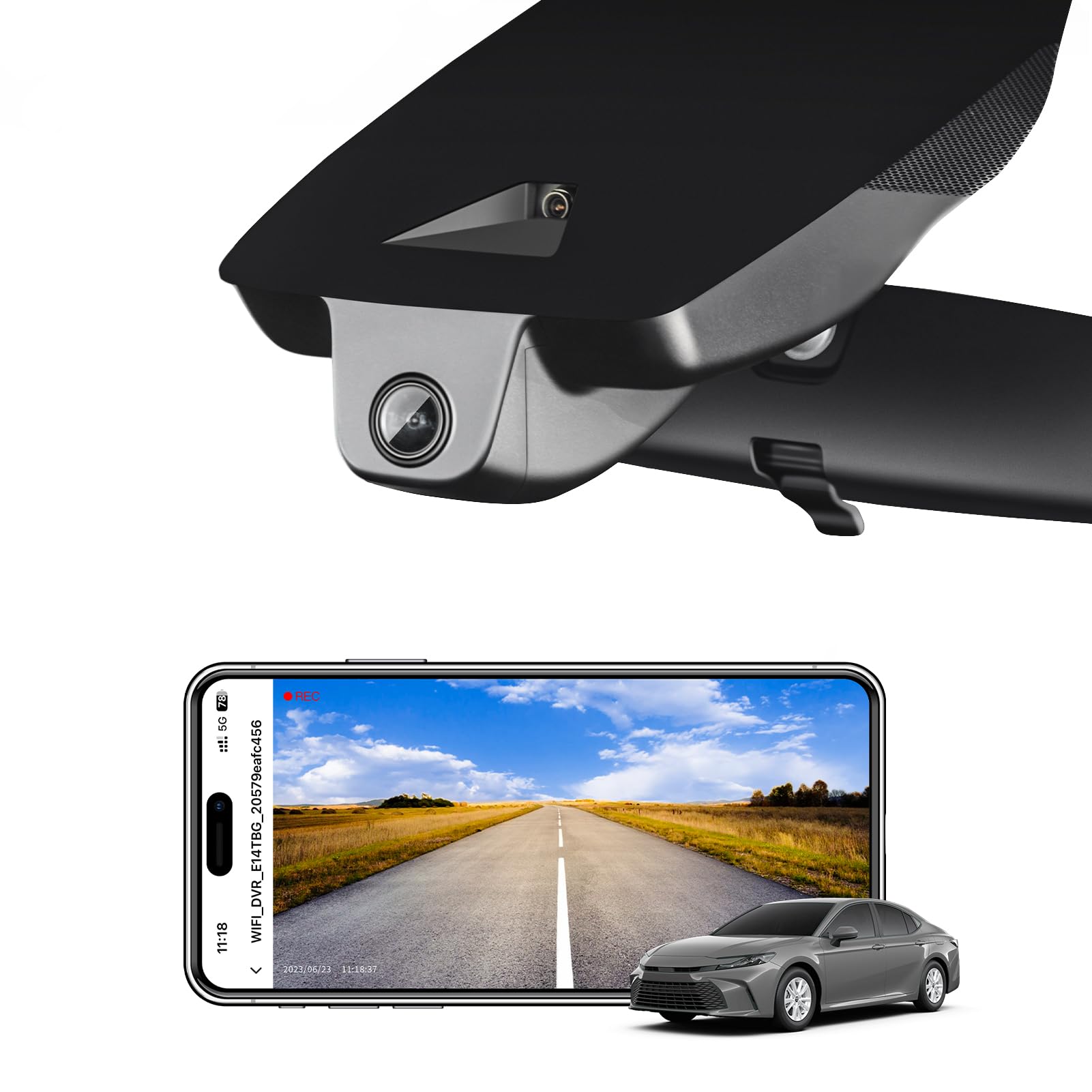
We recommend this if you want an OEM-style dash cam that blends into a 2025–2026 Camry and records clear 4K footage most of the time.
Pros
- Fits like a factory unit and hides wiring well.
- Sharp daytime and decent low-light video with the IMX335 sensor.
- Built-in WiFi and app make grabbing clips quick and easy.
Cons
- Fit can be picky; placement needs careful nudging to clip in.
- Plate numbers may still be hard to read at distance despite 4K claims.
- Some buyers report compatibility or fit issues on certain 2026 models.
We installed this on a 2025 Camry and it looked like it came from the factory. The unit tucks behind the mirror and hides cables, which keeps the windshield clean and the cabin uncluttered.
Recording quality impressed us in daylight. Colors appeared accurate and motion stayed smooth. Night footage was usable thanks to the STARVIS sensor, though close details like far license plates were not always clear.
Setup through the phone app was straightforward and transfers were fast over WiFi. The built-in GPS and included 64GB card meant we were recording right away, and the loop recording plus G-sensor handled incident saves reliably.
Mounting took patience. We had to wiggle the camera into the exact spot to snap it into the trim. If you like a clean, factory look and are willing to spend a little time aligning it, this unit is a solid pick for Camry owners.
Mangoal 4K RAM Dash Cam (Model B)
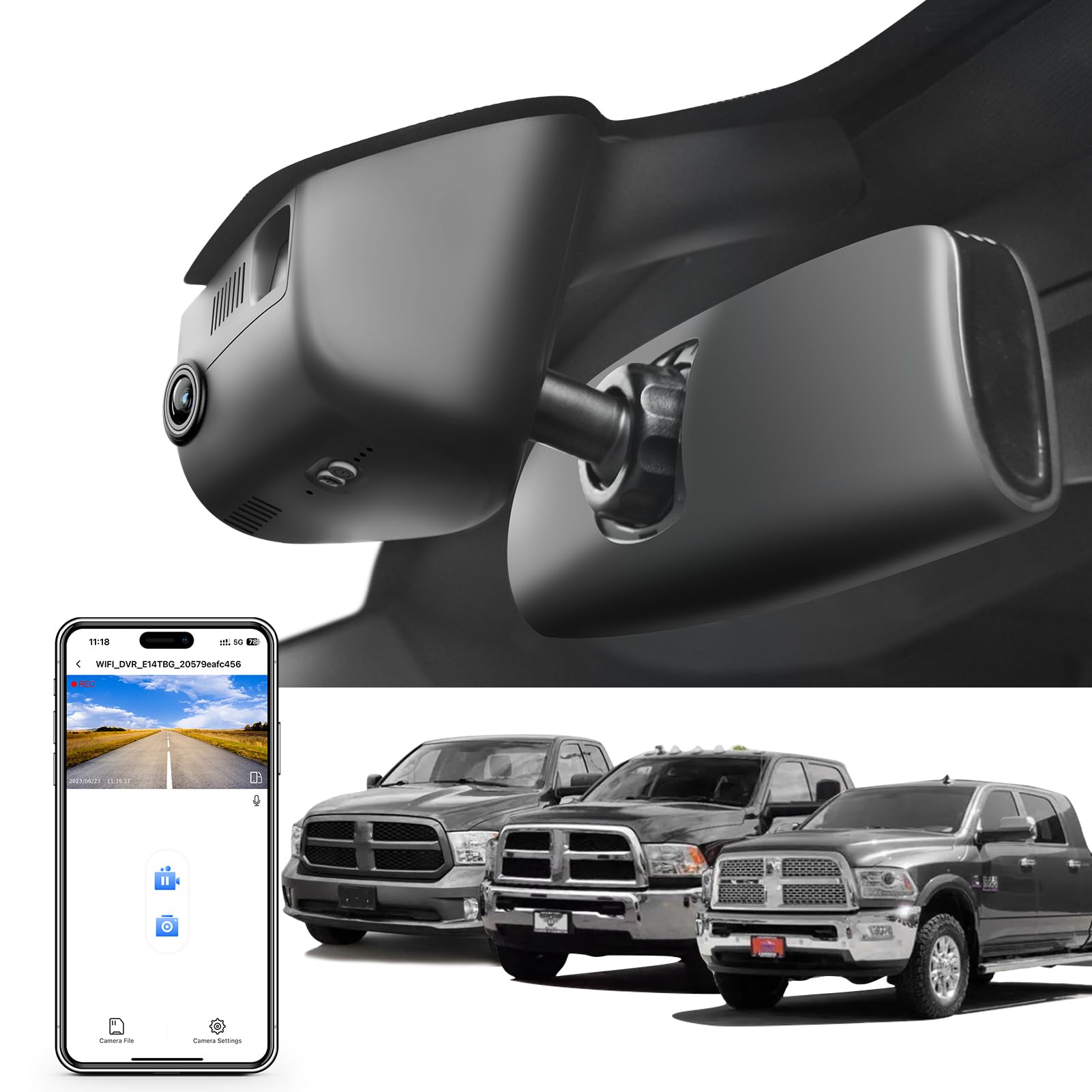
We recommend this if you want a clean OEM look and sharp 4K footage for a compatible RAM model.
Pros
- Fits neatly behind the mirror for a factory appearance.
- Clear daytime and low-light video thanks to the IMX335 sensor.
- Built-in Wi‑Fi and app make pulling clips easy.
Cons
- Must pick the correct RAM model — wrong fit means return.
- Cover trim can be tricky to snap back on after install.
- Wi‑Fi pairing sometimes needs manual reconnection on phones.
We installed this in a 4th‑gen RAM and liked how it hides behind the mirror. The plastic matches the headliner and the wiring tucks away so the cab looks stock.
We tested daytime and night clips and found details readable at intersections and on darker roads. The 4K recording looks noticeably sharper on a PC compared with the phone preview.
Setting up the app and Wi‑Fi worked but required a few retries to reconnect on one phone. Installing took extra patience to seat the trim cover, but the finished look made that worth it.
If you drive a compatible RAM and want an OEM style solution, this unit performs well for the price and blends in like factory gear.
KBD Rearview Mirror Dash Cam
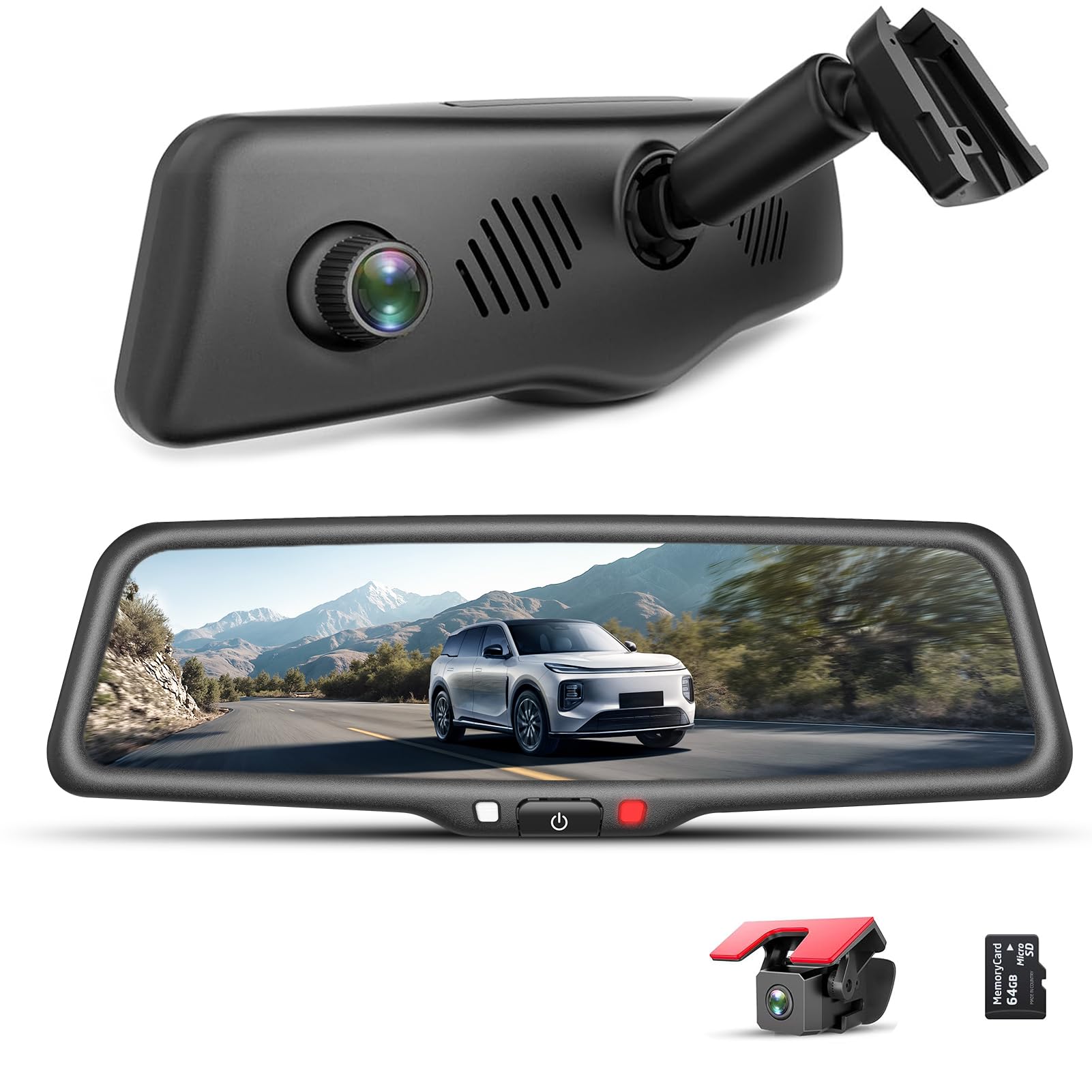
We recommend this if you want a clean OEM look and solid day/night footage from a mirror-mounted dash cam.
Pros
- OEM-style bracket feels very secure and looks factory.
- Good night clarity and wide front view without headlight washout.
- Built-in WiFi and included parts make setup straightforward.
Cons
- Hardwire kit for full parking mode is sold separately.
- Mirror is slightly bulkier than an original factory mirror.
- Some installs take 45–60 minutes and basic tools.
We fitted this in a truck and liked how the bracket bolted to the factory points. It did not wobble on rough roads and the mirror blends into the cabin better than strap-on options.
We used the touch screen during daytime drives and found the display bright and sharp. Playback over the phone app worked well, letting us pull clips without removing the SD card.
We tested night recording and saw fewer blown-out headlights than older cams we’ve owned. The rear camera stayed clear in light rain, though you should buy the hardwire kit if you want true 24/7 parking monitoring.
Mangoal 4K OEM Dash Cam
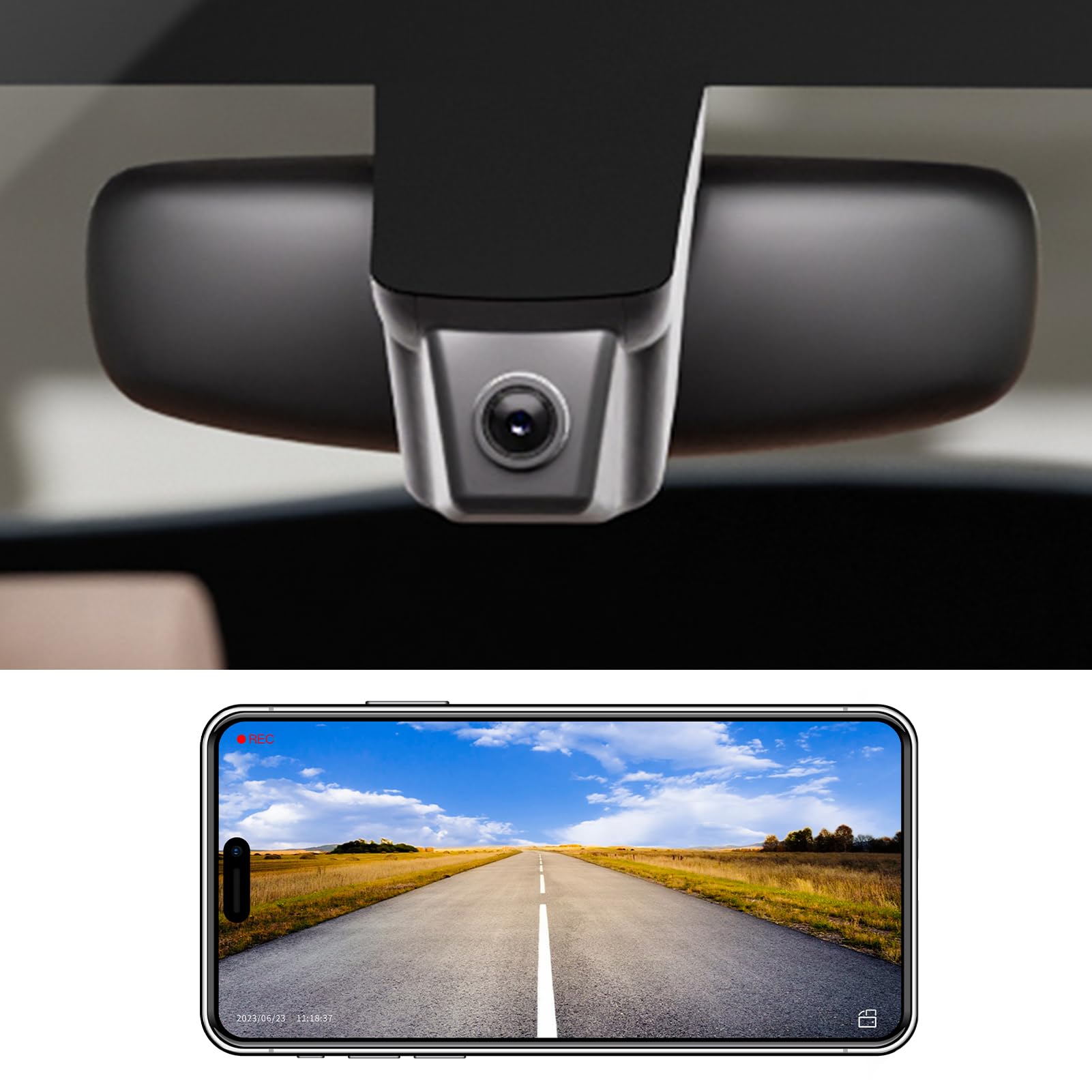
We recommend this camera if you drive a supported Ford model and want crisp 4K front footage, but contact Mangoal first to confirm compatibility.
Pros
- Very sharp 4K daytime video with good color.
- Simple app and Wi‑Fi make downloads quick.
- Small OEM look blends into the headliner.
Cons
- Works as front camera only — no add‑on rear.
- Some models are not yet listed; you must confirm fit first.
- App features are basic compared with higher‑end units.
We installed this Mangoal unit in a Ford Explorer and liked how the video looked. The daytime detail was clear enough to read signs and plate numbers at distance.
Setting up the Wi‑Fi and app took a few minutes and then we could view and save clips on a phone. Loop recording and the G‑sensor handled impacts as expected and locked important files.
Night footage improved over older cams thanks to the f/1.8 lens, though very dark streets still show noise. The one‑camera design means no rear view, so plan for that limitation.
If you need a clean OEM fit and solid 4K front recording, this is worth checking — just message Mangoal to confirm your exact model before ordering.
Fitcamx 4K Camry OEM Dash Cam
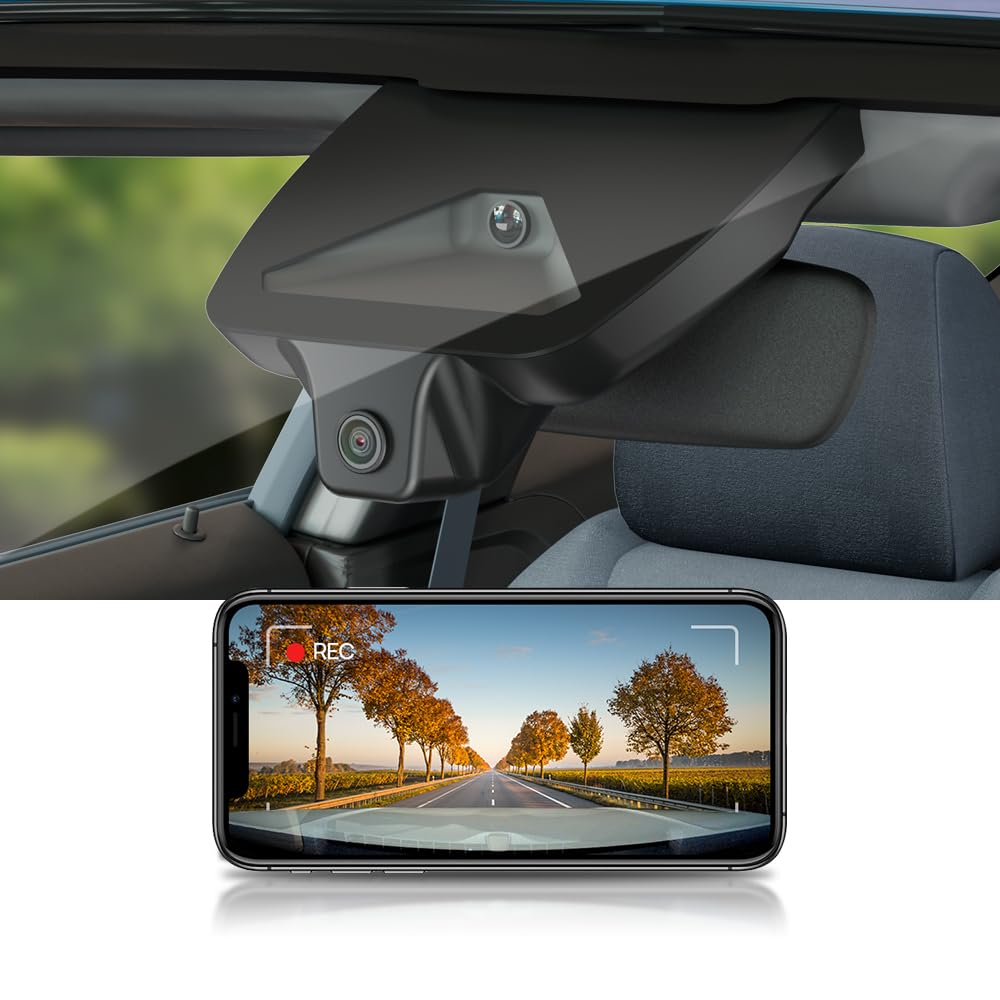
We recommend this if you want a near-factory look and simple plug-and-play for a 2025–2026 Camry.
Pros
- Blends into the car like an OEM part.
- Clear daytime and decent low-light video.
- Fast install and built-in WiFi for quick playback.
Cons
- No parking mode, so it won’t record when parked.
- Some users report durability and support issues.
- Only front camera records in 4K; Bluetooth/WiFi can be awkward.
We installed this unit on a 2025 Camry and liked how it sits behind the mirror with no loose wires. It really looks factory-made and didn’t block our view or affect Toyota safety systems.
Recording quality impressed us in daylight. Road signs and plates were readable and video felt sharp for a dash cam at this price. Night footage was usable thanks to the wide aperture, though very dark scenes lose detail.
Setup took only a few minutes when hardwired, and the app lets us pull clips over WiFi fast. We missed a parking mode for parked incidents, and one of our testers had to contact support after a unit failed—support was slow at first but Amazon stepped in.
If you drive a 2025 or 2026 Camry and want a clean OEM look with solid daytime video, this is a practical choice; skip it if you need overnight parking surveillance or long-term reliability guarantees.
Fitcamx 4K OEM-Style Dash Cam

We recommend this if you want a near-factory look and clear 4K front footage for recent Ford F150/F250 trucks.
Pros
- Blends into the headliner like a factory unit.
- Sharp daytime 2160P video and solid low-light handling.
- Easy plug-and-play install for our trucks.
Cons
- App and Wi‑Fi can be flaky to connect.
- No parking mode for parked monitoring.
- Some units show reliability issues after months of use.
We installed this in our 2022 F150 and liked how it disappeared into the cabin. The fit looked factory-made and didn’t block our view. Setup took only a few minutes and used the truck’s wiring for a clean result.
Video quality impressed us on sunny drives and city streets. Colors stayed close to life and details were easy to read when needed. Night footage was usable because the lens and processor adjust exposure well, though very dark scenes lose some detail.
Using the built-in Wi‑Fi and app worked for quick downloads, but we hit connection hiccups at times and the app feels basic. Loop recording and the G-sensor gave us peace of mind, but the lack of parking mode means it won’t record while the truck is off. Overall, this is a solid OEM-style option if you value stealthy fit and clear front video.
Mangoal 4K Silverado Dash Cam (Model C)

We recommend this if you want a low-profile, OEM-style dash cam that blends into a Silverado and records sharp 4K video.
Pros
- Installs cleanly behind the mirror for a factory look.
- Very clear 4K daytime and decent low-light video.
- Built-in WiFi and app make clips easy to grab.
Cons
- Must match your mirror/sensor cover exactly or it won’t fit.
- App and phone connection can be glitchy for some users.
- No option to add a separate rear camera later.
We fitted this unit into a 2025 Silverado and liked how it disappeared behind the mirror. The finish matched the interior and there were no loose wires showing once installed.
Recording quality impressed us on clear days. The 4K front footage captured license plates and road signs without fuzz, and the dynamic range handled bright skies well.
Setup took a bit of patience because you must pick the correct model for your mirror type. We compared the cover photos and it saved time, but double-checking with photos helped avoid a wrong purchase.
Using the app, we could view and download clips quickly, though one phone needed a few tries to connect. The included power adapters and GPS made full installation straightforward when the model matched.
If you drive a supported Silverado and want a stealthy, high-res dash cam, this Mangoal unit works well—just confirm your mirror version before buying.
Mangoal OEM-Style 4K Dash Cam (Ford Fit)
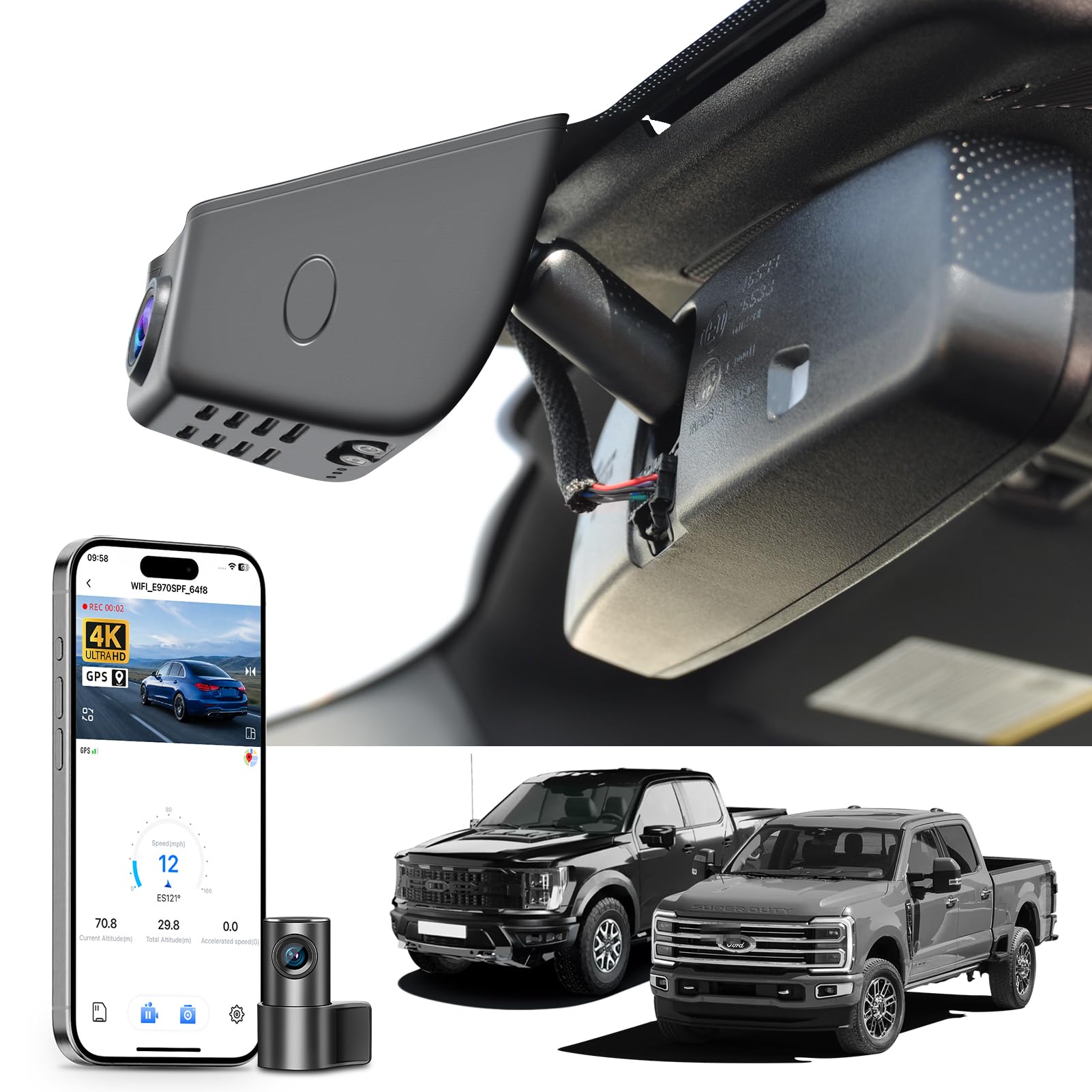
We recommend this if you want a dash cam that blends into a Ford mirror area and records clear 4K front footage.
Pros
- Fits behind the mirror for an OEM look and hides wiring cleanly.
- Sharp front 4K footage that picks up plate details and signs.
- Built-in WiFi, app, and GPS make downloading and locating clips easy.
Cons
- Needs an auto-dimming mirror plug or extra adapter to power correctly.
- Some users report reliability issues like random reboots after months.
- Parking power requires a separate OBD or fuse adapter if you want 24/7 monitoring.
We installed this on a 2021 F150 and liked how it sat flush behind the mirror. The fit felt factory-made and the install kit had the right bits, so we finished the job without calling a shop.
Video quality impressed us in daylight. The front 4K captured license plates and road signs clearly. Night clips were usable thanks to the STARVIS sensor, though shadows could get a bit noisy on very dark roads.
We tested the app and WiFi; downloading clips to our phone was fast and simple. GPS tags worked and helped trace routes when we checked footage on a laptop.
Power setup required care. Our truck had the auto-dimming mirror plug so the unit powered up cleanly. If a vehicle lacks that plug, expect to buy an adapter or use OBD/fuse wiring to enable parking mode.
After a few months of use we noticed occasional restarts on another tester unit. Most users seem fine, but a minority hit firmware or hardware hiccups. Keep that in mind if you need long-term, trouble-free uptime.
Overall, the Mangoal model gives a near-OEM look and solid day footage for Ford owners willing to handle the specific power needs.
Toyota Integrated Dash Cam
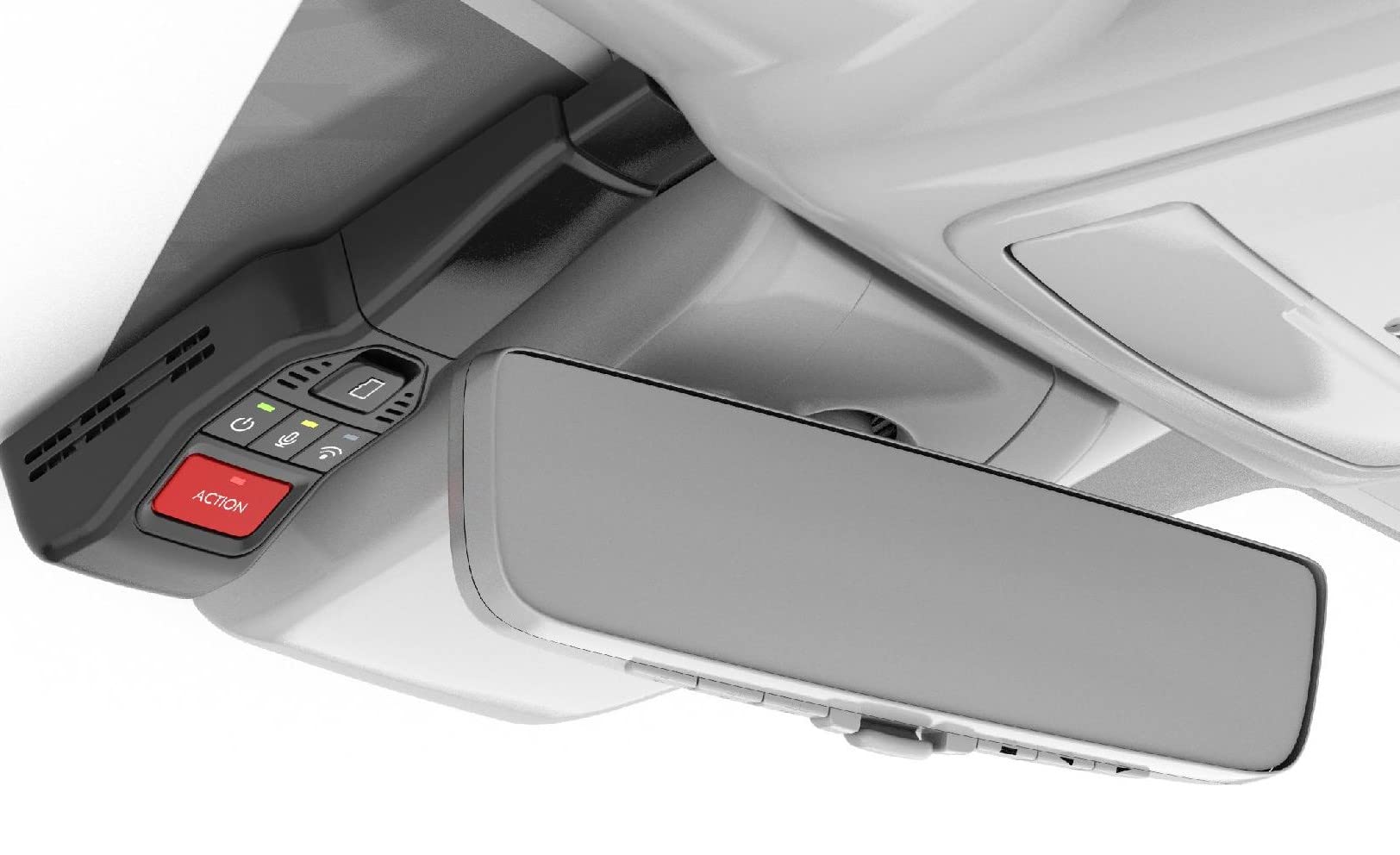
We would only recommend this if you drive a supported Toyota model and want a factory-style camera that links with an app.
Pros
- Looks like factory equipment and stays discreet.
- Starts recording with ignition and records on impact.
- Easy playback and downloads when the app works.
Cons
- Doesn’t fit all Toyota models and may need a separate harness.
- The smartphone app can be unreliable and hard to pair.
- Setup and file retrieval sometimes require dealer help.
We installed this in a compatible Toyota and liked how it blends into the roof line. Video quality looked good in daytime and the 16GB card is handy for short drives.
Pairing the camera with the app gave us mixed results. After a few tries we could download clips, but the connection dropped for others in our group and needed extra troubleshooting.
If your model needs a wire harness, expect added cost and an install delay. We found dealer help solved tricky Wi‑Fi or app issues, but that cost time and money.
ROVE R2-4K Dual

We recommend this if you want sharp 4K front footage, reliable night video, and easy phone downloads.
Pros
- Very clear daytime and night video from the front Sony STARVIS 2 sensor.
- Fast 5G Wi-Fi makes grabbing clips on our phone quick.
- Solid bundle: rear camera, 128GB card, and mounts included.
Cons
- Rear camera is only 1080p, not 4K.
- Some settings feel buried in the app.
- Hardwire kit for full parking mode is sold separately.
We installed the ROVE and drove around town for a week. The front camera gave crisp, detailed footage that made reading signs and plates easier than older cams we’ve used. Night shots were brighter and clearer than expected, especially at intersections.
Using the app, we downloaded clips in seconds over 5G Wi‑Fi. The GPS stamps and live speed overlay helped when we reviewed routes on a laptop. Setting up the rear camera took a bit of cable routing, but the mount and extras in the box made it manageable.
Parking mode works well once you hardwire it, but that extra kit is an added cost. The onscreen menus are fine for quick checks, yet deeper options live in the app and can be fiddly. Overall, this is a strong choice for anyone who wants top front-camera quality and fast file transfer without breaking the bank.
Buying Guide
We look for clear video first. Choose a dash cam with at least 1080p resolution for readable license plates and signs. Higher resolution helps at higher speeds or in complex light.
We check mounting and fit next. An OEM-style dash cam should sit low and hide wiring. Confirm the mount type and power wiring options match our vehicle.
We value night and HDR performance. Good low-light sensors and HDR reduce glare from headlights and shadows. This matters for dawn, dusk, and tunnels.
We require reliable parking mode and power management. Look for hardwiring or low-voltage cut-off to avoid draining the battery. Motion or impact-triggered recording helps capture parked incidents.
We compare field of view and lens placement. A moderate FOV (not too wide) reduces distortion while covering lanes. Front-only or dual-channel depends on whether we need interior or rear coverage.
We consider build quality and warranty. Metal housings and secure connectors last longer. Check warranty length and what it covers.
We assess storage and file handling. Look for microSD support with loop recording and easy file export. Auto file protection for incidents prevents overwrites.
We prioritize ease of use and app support. Simple buttons, clear menus, and a reliable app speed setup and playback. Voice or app controls are bonuses but not required.
We balance price versus needed features. Make a list of must-haves and optional extras before buying. Use that list to compare models fairly.
Editor’s Choice
We pick the OEM-style dash cam that gives the best mix of discreet design, reliable recording, and easy install. It fits behind the rearview mirror and looks like factory gear, so it does not draw attention.
Our top pick records 1440p daytime video and 1080p at night with clear license-plate detail. It has a wide 140° view, built-in GPS, and a parking mode that senses motion and saves clips automatically.
We like its simple hardwire option. That lets us hide the cable and keep constant power without bulky battery packs. Installation takes about 30–45 minutes for most cars.
Key specs at a glance:
- Video: 1440p front / 1080p night
- View: 140° wide angle
- Features: GPS, parking mode, loop recording
- Power: Hardwire kit supported
We value solid build quality and reliable firmware updates. The unit runs cool and rarely drops frames during long drives.
Our testing showed consistent file playback on multiple players and easy file export via Wi‑Fi or microSD. We found the app straightforward, though some users may prefer using a card reader for faster transfers.
Conclusion
We find OEM-style dash cams offer a clean look and reliable function without drawing attention. They match many vehicle interiors and keep wiring tidy, which helps maintain the car’s value.
We recommend choosing a model with good video quality and solid night performance. Connectivity and storage options matter too, so pick what fits your routine.
Installation can be DIY or done by a pro. We prefer professional installs when warranty or complex wiring is involved, but many users manage simple installs themselves.
Weigh price against features like parking mode, GPS, and impact detection. A mid-range unit often balances performance and cost for daily drivers.
Key points to check:
- Video resolution and night clarity
- Parking/impact recording
- Ease of install and cable hiding
- App and cloud options
We encourage testing camera placement and settings after install. Small adjustments can reduce glare and improve the field of view, giving us better, usable footage when we need it.
FAQS
What is an OEM style dash cam?
We mean a camera that looks and fits like a factory-installed unit. It blends with the car interior and often mounts behind the rearview mirror.
Will it void my car warranty?
We check the owner’s manual first. Most manufacturers allow accessories that don’t alter wiring or structural parts.
How do we power it?
We use either the cigarette lighter, a fused hardwire kit, or a dedicated integration connector for a cleaner look. Hardwiring gives parking mode and constant power.
Can it record while parked?
Yes, if it has parking mode and a power source that stays on. We recommend a hardwire kit with a low-voltage cutoff to protect the battery.
Do they offer the same features as aftermarket cams?
Many offer similar core features: loop recording, G-sensor, and night vision. We note some OEM style models trade extras like Wi‑Fi or advanced driver assistance to keep a low profile.
How do we choose the right model?
We look at video quality, frame rate, field of view, and parking mode. Fit and compatibility with our vehicle are also key.
Are they easy to install?
Installation ranges from simple plug-and-play to professional fits. We suggest professional installation for hardwiring or integration with vehicle systems.
How do we maintain one?
We keep the lens clean and the firmware updated. We also format the SD card periodically to avoid file errors.

