Dash cams record what happens on the road so drivers have clear evidence after accidents, thefts, or odd incidents. Minolta dash cams bring a legacy of optics and electronics to that basic task, offering models with good video clarity, reliable recording, and easy mounting. We focus on how well a Minolta dash cam captures license plates, night-time details, and sudden events without taking up much space in your car.
When choosing a dash cam, prioritize video resolution, low-light performance, field of view, loop recording reliability, and ease of use. Good resolution and strong night performance matter most because they decide whether footage is readable and useful after an incident. We tested and compared features, usability, and video quality to point you to Minolta dash cams that make capturing clear, usable footage simple and dependable.
Best Minolta Dash Cams
Below is our list of the best Minolta dash cams we tested and reviewed. We focus on video quality, ease of use, and reliability to help you pick the right model for daily driving.
Minolta MNCD338T 3-Channel Dash Cam

We would buy this if we need full coverage inside and outside the car for a fair price and easy out-of-the-box use.
Pros
- Covers front, rear, and cabin so nothing is missed.
- Night vision and motion/parking modes work well in low light.
- Includes 32GB card and basic mounting hardware ready to install.
Cons
- Suction mount feels weak on some windshields.
- Menus and settings take time to learn.
- Rear camera cable may need an extension for some cars.
We used this unit on daily commutes and a weekend trip. The wide front lens caught plenty of lane detail and the cabin camera showed clear faces when driving at night. Reviewing clips on the 3.0″ screen was fast for quick checks.
Installation was mostly straightforward. The included parts let us get going right away, though we had to reroute the rear cable and buy a longer lead for a larger SUV. Suction hold varied by car; we ended up adjusting placement to get a firmer fit.
Recording features behaved as promised. The G-sensor reliably locked crash clips during a hard stop, and loop recording meant we never ran out of space. Learning the touch controls took a few days, but once set, the unit ran quietly in the background.
We found this to be a practical, budget-friendly three-camera solution for rideshare drivers and families who want interior and exterior footage without adding complex wiring.
Minolta 3-Channel Dash Cam
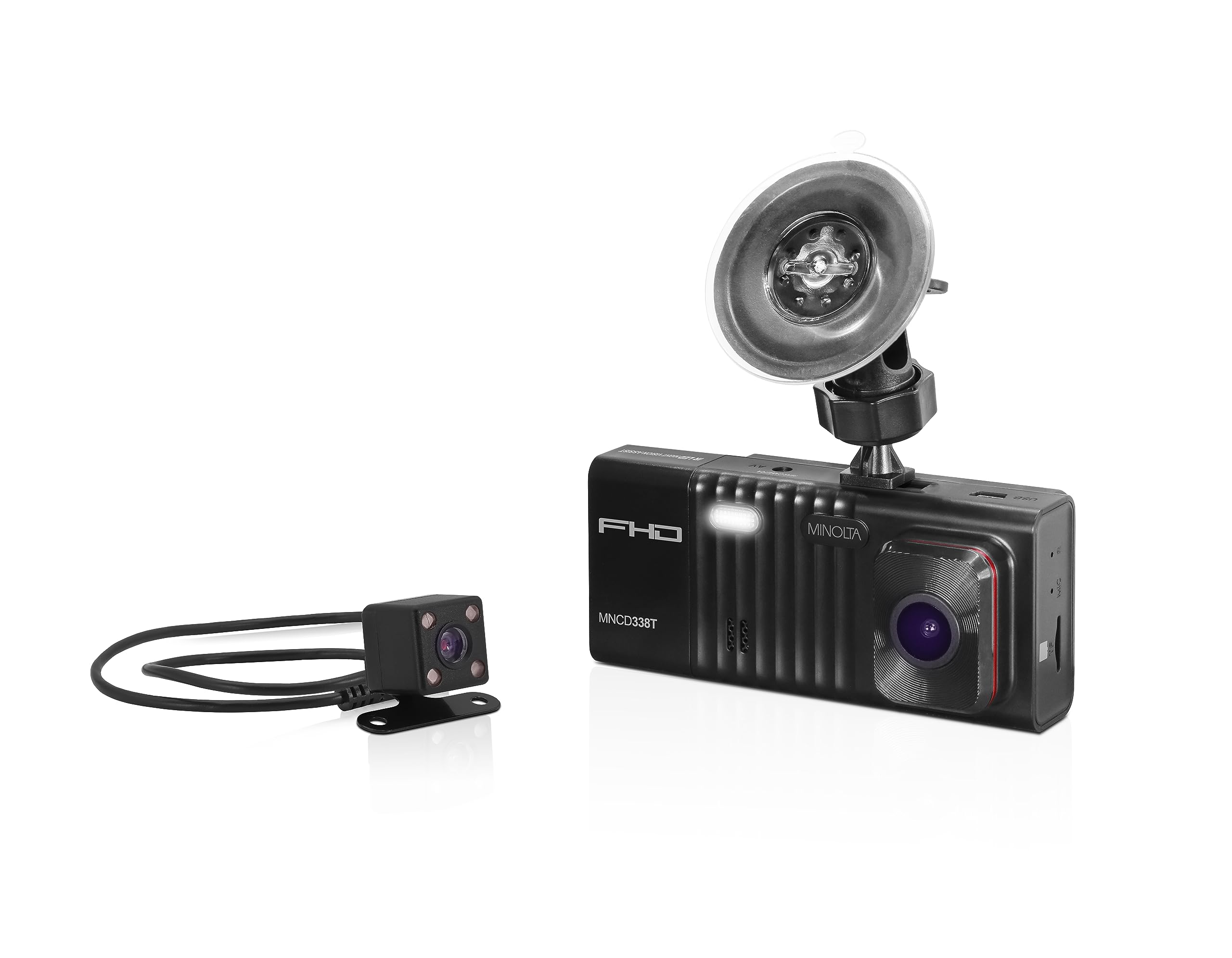
We recommend this Minolta if you want full front, rear, and interior coverage in an easy-to-use package.
Pros
- Good coverage with front, rear, and cabin cameras.
- Night vision and parking monitor give real peace of mind.
- Comes ready to use with a 32GB card and mounting gear.
Cons
- Suction mount felt weak on a few windshields we tried.
- Menus took time to learn and tweak settings.
- Rear camera cable may need an extension in some vehicles.
We installed the unit and drove with it for a few weeks. The front camera captured wide lanes and clear daytime footage. The cabin camera worked well at night thanks to the infrared LEDs.
Setting options felt a bit clunky until we adjusted sensitivity and loop length. Once set, the G-sensor locked important clips reliably. Parking mode woke the camera when motion triggered it while parked near a store.
Mounting was the main fuss. The suction cup did not hold well on one car, so we hard-mounted it. Running the rear cable took extra time and we bought an extension to hide wiring along the headliner.
Overall, we found the Minolta gives solid multi-angle protection for a fair price, especially for rideshare drivers or anyone who wants interior recording plus front and rear views.
Minolta MNCD337N Dash Cam
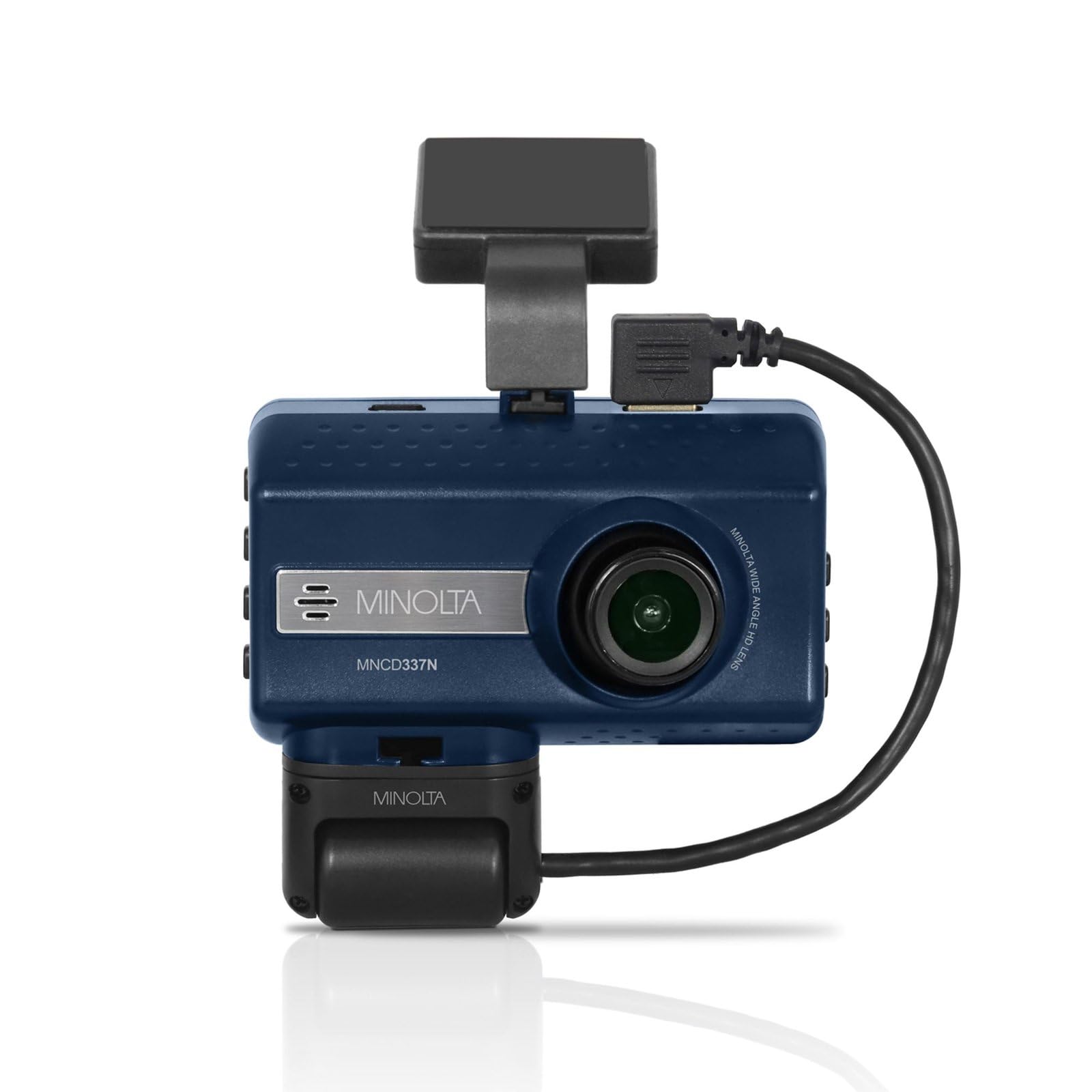
We would buy this if we want a basic two-channel dash cam with night vision and an interior view at a low price.
Pros
- Records clear 1080P video and wide 120° view that caught nearby traffic well.
- Interior camera and night vision actually picked up faces inside the car at night.
- Simple menu and 3.0″ LCD made quick playback and setup easy.
Cons
- Build feels cheap and some mounting parts did not fit securely.
- Short-term testing showed occasional shaky clips when driving on rough roads.
- Software and menu options are basic compared with higher-end models.
We mounted the camera in the windshield and tested daytime and night clips. Video was crisp in daylight, and the wide lens grabbed both lanes and the hood area without distortion. The 3.0″ screen let us scan clips right after a drive.
Night recordings from the front and interior camera were usable. Infrared helped identify passengers and nearby taillights, though low-light grain shows up on darker streets. The G-sensor saved abrupt events into a locked file, which felt reliable during sudden stops.
Physical quality left mixed impressions. The housing and mount felt light, and one reviewer noted fit issues that we also noticed during installation. Loop recording and adjustable interval settings worked fine, but the menu lacks advanced tuning options.
We recommend this if you need an affordable two-channel dash cam with decent night interior coverage and a simple interface. If you want rock-solid mounts or pro-level video features, consider a higher-tier model.
Minolta MNCD337N 2-Channel 1080P Dash Camera w/3.0″ LCD + Interior Camera
Coolcrazy N8 4K Dash Cam
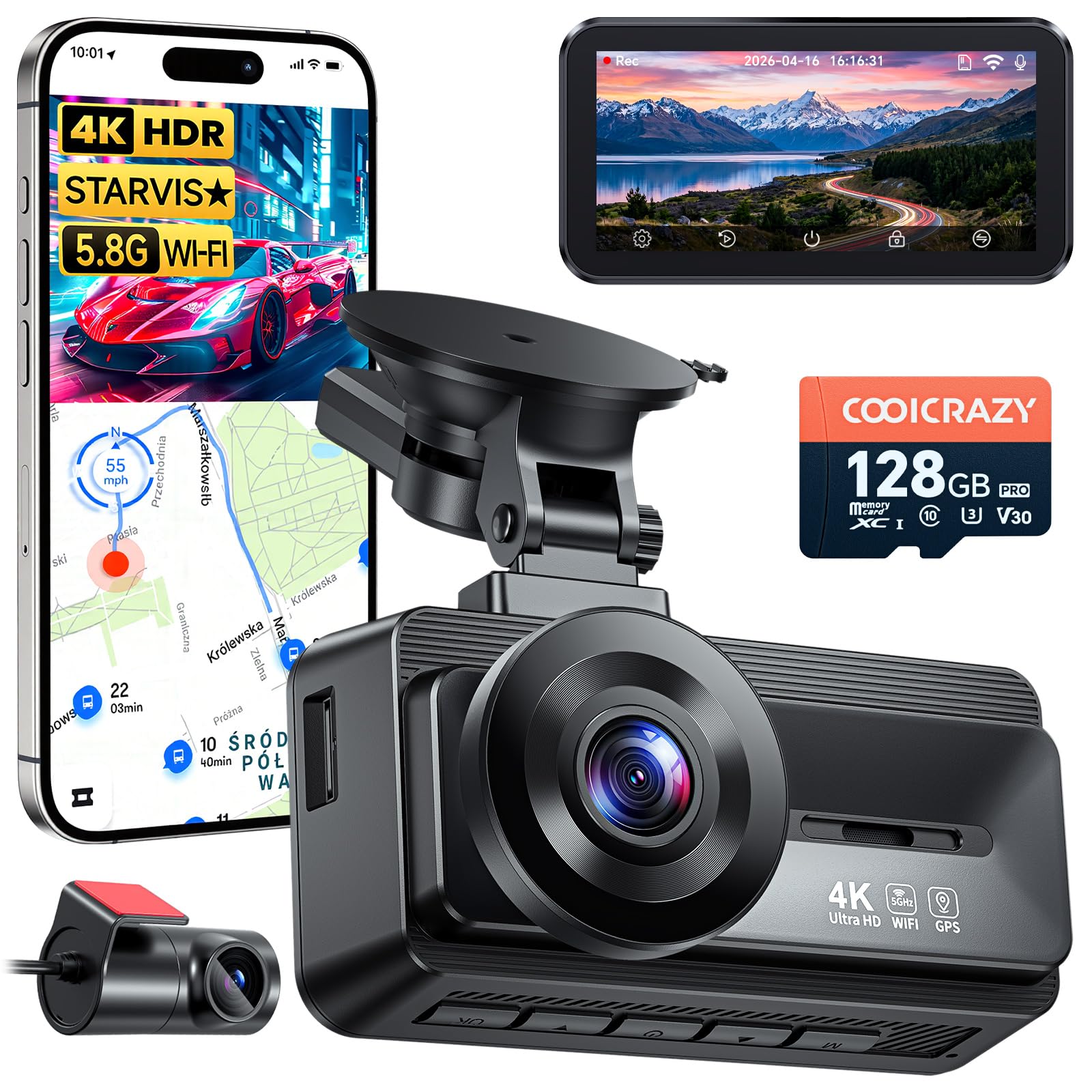
We recommend this dash cam when you want clear day/night video and easy, reliable front-and-rear coverage.
Pros
- Very sharp daytime and night footage that captured plates and signs.
- Long rear cable and included 128GB card make setup handy.
- GPS and fast 5GHz Wi‑Fi speed up downloads and sharing.
Cons
- Rear camera adhesive can lose grip over time.
- App connection can be fussy on first try.
- Suction mount hardware may need a spare nut or tweak.
We installed the Coolcrazy N8 in two cars and used it daily for a few weeks. The front 4K footage looked crisp at highway speeds and the wide angle caught lane activity without fish-eye distortion. Night clips surprised us — the STARVIS sensor pulled out details under streetlight glare and in tunnels.
Parking mode worked when we tested minor bumps in a parking lot; the G-sensor locked relevant clips so they were not overwritten. The long rear cable reached the trunk routes in both vehicles, which made routing neat and kept the rear view steady. The included 128GB card held many hours of footage without us needing to swap files.
Setup was quick if you follow the steps, but we did need a couple tries to pair the app over Wi‑Fi. Once connected, downloads moved fast on 5GHz and GPS tagging matched the video on the map. If you want solid evidence-ready video and full front/rear coverage, this unit performs well for the price.
E-YEEGER S60 Dash Cam
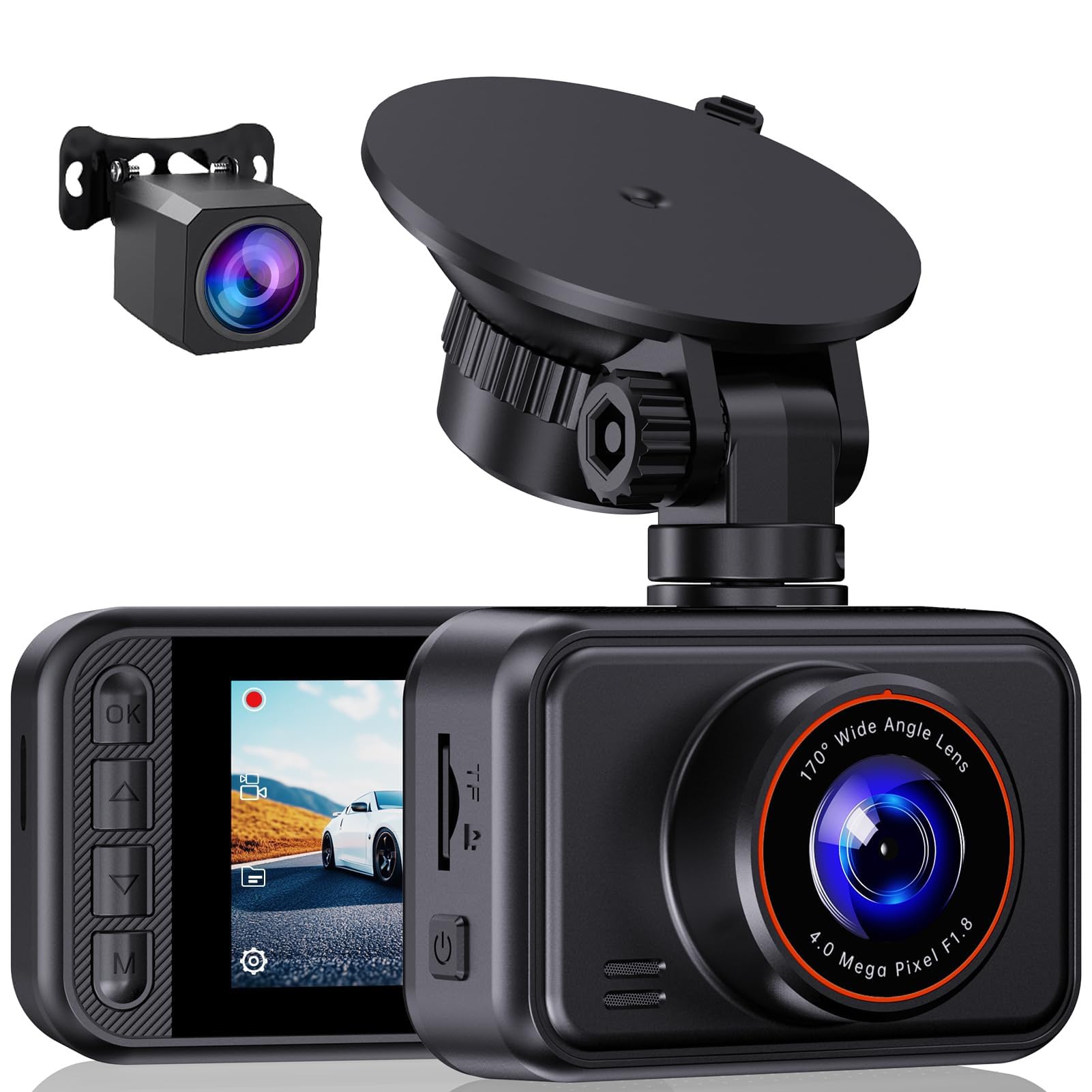
We recommend this dash cam if you want clear front-and-rear video and simple setup at a reasonable price.
Pros
- Sharp daytime and good low-light video from both cameras.
- Easy to install and simple on-screen controls.
- Compact design that does not block your view.
Cons
- No microSD card included in most packages.
- Small 2-inch screen can be hard to see at a glance.
- Parking mode needs a hardwire kit and extra setup.
We used the S60 for daily driving and weekend trips. The front 2.5K footage picked up lane markings and license plates better than many budget cams we’ve tried. The rear 1080p camera filled gaps behind us without any fuss.
Night recordings surprised us for the price. The starlight sensor and HDR kept details visible at dusk and on poorly lit streets. We did see some glare on very bright headlights, but overall the low-light clarity was useful.
Installation took about 20 minutes with the included suction mount and long USB cable. The small screen kept the unit low-profile on the windshield, but we found it easier to review clips on a laptop than on the camera itself. Expect to buy or supply your own microSD card and a hardwire kit if you want true 24-hour parking recording.
We appreciated the loop recording and G-sensor; a sudden bump locked the clip automatically during our test. Customer support answered a question quickly when an accessory was missing from the box. For drivers who want reliable dual-channel recording without a big price tag, this model is worth considering.
Buy the E-YEEGER S60 on Amazon
TERUNSOUl 4K Dual Dash Cam
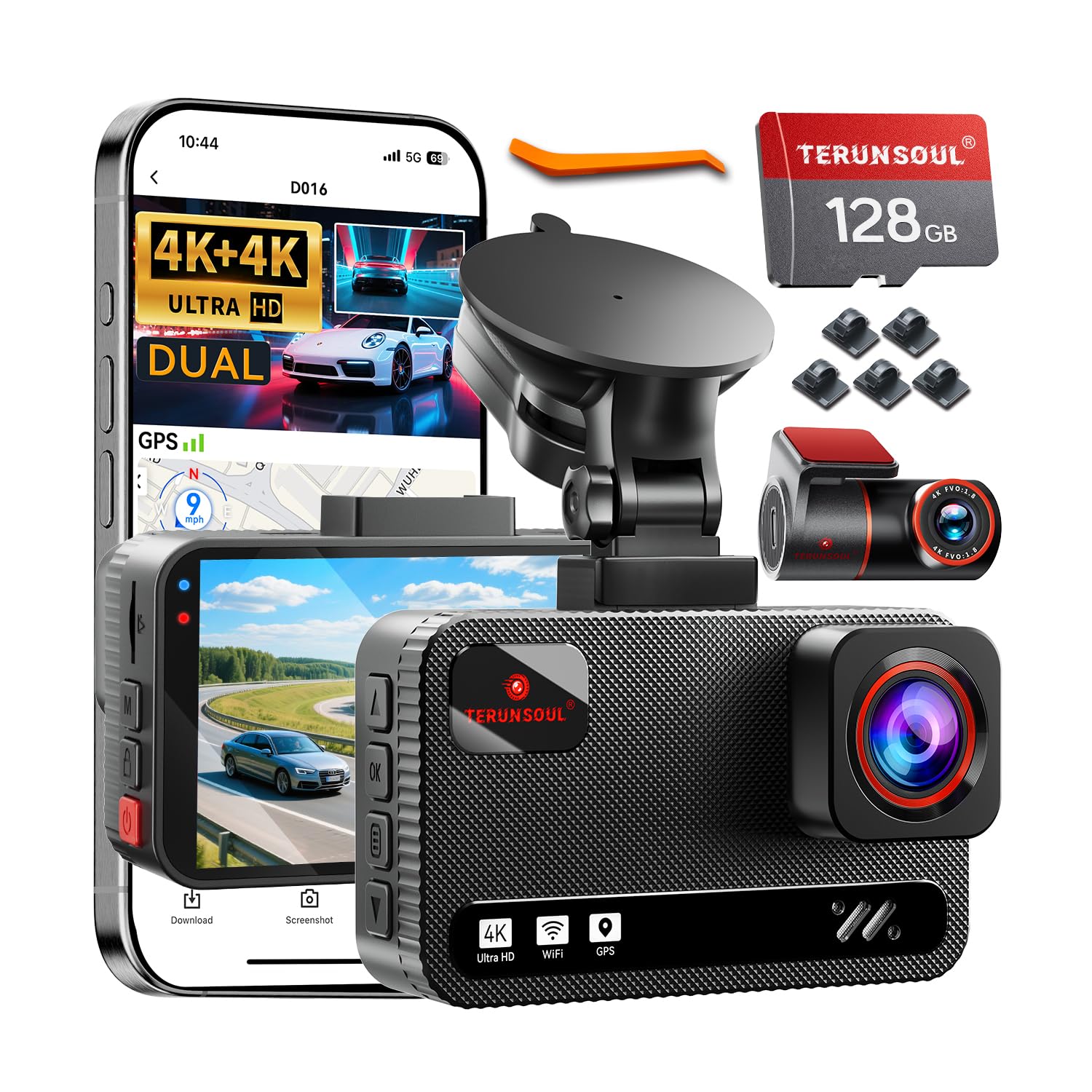
We recommend this dash cam if you want clear front and rear 4K video plus easy app control for everyday driving and parking monitoring.
Pros
- Very sharp front and rear video that shows plate details.
- Simple app and fast Wi‑Fi make downloads quick and painless.
- Helpful kit parts included so install feels complete.
Cons
- Parking mode needs a separate hardwire kit for full 24-hour use.
- The setup takes some time if you hide the rear cable neatly.
- Touchscreen is small compared to the rest of the hardware.
We installed this in our car and drove around town, on highways, and parked overnight. Daytime footage looked crisp and license plates were readable from a fair distance. The rear cam matched the front in clarity, which made reversing and incident review much easier.
Night drives surprised us. Starlight night vision and WDR did a good job balancing bright headlights and dark streets. You still see some glare in very bright oncoming lights, but the camera kept useful detail in low light.
Connecting to the app over the built‑in Wi‑Fi worked smoothly. We pulled clips to our phone in a minute and adjusted settings without removing the card. The included 128GB card and long rear cable helped speed installation, though tucking wires under trim takes patience.
Parking features felt solid for short stops, but we hardwired the unit for true 24‑hour monitoring. Without the hardwire kit, parking surveillance is limited. The unit seems well built and handled heat in long runs, but plan on spending time during initial setup for the neatest install.
FAIMEE F6 Dash Cam (4K+2K)
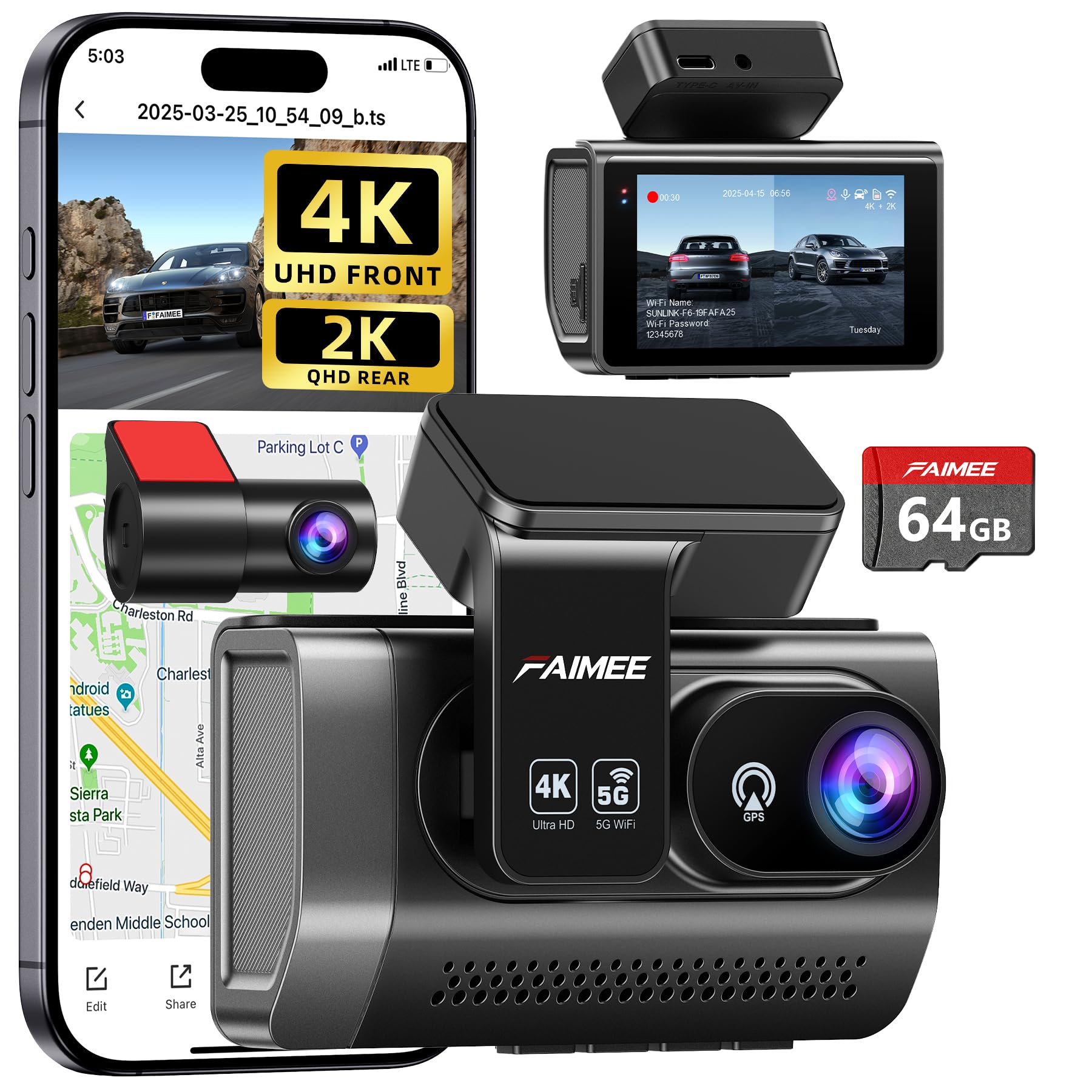
We recommend this dash cam if you want clear front and rear footage, reliable parking monitoring, and easy app access.
Pros
- Very sharp daytime and night video with wide coverage.
- Built-in GPS and stable dual-band Wi‑Fi make reviewing clips simple.
- Comes with a 64GB card and easy, discreet install.
Cons
- Parking mode needs a hardwire kit to run properly.
- Learning some settings in the app takes a little time.
- Stick-on mount may need re-seating over years.
We unboxed and mounted the FAIMEE F6 behind our mirror and drove around town. The 4K front footage picked up lane markings and license plates at distance more clearly than many cameras we’ve used. Night shots stayed balanced thanks to the wide aperture and WDR; bright headlights didn’t wash out the scene.
Setting up the rear camera was straightforward and the cable length fit our car without stretching. The app connected fast on both 2.4 GHz and 5.8 GHz, letting us view and download clips on the spot. GPS trace and speed overlay were handy when we wanted to check a route or verify an incident.
We tested parking mode briefly after wiring the unit, and impact-triggered clips saved correctly to protected folders. Keep in mind continuous 24/7 monitoring needs a hardwire kit and some cars may require professional wiring. Overall, the F6 felt durable and well thought out for daily drivers who want solid evidence and easy access to footage.
70mai T800E 3-Channel Dash Cam

We recommend this if you want a three-camera system with clear day/night video and easy app transfer.
Pros
- Very sharp 4K front footage that captures plate details.
- Interior IR that can be switched on for clear cabin video at night.
- Stable parking mode and G-sensor that lock event clips automatically.
Cons
- Hardwiring is needed for true 24/7 power, which adds cost and time.
- Installation can take longer in some cars because of routing the rear cable.
- No built-in 4G — remote live viewing isn’t available.
We put the T800E in our car and used it for daily drives and a few night trips. Front video looks crisp even in low light, and the HDR helps keep details from washing out. The interior camera gave clear clips with IR on, which mattered for rideshare trips.
Setting the unit up through the app felt modern and fast thanks to Wi‑Fi 6 — transfers were noticeably quicker than older models we’ve tried. GPS logging worked well for route and speed, and voice commands handled basic tasks without taking our hands off the wheel.
Parking mode recorded a minor bump in the lot and locked the clip automatically, which was reassuring. We did spend time tucking the rear cable and decided to hardwire for full-time parking surveillance; that step required extra parts and effort but paid off for continuous monitoring.
ROVE R2-4K Dual

We recommend this dash cam if you want sharp day and night video, easy app downloads, and reliable parking mode.
Pros
- Excellent low-light clarity from the Sony STARVIS 2 sensor.
- Fast 5GHz Wi‑Fi makes downloading clips to a phone quick and simple.
- Dual front and rear recording with GPS gives solid evidence for incidents.
Cons
- The unit can take a bit of time to tuck wiring neatly during install.
- Some advanced parking features need a hardwire kit sold separately.
- Menu and voice prompts felt a little wordy at first.
We installed the ROVE R2-4K in a mid-size SUV and used it for a week of city and highway driving. The front 4K footage looked very detailed, and the rear 1080p gave clear context during lane changes and close passes. Night recordings picked up street signs and license plates better than many other cams we’ve tried.
Pairing to the phone app on 5GHz was noticeably faster than older models. We grabbed a 30‑second clip and had it on our phone within seconds. The included 128GB card and GPS stamping meant we could review precise speed and route info right away without extra gear.
Routing the rear cable behind trim took patience, but the mounts held steady on rough roads. Parking mode worked as promised when we tested a simulated bump, though setting up 24/7 monitoring requires the hardwire kit. Voice prompts helped during setup but repeated more than we wanted while driving.
Overall, the ROVE feels sturdy and modern. We liked the supercapacitor build for heat resilience and the clear 3″ screen for quick checks. If you want sharp video and fast Wi‑Fi transfer and don’t mind a bit of wiring work, this is a strong choice.
Minolta MNCD370 Dash Cam
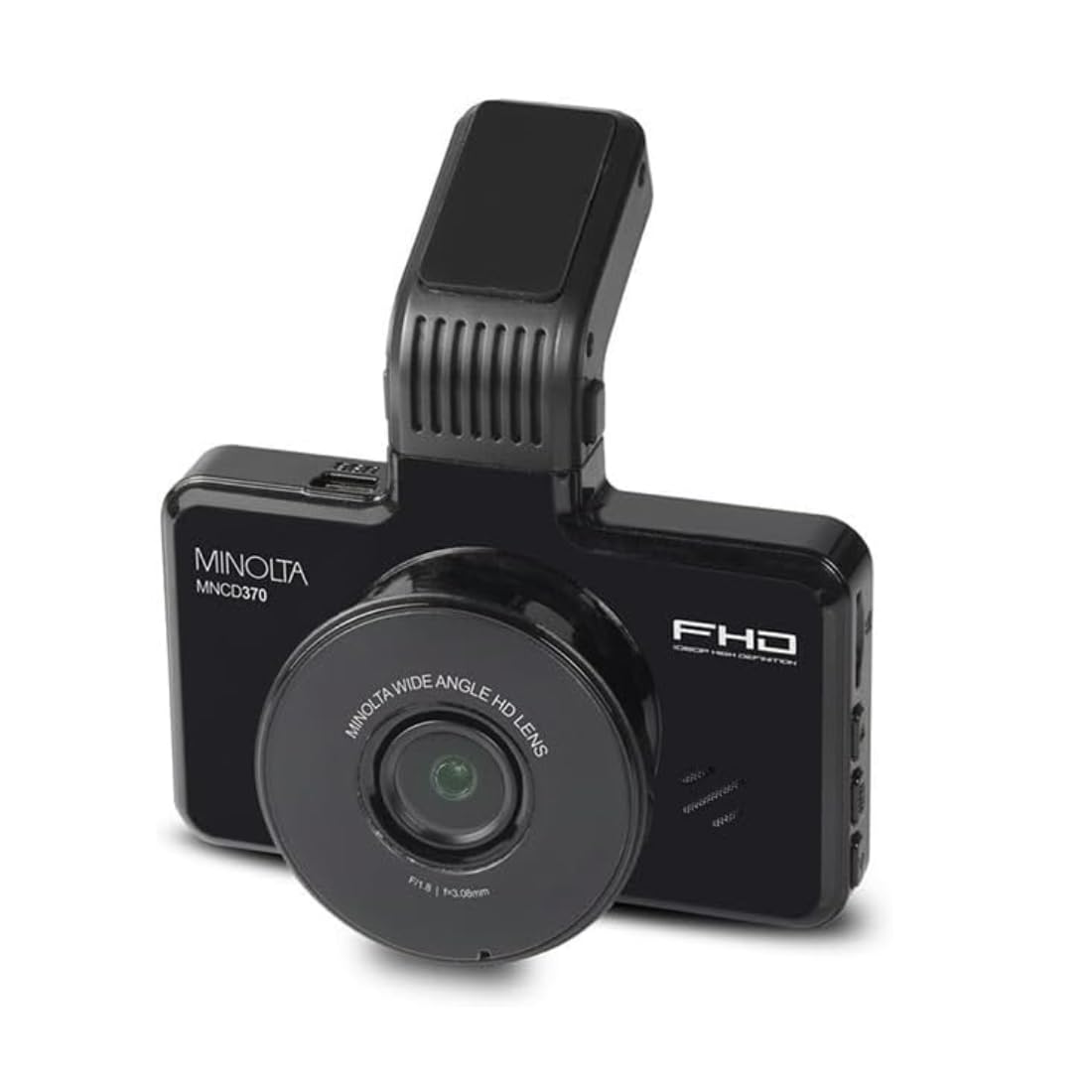
We would buy this only if we need a simple, budget dash cam with a clear screen and basic parking monitoring.
Pros
- Easy setup and a bright 3.0″ screen for quick playback.
- Wide 120° lens captures more of the road.
- Parking monitor and G-sensor lock important clips automatically.
Cons
- Build feels fragile — mounts and clips can break.
- Mixed quality control — some units arrive used or scratched.
- Limited support and short warranty service reported.
We installed the MNCD370 in a commuter car and liked how fast it started up. The screen made it simple to check clips without a phone. Adjusting angle with the swivel lens let us capture lanes and intersections clearly.
On the road the video was steady and good enough for everyday use. Loop recording and the G-sensor worked as promised, so we did not worry about losing incident footage. Parking monitor picked up motion when we left the vehicle in a lot overnight.
Mount durability worried us after a few installs. The windshield clip feels thin and can fail if you remove it often. We also saw units that looked worn or had scratched lenses, so inspect the box and parts right away.
This model fits drivers who want basic evidence footage and an easy display, but not those who need rugged hardware or premium build quality. If you decide to try it, check the seller’s return policy and test the unit before long-term use.
Buying Guide
We focus on practical factors to help you choose the right dash cam for your needs. Start by listing what matters most to you: video quality, reliability, and ease of use.
We look first at video resolution and frame rate. Higher resolution (1080p or above) captures more detail. A higher frame rate (60 fps vs 30 fps) helps with smooth motion, but it uses more storage.
We check sensor performance and low-light recording. A good sensor improves night footage. Look for features like HDR or wide dynamic range to handle bright and dark areas.
We consider field of view and mounting style. A wider angle covers more lanes but may distort edges. Choose a mount that stays stable and does not block your view.
We evaluate storage and power options. Support for large microSD cards and loop recording matters. Hardwiring or a low-voltage cutoff helps preserve your car battery for parked-mode recording.
We examine additional features that add value. Built-in GPS logs location and speed. Parking mode, motion detection, and impact sensors protect evidence when parked. Wi-Fi or app connectivity makes file transfer easier.
We weigh durability and warranties. A reliable build resists heat and vibration. Check for clear warranty terms and accessible customer support.
We balance price against the features we need. Prioritize core functions first, then add extras if budget allows. A focused list of must-haves helps us pick the best fit.
Editor’s Choice
We picked the Minolta Dash Cam X2 as our top choice for balanced performance and value. It records 1440p daytime video and 1080p at night, giving clear footage without overloading your storage.
We liked its 140° wide-angle lens for capturing multiple lanes and roadside details. The built-in GPS logs speed and route, and the G-sensor locks files automatically after a collision.
Key features at a glance:
- Resolution: 1440p front, 1080p night
- Field of view: 140°
- Storage: microSD up to 256 GB
- Extras: GPS, G-sensor, loop recording
Setup and use are simple. The menu is straightforward, and firmware updates install via microSD. Mounting is stable on most windshields.
Battery life is short, so we recommend hardwiring the unit for parking mode. When hardwired, it supports motion detection and will record while parked without draining the main battery.
Build quality feels solid for daily use. The screen is readable in sunlight, and the casing resists vibration noise. Replacement parts and mounts are easy to find.
Conclusion
We found the Minolta dash cam to be a practical choice for everyday driving needs. It records clear daytime footage and captures key events reliably.
The setup and menu were straightforward for most users. We liked the compact design and stable mounting, which kept the view steady on bumpy roads.
Battery life and low-light performance vary by model. We recommend checking specs and testing the unit in your own driving conditions before relying on it for long trips.
If you need quick access to clips, look for models with easy file transfer or a built-in Wi‑Fi app. Those features save time when sharing evidence or reviewing footage.
We suggest comparing models on resolution, field of view, storage limits, and warranty. Prioritize the features that match how you drive and where you park.
Key takeaways:
- Reliable daytime recording and simple setup.
- Check night performance and battery for your needs.
- Choose features like Wi‑Fi or parking mode if they matter to you.
FAQS
What models of Minolta dash cam do we cover?
We cover current and discontinued Minolta dash cam models commonly sold online and in stores. We focus on features like video quality, night vision, and parking mode.
How do we test video quality?
We record daytime and nighttime footage on city streets and highways. We compare resolution, frame rate, and clarity of license plates.
Does the dash cam support GPS and Wi‑Fi?
Many Minolta models include GPS and Wi‑Fi. We note which models have built‑in GPS, and whether Wi‑Fi works well for live view and file transfers.
How long do recordings last and how is storage handled?
Recording length depends on resolution and memory card size. We test loop recording, auto-overwrite, and compatibility with different microSD cards.
Can the dash cam run while the car is off?
Some models offer parking/low‑power modes. We check power draw, required hardwiring, and if motion or impact detection starts recording when parked.
How reliable is the warranty and support?
Warranty terms vary by seller and region. We report manufacturer warranty length and typical customer service experiences.
What accessories do we recommend?
We recommend quality microSD cards, hardwire kits for parking mode, and adhesive mounts. Each accessory choice depends on model and desired features.
How do we update firmware?
We download firmware from Minolta’s official site when available. We follow step‑by‑step instructions and note any risks or improvements.

