Keeping your car stereo clean improves audio performance and protects internal components from dust and grime. This guide walks you through safe, step-by-step cleaning methods using household items to maintain your system’s clarity and longevity.
Key Takeaways
- Turn off and unplug the stereo before cleaning to avoid electrical damage or short circuits.
- Use only soft, lint-free cloths and mild cleaners—harsh chemicals can damage screens and buttons.
- Compressed air removes dust from vents and crevices without touching sensitive parts.
- Clean the faceplate and display gently to prevent scratches on LCD or touchscreen surfaces.
- Regular maintenance every 3–6 months prevents buildup and ensures consistent sound quality.
- Avoid spraying liquids directly onto the unit; always apply cleaners to cloths first.
- Check manufacturer guidelines for model-specific care, especially for touchscreens or waterproof units.
Why Cleaning Your Car Stereo Matters
Your car stereo does more than play music—it’s the heart of your driving experience. Over time, dust, fingerprints, food crumbs, and moisture can build up on the faceplate, buttons, and vents. This not only looks messy but can also interfere with sound quality, button responsiveness, and even cause overheating. A clean stereo ensures clearer audio, smoother operation, and a longer lifespan for your investment. Whether you drive a compact hatchback or a luxury SUV, regular cleaning is a simple yet powerful way to protect your audio system.
In this guide, you’ll learn how to clean your car stereo safely and effectively—without risking damage. We’ll cover everything from basic dusting to deep-cleaning stubborn grime, using tools you likely already have at home. By following these steps, you’ll keep your stereo looking sharp and sounding crisp for years to come.
What You’ll Need
Before you begin, gather these supplies:
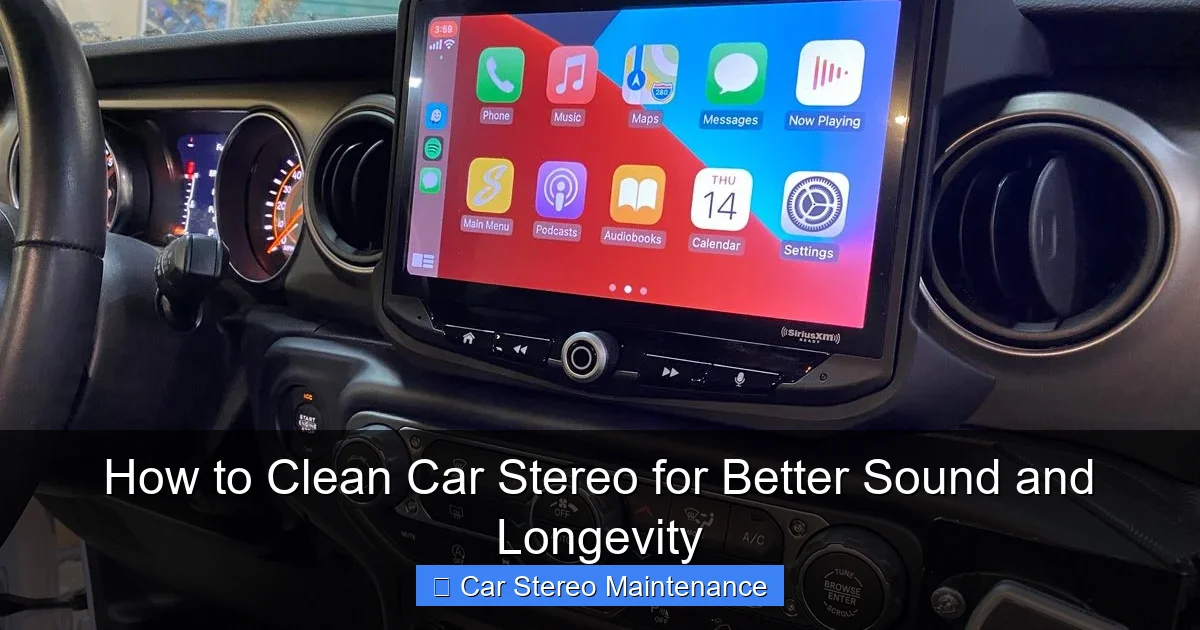
Visual guide about How to Clean Car Stereo for Better Sound and Longevity
Image source: audiolover.com
- Microfiber cloth (lint-free)
- Compressed air can (with narrow nozzle)
- Isopropyl alcohol (70% or less)
- Cotton swabs (Q-tips)
- Soft-bristled brush (like a clean makeup brush)
- Distilled water
- Mild dish soap (optional)
- Plastic prying tool or guitar pick (for removable faceplates)
Avoid using paper towels, glass cleaners, or abrasive sponges—they can scratch surfaces or leave lint behind.
Step 1: Power Down and Disconnect
Safety first! Always turn off your car and remove the key from the ignition before cleaning. If your stereo has a removable faceplate, take it off carefully. For built-in units, ensure the stereo is powered down to prevent accidental button presses or electrical issues.
How to Safely Remove a Faceplate
Many modern stereos have detachable faceplates for security. To remove one:
- Press the release button (usually on the side or bottom).
- Gently pull the faceplate straight out—don’t yank it.
- Store it in a clean, dry place away from direct sunlight.
If your stereo doesn’t have a removable faceplate, skip to Step 2.
Step 2: Dust Off the Surface
Dust is the enemy of electronics. It clogs vents, settles into buttons, and can even affect internal components over time. Start by giving your stereo a gentle dusting.
Use Compressed Air for Hard-to-Reach Areas
Hold the can upright and spray short bursts into the vents, button gaps, and CD/DVD slots. Keep the nozzle at least 6 inches away to avoid moisture buildup. Never shake the can while spraying—this can release liquid propellant that may damage circuits.
Brush Away Loose Debris
Use a soft-bristled brush to sweep dust off the faceplate and around knobs. This is especially helpful for stereos with textured surfaces or recessed buttons. Be gentle—no need to press hard.
Step 3: Clean the Faceplate and Display
The display and faceplate are the most visible parts of your stereo. Fingerprints, smudges, and grime can dull the screen and make buttons hard to read.
Prepare a Safe Cleaning Solution
Mix a few drops of mild dish soap with distilled water, or use isopropyl alcohol diluted with equal parts water. Never use undiluted alcohol—it can strip protective coatings.
Wipe Gently with a Microfiber Cloth
Dampen a corner of the microfiber cloth with your cleaning solution. Wring it out so it’s just slightly moist—never dripping. Wipe the screen and faceplate in gentle, circular motions. For touchscreens, avoid pressing too hard to prevent damage to the digitizer.
Tackle Stubborn Spots with Cotton Swabs
Dip a cotton swab in the cleaning solution and carefully clean around buttons, knobs, and edges. This helps remove grime that cloths can’t reach. Let the area air-dry completely before reassembling.
Step 4: Clean Removable Faceplates (If Applicable)
If you removed the faceplate, give it extra attention. These parts are often handled frequently and can accumulate oils and dirt.
Hand-Wash with Mild Soap
Fill a bowl with lukewarm water and a drop of dish soap. Submerge the faceplate and gently scrub with a soft cloth. Avoid submerging any electronic components—only clean the outer surface.
Rinse and Dry Thoroughly
Rinse with distilled water to remove soap residue, then pat dry with a clean microfiber cloth. Let it air-dry completely for at least 30 minutes before reattaching. Never use a hairdryer or heat source—this can warp plastic.
Step 5: Clean the Stereo Housing and Surrounding Area
Dirt doesn’t just stay on the stereo—it spreads to the dashboard and trim. A clean environment helps keep your stereo cleaner longer.
Wipe Down the Dashboard
Use a slightly damp microfiber cloth to clean the area around the stereo. This removes dust that could settle back onto the unit. For sticky residues, use a dab of isopropyl alcohol on a cloth—never spray directly.
Vacuum Loose Debris
Use a handheld vacuum with a soft brush attachment to suck up crumbs and dust from the stereo slot and surrounding vents. This prevents debris from falling into the stereo when you drive.
Step 6: Reassemble and Test
Once everything is dry, reattach the faceplate (if removed) and turn on your car. Test all functions—buttons, knobs, screen responsiveness, and sound output. If something feels off, double-check connections and ensure no moisture is trapped inside.
Troubleshooting Common Issues
Even with careful cleaning, problems can arise. Here’s how to handle common issues:
Stereo Won’t Turn On After Cleaning
This usually means the unit isn’t properly reconnected. Check the faceplate connection and ensure the car is turned on. If it still doesn’t work, consult your owner’s manual or a professional.
Buttons Feel Sticky or Unresponsive
Residue from cleaning solutions can cause this. Use a dry cotton swab to gently clean around the buttons. If the issue persists, the buttons may need professional servicing.
Screen Has Streaks or Haze
This happens when too much liquid is used. Buff the screen with a dry microfiber cloth in circular motions. For persistent haze, use a screen-safe cleaner designed for electronics.
Unusual Sounds or Static
If your audio quality drops after cleaning, dust may have been pushed deeper into the unit. Use compressed air again, or consider a professional cleaning if the problem continues.
How Often Should You Clean Your Car Stereo?
For most drivers, cleaning every 3 to 6 months is sufficient. However, if you:
- Eat or drink in the car often
- Live in a dusty or humid climate
- Have pets that shed
- Use your stereo heavily
…you may need to clean it more frequently—perhaps every 4–6 weeks. Regular maintenance prevents buildup and keeps your system running smoothly.
Pro Tips for Long-Term Care
- Use a screen protector on touchscreen stereos to reduce fingerprints and scratches.
- Keep drinks in sealed containers to avoid spills near the stereo.
- Avoid touching the screen with wet or greasy fingers—use buttons or voice commands when possible.
- Park in the shade or use a sunshade to reduce heat and UV damage to the display.
- Upgrade to a dust cover if your stereo has an exposed CD slot or auxiliary port.
Conclusion
Cleaning your car stereo isn’t just about aesthetics—it’s a vital part of maintaining sound quality and protecting your investment. With the right tools and techniques, it’s a quick and easy task that pays off in better performance and longer life. By following this guide, you’ll keep your stereo looking new and sounding great, no matter how many miles you drive.
Remember: gentle care goes a long way. Avoid harsh chemicals, excessive moisture, and rough handling. When in doubt, consult your stereo’s manual or a professional. A clean stereo isn’t just a pleasure to use—it’s a sign of a well-maintained vehicle. So grab your microfiber cloth and give your car’s audio system the TLC it deserves.

