Fleet dash cams with GPS give managers video of trips and exact location data for every mile driven. They record road incidents, driver behavior, and route history so fleets can improve safety, lower costs, and verify deliveries. A good fleet dash cam with GPS combines clear daytime and nighttime video, reliable satellite tracking, and easy access to footage and location logs.
When choosing a unit, pay attention to video resolution, night-vision performance, GPS accuracy, storage options, cloud access, and ease of installation and retrieval. Connectivity matters too: LTE-enabled cams let us get live location and uploads, while simpler models rely on manual downloads. We tested multiple systems to find the models that balance video quality, tracking reliability, and fleet-friendly features to help fleets pick the right setup.
Best Fleet Dash Cams with GPS
Below is our full list of the best fleet dash cams with GPS. We selected models that track location, record clear video, and help improve driver safety. Use this list to compare features, reliability, and value for fleet use.
ROVE R2-4K Dual

We recommend this dash cam if you want sharp 4K front footage, reliable GPS data, and fast Wi‑Fi for easy downloads.
Pros
- Very clear daytime and night video thanks to the Sony STARVIS 2 sensor.
- Built‑in GPS records speed and route right on the clips.
- Fast 5GHz Wi‑Fi makes downloading clips to our phone quick.
Cons
- Suction mount can lose grip if not installed carefully.
- App can be a bit clunky on first setup.
- Rear cable routing takes time to tuck neatly.
We tested this unit on city streets and highway runs. The front 4K image showed fine detail at 30 fps, and the rear 1080p gave useful context for lane changes and cars behind us. Low‑light shots looked brighter than many cams we’ve used.
The GPS stamps proved handy when we needed exact location and speed for a delivery log. Playing videos with the GPS player on a laptop gave a clear map trace of the route. We liked that the 128GB card arrived in the box so we could start recording right away.
Using the app felt fast once connected; the 5G Wi‑Fi really speeds downloads compared with older models we owned. Expect a little trial-and-error pairing the first time and a few firmware updates via the app.
Mounting took a few extra minutes. The suction cup holds well when the glass is clean and the mount is pressed firmly, but we rechecked it after long hot days. The long rear cable reached our truck’s back window, but hiding it neatly under trim required patience.
Overall, the ROVE R2‑4K Dual balances excellent video and GPS features for fleet use, with a few small setup annoyances that we could live with.
The Eagle – Global View
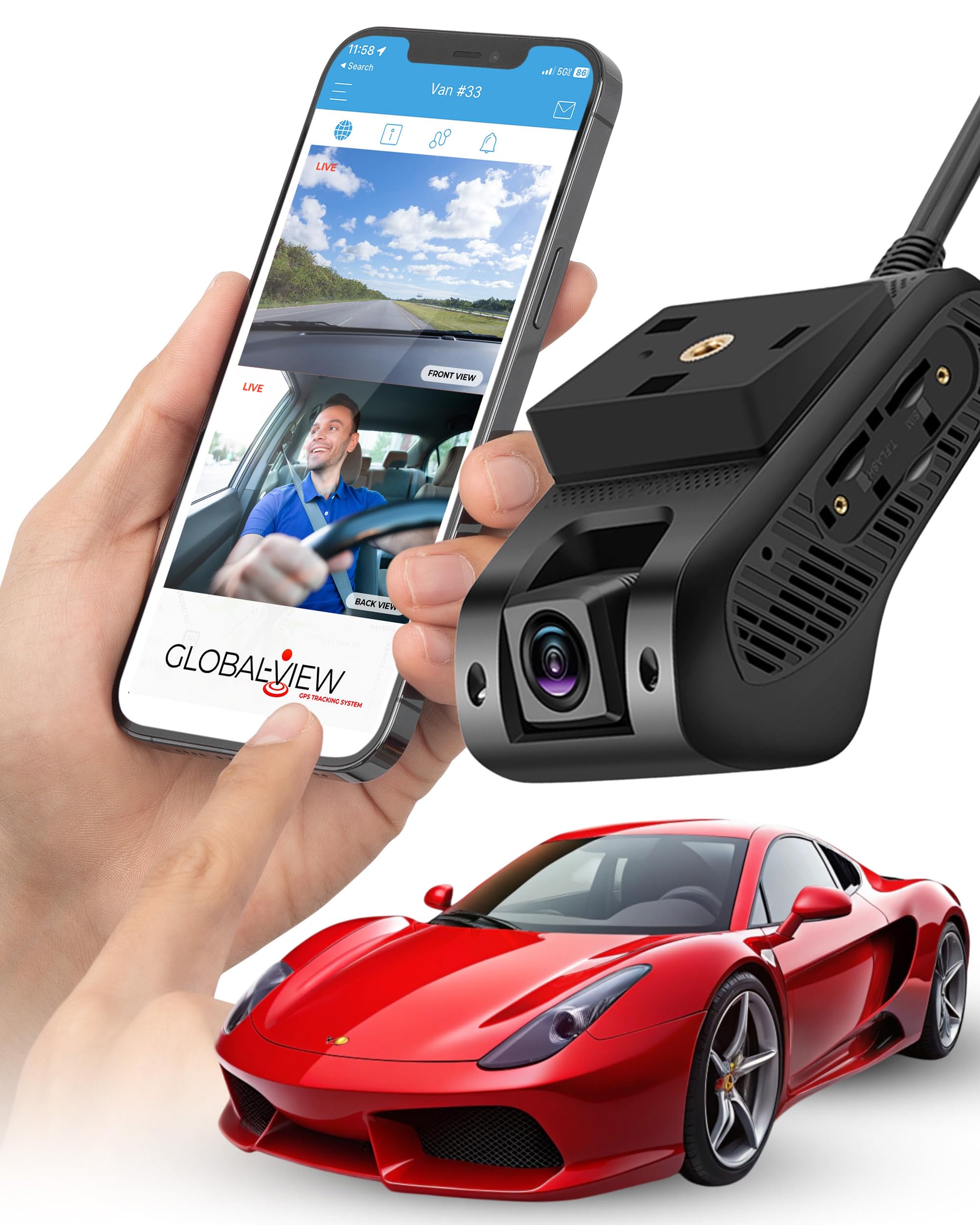
We recommend this if you want live streaming and GPS in a ready-to-install fleet dash cam and are okay with a monthly data fee.
Pros
- Live 4G streaming and real-time GPS make tracking simple.
- Dual front and cabin cameras capture useful angles.
- All-in-one kit includes wiring, bracket, and a 64GB card.
Cons
- Monthly subscription adds ongoing cost.
- iOS live streaming is not fully finished yet.
- Installation wiring may take time for larger fleets.
We installed The Eagle on a company van and started streaming within an hour. The app gave live video and location on our phones and desktop without fuss, and the footage looked clear in daytime drives.
We tested events and saw automatic one-minute uploads to the cloud after incidents. That saved us from digging through local files, and the included SD card backed up recordings reliably.
We noticed the iPhone streaming felt limited compared with Android, so we relied more on laptops and Android devices during checks. For fleets that need constant live views, the subscription and occasional app quirks are the trade-offs.
Overall, the unit feels rugged and complete; the adhesive mount and tamper cover stayed secure through daily use. If you want a full-featured, trackable dash cam and accept the monthly plan, this one works well for fleet needs.
TERUNSOUl 4K Fleet Dash Cam

We recommend this unit if you want wide coverage, GPS tracking, and easy app access for fleet use.
Pros
- Very clear 4K front footage and useful cabin/rear views.
- Built-in GPS embeds speed and route data into video.
- Easy app transfer over 5.8GHz WiFi and simple install.
Cons
- Parking mode needs a separate hardwire kit.
- App can be slow on older phones during large downloads.
- Mount and cable routing take time to hide neatly.
We put this dash cam in a work van and used it on city and highway runs. The front 4K video shows plate numbers and signs clearly during the day. The cabin and rear cameras filled blind spots and made incident review much easier.
We liked the GPS logging because it stamps speed and location directly into the files. Playing back footage with the GPS player made trip reconstruction straightforward when we checked routes. The 128GB card that comes installed handled a week of regular driving before looping.
Setup felt familiar and fast. The screen and menus are intuitive, and the app lets us pull clips without removing the card. Transferring long 4K files is quick on modern phones, but older devices struggled with big downloads.
Night vision surprised us with usable detail on dim roads, though low-light distant objects became grainy. For overnight parking surveillance you must buy and wire a hardwire kit to get true 24/7 monitoring. Overall, this is a solid fleet option that balances image quality, GPS proof, and app convenience.
70mai A810 Lite 4K

We recommend this if you want high-res front and rear footage plus remote GPS access for fleet tracking.
Pros
- Sharp 4K front video that picks up plates and signs.
- 4G remote access and GPS let us check location and live view from anywhere.
- Reliable parking mode and supercapacitor reduce heat/battery worries.
Cons
- 4G features need an extra hardwire kit and data plan.
- App sometimes feels slow when loading clips over Wi‑Fi.
- Cable routing and adhesive can be fiddly on some vehicles.
We installed the unit across several vehicles and liked the clear daytime footage right away. The front 4K image showed plate details we could read at a distance, and the rear unit caught close-up events reliably.
Night recordings improved over older models. HDR and the large aperture cut headlight glare, so we saw more detail in tunnels and at dusk. Low-light frames still get a bit soft, but usable for incidents.
Setting up the 4G and GPS took extra parts and time. Once on the network, live view and tracking worked well for parked vehicles, but activating that capability requires buying the hardwire kit and managing a SIM plan.
The app makes clip transfer simple on Wi‑Fi 6 when it works, and the built-in 64GB card handled loop recording without a hitch. We did notice occasional slowdowns when previewing long videos on the phone.
Overall, the A810 Lite fits fleet needs where evidence quality and remote tracking matter, as long as you plan for the extra hardware and data costs.
70mai T800E 4K Triple-Cam Dash Cam

We recommend this if you want full 3-camera coverage with reliable GPS tracking and solid night performance.
Pros
- Very clear 4K front video and sharp interior/rear shots.
- Built-in GPS gives precise speed and route data.
- Fast Wi‑Fi transfers and easy app control.
Cons
- App can be a bit clumsy when moving large files.
- True 3-channel setup needs careful cable routing to hide wires.
- No 4G option for live remote viewing.
We installed the T800E in a fleet vehicle and used it across city shifts and longer highway runs. The front 4K image captured license plates at distance, and the interior IR made passenger-area clips readable at night. GPS stamps felt accurate when we checked routes against our logs.
Connecting to the app via Wi‑Fi 6 sped up downloads compared to older cams, which saved time when pulling clips after trips. Voice commands worked well for locking files hands‑free, though moving large 4K clips to a phone still took patience. The included 64GB card was fine for daily use, but we swapped in a larger card for longer runs.
Parking mode and the G‑sensor locked events reliably after impacts during our tests. Installation was straightforward if you have basic routing skills; expect to tuck the interior camera and rear cable neatly to keep the cabin tidy. Overall, this unit felt solid, dependable, and suited for drivers who need complete coverage and GPS tracking.
Affver A4 4K Dual Dash Cam
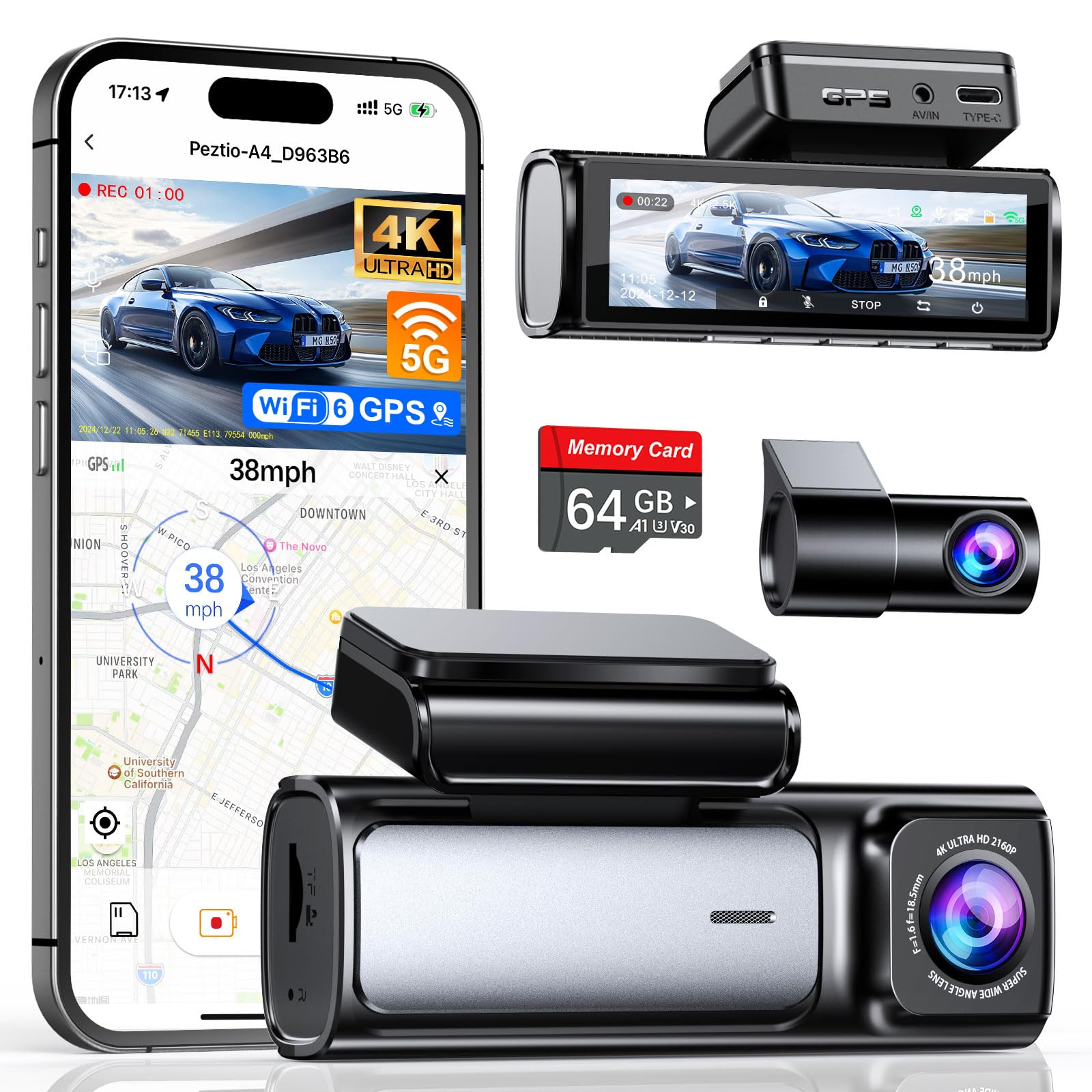
We recommend this if you want sharp front-and-rear video, fast Wi‑Fi transfers, and built‑in GPS for fleet tracking.
Pros
- Excellent image clarity front and rear, useful for incident detail.
- Faster 5GHz Wi‑Fi 6 makes grabbing clips from the app quicker.
- Built‑in GPS and long parking mode add real-world tracking and off‑hours coverage.
Cons
- App can be a bit flaky at times when connecting.
- Rear camera wiring is fiddly in tight cab layouts.
- Hardwire kit for 24‑hour mode is sold separately.
We mounted the A4 on a fleet van for a week and liked the front 4K footage right away. License plates and lane details stood out even in heavy traffic. The rear 2.5K upgrade improved clarity for low‑speed incidents behind the vehicle.
We used the app to pull a 4K clip and noticed transfers were noticeably faster than older models. Wi‑Fi 6 made the phone download feel less painful, though the app sometimes dropped the connection and required a retry.
We ran parking mode overnight after hardwiring one vehicle and it captured a bump with the G‑sensor lock intact. Installing the rear camera took patience in one truck with a crowded headliner, so plan a little extra time for tidy routing.
Vantrue S1 Pro
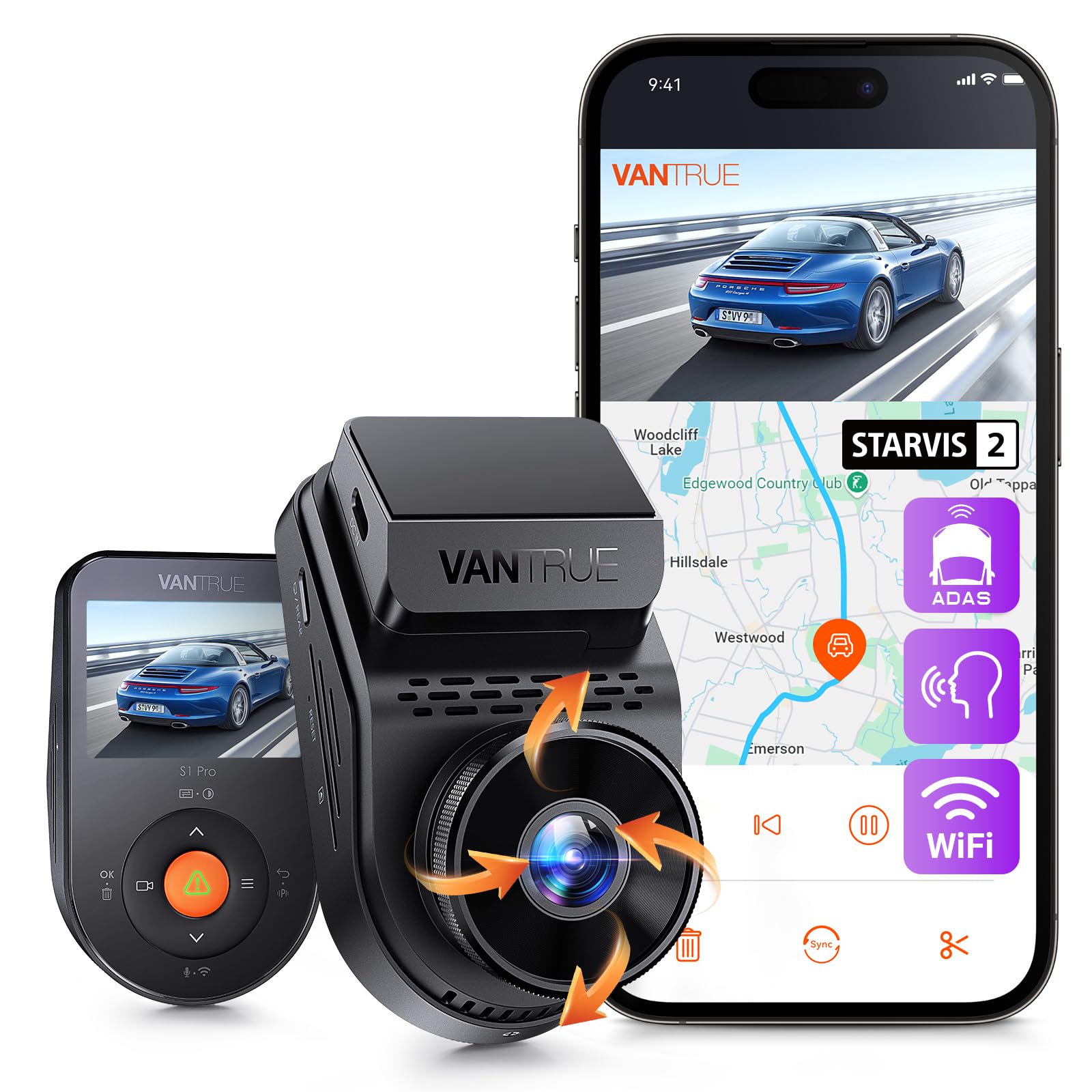
We recommend this if you want sharp day/night video, reliable GPS logging, and a small camera that stays out of sight.
Pros
- Excellent night clarity and plate detail.
- Built-in GPS records speed and route automatically.
- Compact, magnetic mount makes install quick.
Cons
- Many safety alerts are on by default and require the app to turn off.
- Parking mode needs a hardwire kit for full 24/7 protection.
- Wi‑Fi pairing can be confusing at first.
We mounted the S1 Pro behind our rearview mirror and barely noticed it after the first drive. The video looked noticeably cleaner than older cameras we’ve used, especially on dim streets and at tunnels.
The GPS tagging saved us time when reviewing trips. We could see exact locations and speed on playback, which helped sort a close-call incident with clear timestamps.
Setting up the app took patience. Several alerts were enabled by default and the Wi‑Fi connection to our phone wasn’t obvious until we toggled settings in the app.
Parking mode gave us extra peace of mind once wired in. The pre-buffer feature captured the moments before a bump, which proved useful during a minor lot hit we reviewed later.
Overall, the S1 Pro felt like a solid upgrade for fleet use where clear footage and GPS data matter; expect a short learning curve on app settings and plan to buy a hardwire kit for full parking coverage.
FAIMEE F9 3‑Channel Dash Cam
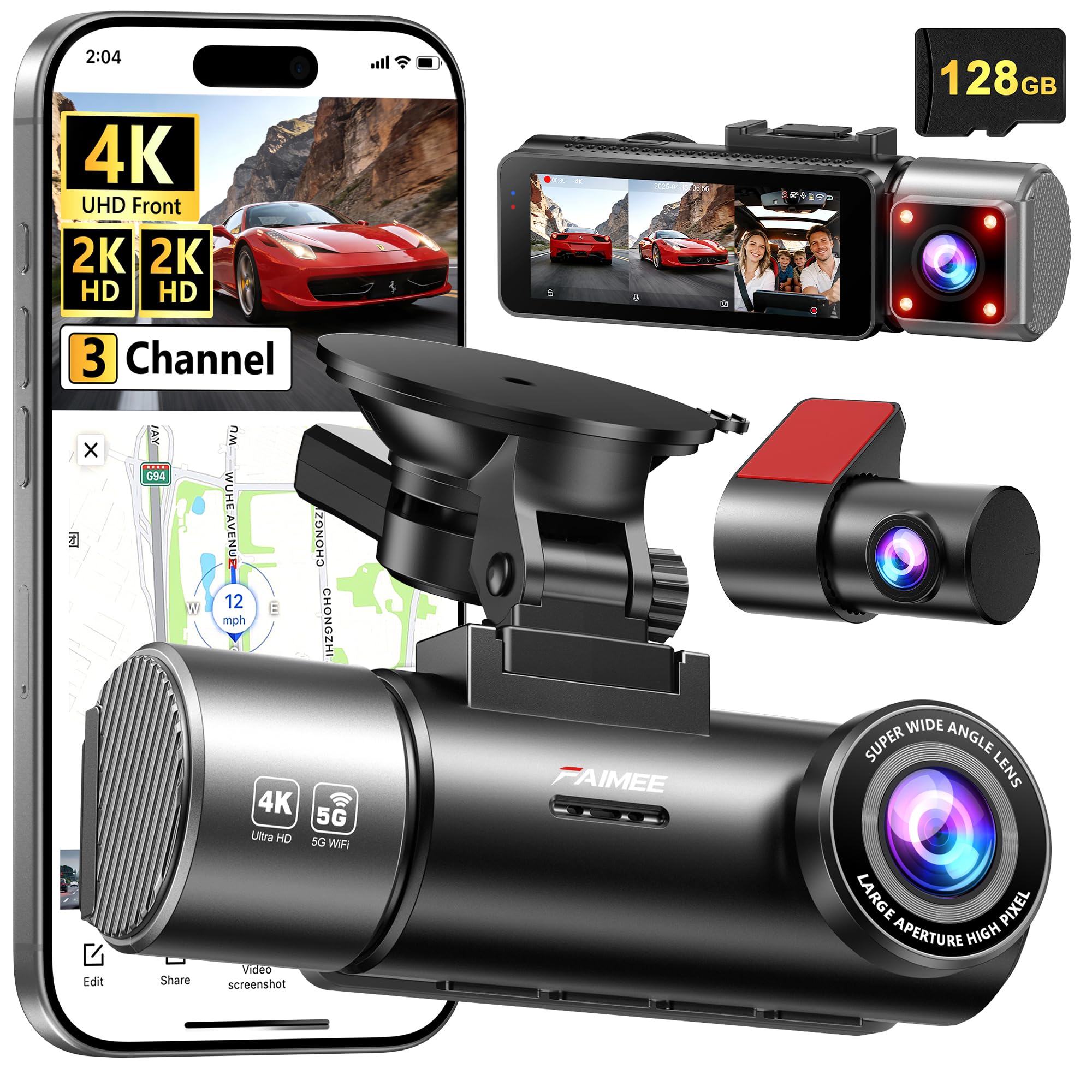
We recommend this unit when you want detailed video, GPS tracking, and easy app access for fleet or business use.
Pros
- Very clear day and night video across front, cabin, and rear.
- Built-in GPS logs routes and speeds for incident review.
- App and dual-band Wi‑Fi make quick downloads and live view easy.
Cons
- Setup needs fiddly cable routing and optional hardwire kit for 24/7 parking.
- Menu and settings took us a little time to learn.
- Bulkier dashboard footprint than single lens cams.
We used the F9 on mixed city and highway routes for several weeks. The 4K front feed picked out license plates at distance, and the cabin and rear 2K cameras covered blind spots well. Night footage stayed usable thanks to the wide aperture and WDR.
Pairing to the FAIMEE app via 5.8G and 2.4G Wi‑Fi worked reliably. We pulled clips to our phones in minutes, and the GPS breadcrumb trail loaded on Google Maps for a clear replay of each trip. That saved us time when double-checking route details.
Installing on a fleet vehicle taught us patience. The mount and included cable are solid, but neat hardwiring for parking mode requires extra parts. Once wired, the G‑sensor and loop recording gave us continuous protection and locked collision clips when needed.
Overall, we found the F9 balanced image quality and useful fleet features without a steep learning curve. For teams that need GPS-verified footage and easy phone access, this dash cam performed like a pro.
REDTIGER F7N Touch

We recommend this dash cam if you want crisp 4K front footage, reliable GPS tracking, and easy smartphone access for fleet use.
Pros
- Very clear daytime and usable night video from the STARVIS 2 sensor.
- Built-in GPS logs routes and speeds for fleet tracking.
- Fast 5.8GHz Wi‑Fi and touch screen make reviewing clips simple.
Cons
- Rear cable is long and needs careful routing on larger vehicles.
- Parking mode requires a separate hardwire kit to run 24/7.
- Touchscreen menus can be a bit fussy at times.
We mounted the F7N Touch across several vehicles and found setup straightforward. The suction mount held well, and hiding the long rear cable took a few extra minutes on vans and trucks.
Recording quality impressed us more than other cameras in this price range. The front 4K files show plate-level detail at medium distances, and the rear 1080p view captured lane changes clearly. Night footage is better than average, though very dark scenes still lose fine detail.
The GPS worked exactly as promised. We checked routes against phone maps and the speed data matched. For fleet reporting, the 5.8GHz Wi‑Fi made downloads quick when drivers stopped, saving time during daily checks.
Voice control and the touchscreen sped up routine tasks. Drivers liked locking incident clips with one press or voice command. We did see occasional menu lag, but it did not block normal use.
Parking monitoring gave us useful event captures after adding a hardwire kit. Without that kit, the parking features remain limited. Customer support responded when we had setup questions and the included 128GB card was handy for immediate use.
Overall, we found the REDTIGER F7N Touch to be a solid option for small fleets that need clear video, route logging, and easy clip access.
JOINLGO Fleet DVR Kit

We recommend this kit if you need rugged, 4-channel recording with GPS and remote viewing, but expect a learning curve and occasional connectivity quirks.
Pros
- Durable metal build and water-resistant cameras that feel commercial-grade.
- GPS + 4G/Wi‑Fi lets us view live feed and track routes remotely.
- Long delay recording and event locking protect footage after shutdown.
Cons
- App and remote access can be flaky; location errors showed up for us.
- Installation takes time and some wiring skill; connectors are tight.
- Some units arrived with screen or camera issues in reviews, so check on delivery.
We set this up on a work van and liked how solid the hardware felt. The aluminum DVR and full‑metal cameras gave us confidence, and night vision actually captured usable detail.
Live view worked from our phone and PC after we spent time pairing the 4G and Wi‑Fi. GPS data showed up in video files so route history matched incidents we reviewed.
Recording runs in a loop and the delayed shutdown kept footage after the engine stopped. The G‑sensor and alarm inputs saved key clips when the vehicle jolted.
App reliability was the weakest part for us. At times the app showed a wrong location and blocked access until we restarted the unit or the phone app.
Wiring the 4‑pin aviation connectors felt secure once done, but expect a longer install than a plug‑and‑play camera. We recommend professional install if you want clean routing and guaranteed triggers.
Overall, this is a good value for fleets that need four‑channel GPS recording and remote access, provided you plan for a careful install and patience with the app.
Buying Guide
We look for dash cams that record clear video and log accurate GPS data. Clear video helps prove events; GPS shows location, speed, and route for each clip.
We check resolution and frame rate first. Higher resolution (1080p or more) and at least 30 fps reduce blur. Night vision or low-light performance matters for early morning or night driving.
We value reliable GPS accuracy. The unit should timestamp and geo-tag each file. That lets us map routes and verify speed and location during incidents.
We consider storage and file management. Loop recording with overwrite is essential. Look for support for large microSD cards and easy file locking for incident clips.
We pay attention to mounting and power options. A steady mount reduces vibration; hardwiring or a reliable 12V adapter keeps the cam powered continuously. Parking mode can record while the vehicle is off.
We assess connectivity and data access. Wi‑Fi or Bluetooth helps download clips quickly. Cloud upload can be useful for fleet oversight, but check data costs and privacy.
We compare build quality and warranty. A rugged case and good heat tolerance increase longevity. A clear warranty and responsive support matter for fleets.
We list must-have features:
- Video: 1080p+ resolution, 30+ fps
- GPS: Accurate logging and timestamping
- Storage: Loop recording, large card support
- Power: Hardwire option, parking mode
- Connectivity: Wi‑Fi/Bluetooth or cloud upload
- Durability: Heat tolerance and warranty
Editor’s Choice
We picked the fleet dash cam with GPS that balances reliability, ease of use, and clear evidence capture. It records in good resolution, logs exact GPS location, and has stable uploads to cloud storage for fast access.
Key strengths:
- Video quality: Sharp daytime and acceptable low-light performance.
- GPS tracking: Accurate route and speed logs tied to each clip.
- Fleet features: Centralized management, driver ID tagging, and tamper alerts.
We liked the mounting options and simple wiring kit that cut install time. The mobile and web apps are straightforward, so managers can review incidents without training.
Price and subscription details vary, so we compared plans for storage limits and collision detection tools. We favored the plan that includes automatic upload and 30–90 days of retention at a fair monthly cost.
If you need more than one camera per vehicle, this model scales well. It supports dual-channel recording and pairs with aftermarket sensors for richer data.
Conclusion
We recommend fleet dash cams with GPS for firms that want clearer records and better route oversight. They give time-stamped video, location data, and speed info that help with incident reviews and driver coaching.
Installing GPS-capable dash cams helps us cut dispute time and improves accountability. We can track routes, verify delivery times, and spot unsafe driving patterns quickly.
We should weigh data storage, privacy rules, and connectivity needs when choosing a system. Cloud plans, local SD backups, and retention limits all affect cost and compliance.
Key features to prioritize:
- Reliable video quality (day/night)
- Accurate GPS and timestamping
- Secure data transfer and storage
- Easy playback and reporting tools
We find that proper training and clear policies make technology work better. Drivers must know how recordings are used and how to handle footage requests.
We view GPS dash cams as tools that support safety and operations. When matched to clear policies, they help teams make smarter decisions with solid evidence.
FAQS
What does GPS add to a fleet dash cam?
We get real-time location, speed, and route history from GPS. This helps with route verification, driver coaching, and proving where a vehicle was at a given time.
How do we store and access GPS data?
GPS data can store on local SD cards, onboard hard drives, or cloud servers. We can access it via a web portal or mobile app that shows maps, timestamps, and linked video.
Is the GPS data accurate enough for legal use?
GPS is generally accurate to within a few meters in open areas. We should avoid relying on GPS alone; combine it with video and other logs for stronger evidence.
How does GPS affect driver privacy?
We must set clear policies on when and how we track vehicles. Inform drivers and limit access to essential personnel only.
What about network and power requirements?
Cloud features need cellular or Wi‑Fi and a data plan. Dash cams require stable power; we often use hardwiring kits or vehicle power modules.
Can GPS data improve fleet efficiency?
Yes. We analyze routes, idle time, and speed to cut fuel use and plan better schedules. Many fleets see measurable gains from GPS-enabled dash cams.
How secure is the data?
We expect encryption in transit and at rest, plus role-based access controls. Choose vendors who publish security practices and comply with relevant regulations.

