Parking-mode dash cams record while your car is parked to capture hit-and-runs, vandalism, and suspicious activity. They range from simple motion-triggered cameras to hardwired systems that monitor impact, motion, and even parking lot time lapses. We look at full-time solutions and budget options so you can pick a setup that fits your habits and how often you park in public or unattended places.
The key things to check are power method, video quality, and event detection. Hardwiring gives constant protection without draining the battery, higher resolution and good low-light performance make footage useful to police and insurers, and reliable motion or G-sensor triggers reduce wasted footage and false alarms. We tested and compared models across those factors to find dash cams that protect your car without wasting space or power.
Best Parking Mode Dash Cams
Below is our full list of the best parking mode dash cams. We tested models that protect your car while it’s parked, focusing on recording quality, motion and impact detection, and power options. Use our picks to find a reliable unit that fits your needs and budget.
ROVE R2-4K Dual

We recommend this if you want sharp 4K front footage, reliable parking mode, and easy phone downloads.
Pros
- Very clear daytime and low-light video from the Sony STARVIS 2 sensor.
- Fast 5G Wi‑Fi makes grabbing clips on our phone quick.
- Three parking mode options catch motion and collisions while parked.
Cons
- Hardwire kit for true 24/7 parking mode is sold separately.
- The rear camera cable can be tricky to route neatly in some cars.
- Voice alerts and onscreen prompts can be loud if you want silence.
We mounted this on our windshield and found setup quick. The front camera delivers excellent detail; license plates and street signs read clearly in daylight. Night footage looked bright and usable, and the Sony sensor made shadows less noisy.
Using the app felt modern and fast. We could download clips to our phone in seconds and review GPS-stamped routes. That saved us time when we needed to pull a clip for insurance or to share a moment.
Parking mode worked as promised once we hardwired the unit. Motion and collision events recorded automatically and the camera locked the files so we didn’t lose important evidence. The unit gave a voice alert at next startup to tell us an event happened while parked.
We noticed the suction and sticky mounts hold well on clean glass, but hiding the long rear extension took a bit of patience. Overall, this unit felt like a step up from basic dash cams if you want 4K front video and reliable parked-car protection.
REDTIGER F7NP 4K Dash Cam

We recommend this if you want strong day/night video, reliable parking mode, and easy phone access to clips.
Pros
- Very clear front 4K footage and decent rear coverage.
- Reliable parking protection with time-lapse and G-sensor locking.
- Fast 5.8GHz Wi-Fi makes downloading clips quick.
Cons
- Hardwire kit required for full 24/7 parking use.
- App can be flaky sometimes during live preview or downloads.
- Suction GPS mount needs careful placement to avoid sun glare.
We installed the REDTIGER F7NP and ran it for a few weeks around town and on a couple of long trips. The front camera captures fine detail like license plates at distance during daylight. Night footage stayed surprisingly usable thanks to the STARVIS 2 sensor and wide aperture.
Parking mode worked as advertised when we tested it with a gentle bump and with long, slow time-lapse recordings overnight. The G-sensor locked the collision clips automatically, which gave us confidence that an incident would be saved even if the loop filled up.
Using the Redtiger Cam app felt fast most of the time; downloads via 5.8GHz Wi‑Fi made grabbing a clip painless. We did see the app lose connection now and then during live preview, but reconnecting fixed it quickly.
Installation was straightforward if you follow the guide and tuck the rear cable along trim. We recommend buying the hardwire kit if you plan to rely on parking mode often. The supercapacitor handled heat better than battery units in our hot-day tests.
Overall, this dash cam focused on practical reliability and image quality, and it delivered what we needed for daily driving and overnight protection.
E-YEEGER GT830 4K Dash Cam
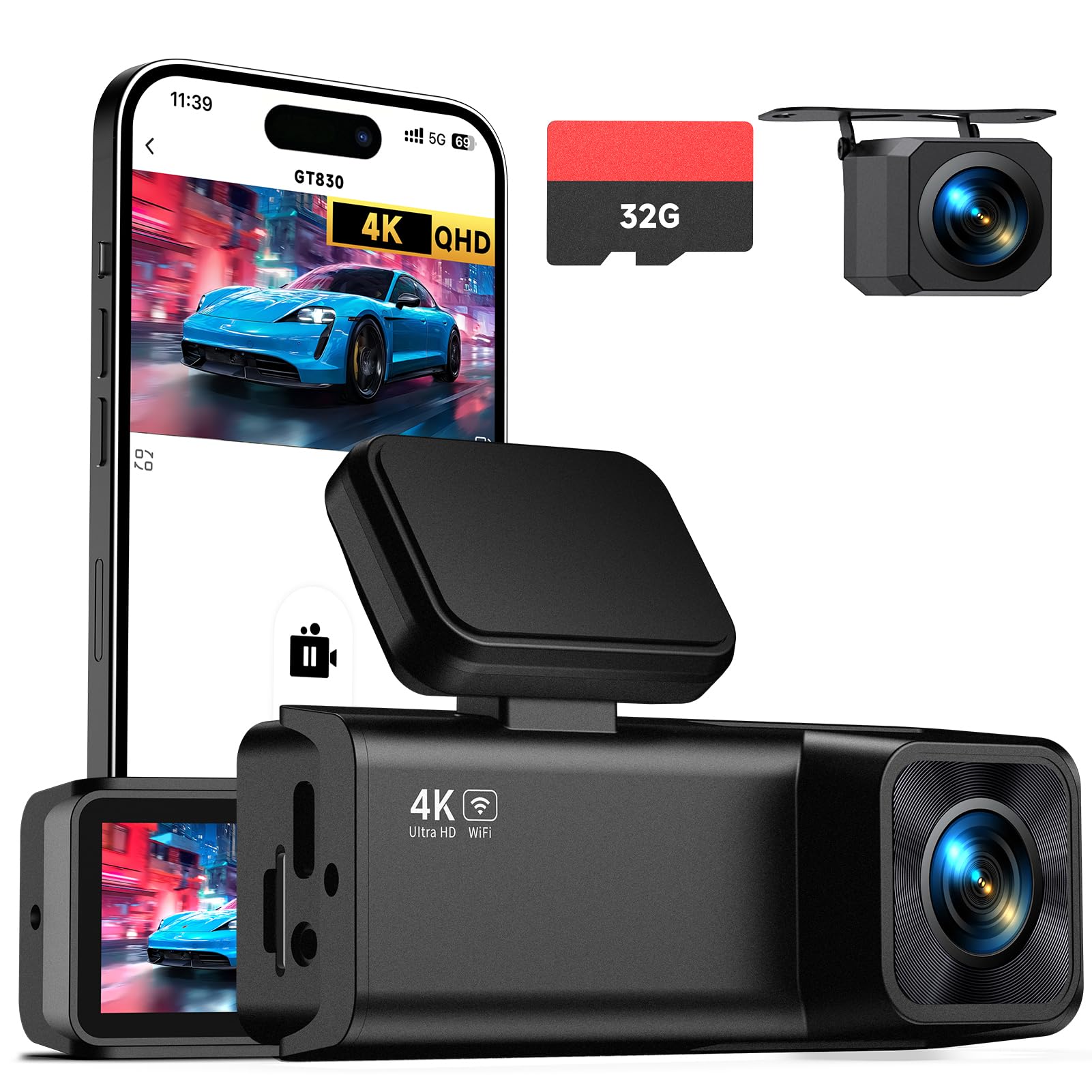
We recommend this dash cam if you want sharp 4K front video, a discreet install, and reliable parking monitoring when paired with a hardwire kit.
Pros
- Very clear 4K front footage and usable 1080p rear video.
- Compact, low-profile mount that doesn’t block the view.
- Easy app pairing for quick playback and downloads.
Cons
- Parking mode needs a hardwire kit (sold separately) to run 24/7.
- Rear cable routing can be fiddly during install.
- Touchscreen is small for navigating menus in the car.
We installed the GT830 behind our rearview mirror and it felt tidy right away. The unit looks small and hides well, and the plug-and-play setup with the car charger got it running in minutes.
Recording quality stood out during daytime drives. The front 4K captures fine details like license plates at distance, and the wide field of view catches cars on both sides without distortion. Night footage stays usable thanks to the WDR, though some distant details soften in very dark scenes.
Parking surveillance worked when we tested it after adding a hardwire kit. Motion and impact triggered clips as promised, and the G-sensor locked those files so they weren’t overwritten. Expect to buy the hardwire accessory if you want true 24-hour protection.
The phone app made reviewing clips simple. We connected over Wi‑Fi, viewed real-time footage, and downloaded clips without removing the SD card. The included 32GB card is handy for first use, but we added a larger card for longer loop recording.
Overall, the E-YEEGER GT830 feels like a solid, compact dual-channel dash cam that does what it promises: clear front video, a discreet mount, and practical parking monitoring when hardwired.
E-YEEGER V100Pro Dash Cam
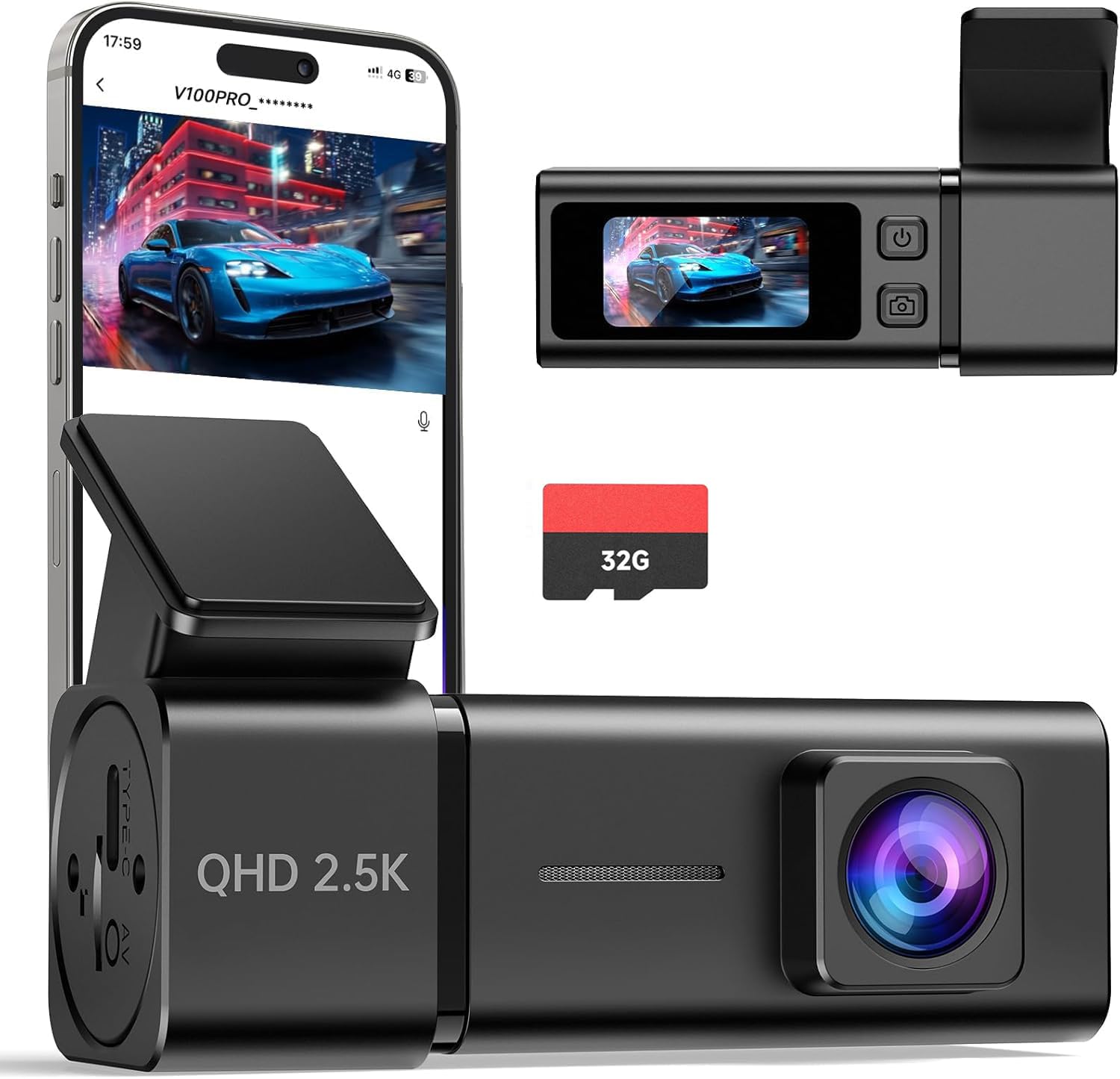
We recommend this dash cam if you want clear 2.5K daytime video, simple app control, and a reliable parking mode for the price.
Pros
- Sharp 2.5K footage that picks up plates and signs well.
- Easy app pairing and wireless clip downloads.
- Built-in parking mode and durable, heat-resistant body.
Cons
- Needs a hardwire kit for full 24/7 monitoring.
- Small screen only helps for quick checks, not detailed playback.
- Power cord routing can feel fiddly in older cars.
We installed the V100Pro in our daily car and used it for commuting and a weekend trip. Video looked noticeably clearer than typical 1080p cams, and daytime license plates were easy to read. The night footage held up for casual evidence, though very distant details softened.
Pairing through the app felt fast, and grabbing clips without pulling the SD card saved time after a minor parking hit. We did run into one snag: to get true parking surveillance we added a hardwire kit so the camera would run after we shut off the engine.
The camera’s build inspired confidence. It stayed stable on the windshield and handled hot afternoons without shutting down. The tiny onboard screen is handy for instant playback, but we still preferred reviewing clips on our phone for clarity and trimming.
REDTIGER F7N Touch 4K Dash Cam

We recommend this dash cam if you want clear 4K front footage and a reliable parking mode when hardwired.
Pros
- Sharp 4K front video and usable night shots.
- Easy touchscreen and voice control for hands-free use.
- Built-in GPS and fast 5.8GHz Wi-Fi make downloads quick.
Cons
- Parking monitoring needs a separate hardwire kit.
- Suction mount can feel bulky on smaller windshields.
- App and password display can be fiddly to set up.
We mounted the F7N and ran it for a few weeks to test day and night driving. The front STARVIS 2 sensor delivered crisp frames and caught license plates at close range. The rear camera gave clear backup views but not as detailed as the front.
The touchscreen and voice commands cut down on fumbling while driving. We used the app to pull clips over Wi‑Fi and appreciated the faster transfer speed; downloads felt snappy compared with older cams we’ve tried.
Parking mode worked well after we installed a hardwire kit. Motion and impact events were saved and locked by the G-sensor. Keep in mind you must add the hardwire kit to get 24-hour monitoring, which adds to the total setup effort and cost.
Installation is straightforward if you hide the cables with the pry tool and route the rear cable carefully. The included 128GB card and clear instructions made setup faster than many other units we’ve installed.
Overall, the F7N Touch balances strong daytime video, smart features, and easy file access, but plan for a hardwire add-on and give yourself time to tweak the app and mount placement.
70mai A810 Lite (4K) Dash Cam

We recommend this if you want sharp 4K front footage, reliable parking mode, and modern connectivity for remote access.
Pros
- Very clear daytime and night video that shows plate and sign details.
- 24-hour parking mode with low-voltage protection feels dependable for overnight use.
- Fast 5GHz Wi‑Fi and app make downloading clips quick.
Cons
- 4G remote features need a separate hardwire kit and SIM plan to work.
- App can be a bit fussy during initial setup and firmware updates.
- Cable routing and adhesive mounts took a little extra patience to tidy.
We installed the A810 Lite behind the rearview mirror and drove a mix of city and highway. The front 4K footage captured small details like license plates and store signs. The rear camera did a solid job of filling blind spots on busy streets.
We tested night drives and were impressed by HDR and the wide aperture. Headlight glare stayed controlled and dark areas kept usable detail. In a few heavy rain scenes the image softened, but overall evidence-grade clips felt reliable.
We set up parking mode and left the car parked overnight. Motion-triggered events recorded correctly and the time-lapse feature gave continuous, low-power coverage. Low-voltage protection reassured us that the car battery wouldn’t drain during long parking periods.
We used the app to pull clips over 5GHz Wi‑Fi and it was much faster than older models. Live view over 4G worked when we had the optional kit installed, but getting that to function required extra hardware and a mobile plan. The voice control and compact form made everyday use simple once we sorted the cables.
Buyers who want modern connectivity and strong video should consider this unit, but plan for the added cost and setup time if you want full remote tracking via 4G.
TERUNSOUl 4K Triple-Cam Dash Cam

We recommend this dash cam if you want wide coverage and clear day/night footage, but remember a hardwire kit is needed for true parking mode.
Pros
- Excellent daytime detail from the 4K front camera.
- Three-channel view covers front, rear, and cabin at once.
- Built-in GPS and fast Wi-Fi make file transfer and evidence review easy.
Cons
- Parking mode needs a separate hardwire kit to work continuously.
- App can be finicky at first when pairing over 5.8GHz Wi‑Fi.
- Physical wiring for rear and cabin cameras takes time to hide neatly.
We mounted this unit and ran it for a week. The front 4K video shows clear road signs and license plates at typical distances, and the cabin and rear views fill in what happens inside and behind the car. The screen and menu felt direct, so we adjusted settings without fuss.
Night shots surprised us for a mid-price camera. Starlight-grade lens and HDR pulled usable details in low light, though very dark alleys still lose fine detail. When the collision sensor triggered during a hard brake test, the clip locked as expected to the included 128GB card.
We used the app to pull clips and check routes via the embedded GPS. Downloads were quick on 5.8GHz once the phone stayed connected, but initial pairing took extra attempts on one device. Overall, the kit offers a solid feature set; plan a 30–60 minute install and budget for a hardwire kit if you want 24-hour parking surveillance.
REDTIGER F17 4K 3-Channel

We recommend this if you want strong night video, full cabin coverage, and reliable parking mode for peace of mind.
Pros
- Very clear daytime and night footage from the front and interior cameras.
- True three-camera coverage (front, inside, rear) gives full protection.
- Stable parking mode with hardwire kit and a supercapacitor for heat resistance.
Cons
- You must buy the hardwire kit separately to use parking mode reliably.
- App setup can be awkward; Wi‑Fi connection sometimes drops.
- Adhesive mount is tough to reapply if you remove the unit.
We installed the F17 on our car and drove it for a week in town and on a long highway trip. The front 4K footage looked sharp and the STARVIS 2 sensor held up well when light dropped. Interior recordings captured faces clearly without washing out the view.
Parking mode worked after we added a hardwire kit. Time-lapse and G-sensor clips caught small impacts in the garage. The supercapacitor eased worries about hot-cold battery stress during long parking periods.
Using the REDTIGER app to pull 3-channel clips to our phone felt fast on 5GHz, but the phone sometimes lost the camera Wi‑Fi and needed a quick reconnect. Routing and tucking the long cables was simple, and the included clips helped hide the wiring for a neat install.
Overall, we found the F17 gives broad coverage and solid low-light results for its price, as long as you plan to hardwire it for full parking protection.
Veement V300 Dash Cam

We recommend this dash cam if you want clear 1296P video and reliable parking mode at a budget-friendly price.
Pros
- Sharp daytime and good night detail
- Compact, discreet install that stays out of view
- App makes downloads and live view easy when it connects
Cons
- Wi‑Fi app can be flaky on some phones
- Requires continuous USB‑C power — no internal battery backup
- Some units had charger or connector issues out of the box
We mounted the V300 behind our rearview mirror and liked how little it stuck out. The 1296P footage picked up lane markings and license plate shapes at a distance better than cheaper 1080p cams we’ve used. Daytime clips looked crisp and files were easy to browse on the camera.
Night driving surprised us. Low‑light shots kept decent detail thanks to the wide aperture and sensor, so street signs and headlights stayed readable more often than not. The 170° view caught both lanes and curbside action without severe fish-eye distortion.
Connecting to the VeeCar app worked on some phones and failed on others; when it worked, we could preview and save clips quickly. Loop recording and the TS stream felt solid, but the Wi‑Fi playback error reported by some users happened to us once and needed a camera reboot.
Parking mode was reliable while the camera had a steady USB‑C power feed. We ran it off a hardwired adapter and it recorded impacts and motion as expected. Bear in mind there’s no lithium battery in the unit, so it won’t record if power cuts out.
Installation is straightforward and the small form factor makes the unit easy to hide. If you want straightforward, clear footage with a decent night view and reliable parking monitoring — and you can tolerate occasional app or cable quirks — the Veement V300 is worth considering.
Vantrue N4S 3‑Channel Dash Cam

We recommend this if you want full 360° coverage and strong night recording for parking and rideshare use.
Pros
- Excellent low‑light clarity and license plate detail at night.
- True three‑camera coverage (front, cabin, rear) so you lose few blind spots.
- Stable parking features with several modes for motion and impact detection.
Cons
- Can run hot in warm weather and may shut down in some conditions.
- Setup needs careful cable routing to keep a clean install.
- App and Wi‑Fi can be finicky sometimes during transfers.
We installed the N4S in our daily driver and ran it for several weeks. The front and cabin images looked sharp, and the PlatePix processing actually made plates readable on dim streets. That made reviewing footage simple when we checked clips after parking.
Parking mode proved useful for light hits and nearby motion. The camera saved pre‑event footage and locked files on impact, which gave us confidence when leaving the car overnight or on busy city blocks. Low bitrate options also helped us keep more hours of footage on a large SD card.
Mounting felt straightforward with the magnetic GPS puck and static cling film. We tucked the long rear cable behind trim for a neat look, though that took patience. The unit did heat up on hotter days; we saw one unexpected shutdown during a warm afternoon, so factor that into use in hot climates.
We used the 5GHz Wi‑Fi to grab clips on our phone quickly, but the connection dropped a few times during longer transfers. Firmware updates are available over the air, which kept the camera improving after initial setup. Overall, the N4S gave us broad coverage and strong night results, but watch for heat and spend time on a tidy install.
Buying Guide
We look for dash cams that protect our vehicle while it’s parked. Think about power, recording modes, and how long footage is kept.
We check power options first. Hardwiring keeps the camera on without draining the battery when set up correctly. A battery pack adds backup and is easier to install.
We focus on motion and impact detection. Motion detection saves space by recording only when something moves. G-sensor (impact detection) locks files when a bump happens so footage is not overwritten.
We value video quality and storage. Higher resolution makes details clear. Larger or expandable storage means longer recording between overwrites. We prefer loop recording so the camera always overwrites the oldest files.
We consider parking modes and heat management. Time-lapse or low-frame modes reduce power use. Cameras that run continuously should handle heat; check operating temperature ratings.
We examine installation and wiring. Hardwire kits need professional or careful DIY work. Magnetic mounts or adhesive are easier to remove but may be less secure.
We review night and low-light performance. Look for good sensors and wide dynamic range. Infrared or low-light enhancement helps when streetlights are dim.
We compare ease of use and alerts. Wi-Fi and app access let us preview and download clips. LED indicators and event locking should be simple to operate during an incident.
Editor’s Choice
We picked a top parking mode dash cam that balances video quality, reliability, and ease of use. It records clear 1080p or better video at night and during the day. The unit uses motion and impact sensors to start recording while parked.
We tested sensitivity and power options. The best model has adjustable G-sensor levels and low-voltage cut-off to protect the vehicle battery. It also supports timed recording and loop overwrite so storage never fills up unexpectedly.
We value simple setup and durable build. The chosen cam mounts securely, hides behind the mirror, and resumes normal operation when the car powers on. Firmware updates are available and straightforward.
Key features at a glance:
- Video: 1080p+ day/night performance
- Sensors: Motion + G-sensor impact detection
- Power: Low-voltage cutoff, hardwiring kit available
- Storage: MicroSD support with loop recording
- Extras: Parking motion alerts, reliable app for playback
We recommend this model for most drivers who want peace of mind while away from their vehicle. It gives clear evidence if there’s a hit-and-run or vandalism, and it minimizes false triggers.
Conclusion
We value parking mode dash cams for the extra protection they give our vehicles. They watch our cars when we are not there, record impacts, and can deter theft or vandalism.
Choosing the right unit depends on our needs and budget. We look at power options, video quality, detection types, and storage limits before we buy.
We recommend models with a hardwire kit or a reliable battery pack for consistent monitoring. Dual-channel cameras help by capturing both front and inside views.
We suggest keeping firmware updated and testing the camera after installation. Regular checks help ensure motion and impact detection work when we need them.
Key benefits at a glance:
- 24/7 monitoring
- Evidence for insurance and police
- Theft and vandalism deterrent
We prefer dash cams with clear low-light performance and a solid warranty. That gives us confidence the device will protect our car over time.
FAQS
What is parking mode?
We explain how the camera records while the car is parked. It protects against hit-and-runs, vandalism, and theft by recording motion or impacts.
Does parking mode drain the car battery?
Yes, it can. We recommend a hardwire kit with low-voltage cutoff or a separate battery pack to prevent a dead battery.
How long will it record while parked?
Recording time varies by model, power setup, and settings. Loop recording and event-only modes extend duty time.
Do all dash cams have parking mode?
No. We suggest checking specs for motion detection, impact sensors, and low-power options before buying.
What triggers recording in parking mode?
Most units use motion detection or G-sensors. Some support time-lapse or continuous low-frame recording to save power.
How do we store and view footage?
Footage saves to an SD card or cloud. We recommend high-endurance cards and regular backups.
Can temperature affect the dash cam?
Yes. Extreme heat or cold can shorten battery life and damage electronics. We advise choosing models rated for your climate.
Is installation difficult?
Basic installation is simple, but hardwiring to the fuse box is best for parking mode. We suggest a professional install if we’re unsure about wiring.

