Running an OBD2 scanner is a simple way to diagnose your vehicle’s issues quickly and accurately. This guide will walk you through every step, from connecting the scanner to interpreting the codes, so you can take control of your car’s health with confidence.
Quick Answers to Common Questions
How do I know if my car has an OBD2 port?
Most cars made after 1996 have an OBD2 port. It’s usually under the dashboard near the driver’s side. Check your manual if you’re unsure.
Can I use any OBD2 scanner on any car?
Most OBD2 scanners work on all compliant vehicles. However, some advanced features may require brand-specific scanners.
Should I keep the engine running while scanning?
It depends on the scanner. Some require the engine on for live data, but many can read codes with the ignition in the “ON” position without starting the engine.
What if the scanner shows no codes but the check engine light is on?
Try rescanning after a few minutes of driving. If still no codes, the issue might be intermittent or require a more advanced diagnostic tool.
Is it safe to erase codes before fixing the problem?
It’s best not to erase codes until you’ve fixed the problem. Clearing codes without repair can mask ongoing issues and delay proper diagnosis.
How to Run OBD2 Scanner Easily for Accurate Vehicle Diagnostics
If you want to save time and money on car repairs, learning how to run an OBD2 scanner is a must. This handy device connects to your vehicle’s onboard computer and reveals diagnostic trouble codes (DTCs). These codes help you understand what’s wrong with your car before you visit a mechanic. In this guide, you’ll learn everything from connecting the scanner to interpreting the results, all in a simple step-by-step process.
Step 1: Understand What an OBD2 Scanner Is
The OBD2 (On-Board Diagnostics version 2) scanner is a tool used to communicate with your car’s computer system. Since 1996, most vehicles sold in the U.S. come equipped with an OBD2 port. This scanner reads error codes generated when something goes wrong. These codes guide you to the specific area needing attention, such as engine problems, emissions issues, or transmission faults.
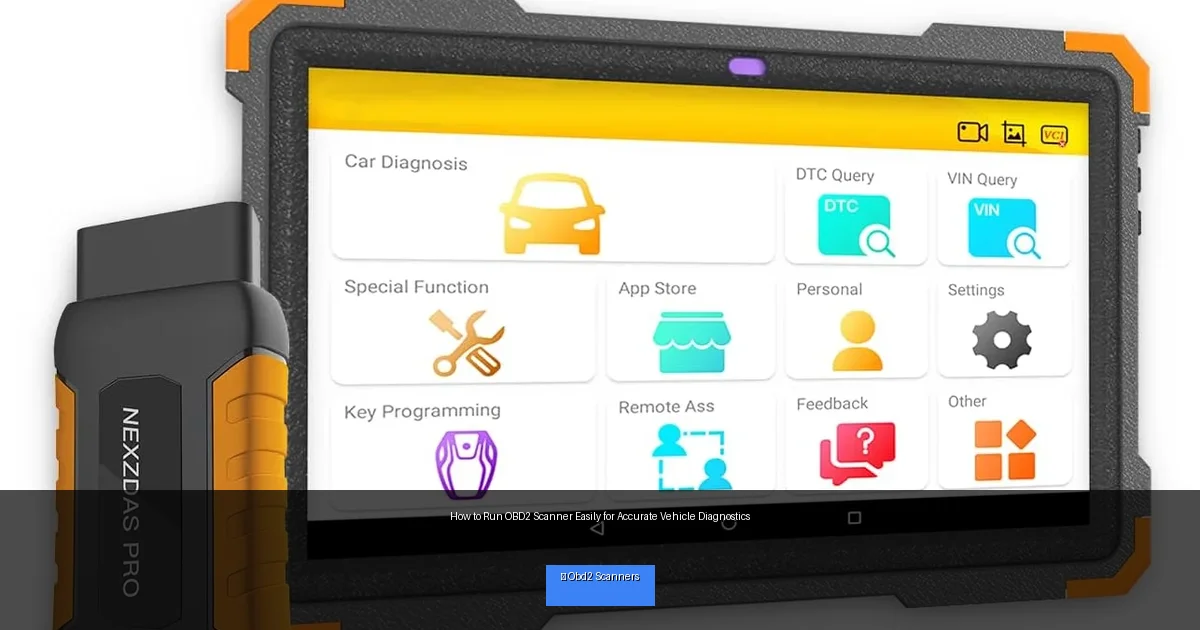
Visual guide about How to Run OBD2 Scanner Easily for Accurate Vehicle Diagnostics
Image source: m.media-amazon.com
Step 2: Locate the OBD2 Port in Your Vehicle
Before you start, you need to find the OBD2 port. It’s usually located under the dashboard on the driver’s side. Sometimes it’s near the steering column or under the glove box.
How to Find the Port
- Look below the steering wheel, around the knee area.
- Check near the fuse box or under a removable panel.
- Refer to your vehicle’s owner manual for exact location.
The port is a small, trapezoid-shaped connector with 16 pins. It’s designed for easy plug-in of the scanner.
Step 3: Prepare Your Vehicle and Scanner
Before plugging in the scanner, make sure your vehicle is turned off. Some scanners require the ignition to be in the “ON” position (engine off), while others can work with the engine running.
Preparation Checklist
- Park on a flat surface and engage the parking brake.
- Turn off all accessories like radio, AC, and lights.
- Have your scanner and user manual ready.
Step 4: Connect the OBD2 Scanner to Your Vehicle
Take the scanner’s connector and gently plug it into the OBD2 port. Make sure it fits snugly and is fully inserted.
Powering the Scanner
- Turn your vehicle’s key to the “ON” position without starting the engine if your scanner needs power to operate.
- Some scanners have their own batteries and turn on automatically when connected.
Step 5: Navigate Your Scanner’s Menu
Once powered, your scanner will display a menu. Most scanners are user-friendly and offer options like “Read Codes,” “Erase Codes,” and “Live Data.”
Basic Functions to Know
- Read Codes: Retrieves stored and pending trouble codes.
- Erase Codes: Clears codes after issues are fixed.
- Live Data: Shows real-time engine sensor data.
Step 6: Read and Interpret Diagnostic Trouble Codes
Select “Read Codes” to begin scanning. The scanner communicates with your vehicle’s computer and displays one or more codes. These codes have a letter followed by four digits, for example, P0301.
Understanding the Codes
- Letter P: Powertrain (engine and transmission)
- Letter B: Body (airbags, seats, lighting)
- Letter C: Chassis (brakes, suspension)
- Letter U: Network communication issues
Use your scanner’s manual or an online database to decode what each code means. For example, P0301 means “Cylinder 1 Misfire Detected.” This helps you pinpoint the problem area.
Step 7: Take Action Based on the Codes
After you understand the codes, decide your next step. Some issues are simple fixes like tightening a gas cap. Others may require professional repair.
Practical Examples
- If you get a P0420 code (Catalyst System Efficiency), you might need to check your catalytic converter.
- A P0171 code (System Too Lean) can indicate a vacuum leak or a dirty mass airflow sensor.
Step 8: Clear Codes After Repairs
If you fix the problem, you can clear the codes using the scanner’s “Erase Codes” function. This resets the check engine light. However, only clear codes after you are confident the issue is resolved.
Step 9: Troubleshooting Common Scanner Issues
Sometimes your scanner might not work as expected. Here are common problems and solutions:
- No communication: Check the OBD2 port connection and ignition position.
- Scanner won’t power on: Verify vehicle battery level or scanner battery if applicable.
- Codes don’t clear: Ensure the issue is fixed; some codes return if the problem persists.
- Scanner displays errors: Update scanner firmware or consult the manual.
Step 10: Maintain Your OBD2 Scanner
Keep your scanner in good shape for accurate readings.
- Store it in a dry, cool place.
- Regularly update the software or database (if supported).
- Inspect cables and connectors for damage.
Conclusion
Running an OBD2 scanner is an easy and effective way to keep your vehicle in top shape. With this guide, you’ve learned how to connect the scanner, read trouble codes, and take informed actions. Whether you’re a DIY enthusiast or just want to understand your car better, mastering your OBD2 scanner saves you time and money. So next time your check engine light comes on, don’t panic—grab your scanner and start diagnosing like a pro!
🎥 Related Video: How to Use an OBD2 Scan Tool
📺 EasyAutoFix
OBD2 Scanner: https://amzn.to/4jdzrUc ▶︎ Check Out ALLDATA Manuals: …

