
Alternator whine in your car stereo is annoying but fixable. This guide walks you through simple, effective solutions to eliminate the high-pitched noise and get your music sounding clear again.
How to Fix Alternator Whine in Your Car Stereo Fast
If you’ve ever cranked up your car stereo only to be greeted by a high-pitched whine that gets louder with the engine RPM, you’re not alone. This annoying sound — known as alternator whine — is one of the most common issues in car audio systems. The good news? It’s usually fixable with a few simple steps. In this guide, you’ll learn exactly how to diagnose and eliminate alternator whine fast, so you can get back to enjoying your favorite tunes without distraction.
We’ll walk you through the most effective fixes, from checking your ground connections to installing noise filters. Whether you’re a DIY enthusiast or just want your car stereo to work properly, this step-by-step guide will help you silence the whine for good.
What Causes Alternator Whine?
Before diving into fixes, it’s important to understand what causes alternator whine. Simply put, it’s electrical noise from your car’s alternator that gets picked up by your stereo system and played through the speakers. The alternator generates power for your vehicle, and if there’s a grounding issue or interference in the wiring, that power signal can bleed into your audio system.
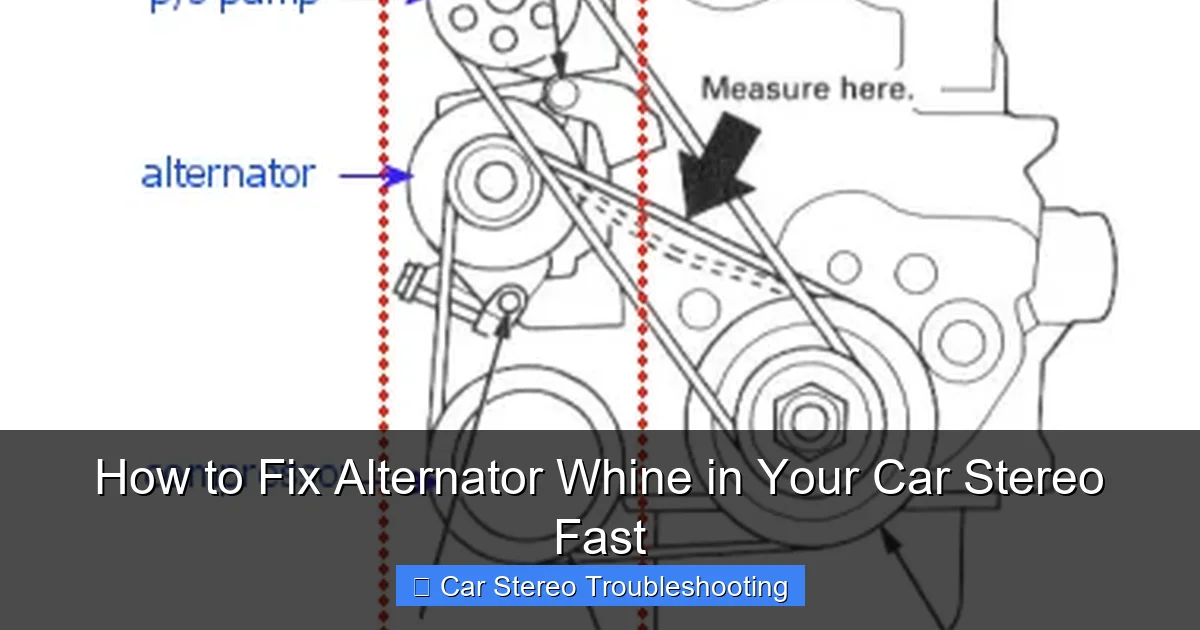
Visual guide about How to Fix Alternator Whine in Your Car Stereo Fast
Image source: i.stack.imgur.com
This noise often sounds like a high-pitched “whine” or “buzz” that increases with engine speed. It’s most noticeable when you turn up the volume or when the engine is revving. Common causes include:
- Poor or corroded ground connections
- Faulty or undersized ground wires
- Audio and power cables running too close together
- Defective alternator or voltage regulator
- Aftermarket devices interfering with the signal
Now that you know what’s behind the noise, let’s get to fixing it.
Step 1: Check and Improve Your Ground Connections
The first and most important step in fixing alternator whine is checking your ground connections. A bad ground is the #1 cause of electrical noise in car stereos.
Locate Your Stereo’s Ground Wire
Your car stereo has a ground wire (usually black) that connects directly to the car’s chassis. This wire should be securely attached to a clean, unpainted metal surface. If it’s loose, corroded, or attached to a painted or rusty spot, it can cause interference.
Clean and Tighten the Ground
Remove the ground wire from its current location. Use sandpaper or a wire brush to clean the metal surface where it connects. Make sure there’s no paint, rust, or dirt. Reattach the wire tightly using a bolt or screw. For best results, choose a spot close to the stereo, like the seat belt bolt or a factory grounding point.
Upgrade the Ground Wire (Optional)
If your ground wire is thin or damaged, consider replacing it with a thicker gauge wire (12-14 AWG). A better ground reduces resistance and helps eliminate noise.
Pro Tip: Some installers recommend grounding the stereo directly to the battery’s negative terminal using a dedicated ground wire. This creates a clean, low-resistance path and can significantly reduce whine.
Step 2: Inspect and Separate Wiring
Electrical interference often happens when power wires and audio cables are run too close together. The magnetic field from the power wire can induce noise into the audio signal.
Check Cable Routing
Open your car’s interior panels and inspect how your wiring is routed. Look for places where the power wire (from the battery to the stereo or amplifier) runs parallel to RCA audio cables or speaker wires.
Separate Power and Audio Cables
Keep power wires and audio cables at least 12 inches apart. If they must cross, do so at a 90-degree angle to minimize interference. Use zip ties or clips to secure them in place.
Reroute if Necessary
If your cables are tangled or too close, reroute them. Run power wires on one side of the car and audio cables on the other. This simple change can make a big difference.
Example: If your amplifier is in the trunk, run the power wire down the driver’s side and the RCA cables down the passenger side. Avoid running them together under the carpet.
Step 3: Install a Noise Filter or Ground Loop Isolator
If grounding and wiring fixes don’t solve the problem, a noise filter or ground loop isolator can help block unwanted electrical signals.
Use an Inline Noise Filter
An inline noise filter connects to your stereo’s power wire and filters out high-frequency interference. These are inexpensive (usually under $20) and easy to install. Simply splice the filter into the power wire near the stereo.
Try a Ground Loop Isolator
A ground loop isolator is a small device that plugs into your RCA audio cables. It breaks the ground loop — a common cause of hum and whine — by isolating the audio signal from electrical noise. These are especially helpful if you’re using aftermarket devices like Bluetooth adapters or USB chargers.
Where to Buy: You can find noise filters and ground loop isolators at auto parts stores, electronics retailers, or online. Look for models rated for car audio use.
Step 4: Test and Isolate Components
Sometimes, the whine comes from a specific device connected to your stereo — not the stereo itself. Testing each component helps you find the culprit.
Unplug Aftermarket Devices
Disconnect any non-essential devices: Bluetooth receivers, USB chargers, dash cams, or phone mounts. Turn on the stereo and see if the whine disappears. If it does, one of these devices is causing interference.
Reconnect One at a Time
Plug each device back in, one by one, and test the sound after each. This will help you identify which one is causing the problem. Once found, you can either replace it, relocate it, or use a noise filter.
Check the Amplifier (If You Have One)
If your system includes an amplifier, make sure its ground is also clean and secure. A bad amp ground can cause whine even if the stereo is grounded properly.
Step 5: Upgrade Your Alternator Ground
In some cases, the problem isn’t just the stereo’s ground — it’s the alternator’s ground. The alternator generates the power that can cause noise, so it needs a solid ground too.
Locate the Alternator Ground Wire
The alternator is usually grounded through its mounting bolts, but many cars also have a dedicated ground wire from the alternator to the chassis or battery.
Clean and Tighten the Connection
Remove the ground wire, clean the contact points, and reattach it securely. If the wire is thin or damaged, replace it with a heavier gauge wire (8-10 AWG).
Add a Direct Ground (Advanced)
For maximum effectiveness, run a new ground wire directly from the alternator to the battery’s negative terminal. This creates the shortest, cleanest path for electrical current and reduces noise.
Note: This step requires some mechanical skill. If you’re not comfortable working near the engine, consult a mechanic.
Step 6: Check the Alternator and Voltage Regulator
If all else fails, the alternator itself might be the problem. A failing alternator or voltage regulator can produce excessive electrical noise.
Listen for Other Symptoms
Signs of a bad alternator include dim headlights, a battery warning light, or difficulty starting the car. If you notice these, have your alternator tested at an auto parts store — many offer free testing.
Replace if Necessary
If the alternator is faulty, replacing it should eliminate the whine. A new or rebuilt alternator with a properly functioning voltage regulator will produce clean, stable power.
Troubleshooting Tips
If you’ve tried all the steps and still hear whine, here are a few extra tips:
- Use shielded RCA cables – These have extra insulation to block interference.
- Avoid cheap aftermarket stereos – Low-quality units are more prone to noise.
- Check for loose connections – Vibrations can loosen wires over time.
- Test with a different stereo – Borrow a friend’s unit to see if the problem follows the head unit.
When to Call a Professional
Most alternator whine issues can be fixed with DIY methods. But if you’ve tried everything and the noise persists, it’s time to consult a car audio specialist. They have diagnostic tools and experience with complex electrical systems.
Also, if you’re not comfortable working with your car’s electrical system, don’t risk damaging components or causing a short. A professional can safely and effectively resolve the issue.
Conclusion
Alternator whine doesn’t have to ruin your driving experience. With the right approach, you can eliminate that annoying high-pitched noise and enjoy crystal-clear sound from your car stereo. Start by checking your ground connections — it’s the most common fix. Then inspect your wiring, test your components, and consider adding a noise filter if needed.
Remember, most whine issues are caused by simple electrical problems that are easy to fix. By following this guide, you’ll not only silence the noise but also improve the overall performance of your car audio system. So grab your tools, follow the steps, and get back to enjoying your music — without the whine.