Buying a car stereo in 2026 is easier than ever—if you know what to look for. This guide walks you through compatibility, features, and installation tips to help you choose the perfect system for your vehicle and lifestyle.
How to Buy a Car Stereo in 2026: Top Tips and Tricks
Upgrading your car stereo in 2026 isn’t just about better sound—it’s about smarter tech, seamless connectivity, and a more enjoyable drive. Whether you’re tired of static-filled FM radio or want to enjoy high-res music on the go, choosing the right car stereo can transform your daily commute. But with so many options, features, and compatibility concerns, it’s easy to feel overwhelmed.
This guide will walk you through every step of the process—from checking your car’s compatibility to picking the perfect features and installing your new system. By the end, you’ll know exactly how to buy a car stereo that fits your vehicle, matches your lifestyle, and delivers amazing audio.
Step 1: Know Your Car’s Stereo Compatibility
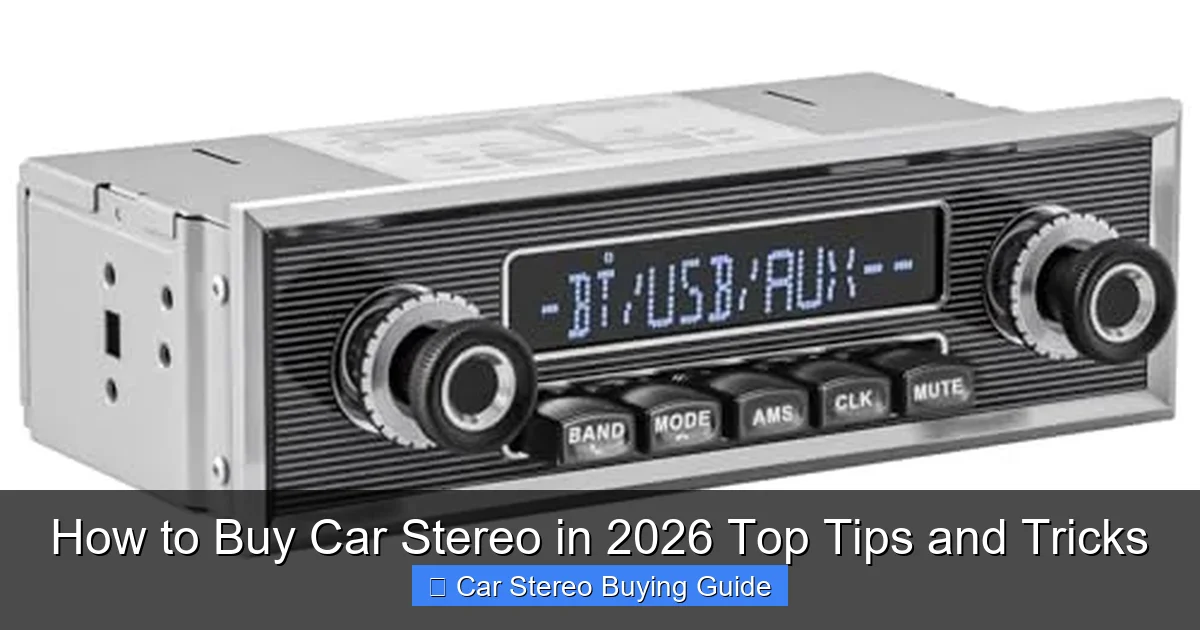
Visual guide about How to Buy Car Stereo in 2026 Top Tips and Tricks
Image source: m.media-amazon.com
Before you fall in love with a sleek touchscreen or a powerful amplifier, make sure it will actually fit in your car. Not all stereos are created equal—and not all cars accept every model.
Check Your Dash Size
Most cars use either a single-DIN (2 inches tall) or double-DIN (4 inches tall) slot. Measure your current stereo or check your owner’s manual. In 2026, many newer vehicles—especially EVs and luxury models—come with custom dash designs that may require special brackets or adapters.
Use Online Fit Guides
Major brands like Pioneer, Kenwood, and Sony offer free online compatibility tools. Just enter your car’s make, model, and year, and they’ll show you which stereos fit. Crutchfield is another excellent resource—they even provide custom wiring harnesses and dash kits for a clean install.
Watch for Proprietary Systems
Some cars, especially high-end brands like BMW or Tesla, use integrated systems that control climate, navigation, and more. Replacing these may require additional modules or professional help. Always research before buying.
Step 2: Decide on Your Must-Have Features
In 2026, car stereos do way more than play music. Here’s what to look for based on your needs.
Smartphone Integration
Wireless Apple CarPlay and Android Auto are now standard on most mid-range and higher models. This lets you use your phone’s apps—like Google Maps, Spotify, or WhatsApp—safely on the stereo screen. Look for models that support both, so you’re covered no matter your phone.
Bluetooth and Streaming
Bluetooth 5.3 ensures faster pairing, better range, and improved audio quality. Some stereos also support aptX HD for near-CD-quality wireless sound. If you stream music often, this is a must.
Voice Control and AI Assistants
Many 2026 stereos come with built-in voice control for Siri, Google Assistant, or even Amazon Alexa. You can change songs, send texts, or get directions without touching the screen—great for safety and convenience.
High-Resolution Audio Support
If you’re an audiophile, look for stereos that support FLAC, ALAC, or WAV files. These lossless formats preserve more detail than MP3s. Some models even have built-in DACs (digital-to-analog converters) for cleaner sound.
USB-C and Fast Charging
USB-C is now the standard for faster data transfer and charging. Some stereos offer 3A fast charging ports so your phone powers up quickly during long drives.
Step 3: Match Power and Sound Quality to Your Needs
Not all stereos are equally loud or clear. Understanding power ratings and audio features helps you avoid disappointment.
Understand RMS vs. Peak Power
Peak power is a marketing number—ignore it. Focus on RMS (root mean square) power, which measures continuous output. A stereo with 20W RMS per channel is solid for most cars. If you want louder sound, consider adding an external amplifier.
Built-In Crossovers and EQ
Crossovers direct high frequencies to tweeters and lows to subwoofers, improving clarity. Look for adjustable crossovers and a 13-band or higher equalizer to fine-tune your sound.
Preamp Outputs for Expandability
If you plan to add amplifiers or subwoofers later, choose a stereo with at least two preamp outputs (RCA jacks). This ensures clean signal transfer without distortion.
Step 4: Set a Realistic Budget
Car stereos in 2026 range from budget-friendly to premium. Here’s a quick breakdown:
- Under $100: Basic models with Bluetooth and USB. Good for simple upgrades but limited features.
- $100–$250: Best value range. Includes wireless CarPlay/Android Auto, touchscreens, and decent sound processing.
- $250–$500: High-end models with larger screens, better build quality, advanced EQ, and support for high-res audio.
- $500+: Premium systems with 9-inch+ screens, built-in navigation, 360-degree camera support, and AI features.
Remember: the stereo is just part of the cost. Factor in installation, wiring harnesses, dash kits, and possibly a steering wheel control adapter.
Step 5: Choose Between DIY and Professional Installation
Many modern stereos are designed for easy DIY installation—especially if your car uses a standard harness. But don’t rush in without planning.
DIY Installation Tips
If you’re handy, you can save $100–$200 by installing it yourself. You’ll need:
- A wiring harness adapter (matches your car’s connectors)
- A dash kit (if switching from single to double-DIN)
- Basic tools: screwdrivers, panel removal tools, wire strippers
Watch a YouTube tutorial for your specific car model—it makes a huge difference.
When to Call a Pro
If your car has a factory amplifier, steering wheel controls, or a complex infotainment system, professional installation is wise. A certified technician can ensure everything works seamlessly and avoid damage.
Step 6: Read Reviews and Test Before You Buy
Don’t rely solely on specs. Real-world performance matters.
Check Expert and User Reviews
Sites like CNET, SoundGuys, and Car and Driver offer detailed stereo reviews. But also read Amazon, Best Buy, and Crutchfield customer reviews. Look for comments on reliability, touchscreen responsiveness, and Bluetooth stability.
Visit a Store (If Possible)
Some retailers let you test stereos in demo vehicles. This helps you judge screen visibility, menu layout, and ease of use.
Troubleshooting Common Issues
Even with careful planning, problems can pop up.
Stereo Won’t Turn On
Check the wiring harness and fuse. Make sure the constant and ignition wires are connected correctly.
No Sound or Poor Quality
Verify speaker connections and impedance matching. If using an external amp, check gain settings.
Bluetooth Pairing Fails
Reset both the stereo and your phone’s Bluetooth. Update firmware if available.
Steering Wheel Controls Don’t Work
You may need a control interface module (like from Axxess or PAC) to translate signals.
Final Thoughts: Make the Right Choice in 2026
Buying a car stereo in 2026 is about more than just volume—it’s about integration, intelligence, and sound quality. By checking compatibility, prioritizing smart features, and setting a smart budget, you can find a system that enhances every drive.
Take your time, do your research, and don’t skip the installation details. Whether you’re upgrading for better music, safer navigation, or just a more modern feel, the right car stereo makes all the difference.
🎥 Related Video: Get Ready for the BEST Car Audio Systems in 2026 Revealed
📺 wiredtech
Join me as I hunt down the best gadgets you absolutely need right now, and I’ll put them to the test to see if they live up to the …

