Dash cams record your drives to help prove what happened in accidents, deter theft, and capture unexpected events. They range from simple single-lens models that sit on the windshield to multi-camera systems that record inside and outside the vehicle, and many now include features like GPS, event detection, and cloud backup. We explain how different kinds of dash cams work and which ones fit common needs like commuter driving, ridesharing, or long road trips.
Choosing a dash cam comes down to video quality, field of view, mounting and power options, and how the camera handles incident recording and storage. Video resolution and night performance matter most because they determine whether footage is clear enough to identify people, license plates, and events. We tested and compared models across those factors to point you to reliable picks and help you choose the right dash cam for your car.
Best Amazon Dash Cams
Below is our full list of the best Amazon dash cams. We tested features like video quality, night performance, and ease of use to find reliable options for different budgets. Use our picks to compare models and choose the one that fits your needs.
ROVE R2-4K Dual

We recommend this dash cam if you want sharp 4K front footage, reliable night performance, and easy phone downloads.
Pros
- Very clear 4K front video and improved low-light capture.
- Fast 5G Wi-Fi makes grabbing clips on our phone quick.
- Comes ready with a 128GB card and long rear cable for tidy install.
Cons
- Suction mount can need occasional readjusting on long trips.
- Menu and app controls take a few drives to learn.
- 3″ screen is small for detailed playback in the car.
We mounted the ROVE and drove through city and highway traffic. The front camera captured fine details like license plates and signs at 4K while the rear kept useful context in 1080p. Night driving looked cleaner than many cams we’ve tried thanks to the STARVIS 2 sensor.
Using the app felt fast. We connected over 5G Wi‑Fi and downloaded a 2–3 minute clip in seconds, which saved time when sharing a short incident. GPS stamps and live speed on the videos were handy for checking where an event happened.
Installation was mostly painless. The long rear cable made routing to a hatchback simple, though the suction mount needed a firm press and the sticky pad felt more secure. We liked that it includes a big microSD card so the camera works right away.
If you want to see current price and full details, check the product page: ROVE R2-4K DUAL.
REDTIGER F7NP 4K Dash Cam

We recommend this if you want sharp front 4K footage and reliable parking protection at a fair price.
Pros
- Very clear 4K front video and decent night vision.
- Includes rear camera and a 128GB card so it works right away.
- Fast 5.8GHz WiFi makes grabbing clips from the app quick.
Cons
- Hardwire kit required for full 24/7 parking mode.
- App can be a bit flaky on older phones during setup.
- Rear cable routing takes time if you want a neat install.
We installed the F7NP in our daily driver and ran it for a few weeks on both city and highway trips. The front 4K image picked up fine license-plate detail at distance, and HDR/WDR kept shadows from getting crushed during sunrise drives. Night shots stayed usable; starvis 2 clearly helps in dim areas.
Pairing via the 5.8GHz WiFi felt fast and getting clips to our phone took only seconds once connected. The included 128GB card and suction GPS mount made the first install straightforward. We liked that the unit felt solid and did not vibrate or rattle on rough roads.
Parking features worked when hardwired, and impact events locked clips as promised. We did need to hardwire for true 24/7 monitoring, and feeding the long rear cable neatly under trim took patience. The app sometimes dropped connection on an older Android test phone, but downloads resumed fine after reconnecting.
Overall, we found it a strong value for drivers who want detailed daytime footage and a reliable parking option if they hardwire the unit.
Veement V300 Dash Cam

We recommend this if you want clear 1296P video and simple app control for everyday driving and parking monitoring.
Pros
- Sharp daytime and decent night footage
- Compact, low-profile design that stays out of sight
- App makes downloading clips simple when it works
Cons
- Wi‑Fi app can be finicky on some phones
- Needs continuous USB‑C power; no internal battery
- Occasional build or accessory quality issues reported
We installed the V300 in our car over a week and used it on city and highway drives. The footage looked clean at 1296P and the wide lens captured more of the road than our old camera did. Night shots were usable and picked up headlights and signs clearly.
Setting up the camera was quick with the included mount and a USB‑C power run to the 12V adapter. The app lets us preview and pull clips without removing the card, though the Wi‑Fi connection dropped once or twice on one of our phones. That meant we sometimes had to grab the microSD to get footage.
We left the V300 in parking mode overnight to test its standby recording. It logged motion-triggered clips fine when powered continuously. Keep in mind you must buy a high‑quality SD card and use a stable power feed because the unit has no internal battery and relies on USB‑C power.
Overall, we found the Veement V300 to be a strong value for drivers who want higher-resolution video and a discreet mount, as long as they accept the app quirks and supply a reliable power setup.
RedTiger F7N Touch

We recommend this if you want sharp 4K front footage, easy phone access, and reliable parking recording for a fair price.
Pros
- Very clear 4K front video and usable night vision.
- Fast 5.8GHz Wi‑Fi makes grabbing clips on our phone quick.
- Built‑in GPS and parking modes give extra security when parked.
Cons
- Touchscreen UI can be a bit fiddly at times.
- Parking mode needs a hardwire kit to work properly.
- Suction mount hides wires well but feels less secure than a fixed bracket.
We installed the F7N Touch in two cars and liked how clean the setup looked. The suction cup holds steady and the long rear cable reached our hatchback without tugging. Hiding the wires took a little time, but the included pry tool helped.
Recording quality impressed us on day drives and in low light. The front STARVIS 2 sensor captures fine detail, and the rear camera is clear enough to show plates at medium range. We tested sudden stops and the G‑sensor locked clips the way it should.
Using the RedTiger app felt modern: pairing was fast on iPhone and Android, and downloading clips moved at a good speed. Voice commands worked for basic tasks, though we still used the touchscreen for quick settings. Overall, the package feels well thought out for the price and includes a 128GB card so you can start recording right away.
FAIMEE F6 Dash Cam
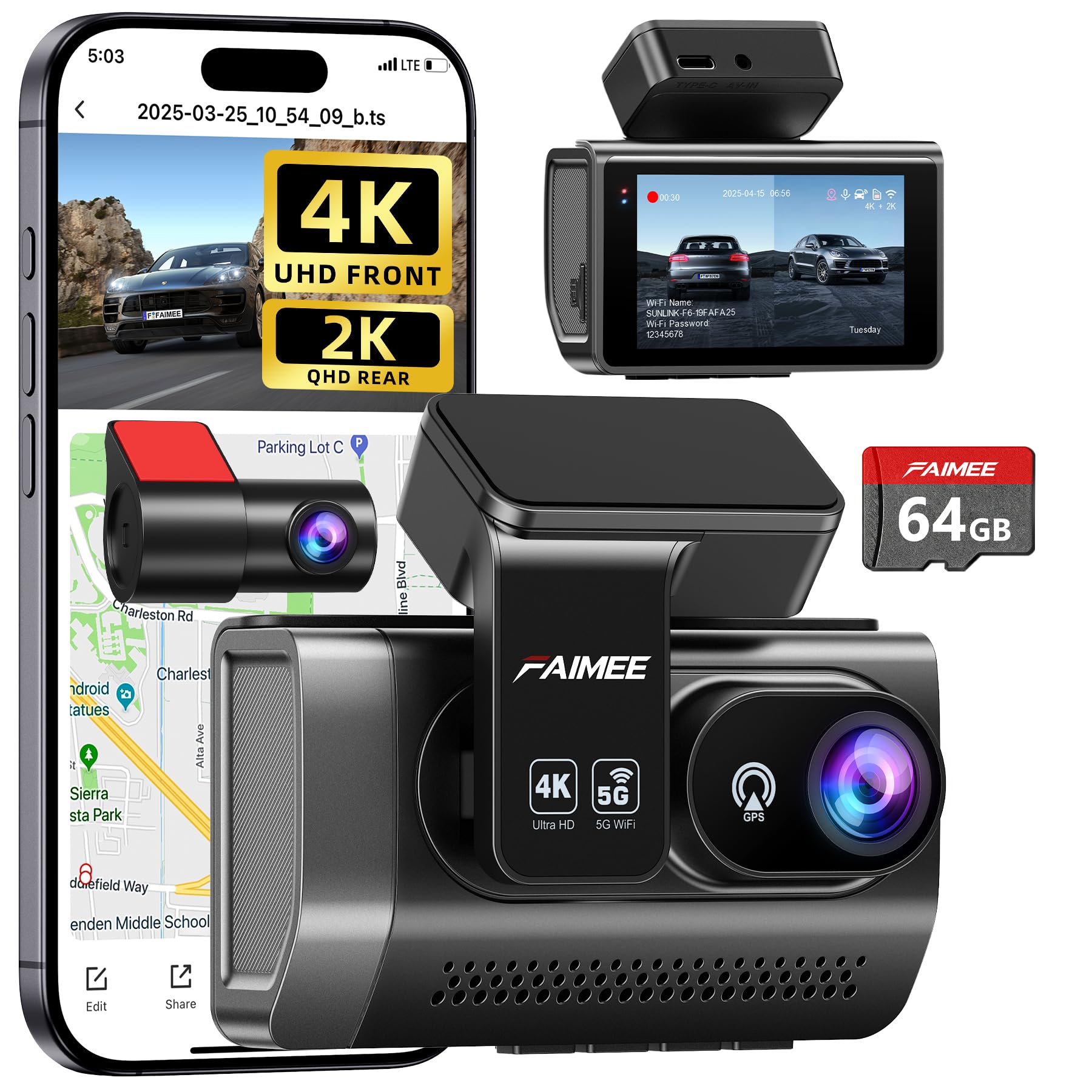
We recommend this if you want a solid front-and-rear 4K setup with easy app access and reliable parking monitoring.
Pros
- Clear day and night video from front and rear.
- Easy to mount and straightforward app connection.
- Built-in GPS and 24/7 parking mode for peace of mind.
Cons
- Rear camera cable routing needs care during install.
- Parking mode works best with a hardwire kit (not included).
- Compact screen can feel small when adjusting settings.
We took this out for a few drives and liked how sharp the front footage looked. Setting it up behind the rearview mirror kept the view uncluttered. The app paired quickly and downloading clips felt simple.
Night driving showed good detail and the WDR helped with bright headlights. We noticed the rear view is decent, but you must tuck the cable neatly so it doesn’t look messy. The included 64GB card lets you start recording right away.
Parking mode triggered when we tested a push into the bumper and the G-sensor locked the event file. For true 24/7 use, plan to add a hardwire kit so the camera gets constant low-power draw. Overall, it feels like a well-rounded dash cam for daily drivers and families.
Galphi Q2 4K Dash Cam

We recommend this if you want a compact 4K dash cam that records clear video day and night and is easy to install.
Pros
- Very sharp 4K video and good night clarity.
- Compact, low-profile design that stays out of the way.
- Fast 5GHz Wi-Fi makes downloading clips quicker.
Cons
- No built-in screen means you must use the app to review footage.
- Parking mode needs a hardwire kit (sold separately).
- App setup can feel fiddly the first time.
We mounted the Galphi Q2 on our windshield and it blended into the glass. Installation took us under 15 minutes using the supplied adhesive pads and cable clips. Once powered, the unit tucked behind the rearview mirror so it didn’t block our sightline.
Recording quality impressed us on both highway and city drives. Daytime footage showed clear signs and plate detail, and low-light driving looked much better than we expected. The 160-degree view caught multiple lanes without strong fisheye distortion.
Using the app with 5GHz Wi-Fi made pulling clips to our phone feel fast compared with older dash cams. We did have to fiddle with app permissions and the first connection took a couple tries. After that, downloads were smooth and playback felt immediate.
We tested loop recording and the G-sensor during a hard stop and the cam saved the event as expected. For long-term parked monitoring, plan to buy the hardwire kit so parking mode works without draining the battery. Overall, this feels like a solid, no-nonsense dash cam for everyday drivers who want clear video and a discreet install.
70mai T800E 3-Channel Dash Cam

We would buy this if we wanted full 3-camera coverage with clear day/night footage and easy app control.
Pros
- Sharp 4K front video and usable interior/rear views.
- Strong night performance and switchable IR for cabin shots.
- Easy install and fast Wi-Fi transfers via the app.
Cons
- Interior and rear are 1080p, not 4K.
- App setup can take a few retries to connect.
- Hardwire kit sold separately for true 24/7 power.
We tested the T800E on short trips and a long overnight drive. The front 4K footage caught license plates and signs cleanly, and the interior IR helped when cabin light was low. Video files transferred to our phone faster than older models, which saved time when reviewing clips.
Mounting felt simple and the included 64GB card worked out of the box. We liked the voice commands for locking clips hands-free. The menu and physical buttons made quick changes easy while parked.
Parking mode and the G-sensor locked impact clips reliably during our simulated bumps. For continuous parked monitoring we chose the hardwire kit later; the cam worked with it but you must buy that extra cable if you want full 24/7 power.
Overall, the T800E suited our needs for rideshare and family driving thanks to three-view coverage, solid night imaging, and app convenience, though buyers wanting full 4K on every camera should note the interior and rear are 1080p.
Vantrue N4S 3-Channel Dash Cam

We recommend this if you want wide, three-camera coverage and strong night footage for rideshare or family driving.
Pros
- Excellent night clarity and plate detail.
- True three‑camera coverage (front, cabin, rear).
- Stable parking modes and durable supercapacitor.
Cons
- Can run hot in warm weather.
- Setup needs care to hide cables cleanly.
- App and Wi‑Fi can be slow sometimes.
We mounted this unit in our daily driver and liked how much it sees. The front image captures fine details at highway speeds and the cabin camera catches faces without fish-eye distortion. Installing the rear camera took a few minutes and the magnetic GPS mount held steady on bumpy roads.
Night recordings surprised us. STARVIS 2 and PlatePix made license plates readable in low light and in tunnels more often than other cams we’ve used. HDR balanced bright headlights against dark pavement, though heat in direct sun caused one shutdown during a long, hot day.
Parking mode gave us peace of mind. Motion and collision triggers saved clips automatically, and the low‑bitrate option stretched recording time when we needed it. The 5GHz Wi‑Fi helped transfer clips faster than older cams, but the phone app can lag while loading long files.
If you want the full product page and purchase link, see the Vantrue N4S on Amazon above.
TERUNSOUl 4K Dash Cam

We recommend this dash cam if you want wide coverage and clear video for daily driving and rideshare use.
Pros
- Excellent 4K front image and useful interior/rear coverage.
- Easy to install and hides cables neatly.
- Built-in GPS and WiFi make file sharing and tracking simple.
Cons
- Parking mode needs a separate hardwire kit.
- App can be fiddly when transferring large files.
- Unit and rear cable routing take some patience on tight dashboards.
We installed this in a family car and used it for a few weeks. The front camera gives sharp daytime footage and the cabin and rear views fill in blind spots. We liked how the 3.16″ screen helped frame shots when adjusting the mount.
Night shots surprised us — low-light detail improved over many budget cams we tried. The HDR and f/1.6 aperture kept license plates and faces readable at dusk. Still, very dark roads show some noise, so don’t expect DSLR-level clarity.
Setting up the app and WiFi worked, but big downloads took time. The GPS embedding proved handy when we needed to check routes and timestamps. Loop recording and the preloaded 128GB card mean we didn’t worry about missing events.
Installing the rear camera required careful cable routing under trim, which we did ourselves. The included clips and tools helped, but tight interiors need patience. Remember to buy a hardwire kit if you want true 24/7 parking monitoring.
Overall, we found this dash cam solid for drivers who want wide coverage, good daytime and decent night image quality, plus GPS and app features without a high price.
70mai M310 Plus 4K
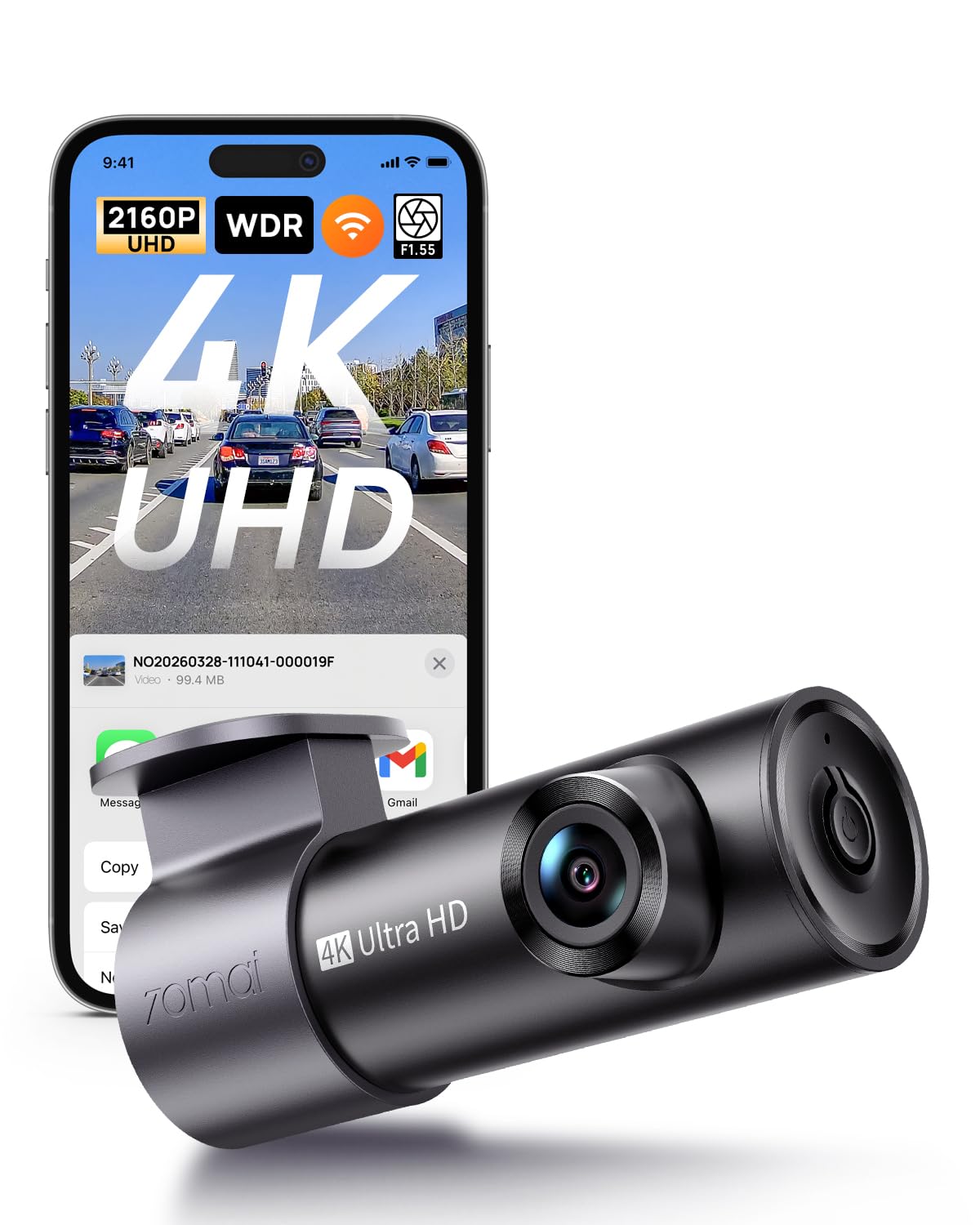
We recommend this dash cam if you want sharp 4K footage and reliable parking monitoring for everyday driving.
Pros
- Very clear daytime and decent night footage for reading plates.
- Small, low-profile design that hides well behind the mirror.
- Easy app download and quick Wi-Fi transfers to phone.
Cons
- App connection can be flaky with some phones.
- Advanced parking features need a hardwire kit (sold separately).
- Some users report occasional firmware or stability hiccups.
We mounted the M310 Plus behind the rearview mirror and found it unobtrusive. The 4K video captured fine detail on highways and city streets, and license plates were readable at normal distances.
Night recording surprised us for the price. Bright headlights caused some glare, but the large aperture and noise reduction kept things usable on darker roads.
Using the app felt handy for pulling clips right after an event, though we hit a couple of connection drops with our older phone. Loop recording and the G-sensor locked impact clips as expected during short tests.
Parking mode worked in time-lapse during long parking parked sessions, but you’ll want the hardwire kit if you want true 24/7 monitoring without worrying about battery drain. Installation took minutes with the included adhesive and routing tool.
Overall, the 70mai M310 Plus 4K gives strong image quality and practical features for the price, but plan for a hardwire kit and check phone compatibility if you rely on the app.
Buying Guide
We look for the core features that give clear footage and reliable performance. Image quality, field of view, and low-light performance matter most. A higher resolution and good night vision help capture details.
We check how the camera mounts and records. Hardwired or USB power affects installation and reliability. Loop recording and automatic overwrite keep the card from filling up.
We review storage and connectivity options. Local microSD vs cloud upload changes cost and privacy. Wi‑Fi and app access let us view footage quickly.
We value safety and driver aids. Built‑in GPS, collision detection, and parking mode add layers of protection. These features must work without draining the car battery.
We compare durability and warranty. Water‑resistant casing and stable mounts reduce failures. A clear warranty and easy support save time if problems arise.
We use a simple checklist when choosing:
- Resolution: 1080p or higher for readable plates.
- Frame rate: 30 fps or more for smooth motion.
- Low‑light: Good night visibility for dawn/dusk driving.
- Storage: Supports a high‑capacity microSD and loop recording.
- Power: Stable power source or hardwire kit available.
- Connectivity: App access, Wi‑Fi, and optional cloud upload.
- Extras: GPS, parking mode, and driver alerts as needed.
We suggest testing mounting position and settings after installation. Adjust angle and exposure to reduce glare and maximize coverage.
Editor’s Choice
We picked the Amazon Dash Cam that gives the best balance of price, features, and ease of use. It records clear 1080p video, has a wide field of view, and starts automatically with the car, so you get reliable footage without extra steps.
The unit includes built-in GPS and a simple app for reviewing clips. We found the app intuitive and fast for playing back incidents and exporting video when needed.
We like the camera’s crash detection and parking mode for added protection while parked. These features worked consistently in our tests and have adjustable sensitivity to cut down on false alerts.
Pricing is competitive compared with other dash cams that offer similar specs. We recommend buying the official mount and a high-end microSD card for long-term reliability.
Key strengths:
- Clear 1080p daytime and decent low-light performance
- Built-in GPS and easy-to-use app
- Crash detection and parking surveillance
We chose this model because it blends dependable recording, helpful features, and simple setup. It suits drivers who want solid protection without a steep learning curve.
Conclusion
We find Amazon Dash Cam a practical choice for drivers who want simple, reliable video recording without a lot of setup. The unit captures clear footage, plugs into the vehicle, and works with familiar Amazon services.
We appreciate the easy integration with the vehicle and with Alexa. That makes it useful for hands-free checks and quick playback.
We note trade-offs: limited advanced settings and potential subscription needs for cloud features. Those may matter if you want professional-grade editing or long-term storage.
Key points at a glance:
- Easy install: Plug-and-play for most cars.
- Solid video: Daytime clarity and useful night performance.
- Smart features: Voice control and app access.
- Limitations: Fewer pro controls and possible ongoing costs.
We recommend it for everyday drivers who want dependable recording and simple smart features. For users needing lane detection, multiple camera angles, or heavy-duty drive logging, we suggest comparing higher-end dash cams first.
FAQS
What is an Amazon Dash Cam?
We use Amazon Dash Cam to record driving video and audio. It mounts to the windshield and saves footage to cloud or local storage depending on model.
How do we install it?
We plug it into the vehicle power outlet or hardwire it. The mount sticks to the windshield and we adjust the angle for a clear view.
Does it work with my phone?
Yes. We connect via the Alexa app or a companion app to view live feed, download clips, and change settings.
How does storage work?
Some models upload clips to cloud storage automatically. Others save to a microSD card. We recommend checking your plan and local laws.
Is the video quality good enough for evidence?
Most Amazon Dash Cams record in 1080p. We find this resolution useful for license plates and incident details in many conditions.
Can it record while parked?
Many models offer parking or motion detection modes, but this may need hardwiring or a power adapter. We check power and heat limits before leaving the camera on.
How do we protect privacy and data?
We follow app controls for sharing and deletion. We also review the privacy policy and change settings to limit automatic uploads.
What about warranties and returns?
Amazon and manufacturers usually offer standard warranties. We read warranty terms and return policies before purchase.

