Dash cams help drivers record trips, protect against insurance fraud, and capture accidents or roadside incidents. Hardwire dash cams are wired directly into a vehicle’s fuse box so they run continuously and can record while the car is parked, offering more reliable power and cleaner installation than plug-in models.
The key things to watch for are constant power compatibility, correct fuse adapter, parking mode features, and professional or secure installation to avoid battery drain or wiring issues. We tested and compared hardwire dash cam setups to find reliable, low-draw options with clear parking-mode operation and easy-to-follow installation.
Best Hardwire Dash Cams
Below is our full list of the best hardwire dash cams we recommend for reliable, continuous recording. We focus on models that offer easy installation, parking mode protection, and steady power management to keep your camera running when the car is off.
BOTSLAB G980H 4-Channel Dash Cam
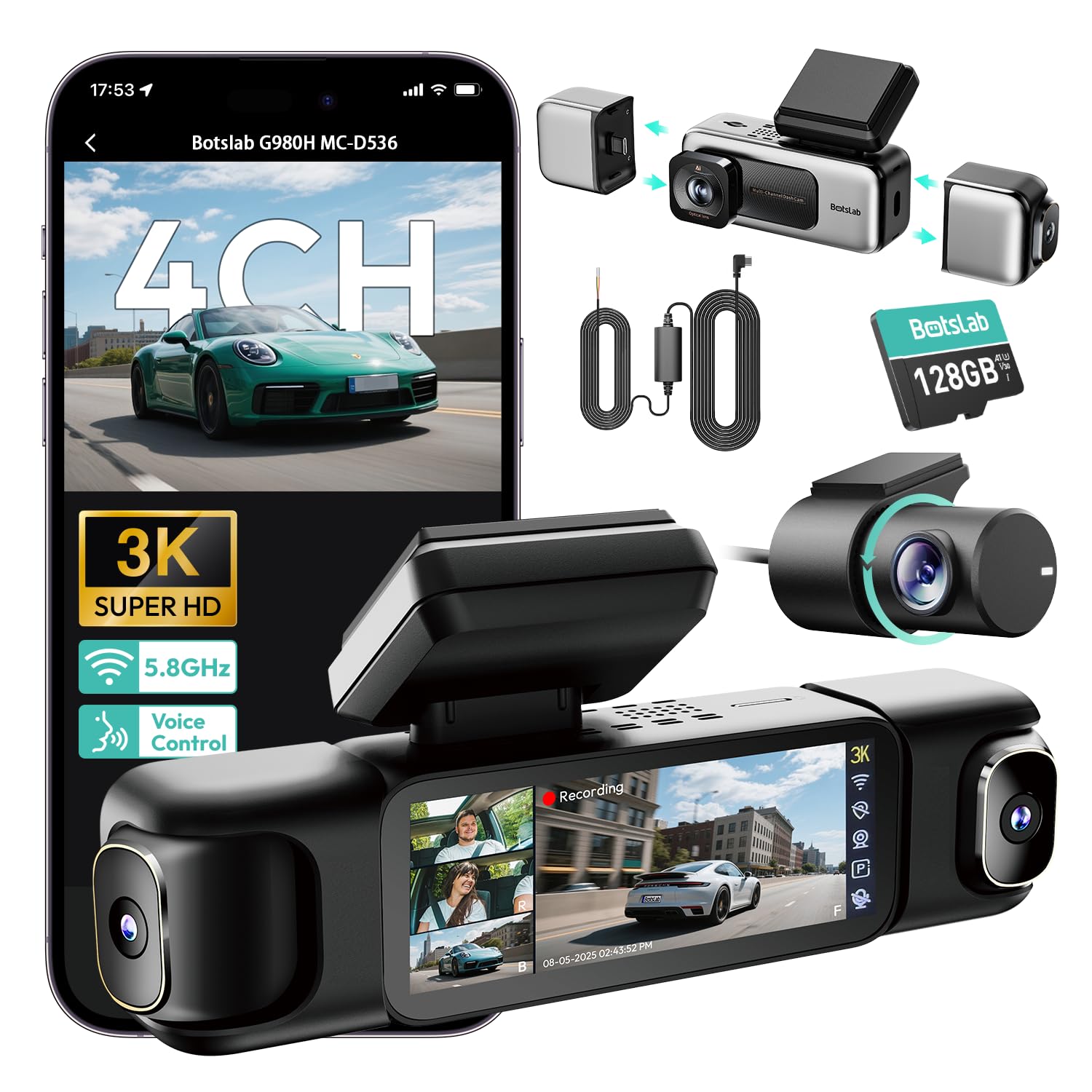
We recommend this if you want full 360° coverage and reliable parking monitoring when hardwired, but expect a learning curve with app setup and sensitivity tuning.
Pros
- Great all-around coverage — front, rear, and side views record together.
- Clear day and night footage thanks to the F1.8 lens and IR lights.
- Hardwire kit and super capacitor help keep parking mode stable in extreme temperatures.
Cons
- App pairing and parking sensitivity took extra time to get right.
- Some users need longer cables or extensions for big trucks.
- Initial power issues can occur and may require support to resolve.
We installed the BOTSLAB G980H and ran it for a week around town and on a long highway trip. The four cameras really do capture almost everything around the truck, and the split-screen on the 3.18″ touch display made it easy to check angles without digging through menus.
During night drives the front camera stayed sharp and balanced. The IR and WDR helped when streetlights made high-contrast scenes tricky. We liked that the unit uses a super capacitor, so sudden power loss didn’t corrupt the last files.
Hardwiring gave us true 24/7 monitoring. Time-lapse and sentry modes worked, but we had to tweak sensitivity so it didn’t make too many short clips. The 5.8GHz Wi‑Fi moved files to our phone quickly, though initial app connection was fiddly until we updated firmware and followed support steps.
For bigger vehicles, plan for possible cable extensions; we needed extra length for a crew cab truck. Customer support helped when our unit didn’t power on at first, which saved time. Overall, this dash cam felt robust, recorded great footage, and handled parking duty well once set up.
ROVE R2-4K Dual

We recommend this if you want sharp 4K front footage plus easy app downloads and solid night performance.
Pros
- Very clear daytime and low-light video thanks to the STARVIS 2 sensor.
- Fast 5G WiFi lets us grab clips to our phone quickly.
- Comes ready to use with a 128GB card and all mounting cables.
Cons
- Suction mount can lose grip on some windscreens over time.
- Menu and app controls take a little time to learn.
- 3″ screen feels small when checking playback in the car.
We installed the ROVE and drove on city streets and highways for a week. Front 4K footage showed road signs and license plates clearly at typical distances. The rear camera gave good coverage for close follow vehicles, which helped when we reviewed lane-change incidents.
Low-light performance impressed us; dark roads kept usable detail and color. We used the app to download a few clips and liked how fast files transfer at 5GHz. That made sharing an incident with family quick and painless.
Hardwiring for parking mode worked well when we tested motion detection in a parking lot. The recorded GPS stamps and speed data proved useful when we checked routes on the PC player. Do note the physical mount felt less secure than a permanent adhesive over weeks of use, so consider hardwiring and using the sticky mount if you want a firmer hold.
Overall, we found the ROVE R2-4K Dual to be a strong choice for drivers who want high-resolution front footage, fast phone access to videos, and reliable night capture without hunting for extra accessories.
AVAPOW 4K Dash Cam X1
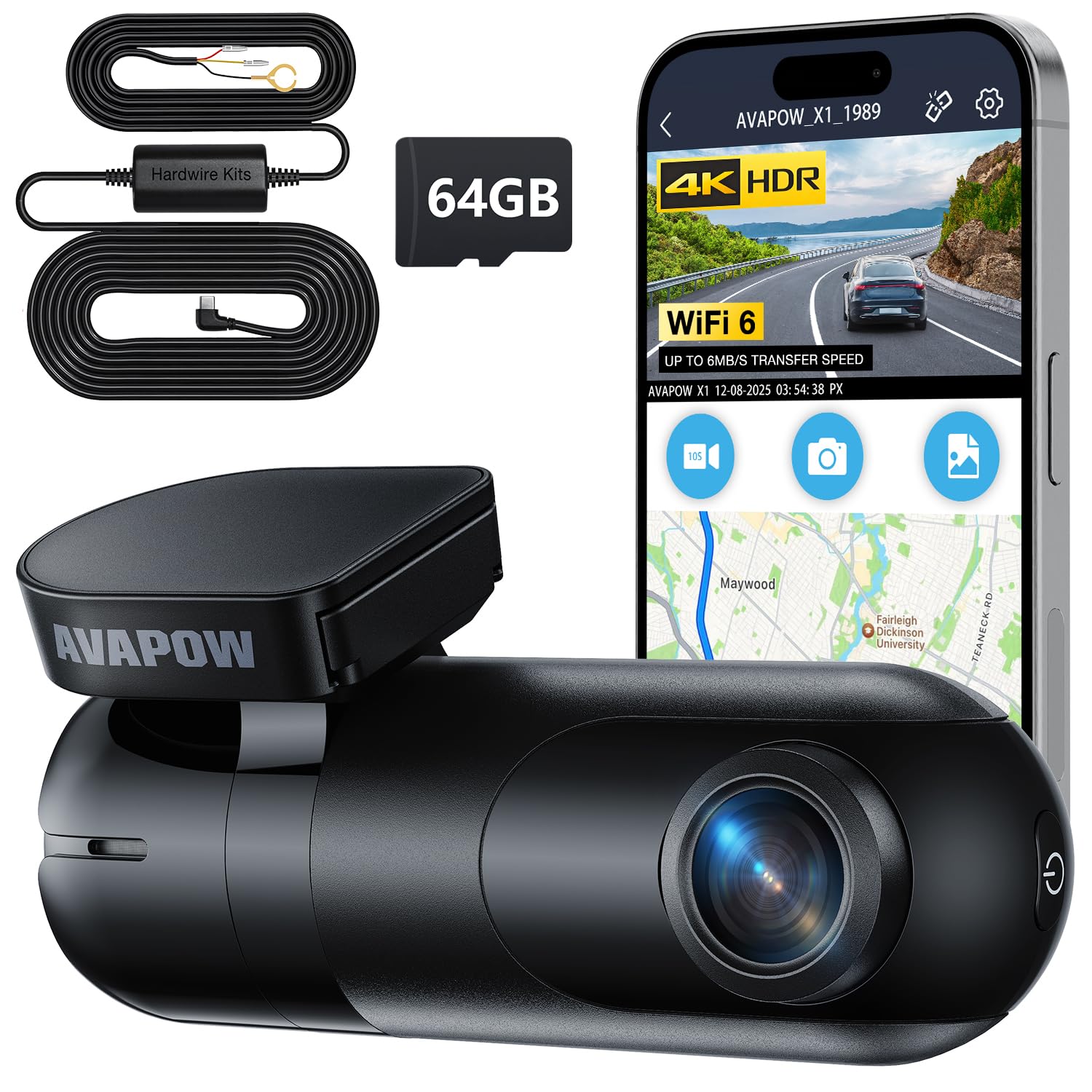
We recommend this if you want very sharp 4K daytime and night footage plus a hardwire kit for parking protection.
Pros
- Very clear 4K video that picks up small details like plates and signs.
- Hardwire kit for 24/7 parking monitoring without draining the battery.
- Built-in WiFi 6 and app make file transfers and settings quick.
Cons
- App support can be spotty on some phones or regions.
- Small menu and controls take a bit of time to learn.
- Night quality is good but not flawless in very dark scenes.
We mounted the AVAPOW X1 on our windshield and it stayed out of sight while capturing crisp footage. The 4K images showed license plates and road signs clearly, and the wide 170° view caught lane details we needed.
Hardwiring felt straightforward with the included kit. Parking timelapse and motion-triggered clips worked when we left the car in a lot, which gave us peace of mind during long errands.
Using the app to pull clips was fast on our modern phone, though one tester had trouble with regional app availability. Overall, it felt like a polished unit that balanced image quality and practical features without fuss.
REDTIGER F7NP 4K Dash Cam

We recommend this if you want sharp front 4K footage, solid night performance, and reliable parking monitoring with a hardwire kit.
Pros
- Excellent daytime and night clarity from STARVIS 2 sensor.
- True front and rear coverage with compact, low-profile mounts.
- Supercapacitor and included 128GB card mean fewer heat and battery worries.
Cons
- You must buy a hardwire kit separately for full 24/7 parking mode.
- App connection can be fussy at first and needs patience to pair.
- Some users may find the menu and settings a bit clunky to learn.
We installed this in our car and ran it for several weeks. The front 4K footage shows lane markings and license plates clearly, and the rear camera captured close calls at intersections without blur. Setup felt like a typical DIY job: the suction GPS mount is sturdy, and the long rear cable reaches most sedans and SUVs without a hunt for extra extensions.
Parking mode worked well once we hardwired power through the fuse box. Time-lapse parking uses very little space and the G-sensor locks collisions automatically. We liked the supercapacitor—no swelling battery worries in hot conditions, and the unit stayed reliable through long daytime heat.
Using the Redtiger app, downloads were fast on 5.8GHz WiFi and clips popped onto our phone quickly. The app layout could be cleaner, and initial pairing took a couple of tries, but live view and GPS playback worked when we needed them. Overall, this feels like a durable, well-rounded hardwire option for drivers who want high-res evidence and 24/7 protection.
REDTIGER F7N Hardwire Kit

We recommend this kit if you want reliable 24-hour power and simple fuse-box installation for your dash cam.
Pros
- Easy hidden install with the included tools.
- Stable 24-hour power with low-voltage cut-off for battery safety.
- USB-C output wakes dash cams quickly.
Cons
- USB-C cable can be too short for some mirror or high-mount setups.
- First units sometimes failed; support replaced mine quickly but it happened.
- Not suitable for trucks with voltages above 24V.
We installed this in a daily driver and liked how clean the final run looked. The tool set made tucking wires behind trim fast, and the kit kept the dash cam powered even after we shut the car off.
Startup speed improved noticeably compared to the cigarette lighter adapter we used before. The dash cam came on quicker, and parking mode stayed active overnight without draining the battery thanks to the low-voltage protect.
We did hit two practical issues. The USB-C lead barely reached our camera placement under the mirror, so routing was tight. One early unit died fast but REDTIGER replaced it without fuss, which reassured us.
If you need a simple, affordable hardwire option that protects your battery and hides wiring well, this is worth buying; just check cable length for your vehicle layout first.
BOTSLAB 4K Dash Cam
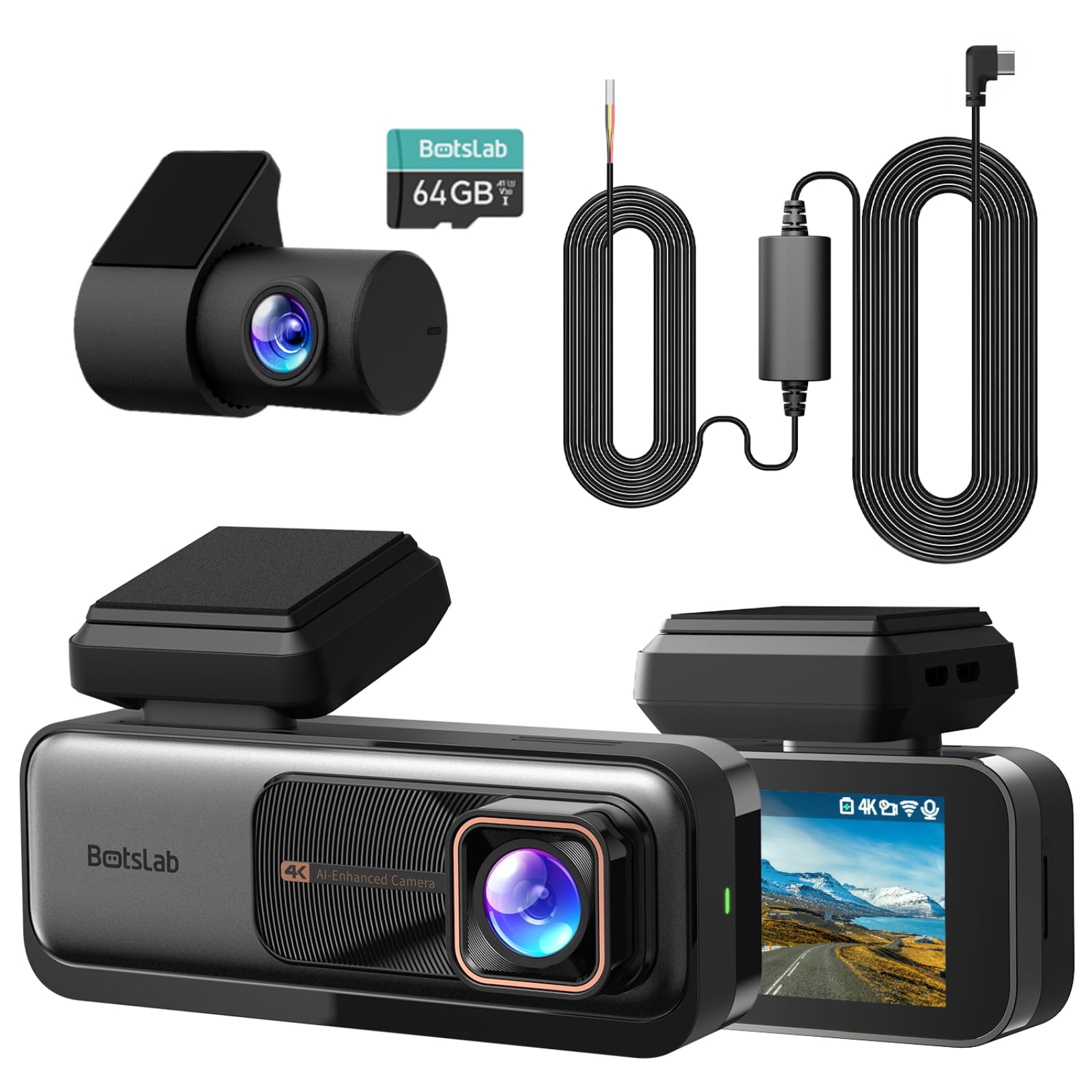
We recommend this if you want high-res day/night recording with a built-in hardwire kit and parking protection.
Pros
- Very sharp 4K front footage and useful swivel rear camera.
- Includes hardwire kit and 64GB card so parking mode works out of the box.
- ADAS alerts and GPS give extra safety and trip data.
Cons
- App and software can be hit-or-miss for some users.
- Mount or orientation parts feel fragile after heavy use.
- Hardwire cable may be short for vehicles with distant batteries.
We installed the BOTSLAB in our daily driver and liked how crisp the daytime video looked right away. Night videos held good detail and WDR handled bright and dark areas better than cheaper models we tried.
The hardwire kit saved us a trip to buy extra parts. Parking mode recorded a light hit while we were away and we recovered the footage without fuss. The rear cam’s 360° swivel was handy for checking inside the cabin and backing up.
Setup flowed quickly, but the app gave us the most friction. Wi‑Fi and GPS worked once paired, yet we saw a few app crashes on older phones. Mounting felt secure, though one of our testers reported the plastic pivot loosened after months of use.
Overall, this unit blends strong video, built-in parking power, and smart driving alerts in one kit, but expect some software quirks and watch the mount for long-term durability.
LAMTTO 360 Dash Cam
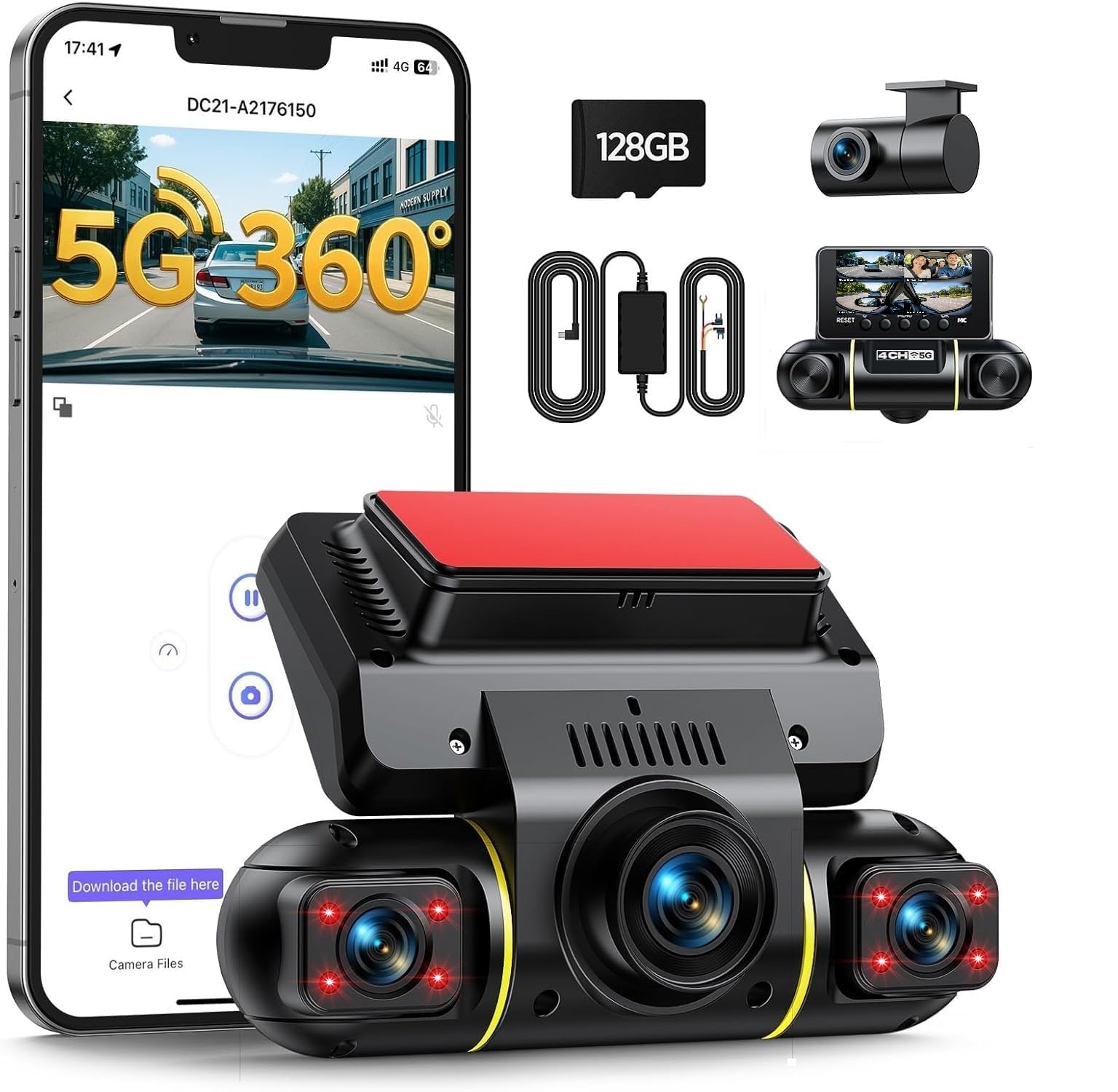
We recommend this if you want true 360° coverage and built-in hardwire parking protection without buying extra parts.
Pros
- Full four-camera coverage catches side, front, rear, and cabin angles.
- Hardwire kit included makes 24/7 parking monitoring possible right away.
- Fast 5G Wi‑Fi and app let us pull clips quickly without removing the card.
Cons
- Camera app can be a little touchy to pair at first.
- Night cabin footage is monochrome and less detailed than daytime clips.
- Getting tidy cable runs for four cameras takes patience or pro install.
We installed the unit in our family van and liked how it filled every blind spot. The front and side lenses showed clear driving video during the day, and the rotatable side cams let us aim into the door area for deliveries and curbside incidents.
Parking mode worked as promised once we hardwired it to the fuse box. The included buck converter removed the need to buy extra gear, and we felt better knowing impacts would trigger locked clips even when the engine was off.
Using the app to grab a clip took seconds with solid Wi‑Fi, though pairing needed a couple tries on one phone. Night interior shots are usable for motion events, but expect black‑and‑white IR footage that lacks fine detail compared to daylight.
Overall, we found this dash cam gives strong value for drivers who want full coverage and reliable parking monitoring without shopping for add‑ons.
Gebildet Hardwire Kit (Type-C)

We recommend this kit when you want simple parking-mode power with built-in low-voltage cutoff to protect your car battery.
Pros
- Cuts power below 11.6V so the car can still start.
- Includes multiple fuse taps and a pry tool for a tidy install.
- Works with 12–24V systems and Type-C dash cams.
Cons
- No low-voltage delay — it can cut instantly when starting.
- Some units ship without both constant and switched wires shown in photos.
- Cord length and plug angle may limit placement in tight mounts.
We wired this into our daily driver and liked how it hid under trim for a clean look. The kit fit several fuse boxes and the little pry bar really helps tuck the cable away.
While testing parking mode, the cutoff protected our battery each night. It does shut power off immediately when voltage dips near 11.6V, so the cam can stop mid-event if you try to start the car.
Installation took about 30 minutes for us and came with the common fuse adapters. Watch for the single red wire in some packages; double-check vehicle wiring so you get constant and switched power where needed.
ROVE Ultimate Hardwire Kit

We recommend this kit if you want a clean, reliable hardwire solution to keep ROVE dash cams powered for 24/7 parking monitoring.
Pros
- Easy, tidy install that hides cables and looks professional.
- Built-in voltage meter and low-voltage cut-off protect the car battery.
- Includes fuse taps, tools, and clear instructions for DIY work.
Cons
- Fuse taps won’t fit every vehicle — check compatibility first.
- A few cars need professional help to route wires fully hidden.
- Uses small parts that can be fiddly if you have large hands.
We installed this kit on an R2-4K PRO and felt the whole process was smooth. The manual and online videos matched what we saw, so we avoided guesswork and finished faster than expected.
Once hooked up, the dash cam stayed powered in parking mode without draining our battery. The voltage meter gave us peace of mind and the low-voltage protection cut power cleanly during a long park.
Wiring into the fuse box made the cabin look much cleaner than a dangling USB charger. Some fuse configurations were tight, so we needed patience and careful routing to hide the cable behind trim pieces.
If your car’s fuse box is one of the listed incompatible models, plan for an alternate solution or pro install. For compatible cars, this kit felt complete and built for use with ROVE cameras.
ROVE Ultimate Dash Cam Hardwire Kit on Amazon
Slrongpowlr 4-Channel Dash Cam
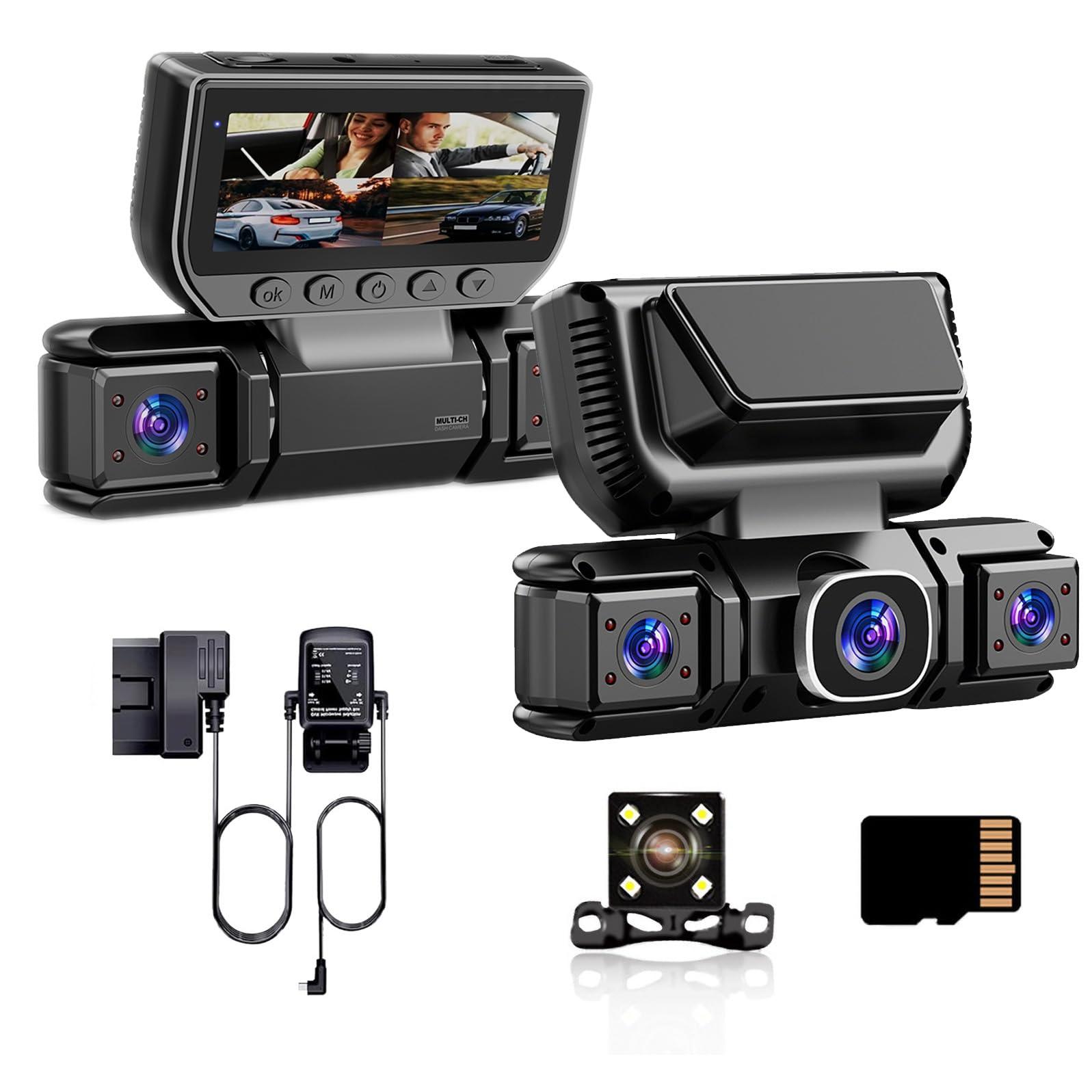
We recommend this if you want full 360° parking protection with easy OBD hardwiring and four-camera coverage.
Pros
- True 24/7 parking monitoring without complicated fuse-box wiring.
- Four cameras cover blind spots and parking angles well.
- Comes ready with SD card and loop recording — no subscription needed.
Cons
- Video is 1080p, so fine detail at distance can be limited.
- Cable routing for four cameras takes time and patience.
- Some settings (like parking wake and voltage cutoffs) need manual setup.
We installed this unit on our weekend vehicle and liked how simple the OBD plug made power hookup. The system powered up right away and the app connected quickly. Routing the four camera leads took a couple hours but felt manageable.
Driving footage looked solid for normal use and the wide front lens captured both lanes well. Night clips were clearer than many basic cams thanks to WDR, though small license plate text at distance was sometimes fuzzy. The radar motion wake worked in our lot and caught a couple close approaches while parked.
We appreciated the built-in battery protection that cut power under 11V and the included 32GB card so we could start testing right away. If you want top-tier resolution or cloud backup, this isn’t that product, but for reliable multi-angle surveillance and easy hardwiring it performed as promised.
Slrongpowlr 4-Channel Dash Cam
Buying Guide
We start by deciding how we will power the dash cam. Hardwiring gives constant power and parking mode. Check that the kit includes a fuse tap and long enough cable for our vehicle.
We look at video quality and frame rate. Aim for at least 1080p and 30 fps so details are clear. Consider low-light performance if we park in dim areas.
We check parking features and power management. Battery drain protection and automatic switching to parking mode matter. Make sure the unit supports voltage cut-off settings to protect the car battery.
We compare mount and wiring options. A low-profile mount reduces glare and visibility. Confirm the cable route and whether the fuse box location suits our install plan.
We review storage and loop recording. Choose a dash cam that supports large microSD cards and reliable loop overwrite. Look for clear instructions on file protection after an incident.
We assess additional features we might need. GPS logging, Wi‑Fi, and time stamping help with evidence and replay. Prioritize features we will actually use to avoid extra cost.
We consider install difficulty and serviceability. Some hardwire kits are plug-and-play; others need trimming and fuse selection. If we cannot install safely, plan to use a professional installer.
| Feature | What to check |
|---|---|
| Power handling | Voltage cut-off, parking mode, cable length |
| Video | Resolution, frame rate, low-light |
| Storage | Max microSD, loop recording, file protection |
| Install | Fuse tap type, routing, ease of install |
| Extras | GPS, Wi‑Fi, timestamps |
Editor’s Choice
We picked the top hardwire dash cam that balances reliability, easy install, and steady power. It keeps parking mode active without draining the car battery and fits most vehicle electrical systems.
We like models with a low-voltage cutoff, voltage display, and a timed parking mode. These features protect your battery and give clear power status. They also reduce guesswork during long trips or cold weather.
Key specs we looked for:
- Low-voltage cutoff: prevents dead battery.
- Voltage readout: shows real-time battery level.
- Timer or motion trigger: saves power while capturing incidents.
- Fuse tap kit included: makes install cleaner.
We prefer units with a compact fuse tap and clear wiring guide. That makes hardwiring safer and faster. A good camera also supports loop recording and has good night video.
Price and warranty matter to us too. We favor products with at least a one-year warranty and responsive support. That gives us confidence if something goes wrong.
If you want our pick, check for compatibility with your car’s fuse box and available parking mode settings. Matching those ensures the dash cam works as intended without surprises.
Conclusion
We find hardwire dash cams to be a practical upgrade for drivers who want constant protection and tidy installs. They keep the camera powered without draining the battery when the car is off, and they hide wires for a cleaner look.
We should pick a kit that matches our vehicle and skill level. A professional install adds cost but reduces risks like blown fuses or loose connections.
We recommend checking fuse compatibility and using a hardwire kit with low-voltage cut-off. That protects the car battery and keeps parking mode reliable.
We value features like parking surveillance, impact detection, and easy firmware updates. These features give us useful evidence and reduce false triggers.
We suggest budgeting for the kit, potential installation, and occasional maintenance. Simple steps—clean connectors, check mounting—help the system last longer.
Key points at a glance:
- Power: continuous with low-voltage protection
- Installation: DIY or pro depending on comfort
- Maintenance: periodic checks and firmware updates
We feel a well-chosen, well-installed hardwire dash cam improves safety and peace of mind while driving and parked.
FAQS
What is a hardwire dash cam?
We hardwire the dash cam to the vehicle’s fuse box for constant power. This lets the camera record while the engine is off and avoids messy cigarette-adapter cords.
Is installation difficult?
We can install it ourselves or hire a pro. Basic installs take 30–90 minutes; complex wiring or multiple cameras may take longer.
Will it drain my battery?
Not usually. We use a low-voltage cutoff or a fuse tap to stop draws below a safe threshold. That protects the battery while keeping parking mode active.
Does hardwiring void my warranty?
Not usually, but it can vary by car and installer. We recommend checking the vehicle warranty and using a professional for a clean install.
Can the dash cam record while parked?
Yes. Parking mode captures motion or impact depending on the model. We should enable motion detection or buffered recording to save space.
What about insurance and legal issues?
Dash cam footage can support claims in many places. We must follow local laws on recording audio and privacy. Check state and local rules before use.
What accessories do we need?
Typical items include a fuse tap, inline fuse, hardwiring kit, and cable clips. We also suggest a memory card rated for continuous recording and a proper mount.
- Tip: Use high-endurance SD cards and format them in-camera regularly.

