Dash cams record what happens on the road and can also watch your car when you’re away. Many models add a parking mode that switches the camera to low-power recording or motion-triggered clips while the vehicle is off. That feature can capture hit-and-runs, vandalism, and theft attempts without draining the battery when properly set up.
Choosing a dash cam with parking mode means checking how the mode is powered and triggered, how long it records, and whether the unit has a hardwire kit or built-in battery. The most important thing to look for is a reliable parking-mode power solution and clear trigger options (motion, impact, or time-lapse) so the camera records when it needs to without killing your battery. We tested and compared models with different power setups, trigger types, and recording behaviors to find the ones that protect your car while staying practical for daily use.
Best Dash Cams with Parking Mode
Below is our full list of the best dash cams with parking mode. We tested models that record while parked, handle impacts, and save footage reliably so you can pick one that fits your needs.
ROVE R2-4K Dual

We recommend this if you want sharp 4K front video and reliable 24-hour parking mode at a good value.
Pros
- Crisp daytime and low-light video from the Sony STARVIS 2 sensor
- Solid parking features with timelapse, motion, and collision recording
- Fast 5GHz Wi‑Fi lets us pull clips to our phone quickly
Cons
- Hardwire kit for full parking power sells separately
- Bulkier display takes up windshield space for some cars
- App can be a little clunky when updating settings
We installed the ROVE R2-4K on our daily driver and liked how clear the front footage looked. Driving around town showed fine detail in license plates and road signs, and night shots were brighter than many others we’ve tried.
Parking mode gave us peace of mind. When parked, the dash cam recorded short clips from motion or impact and locked the files so they didn’t overwrite. We used the voice alert the next morning and appreciated knowing an event happened while we were away.
The Wi‑Fi and app sped up downloads when we wanted to save a clip, though the app menus felt slow at first. Setup was straightforward, but to get true 24/7 monitoring we hardwired the unit with a separate kit. Overall, this unit felt durable and performed like a pro-grade dash cam during our tests.
REDTIGER F7N Touch 4K Dash Cam

We recommend this dash cam if you want sharp 4K front footage and reliable parking-mode recording with easy app access.
Pros
- Very clear daytime and improved night video that caught license plates in our tests.
- Parking mode with impact detection works well once hardwired.
- Touchscreen and voice control make quick settings easy while parked.
Cons
- Parking monitoring needs a separate hardwire kit to run properly.
- App setup and Wi‑Fi can be finicky at first.
- Suction mount feels bulky compared with low-profile mounts.
We installed the F7N Touch and used it for several weeks. The front 4K STARVIS 2 sensor gave crisp daytime footage and the rear camera picked up needed detail. Night recordings improved with WDR/HDR, though very dark scenes still blur a bit.
Hardwiring the unit enabled true 24-hour parking monitoring and event lock. We triggered the G-sensor by tapping the car and the camera locked the clip as promised. The included 128GB card handled loop recording without a hitch.
Using the touchscreen and voice commands kept interaction quick and low-distraction. The REDTIGER Cam app let us download clips at decent speeds on 5.8GHz Wi‑Fi, but initial pairing and the default password display were slightly awkward.
Overall, the F7N Touch felt like a solid mid-range pick for drivers who want strong video and real parking protection when they add a hardwire kit. Check current pricing and details on Amazon: REDTIGER F7N Touch 4K Dash Cam.
REDTIGER F7NP 4K Dash Cam

We recommend this if you want clear 24/7 parking footage and easy app access for quick downloads.
Pros
- Very sharp daytime and night video from the 4K front and STARVIS 2 sensor.
- Reliable parking mode with G-sensor and time-lapse when hardwired.
- Fast 5.8GHz WiFi makes grabbing clips on the phone quick.
Cons
- Parking mode needs a hardwire kit for true 24/7 use.
- Setup can take extra time to hide the long rear cable neatly.
- App and WiFi can be a little finicky at first.
We installed the F7NP in our daily driver and used it for weeks. The front footage caught small details we needed, and the rear camera fit neatly without blocking the view. The unit felt solid and didn’t flop around on the windshield.
Night drives surprised us — the STARVIS 2 sensor and WDR kept license plates readable and lights from blinding the scene. When we tested parking mode after hardwiring, the camera recorded impacts and locked the clips automatically. Time-lapse parking gave a long view of the lot without filling the card fast.
Connecting to the app let us preview clips and pull files over quickly on 5.8GHz WiFi, though the first pairing took a couple tries. We used the included 128GB card right away and appreciated the supercapacitor for heat safety. Overall, it worked like a pro once installed, but budget a little time for setup and wiring.
70mai A810 Lite 4K Dash Cam

We recommend this if you want clear 4K front footage, true parking monitoring, and easy phone access to recordings.
Pros
- Sharp daytime and solid night video that makes license plates readable.
- Reliable parking mode with motion/g-sensor triggers and low-voltage protection.
- Fast 5GHz Wi‑Fi and app controls make downloading clips quick.
Cons
- 4G remote features need an extra hardwire kit and plan to work.
- Rear camera cable routing can be fiddly in tighter cars.
- Some users report app quirks and occasional firmware updates needed.
We installed the A810 Lite behind the mirror and started driving right away. The front 4K footage caught road signs and plate details better than many cams we’ve used. Night HDR helped cut windshield glare, so dark scenes stayed clearer than expected.
Parking mode gave us real peace of mind during overnight street parking. Impact-trigger recordings saved clips exactly when bumps happened, and time-lapse kept long-term coverage without draining the battery thanks to low-voltage protection. For remote live view and alerts we tested, the 4G option worked well once the hardwire kit and SIM were set up.
Connecting on 5GHz Wi‑Fi sped file transfers to our phone and made sharing clips painless. The app handled playback, GPS tracks, and settings, though it sometimes required a firmware push. Installing the rear camera took patience to hide the cable, but the dual view was worth it for added coverage.
Overall, this feels like a durable daily driver dash cam with solid parking safeguards and clear video. If you want remote access without extra gear, factor in the hardwire kit and possible subscription before buying.
IIWEY N5 4-Channel Dash Cam

We recommend this if you want true 360° coverage and reliable parking mode at a budget-friendly price.
Pros
- Wide, clear coverage around the whole car so blind spots are minimal.
- Built-in 128GB card and simple loop recording get you started right away.
- Supercapacitor and 24H parking modes handle heat and parked-vehicle events.
Cons
- Must use the included cigarette-lighter charger or a hardwire kit for parking mode.
- No GPS and no OBD support, so no speed/location logging or advanced vehicle data.
- WiFi requires a button press to turn on and will shut off after a few minutes idle.
We installed the N5 on a midsize SUV and drove around town for a week. The four cameras deliver surprisingly steady, usable footage day and night. We liked how the front and side views picked up license plates and nearby movement without much fuss.
Setting up took about 30 minutes using the included guide. The wiring for the rear camera is simple but the hardwire kit is needed for true 24-hour parking mode, which we think is worth getting if you plan to leave the car parked in public spots. The supercapacitor reassured us in hot weather—no swelling or battery warnings.
Using the app to preview clips worked well once we remembered to long-press the WiFi button first. The 5GHz connection felt faster than older dash cams, but the auto-shutoff after about five minutes of no app connection can be annoying during longer transfers. We also missed built-in GPS when reviewing where an event happened.
Overall, we found the IIWEY N5 a strong value for people who want full coverage cameras and basic parking protection without paying for high-end extras. If you need GPS tracking or want to avoid any extra wiring, look elsewhere; but for broad coverage and reliable recording, this one handled the job.
TERUNSOUl 4K Triple-Cam Dash Cam

We recommend this if you want wide coverage and reliable parking recording once you add a hardwire kit.
Pros
- Clear 4K front video and useful cabin/rear angles for full coverage.
- Built-in GPS and fast WiFi let us tag and pull clips quickly.
- Includes 128GB card and feels solid in daily use.
Cons
- Parking mode needs a separate hardwire kit to work properly.
- App can be a bit fiddly when switching cameras or downloading large files.
- Setup is manageable but hiding the rear cable took extra time.
We mounted this dash cam and used it on week-long drives. The front 4K footage showed crisp lane markers and license plates in daylight. Night shots looked better than many rivals thanks to the starlight lens and HDR, though very dark scenes still lose fine detail.
Installing the rear and cabin units took patience but the included cables and clips helped us route everything cleanly. The 3.16″ screen makes quick checks easy, and the unit felt sturdy on the windshield. We liked that a 128GB card came in the box so we could start recording right away.
When parked, the collision sensor locked events as promised, but we had to hardwire the unit to the car battery for full 24-hour parking mode — don’t expect out-of-the-box parking monitoring. The GPS timestamps and the app’s download speeds made sharing clips straightforward, though the app UI could use some polish for faster camera switching.
Galphi M2 3-Channel Dash Cam
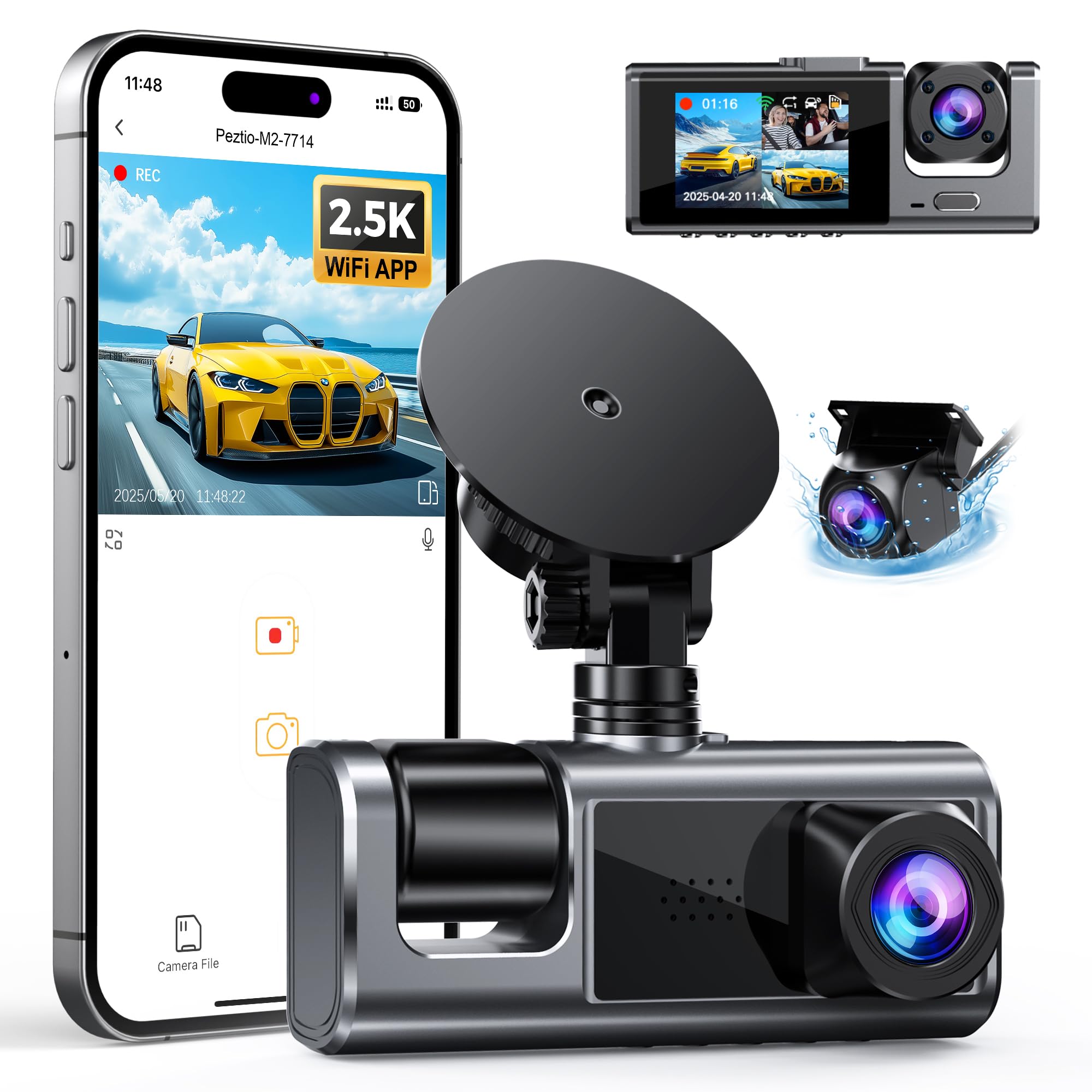
We recommend this if you want full coverage and 24-hour parking recording without paying for subscriptions.
Pros
- Clear front video and useful interior view for driver/passenger events
- Parking mode works when hardwired, so it records while parked
- App control makes clips easy to download and share
Cons
- SD card no longer included; you must buy one separately
- Parking mode needs a hardwire kit (sold separately) to work properly
- Unit can get warm in direct sun and may shut down on hot days
We installed the M2 and drove it for a week. The front 2.5K image showed good detail in daylight and the cabin camera caught faces well at night. Setting angles was simple and the low-profile housing stayed out of our sightline.
Connecting the app felt quick and let us pull clips without removing the card. Loop recording and G-sensor events saved collisions and sudden stops reliably. The voice prompts kept us informed without being distracting.
We tested parking mode after hardwiring the unit. It recorded low-frame clips when parked and picked up impacts, which gave us extra peace of mind when leaving the car overnight. Note that you must buy a compatible SD card and the hardwire kit separately if you want these features to work.
Vantrue N4S 3-Channel

We recommend this if you want three-camera coverage and strong night footage for parking and rideshare use.
Pros
- Excellent night clarity and readable plates.
- True 3-channel coverage (front, cabin, rear) removes blind spots.
- Flexible parking modes that save important clips automatically.
Cons
- Can run hot in warm weather and may shut down.
- Setup needs time to hide cables neatly in some vehicles.
- Large unit and cabling may clutter compact windshields.
We installed the N4S in our daily driver and ran it for a couple of weeks. The front and rear footage looked sharp, and the interior camera actually picked up faces and details we needed for rideshare verification.
Parking mode worked well when someone walked by or tapped the car. The motion-triggered clips included a few seconds before the event, which proved useful for understanding what led up to the incident.
On hot days the unit warmed noticeably and one of ours rebooted once. We still liked the solid video and the app made grabbing clips fast, but buyers in hot climates should watch temperatures and consider hardwiring or a heat-tolerant mount.
The magnetic GPS mount made the install tidy, though routing the long rear cable took patience in our sedan. Once hidden, the setup looked clean and the 5GHz Wi‑Fi eased transfers when we needed a quick clip.
Overall, this feels like a pro-level dash cam set for drivers who want 24/7 protection and clear night records, as long as you accept a bit of extra installation work and watch for heat.
IIWEY N6 360° Dash Cam
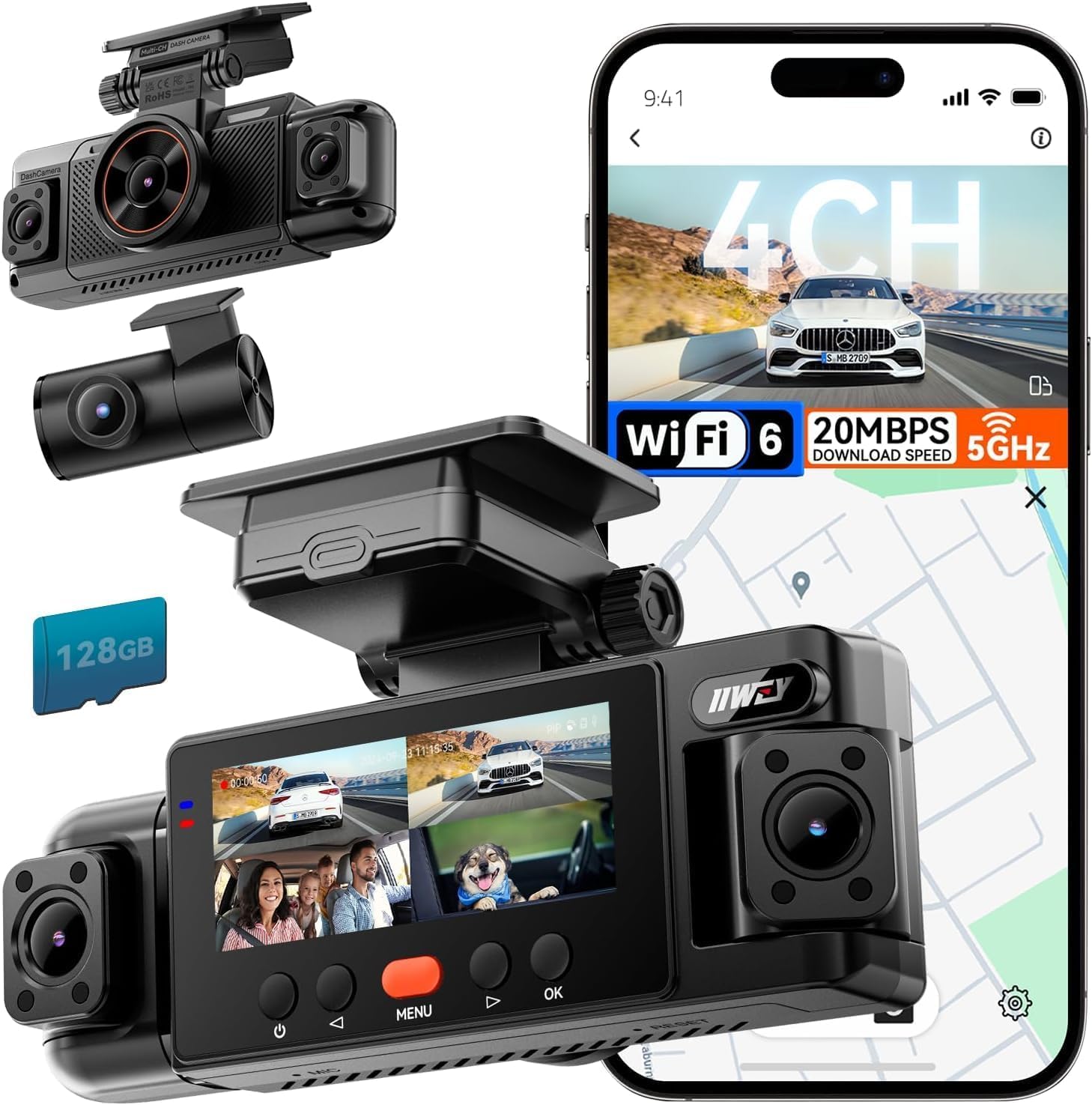
We recommend this if you want full 360° coverage and reliable parking mode when hardwired.
Pros
- True four-camera surround view that really cuts blind spots.
- Solid night vision and clear license plate detail at junctions.
- Includes 128 GB card and easy app transfers over 5.8 GHz Wi‑Fi.
Cons
- Parking mode needs a separate hardwire kit to work 24/7.
- No internal battery — it must stay wired to power.
- Mount hardware can loosen if not tightened carefully.
We installed the N6 in our daily driver and used it across town and on long trips. The multiple cameras gave immediate peace of mind; we could see side angles that usually disappear in parking lots. Daytime footage looked sharp and the app made pulling clips quick.
Parking mode worked well once we hardwired the unit. Time-lapse plus impact-triggered clips caught a couple of low-speed bumps in our tests. Remember that continuous 24-hour protection requires the hardwire kit, so factor that into the final cost.
Setup felt straightforward for anyone comfortable tucking wires. The included 128 GB card and clear on-screen prompts let us hit the road fast. We did notice the unit draws heat with Wi‑Fi on, so we used the auto-off Wi‑Fi tip to reduce power use.
VIOFO A229 Plus

We recommend this if you want sharp day/night footage and reliable parking mode for real-world use.
Pros
- Excellent low-light clarity from dual STARVIS 2 sensors.
- Very detailed front and rear 1440p recordings.
- Solid parking mode options with buffered event recording.
Cons
- Parking hardwire kit sold separately.
- App can be slow or clunky at times.
- Setup takes a bit of patience to hide cables neatly.
We installed the A229 Plus in two cars and used it for daily drives and overnight parking. The night footage surprised us — license plates and street signs came through clearer than many cameras we tried before.
During the day the colors and motion looked sharp and smooth. We noticed the front camera handled fast-moving scenes well, and the rear camera stayed useful for backing and incidents.
Parking mode gave us three useful choices: event-triggered buffered recording, time lapse, and low-bitrate continuous capture. We liked the buffered events because the camera saved seconds before the motion, which caught what led up to minor hits.
Connecting over 5GHz Wi‑Fi let us pull clips faster than older models, but the phone app sometimes lagged during downloads. Voice commands worked well for hands-free controls when we were on the road.
Installing the unit took a bit of time to tuck the long rear cable and attach the GPS module cleanly. If you want 24/7 monitoring, plan to buy the hardwire kit too and use a good endurance microSD card.
We found the A229 Plus to be a dependable, high-quality dash cam for people who care about night performance and parking protection.
Buying Guide
We look for parking mode when choosing a dash cam because it protects our car when we are away. Parking mode records motion, impacts, or time-lapse while the vehicle is off. Decide which type of parking mode fits our needs: motion-triggered, impact-triggered, or continuous low-frame-rate recording.
We check video quality next. Aim for at least 1080p so license plates and faces are readable. Night-vision performance matters too; good low-light recording helps with night incidents.
Power options matter for reliability. Hardwiring to the car fuse box gives constant power but needs installation. A low-voltage cutoff or battery pack prevents draining the car battery.
Storage and file management affect how long footage lasts. Look for large-capacity microSD support and loop recording so old files are overwritten automatically. Automatic event locking for incidents keeps critical clips from deletion.
We value sensor features for accurate triggers. A reliable G-sensor detects impacts. Motion detection should avoid false alarms from passing cars or wind. Some units include temperature protection for hot or cold climates.
Connectivity and ease of use affect daily handling. Wi‑Fi or an app makes file transfer easier. A clear menu and good mounting hardware simplify setup. Prefer models with durable casing and warranty for peace of mind.
We compare price against the feature set. Prioritize core items: parking mode reliability, power solution, and video/night performance. Use a checklist to match features to our driving and parking habits before buying.
Editor’s Choice
We pick the dash cam that balances reliable parking mode, solid video quality, and simple setup. Our top choice records 1080p or higher while parked and starts automatically on impact or motion.
The unit uses a low-power parking mode and a hardwire kit for constant power. That setup avoids battery drain and keeps the camera ready for overnight monitoring.
We like models with buffered recording. They capture a few seconds before and after an event, which often shows what led to a hit-and-run or vandalism. Night vision and wide-angle lenses matter for clear footage in low light and for covering multiple lanes.
Key features we value:
- Buffered parking mode for pre- and post-event clips
- Low-power draw with hardwire support
- Good night performance and wide field of view
- Reliable impact and motion triggers
We tested responsiveness and file reliability. The top model saved every triggered clip without corruption and woke quickly from parking mode. Firmware updates and easy file access via an app or SD card reader added real-world convenience.
Conclusion
We value dash cams with parking mode because they protect our vehicle when we are away. They record impacts, theft attempts, and suspicious activity so we have evidence if something happens.
Choosing the right model depends on our needs: sensitivity, power supply, storage, and video quality matter. We weigh features against price and pick what fits our routine and budget.
We recommend testing parking mode after installation. A short trial helps us adjust sensitivity and check power draw without surprises.
We keep footage organized and back up important clips regularly. That practice makes it easier to use videos for insurance or police reports.
Key points at a glance:
- Protection: Records while parked.
- Power: Requires hardwire or battery pack.
- Storage: Needs enough space or loop recording.
- Settings: Sensitivity and parking timers matter.
We expect parking-mode dash cams to reduce stress and give us clear evidence when incidents occur. They are not a guarantee, but they improve our chances of resolving post-incident disputes.
FAQS
What is parking mode?
Parking mode records events when the car is parked. It watches for motion, impact, or changes in power and saves video automatically.
Do all dash cams have parking mode?
No. Only some models include it. We recommend checking the specs for “parking mode” or “24/7 surveillance” before buying.
How long can parking mode record?
Recording time depends on battery or hardwiring and the memory card size. Loop recording overwrites old files, so continuous recording lasts until storage fills.
Will parking mode drain my car battery?
Yes, if the dash cam draws power while the engine is off. We suggest a hardwire kit with low-voltage cutoff or a separate battery pack to avoid a dead battery.
How do impact and motion detection differ?
Impact detection triggers on sudden shocks like a bump. Motion detection triggers on moving objects near the car. We recommend both for best coverage.
What memory card should we use?
Use a high-endurance microSD card rated for continuous recording. Brands and speed classes matter; follow the dash cam maker’s size and class recommendations.
Can parking mode save video for insurance?
Yes, proper footage can support claims. We advise ensuring timestamps are correct and files are backed up to avoid loss.
Is installation hard?
Basic installation is simple, but hardwiring to the fuse box requires tools and caution. We suggest professional installation if unsure.

