
Programming a key fob with an OBD2 scanner is a convenient way to replace or add remote keys for your vehicle. This guide walks you through the entire process with clear, easy-to-follow steps, tips, and troubleshooting advice to get your key fob working in no time.
Quick Answers to Common Questions
Can I program any key fob with an OBD2 scanner?
No, only specific vehicles and scanners support key fob programming via OBD2. Always check compatibility before starting.
Do I need a working key fob to program a new one?
Some vehicles require at least one working key fob for programming, while others allow programming without any existing keys.
How long does key fob programming take?
The process typically takes 5 to 15 minutes depending on your vehicle and scanner model.
Will programming erase my old key fobs?
In many cases, yes. Programming often erases all previous keys, so you need to reprogram all key fobs simultaneously.
What if my key fob still doesn’t work after programming?
Check the battery and ensure correct steps were followed. If problems persist, consult a professional locksmith or dealership.
How to Program Key Fob with OBD2 Scanner Step by Step Guide
Are you looking to program a new key fob for your vehicle without visiting the dealership? You’re in the right place! This guide will teach you how to program key fob with OBD2 scanner easily, saving you both time and money. Whether you lost your remote or need an extra one, programming it yourself is simpler than you think.
Introduction
OBD2 scanners are widely known for reading car diagnostic codes, but many modern scanners also have advanced features, such as key fob programming. This guide will walk you through the process, from checking compatibility to completing the programming. By the end, you’ll be confident to handle your key fob programming task like a pro.
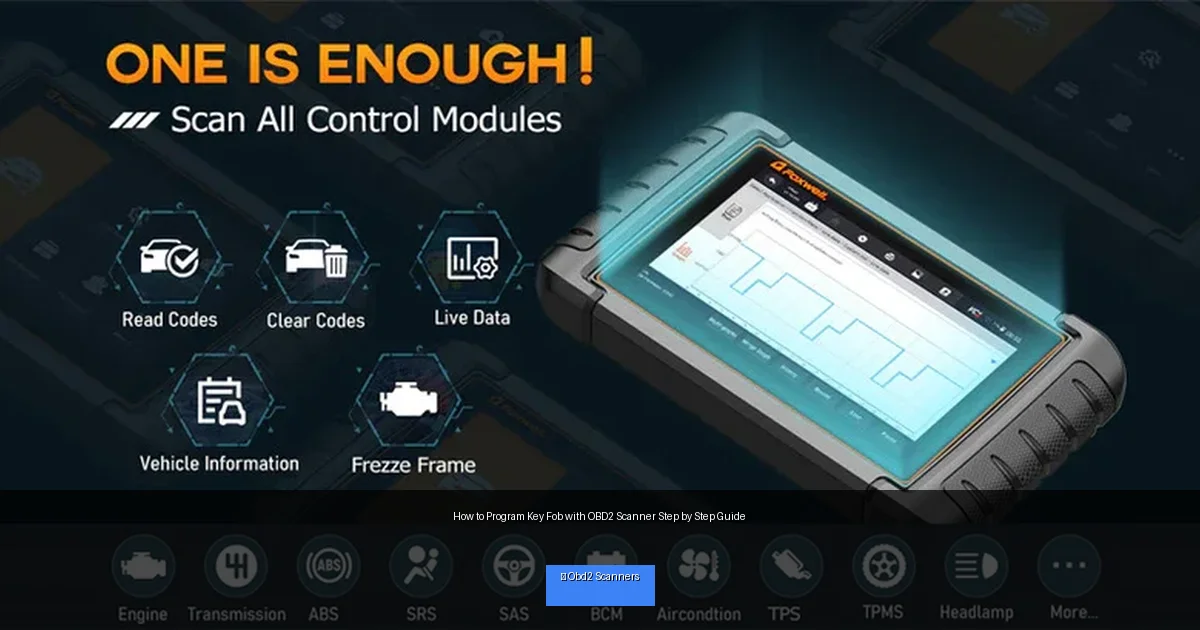
Visual guide about How to Program Key Fob with OBD2 Scanner Step by Step Guide
Image source: foxwelldiag.com
What You Need Before You Start
- OBD2 scanner with key fob programming capability
- New or replacement key fob compatible with your vehicle
- Your vehicle’s owner’s manual
- Vehicle with a working key fob (for some vehicles)
- Battery-powered key fob (fully charged)
- Patience and a few minutes of your time
Step 1: Check Vehicle and Scanner Compatibility
Verify Vehicle Support
Not every vehicle supports key fob programming via OBD2. Start by consulting your car’s owner’s manual or manufacturer website to confirm if OBD2 programming is possible. Key fob programming is more common in newer vehicles (2005 and later).
Confirm Your OBD2 Scanner Features
Ensure your OBD2 scanner explicitly supports key fob or remote programming. Some popular brands offering this feature include Autel, Launch, and Foxwell. Check the scanner’s manual or product description to confirm.
Step 2: Prepare Your Vehicle and Equipment
Fully Charge Your Key Fob
Before programming, make sure the key fob battery is fresh or fully charged. A weak battery can cause programming failure.
Turn Off All Accessories
Switch off the vehicle’s engine and all accessories such as radio, lights, and air conditioning to avoid interference during programming.
Locate the OBD2 Port
The OBD2 port is usually located under the dashboard near the steering column. Refer to your vehicle’s manual if you have trouble finding it.
Step 3: Connect the OBD2 Scanner and Access Programming Mode
Plug in the OBD2 Scanner
Connect your scanner to the OBD2 port securely. Most scanners light up or power on automatically when connected.
Turn the Vehicle Ignition to ON
Do not start the engine. Turn the key to the ON position so the dashboard lights up. This powers the vehicle’s electronics and allows communication with the scanner.
Access the Key Fob Programming Menu
Using the scanner’s interface, navigate to the “Key Programming” or “Immobilizer” menu. This option may vary by scanner model, so follow the on-screen instructions.
Step 4: Program the Key Fob
Follow On-Screen Prompts
The scanner will prompt you to perform certain steps such as pressing buttons on the key fob or turning the ignition key. Follow these prompts carefully.
Register New Key Fob
Select the option to add or program a new key fob. The scanner will communicate with your vehicle’s immobilizer system to recognize the new remote.
Test the Key Fob
Once programming completes, test the key fob by locking/unlocking doors or starting the vehicle (if applicable). If it works, you’re done!
Step 5: Finalize and Disconnect
Exit Programming Mode
Use the scanner to exit the programming menu and turn off the vehicle ignition.
Disconnect the Scanner
Unplug the OBD2 scanner safely from the port.
Practical Tips for Successful Key Fob Programming
- Use a fully charged or new battery in your key fob. A weak battery can cause programming errors.
- Make sure your vehicle’s battery is sufficiently charged. Low voltage can disrupt communication.
- Follow your scanner’s prompts exactly. Skipping steps may cause failure.
- Have all key fobs present during programming. Some vehicles erase old keys during programming.
- Patience is key. The process might take several minutes depending on vehicle and scanner.
Troubleshooting Common Issues
OBD2 Scanner Not Connecting
Ensure your scanner is compatible and properly plugged into the OBD2 port. Try turning the ignition off and on again. If the problem persists, try another scanner.
Key Fob Not Programming
Check the battery in the key fob. Confirm you followed all steps exactly. Some vehicles require special security codes only available at dealerships.
Programming Mode Not Accessible
Your vehicle might not support OBD2 key programming. Verify compatibility or consult a professional locksmith.
Multiple Key Fobs Not Working After Programming
Some vehicles erase all existing keys during programming. You may need to program all key fobs again at once.
When to Seek Professional Help
If you experience repeated failures or your vehicle requires specialized security codes, it’s best to contact a professional locksmith or dealership. They have the tools and access to program key fobs safely and correctly.
Conclusion
Programming your key fob with an OBD2 scanner can be a straightforward and cost-effective solution when done correctly. By following this step-by-step guide, you can save time and avoid dealership fees. Just ensure your vehicle and scanner are compatible, follow directions carefully, and prepare your equipment properly. With a little patience and practice, you’ll have your new key fob programmed and ready to go in no time!
🎥 Related Video: How to Program a Key Fob at Home [Step-by-Step Easy Fix]
📺 Car Care Clues
In this video, we’ll show you how to program a key fob at home step-by-step, saving you time and money. Avoid expensive trips to …