
Resetting your vehicle’s Transmission Control Module (TCM) with an OBD2 scanner can solve many transmission issues, such as rough shifts or delayed engagement. This guide walks you through simple, step-by-step instructions to perform a TCM reset safely, helping you restore smooth transmission operation without costly repairs.
Quick Answers to Common Questions
What is the difference between an OBD2 scanner and a TCM reset tool?
An OBD2 scanner reads and clears error codes from various vehicle systems, including the transmission, while some advanced scanners or specialized tools have dedicated functions to reset the TCM specifically.
Can I reset the TCM without an OBD2 scanner?
Some vehicles allow TCM resets by disconnecting the battery or performing specific ignition cycles, but these methods are less reliable and can cause other issues. Using an OBD2 scanner is safer and more effective.
How long does the TCM relearning process take?
The relearning generally takes about 10-15 minutes of normal driving, allowing the TCM to adjust shifting based on your driving style and sensor inputs.
Will resetting the TCM erase other vehicle data?
Resetting the TCM clears transmission-related codes and adaptive data but does not erase other vehicle systems or personal settings like radio presets.
Can a faulty TCM cause transmission problems?
Yes, a malfunctioning TCM can lead to shifting issues, delayed engagement, or erratic transmission behavior. Resetting can help, but a faulty TCM may require repair or replacement.
How to Reset TCM with OBD2 Scanner for Smooth Transmission Fix
If you’re experiencing rough or delayed shifting, erratic transmission behavior, or the transmission warning light is on, resetting your vehicle’s Transmission Control Module (TCM) might be the solution. The TCM controls how your transmission shifts gears, and sometimes it needs a reset to clear error codes or relearn shifting patterns.
In this guide, you will learn how to reset your TCM using an OBD2 scanner in a few simple steps. This method is affordable, safe, and can save you a trip to the mechanic. Let’s dive in!
What is the TCM and Why Reset It?
The Transmission Control Module is a small computer that manages your vehicle’s transmission system. It reads data from sensors and controls gear shifting to ensure smooth performance. However, if the TCM detects faults or irregularities, it stores error codes and may trigger warning lights or cause poor shifting.
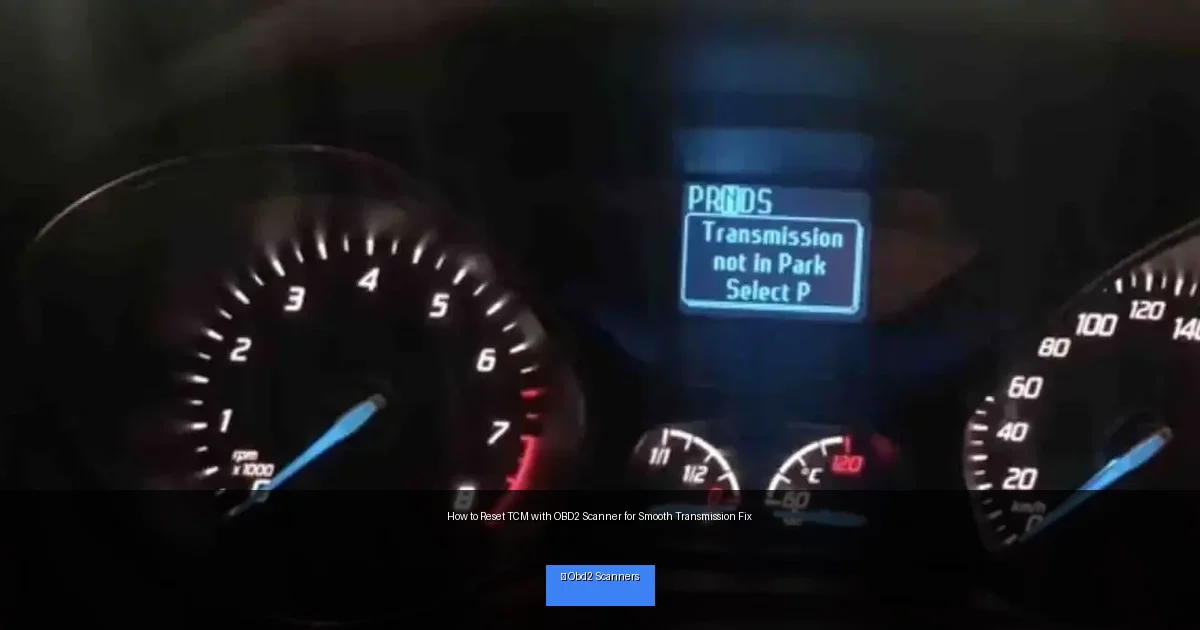
Visual guide about How to Reset TCM with OBD2 Scanner for Smooth Transmission Fix
Image source: autovfix.com
Resetting the TCM with an OBD2 scanner clears these codes and allows the module to recalibrate itself, often improving transmission behavior.
What You Need Before You Start
- An OBD2 scanner capable of reading and clearing transmission codes (many modern scanners support this).
- Your vehicle’s owner manual (optional but helpful).
- A stable power source — make sure your car battery is charged.
- Patience and a safe working environment.
Step 1: Locate the OBD2 Port
The OBD2 port is usually found under the dashboard on the driver’s side. It’s a 16-pin connector where you’ll plug in the scanner.
How to Find It:
- Look beneath the steering wheel area.
- If you can’t find it, refer to your owner’s manual.
- Use a flashlight if needed.
Step 2: Prepare Your Vehicle
Before connecting the scanner, make sure:
- Your vehicle is turned off.
- The parking brake is engaged.
- All electronic accessories are switched off (radio, AC, etc.).
Step 3: Connect the OBD2 Scanner
Plug the scanner’s connector into the OBD2 port firmly. Turn your vehicle’s ignition to the “ON” position but do not start the engine. This powers the TCM and allows communication with the scanner.
Important:
Do not start the engine at this point to avoid interference with the reset process.
Step 4: Turn on the Scanner and Navigate to Transmission Codes
- Power on the scanner.
- Follow the menu options to select your vehicle make and model if required.
- Navigate to the transmission or powertrain module section.
- Select “Read Codes” or “Scan” to view any stored trouble codes.
What to Expect:
The scanner will display any transmission-related codes. Write them down if you want to research or share with a mechanic later.
Step 5: Clear Transmission Codes and Reset the TCM
- Choose the “Clear Codes” or “Erase Codes” option.
- Confirm the action when prompted.
- The scanner will communicate with the TCM and clear stored errors.
- Some scanners have a dedicated “Reset TCM” or “Reset Transmission Adaptation” feature—use it if available.
Note:
Clearing codes also resets the TCM’s adaptive learning, allowing it to relearn shifting patterns based on current driving conditions.
Step 6: Turn Off the Ignition and Disconnect the Scanner
Once the reset is complete, turn off the vehicle ignition. Then, unplug the scanner from the OBD2 port.
This ensures the reset process is finalized and prevents any electrical issues.
Step 7: Start the Engine and Test Drive
- Start the engine and let it idle for a few minutes.
- Drive your vehicle gently for about 10-15 minutes.
- The TCM will relearn and adjust the transmission behavior during this time.
- Pay attention to smoother gear shifts and any warning lights.
Tip:
If the transmission feels rough again or warning lights return, further diagnosis may be needed.
Troubleshooting Tips
- Scanner won’t connect: Check the OBD2 port and scanner compatibility. Restart the scanner or try another tool if possible.
- Codes won’t clear: Ensure ignition is in the “ON” position, not engine running. Some codes may require repairs before clearing.
- Transmission issues persist: Resetting the TCM may not fix mechanical problems. Consult a professional mechanic.
- Warning lights return quickly: There may be active faults needing repair or sensor failures.
Additional Tips for a Successful TCM Reset
- Use a reliable OBD2 scanner with transmission reset capability.
- Perform the reset in a safe, well-lit area.
- Keep your vehicle’s battery charged to avoid interruptions.
- Check your vehicle’s manual for any model-specific reset procedures.
When to See a Professional
If resetting your TCM does not improve transmission performance or you continue to see warning lights, it’s best to consult a certified mechanic. Complex transmission faults may require diagnostic tools beyond basic OBD2 scanners or physical repairs.
Conclusion
Resetting your Transmission Control Module (TCM) with an OBD2 scanner is a simple and effective way to clear transmission error codes and help your vehicle regain smooth shifting performance. By following the step-by-step instructions, you can perform this reset safely at home. Remember, while this fix works for many common transmission issues, persistent or severe problems should be evaluated by a professional. With this guide, you now have the knowledge to keep your vehicle’s transmission running smoothly and confidently on the road.
🎥 Related Video: How To Reset A Transmission Control Module (Simple Guide!)
📺 Simple Mechanic Advice
How To Reset A Transmission Control Module (Simple Guide!). In this video tutorial I will show you how to reset a transmission …